Simplify MySQL monitoring with Applications Manager
ManageEngine Applications Manager’s MySQL monitoring tool helps database administrators gain complete visibility into MySQL performance and availability. Track key metrics, analyze slow queries, and detect anomalies before they affect end users. Our MySQL monitor is built with intuitive dashboards and smart alerts, you can proactively troubleshoot issues, optimize resources, and ensure uninterrupted database operations.
Applications Manager's MySQL performance monitoring uses intelligent forecasting to analyze growth trends in critical MySQL resources, enabling proactive capacity planning and preventing performance bottlenecks. It also provides deep insights into database usage patterns, enabling more accurate capacity planning. With the aid of key MySQL metrics obtained from the MySQL performance monitor, you can easily understand the health, availability, and performance of different MySQL components.
Track key MySQL metrics to ensure reliable performance
Applications Manager's MySQL monitor tracks essential MySQL metrics that help you understand and fine-tune your database performance:
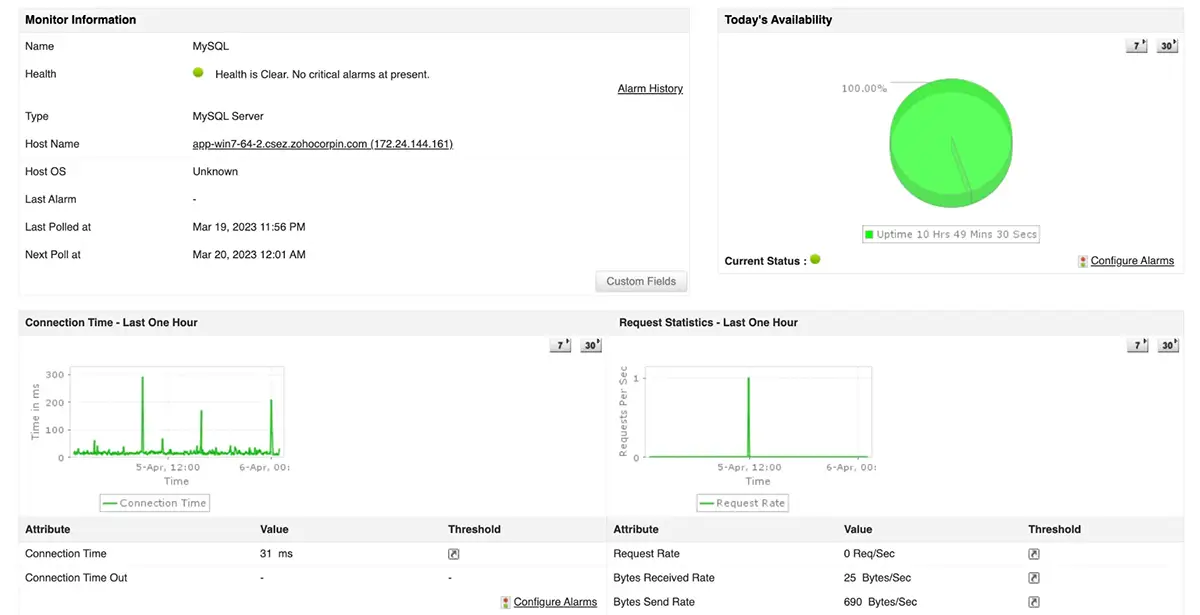
Connections: Monitor open, aborted, and active connections to identify potential bottlenecks in user access.
Requests: Measure the rate at which requests are processed, sent, and received to spot workload imbalances.
Threads: View thread activity, cache size, and status to optimize concurrency and reduce latency.
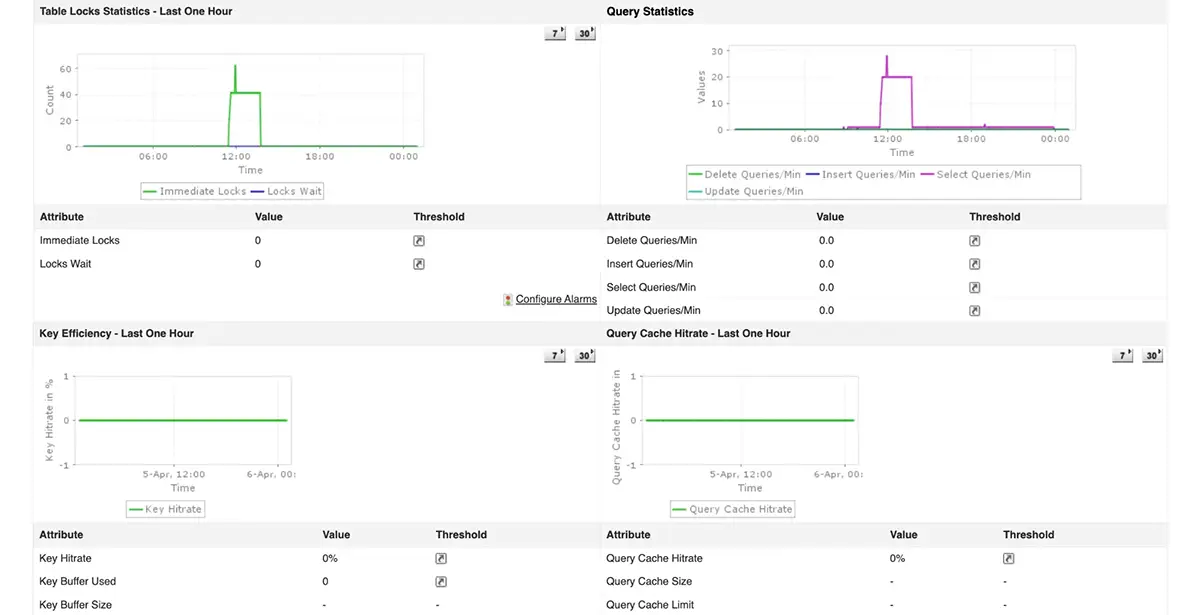
Table locks: Detect lock waits and rejections to prevent performance degradation during concurrent transactions.
Key hits: Track key cache hit rate and size to improve read performance and reduce disk I/O.
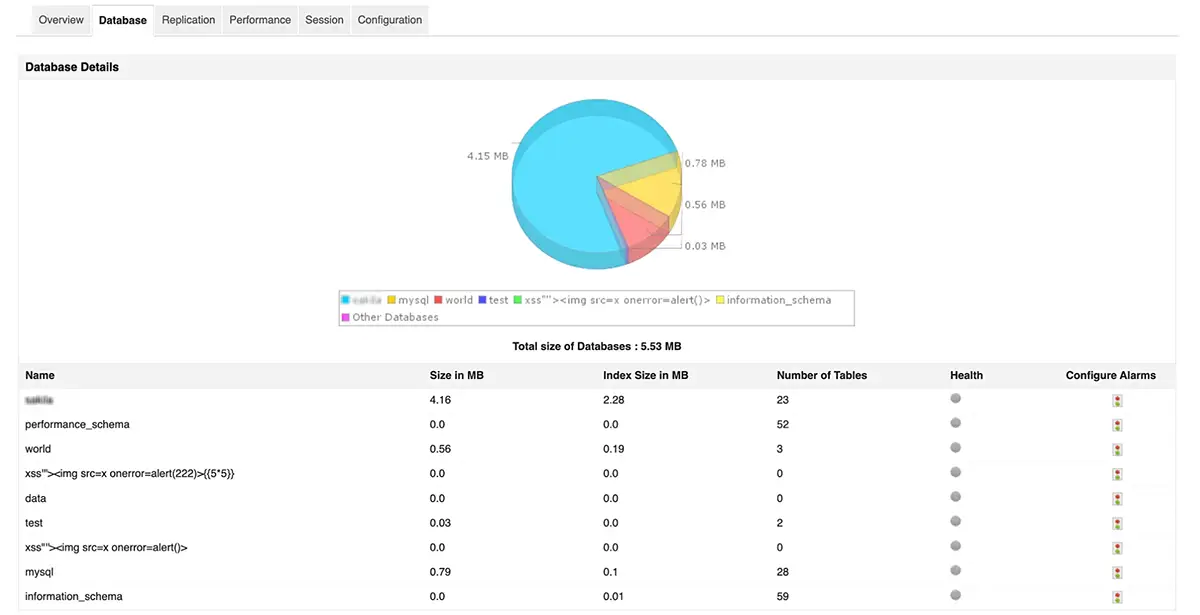
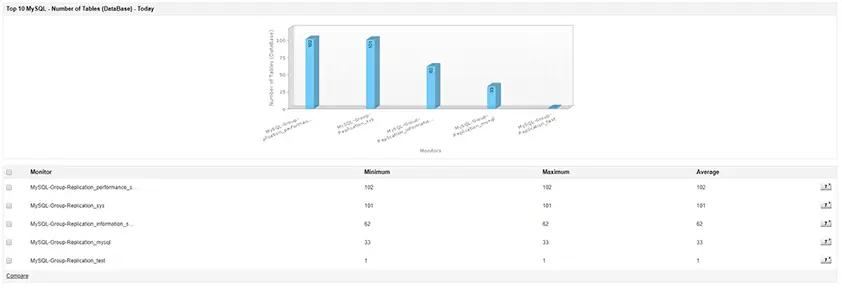
Databases: Visualize memory usage and index size distribution across system databases for efficient capacity planning.
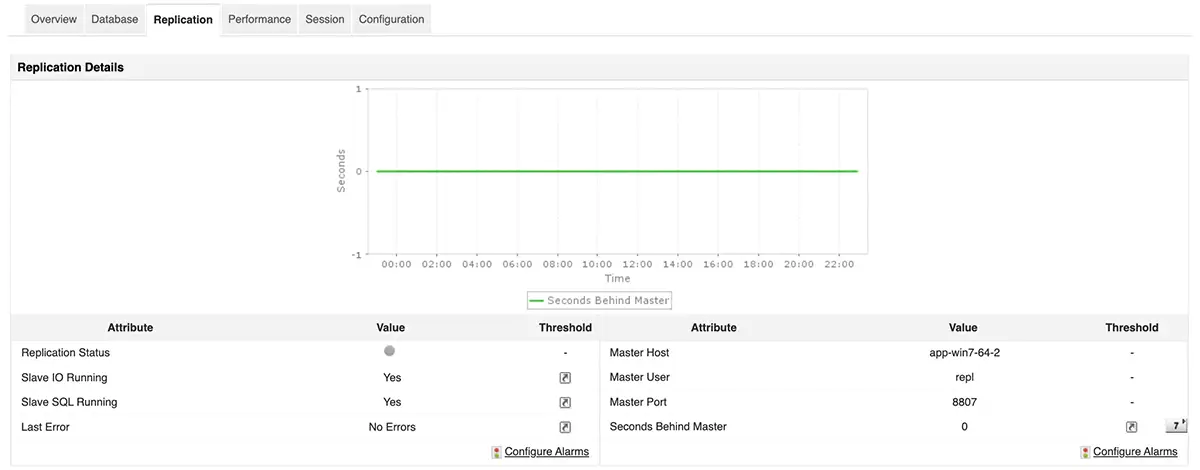
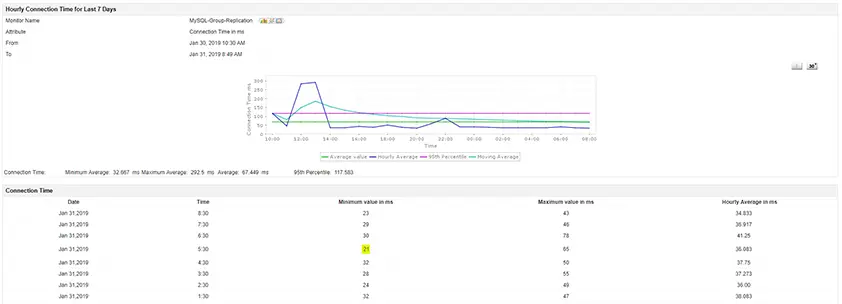
Replication: Analyze master-slave replication metrics and time lags to maintain data consistency.
Queries: Identify queries consuming high CPU or execution time and optimize them for better performance.
Sessions: Track session states, commands, and query details to assess real-time database workload.
Variables: Get a complete view of system variables and configurations in a single dashboard.
MySQL monitoring use cases
1. Proactive performance validation after deployments
Use MySQL monitoring to validate database performance immediately after application releases or schema changes, and quickly identify regressions before they affect users.
2. Early warning for abnormal workload patterns
Detect unusual spikes in query volume, connections, or resource usage through Applications Manager's MySQL monitor to spot workload anomalies that often precede performance issues.
3. Operational visibility for shared MySQL environments
MySQL performance monitoring helps teams understand how multiple applications or tenants impact shared databases, improving accountability and capacity planning.
4. Faster incident triage during application slowdowns
When applications slow down, MySQL monitoring provides immediate database-level context to confirm or rule out MySQL as the root cause.
Best practices for MySQL performance monitoring
To get the most out of your MySQL monitor, IT teams should follow industry best practices that guarantee database reliability and efficiency:
Track InnoDB metrics: Monitor the InnoDB buffer pool size and hit rates to ensure memory is optimally allocated for read and write operations.
Analyze slow query logs: Consistently audit slow query logs to identify inefficient SQL executions that cause performance bottlenecks.
Monitor connection limits: Prevent 'Too many connections' errors by establishing baselines and alerts for active, open, and aborted connections.
Keep an eye on replication lag: For high-availability environments, utilize MySQL performance monitoring to track replication lag strictly, preventing stale data reads on slave nodes.
By leveraging ManageEngine Applications Manager's deep diagnostic capabilities, database administrators can automate these best practices and maintain optimal database health.
Monitor MySQL servers to improve performance and prevent downtime
Detect slow MySQL queries with proactive MySQL monitoring
MySQL monitor tracks every aspect of your MySQL environment, from query execution to replication lag, with Applications Manager’s in-depth dashboards and reports. Gain insights into how workloads, queries, and replication configurations affect performance, and resolve issues quickly to ensure continuous database availability.
Use Applications Manager’s MySQL query monitoring feature to analyze query execution time, CPU usage, and response patterns. Set up threshold-based alerts using our MySQL monitor to get notified when critical queries slow down and use detailed reports to pinpoint the root cause of latency.
Ensure database availability with MySQL replication monitoring
Applications Manager helps monitor MySQL replication topologies to ensure data consistency and minimal latency. Track replication lag, master-slave synchronization status, and data flow errors in real time. Get instant alerts for replication delays and maintain continuous data availability across database nodes. If your environment includes MS SQL, our SQL Server monitoring features bring equivalent depth!
Trace MySQL queries and uncover performance bottlenecks with APM
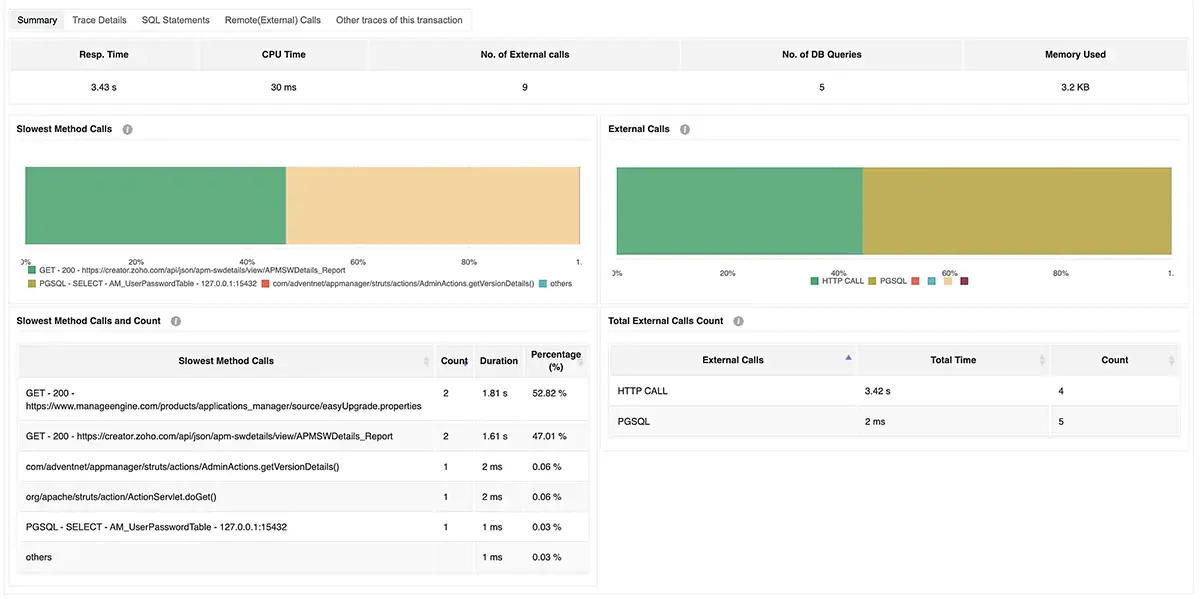
Integrate Applications Manager’s application performance monitoring (APM) feature to trace MySQL queries in your Java, .NET, Node.js, or PHP applications. Visualize query paths, execution times, and dependent code blocks to isolate issues faster and improve overall application performance using MySQL performance monitoring.
Predict MySQL performance trends with machine learning insights
Applications Manager leverages machine learning-based forecasting to predict future growth and utilization trends of your MySQL servers. Using our MySQL monitor analyze historical performance data, compare reports, and anticipate capacity needs before they impact performance. Create and schedule custom reports to track progress automatically.
Furthermore, Applications Manager's MySQL monitoring also offers the flexibility to create your own custom reports and schedule these reports to be generated at regular intervals of time.
Choose a MySQL monitoring tool that scales with your business
Applications Manager's MySQL monitoring combines advanced analytics, intelligent alerting, and automation to help you manage MySQL databases of any size. Whether you’re monitoring standalone servers or complex clusters, it ensures high performance, proactive issue resolution, and data-driven insights. Get started in minutes and experience full-stack observability in your MySQL ecosystem.
ManageEngine Applications Manager can easily be configured to monitor MySQL performance in just a few minutes. To experience our MySQL monitoring software on your own, download a 30-day free trial now!
More on MySQL monitoring:
What is MySQL monitoring?
+
MySQL monitoring refers to the practice of tracking the performance and health of a MySQL database system. This involves monitoring various metrics such as CPU usage, memory usage, disk I/O, network traffic, and query execution times to ensure that they are within acceptable limits. Effective MySQL monitoring is essential for ensuring the reliability, availability, and performance of database systems, particularly in high-traffic applications that handle large volumes of data.
Why is it important to monitor MySQL performance?
+
Monitoring MySQL database servers helps DBAs to optimize and improve database health and performance. Proactively monitoring MySQL performance metrics helps in identifying issues like slow queries, abnormal resource utilization, unusual data traffic and throughput etc. and ensure quicker fixes. This improves server operational efficiency and keeps response times at optimum. So to ensure smooth database operations and deliver seamless end user experience, admins should adopt efficient MySQL monitoring strategies.
How does MySQL performance monitoring work?
+
MySQL performance monitoring tracks key metrics like query execution time, active connections, CPU usage, and memory consumption to ensure smooth database operations. It helps detect slow queries, optimize resource usage, and prevent performance bottlenecks.
What are the advantages of Applications Manager over built-in MySQL monitoring tools?
+
Third-party MySQL monitoring tools like Applications Manager have several advantages over built-in monitoring tools like Performance Schema:
Comprehensive monitoring: Applications Manager offer a more comprehensive view of the MySQL environment, including metrics related to system resources, application performance, and user behavior. Performance Schema, on the other hand, focuses mainly on query performance and resource utilization.
Real-time alerts: Third-party tools can be configured to send alerts in real-time when an issue is detected, allowing for faster response times and quicker resolution of problems.
Customization: Applications Manager offers more customization options than built-in monitoring tools, allowing users to tailor their monitoring to their specific needs.
Integrations: Applications Manager can often integrate with other tools and services, - such as alerting systems like ManageEngine AlarmsOne and reporting tools like ManageEngine Analytics Plus or Grafana - making it easier to manage and analyze data from multiple sources.
User-friendly interface: Applications Manager has a more user-friendly interface than built-in monitoring tools, making it easier for users to navigate and understand the data. The native tools can be more difficult to use for those who are not familiar with MySQL internals.
How does Applications Manager collect data on MySQL performance?
+
Applications Manager offers agentless MySQL monitoring. All you need to do is to download and place the MySQL Java Connector in Applications Manager's classpath and ensure minimum user privileges.
For detailed steps on how to setup your own MySQL monitor with Applications Manager, refer this page.
How to view MySQL performance?
+
MySQL performance can be analyzed using built-in database tools, query logs, and monitoring solutions that provide real-time and historical insights. ManageEngine Applications Manager's MySQL performance monitor offers a centralized dashboard to track performance trends and identify inefficiencies.
How does MySQL monitoring help prevent database performance issues?
+
By continuously monitoring MySQL metrics, administrators can identify slow queries, detect high resource utilization, and troubleshoot issues before they escalate. Proactive MySQL monitoring helps maintain database efficiency and ensures smooth application performance.
Can I monitor MySQL performance across multiple servers and databases from a single dashboard?
+
Yes, many MySQL monitoring solutions allow centralized monitoring of multiple servers and databases. With ManageEngine Applications Manager's MySQL monitor, you can track the health and performance of all MySQL instances from a single interface, making management more efficient.
How does MySQL monitoring improve database uptime and reduce downtime-related costs?
+
MySQL performance monitoring helps detect issues early, optimize resource allocation, and prevent unexpected failures, ensuring high database availability. With our MySQL monitor you can receive proactive alerts and automated reports which in turn minimizes downtime, reducing operational disruptions and associated costs.
"Standout Tool With Extensive Monitoring Capabilities"
★★★★★
It allows us to track crucial metrics such as response times, resource utilization, error rates, and transaction performance. The real-time monitoring alerts promptly notify us of any issues or anomalies, enabling us to take immediate action.
Reviewer Role: Research and Development
"I like Applications Manager because it helps us to detect issues present in our servers and SQL databases."
Carlos Rivero
Tech Support Manager, Lexmark
Trusted by thousands of leading businesses globally