Password Does Not Meet Policy Requirements
Problem:
When using the User Management configuration in ManageEngine Endpoint Central, the Add User or Change Password actions may fail because the password entered is not accepted. Users may encounter an error indicating that: "The password does not meet the required password policy."
Cause:
This issue occurs when the specified password does not comply with the Local Group Policy (GPO) Password Policy configured on the target machine, such as minimum password length, complexity requirements, or password history restrictions. The password requirements should be verified in the local GPO before deploying the configuration.
How to Check Local Password Policy (Local GPO)
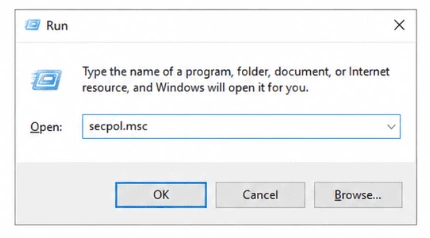
Step 1: Open Local Security Policy by pressing Windows + R, typing secpol.msc, and clicking OK.
Step 2: Navigate to Security Settings > Account Policies > Password Policy.
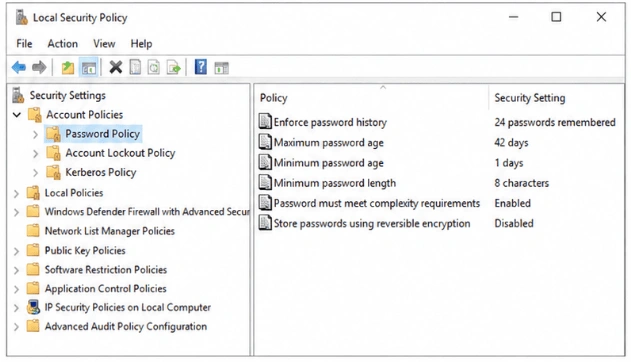
Step 3: Verify the configured password requirements, including Minimum Password Length and Password Must Meet Complexity Requirements.

Note: If Password Complexity is enabled in the Local GPO, ensure that the password meets all configured policy requirements; otherwise, the user creation process will fail.