×![]()
×
×![]()
×
×
Steps to add applications after deployment
You can add and install the applications, scripts, and drivers that are available as executables to the target computer after deployment. Follow the steps given below to add the application depending on your requirement:
Note: Follow this link for a step-by-step guide to deploy Microsoft 365 application along with your OS image.
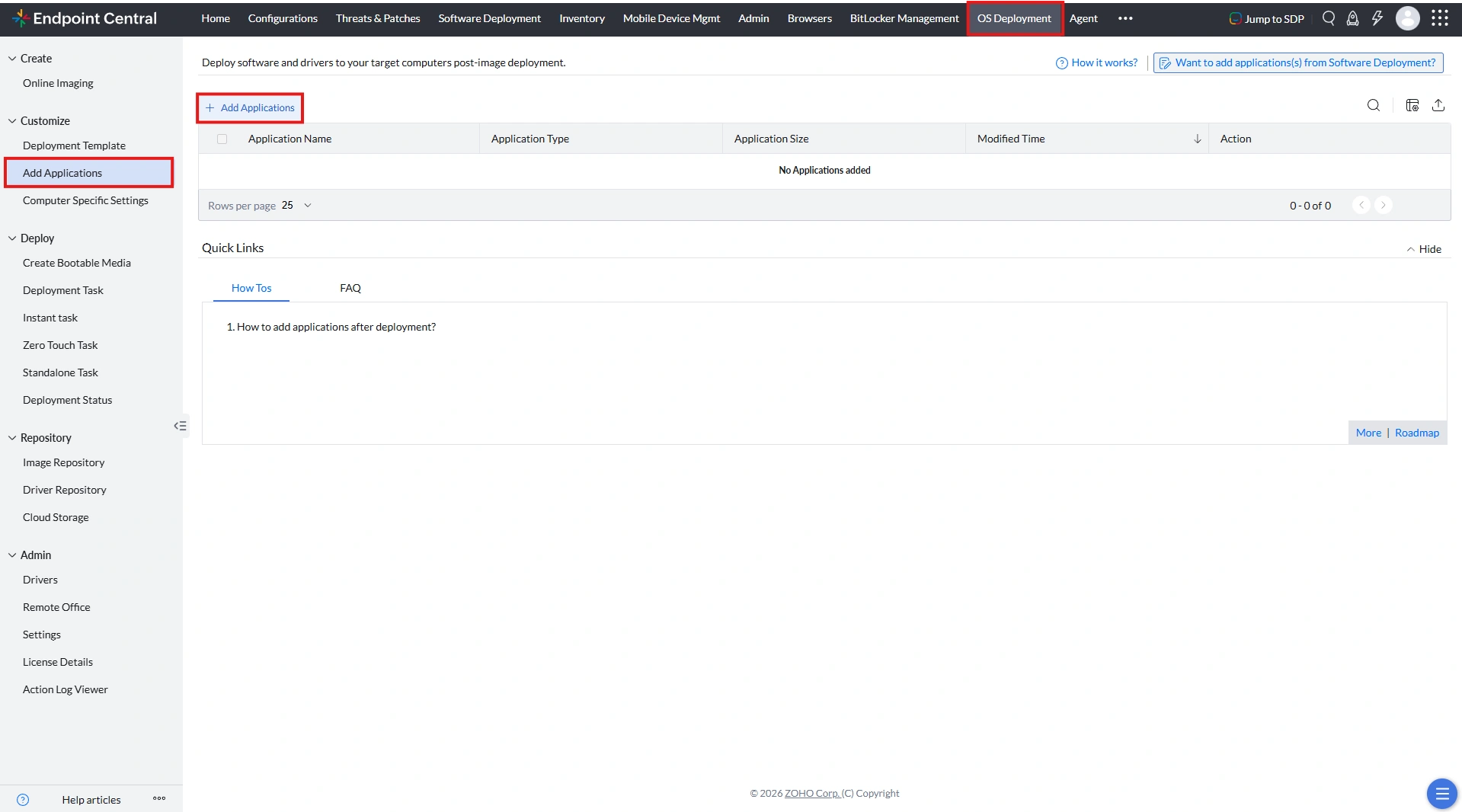
Add applications using EXE files
- Click Add applications
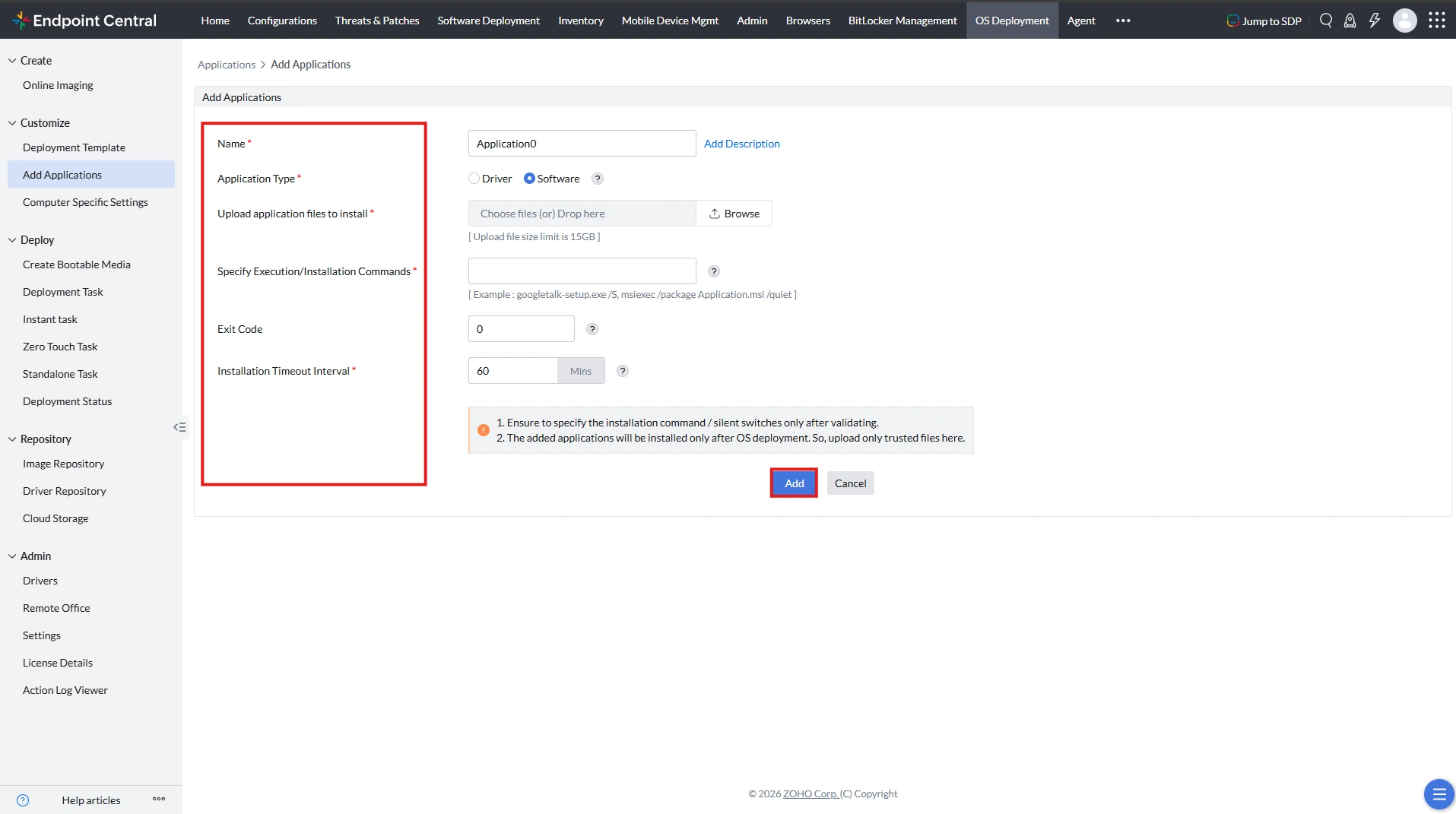
- Specify the Application name for the applications or scripts you are planning to add.
- Specify the Application type
- Upload any executable like the application exe, driver exe, or script. If you are adding more executables, upload a script to silently install the executables on the target computer
- Specify the silent switches or execution commands to silently install the executables. If you have uploaded a script for silent installation, specify the command to execute the script.
Some examples are:
- googletalk-setup.exe /S
- msiexec /package Application.msi /quiet
Add applications with folders
- Create a zip file of the folder containing the application that you are trying to install. For example, if your application is under the folder MsOffice2010\setup.exe, then create a zip file of the folder MsOffice2010.
- Go to the 7zip's download page and download the file with the description "7-Zip Extra: stand-alone console version, 7z DLL, Plugin for Far Manager".
- From that zip, extract the 7za.exe file.
- Download the Setup.bat file from this link
- Edit the Setup.bat file in Notepad.
- In the first line, replace the Zipfilename with the name of your .zip file. For example, if your zip file name is MsOffice2010.zip, edit the line
7za.exe x -y "Zipfilename"to7za.exe x -y "MsOffice2010.zip". - In the second line, replace the folder name with the name of your application folder. For example, let us assume your application is under the folder, MsOffice2010\setup.exe. Then, edit the line
cd "FolderName"tocd "MsOffice2010". - In the third line, replace
"setup.exe" -silentswitchwith the installation command of your application. For example, if the command for your application ismsoffice.exe /S, then edit the lineSTART "" /WAIT "setup.exe" -silentswitchtoSTART "" /WAIT msoffice.exe /S - Now, save this bat file.
- Execute the bat file in a physical (Target) machine manually to check if the application is installed successfully.
- In the web console, navigate to Customize → Customize Deployment → Add Applications.
- Specify the Application name for the applications or scripts you are planning to add.
- Specify the Application type.
- Add the three files (
MsOffice2010.zip,7za.exe, andSetup.bat) in the Upload application files to install field. - Enter
Setup.batin the Specify Execution/Installation commands field. - Enter the Exit Code and the Installation Timeout Interval.
- Click Add.
Add applications using BAT files
- Click Add applications
- Specify the Application name for the applications or scripts you are planning to add.
- Specify the Application type
- Upload the bat file of the application that is to be installed in the Upload application EXEs to install field.
For example, Setup.bat
- Specify the command to execute the bat file in the Specify Execution/Installation Commands field.
For example, setup.bat -install -quiet
- Click Add.
Add applications using powershell script
- Click Add applications
- Specify the Application name for the applications or scripts you are planning to add.
- Specify the Application type
- Upload the powershell script of the application that is to be installed in the Upload application EXEs to install field.
- Edit the following command with the name of the powershell script uploaded:
powershell.exe -executionpolicy unrestricted -file <name>.ps1
For example, powershell.exe -executionpolicy unrestricted -file config_user.ps1
- Enter the edited command in the Specify Execution/Installation Commands field.
- Click Add.
Add applications using VBS script
- Click Add applications
- Specify the Application name for the applications or scripts you are planning to add.
- Specify the Application type
- Upload the VBS script of the application that is to be installed in the Upload application EXEs to install field.
- Edit the following command with the name of the VBS script uploaded:
cscript.exe <name>.vbs
For example, cscript.exe sample.vbs
- Enter the edited command in the Specify Execution/Installation Commands field.
- Click Add.
After successful image deployment, applications will be installed on the target computer.