×![]()
×
×![]()
×
×
Creating Custom Dashboards
Endpoint Central provides predefined dashboards for modules such as Inventory and Patch Management. You can also create and publish custom dashboards that present the metrics most relevant to operational, management, and audit teams.
Custom dashboards use custom reports as widgets. They do not add or modify the underlying report data.
Prerequisite
Create the reports that you want to use before building a dashboard. Only custom reports can be added as dashboard widgets. For instructions, see Create custom reports.
Create a custom dashboard
- Go to Reports > Custom Dashboards and click Create Dashboard.
- Enter a dashboard name and description.
- Drag the required custom reports into the dashboard layout.
- Rearrange or resize the report widgets to suit the required visualization.
- Click Save to publish the dashboard.
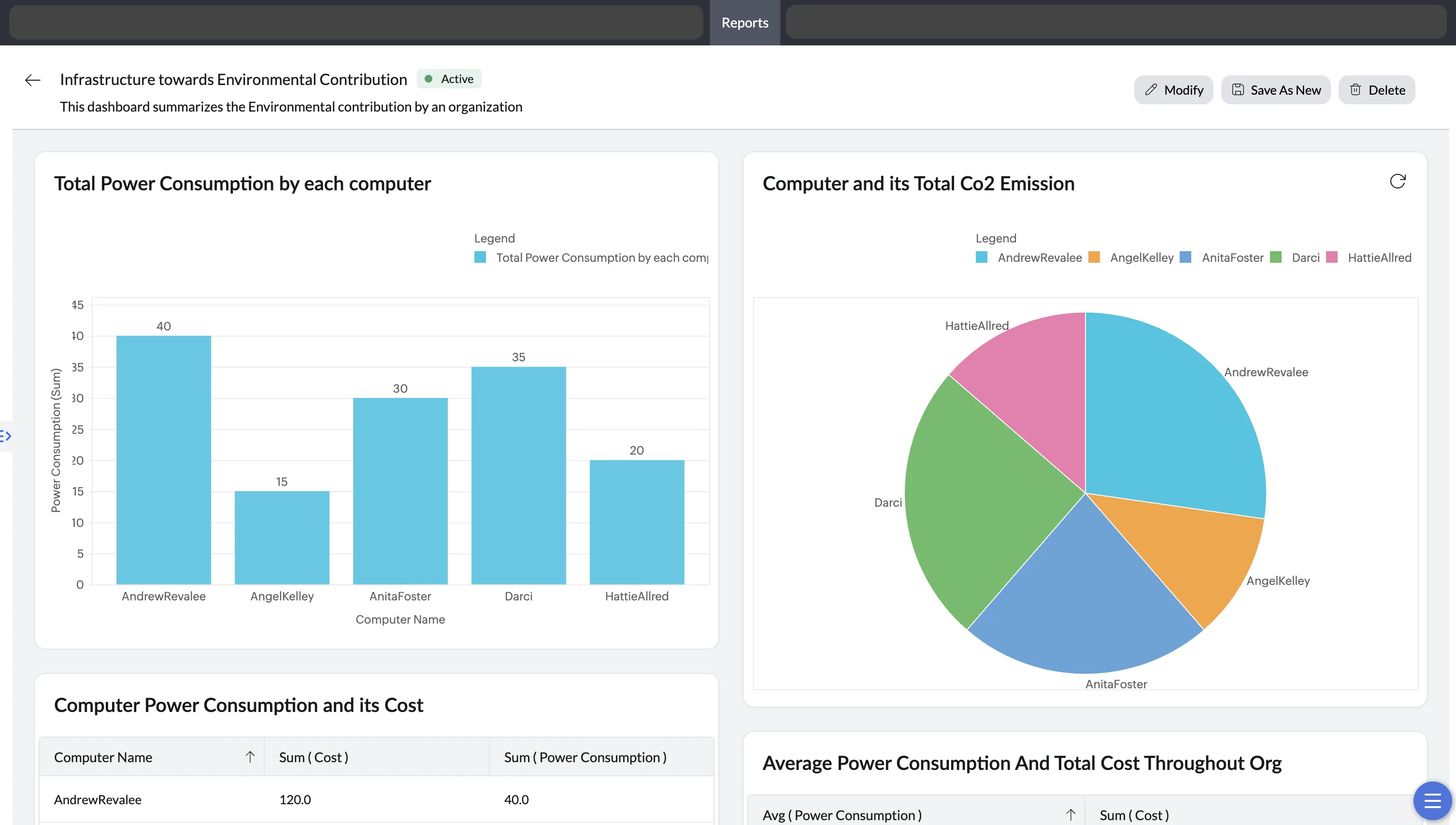
Dashboard status management
The status indicator reflects whether the reports used by the dashboard are available and valid:
- Active: All associated custom reports are valid and available.
- Error: At least one associated custom report is invalid. For example, deleting a formula column used by a custom report makes that report invalid and places dashboards that use it in the Error state.
Deleted custom reports
- If a custom report used by a dashboard is deleted, the report is removed from the dashboard and the dashboard remains Active.
- If the deleted custom report is the dashboard's only report, the dashboard is deleted automatically.
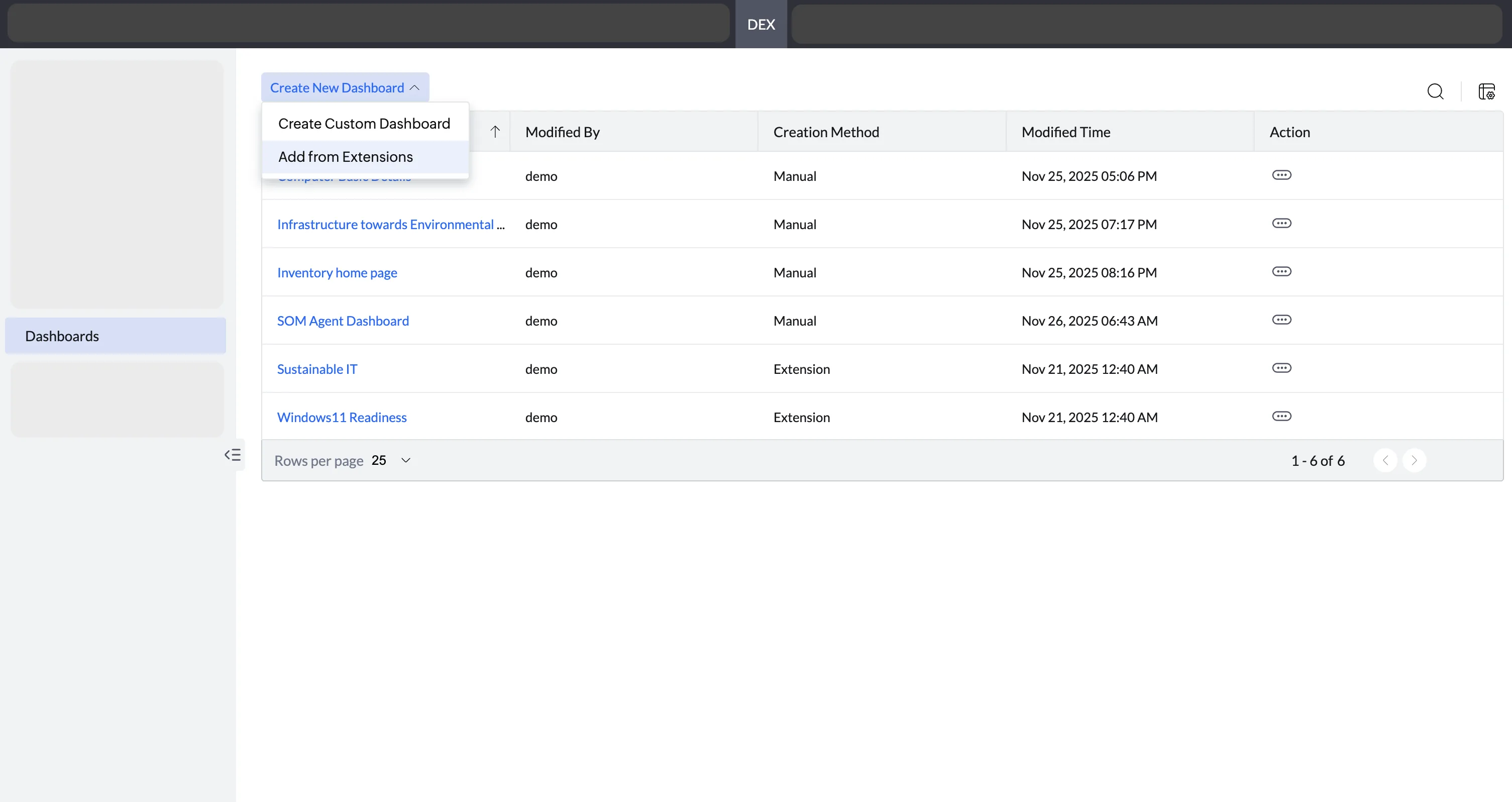
Access dashboards in DEX
Dashboards created from the Reports module are also available under DEX > Dashboards. In DEX, you can create dashboards in either of these ways:
- Custom reports: Build a dashboard from existing custom reports.
- DEX extensions: Start with a predefined template for a specific use case, such as Sustainable IT or Windows 11 readiness.
Note
- Custom Dashboards are available in the Trial, Free, UEM, and Security editions.
- A custom dashboard can display up to 20 custom reports.