×![]()
×
×![]()
×
×
Software Deployment failure - The system cannot find the file specified
Problem
You are trying to perform Software Deployment and you get the following errors:
- The system cannot find the file specified.
- The system cannot find the path specified.
- The system cannot open the file.
Cause
Endpoint Central is not able to access the executable file. This could happen in the following cases:
- The manual package may not be configured correctly
- The target environment might be improperly configured.
- There could be a mismatch in the folder name.
- The network path may be inaccessible.
- The installation commands provided could be incorrect.
Resolution
- The system cannot find the file specified.
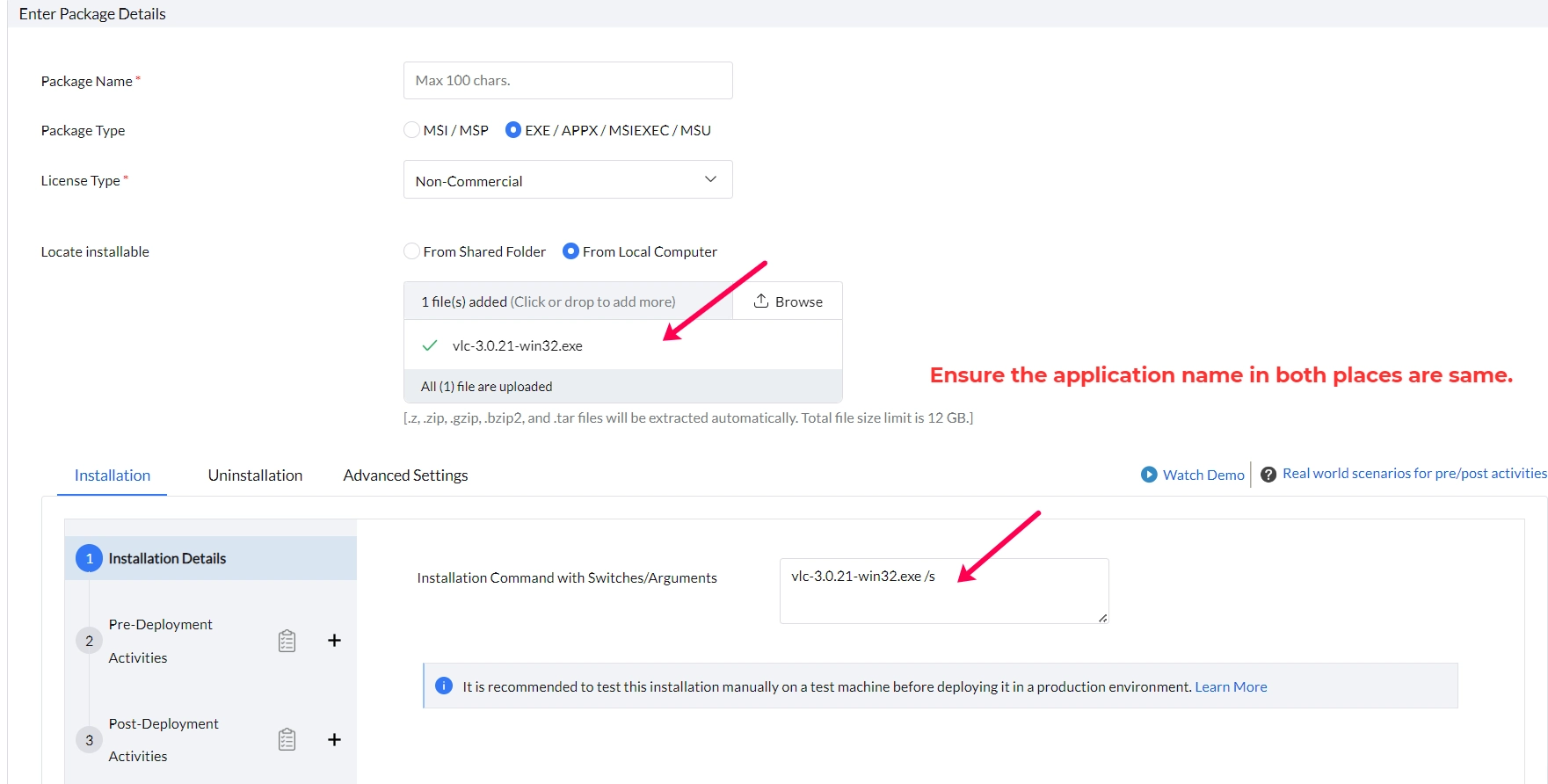
- File Name Mismatch
- Error: The name of the uploaded file may differ from the name used in the Installation command line.
- Solution: Ensure that the file names in both the upload and command line commands match exactly. Copy the filename exactly as it appears on the vendor site.
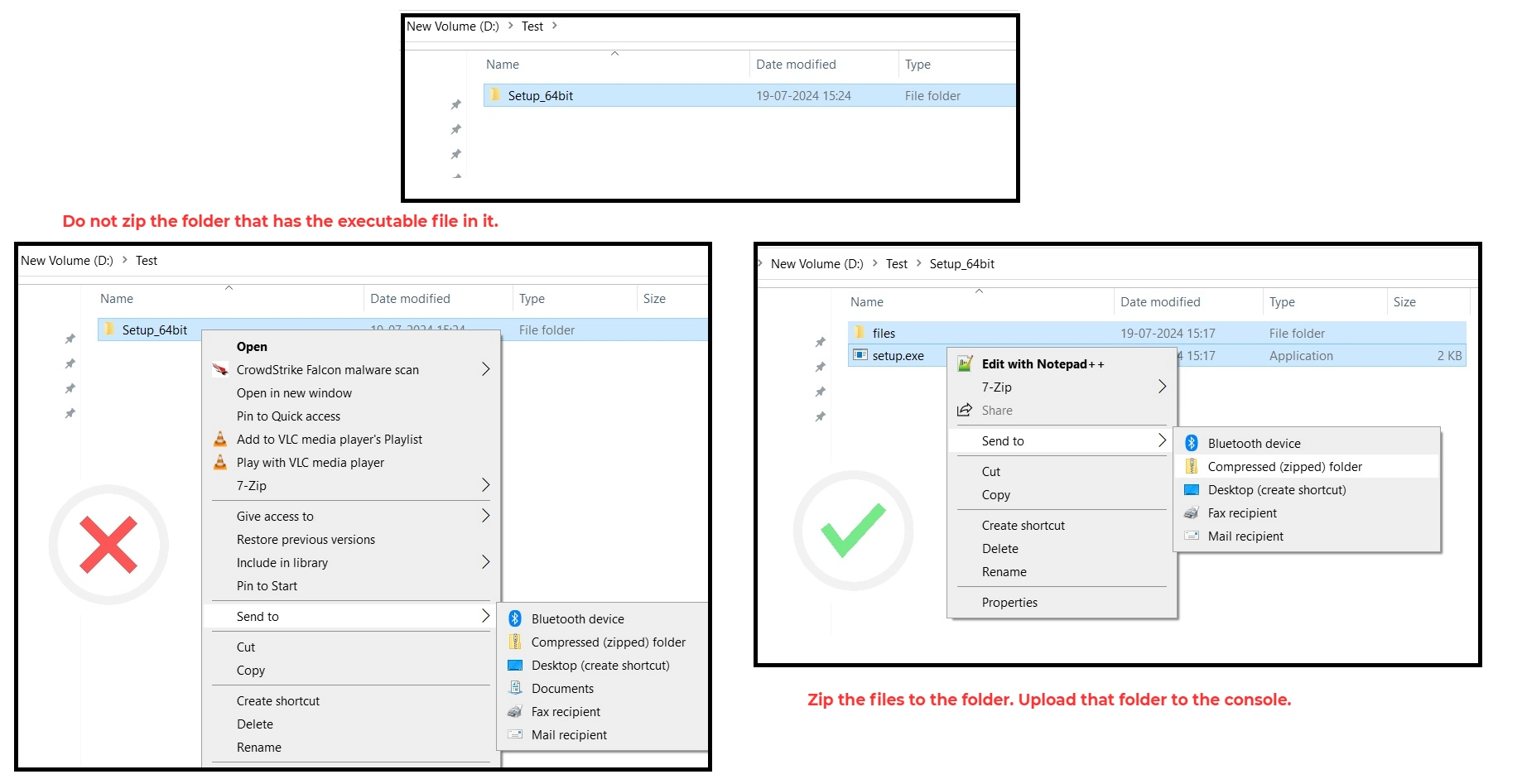
- File Upload as a Zip:
- Error: When uploading a zip file, it may be unzipped as a folder. If the command line references only the main installer (e.g., setup.exe) rather than including the folder path (e.g., FOLDERNAME\setup.exe), the system may not find the file.
- Solution: Confirm that the file path in the command line correctly reflects the location of the installer within the unzipped folder. It is recommended to zip the first level contents in the parent folder as shown in the below image. Do not zip the parent folder, as it may cause the error.
- File Name Mismatch
- The system cannot find the path specified
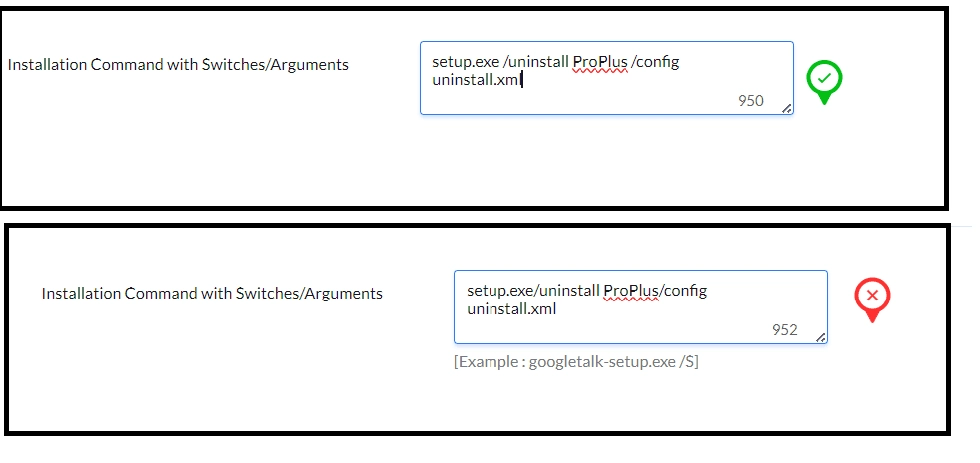
- Incorrect Command Line Switches:
- Error: Using incorrect switches or parameters can cause issues. For example, using setup.exe/uninstall ProPlus/config uninstall.xml instead of setup.exe /uninstall ProPlus /config uninstall.xml can lead to errors.
- Solution: Verify that the command line switches and parameters are accurate with appropriate spaces.
- Network Path Issues:
- Error: The network share path provided may not be accessible to the target machine, or the path specified in the command line might not match the actual root path of the file.
- Solution: Ensure that the network path is accessible and that the command line path is correctly specified. This applies to both network share paths and pre-post deployment activities - file folder operation.
- Incorrect Command Line Switches:
- The system cannot open the file
- Admin Privilege Issues:
- Error: Lack of administrative privileges can prevent the file from being opened or installed correctly.
- Solution: Deploy the package using the Run As option to ensure appropriate permissions.
- Silent Switch Mismatch:
- Error: If the vendor specifies a /S switch for silent installation but /qn is added incorrectly, the installation may fail. For example, using setup.exe/s/qn instead of setup.exe /s.
- Solution: Use the correct silent switch as specified by the vendor.
- Admin Privilege Issues: