Microsoft DHCP management
Dynamic Host Configuration Protocol (DHCP) is a fundamental network service that automatically assigns IP addresses to devices on a network, enabling seamless communication and connectivity. Efficient DHCP management is critical in enterprise networks to prevent IP conflicts, reduce downtime, and maintain network reliability.
OpUtils Microsoft DHCP management provides a centralized solution to simplify DHCP administration, offering real-time monitoring, proactive troubleshooting, and enhanced control over DHCP scopes and policies. With OpUtils, network administrators can efficiently manage all aspects of DHCP, ensuring optimal network performance and minimizing errors.
Key benefits include:
- Simplified administration: Manage multiple DHCP servers, scopes, and scope options from a single console.
- Real-time monitoring:Track IP usage, lease status, and policy compliance instantly.
- Proactive troubleshooting:Detect and resolve IP conflicts, misconfigured scopes, and other DHCP issues before they impact the network.
- Enhanced control: Define and enforce DHCP policies to optimize IP allocation and ensure consistent network behavior.
Existing DHCP monitoring capabilities in OpUtils
OpUtils offers a comprehensive suite of tools to monitor and manage DHCP servers, ensuring efficient IP address allocation and network reliability.
Key capabilities include:
- Real-time monitoring of DHCP Servers: Gain immediate insights into the operational status of your DHCP servers, including scope details such as address ranges, leased IPs, and reserved IPs.
- Visualization of IP address usage and availability: Visualize the distribution of leased, reserved, and available IPs, aiding in proactive capacity planning.
- Alerts for IP exhaustion and server downtime: Set threshold-based alerts to receive notifications via email or syslog when scopes/servers are nearing exhaustion, allowing for swift remedial actions.
- Granular reports and trend analysis: Generate automated, granular reports on DHCP usage, which can be scheduled and exported in PDF or CSV formats. These reports assist in auditing, capacity planning, and identifying usage patterns over time.
- Integration with Active Directory: Seamlessly integrate with Active Directory to link DHCP servers and AD domains, enhancing visibility into domain-specific leased and available IP addresses.
- Support for multiple DHCP server types: Monitor various DHCP servers, including Microsoft, Cisco, Palo Alto, and Linux ISC, from a unified console, streamlining management across diverse network environments.
With these capabilities in place, here is what’s new in OpUtils Microsoft DHCP management.
DHCP scopes
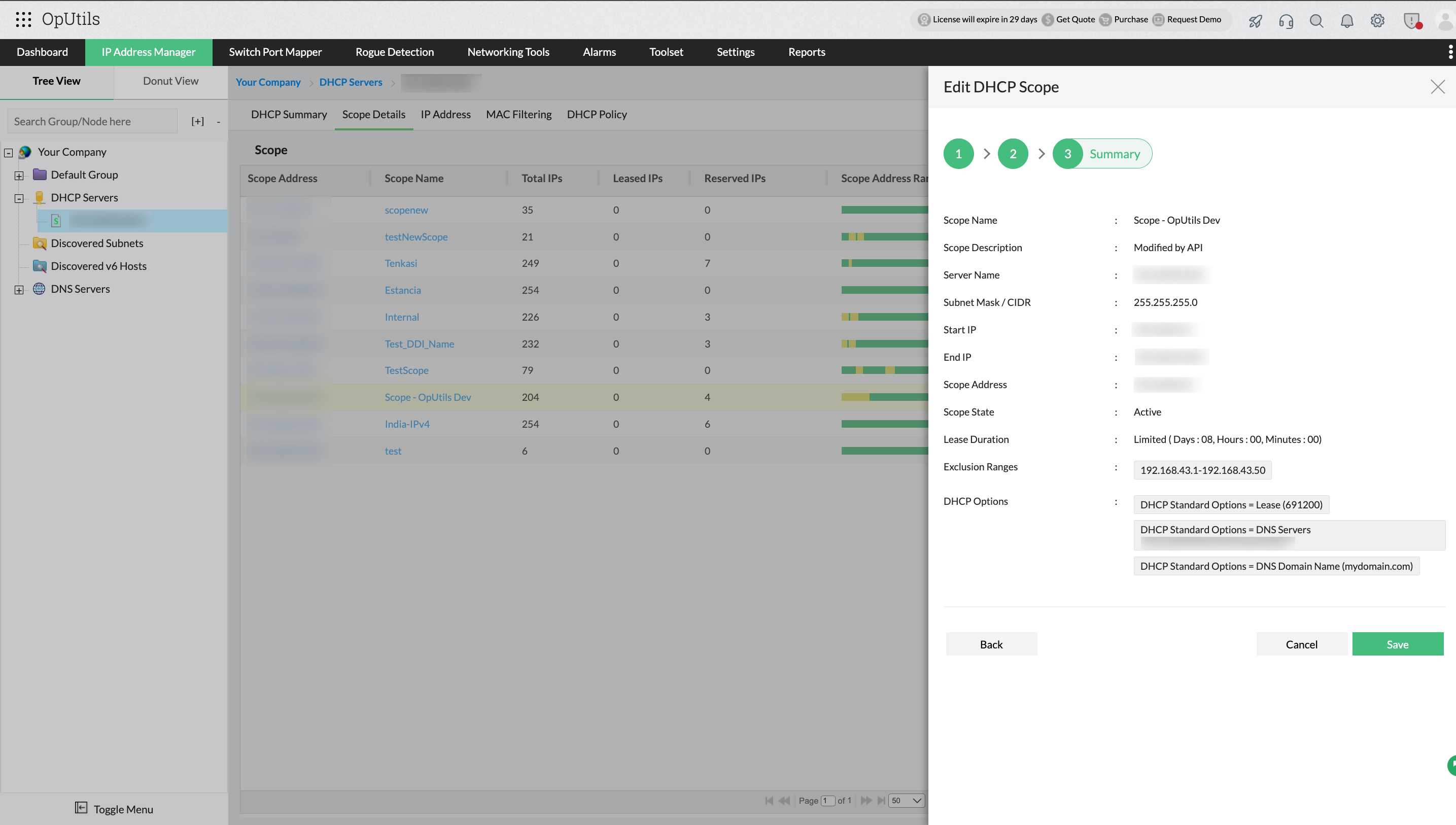
A DHCP scope defines a range of IP addresses that a DHCP server can assign to client devices, along with associated configuration parameters such as subnet masks, gateways, and DNS servers. Efficient scope management is essential to ensure optimal IP utilization, prevent conflicts, and maintain network reliability.
With OpUtils, you can:
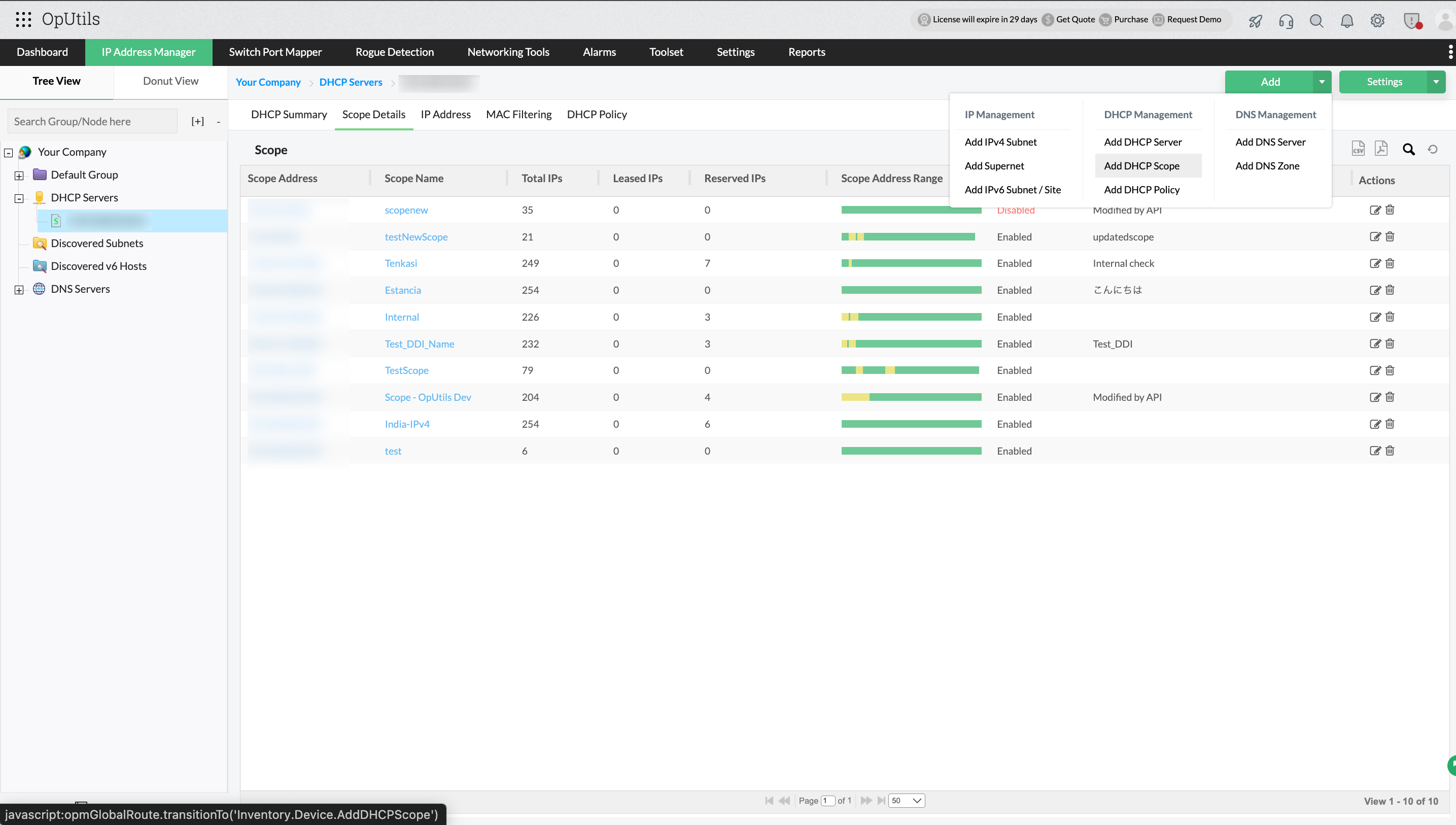
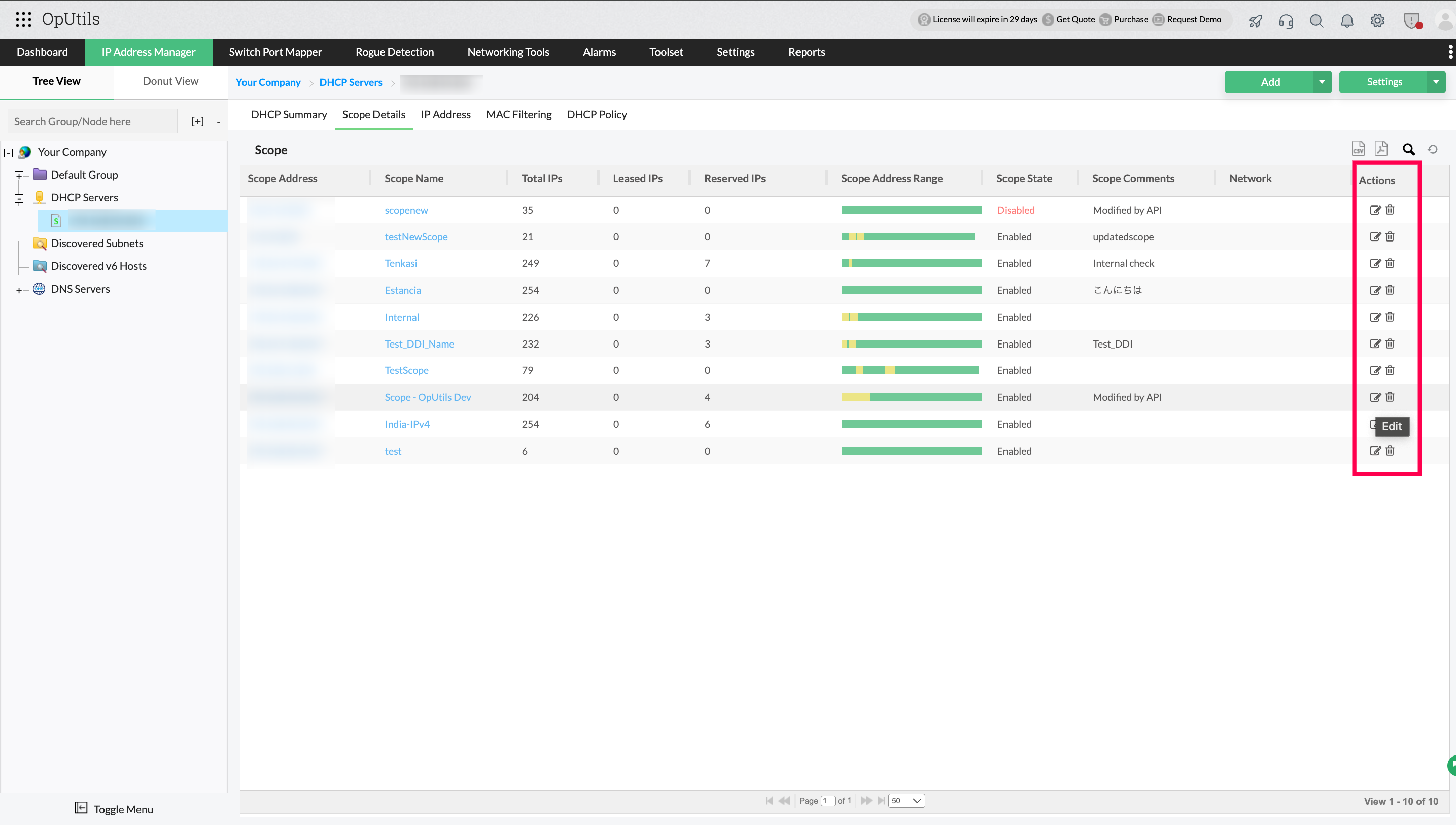
- Manage multiple scopes: Monitor, create, delete and modify scopes across your DHCP servers from a single console.
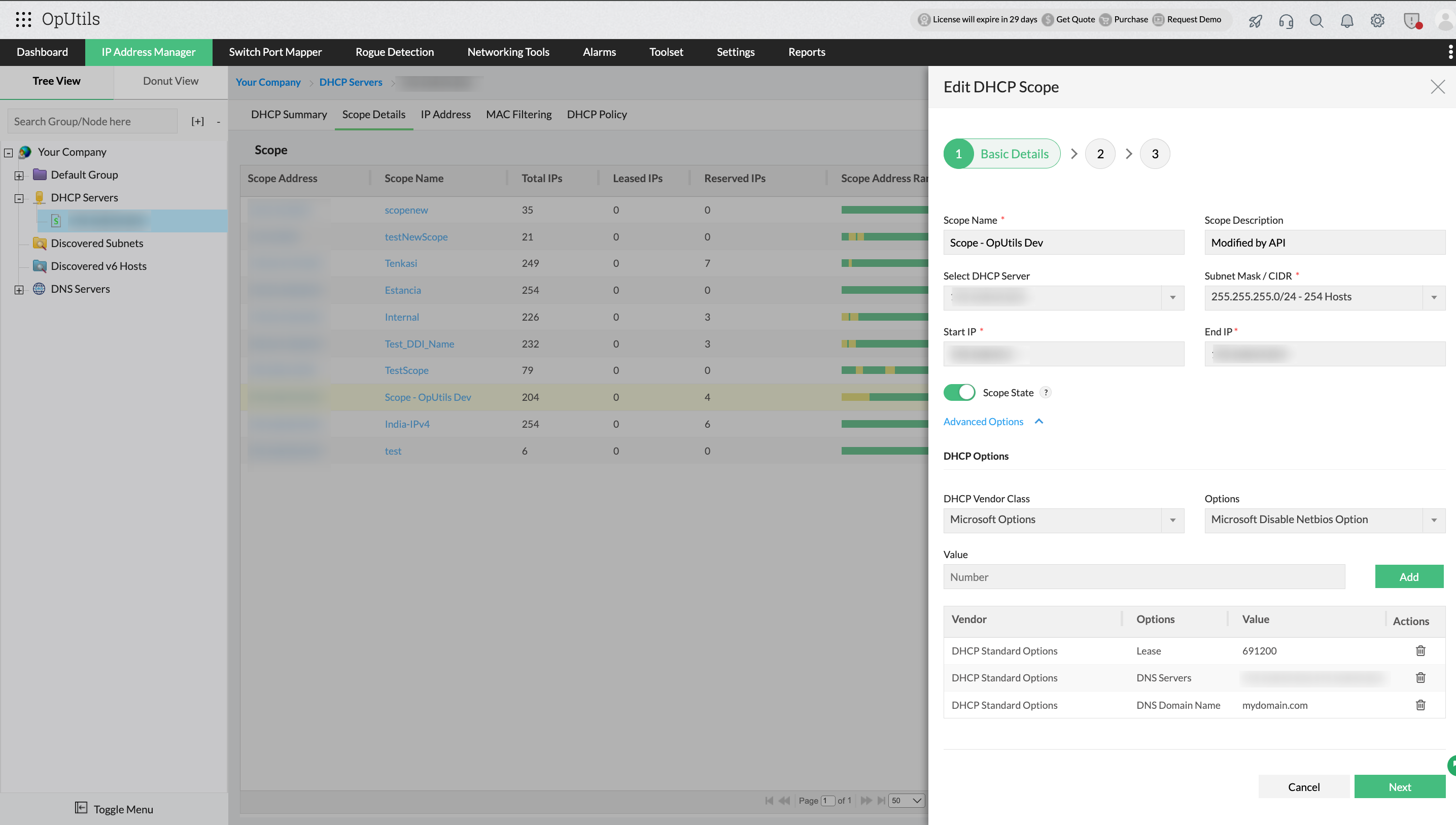
- Configure IP ranges and subnet masks: Define precise IP address ranges and subnet configurations to suit your network design.
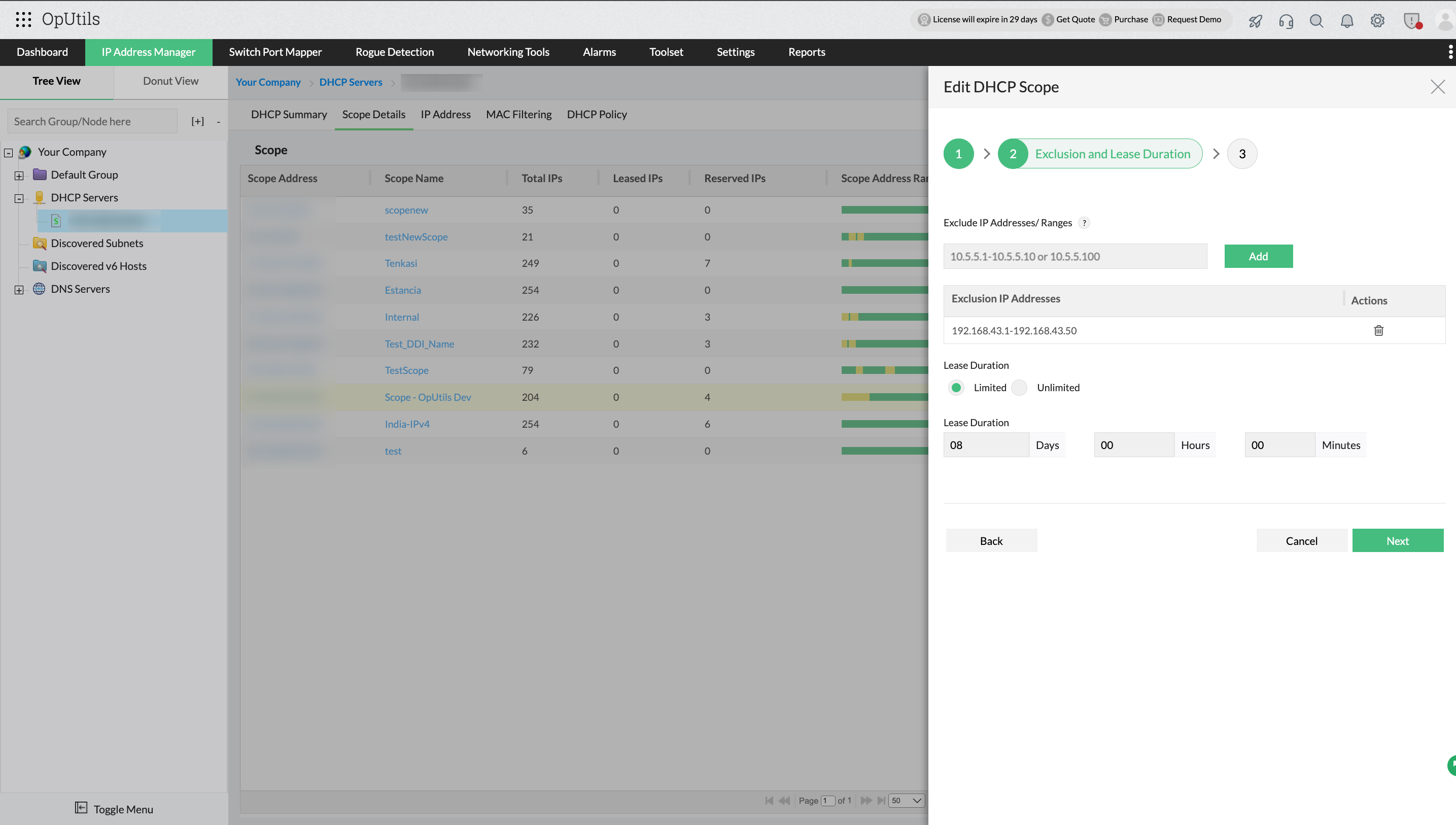
- Manage exclusions and reservations: Prevent specific IPs from being assigned automatically and reserve addresses for critical devices.
- Monitor scope utilization and set alerts: Track IP consumption and receive notifications when scopes are nearing exhaustion or thresholds are breached.
DHCP policies
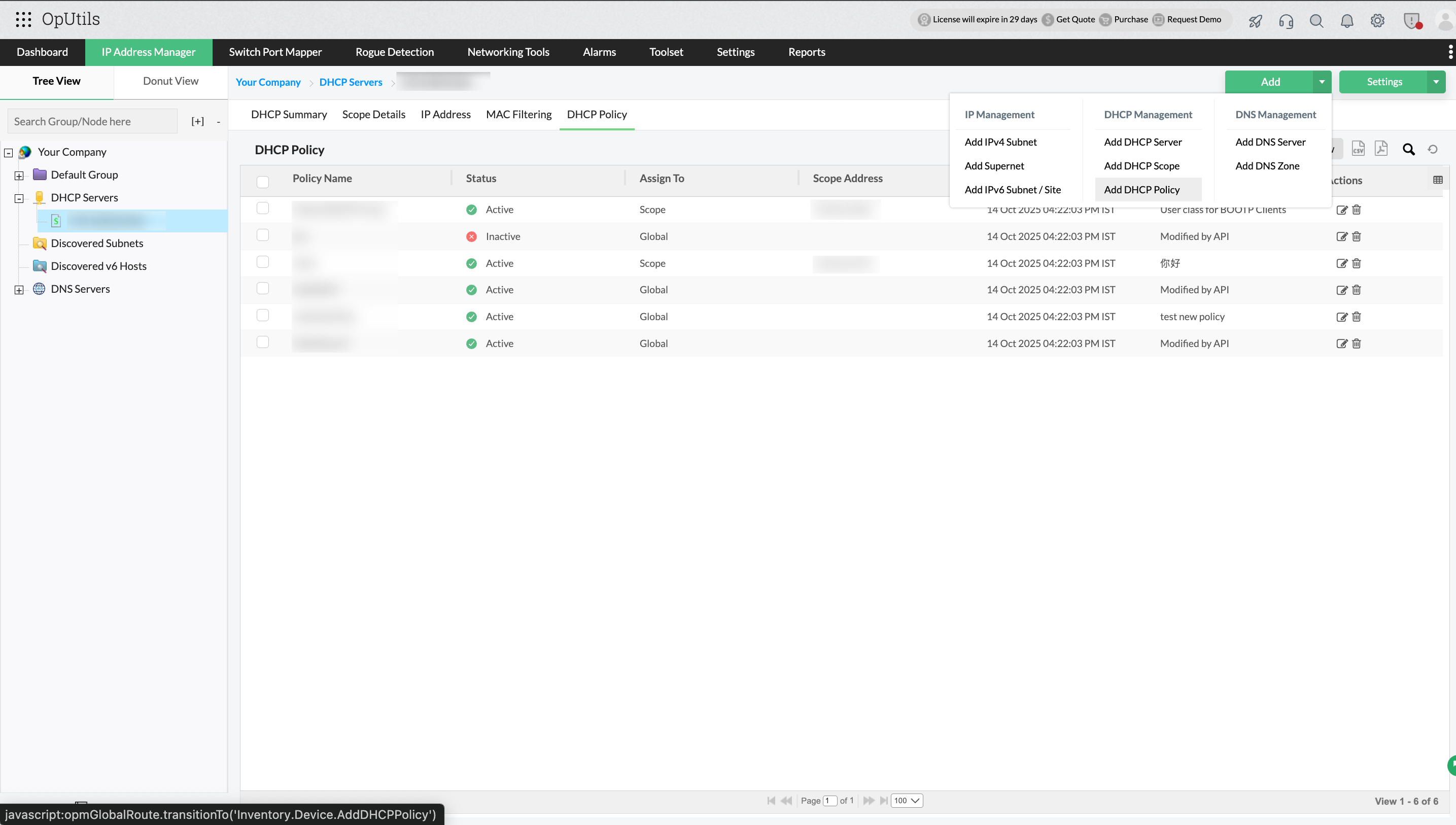
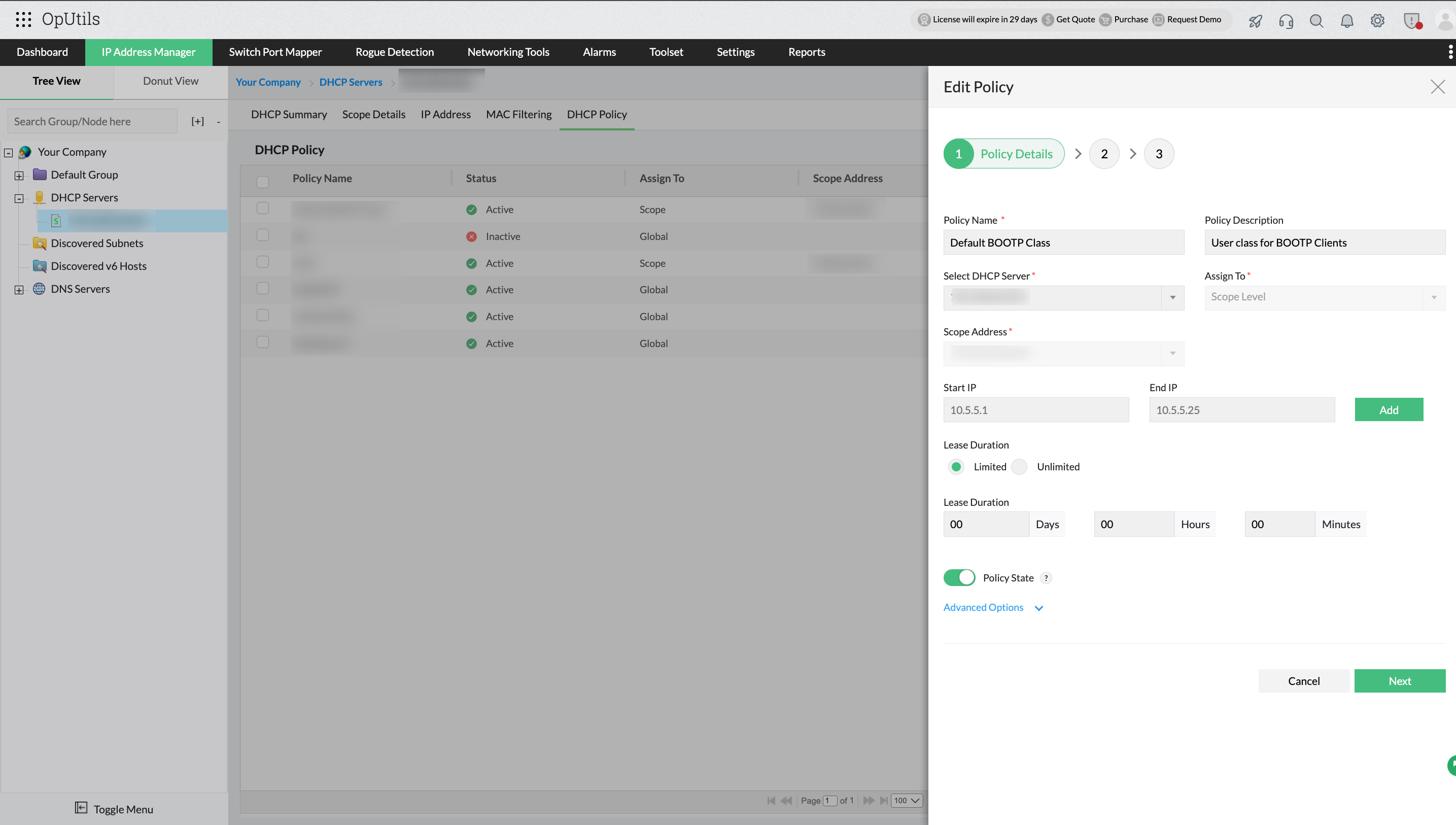
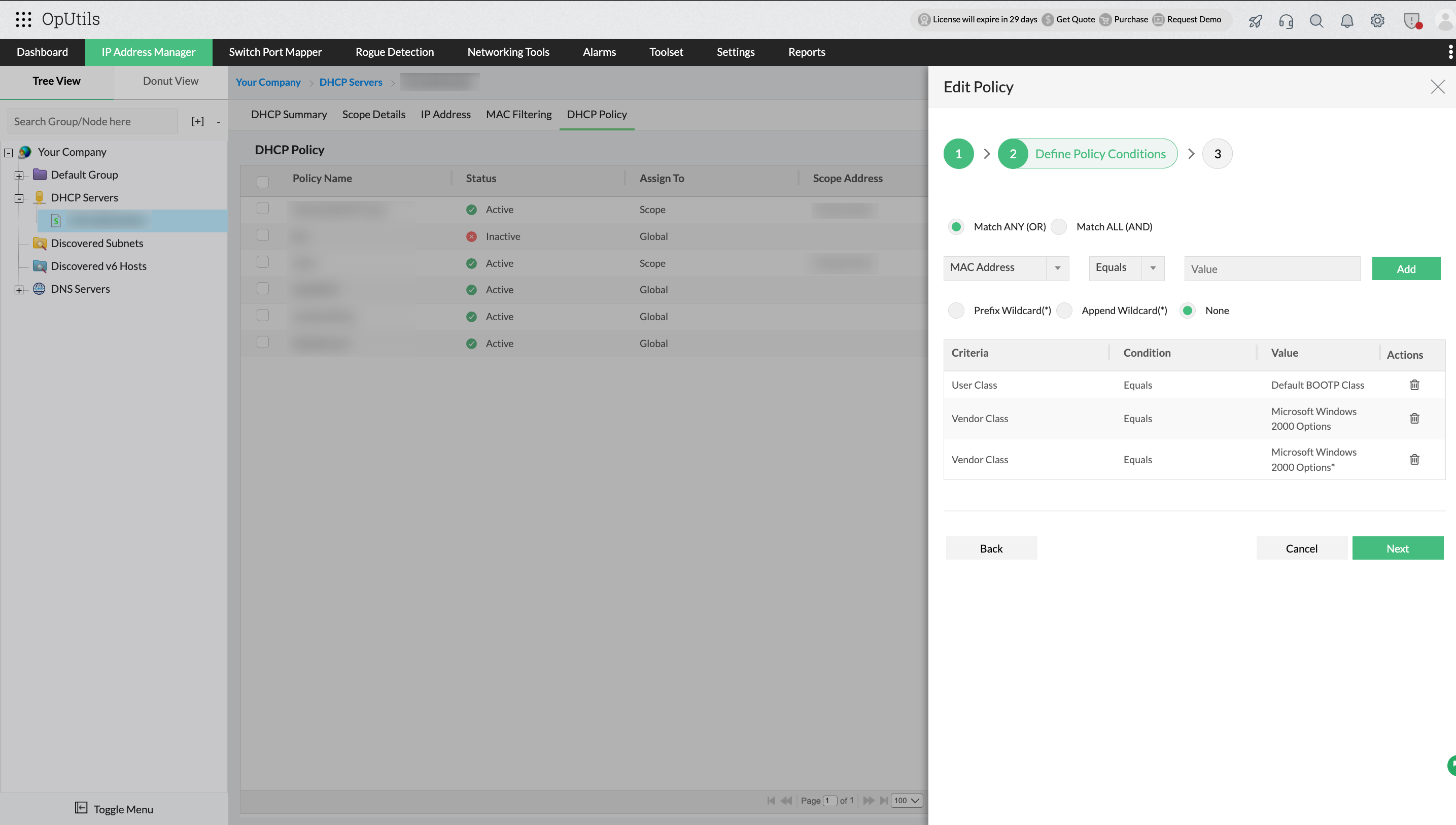
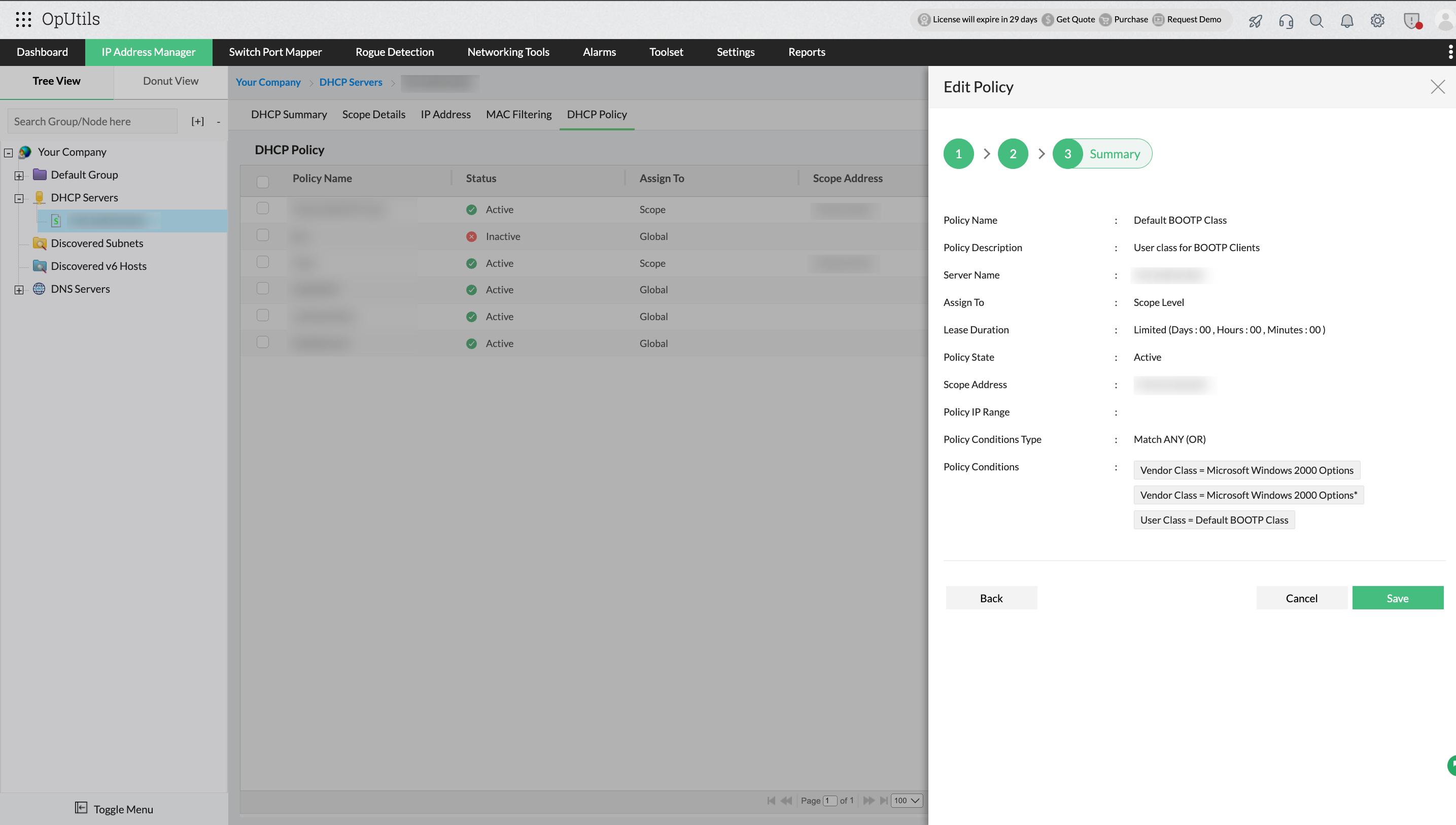
DHCP policies allow network administrators to control how IP addresses and options are assigned based on client characteristics such as device type, vendor class, or user group. Policies enable customized, automated, and consistent IP allocation across diverse network environments.
OpUtils enables you to:
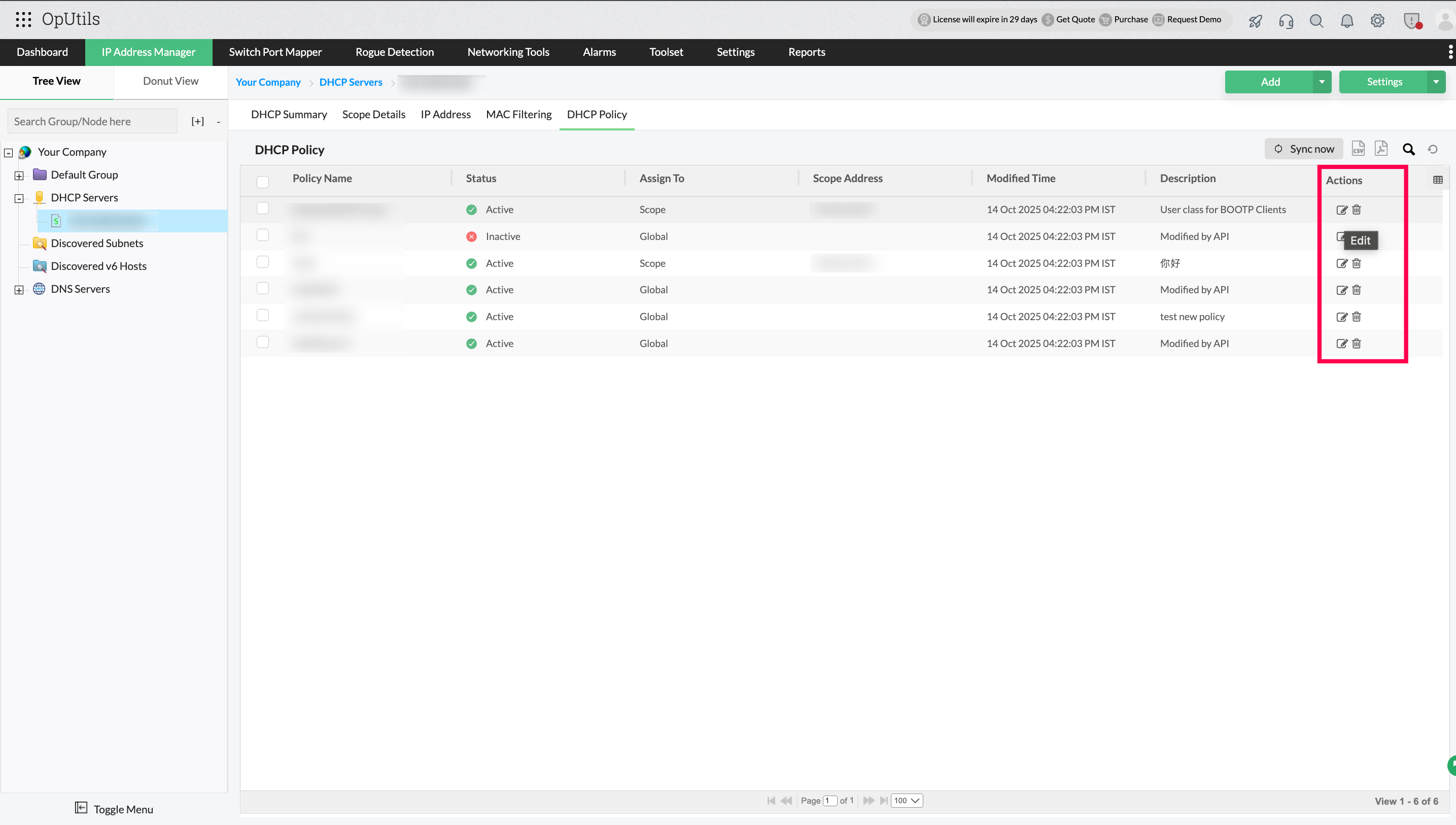
- Create and manage DHCP policies: Define rules that control IP assignment and option configuration for different client types.
- Assign policies to specific devices or client groups: Apply policies based on device categories, user groups, or other criteria for targeted management.
- Automate IP assignment based on policies: Reduce manual intervention and ensure consistent network behavior.
- Monitor policy effectiveness and compliance: Track policy usage and ensure that IP allocation follows the defined rules.
DHCP superscopes
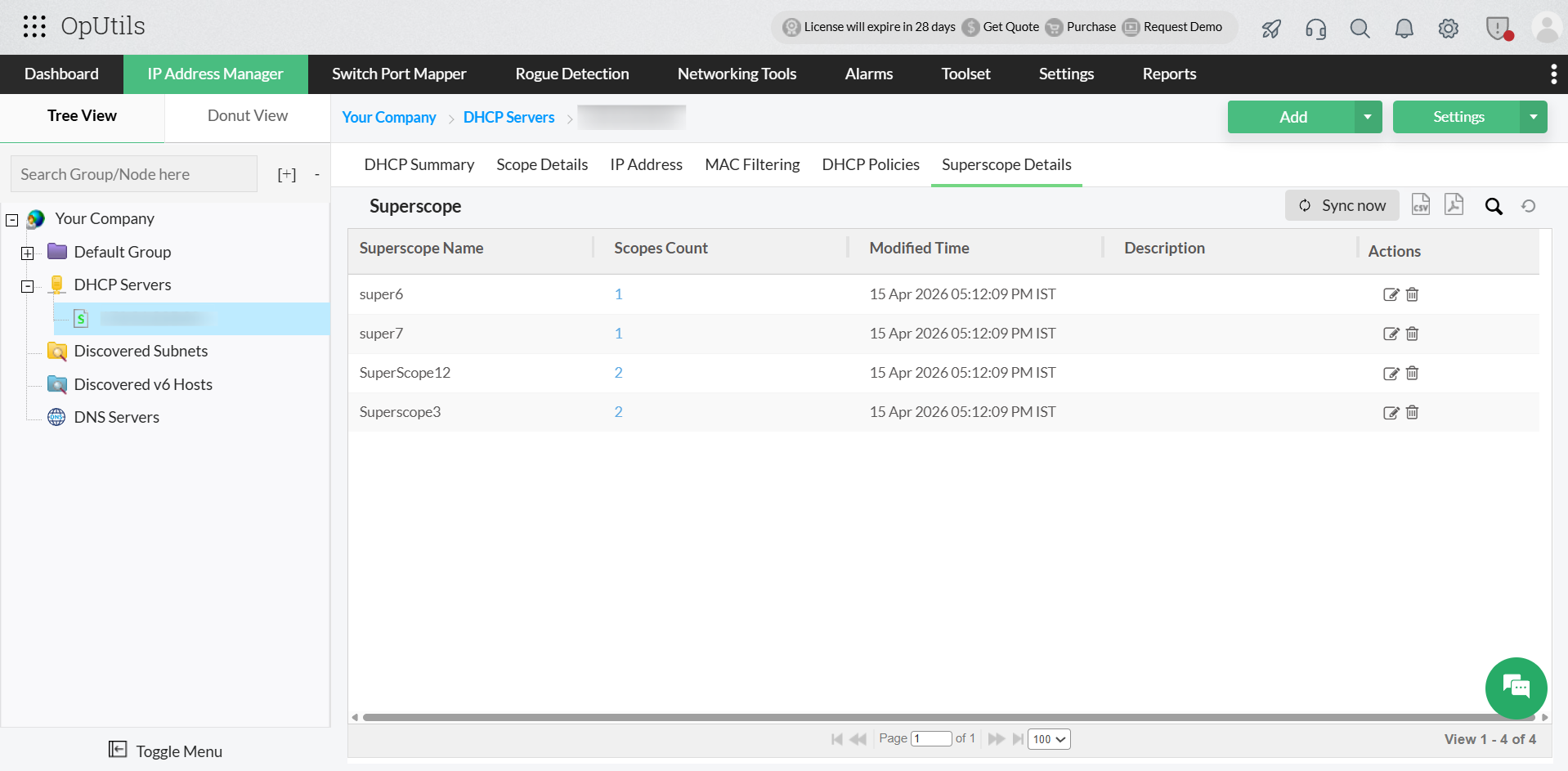
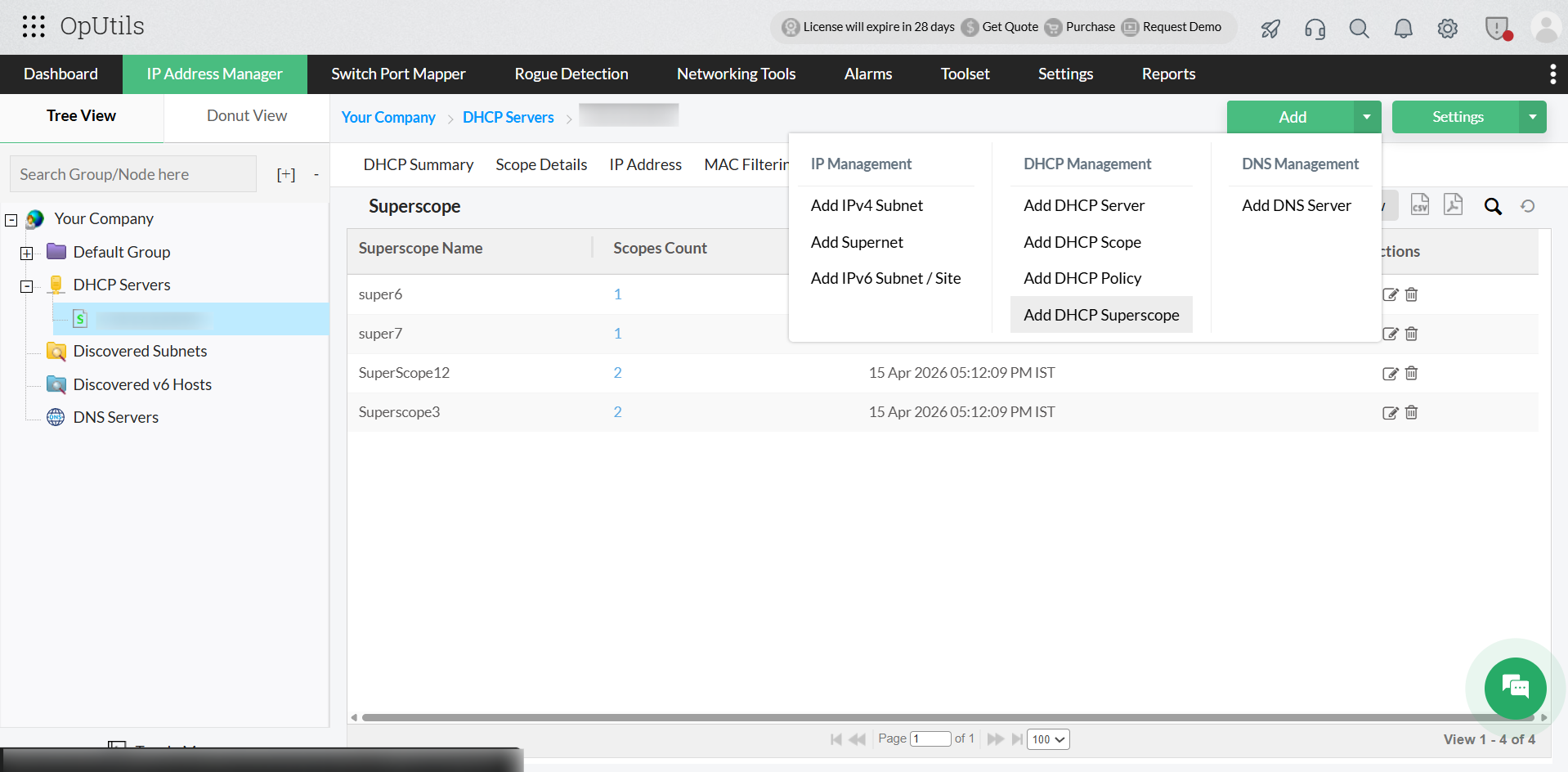
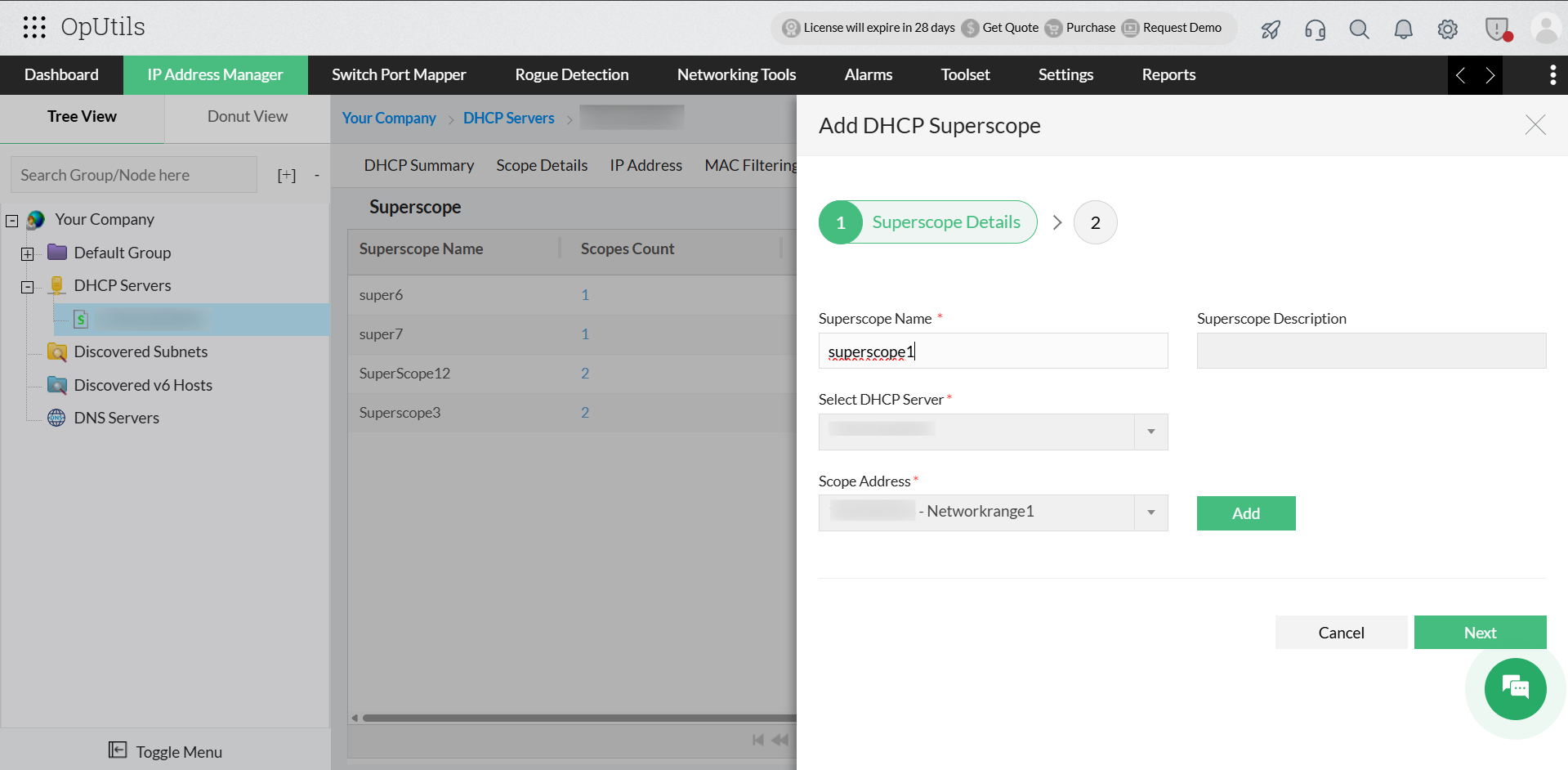
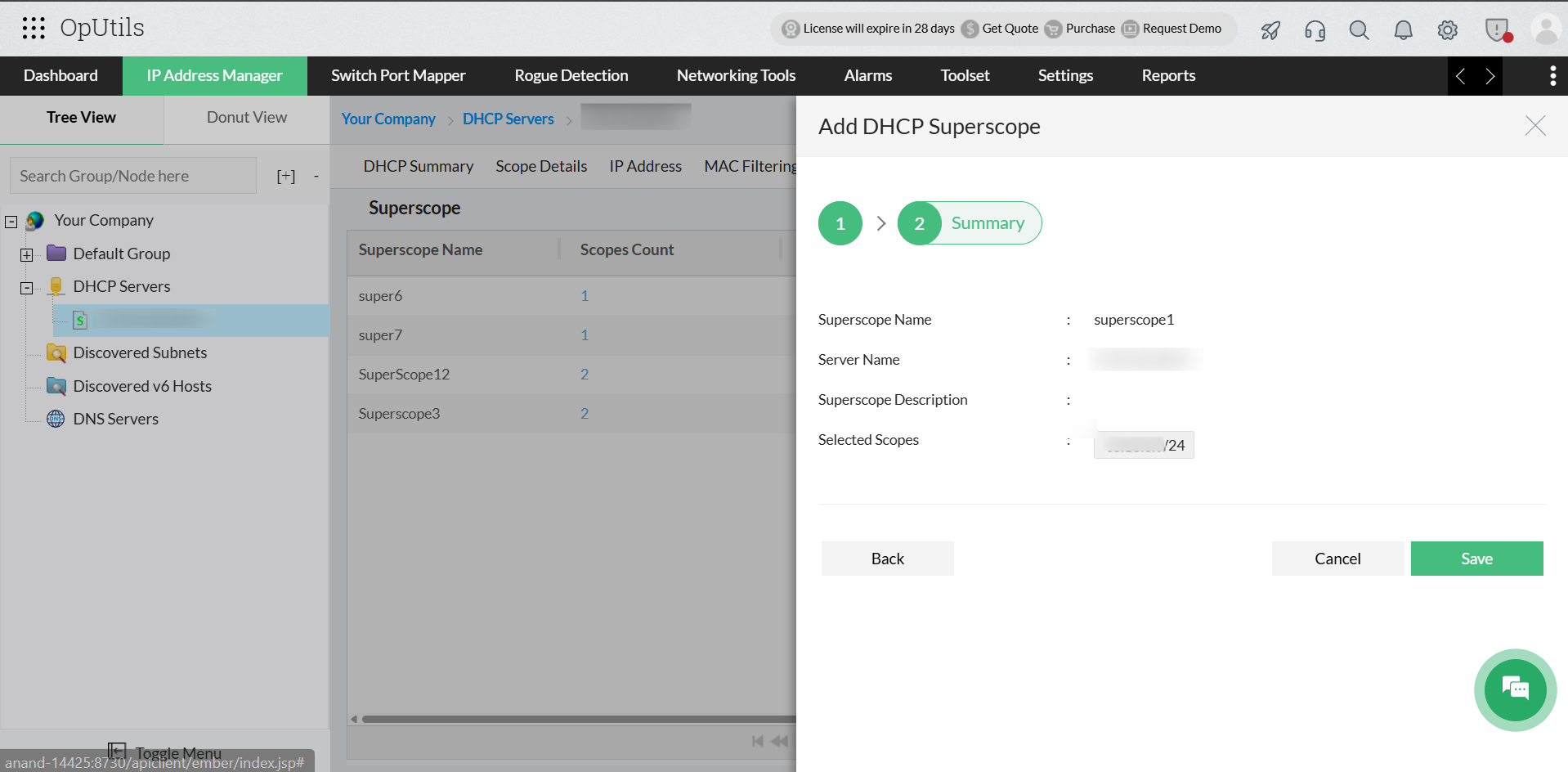
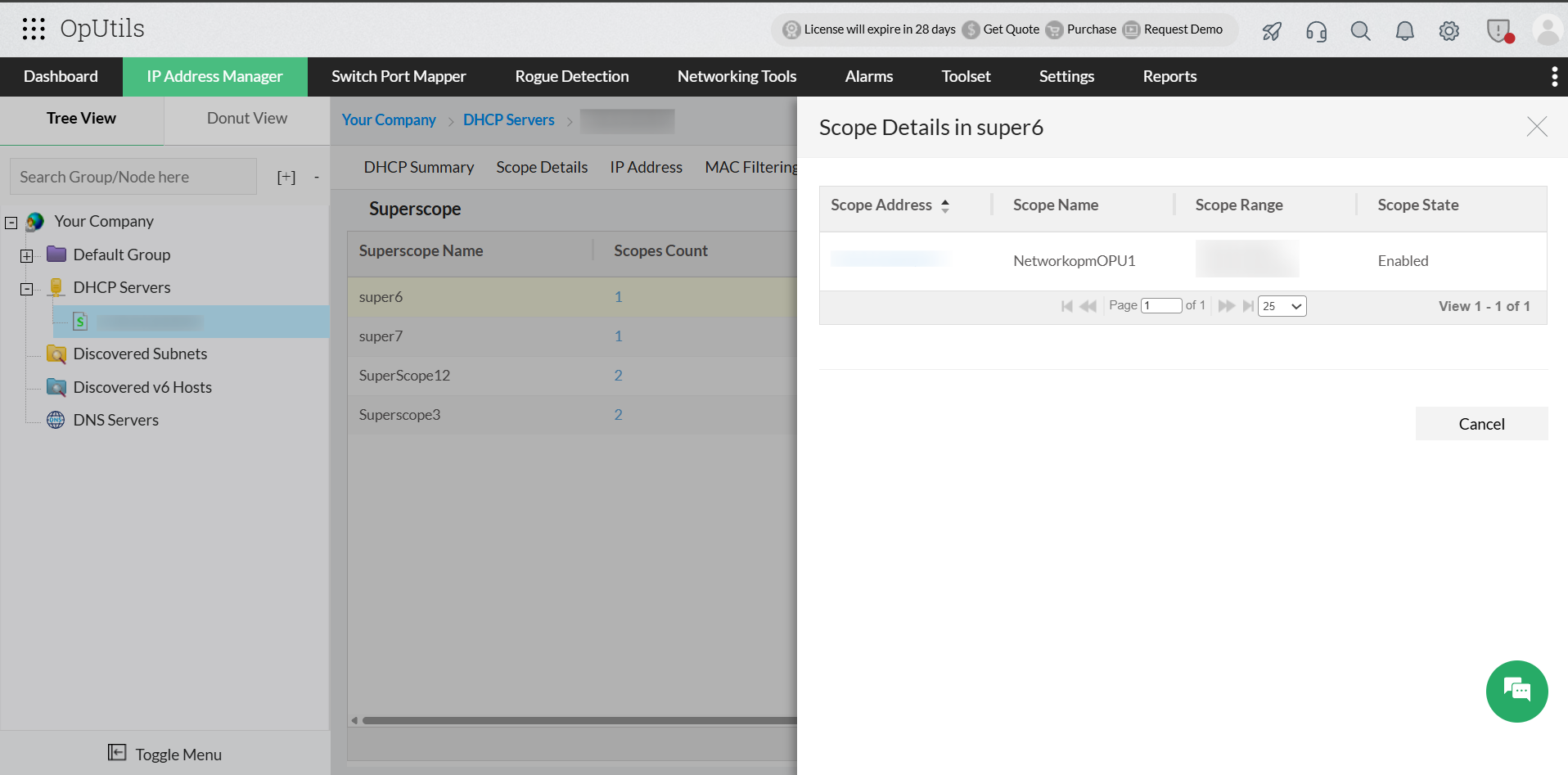
A DHCP superscope logically groups multiple DHCP scopes into a single entity, allowing DHCP servers to lease IP addresses from multiple scopes on the same physical network. This is useful in scenarios where a single scope is insufficient to accommodate all devices in a network.
OpUtils enables you to:
- Create and modify superscopes: Define superscopes by grouping existing scopes, and update them by adding or removing scopes.
WinRM-based management
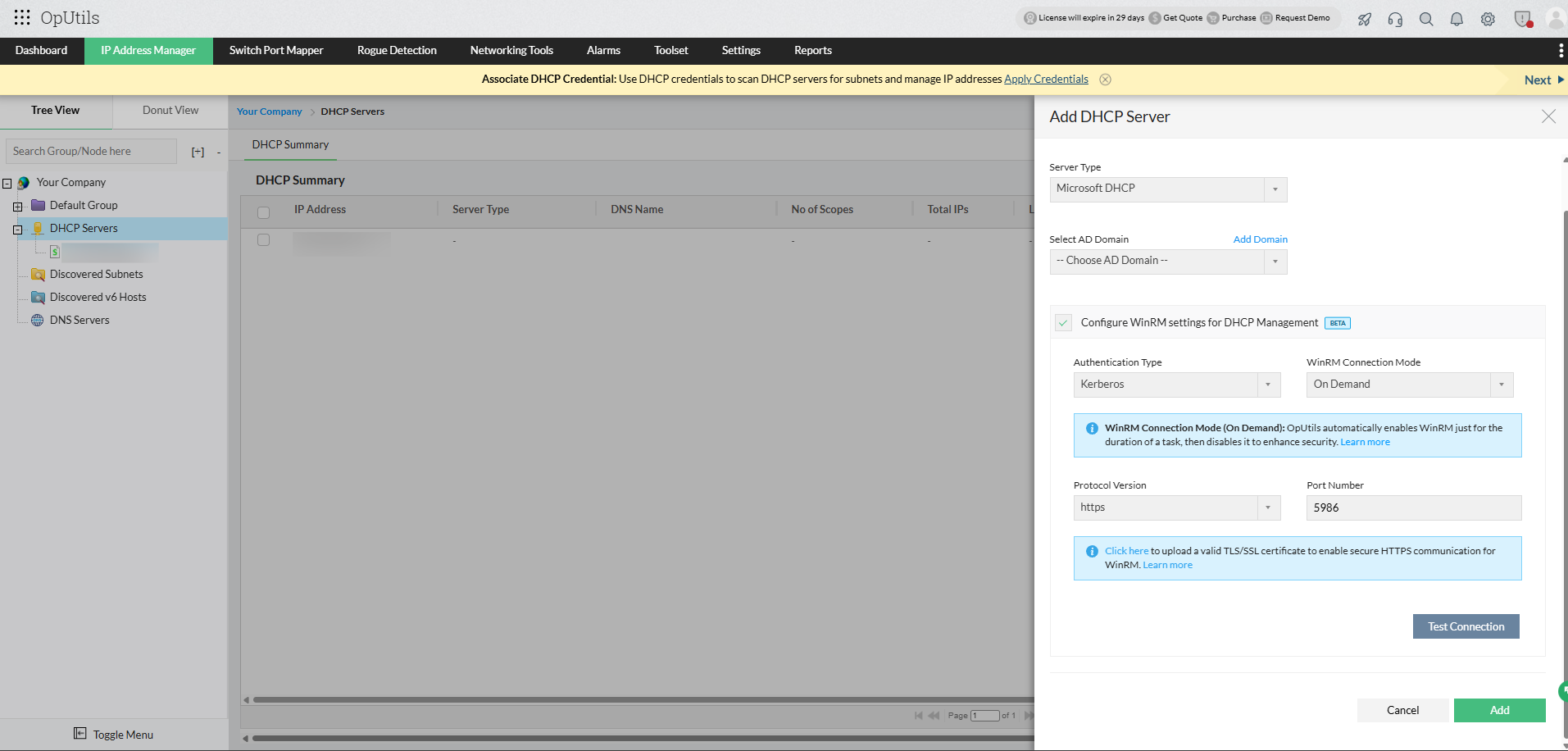
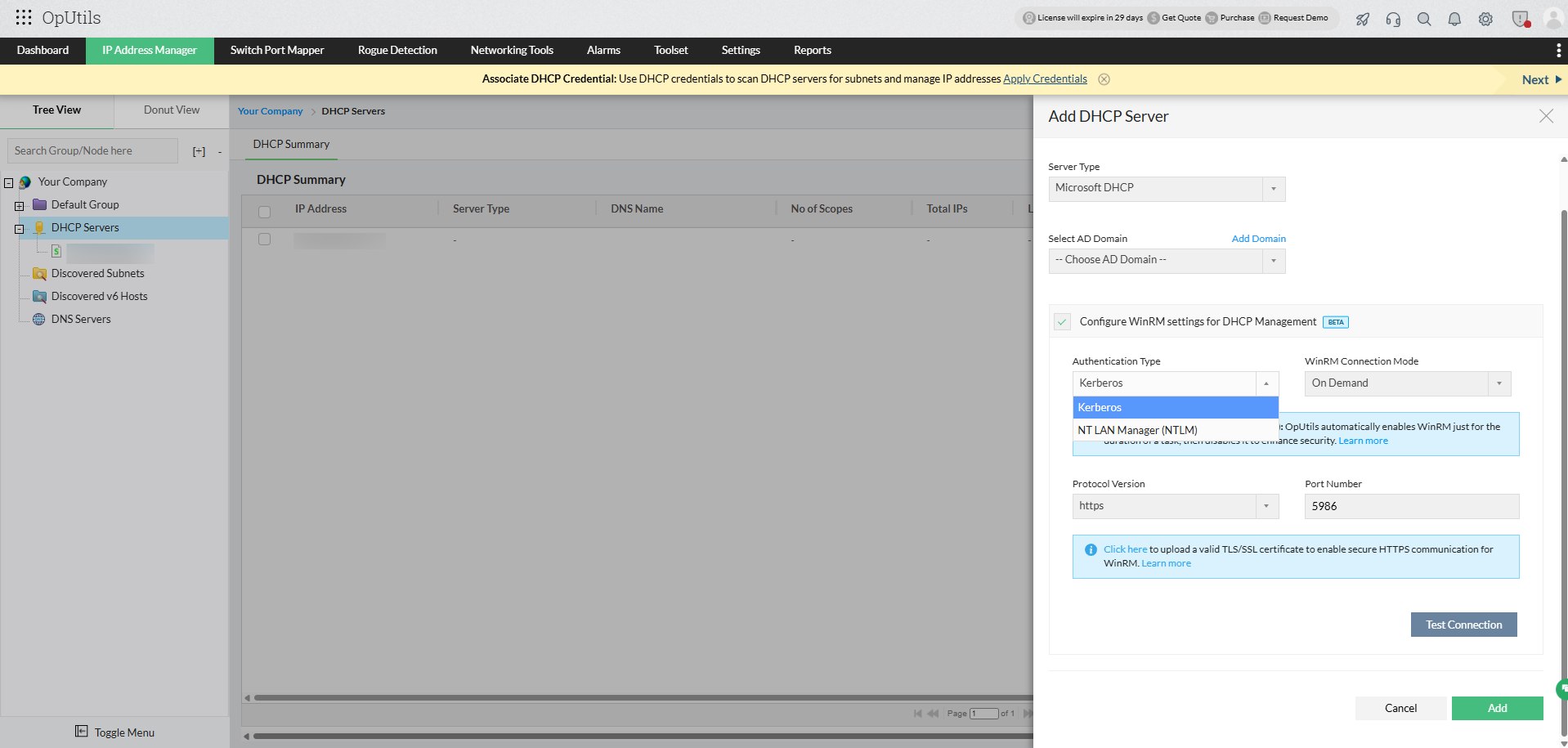
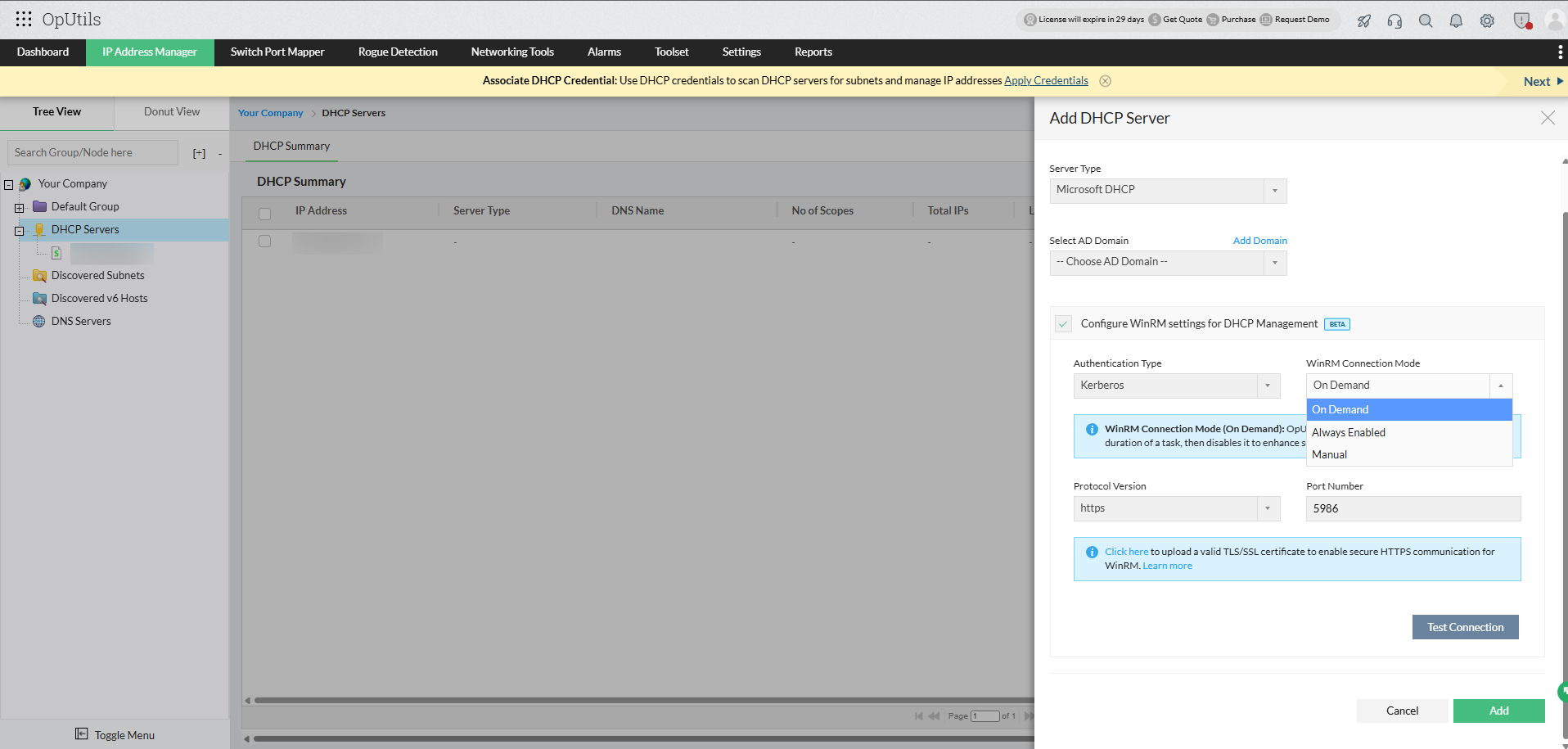
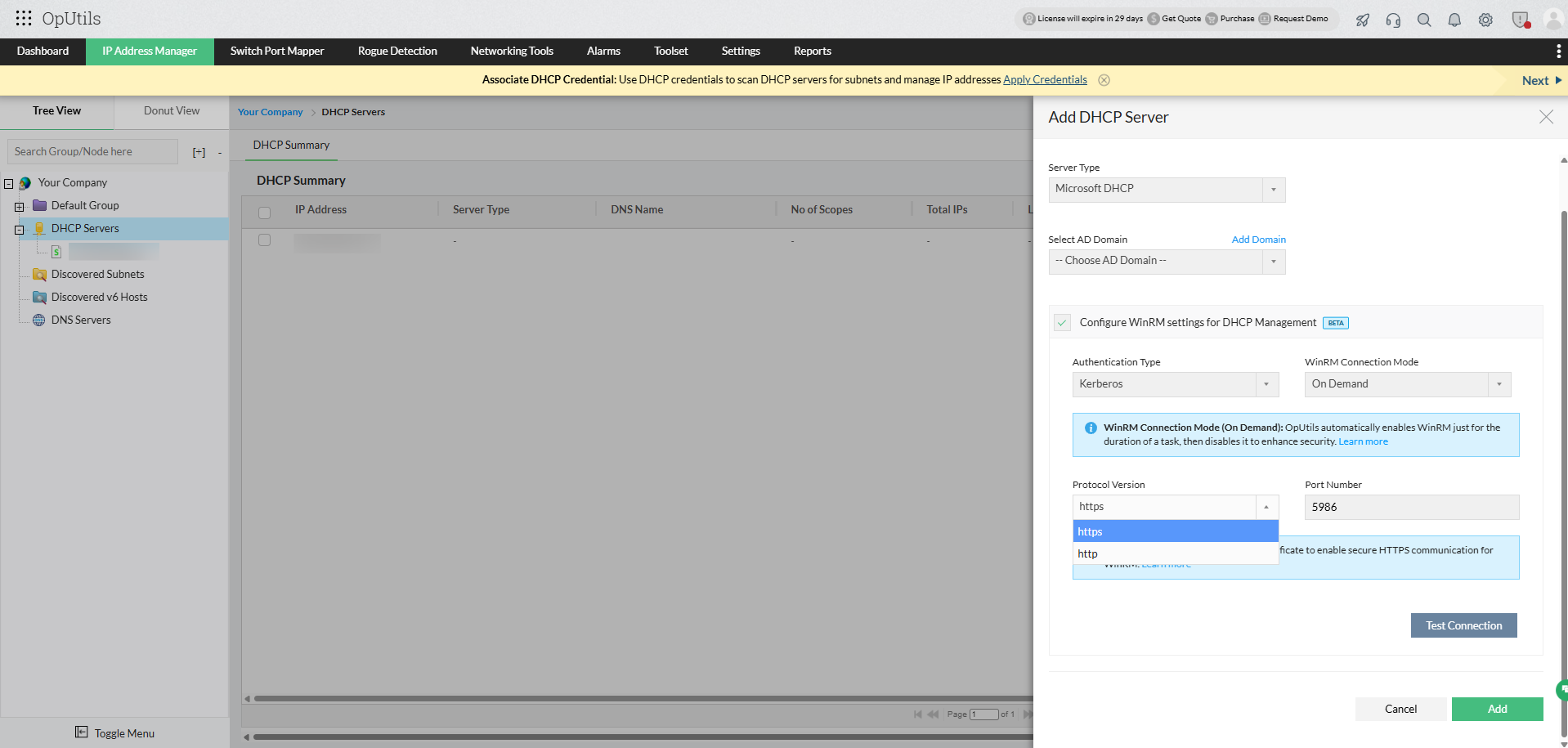
Windows Remote Management (WinRM) is a Microsoft protocol that enables secure remote management of Windows servers, including DHCP servers. OpUtils relies on WinRM to connect to remote DHCP servers, allowing administrators to monitor scopes, manage leases, configure options, and troubleshoot issues without needing direct access to the server.
To read more, see our DHCP WinRM guide.
Managing Microsoft DHCP with OpUtils streamlines administration, ensures IP availability, and boosts network reliability, while providing administrators real-time visibility and proactive control over DHCP scopes and policies.
Get started with OpUtils Microsoft DHCP management today by downloading our 30 days free trial or schedule a free personalized demo and we will connect you with the right product expert.