The perfect sidekicks for enterprises that want outcomes, not the grind.
Zia agents in ServiceDesk Plus are high-value AI agents that don't just answer questions, they get work done. Where humans miss tasks, drown in data, or simply run out of hours, Zia Agents step in so nothing stands between your service teams and the business goals that matter.
Your AI dream team starts here
An agent for every ITSM need
Deploy different Zia agents for different ITSM needs. Ground these agents in your business context, connect them to your tools, and set the guardrails they should operate within. On the on-premises version of ServiceDesk Plus, deploy out-of-the-box AI agents in a single click.

Bespoke agents built from scratch
With the Agent Studio, create AI agents from scratch or let the built-in AI assistance help you configure your agent through simple natural language prompts. Drafting, testing, and deployment all happen in a single, no-code workspace.

A taskforce of agents working together
For complex workflows, set up a master agent to delegate tasks across a network of specialized subagents, and trust them to drive everything to completion without your team lifting a finger.

5 steps are all it takes to get your agent up and running.
Define your agent's role and purpose
Define who your agent is and what it's here to do. You also choose the AI model that powers the agent, whether that's a Zoho-hosted model or your preferred provider through our bring your own key (BYOK) model. Your agent can be built your way.

Ground your agent in your business context
Control how your agent thinks by grounding it in your own knowledge sources. Upload documents in multiple formats or pull content directly from Zoho WorkDrive and Zoho Learn. On top of that, real-time web scraping lets your agent dynamically pull live data from online sources.

Equip your agent with the right tools
This is your agent's action layer. Choose from ready-to-use system tools with predefined APIs that connect seamlessly with Zoho and ManageEngine services or build your own custom tools to integrate with the software your team already relies on.

Set the rules your agent should live by
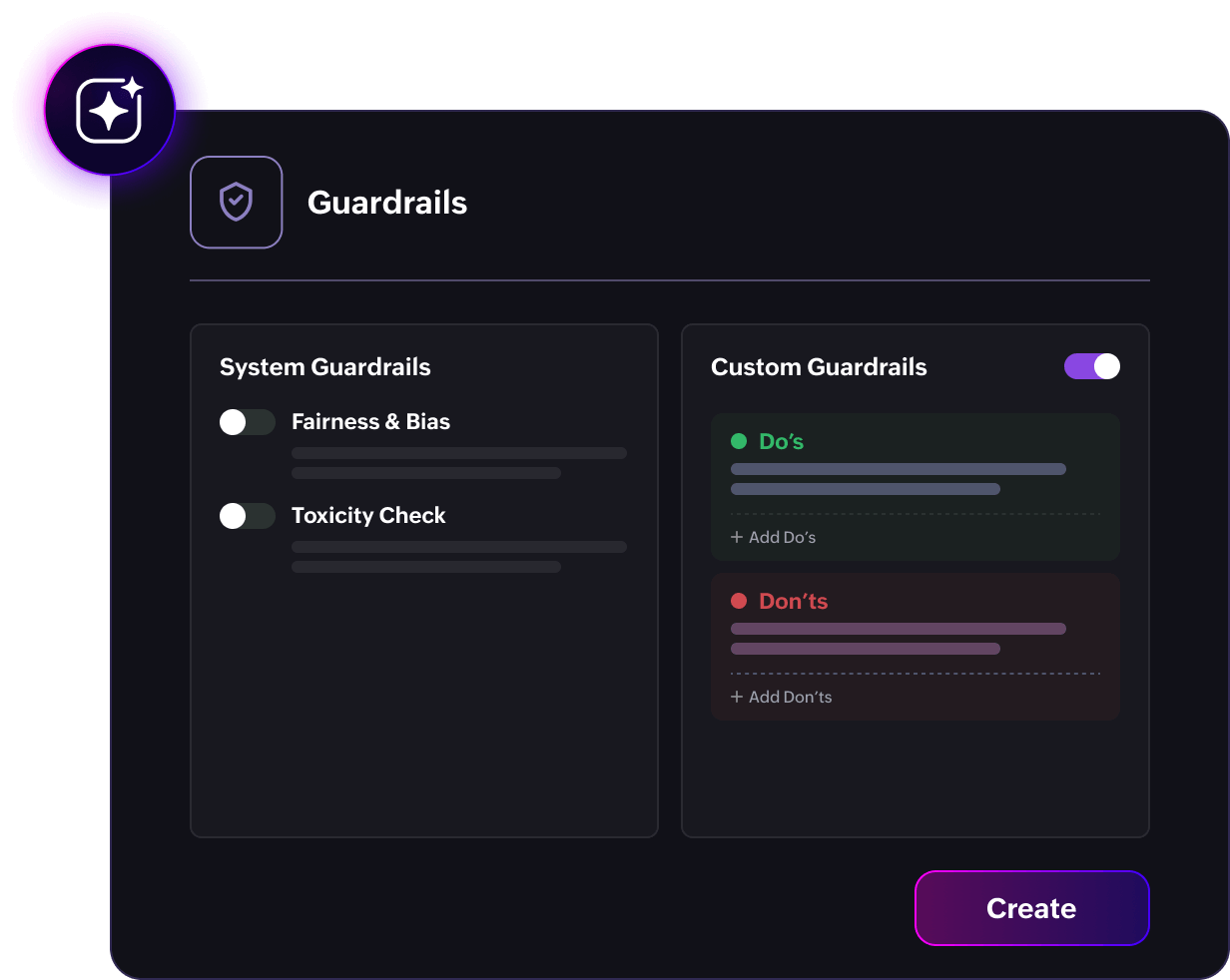
Keep your agent on track with built-in and custom guardrails. System-enabled guardrails provide a baseline of responsible behavior out of the box. Layer on your own custom rules so the agent always operates within your boundaries.
Track every move that your agent makes
Get full agent-level visibility with dedicated session tracking that monitors success rates, tool calls, LLM calls, and token usage in real time. Easier debugging, simpler monitoring, and clear session-level logs mean you can spot issues quicker, fix them faster, and keep your agent performing at its best.

On demand when your team needs it. In the background when your workflow calls for it.
Getting things done with Zia Agents is simple. Ask when you need help, or set your agents up to act at the right touchpoints. However the task comes in, Zia Agents are ready to take it on.
On demand, right when you need help
Ask Zia is where your teams already go for answers. Now it is also where they get things done. Just type what you need and the right agent picks up the task.
From triggering a SecOps Assistant to scan a suspicious URL to asking the Entra ID User Manager to update a user's profile, Zia agents are only a prompt away.

Automatically, at the right touchpoint
Some tasks don't have to wait for a prompt. They just need to happen at the right moment.
Your service desk resolves issues efficiently with Zia Agents. The process can include picking up a new ticket, categorizing it, and sending a first response, through to automatically posting detailed feedback notes within each ticket for continuous service delivery improvement.

Outsource the grind to Zia Agents
With the Zia Agent Studio, the possibilities are endless and your team can build an agent for virtually any use case that your ITSM demands. Here are some of the use cases where Zia Agents can come in handy.
Explore the out-of-the-box agents available in the on-premises version of ServiceDesk Plus.

L1 Support Agent
Provides first-level support for Tier 1 tickets by analyzing the request details, surfs though the KB in ServiceDesk Plus, and communicates the solution to the requester via email.

Request Resolution Agent
Analyzes the tickets marked as resolved or closed, generates a summary that captures details on the issue, the root cause and findings, the resolution steps taken, and the preventive measures. The agent then adds the summary as a resolution within the ticket.

Incident Review Summarizer
Analyzes the details within the incident tickets that are marked as resolved or closed, and generates a PIR that captures everything that happened throughout the incident's timeline. The agent then adds the report as a note to the ticket.
Multi-agent orchestration so your teams can sit back and let Zia Agents do their thing
Teams working in silos are often counterproductive. This applies to AI agents too.
When a single agent carries too much responsibility, context gets lost, prompts become harder to manage, and complex workflows start to break down.
Multi-agent orchestration fixes this by bringing specialization into the picture.


Your AI. Your data. Your rules

Model flexibility
Choose our Zoho hosted model or bring your own key to use your preferred model. This gives you full flexibility and no lock in to a single AI provider.

Privacy first design
Your data never trains or fine-tunes the AI model. Be in control over what information your agents can consume and share.

Guardrails you define
Set the boundaries your agents operate within. Define exactly what your agent can and cannot do with built-in and custom guardrails.
Connect ServiceDesk Plus with the LLMs and AI agent platforms of your choice and run your ITSM operations your way with Zoho MCP
Explore More
Your service desk's
AI taskforce is ready to roll
Start a 30-day free trialFAQs
What are Zia Agents in ServiceDesk Plus?
Zia Agents are high-value AI agents that are grounded in your business reality and equipped with the tools you define to take action across your ecosystem and get work done.
How long does it take to set up a Zia Agent?
Minutes. You define the agent's role, connect it to your knowledge sources and tools, set your guardrails, and deploy. No code required, no long implementation cycles.
Do I need technical expertise to build a Zia Agent?
No. The agent studio is designed for IT administrators and business users alike. If you can describe what you want the agent to do, you can build it.

