
ServiceDesk Plus workflow orchestration software

Build business logic that works the way your enterprise does:

  • Generate production-ready scripts from natural language prompts.
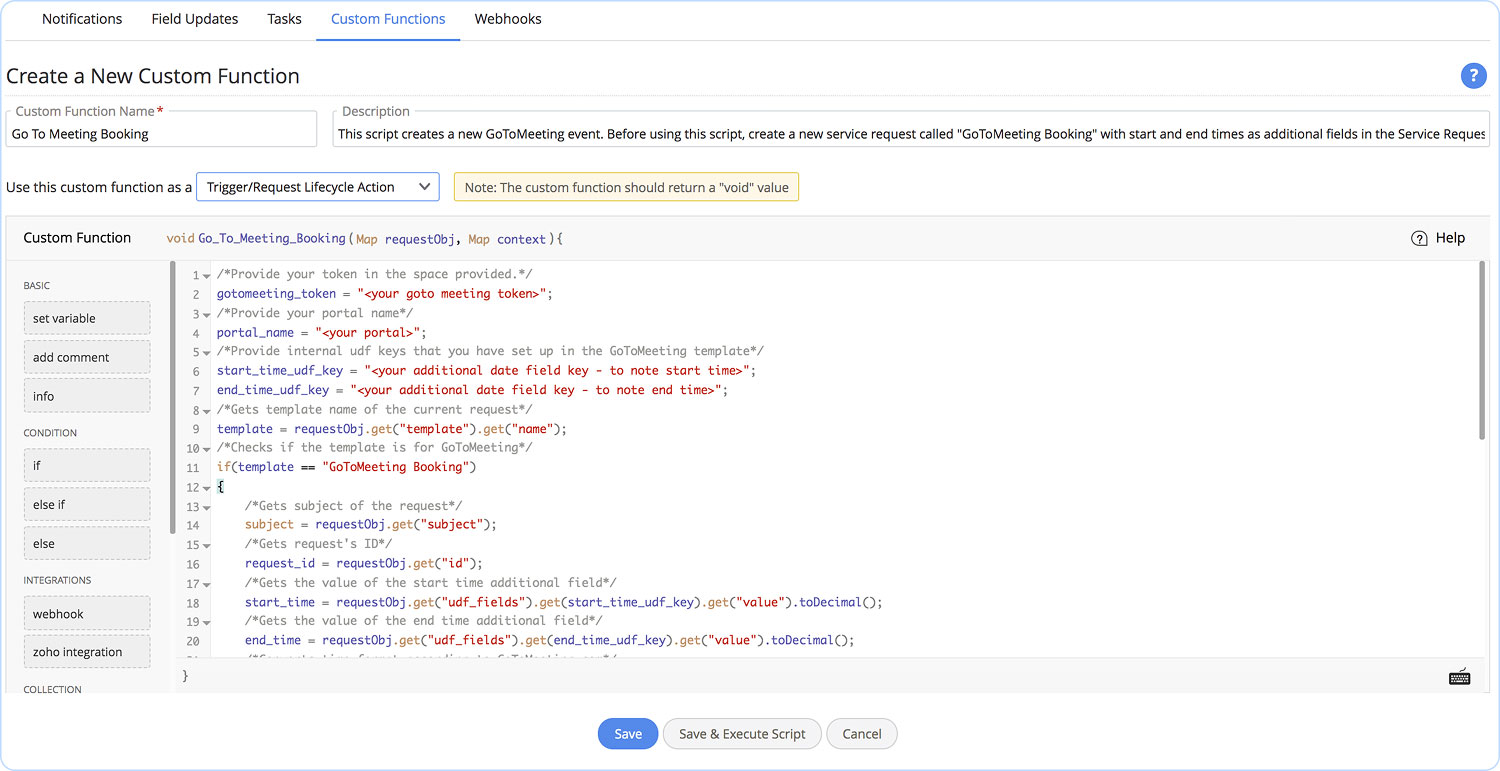
  • Craft powerful business logic with low-code scripting.
  • Trigger custom logic across automations.
  • Connect other IT and business applications your enterprise uses.
  • Debug and monitor script execution and API usage in real time.

Enterprise-grade extensibility
that adapts to how your organization operates

Out-of-the-box automations handle the routine. Custom Functions are low-code Deluge scripts for embedding unique business logic such as querying your ERP for cost-center budgets when purchase requests are raised, or syncing ticket data with an in-house billing system for reconciliation.

Generate low-code custom scripts
faster with AI-assisted code generation

Cut down time-to-value by generating Custom Functions with simple natural language prompts. Zia Code Generator integrates with AI providers such as ChatGPT, Google AI Studio, Claude, and Azure OpenAI through a bring your own key model. In addition to consuming our own model tokens, the privacy policy of the service provider also applies. Zia Code Generator is available exclusively in ServiceDesk Plus Cloud.

Embed custom logic into every
ITSM practice your enterprise relies on

Embed custom functions into Business Rules, Triggers, Timers, and Workflows and empower IT teams to weave any custom logic into the ITSM practices they use. Custom Functions can be deployed across tickets, changes, the CMDB, Projects, and even Custom Modules, ensuring any automation you build on it runs on full context.

Custom Functions action configured as a step in a ServiceDesk Plus Business Rule editor

Core ITSM practices supported

  • Incident and Service Request management
  • Knowledge Management
  • Problem Management
  • Change Management
  • CMDB
  • IT Asset Management
  • Release Management
  • Project Management
  • Purchase Management
  • Contract Management
  • Custom Modules

Connect ServiceDesk Plus with the
applications across your business and IT portfolio

Be it automating a routine daily sync or triggering ServiceDesk Plus workflows based on actions within third-party business or IT apps, Custom Functions help you achieve unique automations beyond the native integrations.

Outgoing API call configured with Deluge invokeurl in the Custom Functions script editor

Production-ready confidence through live testing and real-time execution tracking

Ensure reliable low-code script execution with satisfactory performance by testing the Custom Functions against live sample records. The built-in IDE helps you debug with ease while visual statistics help track monthly execution quotas and API usage in real time.

Custom Functions usage stats panel showing monthly execution quotas and API call counts

Bring bespoke automation
capabilities to your ServiceDesk Plus edition

Custom Functions are available out of the box in the Enterprise edition of ServiceDesk Plus across Cloud and On-Premises deployments. Standard and Professional edition users of ServiceDesk Plus Cloud can access Custom Functions as a paid add-on.

To learn more about pricing and deployment details,
visit our pricing page, feature add-on, or the cloud and on-premises admin guide.

Frequently asked questions

Expand all

1. What scripting languages are supported in Custom Functions, and how do Cloud and On-Premises differ?

Custom Functions in both Cloud and On-Premises deployments support Deluge, Zoho's low-code scripting language featuring a drag-and-drop editor. Additionally, ServiceDesk Plus Cloud supports Java and Node. JS for administrators who prefer writing code in traditional programming environments.

2. Can I generate Custom Function scripts without prior programming experience?

Yes. ServiceDesk Plus Cloud features the Zia Code Generator, powered by ChatGPT, Google AI Studio, Claude, and Azure OpenAI. You can write your business requirement in plain English, and Zia will draft, optimize, and insert the corresponding code into the editor automatically. For On-Premises installations using Deluge, the drag-and-drop code builder allows non-programmers to assemble logical statements without learning syntax from scratch.

Let's support faster, easier, and together