Proxy, SNMP and Syslog Settings
Configuring Proxy, SNMP, and Syslog settings ensures secure and efficient communication and monitoring. The Proxy Server settings define how the application connects to the internet, either directly or via a proxy server. SNMP (Simple Network Management Protocol) allows for monitoring key and certificate management activities through SNMP traps. Syslog settings enable centralized logging of important events related to key and certificate management. The following sections provide step-by-step instructions to configure these settings in Key Manager Plus.
1. Proxy Server Settings
Key Manager Plus allows you to configure how the application connects to the internet - either directly or through a proxy server. If a proxy server is used, you must provide the server details and user credentials for authentication. Follow the below steps to configure proxy server settings:
- Navigate to Settings >> General Settings >> Proxy Server in the GUI.
- Choose how to connect to the internet:
- Directly to the Internet: Connect to the internet without a proxy server.
- Using Proxy Server: If using a proxy server, enter the details including Server Name, Port, User Name, and Password.
- Click Save to apply the changes.
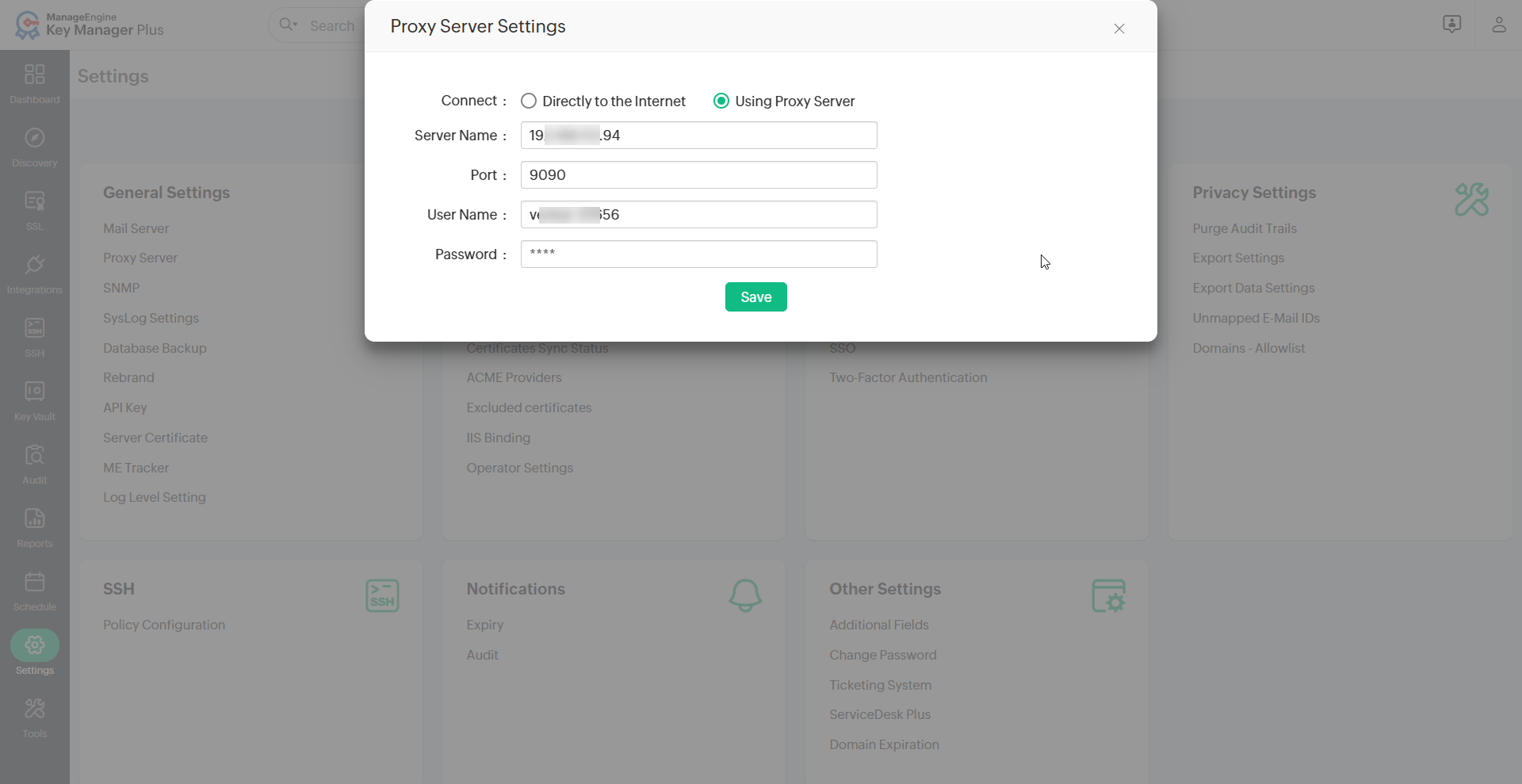
A confirmation message will appear, indicating that the proxy server settings have been updated successfully.
2. SNMP Settings
SNMP traps allow Key Manager Plus to send notifications about key and certificate management activities to an SNMP management system. These notifications include details such as the user who performed the operation, the date and time, and the reason for the event. Follow the below steps to configure SNMP server settings:
- Navigate to Settings >> General Settings >> SNMP in the Key Manager Plus web interface.
- Enter the following details:
- Receiver Hostname
- Port
- SNMP Community
- Click Save to apply the settings.
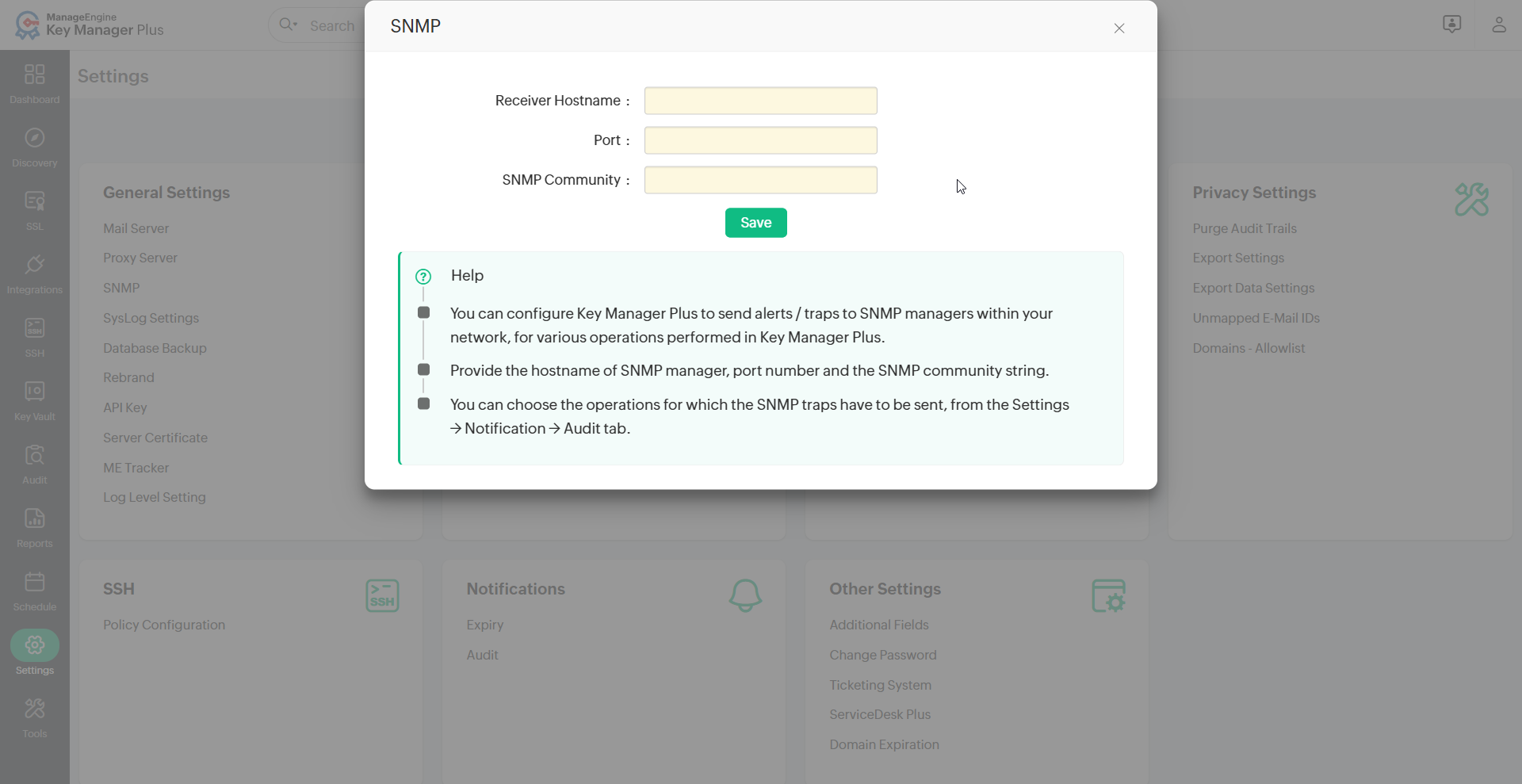
A confirmation message will appear, indicating that the SNMP server details have been successfully configured.
3. Syslog Settings
Key Manager Plus can generate and send RFC-3164 compliant Syslog messages to a dedicated Syslog server. These messages provide notifications for key and certificate expiration and various other management activities performed within the application. Follow the below steps to configure Syslog settings:
- Navigate to Settings >> General Settings >> SysLog Settings in Key Manager Plus web interface.
- Enter the required details including Server IP Addreess and Port.
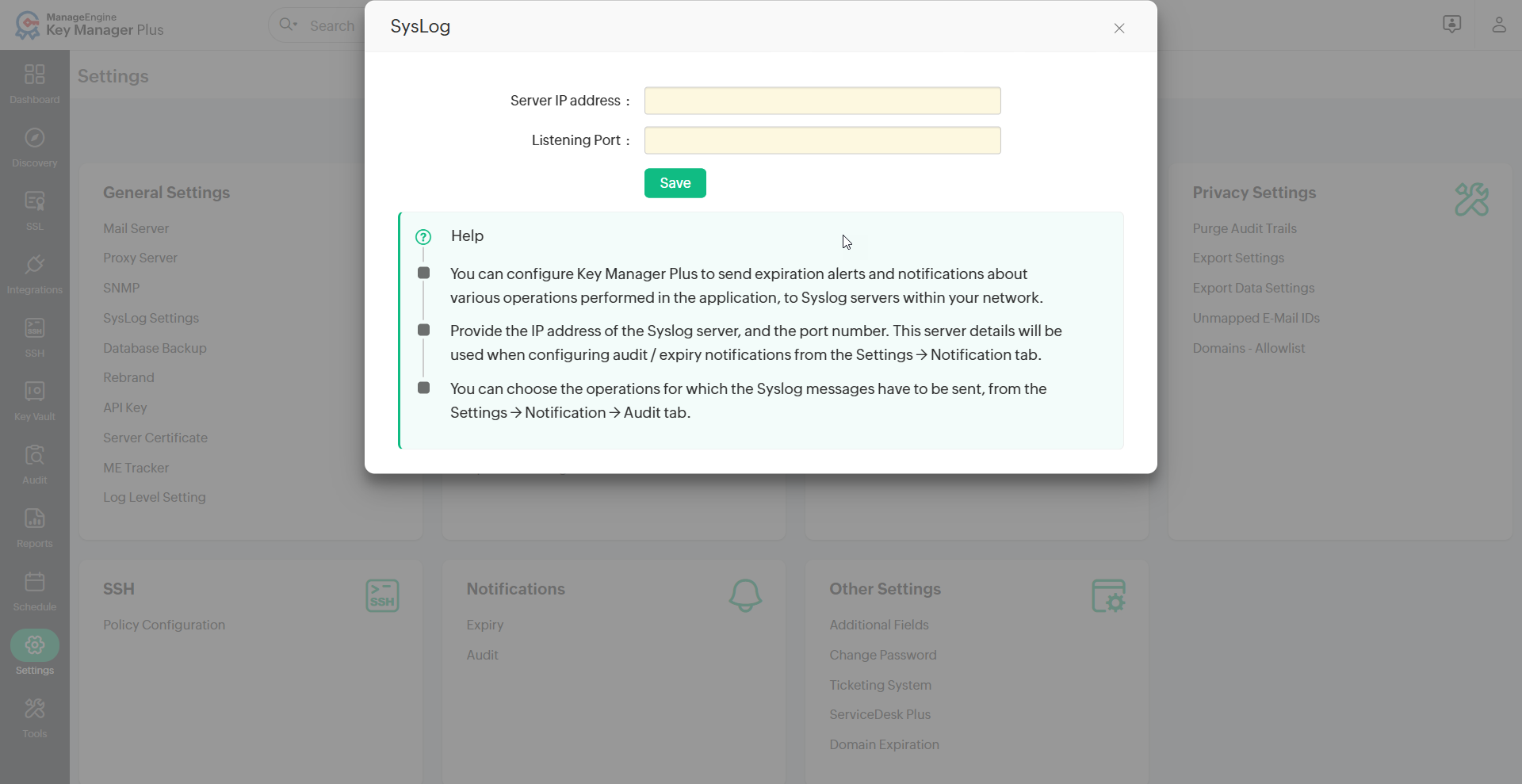
- Click Save to apply the settings.
A confirmation message will appear, indicating that the Syslog server details have been successfully configured.