
Retention Settings
Last updated on:
In this page
Overview
Retention Settings in ManageEngine Log360 let admins control how long the data remain available for direct search in Elasticsearch. This includes searchable logs collected from configured log sources, cloud accounts, and endpoints, as well as technician audit data, events flagged by detection rules, and generated alerts. Once the defined retention period is reached, the corresponding data is permanently deleted.
Admins can configure retention for each data category on this page, such as Current storage size(searchable logs), detection events, alerts, and audit data. These settings determine how long the data stays readily available before it is removed.
By retaining only the required duration of searchable logs, Log360 ensures efficient storage usage and sustained system performance without compromising on data accessibility.
Refer to Archive Settings for long-term log preservation using the Log Archive capabilities.
Configuring retention settings
To customize retention settings in Log360:
- Log in to the product console
- Go to the Settings tab and navigate to Admin Settings. Under Data Storage, select Retention Settings.
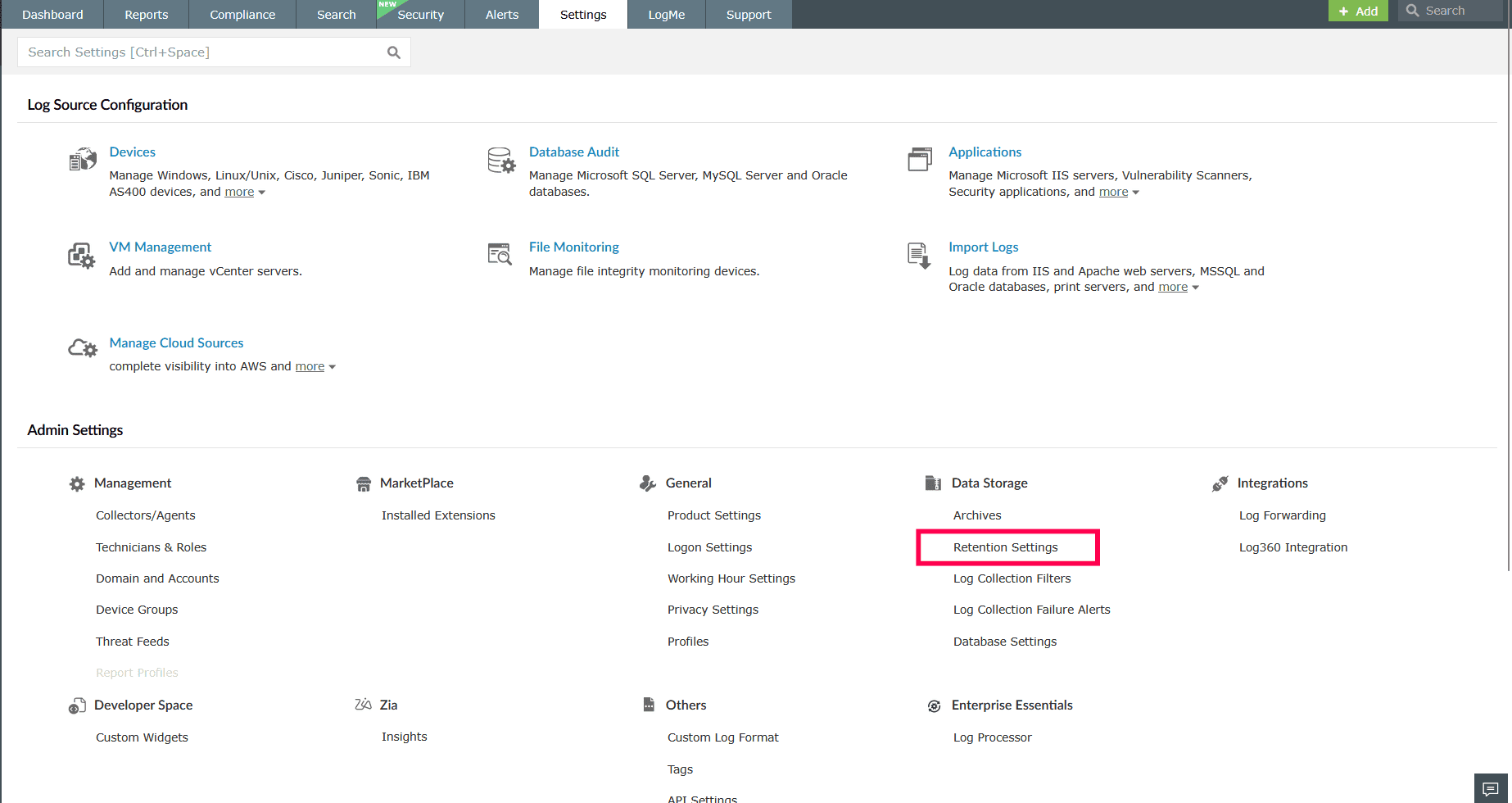
Figure 1: Navigating to retention settings - In the Current Storage Size, enter the number of days for which raw logs should be retained in the database. The default value is 32 days.
- In the Detection Retention Period, enter the number of days for which correlation or detection logs should be retained in the database. The default value is 90 days.
- In the Alert Retention Period, enter the number of days for which alerts should be retained in the database. The default value is 90 days.
- In the Audit Retention Period, enter the number of days for which audit data for external APIs and technicians should be retained in the database. The default value is 90 days.
- After entering the required values, click Update to save the settings.
NOTE: Current storage size should be determined based on the most frequently searched duration. For detection, alert, and audit data, storage requirements should be aligned with your compliance and audit retention policies.
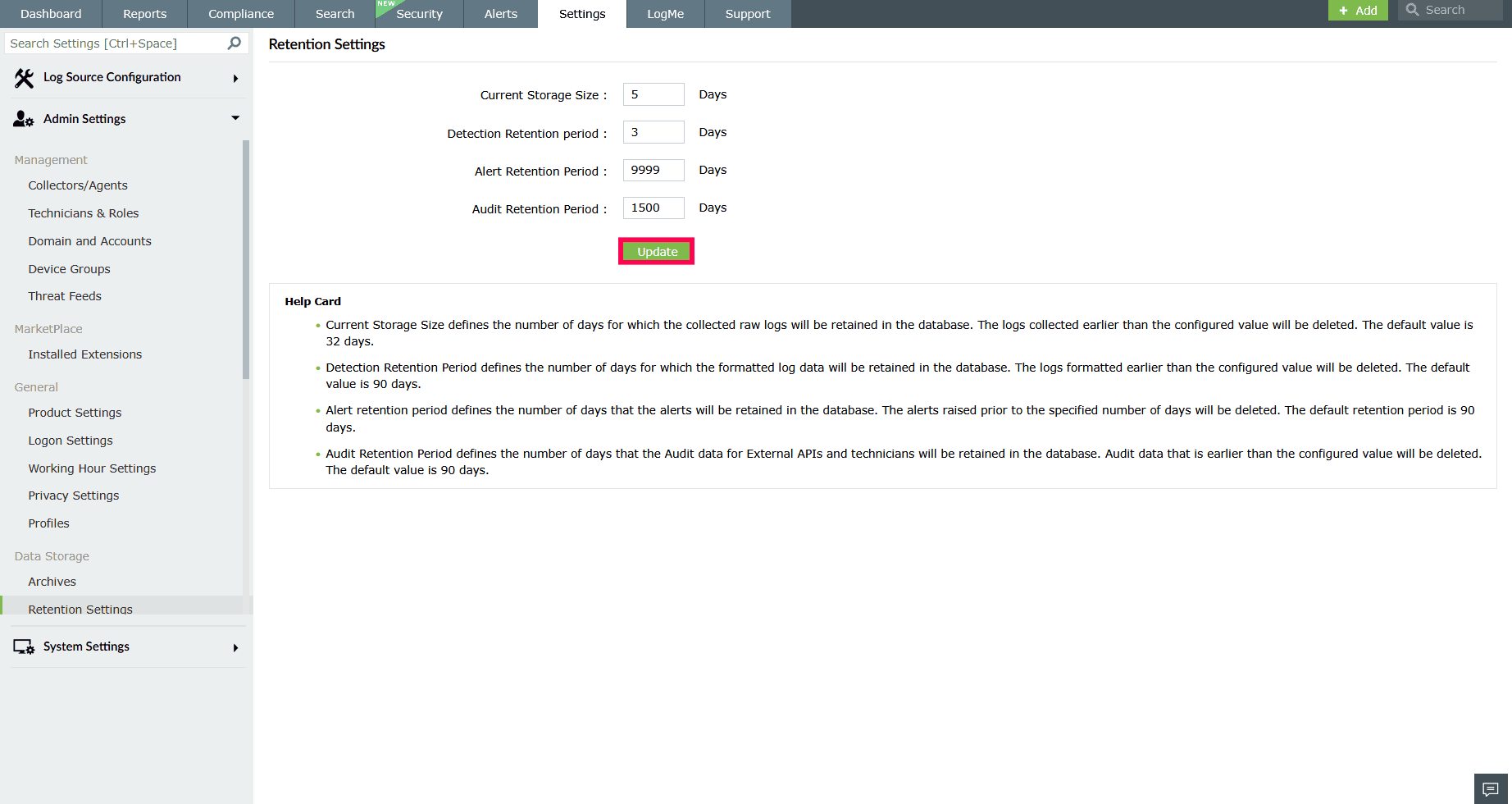
Figure 2: Updating retention settings - In the confirmation pop-up that appears, click Confirm.
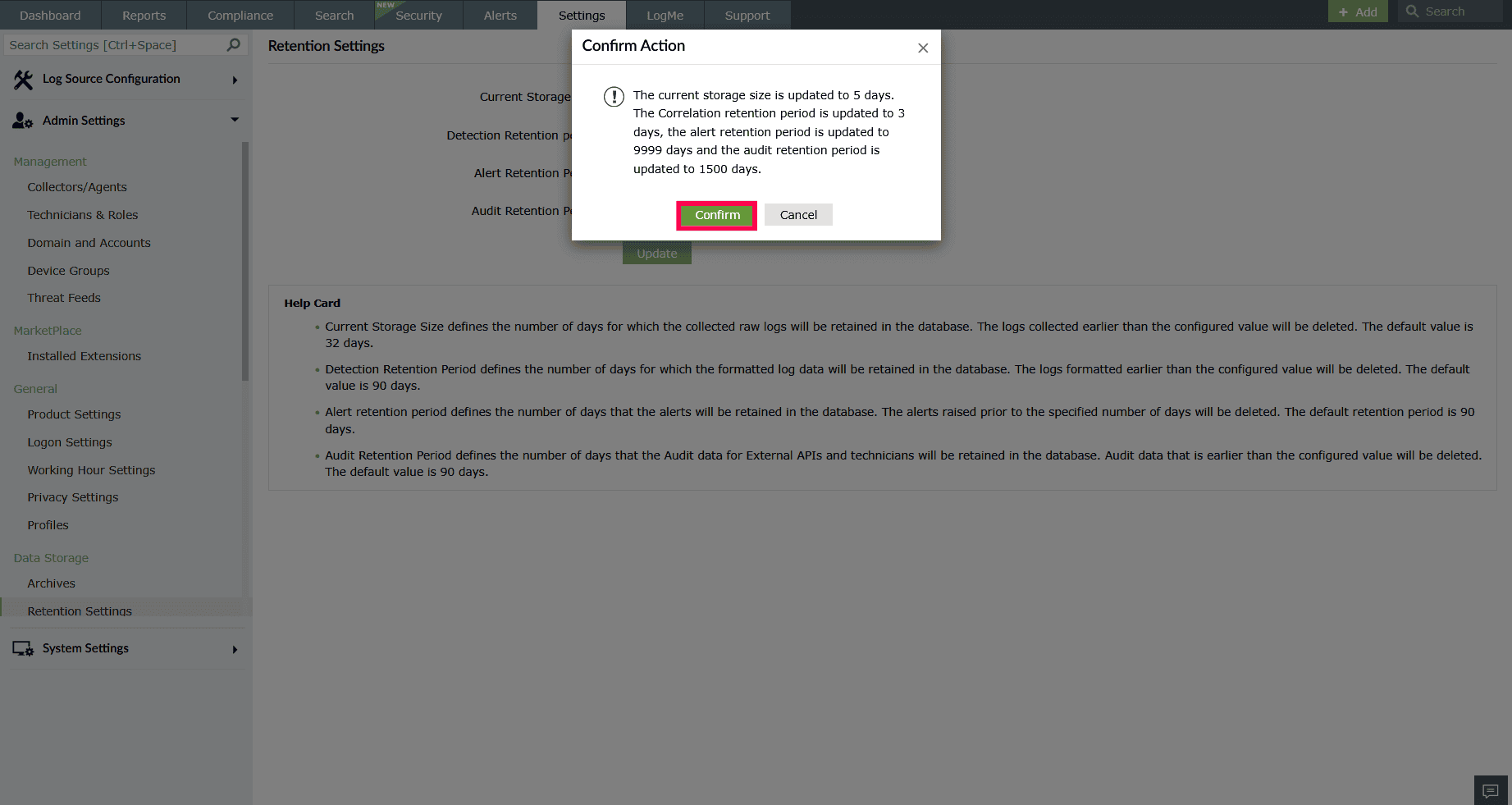
Figure 3: Configuring retention period NOTE: These settings ensure that raw and formatted log data is retained only for the required duration, helping optimize database performance and storage usage.
Read also:
This page explains how to set and update data retention periods in Log360 for different log types, including raw logs, correlation data, alerts, and audit records to optimize storage and maintain system performance.