
Asynchronous Search API
Last updated on:
In this page
Overview
The Asynchronous Search API in ManageEngine Log360 allows you to run search requests in the background, wherein you can monitor the progress of the request and view the results as and when they become available.
Steps involved in executing an asynchronous search:
- Submit a search request with the required metadata and asynchronous parameters.
- The server responds with a request ID and executes the search in a background thread.
- Monitor the job status through the Jobs endpoint.
- Retrieve the search results using the Jobs/Results endpoint once the job completes.
- Results remain available in the product console for 24 hours.
Request URL
POST http://hostname:8095/RestAPI/v1/search/async
NOTE For the request URL, you can either use the IP address, or FQDN of the product server in place of hostname.
Request Header
| Header name | Value | Mandatory | Description |
|---|---|---|---|
| Authorization | Bearer {{AuthToken}} | Yes | AuthToken generated from API Settings page.
e.g: |
Request Parameters
The request body must be in JSON format and include the following parameters:
| Parameter name | Default value | Mandatory | Type | Description |
|---|---|---|---|---|
| query | * | No | String | Start value of the list |
| hosts | all | No | JSONArray | List of hosts to search |
| groups | all | No | JSONArray | List of device groups to search |
| from | current time - 24 hours | No | Long | Start time for search in Unix milliseconds |
| to | current time | No | Long | End time for search in Unix milliseconds |
NOTE
- When the cursor is passed, the other parameters are not required.
- Quotes i.e ( " ") in query string must be escaped. If query in EventLog Analyzer's search page is REMOTE_INTERFACE = "switch 1", then for Rest Api the query parameter should be written as "REMOTE_INTERFACE = \"switch 1\""
Response
The response is a JSON object which will contain the following key/value pairs.
| Parameter name | Description |
|---|---|
| request_id | Request ID of the background search , type = string |
Executing the API using cURL
Sample request
curl --location --request POST 'http://localhost:8095/RestAPI/v1/search/async' \ -H "Accept: application/json" -H "Authorization: Bearer mdrkoda0odmtmznloc00ndziltg0mgutmwzkztljmjvmzwmx " --data-raw '{ "query": "EVENTID = 16384 AND USERNAME = mhtoc", "hosts": [1, 2, 601], "groups": [3], "from": 1643480792000, "to": 1643480479500 }'
Sample response
{ "message": "Request submitted", "request_id": "AX6qKwX7hJby8kAkaqDG", "status": 200 }
Executing the API using Postman
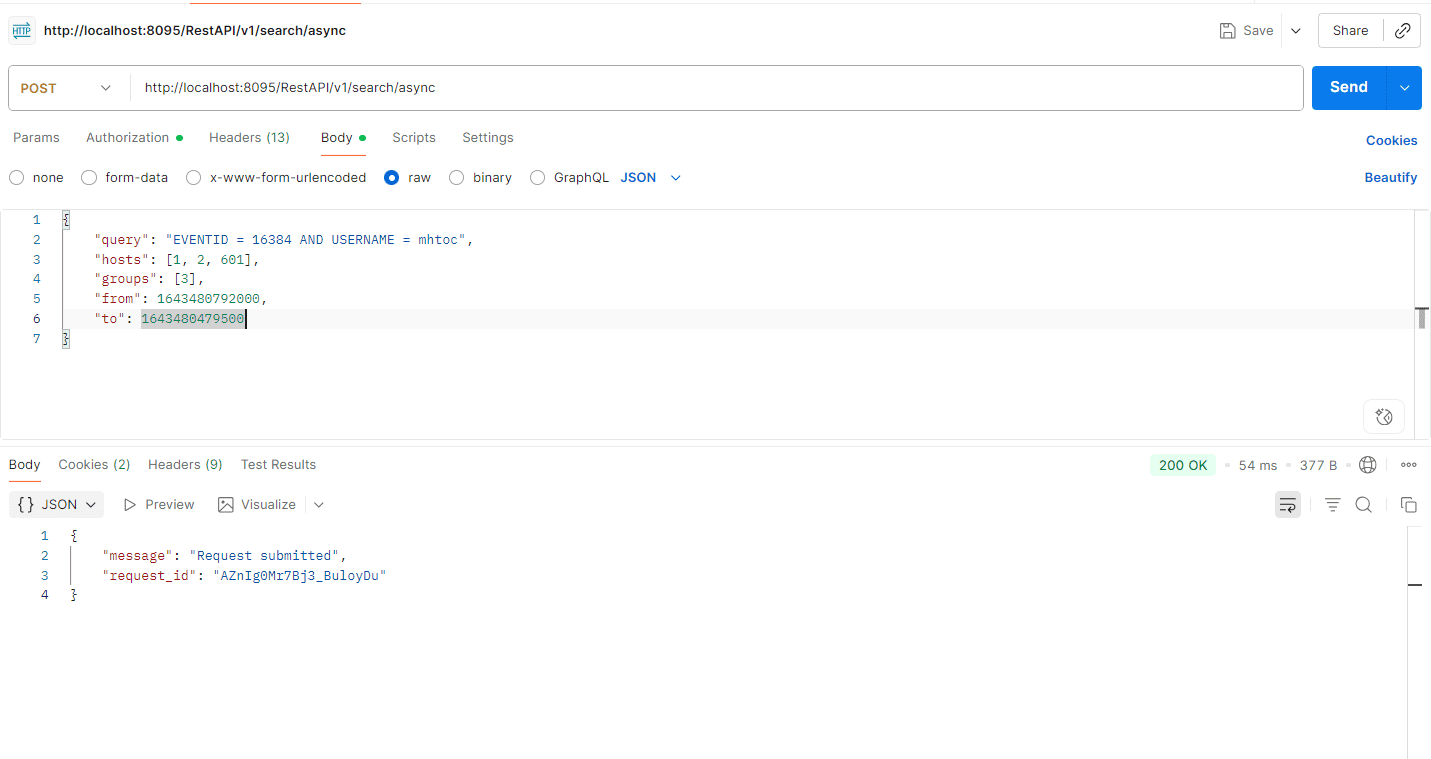
Read also
This page explained how to perform background searches using the product console’s REST API and retrieve results using request IDs.