
Disable device
Last updated on:
In this page
Overview
The Disable Device API allows you to disable one or more devices in ManageEngine Log360. You can disable up to ten devices in a single API call by specifying their names in a comma-separated list.
Request URL
PUT http://hostname:8095/RestAPI/v1/device/disable
NOTE For the request URL, you can either use the IP address, or FQDN of the product server in place of hostname.
Request Header
| Header name | Value | Mandatory | Description |
|---|---|---|---|
| Authorization | Bearer {{AuthToken}} | Yes | AuthToken generated from the API Settings page.
e.g., Bearer abcd1234xyz |
Request Parameters
The request body must be sent in JSON format and include the following parameters:
| Parameter Name | Mandatory | Type | Description |
|---|---|---|---|
| device_name | Yes | String | Comma-separated list of device names which needs to be disabled. Maximum of 10 devices can be disabled in a single API call. |
Response
The response will be a JSON object with the following key/value pair:
| Parameter name | Description |
|---|---|
| message | Result of the disable device request. |
Executing the API using cURL
Sample request
curl --location --request PUT 'http://localhost:8095/RestAPI/v1/device/disable' \
--header 'Content-Type: application/json' \
--header 'Authorization: Bearer abcd1234xyz' \
--data '{
"device_name":"1.1.1.1"
}'
Sample response
{"message":"Device(s) 1.1.1.1 disabled in EventLog Analyzer successfully"}
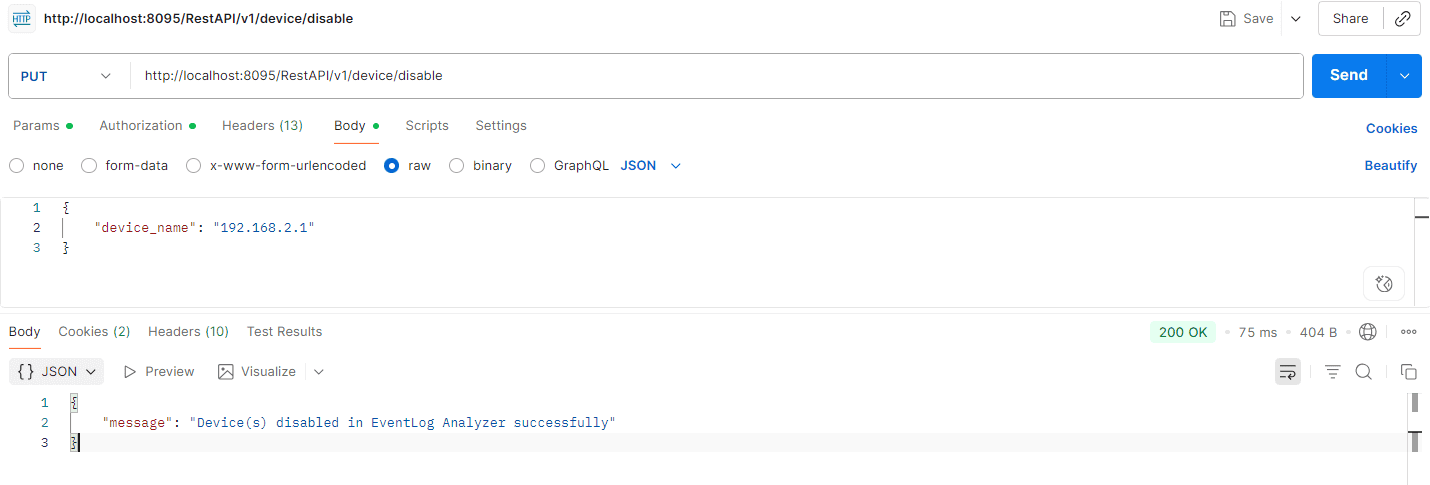
Executing the API using Postman
Read also
This page explained how to disable devices in Log360 using the REST API.