
Get log fields API
Last updated on:
In this page
Overview
The Get Log Fields API in ManageEngine Log360 retrieves the list of parsed log fields from processed logs available in the product. These log fields can be used to create custom search queries for analyzing event data.
Request URL
GET http://hostname:8095/RestAPI/v1/meta/log_fields
NOTE For the request URL, you can either use the IP address, or FQDN of the product server in place of hostname.
Request Header
| Header name | Value | Mandatory | Description |
|---|---|---|---|
| Authorization | Bearer {{AuthToken}} | Yes | Authtoken generated from API Settings page.
e.g: |
Response
The response is a JSON object that contains the list of parsed log fields.
| Parameter name | Description |
|---|---|
| fields | JSON Array of fields |
Executing the API using cURL
Sample request
curl --location --request GET 'http://localhost:8095/RestAPI/v1/meta/log_fields' \ -H "Accept: application/json" -H "Authorization: Bearer mdrkoda0odmtmznloc00ndziltg0mgutmwzkztljmjvmzwmx "
Sample response
{ "fields": [ { "client_value": "Severity", "server_value": "SEVERITY" }, { "client_value": "Facility", "server_value": "FACILITY" }, { "client_value": "Source", "server_value": "SOURCE" }, { "client_value": "Event Name", "server_value": "IENAME" }, { "client_value": "Username", "server_value": "USERNAME" } ] }
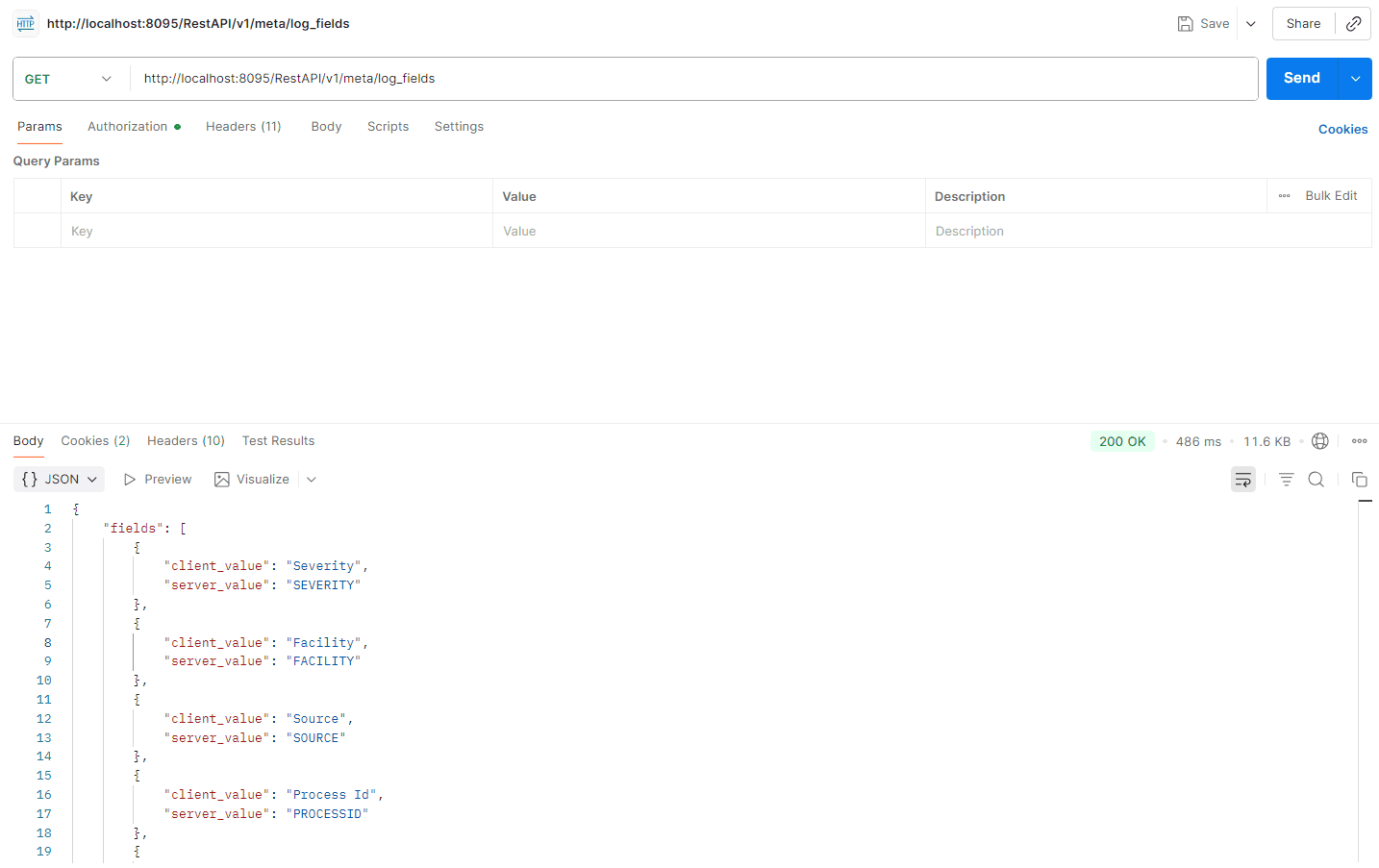
Executing the API using Postman
Read also
This page explained how to retrieve parsed log fields using EventLog Analyzer’s REST API.