
Exporting data from vulnerability scanners
Last updated on:
EventLog Analyzer analyses data from vulnerability scanners and provides insights to help identify vulnerabilities within the network. For this you need to export data from the respective vulnerability scanners and then import it to EventLog Analyzer. You can export the data by following the steps given for each of the vulnerability scanners.
- Under the Scans menu, select Vulnerabilities
- If there is no Vulnerabilities tab, choose Results.
- Click Export page contents from the bottom right corner.
Adding vulnerability scanners to EventLog Analyzer
To monitor vulnerability scanner data in EventLog Analyzer, you need to import the corresponding log data to the EventLog Analyzer server. You can import log data by navigating to Settings > Vulnerability Data Analysis > Import.
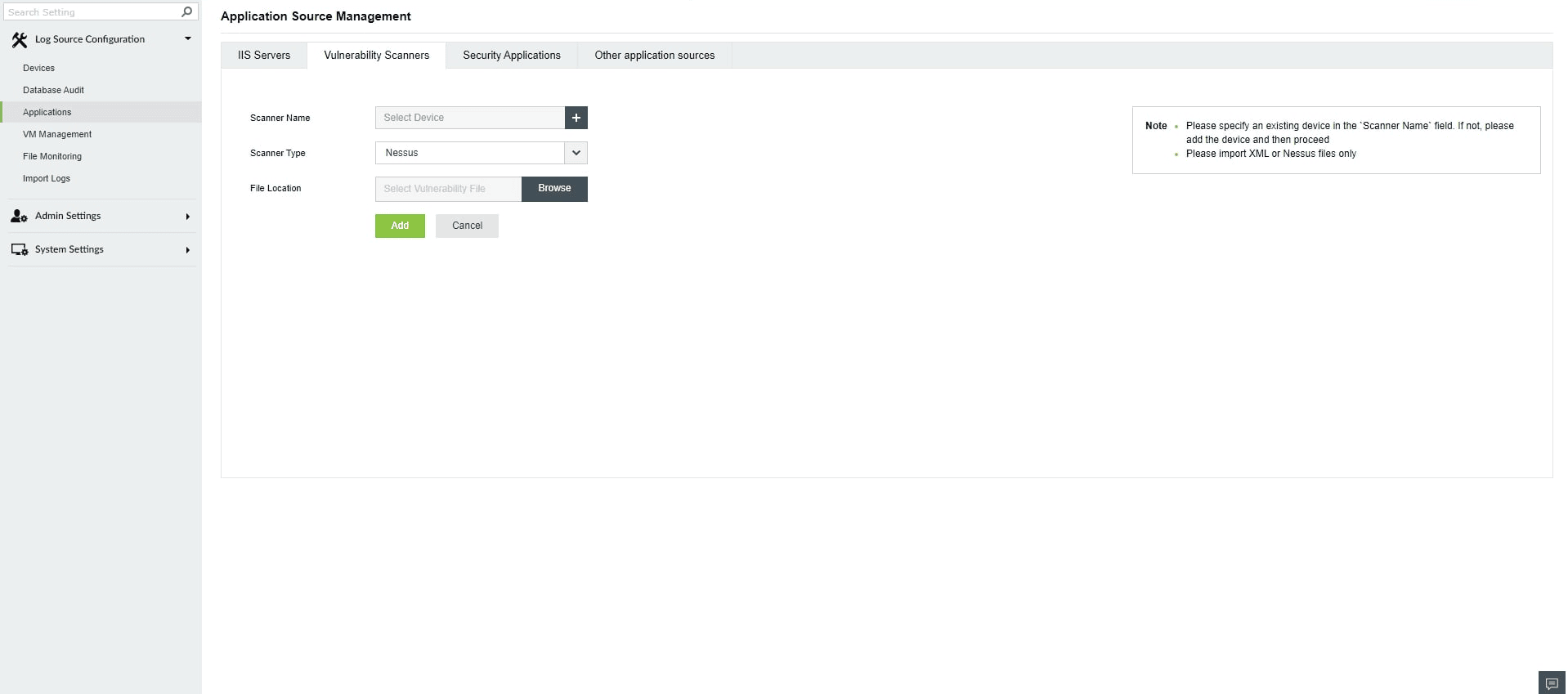
- Enter the vulnerability scanner's name.
- Choose the vulnerability scanner's application type.
- Specify the location of the log file which has to be imported.
- Click on Import.