
MSSP installation and setup
Last updated on:
In this page
Overview
This page outlines how to install Log360 and convert it into an MSSP server. It explains the steps involved in the conversion, the data impact during the process, and the configurations that are applied after switching to the MSSP edition.
Converting standalone Log360 instance to MSSP Server
You can follow the steps given below to convert the standard edition of Log360 into an MSSP server:
- Download Log360
- Install Log360 by selecting "Minimal Installation" from the installation wizard.
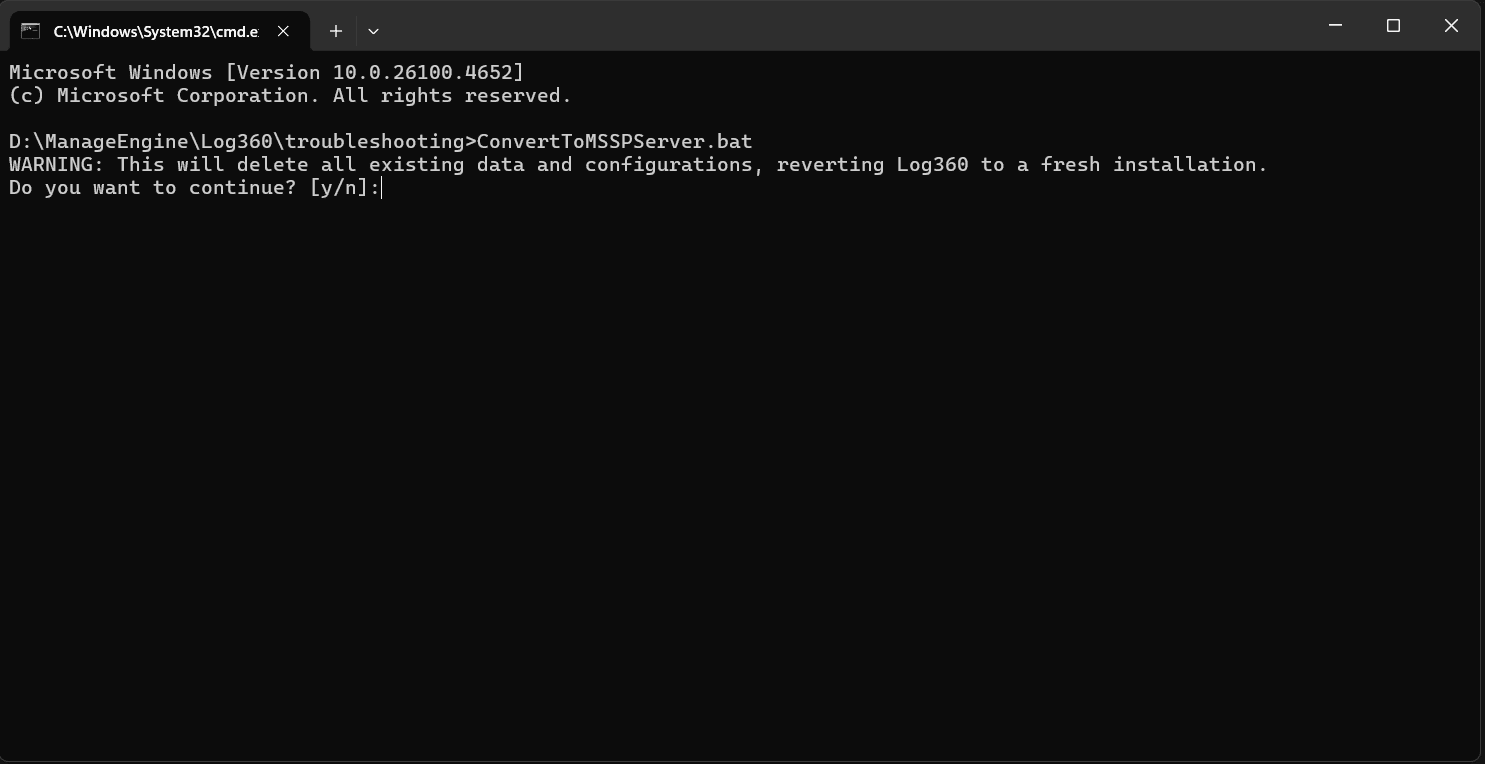
- Open the command prompt with administrative privilege and execute the Convert to MSSPServer.bat/sh file located in <product_home>/troubleshooting/ConvertToMSSPServer.bat/sh.
- A warning message about the deletion of data of your existing installation will be displayed. Press y and click on the Enter key to continue.
- If you want to configure a proxy server, enter y for the next query and enter the proxy server details.
- You will see a success message if the standalone instance has been converted from the standalone edition into an MSSP server.
- Start the product.
What happens after the conversion?
After conversion, the Log360 console initiates the application of the pre-existing MSSP-specific configurations and eventually switches to the MSSP version. During the conversion, all the existing Log360 data in the database will be erased and replaced by the MSSP configurations.
After the successful conversion, the functionalities of integration, license management, and more will be enabled in that server thereby acting as the MSSP server.
Read also
This document outlined the steps to install Log360 in MSSP mode and convert a standalone instance into an MSSP server. You can also read the following pages for additional guidance: