
Reverse proxy
Last updated on:
In this page
Overview
A reverse proxy acts as an intermediary between clients and backend servers. It accepts incoming client requests, forwards them to the appropriate backend servers, and then returns the server's responses to the clients without revealing the identity or details of those backend servers.
ManageEngine Log360 uses a reverse proxy to safeguard internal ports and server details, ensuring secure communication.
Architecture
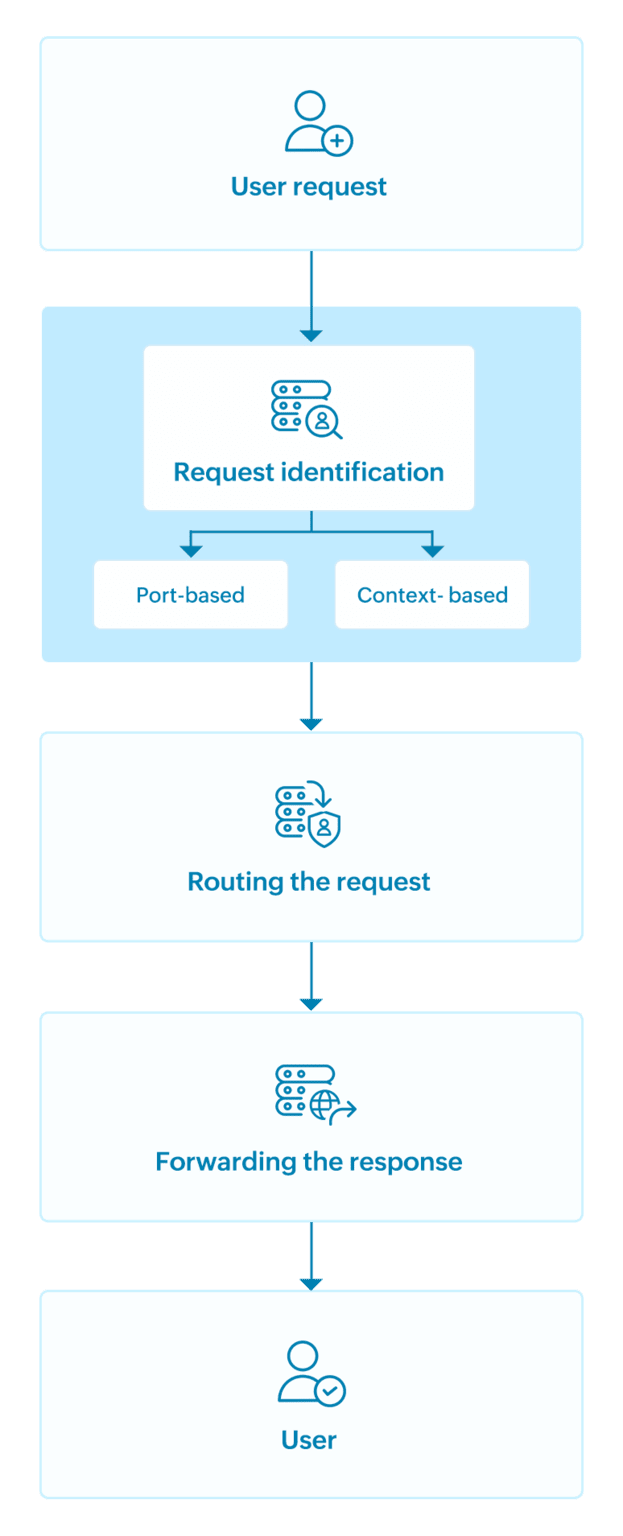
- User request: Users send requests using an access URL.
- Request identification: The reverse proxy examines the request and determines the target backend server.
- Port-based: Based on the external port.
- Context-based: Based on the URL path.
- Routing the request: The reverse proxy forwards the request to the correct backend server.
- Backend processing: Web servers process the request and generate a response.
- Forwarding the response : The reverse proxy returns the response to the user using the original access URL, hiding internal server details.
Log360 supports two types of reverse proxy configurations:
Context-based reverse proxy
In context-based reverse proxy, users access different components using unique paths appended to the same domain.
All user requests are received through a single external port on the reverse proxy server. The proxy then routes the requests internally to the correct backend service based on the URL path.
This setup conceals all internal port numbers and server details, ensuring secure communication.
Port-based reverse proxy
In port-based reverse proxy, users access different components by connecting to different external ports on the same hostname.
Each external port corresponds to a specific server. The reverse proxy listens on these ports and routes requests internally to the requested component.
Despite the use of multiple external ports, internal port numbers and server details remain concealed. The hostname stays consistent across all services, maintaining confidentiality and security.
Read also
This document explained how Log360 uses a reverse proxy to secure communication. To learn how to manage the reverse proxy in Log360, refer to this document: