
Increasing Product Memory
Last updated on:
In this page
Overview
ManageEngine Log360 includes an automatic heap management mechanism to ensure stable performance during memory pressure conditions.
When an OutOfMemory (OOM) condition is detected:
- The product's JVM heap memory is automatically increased in increments of 1024 MB (1 GB).
- Each OOM event triggers a 1 GB incremental increase.
- The automatic increase continues until the heap reaches a maximum limit of one-third (1/3rd) of the total physical RAM available on the server.
This mechanism allows the product to recover from temporary workload spikes without requiring manual intervention.
If performance issues persist even after automatic heap expansion, you can manually increase the allocated memory by modifying the configuration.
How it works in distributed environments
In distributed deployments with multiple Log Processors:
- Heap management is handled independently on each processor node.
- Automatic heap increase applies per node based on the RAM available on that specific machine.
- Memory settings are not centrally propagated across nodes.
If manual heap configuration is required, memory must be adjusted individually on:
- Primary Processor
- All dedicated Log Processor machines
Pre-requisites
- Take a backup of the wrapper.conf file present in the following location %PRODUCT_HOME%\server\conf before making any changes.
- Plan for a short downtime to restart the application after modifying product memory.
Steps to increase memory allocation
Follow these steps to increase the memory allocated to the product:
- Navigate to the product installation folder and open the file: %PRODUCT_HOME%\server\conf
- Increase the memory allocation by editing the existing configuration file that includes the default values of initmemory and maxmemory, as shown below:
# Initial Java Heap Size (in MB)
wrapper.java.initmemory=3072
# Maximum Java Heap Size (in MB)
wrapper.java.maxmemory=3072 - Modify the values as per your requirement. The minimum heap value is 1 GB and the maximum heap value one-third (1/3rd) of the total physical RAM available on the server.
NOTE The minimum and maximum heap value must be the same
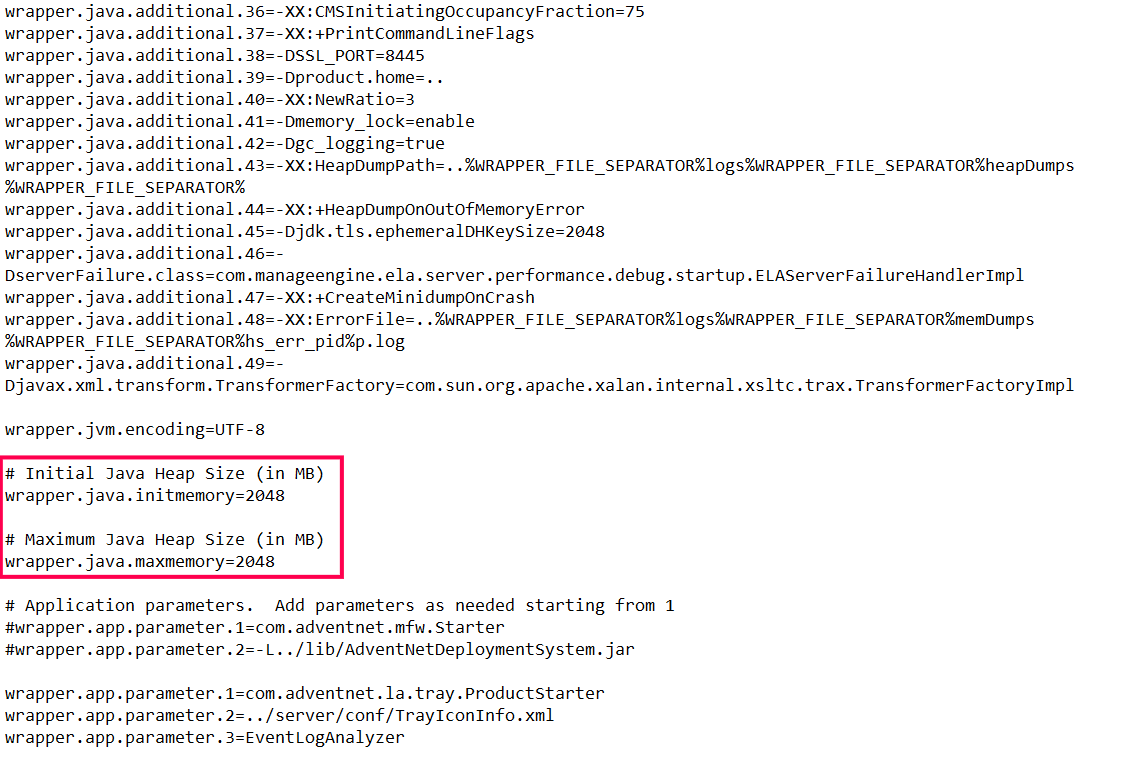
Figure 1: Increasing allocated memory - Restart the product after memory allocation. The changes will take effect only after the product is restarted.
Read also:
This page explained how to increase memory allocation for Log360. Refer to the following document to learn about system requirements.