How to Install and Uninstall EventLog Analyzer

Last updated on:

How to install?

Note As soon as EventLog Analyzer is installed on a domain-joined machine, it will automatically discover the device's domain and add the five Windows Server machines that respond first to a broadcast query in the domain. These devices can be deleted by the user, and once deleted, will not be added back automatically.

If you want to install EventLog Analyzer 64 bit version:

  • In Windows OS, execute ManageEngine_EventLogAnalyzer_64bit.exe
  • In Linux OS, execute ManageEngine_EventLogAnalyzer_64bit.bin

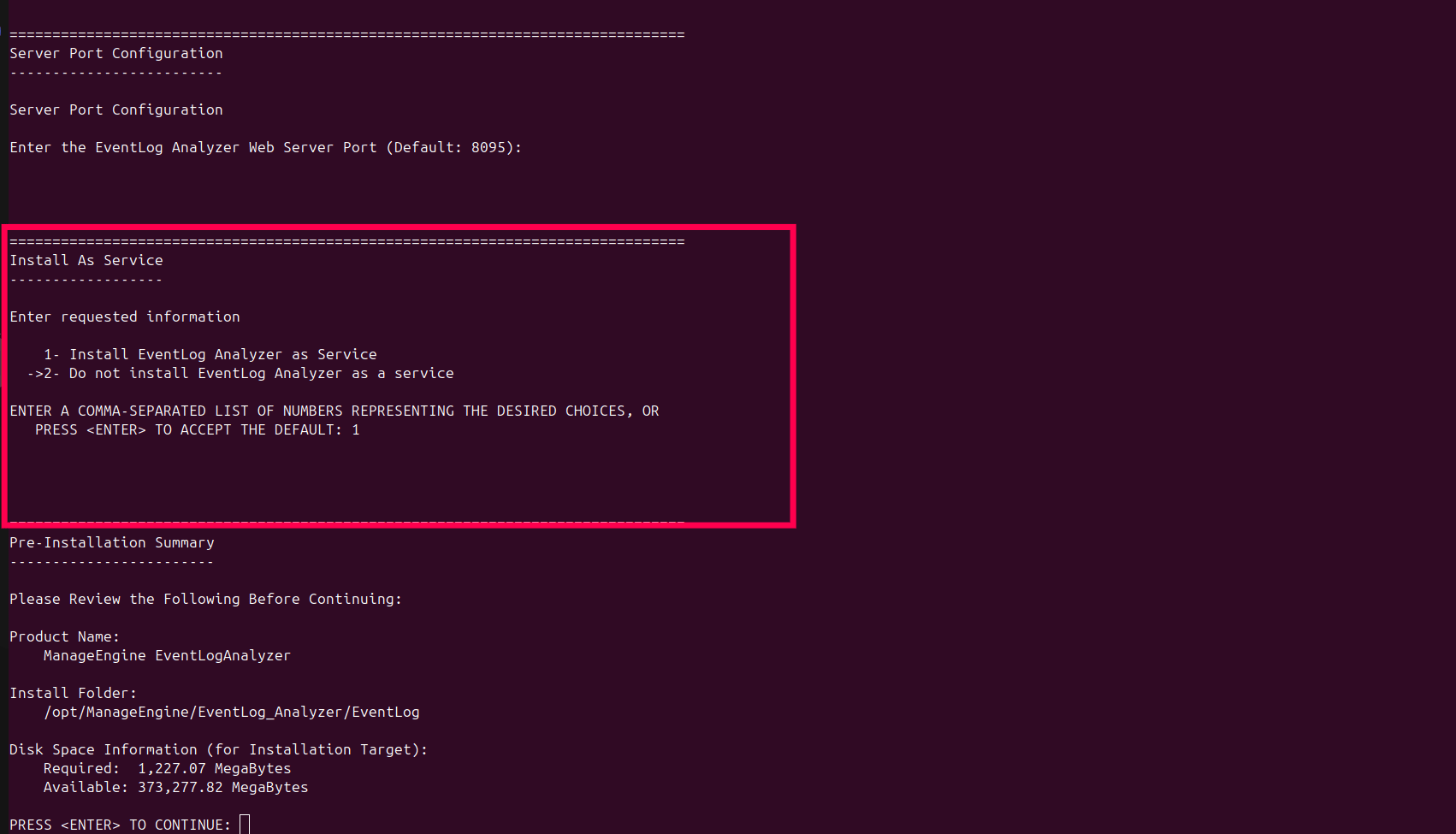
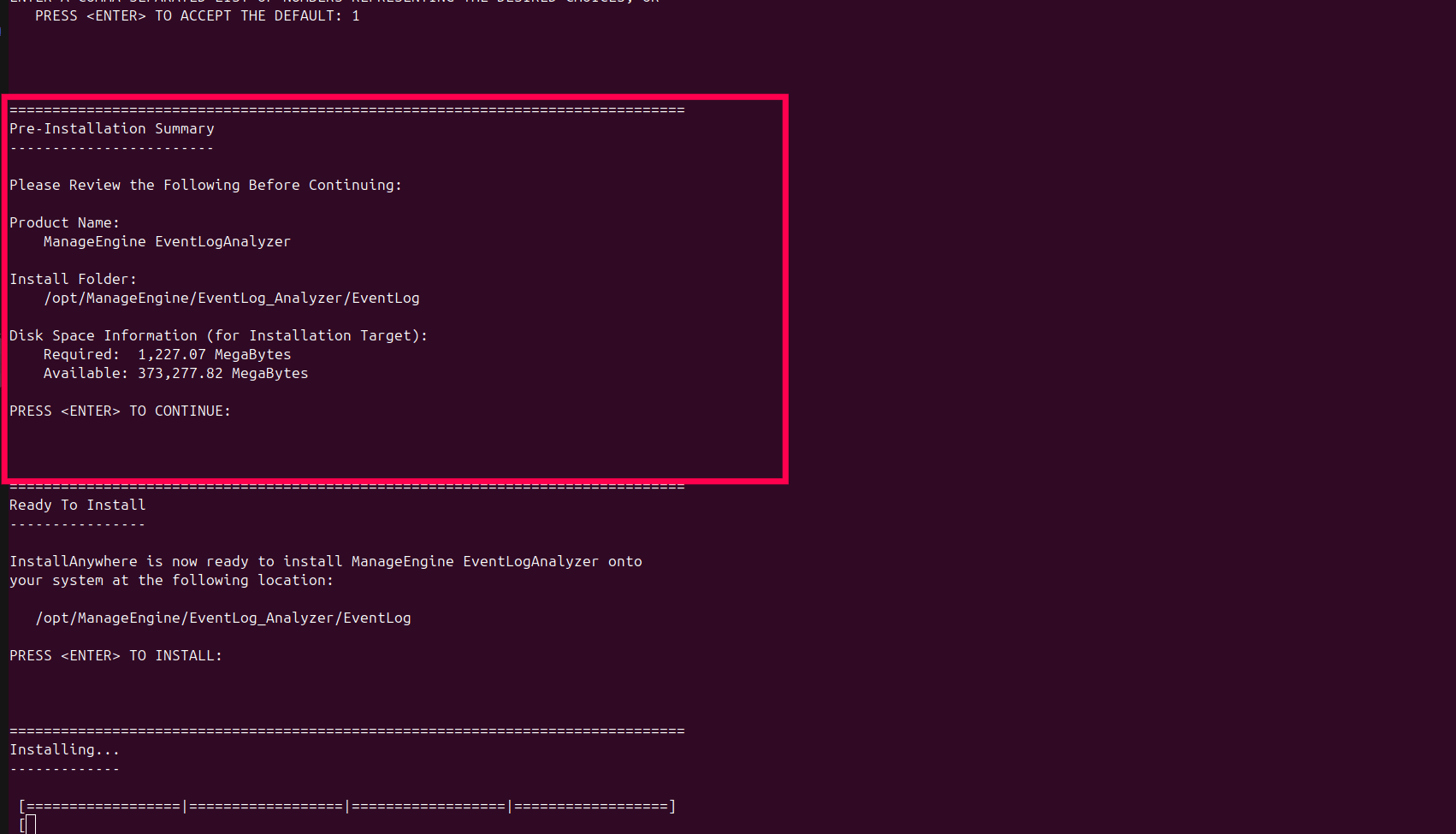
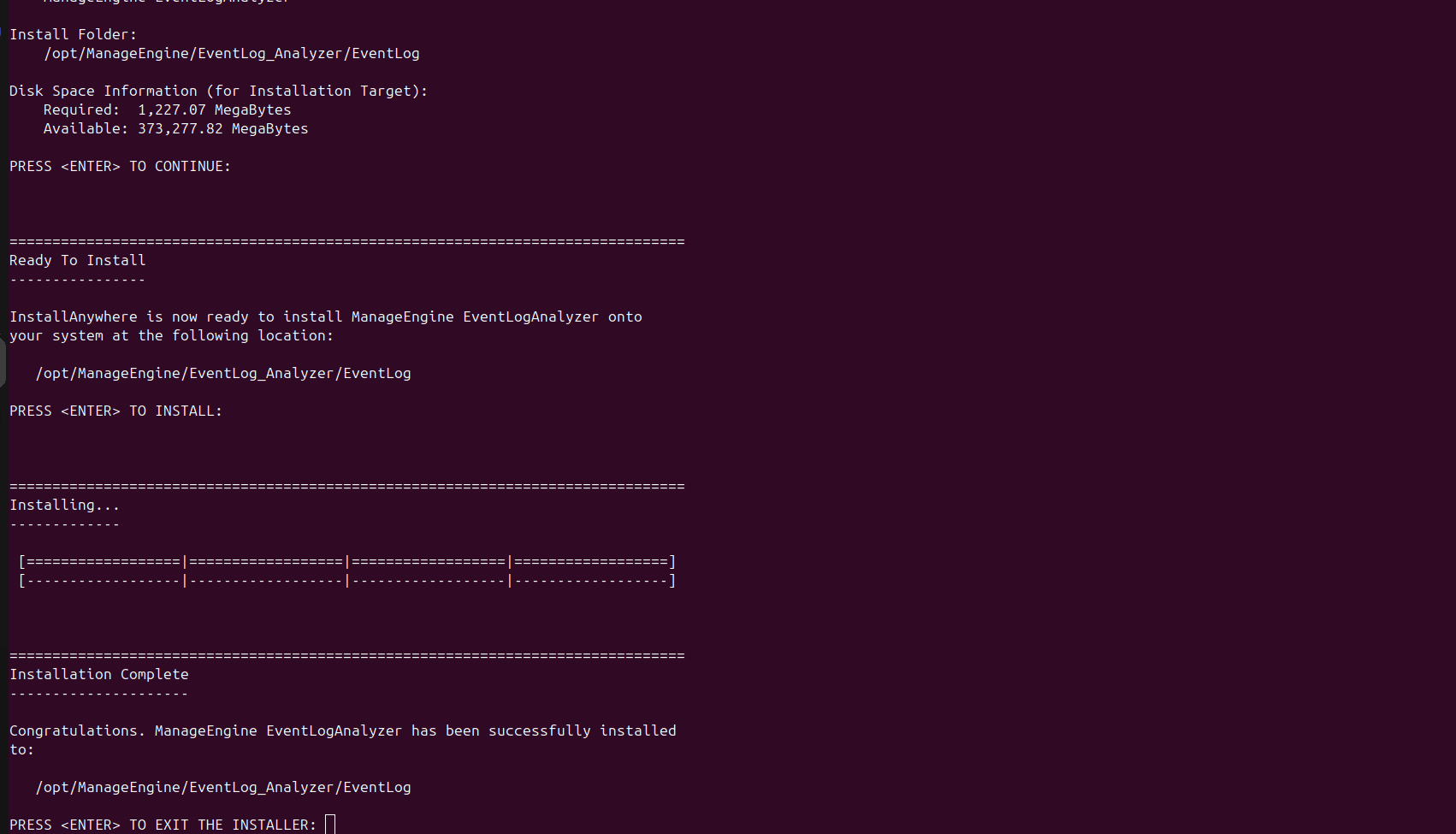
For Linux installation

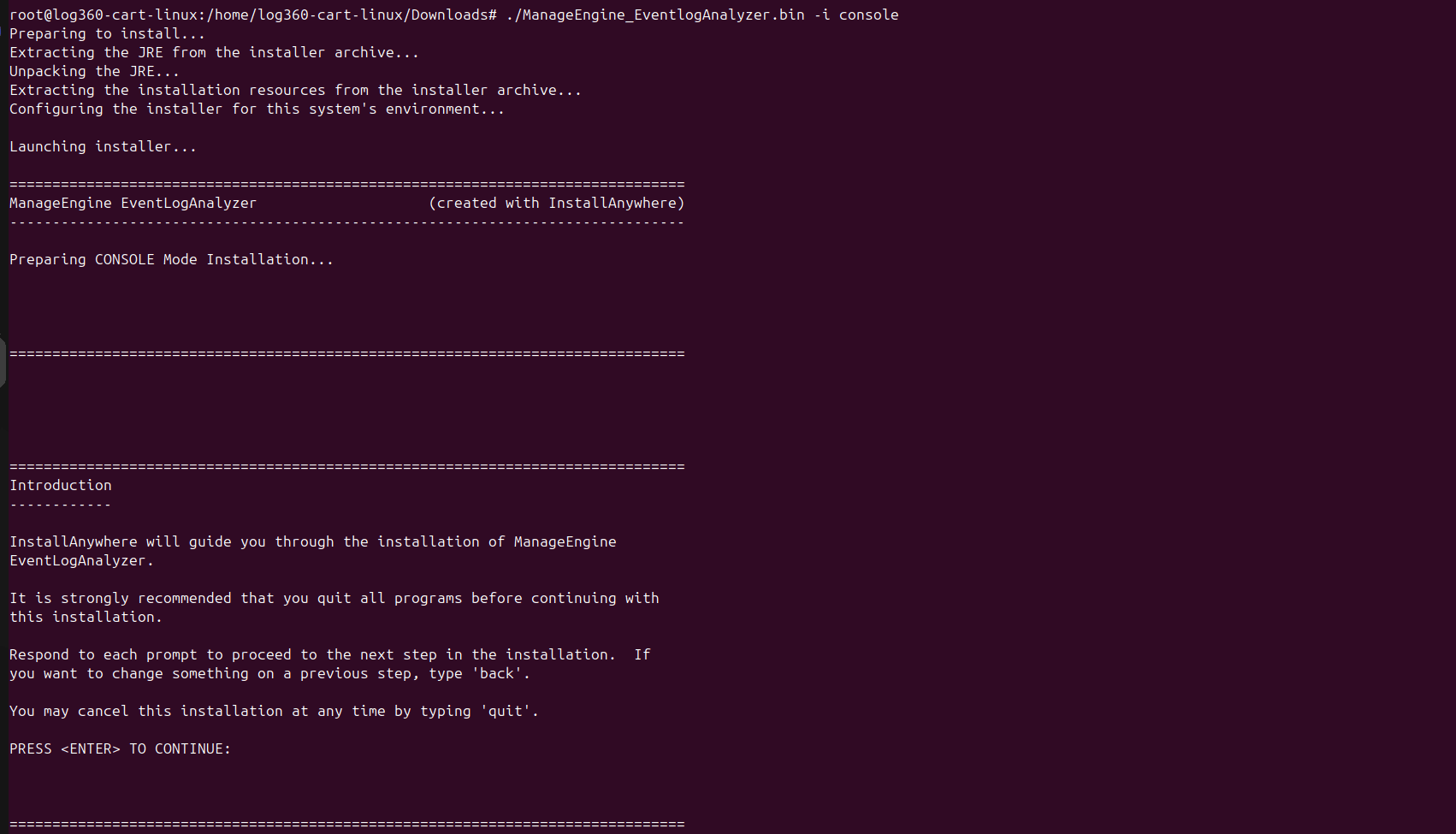
  • Before installing EventLog Analyzer, make the installation file executable by executing the following commands in Unix Terminal or Shell,
  • Copy to Clipboard

    chmod +x ManageEngine_EventLogAnalyzer.bin

  • Now, run ManageEngine_EventLogAnalyzer.bin by double clicking or running ./ManageEngine_EventLogAnalyzer.bin in the Terminal or Shell.

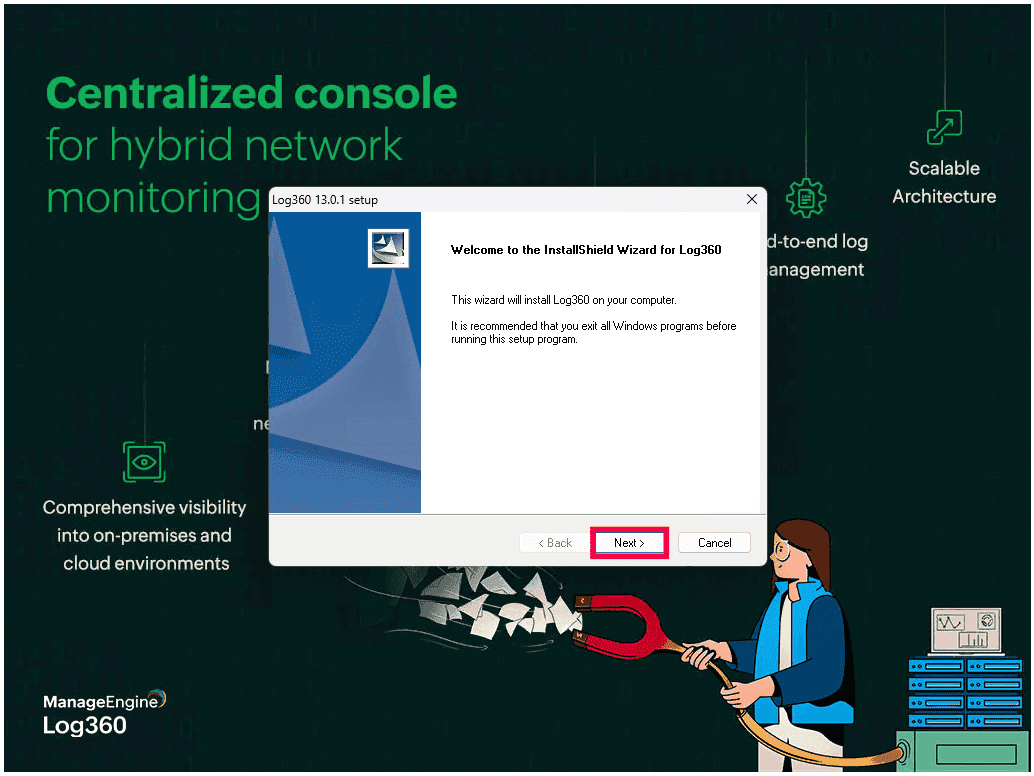
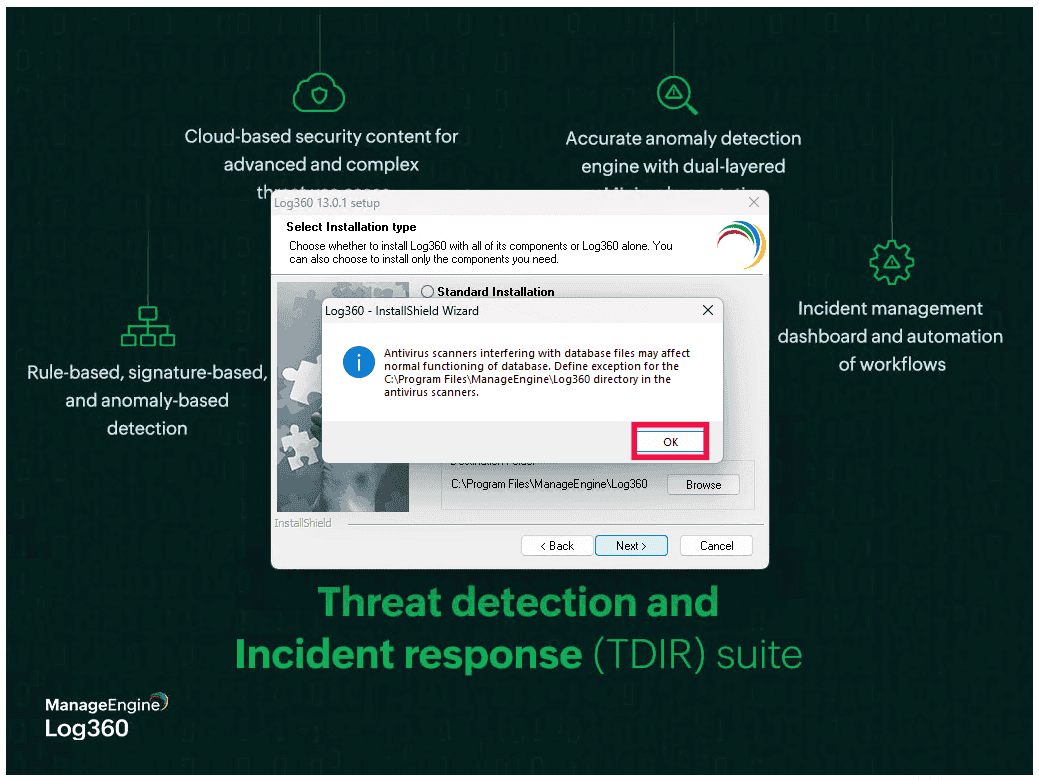
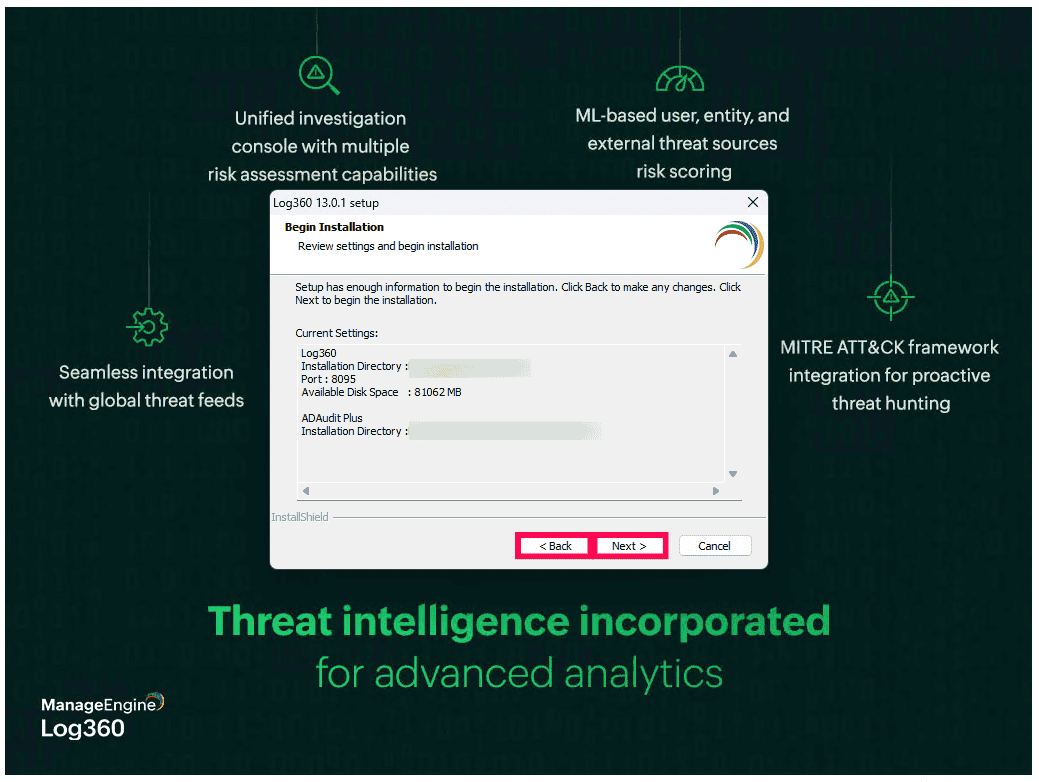
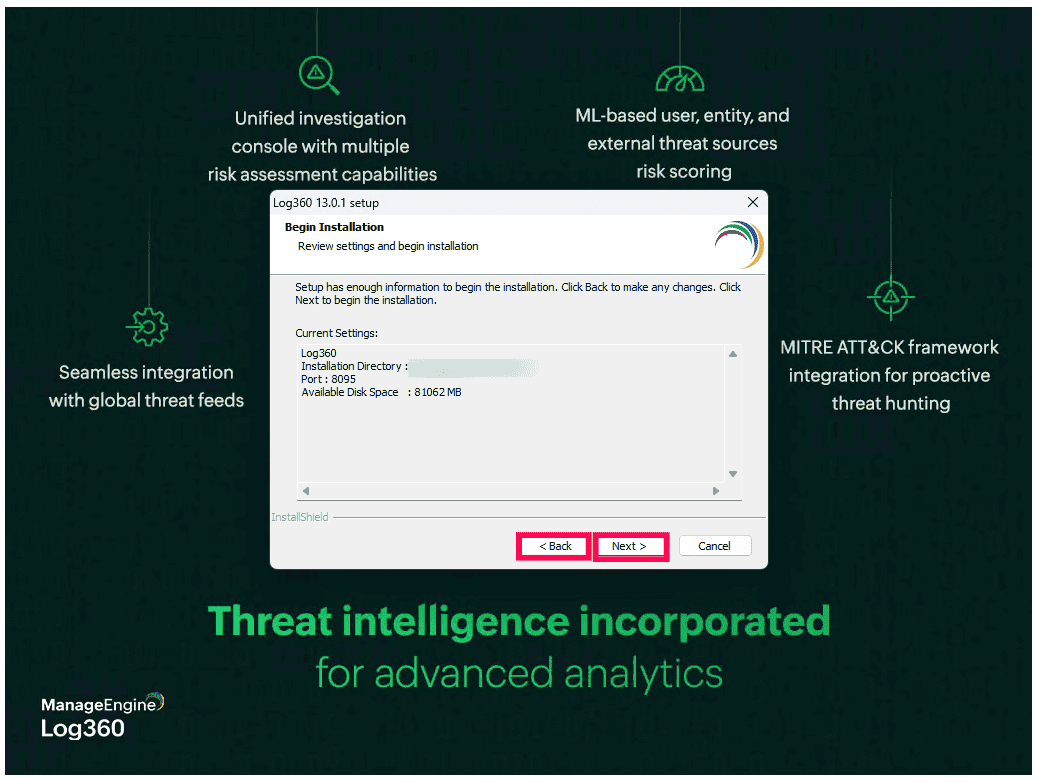
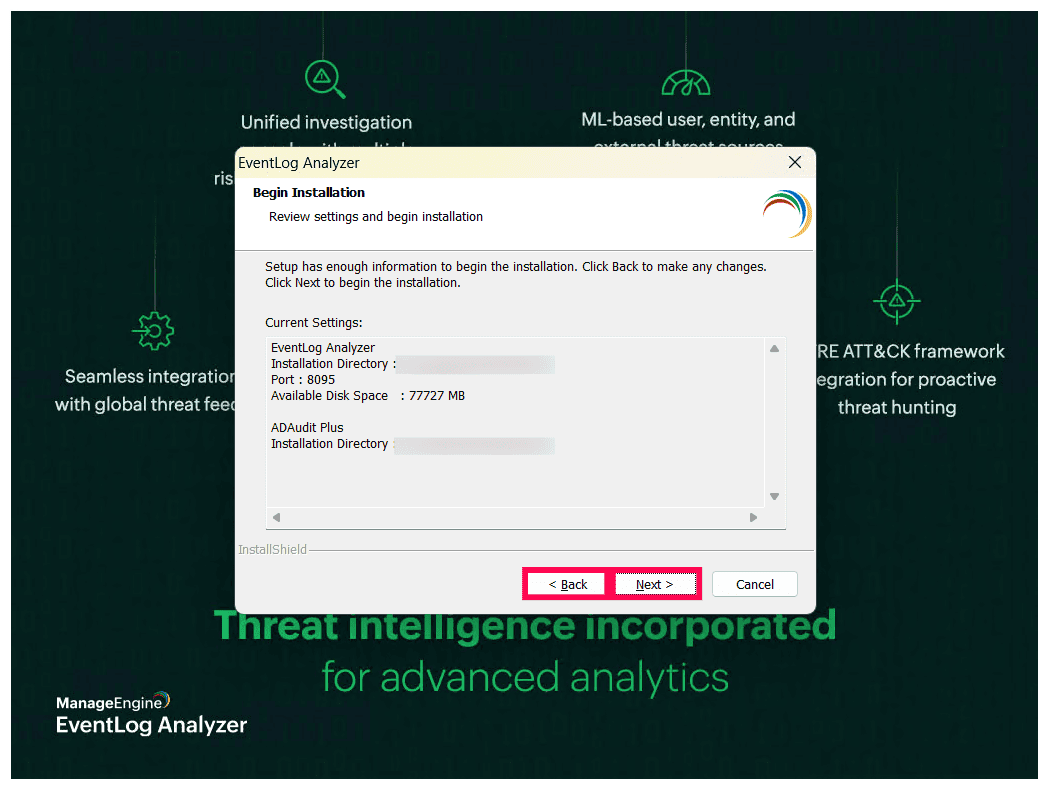
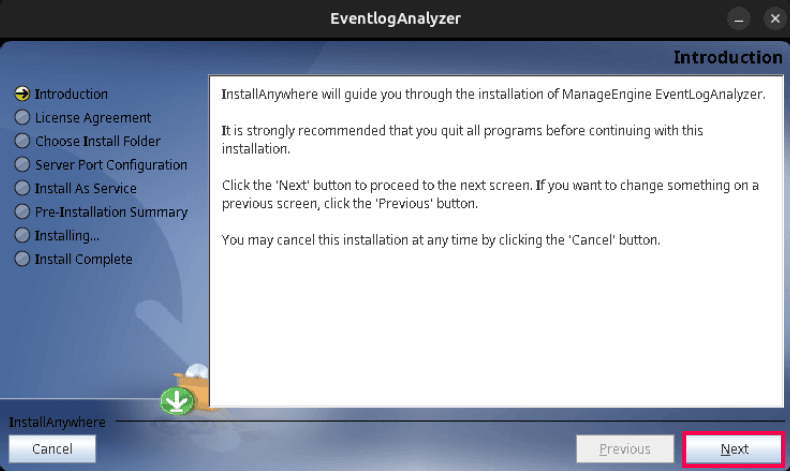
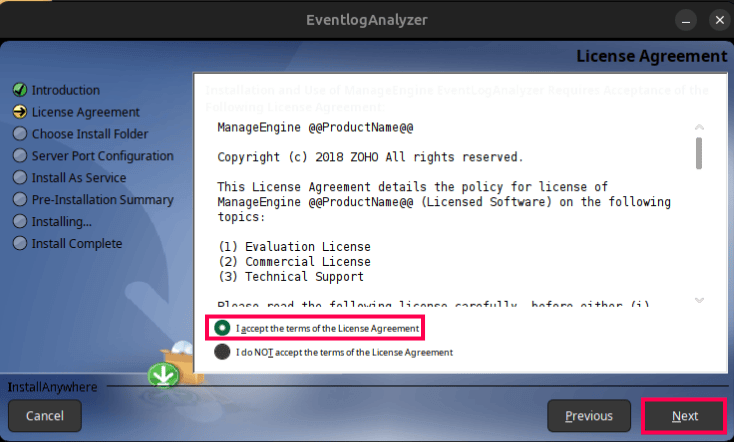
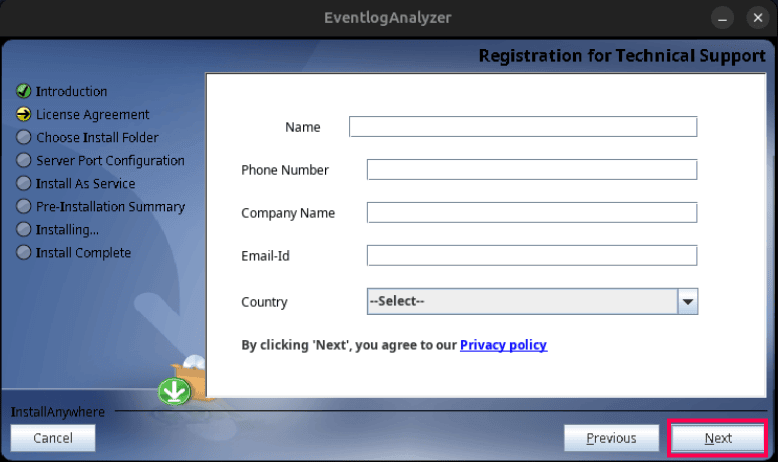
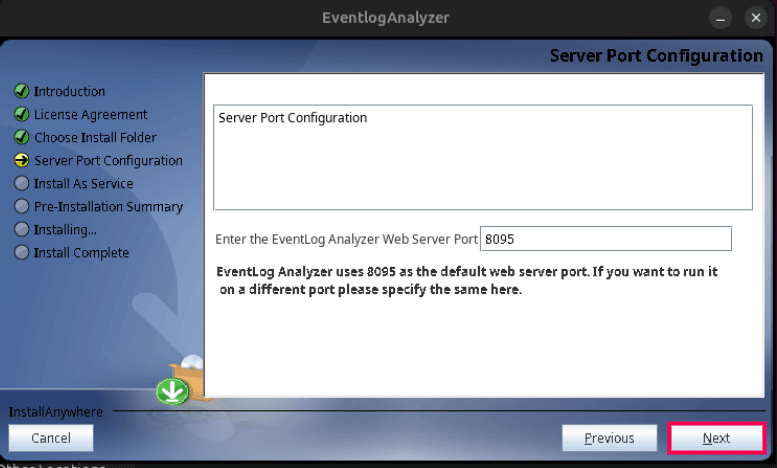
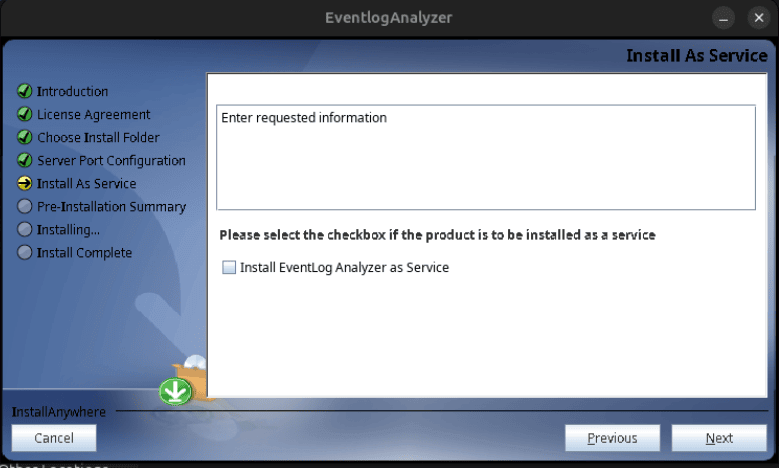
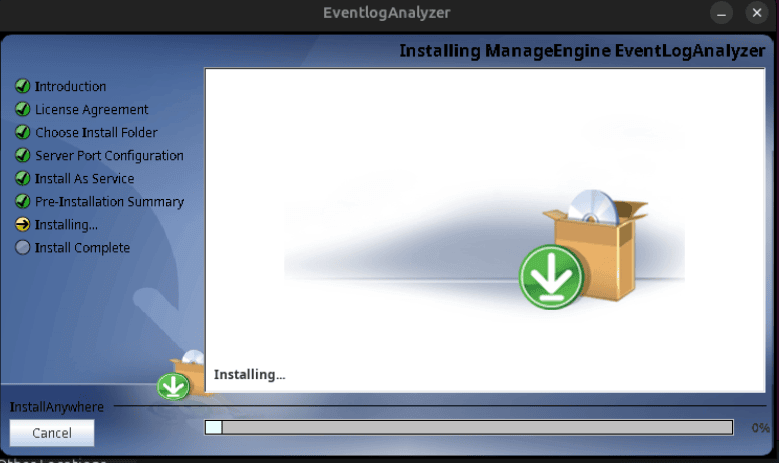
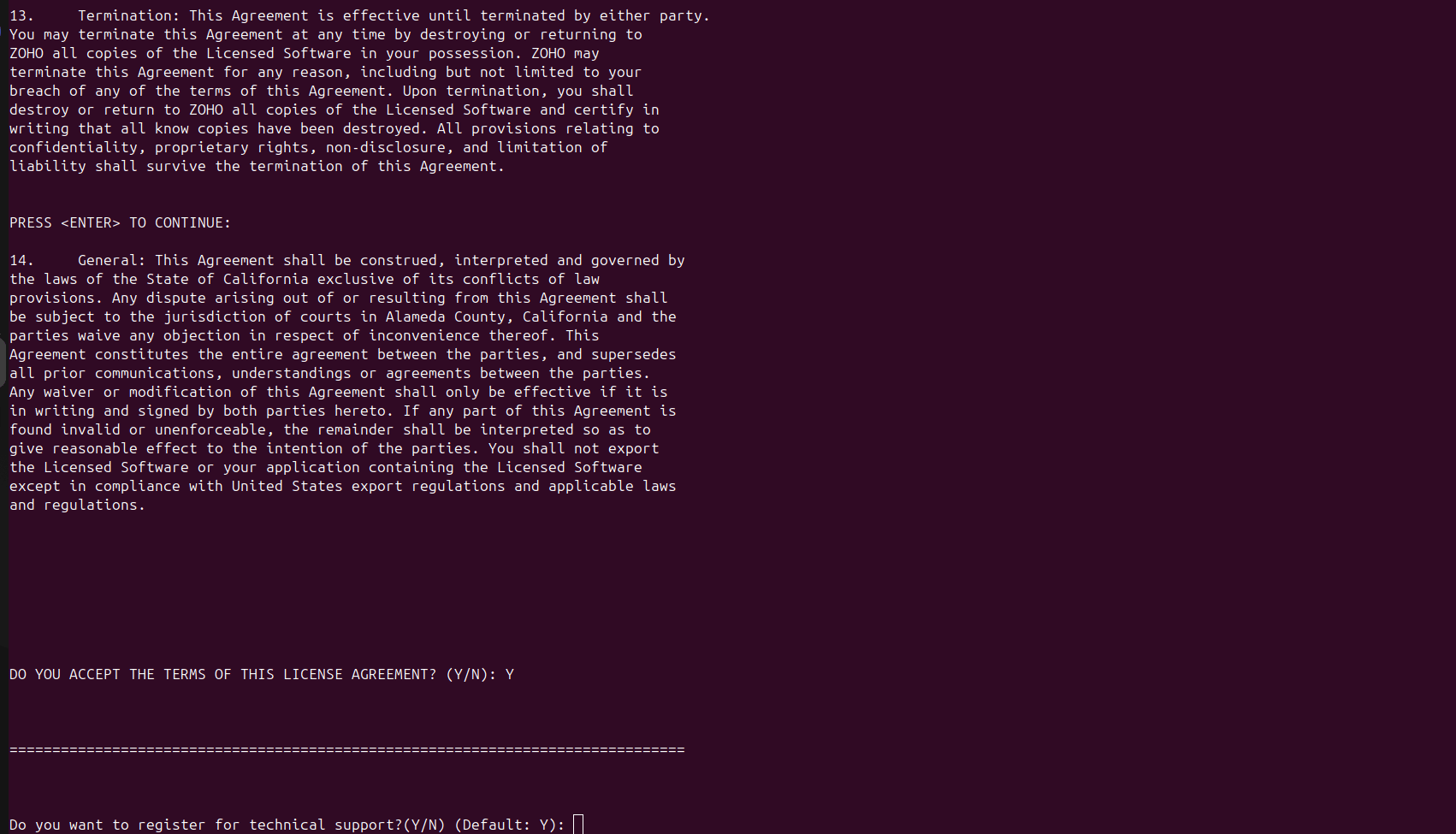
Upon starting the installation you will be taken through the following steps:

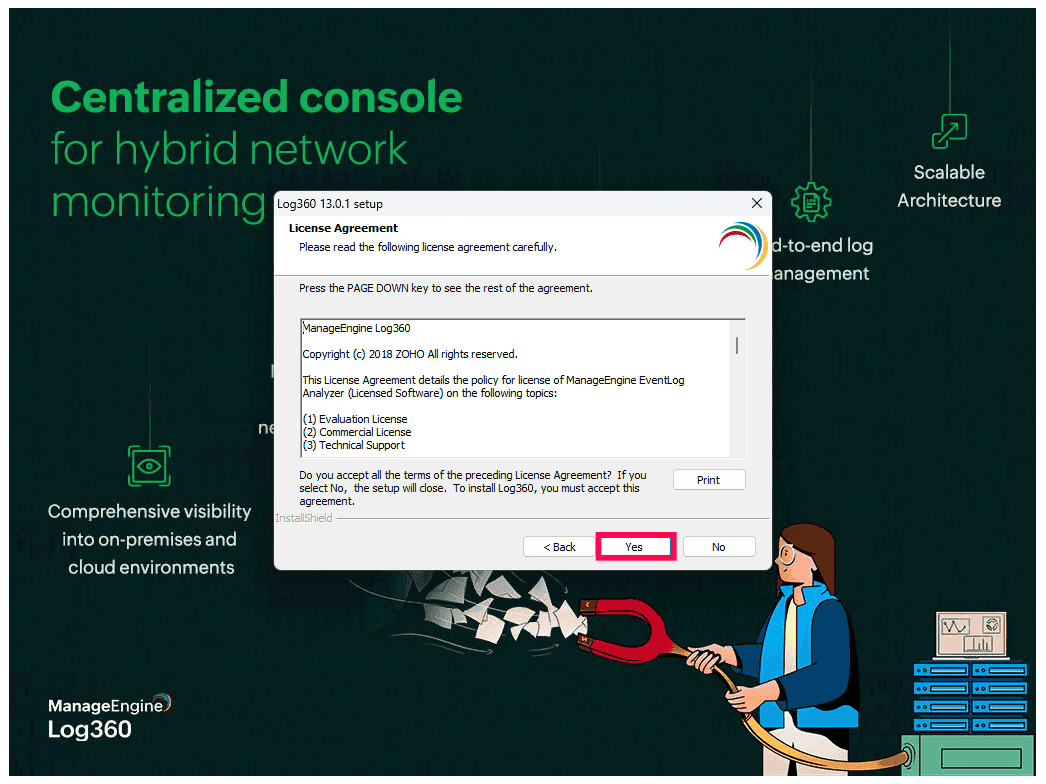
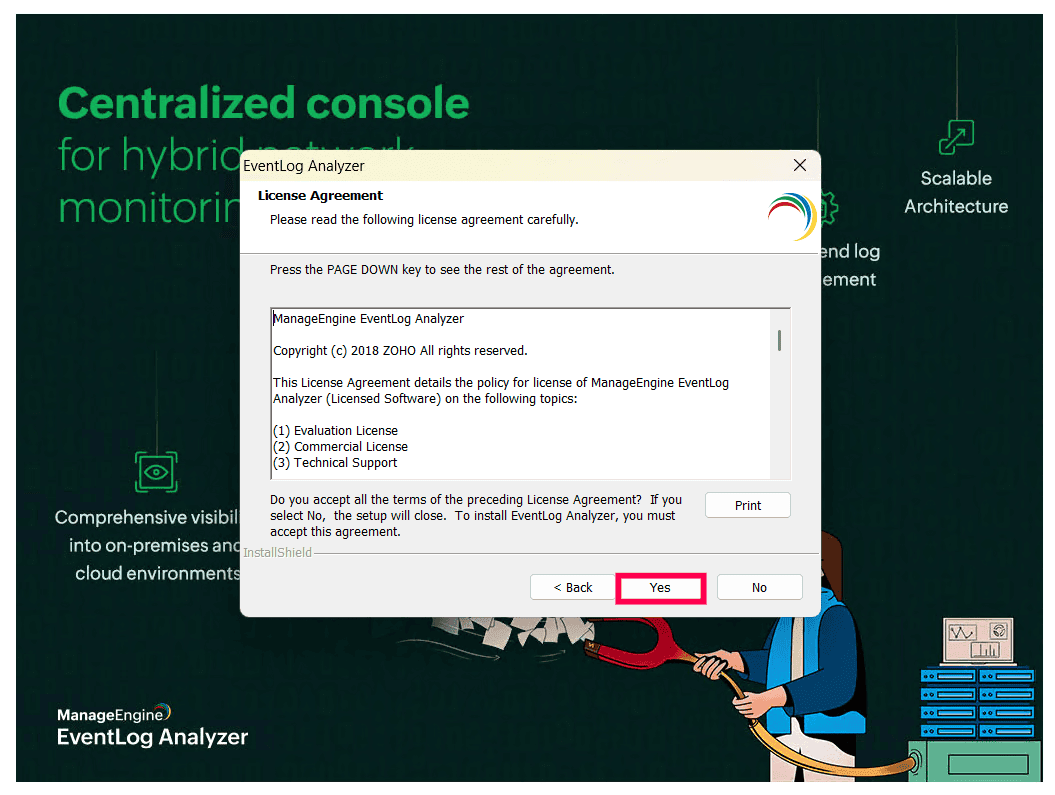
  • Agree to the terms and conditions of the license agreement. You may print it for offline reference.
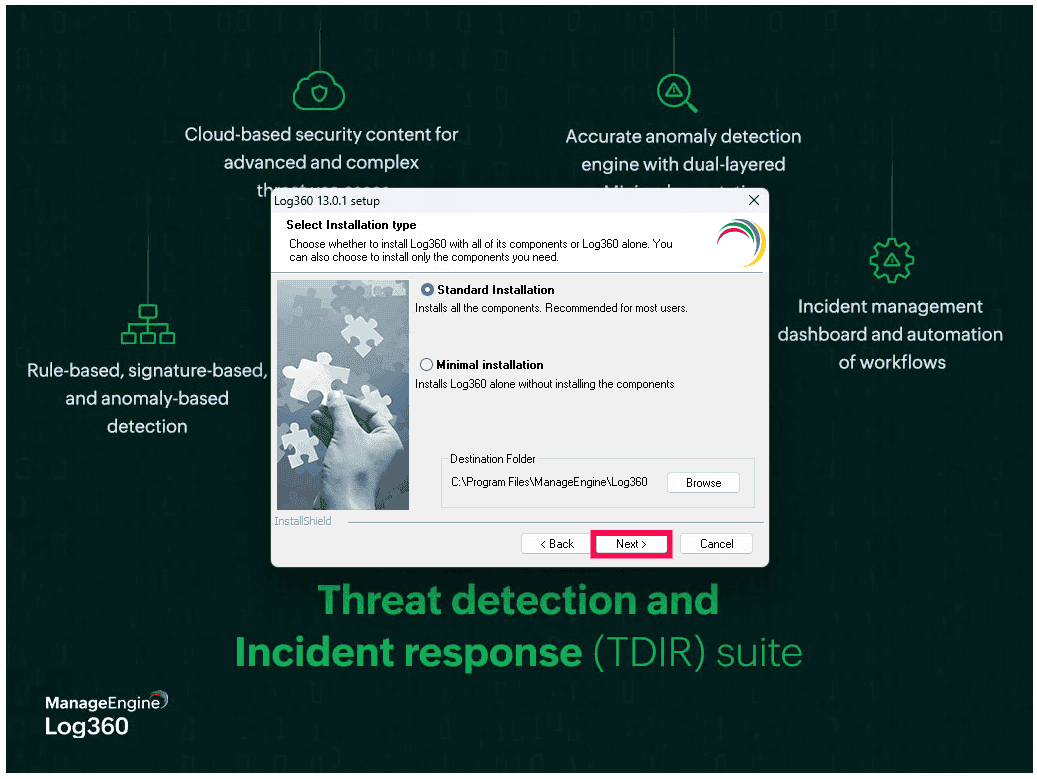
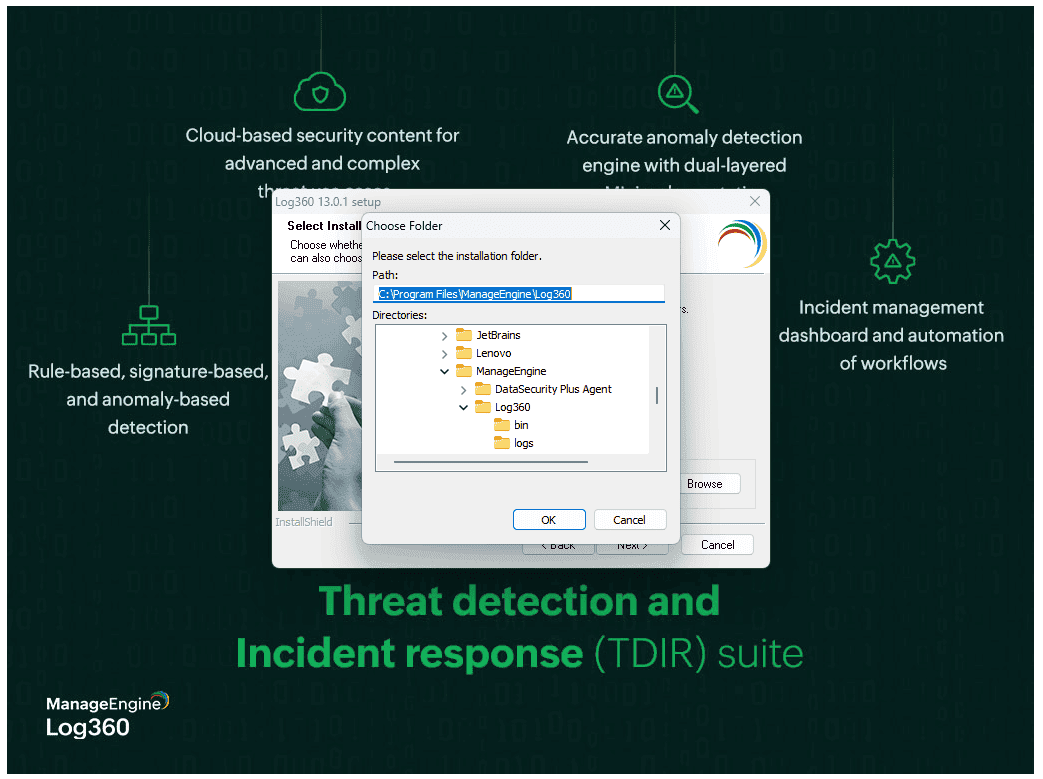
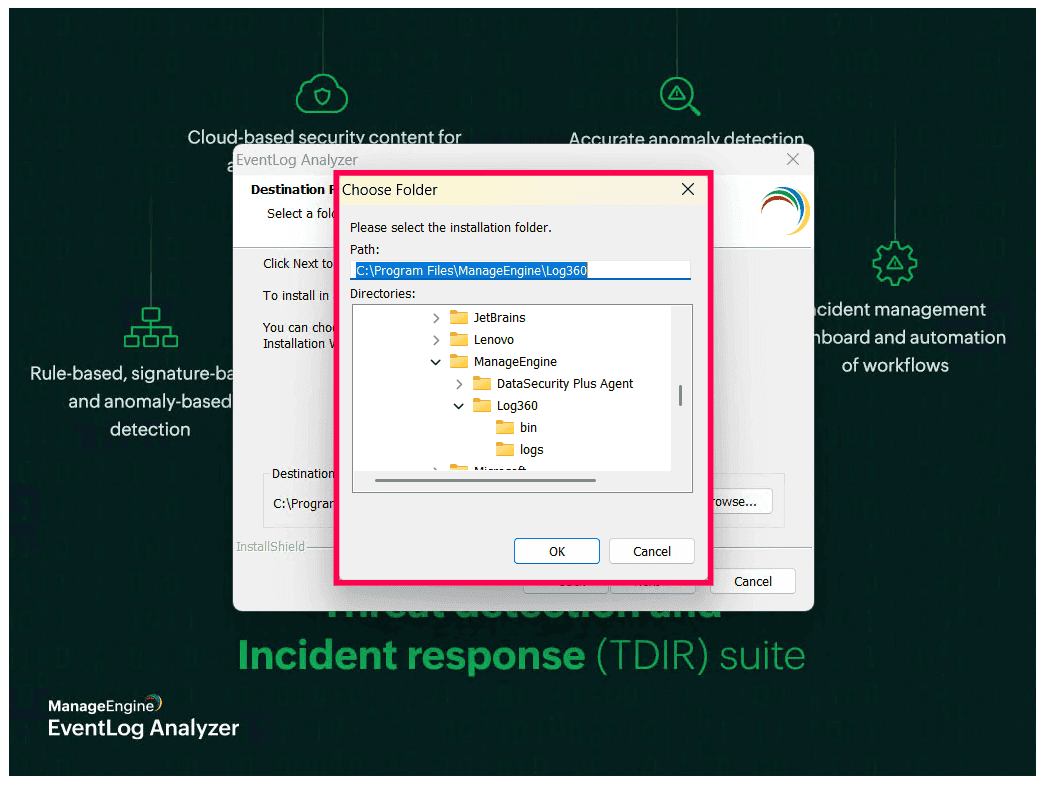
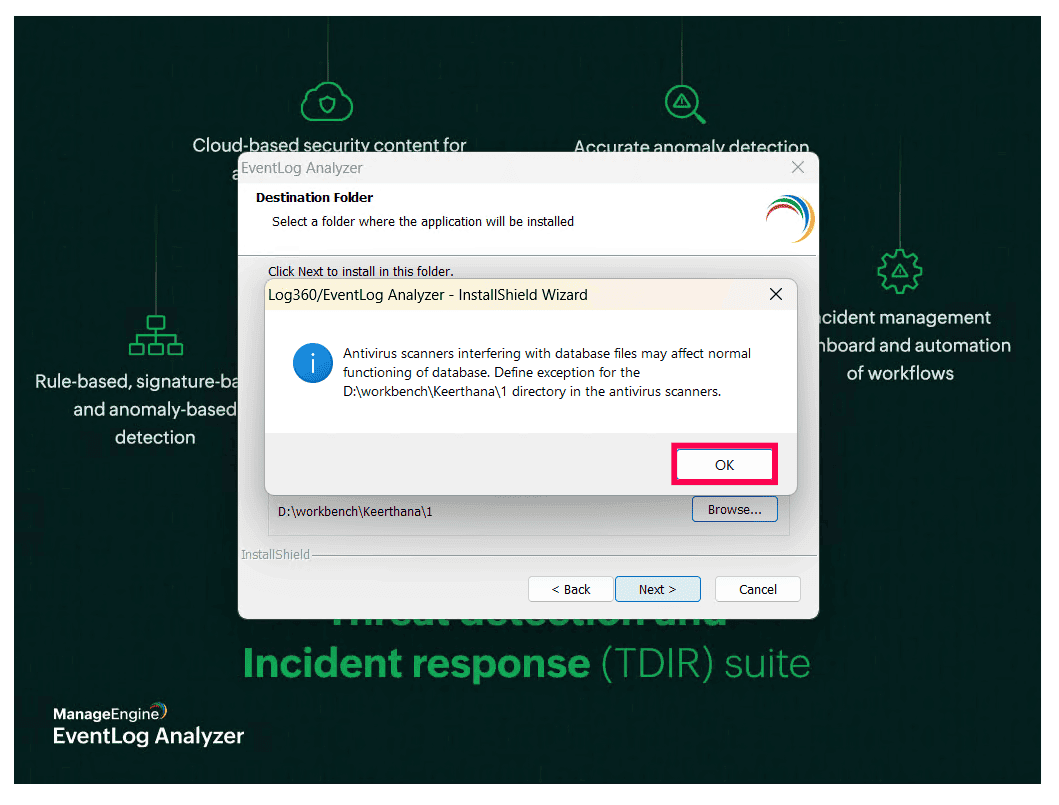
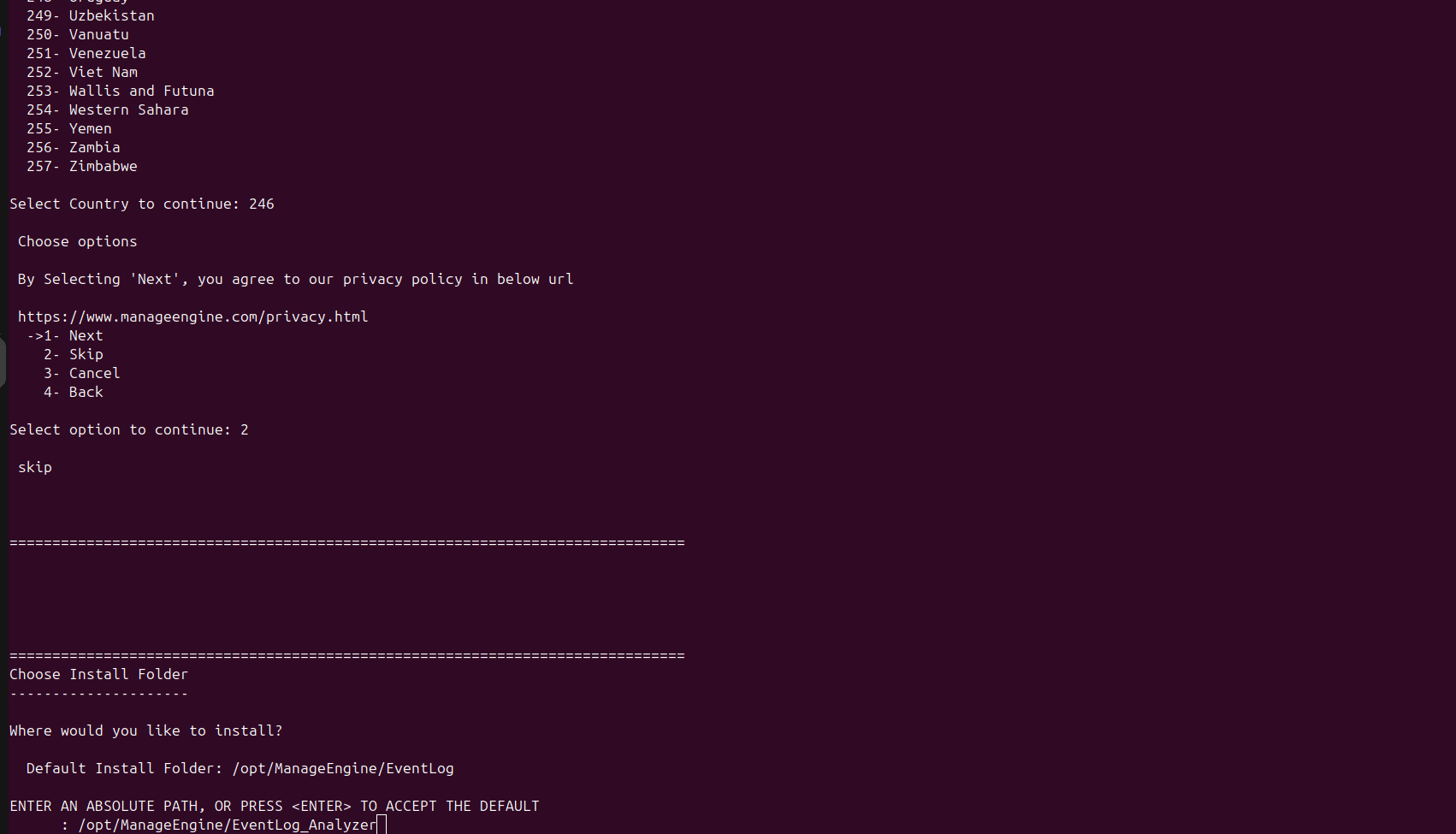
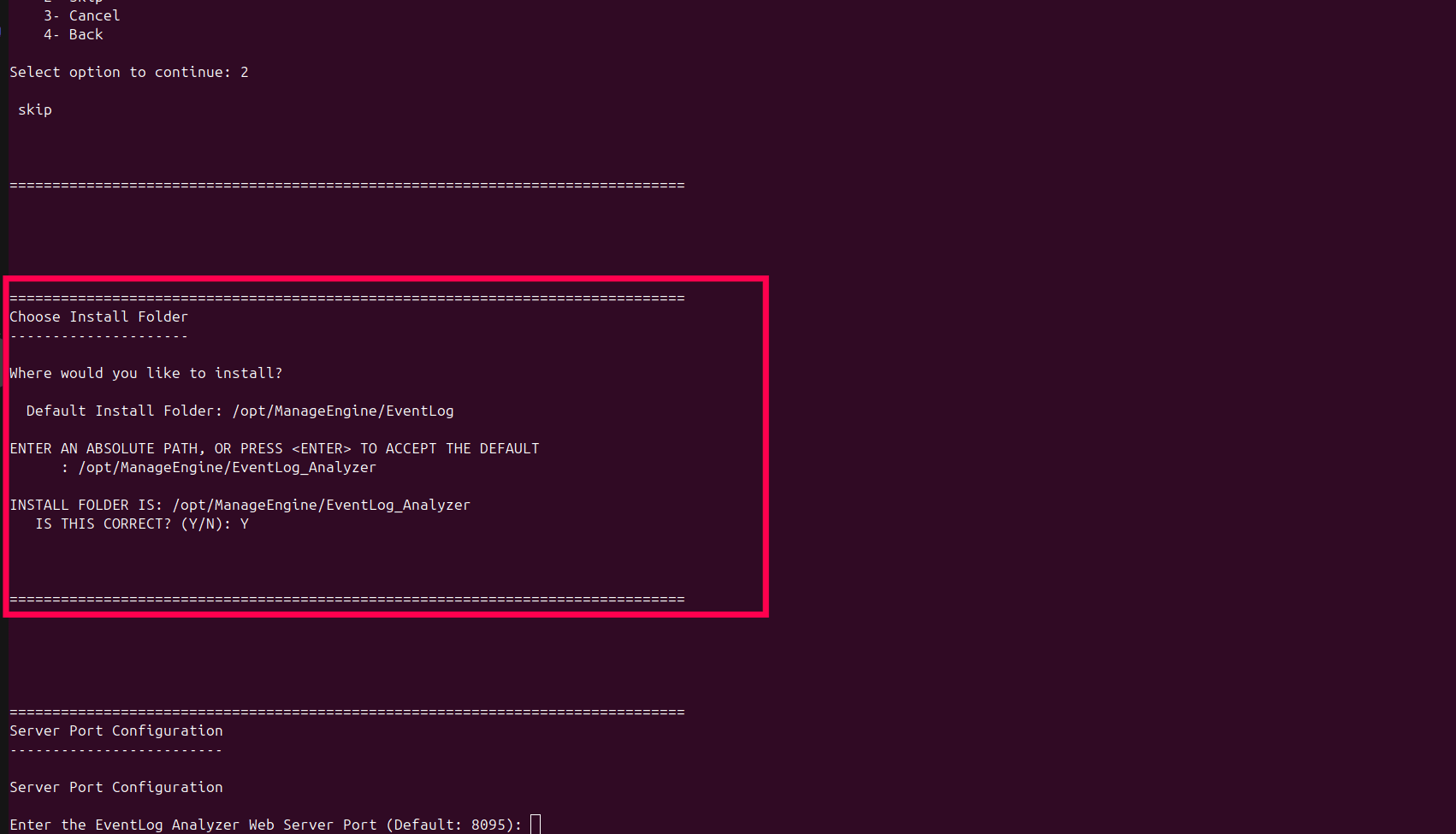
  • Select the folder to install the product. Use the Browse option. The default installation location is C:\ManageEngine\EventLog Analyzer. If the new folder or the default folder does not exist, it will be created and the product will be installed.
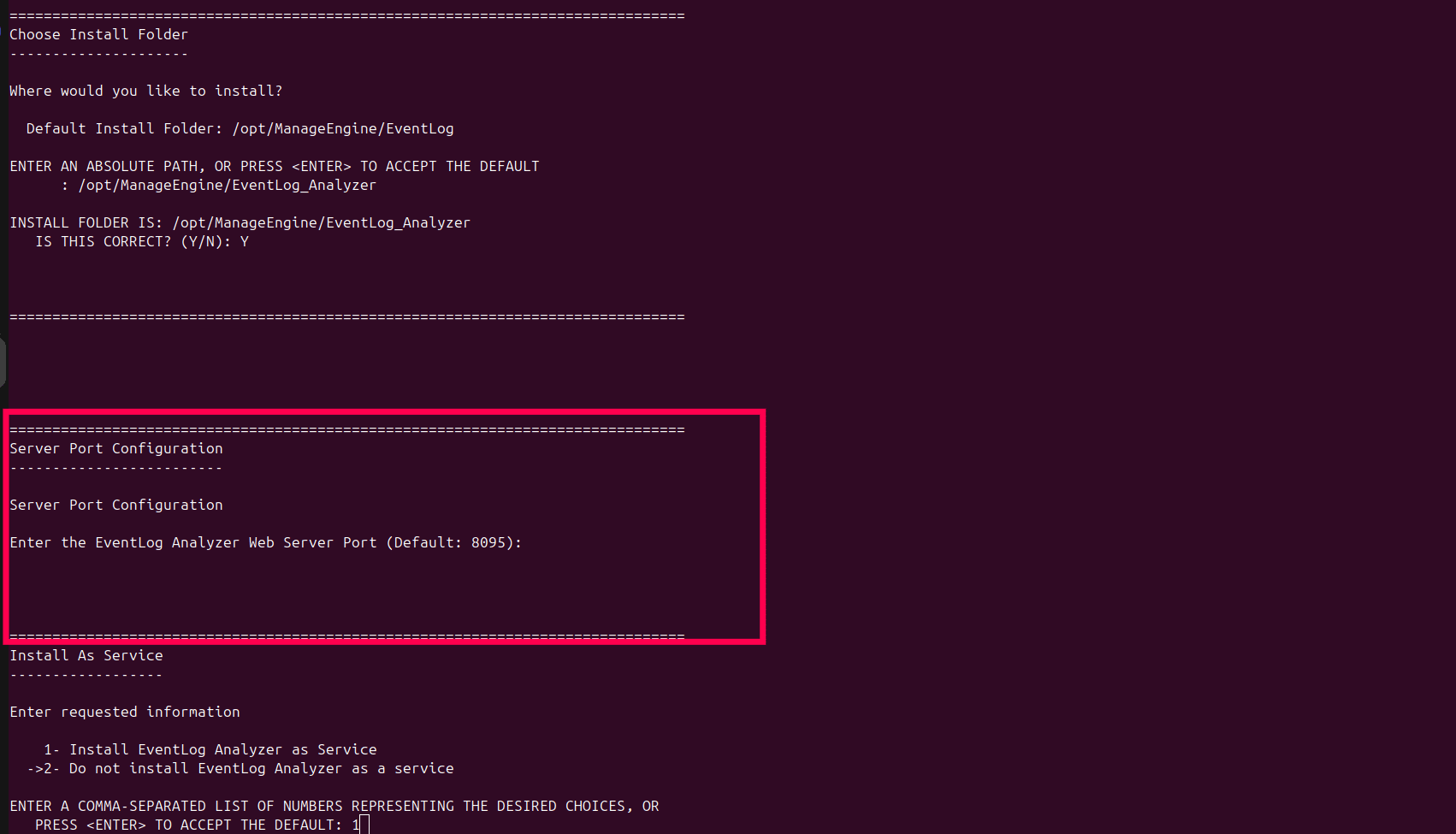
  • Enter the web server port. The default port number is 8095. Ensure that the default port or the port you have selected is not occupied by some other application.
  • Enter the folder name in which the product will be shown in the Program Folder. The default name is ManageEngine EventLog Analyzer.
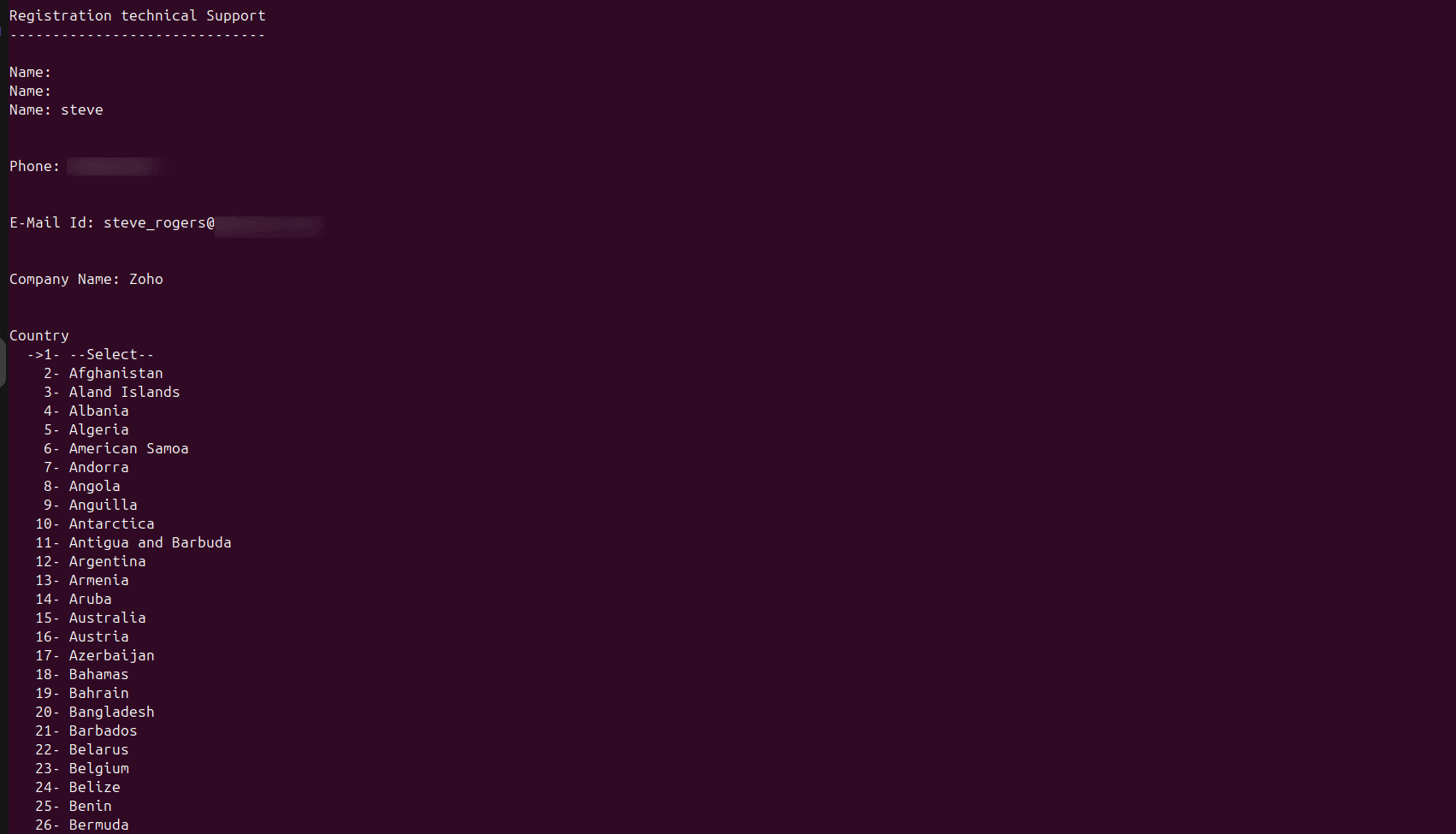
  • Enter your personal details to get assistance.

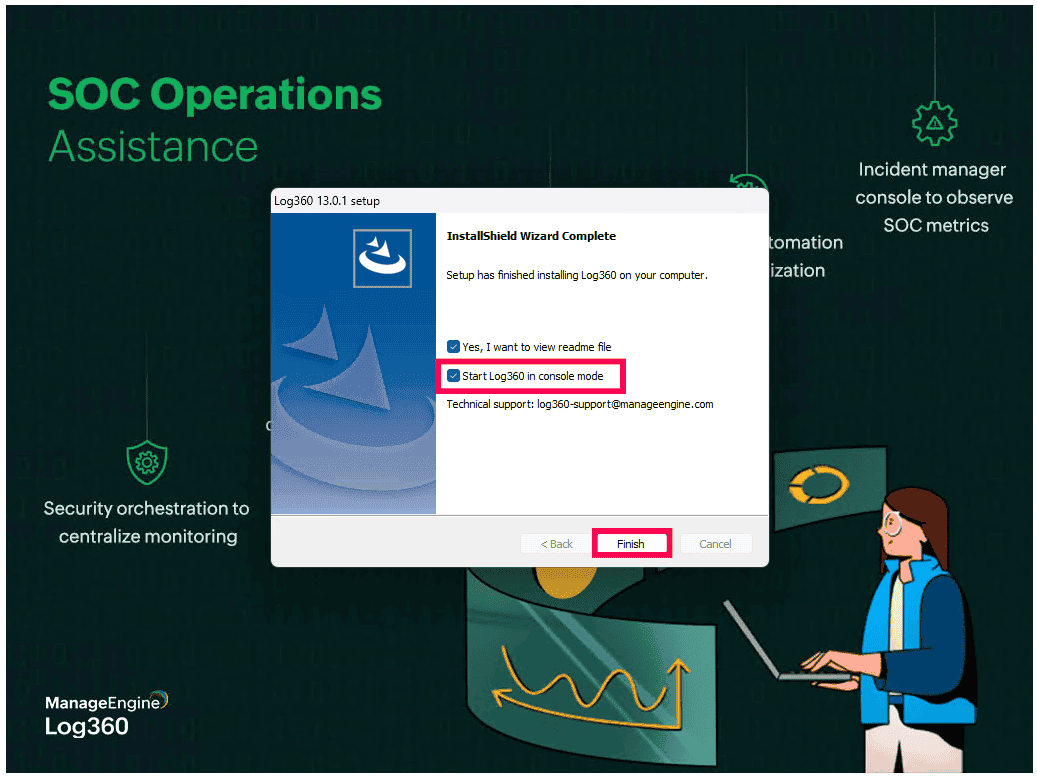
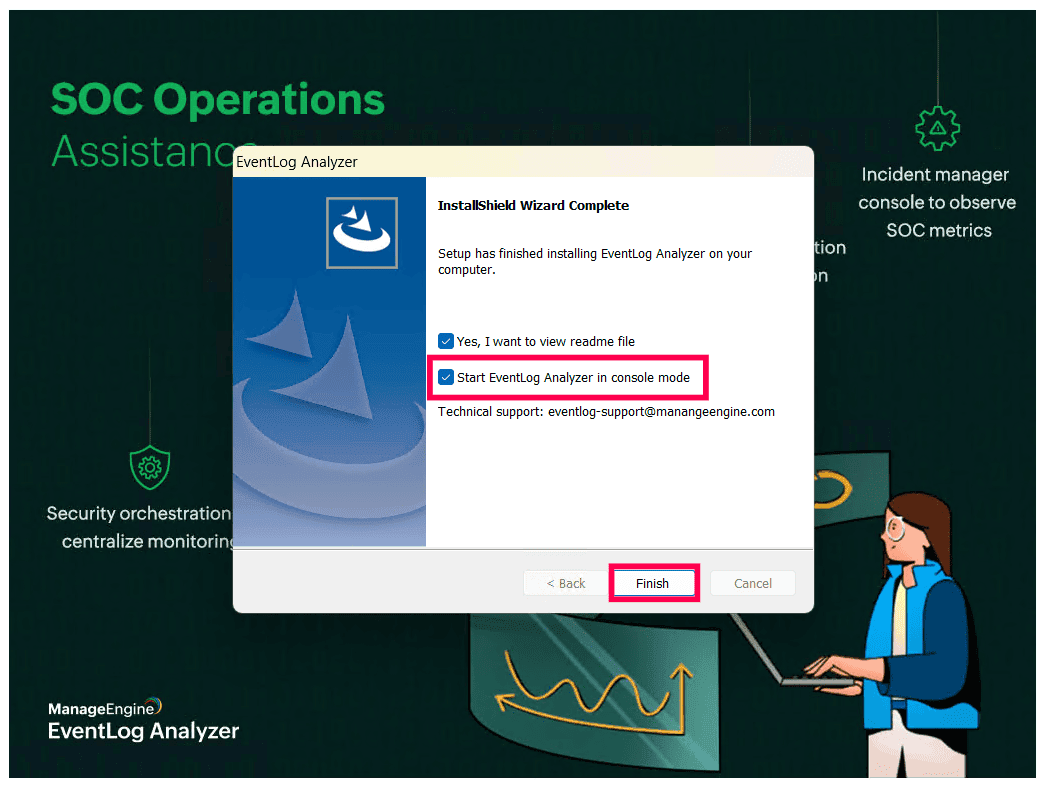
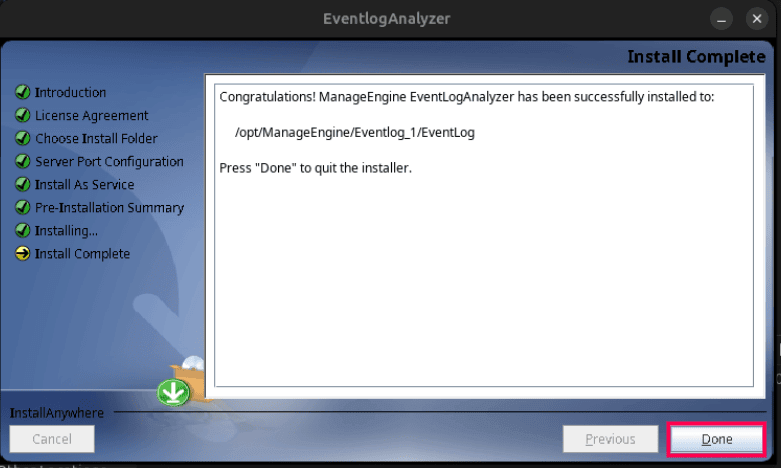
At the end of the procedure, the wizard displays the ReadMe file and starts the EventLog Analyzer server.
With this the EventLog Analyzer product installation is complete.

How to uninstall?

The procedure to uninstall for both 64 Bit and 32 Bit versions is the same.


Windows:

  1. Navigate to the Program folder in which EventLog Analyzer has been installed. By default, this is Start > Programs > ManageEngine EventLogAnalyzer <version number>.
  2. Select the option Uninstall EventLogAnalyzer.
  3. You will be asked to confirm your choice, after which EventLog Analyzer is uninstalled.

Linux:

  1. Navigate to "<EventLogAnalyzer Home>/_ManageEngine EventLogAnalyzer_installation" directory.
  2. Execute the following command in Terminal Shell.
  3. Copy to Clipboard

    ./Change\ ManageEngine\ EventlogAnalyzer\ Installation

  4. You will be asked to confirm your choice, after which EventLog Analyzer is uninstalled.

Before starting EventLog Analyzer in your environment, ensure that the following are taken care of.

What are the ports required for EventLog Analyzer?

1. Primary Ports

Web Server Port

PORT INBOUND OUTBOUND Additional Rights and Permissions
HTTP/8095 (configurable) EventLog Analyzer Server
  • EventLog Analyzer Technician Machine.
  • EventLog Analyzer Agent Machine.

Ports Usage:

  • The ports will by default be used for communication between the admin server and managed server, as well as between the agent and server.
  • The port can be customized by the user. The acceptable range for the value is between 1024–65535.

Elasticsearch

PORT INBOUND OUTBOUND Additional Rights and Permissions
TCP/9300-9400 (configurable) EventLog Analyzer Search Engine Management Node [ SEM Node ] EventLog Analyzer Server

Ports Usage:

  • The Elasticsearch server in EventLog Analyzer uses this port. EventLog Analyzer Server and SEM can coexist on the same server.
  • The port can be customized by the user. The acceptable range for the value is between 1024–65535.

Internal Communication

PORT INBOUND And OUTBOUND Additional Rights and Permissions
UDP/5000 (configurable) EventLog Analyzer Server

Ports Usage:

  • These UDP ports are used internally by EventLog Analyzer for agent-to-server communication.
  • The port can be customized by the user. The acceptable range for the value is between 1024–65535.
  • Internal port bound to localhost, firewall port need not be opened.

Database

PORT Additional Rights and Permissions
TCP/33335

Ports Usage:

  • Utilization of PostgreSQL/MySQL database port in order to connect to the PostgreSQL/MySQL database in EventLog Analyzer.
  • Firewall port need not be opened since the internal port is bound to localhost.

2. Log Collection

Windows Log Collection

PORTS INBOUND OUTBOUND SERVICE Additional Rights and Permissions
TCP/135 Windows Device EventLog Analyzer Server RPC

UserGroups:

  • Event Log Readers
  • Distributed COM Users

User Permissions:

For root\cimv2 in WMI Properties:

  • Enable Account
  • Remote Enable
  • Read Security.

Firewall Permissions:

  • Predefined Rule:
    Windows Management Instrumentation (WMI)
TCP/139 Windows Device EventLog Analyzer Server NetBIOS session RPC/NP
TCP/445 Windows Device EventLog Analyzer Server SMB RPC/NP
Dynamic ranges of RPC ports - TCP/49152 to 65,535 Windows Device EventLog Analyzer Server RPC randomly allocates high TCP ports for Windows Server 2008 and later versions, as well as for Windows Vista and subsequent versions
Note
  • It is not necessary to open outbound ports on the EventLog Analyzer agent machine and inbound ports on the EventLog Analyzer server.
  • For Windows 2000, Windows XP, and Windows Server 2003, dynamic RPC ports range from 1025 to 5000.
  • To enhance security across a broad spectrum of open ports, it is advisable to include the Server IP address within the firewall's scope. This ensures that only authorized traffic from the designated server is permitted through the firewall. Moreover, predefined rules with process and service filters, such as WMI,RPC,HTTP/HTTPS,Remote Event Log Management can further bolster security by allowing only specific processes or services to communicate through the designated ports. If the Server IP undergoes any changes, it is imperative to promptly update the corresponding firewall rule accordingly.

Syslog Collection

PORTS INBOUND OUTBOUND SERVICE Additional Rights and Permissions
UDP/514 (configurable) EventLog Analyzer Server Target Device Syslog

User Permissions:

  • The port is customizable by the user.
UDP/513 (configurable) EventLog Analyzer Server Target Device Syslog
TLS/513 (configurable) EventLog Analyzer Server Target Device Syslog
TCP/514 (configurable) EventLog Analyzer Server Target Device Syslog

SSH Communication

PERMISSION USAGES

Ensure that the algorithm mentioned below is present in the sshd_config file.

File Location: /etc/ssh/sshd_config

Key exchange (KEX): diffie-hellman-group1-sha1, diffie-hellman-group-exchange-sha256, diffie-hellman-group14-sha1, diffie-hellman-group14-sha256 , diffie-hellman-group15-sha512, diffie-hellman-group16-sha512, diffie-hellman-group17-sha512, diffie-hellman-group18-sha512 , ecdh-sha2-nistp256, ecdh-sha2-nistp384, ecdh-sha2-nistp52

Ciphers: aes128cbc, aes128ctr, aes192cbc, aes192ctr, aes256cbc, aes256ctr, arcfour128, arcfour256, blowfishcbc, tripledescbc

MAC: hmacmd5, hmacmd596, hmacsha1, hmacsha196, hmacsha256, hmacsha512

*This will be Required for all Linux Communications.

  • Linux Agent Installation
  • Linux Agent Management & Communication
  • Configuring Automatic SysLog Forwarding
  • Linux MYSQL Server Discovery

Configure Automatic SysLog Forwarding

PORTS INBOUND OUTBOUND SERVICE Additional Rights and Permissions
TCP/22 Linux Device EventLog Analyzer Server SSH

User Rights:

Service restart rights for 'rsyslog' or 'syslog' service.

User Permissions:

AS400 Log Collection

PORTS INBOUND OUTBOUND
TCP/446-449 AS400 Server EventLog Analyzer Server
TCP/8470-8476 AS400 Serve EventLog Analyzer Server
TCP/9470-9476 AS400 Serve EventLog Analyzer Server

SNMP Trap Collection

PORTS INBOUND OUTBOUND SERVICES Additional Rights and Permissions
UDP/162 (configurable) EventLog Analyzer Server Network Device / Application SNMP

User Permissions:

  • User can customize the port.

IIS Log Collection

PORTS INBOUND OUTBOUND SERVICE Additional Rights and Permissions
TCP/135 IIS Server EventLog Analyzer Server RPC

User Permissions:

  • Read access to the IIS log folder should be enabled.
  • Permissions for the system 32/inetsrv should be enabled
  • Administrator share privileges are required eg : Admin$,c$
TCP/139 IIS Server EventLog Analyzer Server NetBIOS session RPC/NP
TCP/445 IIS Server EventLog Analyzer Server SMB RPC/NP

3. Agent orchestration

Windows Agent Log Collection and Communication

PORTS INBOUND OUTBOUND Additional Rights and Permissions
HTTP/8095 (configurable) EventLog Analyzer Server EventLog Analyzer Agent Machine

Environment Permission:

  • 8095 port should be open in both Agent machine and in Server machine.
Note

Communication includes tasks such as agent synchronization and checking agent status.

Windows Agent Installation & Management

PORTS INBOUND OUTBOUND SERVICE Additional Rights and Permissions
TCP/135 EventLog Analyzer Agent Machine EventLog Analyzer Server RPC

User Permissions:

  • Read, write and modify permissions to files in \\<ipaddress>\Admin$\TEMP\EventLogAgent should be enabled.
  • Access "Remote Registry" service
  • At least read control should be granted for winreg registry key. (Computer \HKEY_LOCAL _MACHINE\ SYSTEM\ CurrentContro lSet\Control\ SecurePipe Servers\winreg).
  • Read/Write registry keys - SOFTWARE\\ Wow6432Node \\ZOHO Corp\\EventLog Analyzer\\ (or) SOFTWARE \\ZOHO Corp \\EventLog Analyzer\\.
  • There should be access to remote services.msc
TCP/139 EventLog Analyzer Agent Machine EventLog Analyzer Server NetBIOS session RPC/NP
TCP/445 EventLog Analyzer Agent Machine EventLog Analyzer Server SMB RPC/NP
Dynamic ranges of RPC ports - TCP/49152 to 65,535 EventLog Analyzer Agent Machine EventLog Analyzer Server RPC randomly allocates high TCP ports for Windows Server 2008 and later versions, as well as for Windows Vista and subsequent versions
Note

Management involves actions like starting, stopping, or uninstalling the agent software.

Linux Agent Installation

PORTS INBOUND OUTBOUND SERVICE Additional Rights and Permissions
TCP/22 EventLog Analyzer Agent Machine EventLog Analyzer Server SSH

Sudo User Permissions:

Linux Agent Management & Communication

PORTS INBOUND OUTBOUND Additional Rights and Permissions
TCP/22 EventLog Analyzer Server EventLog Analyzer Server

User Permissions:

  • SFTP permissions to transfer files to /opt/Manage Engine/EventL ogAnalyzer_ Agent and /etc /audisp/plugins.d
  • Service start/stop/restart permission for auditd.
  • Permissions for SSH Communication
HTTP/8095 (configurable) EventLog Analyzer Server EventLog Analyzer Agent Machine

4. Importing logs

Importing Logs using SMB

PORTS INBOUND OUTBOUND SERVICE Additional Rights and Permissions
TCP/137 Target Device EventLog Analyzer Server NetBIOS name resolution RPC/named pipes (NP)

User Permissions:

  • Network access: Do not allow anonymous not allow anonymous enumeration of SAM accounts and shares.
  • Sometimes, connecting to different workgroup needs credentials even to view the shared resources.
TCP/138 Target Device EventLog Analyzer Server NetBIOS datagram
TCP/139 Target Device EventLog Analyzer Server NetBIOS session RPC/NP
TCP/445 Target Device EventLog Analyzer Server SMB RPC/NP

Importing logs using FTP

PORTS INBOUND OUTBOUND SERVICE Additional Rights and Permissions
TCP/20 Target Device EventLog Analyzer Server FTP/SFTP

User Permissions:

  • SAuthentication for the FTP server should be enabled.
TCP/21 Target Device EventLog Analyzer Server FTP/SFTP

5. Discovery

Windows Domain Discovery

PORTS INBOUND OUTBOUND SERVICE Additional Rights and Permissions
TCP/389 Domain Controller EventLog Analyzer Server LDAP

User Permissions:

  • User should have read permission to Active Directory Domain Objects.
  • Permission to run LDAP query in ADS_ SECURE_AUTHENTICATION mode should be present.

Windows Workgroup Discovery

PORTS INBOUND OUTBOUND SERVICE Additional Rights and Permissions
TCP/135 Workgroup Server EventLog Analyzer Server RPC

User Permissions:

  • User should have read permission to Active Directory Domain Objects.
  • Permission to run WinNT query in ADS_ SECURE_ AUTHENTI CATION mode should be given.
TCP/139 Workgroup Server EventLog Analyzer Server NetBIOS session RPC/NP
TCP/445 Workgroup Server EventLog Analyzer Server SMB RPC/NP
TCP/1024-65535 Workgroup Server EventLog Analyzer Server RPC randomly allocated high TCP ports

Event Source Discovery

PORTS INBOUND OUTBOUND SERVICE Additional Rights and Permissions
TCP/135 Target Windows Device EventLog Analyzer Server RPC

User Permissions:

  • The winreg registry key should at the very least be given read control.
TCP/137 Target Windows Device EventLog Analyzer Server NetBIOS name resolution RPC/named pipes (NP)
TCP/138 Target Windows Device EventLog Analyzer Server NetBIOS datagram
TCP/139 Workgroup Server EventLog Analyzer Server NetBIOS session RPC/NP
TCP/445 Workgroup Server EventLog Analyzer Server SMB RPC/NP

MSSQL Server Discovery-Windows

PORTS INBOUND OUTBOUND Additional Rights and Permissions
UDP/1434 MSSql Server EventLog Analyzer Server

User Permissions:

  • Can be configured to use dynamic TCP ports for communication.
TCP/1433 MSSql Server EventLog Analyzer Server

Network Device Discovery

PORTS INBOUND OUTBOUND Additional Rights and Permissions
UDP/162 Network Devices EventLog Analyzer Server

Ports Usage::

  • Fetches a list of live SNMP-enabled IP devices that responds to the SNMP ping.

IIS Discovery

PORTS INBOUND OUTBOUND SERVICE Additional Rights and Permissions
TCP/445 IIS Server EventLog Analyzer Server SMB RPC/NP

Ports Usage:

  • The Server Message Block (SMB) protocol uses this port to read the log files.

MYSQL Server Discovery-Windows

PORTS INBOUND OUTBOUND SERVICE Additional Rights and Permissions
TCP/135 MySql Server EventLog Analyzer Server RPC

User Permissions:

  • WMI permission is needed to find the MySQL server configuration file using SFTP.
TCP/445 MySql Server EventLog Analyzer Server SMB RPC/NP

MYSQL Server Discovery-Linux

PORTS INBOUND OUTBOUND SERVICE Additional Rights and Permissions
TCP/22 MySql Server EventLog Analyzer Server SMB RPC/NP

User Permissions:

6. Incident Workflow Management

NETWORK ACTIONS

BLOCK PORT INBOUND OUTBOUND
PING DEVICE ICMP/No ports Audited Windows / Linux Device EventLog Analyzer Server
TRACE ROUTE WINDOWS ICMP/No ports Audited Windows Device EventLog Analyzer Server
TRACE ROUTE LINUX UDP/33434 -33534 Audited Linux Device EventLog Analyzer Server

WINDOWS ACTIONS

BLOCK PORT INBOUND OUTBOUND SERVICE Additional Rights and Permissions
LogOff TCP/135 Audited Windows Device EventLog Analyzer Server RPC

UserGroups:

  • Distributed COM Users

User Permissions:

For root\cim v2 In WMI Properties:

  • Execute Methods
  • Enable Account
  • Remote Enable
  • Read Security

Environment Permission:

  • The computer should not include EventLog Analyzer Installed server.
TCP/139 Audited Windows Device EventLog Analyzer Server NetBIOS session RPC/NP
TCP/445 Audited Windows Device EventLog Analyzer Server SMB RPC/NP
RPC ports - TCP/1024 to 65,535 Audited Windows Device EventLog Analyzer Server RPC randomly allocated high TCP ports
Shutdown and Restart TCP/135 Audited Windows Device EventLog Analyzer Server RPC

UserGroups:

  • Distributed COM Users

User Permissions:

For root\cim v2 In WMI Properties:

  • Execute Methods
  • Enable Account
  • Remote Enable
  • Read Security

Environment Permission:

  • The computer should not include EventLog Analyzer Installed server
TCP/139 Audited Windows Device EventLog Analyzer Server NetBIOS session RPC/NP
TCP/445 Audited Windows Device EventLog Analyzer Server SMB RPC/NP
RPC ports - TCP/1024 to 65,535 Audited Windows Device EventLog Analyzer Server RPC randomly allocated high TCP ports
Execute Windows Script TCP/135 Audited Windows Device EventLog Analyzer Server RPC

UserGroups:

  • Distributed COM Users

User Permissions:

For root\cim v2 In WMI Properties:

  • Execute Methods
  • Enable Account
  • Remote Enable
  • Read Security

Environment Permission:

  • The user should have read,write and modify access to the shared path in the script.
TCP/139 Audited Windows Device EventLog Analyzer Server NetBIOS session RPC/NP
TCP/445 Audited Windows Device EventLog Analyzer Server SMB RPC/NP
RPC ports - TCP/1024 to 65,535 Audited Windows Device EventLog Analyzer Server RPC randomly allocated high TCP ports
Disable USB TCP/135 Audited Windows Device EventLog Analyzer Server RPC

UserGroups:

  • Distributed COM Users

User Permissions:

For root\cim v2 In WMI Properties:

  • Execute Methods
  • Enable Account
  • Remote Enable
  • Read Security

Environment Permission:

  • Remote Registry Service should be running.
  • Full Control permission to HKEY_LOCAL_ MACHINE\SYSTEM\ CurrentControlSet\ Services\USBSTOR
TCP/139 Audited Windows Device EventLog Analyzer Server NetBIOS session RPC/NP
TCP/445 Audited Windows Device EventLog Analyzer Server SMB RPC/NP
RPC ports - TCP/1024 to 65,535 Audited Windows Device EventLog Analyzer Server RPC randomly allocated high TCP ports
ALL SERVICE BLOCK TCP/135 Audited Windows Device EventLog Analyzer Server RPC

UserGroups:

  • Distributed COM Users
  • Administrators

User Permissions:

For root\cim v2 In WMI Properties:

  • Execute Methods
  • Enable Account
  • Remote Enable
  • Read Security
TCP/139 Audited Windows Device EventLog Analyzer Server NetBIOS session RPC/NP
TCP/445 Audited Windows Device EventLog Analyzer Server SMB RPC/NP
RPC ports - TCP/1024 to 65,535 Audited Windows Device EventLog Analyzer Server RPC randomly allocated high TCP ports
START PROCESS TCP/135 Audited Windows Device EventLog Analyzer Server RPC

UserGroups:

  • Distributed COM Users

User Permissions:

For root\cim v2 In WMI Properties:

  • Execute Methods
  • Enable Account
  • Remote Enable
  • Read Security
TCP/139 Audited Windows Device EventLog Analyzer Server NetBIOS session RPC/NP
TCP/445 Audited Windows Device EventLog Analyzer Server SMB RPC/NP
RPC ports - TCP/1024 to 65,535 Audited Windows Device EventLog Analyzer Server RPC randomly allocated high TCP ports
STOP PROCESS TCP/135 Audited Windows Device EventLog Analyzer Server RPC

UserGroups:

  • Distributed COM Users

User Permissions:

For root\cim v2 In WMI Properties:

  • Execute Methods
  • Enable Account
  • Remote Enable
  • Read Security
TCP/139 Audited Windows Device EventLog Analyzer Server NetBIOS session RPC/NP
TCP/445 Audited Windows Device EventLog Analyzer Server SMB RPC/NP
RPC ports - TCP/1024 to 65,535 Audited Windows Device EventLog Analyzer Server RPC randomly allocated high TCP ports
TEST PROCESS TCP/135 Audited Windows Device EventLog Analyzer Server RPC

UserGroups:

  • Distributed COM Users

User Permissions:

For root\cim v2 In WMI Properties:

  • Execute Methods
  • Enable Account
  • Remote Enable
  • Read Security
TCP/139 Audited Windows Device EventLog Analyzer Server NetBIOS session RPC/NP
TCP/445 Audited Windows Device EventLog Analyzer Server SMB RPC/NP
RPC ports - TCP/1024 to 65,535 Audited Windows Device EventLog Analyzer Server RPC randomly allocated high TCP ports

LINUX ACTIONS

BLOCK PORT INBOUND OUTBOUND SERVICE Additional Rights and Permissions
Shutdown and Restart TCP/Specified port. Audited Linux Device EventLog Analyzer Server - Environment Permission: The user should be the root user.
Execute Windows Script TCP/Specified port. Audited Linux Device EventLog Analyzer Server - Environment Permission: Sudo permission for user.
ALL SERVICE BLOCK TCP/Specified port. Audited Linux Device EventLog Analyzer Server - Environment Permission: Sudo permission.
START PROCESS TCP/Specified port. Audited Linux Device EventLog Analyzer Server - Environment Permission: The permission to execute the command should be available for the user whose credentials are provided.
STOP PROCESS Specified port. Audited Linux Device EventLog Analyzer Server - Environment Permission: The permission to execute the command should be available for the user whose credentials are provided.
TEST PROCESS TCP/Specified port. Audited Linux Device EventLog Analyzer Server - -

NOTIFICATIONS

BLOCK PORT INBOUND OUTBOUND SERVICE Additional Rights and Permissions
Pop Up WINODWS TCP/135 Audited Linux Device EventLog Analyzer Server RPC

UserGroups:

  • Distributed COM Users

User Permissions

For root\cim v2 In WMI Properties:

  • Execute Methods
  • Enable Account
  • Remote Enable
  • Read Security

Environment Permission:

  • "AllowRemoteRPC" should be 1 for HKEY_ LOCAL_MACHINE\ SYSTEM\Current ControlSet\Control\Terminal Server.
RPC ports - TCP/1024 to 65,535 Audited Windows Device EventLog Analyzer Server RPC randomly allocated high TCP ports
Pop Up LINUX TCP/Specified port. Audited Linux Device EventLog Analyzer Server - Environment Permission: Sudo permission for user.
Send Email WINDOWS & LINUX TCP/Port mentioned while config using SMTP server Audited Linux Device EventLog Analyzer Server - Environment Permission: SMTP server should be configured on Event log analyzer server
Send SMS WINDOWS & LINUX - - - - Environment Permission: SMS Server should be configured in the product.
Send SNMP Trap WINDOWS & LINUX UDP/Port specified in workflow block Audited Windows / Linux Device EventLog Analyzer Server - Environment Permission: The port mentioned in workflow configuration should be open.

AD ACTIONS

BLOCK PORT INBOUND OUTBOUND SERVICE Additional Rights and Permissions
DELETE AD USER WINDOWS TCP/389 Audited Domain Controller EventLog Analyzer Server LDAP

User Permissions:

  • The user should have "Delete" Right in the AD to delete other Accounts.
  • The user to delete should not have "Protect Object from accidental deletion" checked.
DISABLE AD USER WINDOWS TCP/389 Audited Domain Controller EventLog Analyzer Server LDAP

User Permissions:

  • The User account provided should have "Read","Write ","modify owners" and "modify permissions" permissions enabled.
DISABLE USER COMPUTER WINDOWS & LINUX TCP/389 Audited Domain Controller EventLog Analyzer Server LDAP User Permission:
  • The User account provided should have "Read", "Write" , "modify owners" and "modify permissions" permissions enabled.

MISCELLANEOUS ACTIONS

BLOCK PORT INBOUND OUTBOUND Additional Rights and Permissions
WRITE TO FILE WINDOWS TCP/135 Audited Windows Device EventLog Analyzer Server

UserGroups:

  • Distributed COM Users

User Rights:

  • Act as part of the operating system
  • Log on as a batch job
  • Log on as a service
  • Replace a process level token.

User Permissions:

For root\cim v2 In Properties:

  • Execute Methods
  • Enable Account
  • Remote Enable
  • Read Security

Environment Permission:

  • The user should have read,write and modify access to the shared path.
RPC ports - TCP/1024 to 65,535 Audited Windows Device EventLog Analyzer Server
WRITE TO FILE LINUX TCP/Specified port. Audited Linux Device EventLog Analyzer Server Environment Permission:
  • Sudo permission for user
HTTP WebHook - - - Environment Permission:
  • A "connect" Socket Permission to the host/port combination of the destination URL or a "URL Permission" that permits this request.
FORWARD LOGS TCP/Specified Port Audited Windows / Linux Device EventLog Analyzer Server -
CSV LOOKUP TCP/Specified Port Audited Windows / Linux Device EventLog Analyzer Server User Permissions:
  • Read permission to the specified CSV file.

FIREWALL ACTIONS

BLOCK PORT INBOUND OUTBOUND Additional Rights and Permissions
Cisco ASA deny inbound/Outbound rules https/443 Firewall Device EventLog Analyzer Server

Ports User Customizable

Additional Rights: https://www.manageengine.com/products/eventlog/help/threat-intelligence-and-analytics/threat-response/incident-management/playbook-management.html#ciscoCredentials

Fortigate deny Access rules https/443 Firewall Device EventLog Analyzer Server

Ports User Customizable

Additional Rights: https://www.manageengine.com/products/eventlog/help/threat-intelligence-and-analytics/threat-response/incident-management/playbook-management.html#fortigateCredentials

Palo Alto deny Access rules https/443 Firewall Device EventLog Analyzer Server

Ports User Customizable

Additional Rights: https://www.manageengine.com/products/eventlog/help/threat-intelligence-and-analytics/threat-response/incident-management/playbook-management.html#paloAltoCredentials

Sophos XG deny Access rules https/443 Firewall Device EventLog Analyzer Server

Ports User Customizable

Additional Rights: https://www.manageengine.com/products/eventlog/help/threat-intelligence-and-analytics/threat-response/incident-management/playbook-management.html#sophosXGCredentials

Barracuda deny Access rules https/8443 Firewall Device EventLog Analyzer Server

Ports User Customizable

Additional Rights: https://www.manageengine.com/products/eventlog/help/threat-intelligence-and-analytics/threat-response/incident-management/playbook-management.html#fortigateCredentials

7. Distributed communication Setup

Distributed

PORT INBOUND OUTBOUND Additional Rights and Permissions
HTTP/8095 (configurable) EventLog Analyzer Managed Server Machine EventLog Analyzer Admin Server Machine

User Permissions:

  • Managed server to Admin server communication via default webserver port.
  • The default port number is 8095.
  • The port can be customized by the user.
HTTP/8095 (configurable) EventLog Analyzer Admin Server Machine EventLog Analyzer Managed Server Machine

User Permissions:

  • Admin server to Managed server communication via default webserver port
  • User can customize the port. The value should be between 1024 and 65535.

Centralized Archiving Port

PORT INBOUND OUTBOUND Additional Rights and Permissions
SSH/8080 (configurable) EventLog Analyzer Admin Server Machine EventLog Analyzer Managed Server Machine

User Permissions:

  • Managed server transfers the archive files to Admin Server via SSH 8080.
  • User can customize the port. The value should be between 1024 and 65535.

Using EventLog Analyzer with Antivirus Applications

To ensure unhindered functioning of EventLog Analyzer, you need to add the following files to the exception list of your Antivirus application:

Path Need for whitelisting Impact if not whitelisted
<ELA_HOME>/ES/data Elasticsearch indexed data is stored. All the collected logs will not be available if the data is deleted.
<ELA_HOME>/ES/repo Elasticsearch index snapshot is taken at this location. Snapshots and Elasticsearch archival feature will fail if the files at this location are deleted.
<ELA_HOME>/ES/archive Elasticsearch archives are stored here. Archived log data will not be available if the files located here are deleted.
<ME>/elasticsearch/ES/data Elasticsearch indexed data is stored. Reports would be affected if the data is deleted.
<ME>/elasticsearch/ES/repo Elasticsearch index snapshot is taken at this location. Snapshots and Elasticsearch archival feature will fail if the files at this location are deleted.
<ME>/elasticsearch/ES/archive Elasticsearch archives are stored here. Data will not be available if the files located here are deleted.
<ELA_HOME>/data/za/threatfeeds Bundled files containing a list of malicious IPs, domains and URLs that will be used in case there is no internet connectivity will be stored here. These files will be deleted on the first default threat feed synchronization. Whitelisting is required only till first synchronization. If the files are removed and if there is no internet connectivity, then the list of malicious threat sources will be missed from the dataset.
<ELA_HOME>/data/AlertDump Formatted logs are stored before processing for alerts. Might be detected as false positive by Antivirus applications. If the file is quarantined or deleted, related alerts would be missed.
<ELA_HOME>/data/NotificationDump Formatted logs are stored before processing for notification. Might be detected as false positive by Antivirus applications. If the file is quarantined or deleted, notification for triggered alerts would be missed.
<ELA_HOME>/bin All binaries are included here. Some Antivirus applications might block them as false positive. Product might not function.
<ELA_HOME>/data/imworkflow Binaries uploaded by users for workflow execution are stored here. Script Alert workflow might not work as intended.
<ELA_HOME>/pgsql/bin Postgres binaries are included here. Might be detected as false positive by Antivirus applications. Product might not start.
<ELA_HOME>/lib/native All binaries are included here. Some Antivirus applications might block them as false positive. Product might not function.
<ELA_HOME>/archive (If the archive folder is moved to a new location, add the new location) Antivirus applications might slow down frequent write operations. Performance issues might occur in the product if the Antivirus applications slow down write operations.
<ELA_HOME>/troubleshooting All troubleshooting binaries are included here. Some Antivirus applications might block them as false positive. Some troubleshooting batch files might not work.
<ELA_HOME>/tools All tools binaries are included here. Some Antivirus applications might block them as false positive. Some tools might not work if the files are removed by Antivirus applications.
<ELA_HOME>/ES/CachedRecord Antivirus applications might slow down frequent write operations. Performance issues might occur in the product if the Antivirus applications slow down write operations.

For Windows agent machine - 64 bit,

Path Need for whitelisting Impact if not whitelisted
C:\Program Files (x86)\EventLogAnalyzer_Agent\bin Agent binaries are stored here. The Agent might not work if the files are quarantined.
C:\Program Files (x86)\EventLogAnalyzer_Agent\bin\data Antivirus applications might slow down frequent write operations. Performance issues might occur in the product if the Antivirus applications slow down write operations.
C:\TEMP\\EventLogAgent Agent installation files are moved for installation and upgrade. Agent might not upgrade/not install if the files are quarantined.

For Windows agent machine - 32 bit,

Path Need for whitelisting Impact if not whitelisted
C:\Program Files\EventLogAnalyzer_Agent\bin Agent binaries are stored here. The Agent might not work if the files are quarantined.
C:\Program Files (x86)\EventLogAnalyzer_Agent\bin\data Antivirus applications might slow down frequent write operations. Performance issues might occur in the product if the Antivirus applications slow down write operations.
C:\TEMP\\EventLogAgent Agent installation files are moved for installation and upgrade. Agent might not upgrade/not install if the files are quarantined.

For Linux agent,

Path Need for whitelisting Impact if not whitelisted
/opt/ManageEngine/EventLogAnalyzer_Agent/bin Agent binaries are stored here. The Agent might not work if the files are quarantined.
/opt/ManageEngine/EventLogAnalyzer_Agent/bin/data Antivirus applications might slow down frequent write operations. Performance issues might occur in the product if the Antivirus applications slow down write operations.

8. Advanced threat analytics

PORT Additional Rights and Permissions
HTTPS/443

To fetch the "Log360 Cloud Threat Analytics" feeds, the below URLs will be used