Enrich any AI
assistant with your
IT management
context
Connect your ManageEngine products with Claude, ChatGPT, Microsoft Copilot, or any other AI client using Model Context Protocol (MCP) servers.
Connect your ManageEngine products with Claude, ChatGPT, Microsoft Copilot, or any other AI client using Model Context Protocol (MCP) servers.
Enrich your AI with context from your IT environment. Get data, run operations, and automate processes without complex rules, scripts, or integrations.
Here's a quick glimpse of what MCP servers enable you to do.
Investigate and triage incidents by pulling data from across your observability, ITSM, and endpoint management tools from within your AI tool.
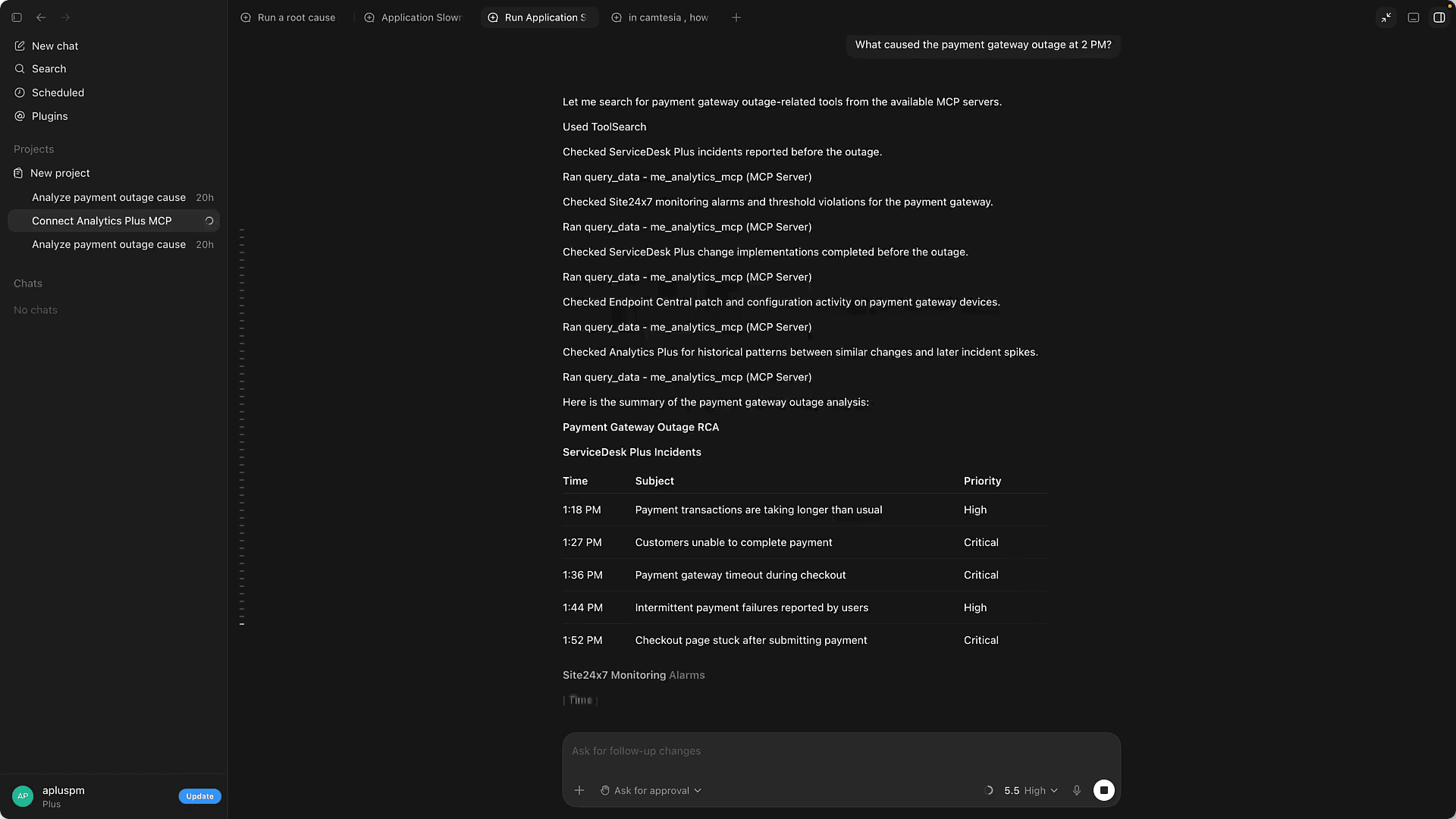
An alert fires: The payment gateway is down. The user drives an organic investigation across monitoring, ITSM, the CMDB, and endpoint management to find the root cause through their MCP-capable LLM.
Create MCP servers for your suite of ManageEngine products and connect them to your MCP-enabled LLMs, assistants, agents, and other AI-tools through Zoho MCP.
You can currently create MCP servers for the following ManageEngine products:
 ServiceDesk Plus
 Endpoint Central
 Site24x7
 Mobile Device Manager Plus
 CloudSpend
 Log360 Cloud
 Analytics Plus
ManageEngine’s MCP servers work with all AI tools, assistants, and LLMs that natively support MCP. This includes:
 ChatGPT
 Claude.ai
 Gemini
 Microsoft Copilot
Claude Desktop
Microsoft Copilot
Claude Desktop
 Cursor
 Windsurf
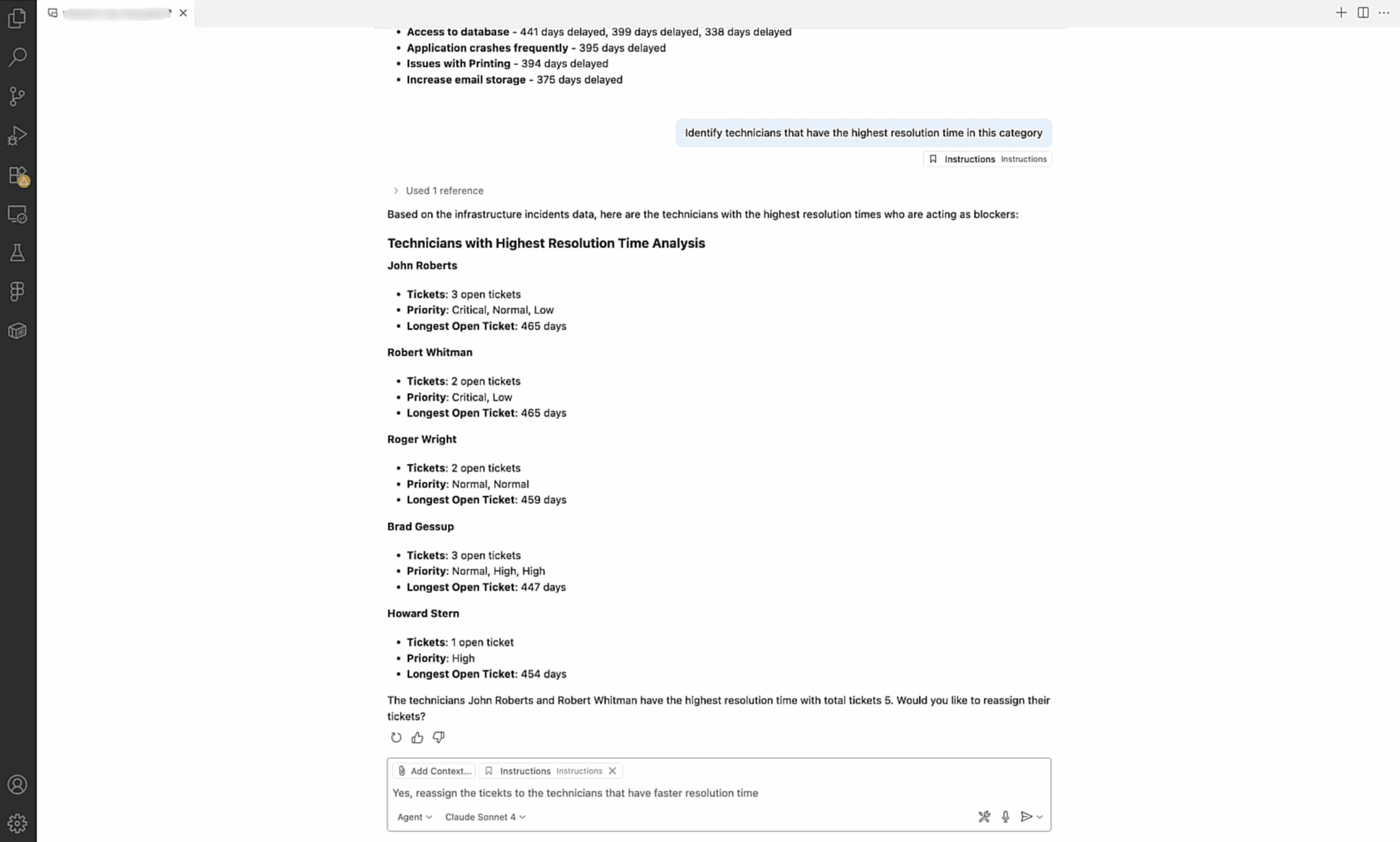
Pick an area to see how a single AI conversation reads data, runs operations, and chains actions across ManageEngine products.
Bring your rich IT and enterprise service management context into the LLMs and AI agents of your choice and put your enterprise service operations on autopilot.
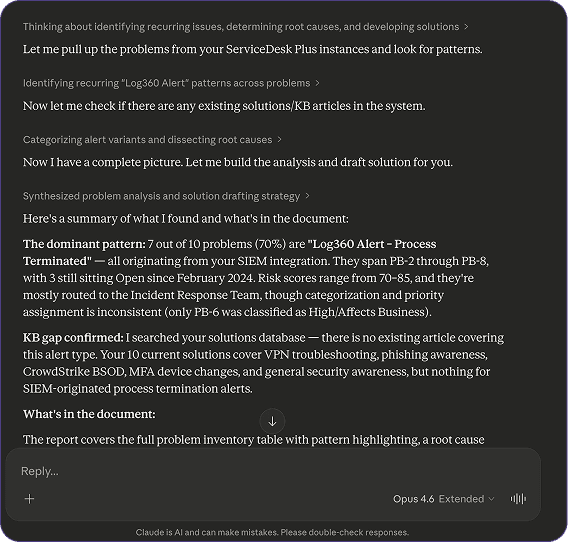
Get intelligent endpoint insights, patch and manage devices, and automate workflows through your AI agents and LLMs.
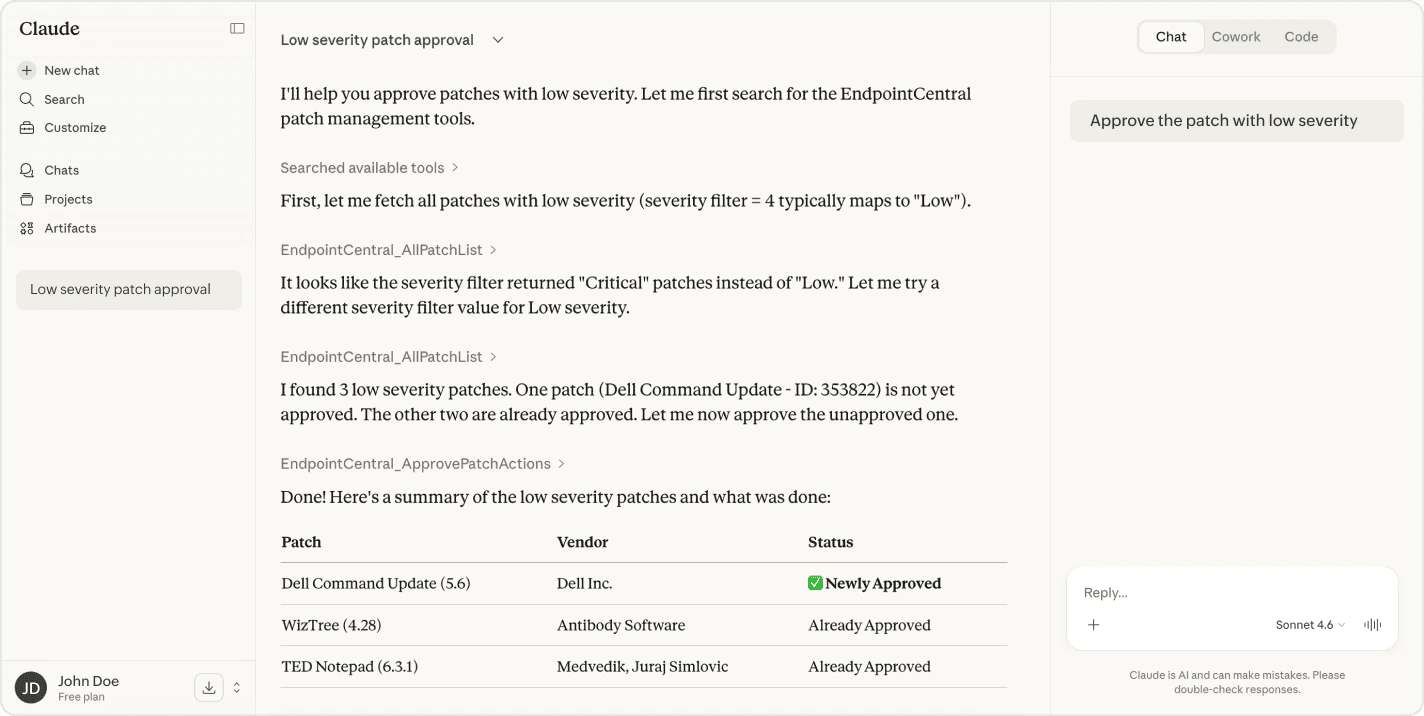
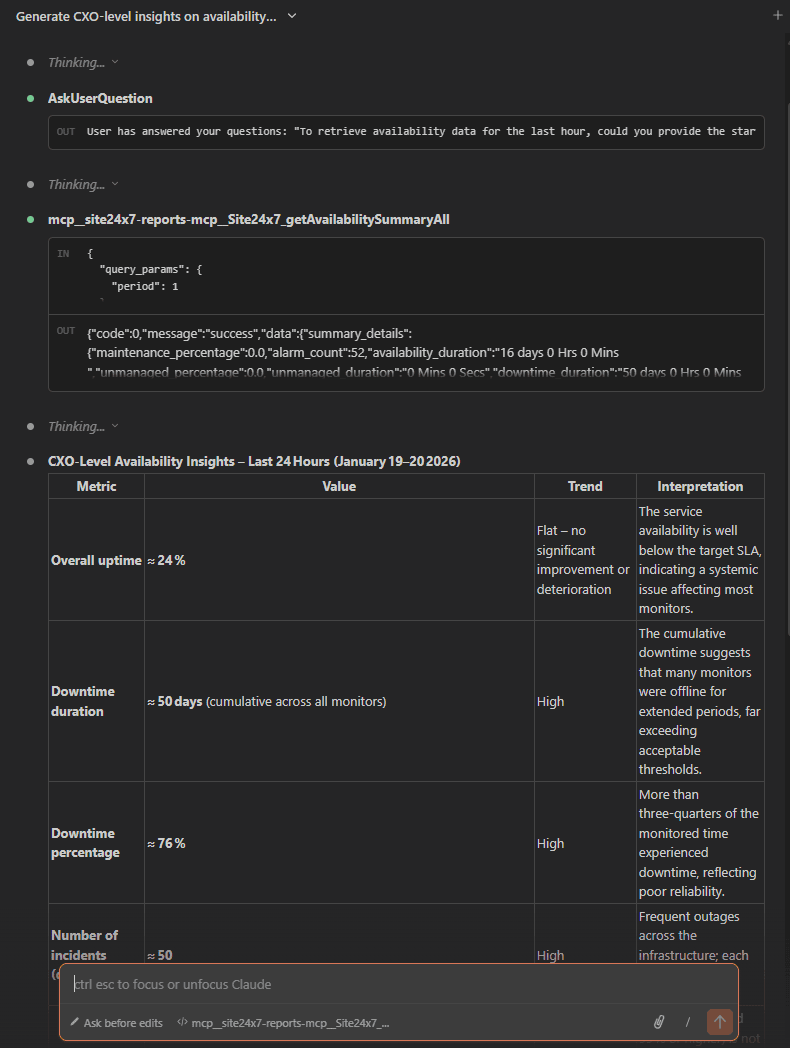
Connect your AI assistants to your monitoring data and operational workflows to manage complex IT operations with simple conversations.
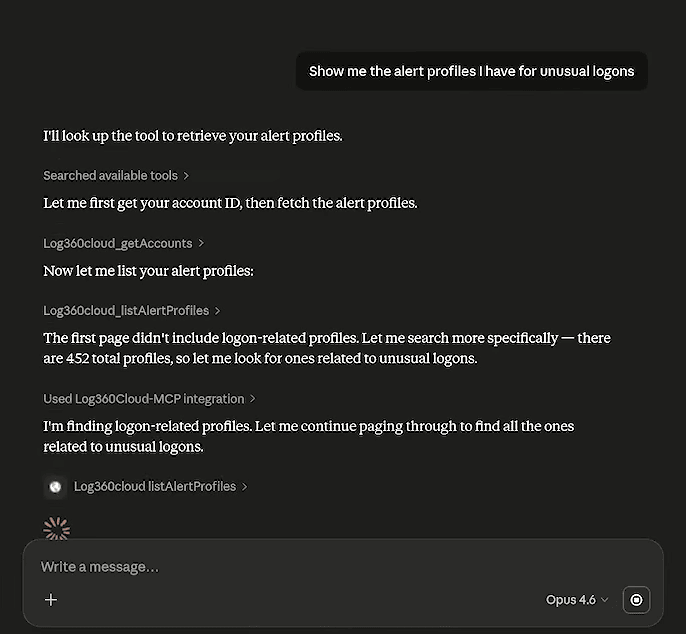
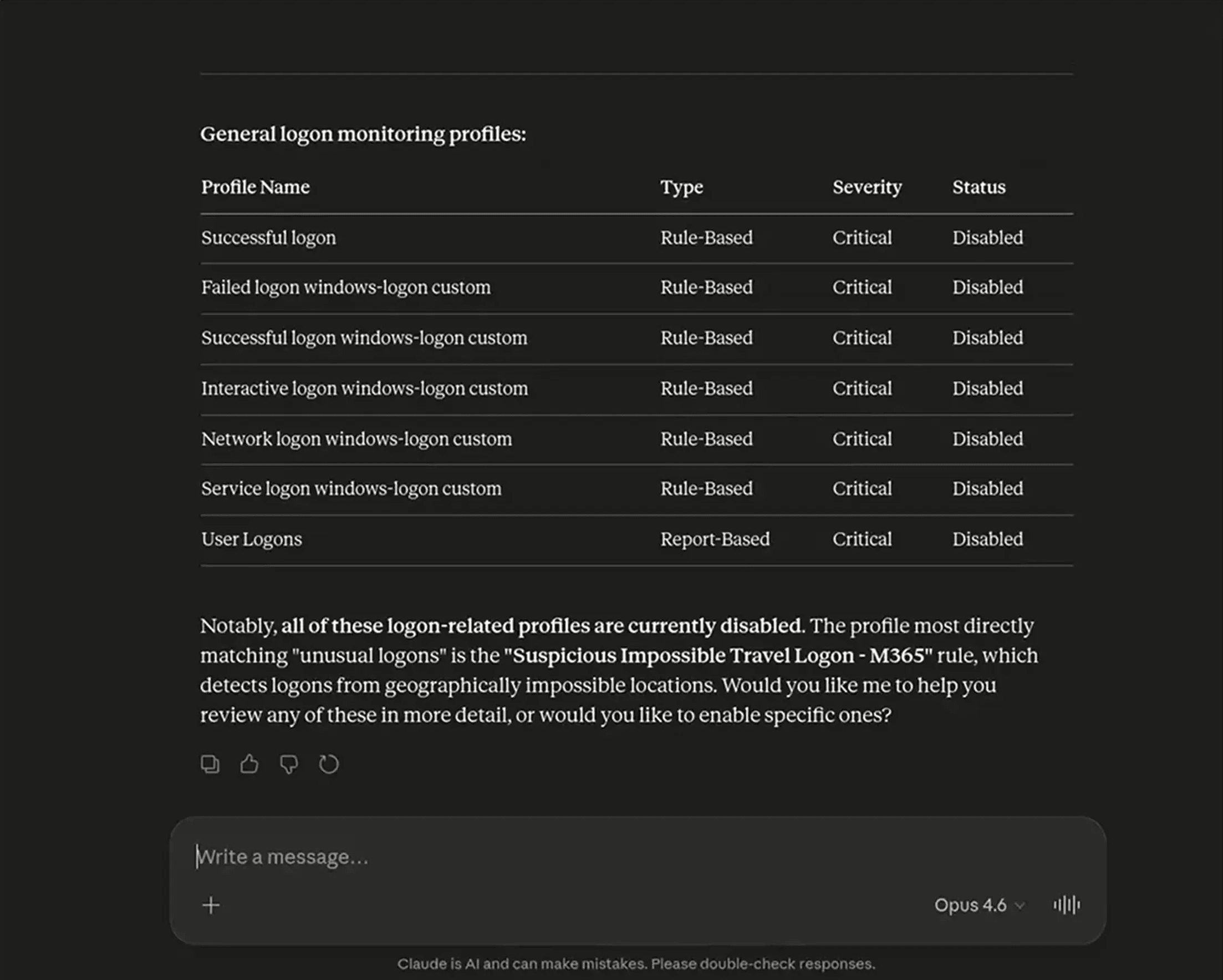
Talk to your security logs, carry out threat hunting, and run AI agent investigations across your IT stack.
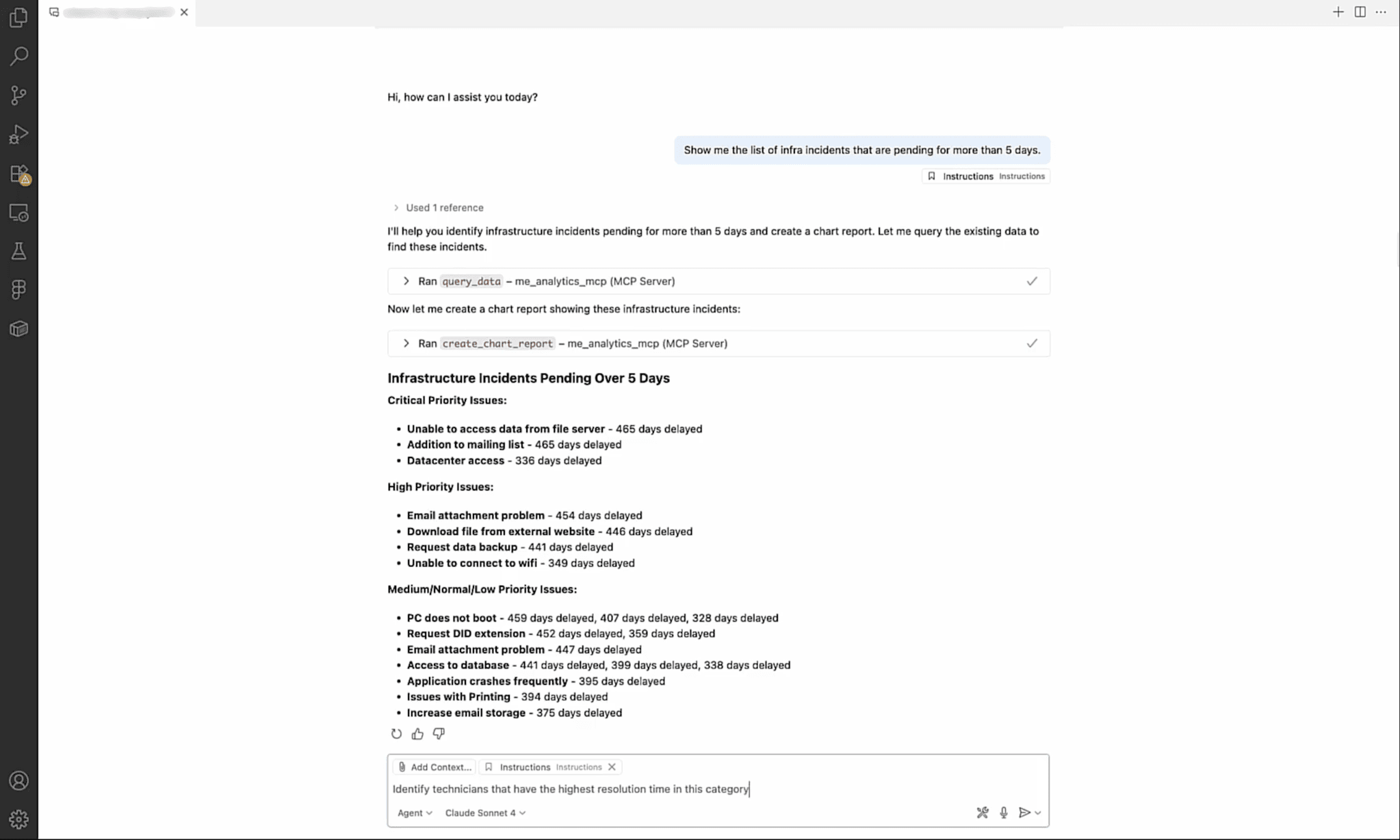
Import IT data, perform complex analyses, and extract actionable insights and strategies using your desired LLM or AI agent.
Zoho MCP is Zoho Corporation's Model Context Protocol (MCP) implementation that enables a standardized invocation interface for AI agents and LLMs to interact with its suite of business and IT management products. It exposes ManageEngine* product capabilities as tools and actions through the standardized MCP protocol that provides your preferred AI with rich IT context.
With this context, the underlying AI model can act as a decision layer and then perform actions within ManageEngine products by invoking the required tools.
*ManageEngine is the enterprise IT management division of Zoho Corporation.
ManageEngine APIs give developers direct programmatic access to product data and actions—but using them requires writing code, managing authentication flows, handling errors, and building the integration layer yourself.
MCP sits on top of those same APIs and exposes them as standardized "tools" that AI assistants can discover and call using natural language. Instead of writing API queries or scripts, users can simply ask questions in plain language, and the MCP server translates that intent into the correct API call and returns the result.
In short: APIs are for developers building custom integrations; MCP is for anyone who wants to put an AI agent to work on ManageEngine data without building that plumbing themselves.
Whether you use MCPs alone or combine MCPs and Zia Agents to bring AI into your IT operations depends on your use case and what you want to achieve with the help of AI.
MCPs expose product capabilities and data as tools and actions for use by AI assistants and agents, enabling them to access ManageEngine products and operate on them. An MCP server cannot take any action by itself. They merely enable your AI agents or your users using LLMs to securely operate on your IT tools through the MCP servers you create.
AI agents are LLM-powered intelligent systems that observe, understand, reason, iterate, and autonomously execute tasks proactively. Zia Agents are ManageEngine's native AI agents that are housed in the Zia Agent Marketplace or can be created from the ground up with Zia Agent Studio.
For use cases where a user simply needs to access information and perform actions via natural language queries (e.g., querying the AI tool to conduct an RCA), connecting an MCP server to your LLM will be enough. For use cases where you need AI to autonomously take action (e.g., automatically creating a new user account, provisioning their devices, and more), you can create an agent and connect it to your IT infrastructure and other tools.
Zoho MCP allows AI assistants to access only the data that the signed-in user is already allowed to view based on their roles and permissions. So, the same agent used by an L1 technician will have access to more limited data than when it is used by an IT admin.
Yes, your AI assistant can pull from multiple ManageEngine products' MCP tool sets at the same time.
You can do this by one of two ways: You can create a custom MCP server that contains the specific tools you need to use from each ManageEngine product and connect this server to your AI assistant. Alternatively, you can create multiple MCP servers for each ManageEngine product and connect them to your AI assistant.
Yes, every ManageEngine tool mentioned on this page can be connected to any MCP-enabled AI assistants, agents, and tools.
Data residency support for our MCP is the same as for any ManageEngine product. For more information, you can check our datacenter page.
There is no additional charge for creating and using a ManageEngine MCP server. You can create as many servers as you need for free.
Note: This does not include the cost of the AI tools you use. If you're using a third-party MCP client, costs incurred upon accessing ManageEngine MCP servers or carrying out actions on ManageEngine products using your LLMs and AI agents is subject to your AI service provider's pricing models.
Yes. All data access and agent actions are governed by strict access controls, encrypted data handling, and audit trails, ensuring safe, compliant execution. Since MCP actions invoke the same underlying ManageEngine APIs as any other user action, they are recorded in ManageEngine's existing audit logs just as a technician's manual actions would be.
Access to ManageEngine data through MCP is governed by your existing ManageEngine roles and permissions—an employee can only invoke MCP actions they are already authorized to perform in the product directly.
ManageEngine enables your AI assistants to access only the data that the signed-in user is already allowed to view based on their roles and permissions. Using Authorization on Demand requires each user to complete an OAuth authentication flow, tying every MCP session back to a verified ManageEngine identity. Administrators control which tools and actions are exposed in the Zoho MCP console and can revoke access at any time.
Zoho MCP works with the SSO service you use to access your ManageEngine products. You not need to create and manage separate accounts/credentials for this.
Role-based access is enforced at the ManageEngine product level and carries through to every MCP action. When using Authorization on Demand, end users and technicians will have to authenticate separately and invoke only those MCP actions that their roles and permissions permit.
Administrators can also limit the scope of the MCP server itself—choosing to expose only read-only APIs, or only tools relevant to specific roles—through the Zoho MCP console. This means an employee whose ManageEngine role restricts them to viewing tickets (not closing or assigning them) will face the same restriction when working through an AI assistant.
The reversibility of any action depends on the product and what action was taken, just like if a technician had performed it manually. Some actions (such as closing a ticket, sending a notification, or deploying a patch) may not be automatically reversible. For this reason, we recommend starting with read-only MCP access, testing thoroughly in a sandbox environment, and putting human-in-the-loop checkpoints in place for high-impact actions before enabling write operations at scale.
Yes. You can restrict actions by allowing only read-only APIs in the Zoho MCP console. When setting up your MCP server, you select exactly which tools and actions to expose—so you can start with a configuration that only allows the AI to retrieve data (tickets, device status, reports, etc.) and expand to write actions (creating tickets, deploying patches, closing requests) only after you've validated the integration and built confidence in the AI's behavior.
Yes. The built-in product sandboxes and the playground feature in Zoho MCP offer an isolated testing environment where you can securely configure, test, and monitor various admin configurations without interfering with the data in your production account. You can configure and test your MCP integration against this sandbox before rolling it out to production.
The core configuration should take under an hour. The setup process involves four steps: creating a Zoho MCP account, selecting tools (including ManageEngine products), configuring authorization, and copying the server URL into your AI client.
No developer involvement is required for standard configurations. More complex setups—such as multi-product MCP servers with custom permission scopes or integration with enterprise identity providers—may take longer depending on your environment.
You do not need a developer to set up an MCP server. Through the Zoho MCP UI, you can configure MCP servers, define tools, and manage authentication with minimal code. It provides a low-code way to expose ManageEngine product functionality to AI agents.
The most common metrics are time savings on routine tasks, reduction in mean time to resolution (MTTR) for incidents, and reduced context-switching overhead for IT staff.
In IT operations specifically, MCP enables AI agents to triage incidents, deploy patches, surface anomalous activity, and more, freeing technicians to focus on higher-value work. Organizations typically measure ROI by tracking ticket handling time, agent-assisted resolution rates, improvements in mean time to detection (MTTD)/MTTR, and hours saved on manual tasks and reporting before and after MCP deployment.
No. MCP is an additional connectivity layer on top of ManageEngine products. It does not affect normal product access. If the Zoho MCP service is unavailable or a connection to your AI client fails, your ManageEngine products continue to function normally. Technicians can still access ManageEngine products directly through the standard web interface and APIs without any interruption.