Microsoft 365 Reporting Tool

  • Over 700 predefined reports for major Microsoft 365 services in a single console.
  • Granular Microsoft 365 usage analytics generated without PowerShell scripting.
  • Customizable reports that can be filtered effortlessly.
  • Automated report generation and scheduled delivery to admins at regular intervals.
  • Dedicated compliance reports for SOX, GLBA, HIPAA, and more.
  • Supported services: Microsoft Entra ID, Exchange Online, Microsoft Teams, SharePoint Online, OneDrive for Business, and more.
Start your free trial
 

Over 280,000 companies trust Manageengine


One reporting tool for all Microsoft 365 services

  • Microsoft Entra ID reporting
  • Exchange Online reporting
  • SharePoint Online reporting
  • Microsoft Teams and OneDrive Reporting

Microsoft Entra ID reporting

  • Gain comprehensive insights into user actions with detailed Microsoft 365 user activity reports that track creations, deletions, updates, and account status changes.
  • Effortlessly monitor license assignments through Microsoft 365 license reports, providing granular details on who made changes, what was modified, and which licenses were assigned.
  • Stay ahead of potential risks with suspicious activity reports in Microsoft 365, highlighting unusual behavior, risky sign-ins, and failed logon attempts.

Exchange Online reporting

  • Gain clarity on user communication patterns with detailed Microsoft 365 email activity reports and Outlook email activity reports that track sent, received, and read emails across your organization.
  • Monitor mailbox storage effectively with comprehensive Microsoft 365 mailbox usage and size reports.
  • Analyze organizational email trends with email usage reports in Microsoft 365 to help you identify anomalies and ensure policy compliance.
  • Stay ahead of delivery limits with reports on email sending limits in Microsoft 365 that enable you to monitor thresholds and maintain uninterrupted email flow.

SharePoint Online reporting

  • Gain a comprehensive view of SharePoint Online usage by tracking user interactions with files and folders to deliver secure and efficient management of content across your organization.
  • Optimize storage management with detailed reports on SharePoint site and storage utilization that help you identify overuse and proactively manage site allocations.
  • Strengthen compliance by monitoring sharing and permission changes, including internal and external sharing, access grants, and link configurations, to safeguard sensitive data.
  • Enhance collaboration oversight by tracking user activity on SharePoint sites, such as document views, edits, and sync behaviors, to ensure productive and secure teamwork.

Microsoft Teams and OneDrive Reporting

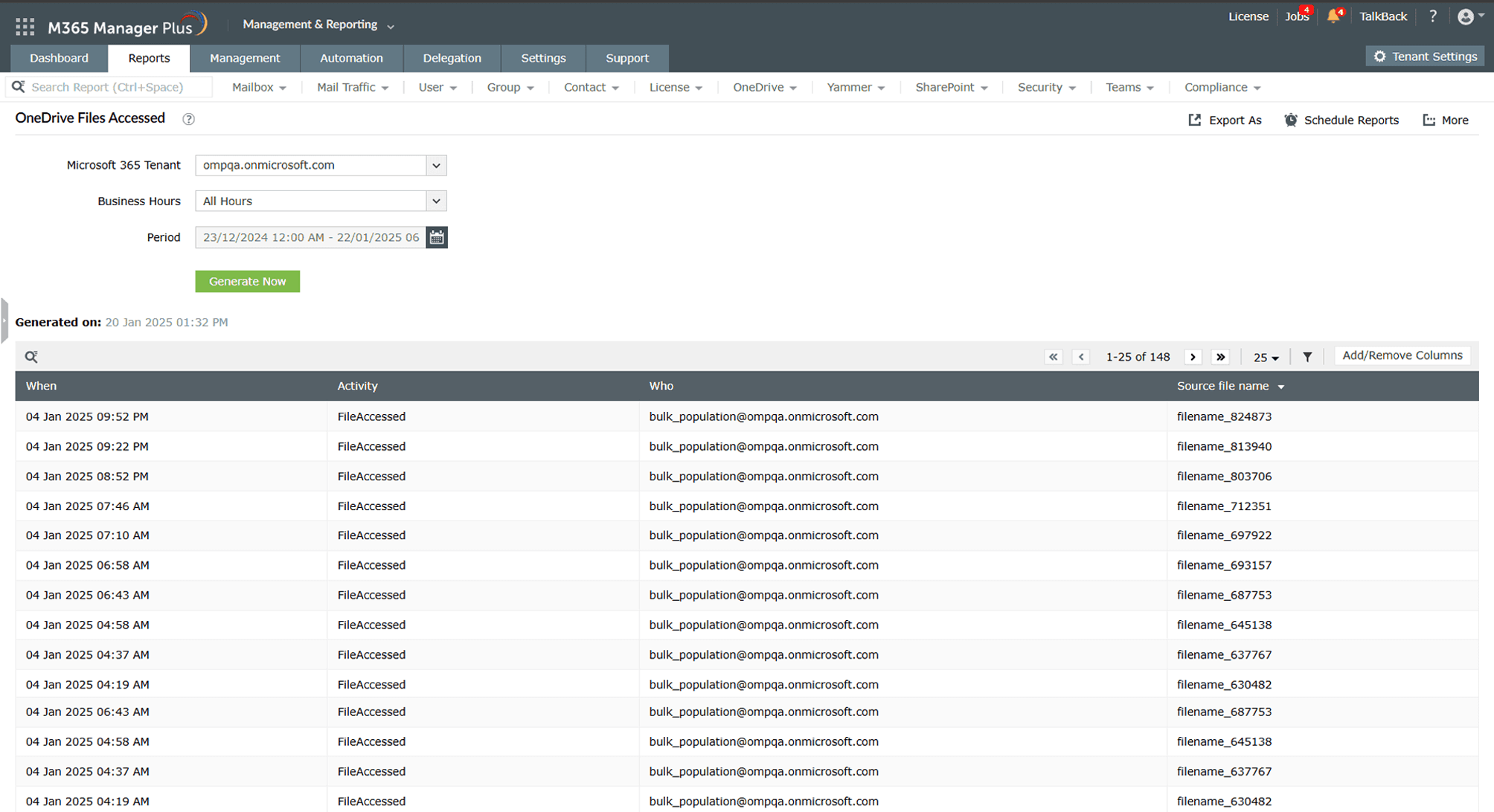
  • Gain detailed insights into OneDrive for Business file activity, tracking uploads, downloads, edits, deletions, and access across your organization to ensure secure file management.
  • Monitor OneDrive storage usage to maintain optimal performance, identifying users with large files or excessive storage consumption to prevent potential issues.
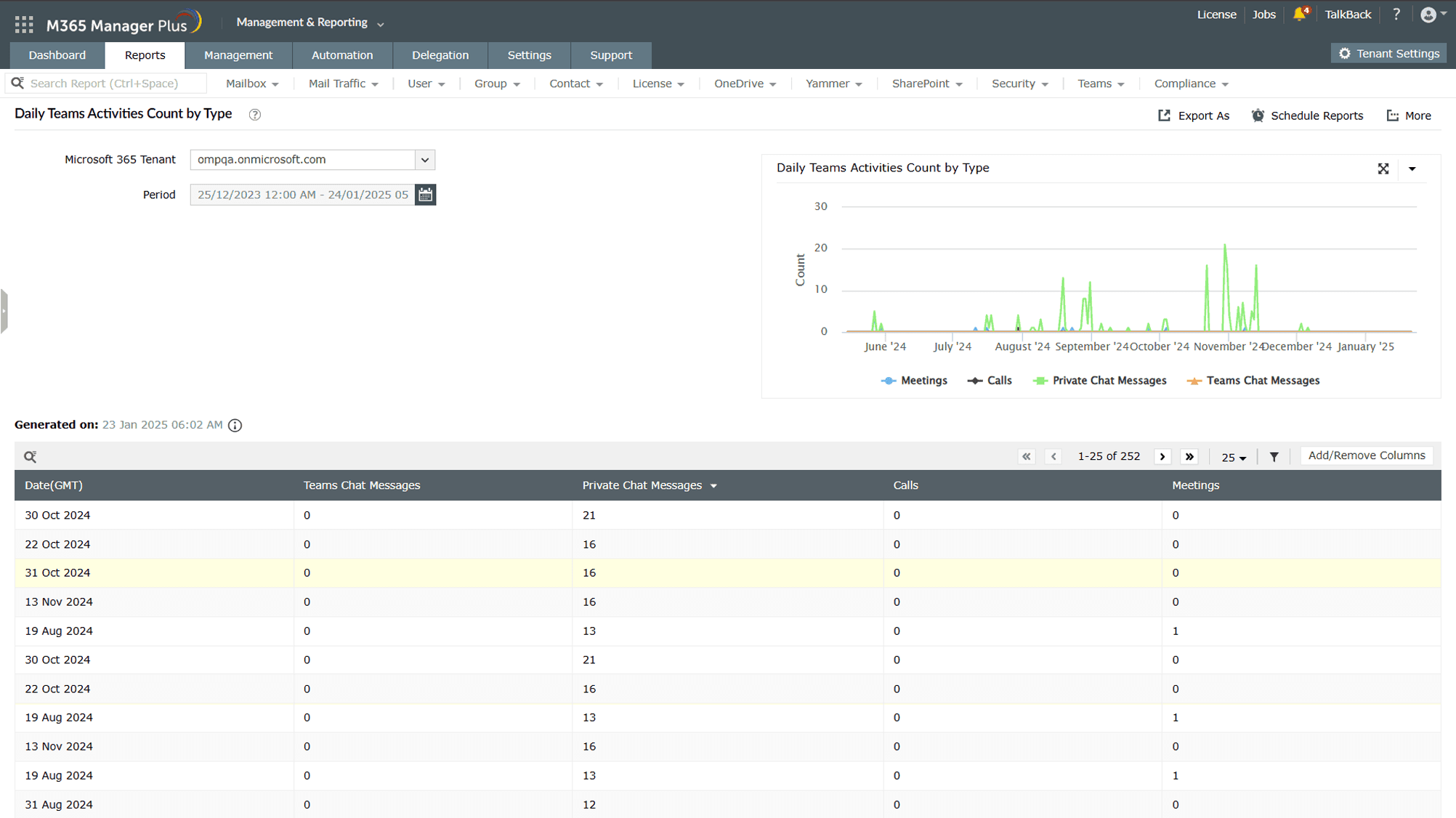
  • Keep an eye on engagement levels with Teams activity reports that highlight team and channel usage, message counts, and meeting participation.
  • Track OneDrive and Teams user activity across devices, providing transparency into sync events and file access, their daily activities, device usage, and more, to ensure seamless collaboration and security across your environment.
Start your free trial

Overcome the limitations of native admin centers and PowerShell

  • Microsoft 365 User reports
  • Microsoft 365 License reports
  • Microsoft 365 Group reports
  • Exchange Online reports
  • SharePoint and OneDrive reports
  • Microsoft Teams reports
1
 

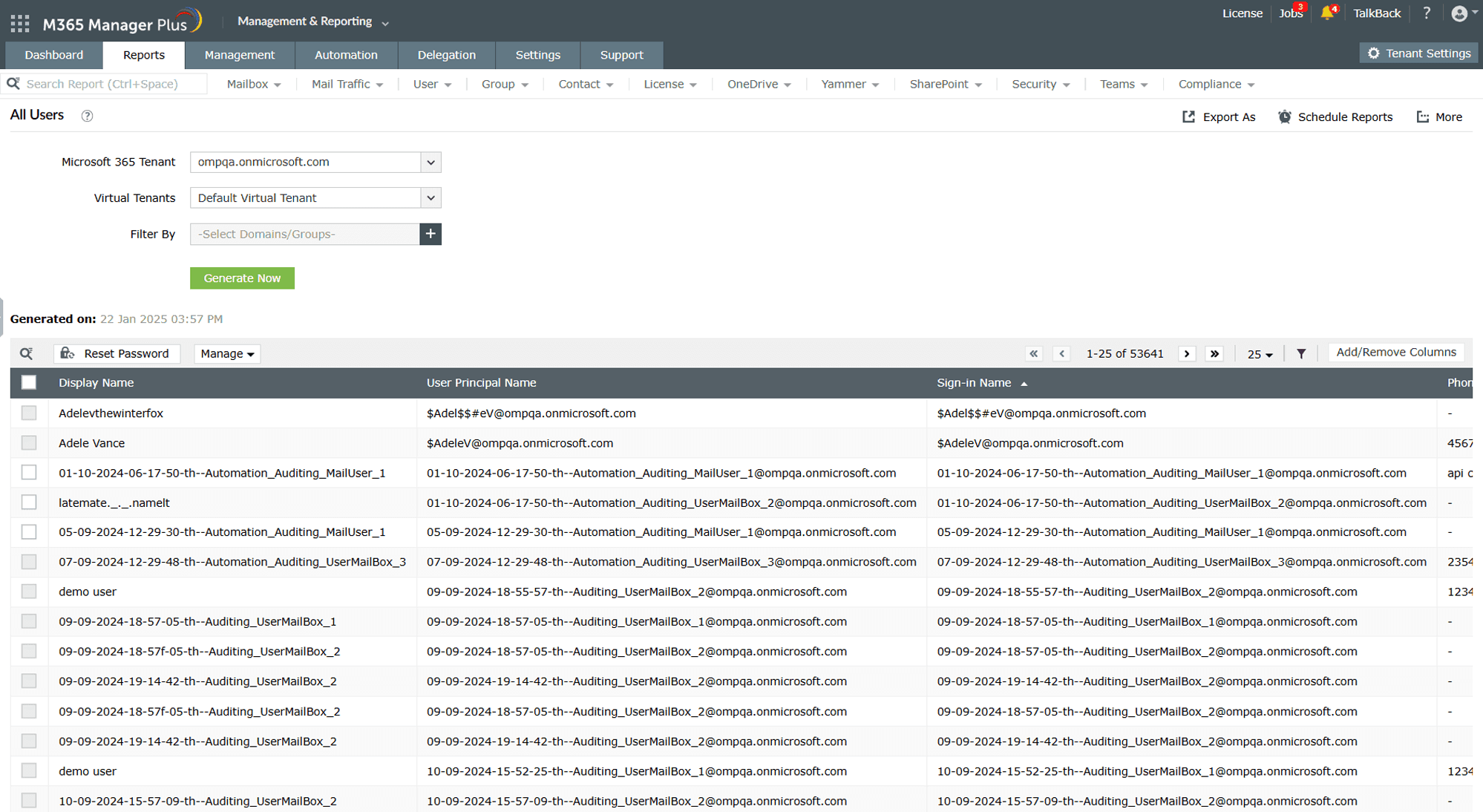
Schedule reports to be generated at specified intervals and have them delivered to your inbox.

Microsoft 365 user auditing
1
 

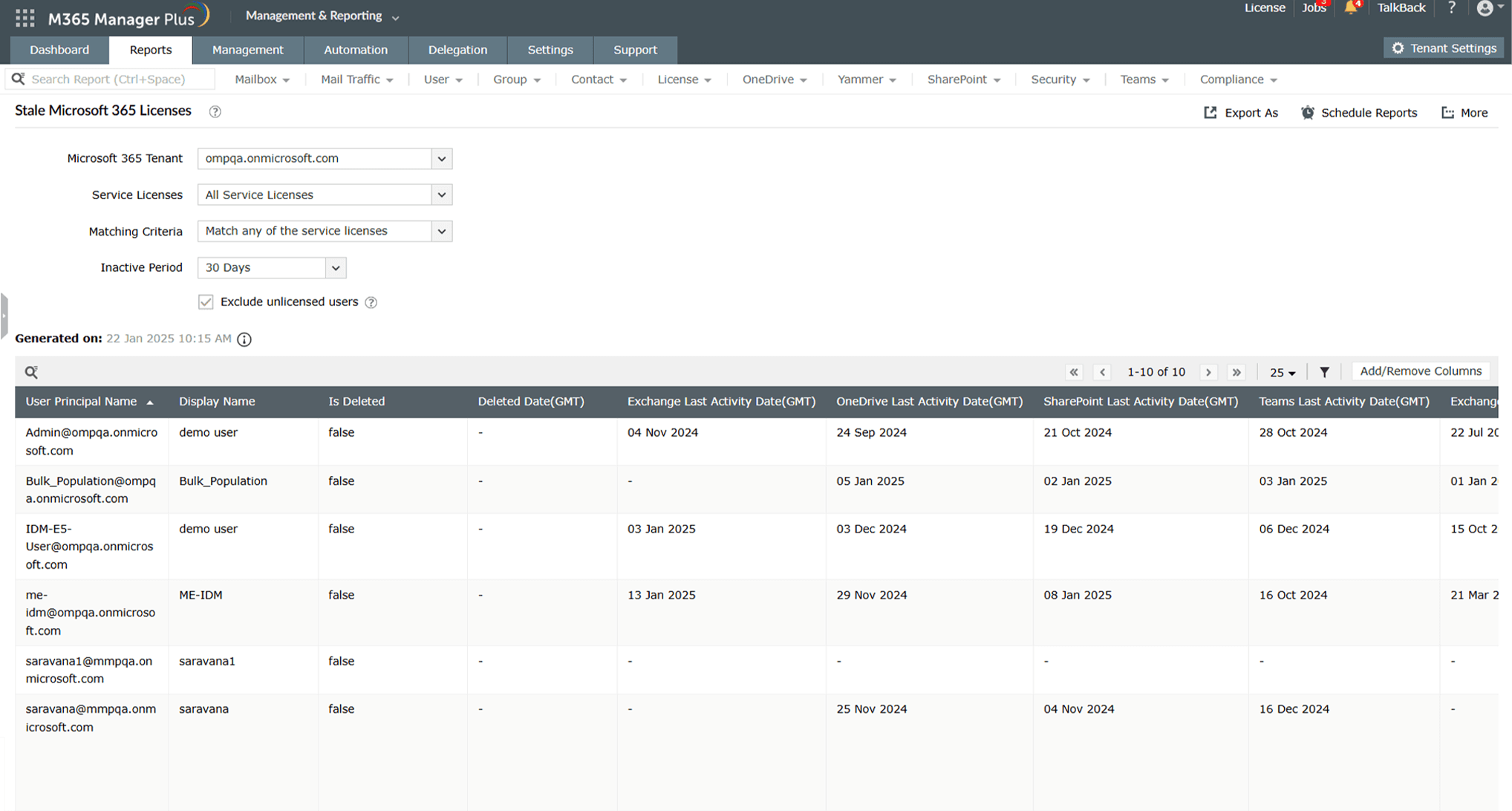
Get an overview of Microsoft 365 licenses across all of your services with granular details on their activity and assignment.

Microsoft 365 License reports
1
 

Schedule your reports to be mailed periodically to your admins.
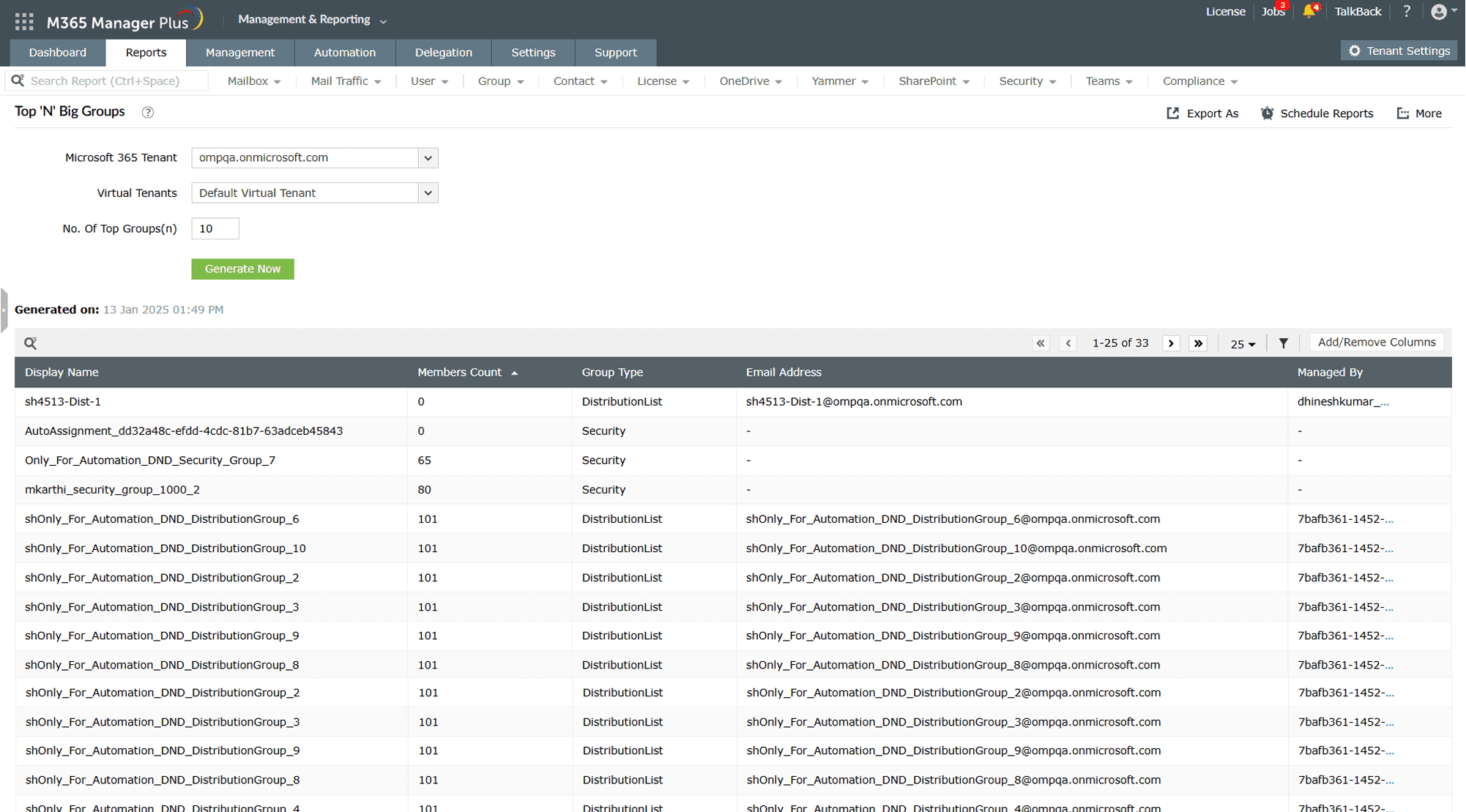
Microsoft 365 Group reports
1
 

Generate reports for custom intervals.

2
 

Identify user activity based on domains and virtual tenants.
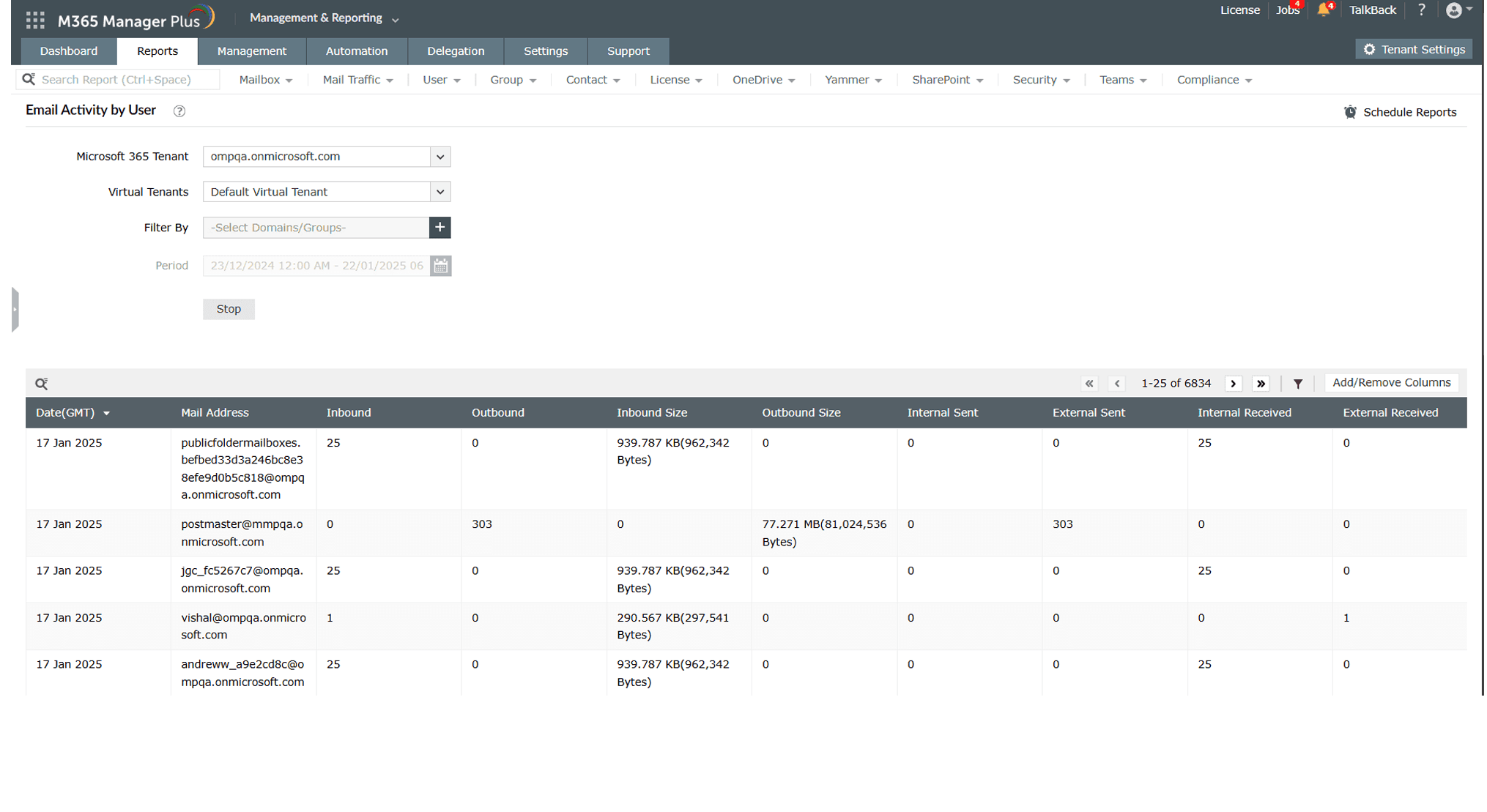
Exchange Online reports
1
 

Generate reports for custom intervals.

2
 

Schedule reports to be generated at specified intervals and have them delivered to your inbox.

SharePoint and OneDrive reports
1
 

Make use of intuitive graphs to get a quick overview of your Microsoft Teams activity statistics

2
 

Get access to details beyond the native 180-day limit with historical report data

Microsoft Teams reports

Make smarter decisions with M365 Manager Plus reports

 
  • Utilize detailed reports like user activity reports, license usage reports, mailbox size reports, and file activity reports that provide comprehensive visibility across your entire Microsoft 365 environment.
  • Focus on what matters most using customizable reports that empower you to track specific metrics like file activity, group changes, or storage usage tailored to your organization’s priorities.
  • Save time with automated scheduling that deliver reports directly to your inbox at regular intervals to keep stakeholders informed without the need for manual effort.
  • Create insights that fit your unique needs by building custom reports based on selected attributes and criteria to ensure every report aligns with your organizational goals.
  • Harness your data with intuitive visual graphs and charts that help you visually monitor complex trends so you can make smarter decisions faster and more efficiently.
  • Use dedicated, readily available compliance reports to pass throughSOX, GLBA, HIPAA, and more audits effortlessly.
Start your free trial

Other features provided by M365 Manager Plus

  •  

    Microsoft 365 Management

    Utilize script-free and simplified management with bulk capabilities across major Microsoft 365 services

  •  

    Microsoft 365 Auditing

    Track and analyze Microsoft 365 activities with comprehensive and intuitive audit trails across users, services, admins, and configurations

  •  

    Microsoft 365 Monitoring

    Stay ahead of potential issues with real-time monitoring and alerts for critical Microsoft 365 events with service and endpoint health reports

  •  

    Microsoft 365 Alerting

    Deploy proactive, customizable alerts to instantly notify you of critical changes, anomalies, or potential threats across your Microsoft 365 environment

  •  

    Microsoft 365 Content Search

    Leverage advanced filters and scheduled search capabilities to automate recurring searches, at custom intervals effortlessly

Why businesses choose M365 Manager Plus


What our
customers say

  • We can now effectively reconcile which licenses we are using in the organization and assign the cost to the business unit. We were also able to identify a number of license changes that could be put in place that reduced our total Microsoft 365 spending.

    Timothy Ransom

    Group IT/IS manager at The Eclipse Group, United Arab Emirates
  • M365 Manager Plus is valuable to our future business and, most importantly it allows me to keep on improving the level of service we provide.

    IT Infrastructure Manager,

    Sunstar Suisse SA
  • Our firm purchased ManageEngine M365 Manager Plus to help us protect our business from email-borne cyberthreats. We are absolutely satisfied with the features and ease of use. It has surpassed our expectations.

    Insurance agent

    Security and risk management Gartner review

Your comprehensive Microsoft 365
security and administration tool

Download now
×

Start your 30-day free trial

  •  
  • *
     
  •  
  • By clicking 'Submit' you agree to processing of personal data according to the Privacy Policy.

Thanks!

Your download is in progress and it will be completed in just a few seconds!
If you face any issues, download manually here

Thanks!

Our Support team will contact you to assist with the download and evaluation.