Last updated: July 24, 2026
How to Distribute and Manage Unlisted iOS Store Apps
Distribute unlisted iOS App Store apps through Mobile Device Manager Plus using two methods: with ABM/ASM for silent installation without user Apple ID prompts, or without ABM requiring users to sign in with personal Apple IDs; set apps to Manage via MDM after installation to enable configuration and data removal.
Description
An unlisted app is not discoverable through the standard App Store search, categories, or charts. It is intended for a specific audience and can only be accessed via a direct link provided by the app's developer or organization. These apps are published on the App Store but are hidden to share applications with a limited audience.
Methods of Distribution
To distribute unlisted apps, there are two methods available: utilizing Apple Business Manager (ABM) / Apple School Manager (ASM) and distributing without ABM/ASM. The recommended method is to use Apple Business Manager (ABM) / Apple School Manager (ASM).
Apple Business Manager (ABM) / Apple School Manager (ASM) makes managing devices and apps easier for organizations. It lets you buy apps in bulk, distribute them without any user interaction, and link purchases to the organization instead of individual Apple IDs. This means users don’t have to deal with Apple ID prompts when receiving apps.
Without Apple Business Manager (ABM) / Apple School Manager (ASM), app purchases are linked to individual Apple IDs. This means that when an app is distributed, the user must sign in with their personal Apple ID to download or install it. This can lead to inconvenience and extra steps for the user.
Distributing an Unlisted App with ABM/ASM
You can distribute an unlisted app to devices through MDM via ABM.
- On the ABM/ASM portal, click on Apps and Books.
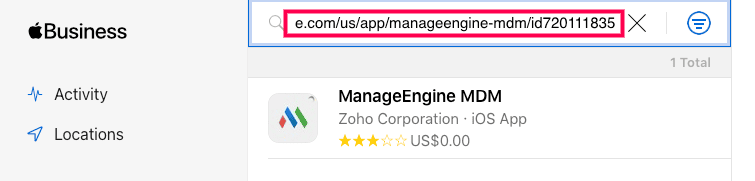
- Search for the unlisted app with its App store URL.
- Purchase the app and assign token in MDM.
- Perform sync in Device Mgmt -> App repository -> Apps. Click on Sync apps and choose Sync Apple apps from the dropdown.
- Once the sync is completed, the app will be available in the app repository.
- You can then distribute the app to the devices.
Distributing an Unlisted App as a Store App without ABM
Step 1: Navigate to Device Management Module
- Open the Device Management Module.
- Go to the App Repository section.
- Select Apple Store App.
Step 2: Add the App to the Repository
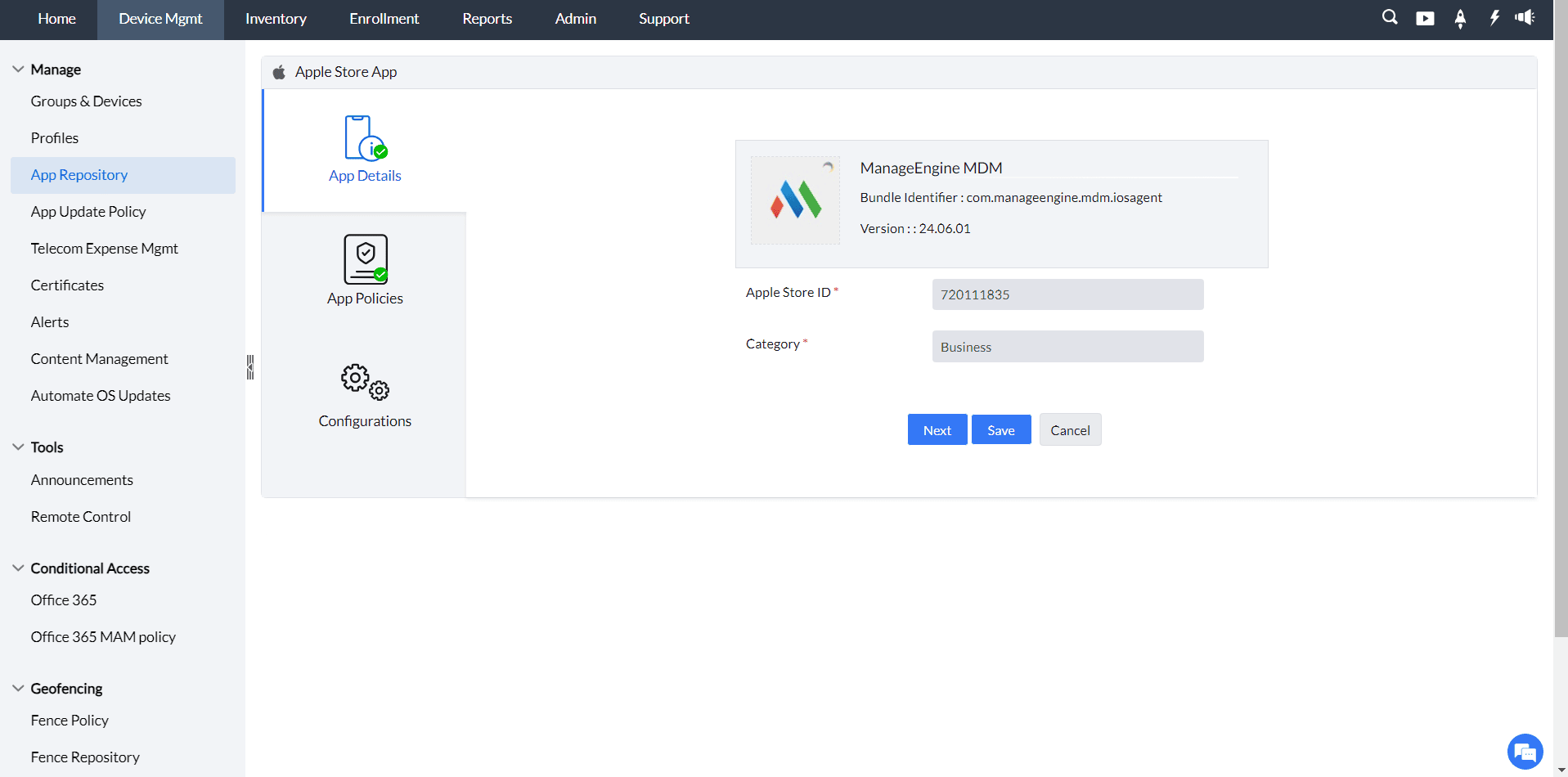
- Enter the App Store ID of the app.
- Select the appropriate country from the drop-down menu.
- Choose the app.
- On the App Details screen, click on Next.
- On the App Policies screen, make the necessary selections and then click on Next.
- On the Configurations screen, configure the app as required, then click on Save to add the app to the repository.
Step 3: Confirm the App in the Repository
- Check the App Repository section.
- Ensure that the app appears in the list of available apps.
Step 4: Distribute the App
- Choose the app in the app repository.
- Choose the method of distribution: Distribute to App Catalog (default method).
- Click on Distribute to distribute the app to the devices.
- The app will be available in the app catalog on the device.
Note: Silent installation is not supported if the app is distributed without ABM (Apple Business/School Manager).
Step 5: Install and Manage the App via MDM
- In the App Catalog, click GET next to the app's name.
- Ensure the device is signed in to the App Store using an Apple ID account.
- Upon clicking GET, you will be directed to the App Store to proceed with the installation.
- After installation, open the App Catalog and click Manage via MDM to enable MDM management for the app.
- If Manage via MDM does not appear immediately after installation, refresh the screen or wait a few moments for it to appear.
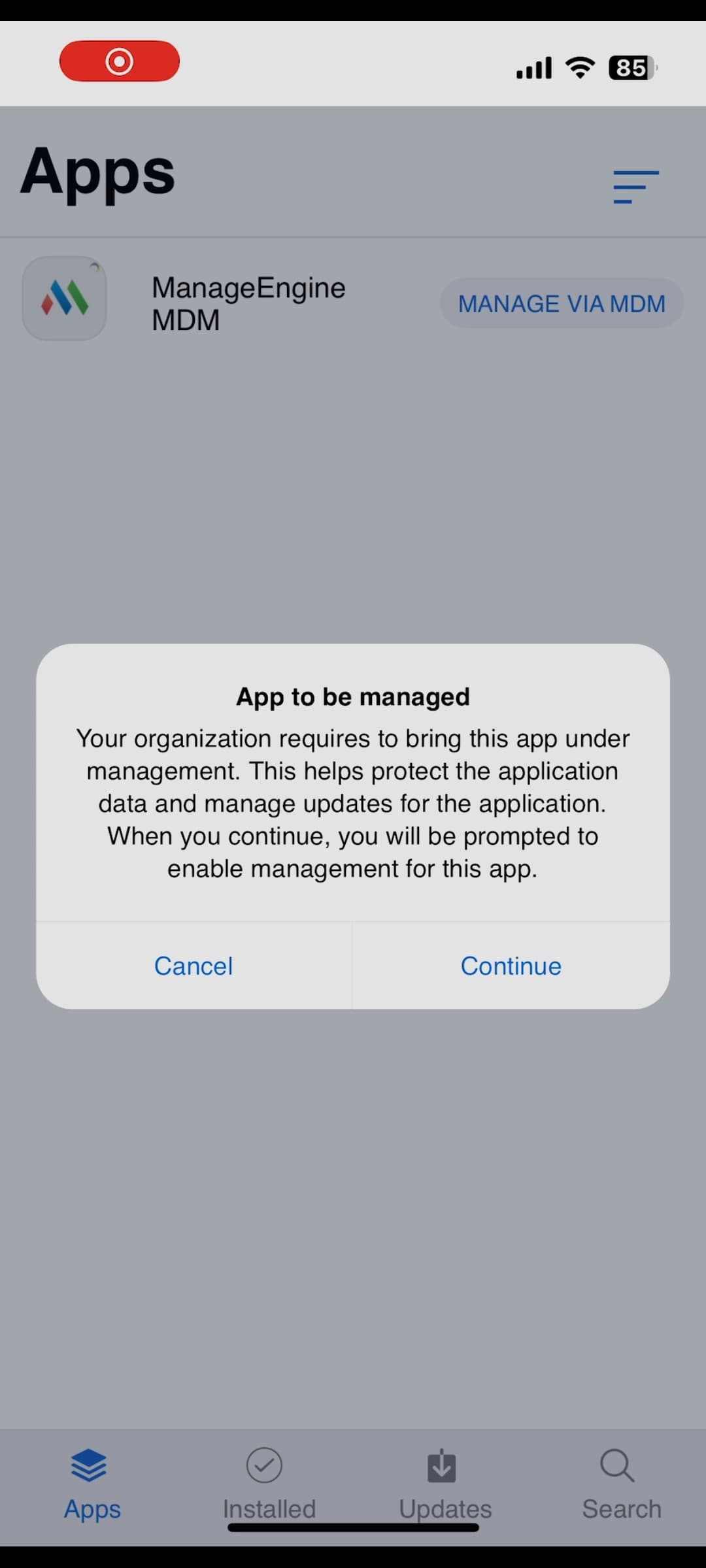
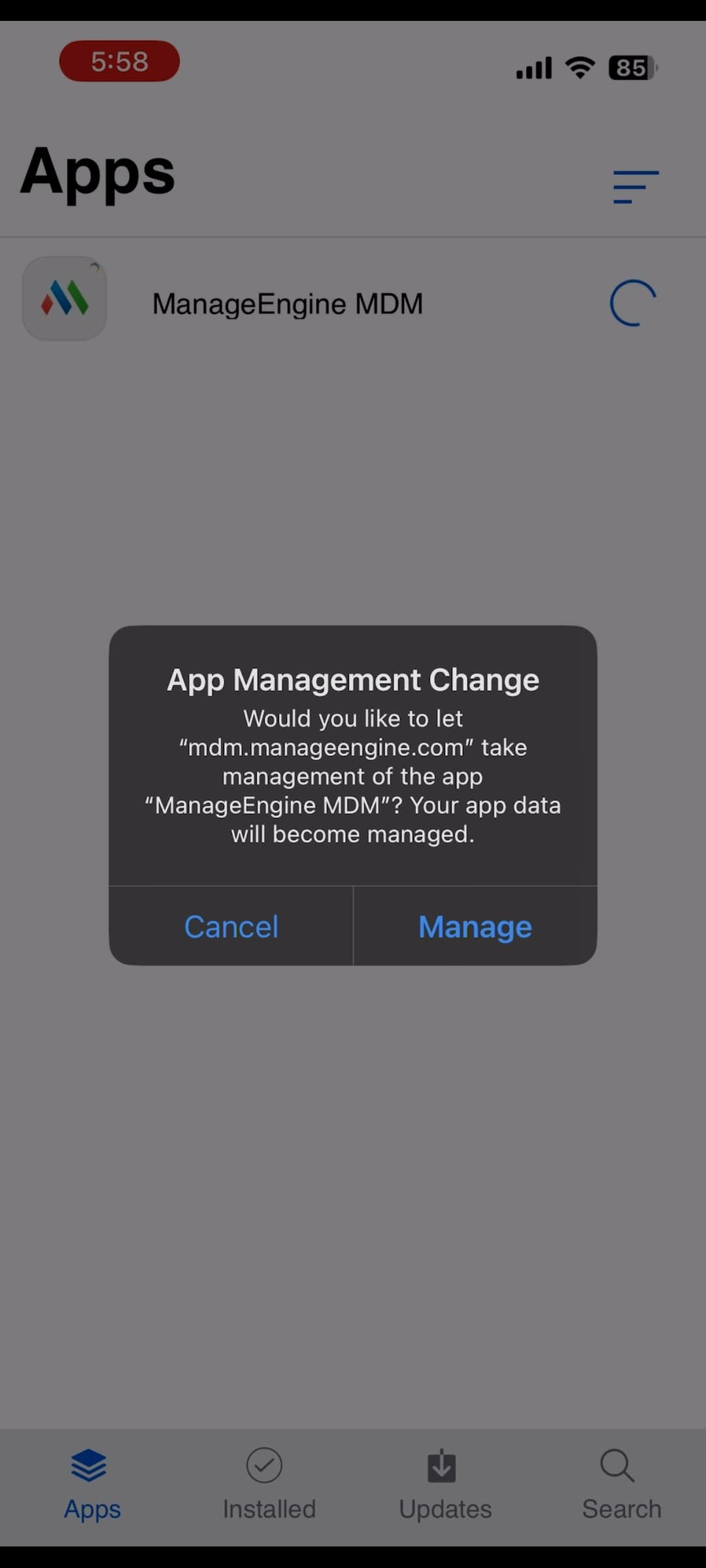
Note: Managing an app is essential as it facilitates app data removal and uninstallation. It also aids in managing app configuration, per-app VPN configuration, and other settings.
Frequently asked questions
What is an unlisted iOS app?
An unlisted app is not discoverable through the standard App Store search, categories, or charts. It is still published on the App Store, but hidden, and can only be accessed via a direct link from its developer or organization.
What's the difference between distributing unlisted apps with and without Apple Business Manager (ABM/ASM)?
With ABM/ASM, purchases are linked to the organization instead of individual Apple IDs, so the app can be distributed silently without any Apple ID prompt. Without ABM/ASM, purchases are tied to personal Apple IDs, so each user must sign in with their own Apple ID to install the app, and silent installation isn't supported.
Why do I need to click "Manage via MDM" after installing an unlisted app?
Managing the app via MDM enables app data removal and uninstallation, and it also lets you manage the app's configuration and per-app VPN settings.