Last updated: July 24, 2026
How to Configure Service Discovery URL for Apple User Enrollment Using Windows IIS Server?
This guide explains how to configure the .well-known directory on a Windows IIS server so Apple devices can discover the MDM service for Apple User Enrollment. It covers creating a well-known folder and a com.apple.remotemanagement file containing the downloaded ServiceDiscoveryData.json content, mapping it to a .well-known virtual directory, and adding a custom MIME type so the file is served with the application/json content type, followed by verifying the URL and troubleshooting access issues.
To enable Apple User Enrollment in MDM, configuring the .well-known directory is essential for Remote Management. This directory contains files required by Apple devices for discovery and enrollment. This guide provides step-by-step instructions for setting up the .well-known folder and configuring a custom MIME type on a Windows IIS server.
Steps
Setting Up the .well-known Directory
In this section, we will create a .well-known directory and a com.apple.remotemanagement file containing MDM server information. This file allows Apple devices to discover and enroll via Apple User Enrollment.
Step 1: Access the Root Directory
- Open IIS Manager.
- Select the site where your domain is hosted.
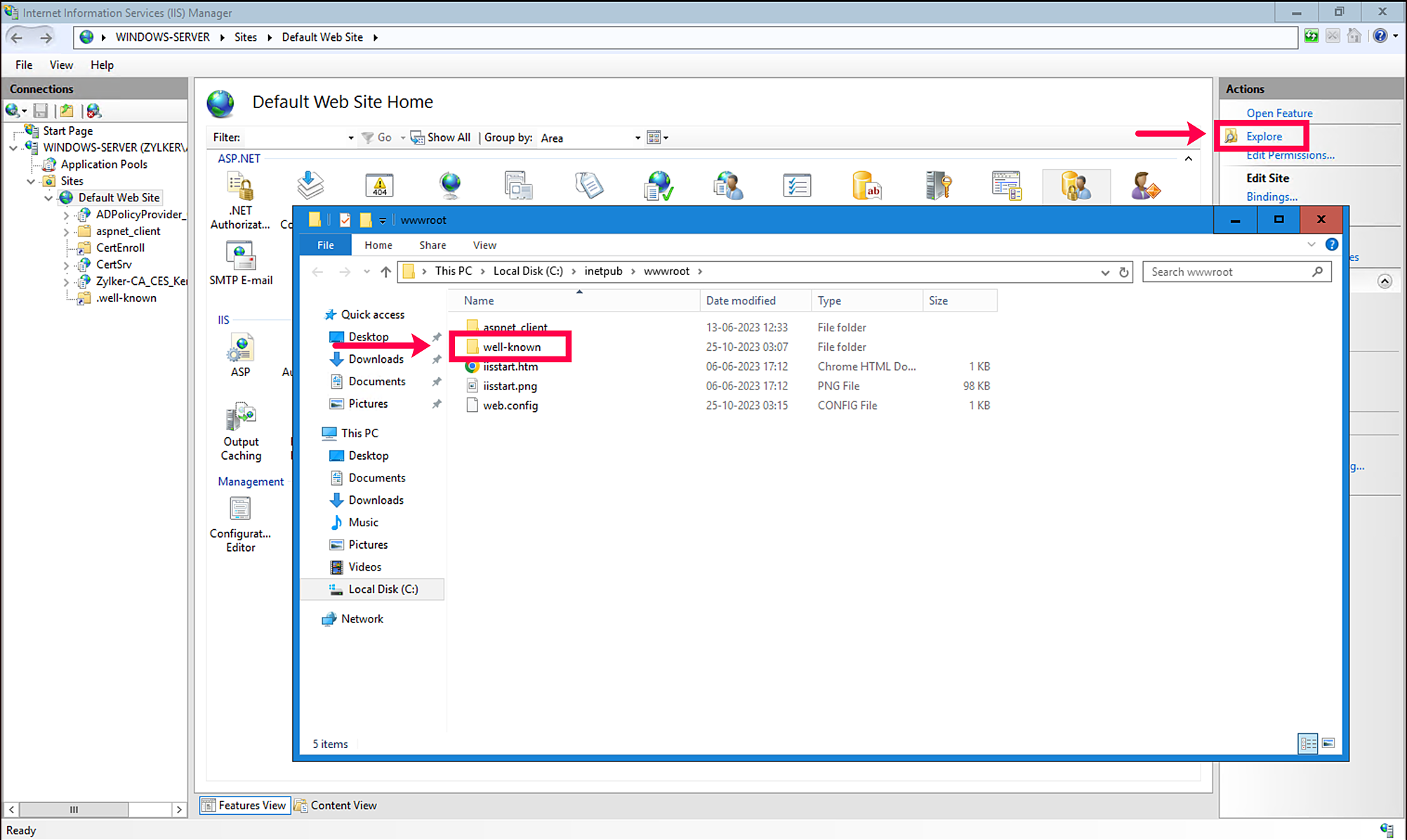
- Click Explore to open the root directory of the site.
Step 2: Create the Directory and File
- Create a new directory named well-known (Windows does not allow directory names starting with ., so we use well-known).
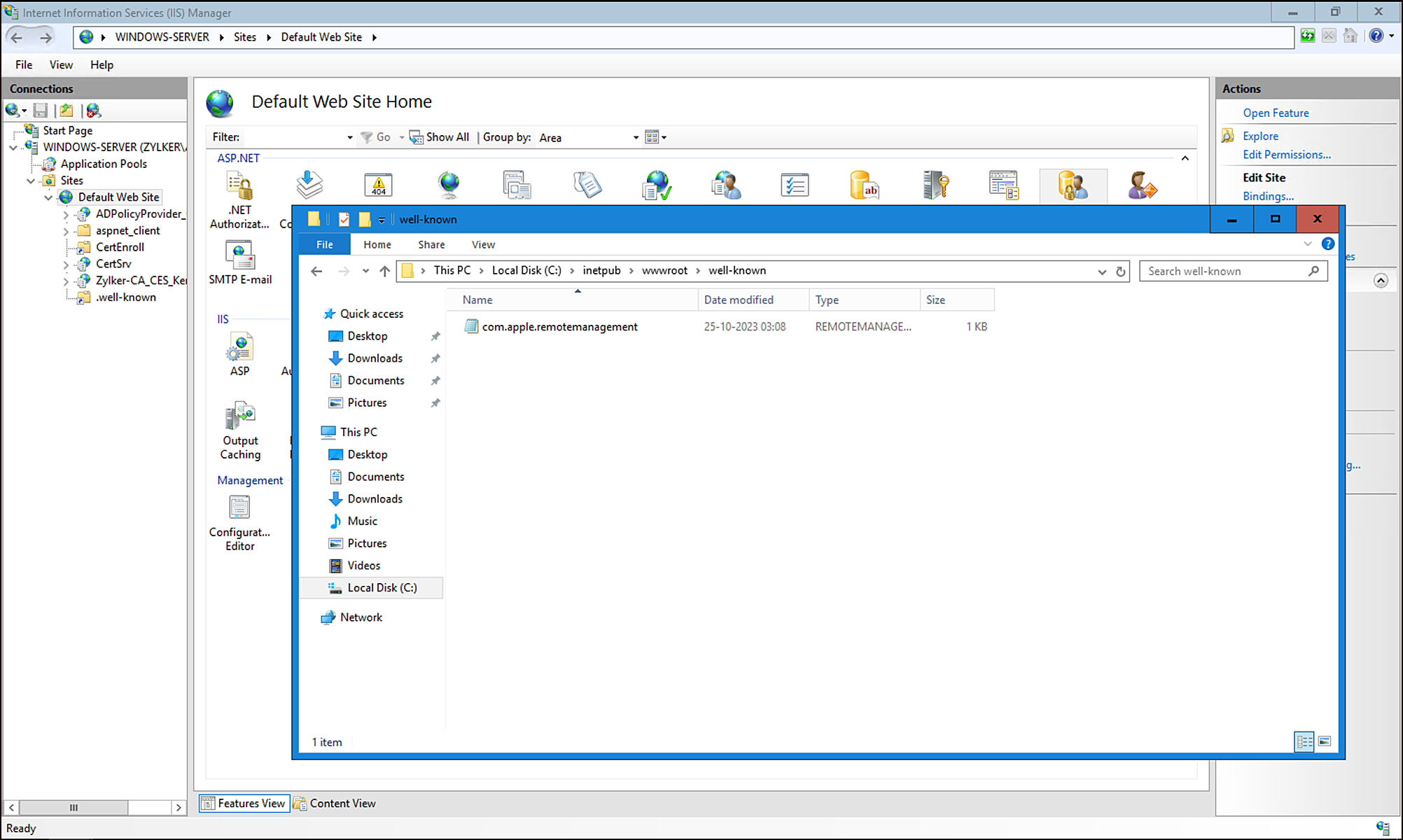
- Inside the well-known directory, create a file named com.apple.remotemanagement.
- Copy the contents of the ServiceDiscoveryData.json file (downloaded from the MDM server for Apple User Enrollment) into the com.apple.remotemanagement file.
Step 3: Add a Virtual Directory
Since Windows does not allow directory names starting with ., we will create a virtual directory to map HTTP requests for .well-known to the well-known directory.
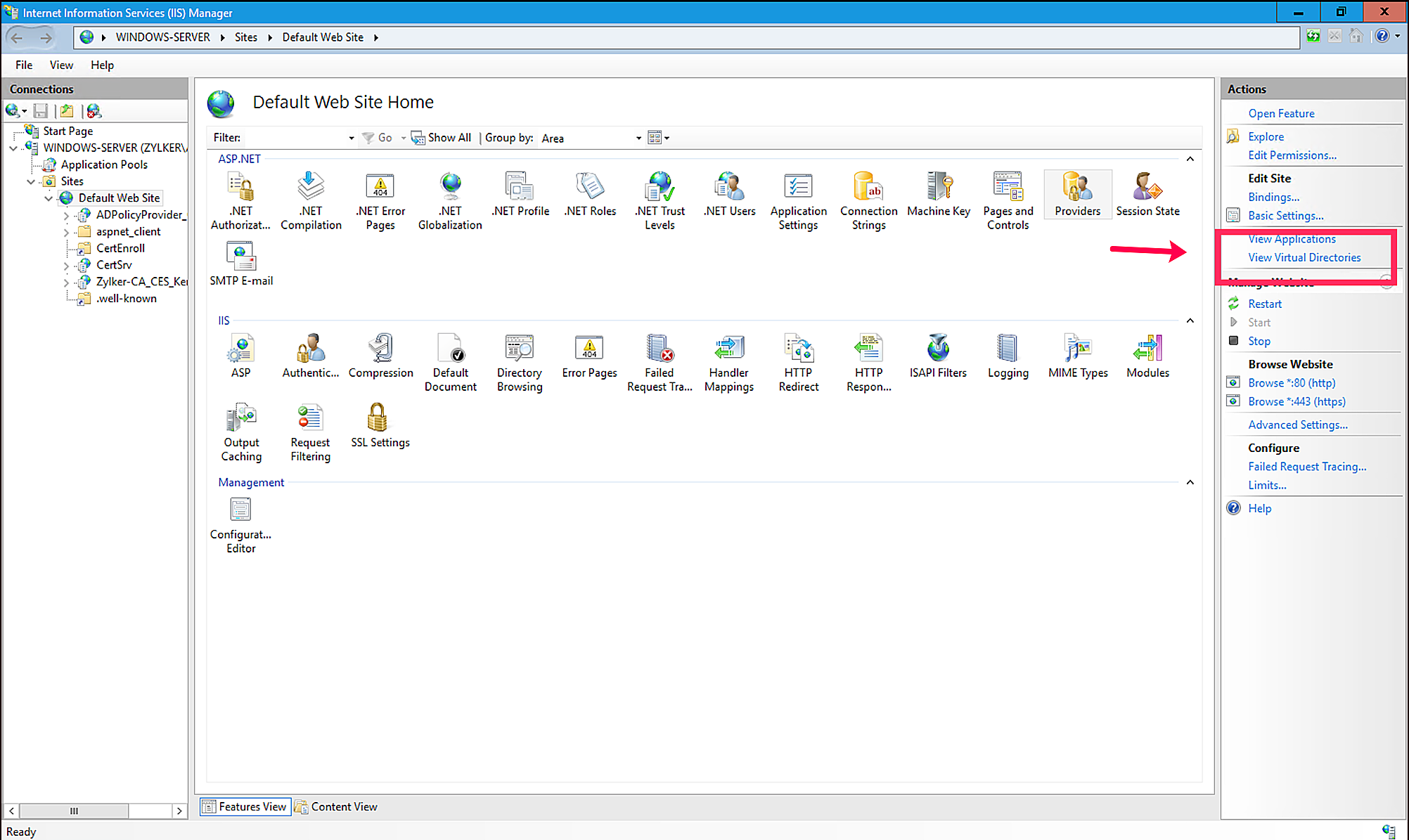
- In IIS Manager, select the site where your domain is hosted.
- Click View Virtual Directories.
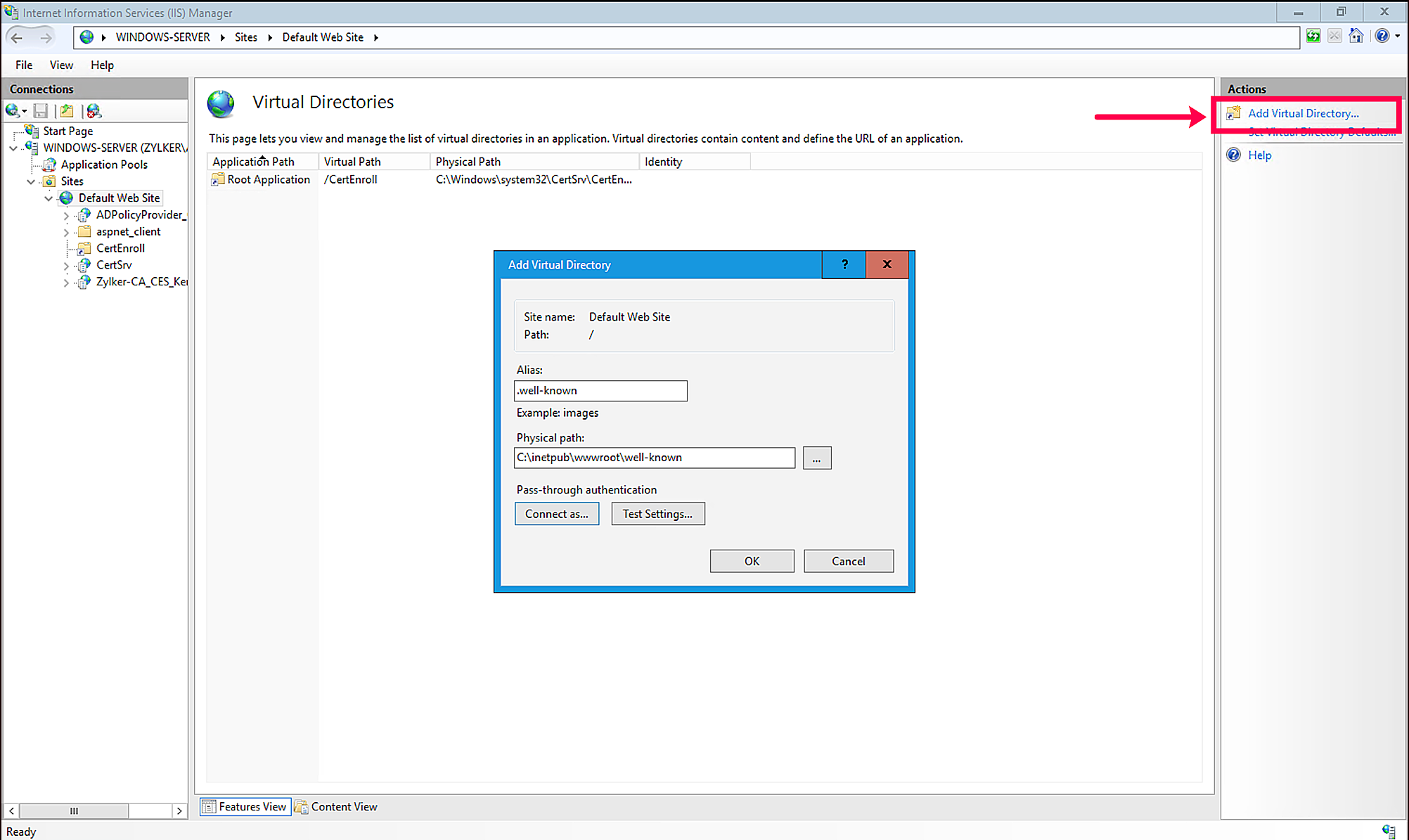
- Click Add Virtual Directory
- Alias: .well-known
- Physical Path: Map this to the location of the well-known directory created earlier.
- Click OK to save the virtual directory.
Creating a Custom MIME Type
Apple devices expect the HTTP response for the com.apple.remotemanagement file to have the Content-Type header set to application/json. To configure this on the IIS server, follow these steps:
Step 1: Add a Custom MIME Type
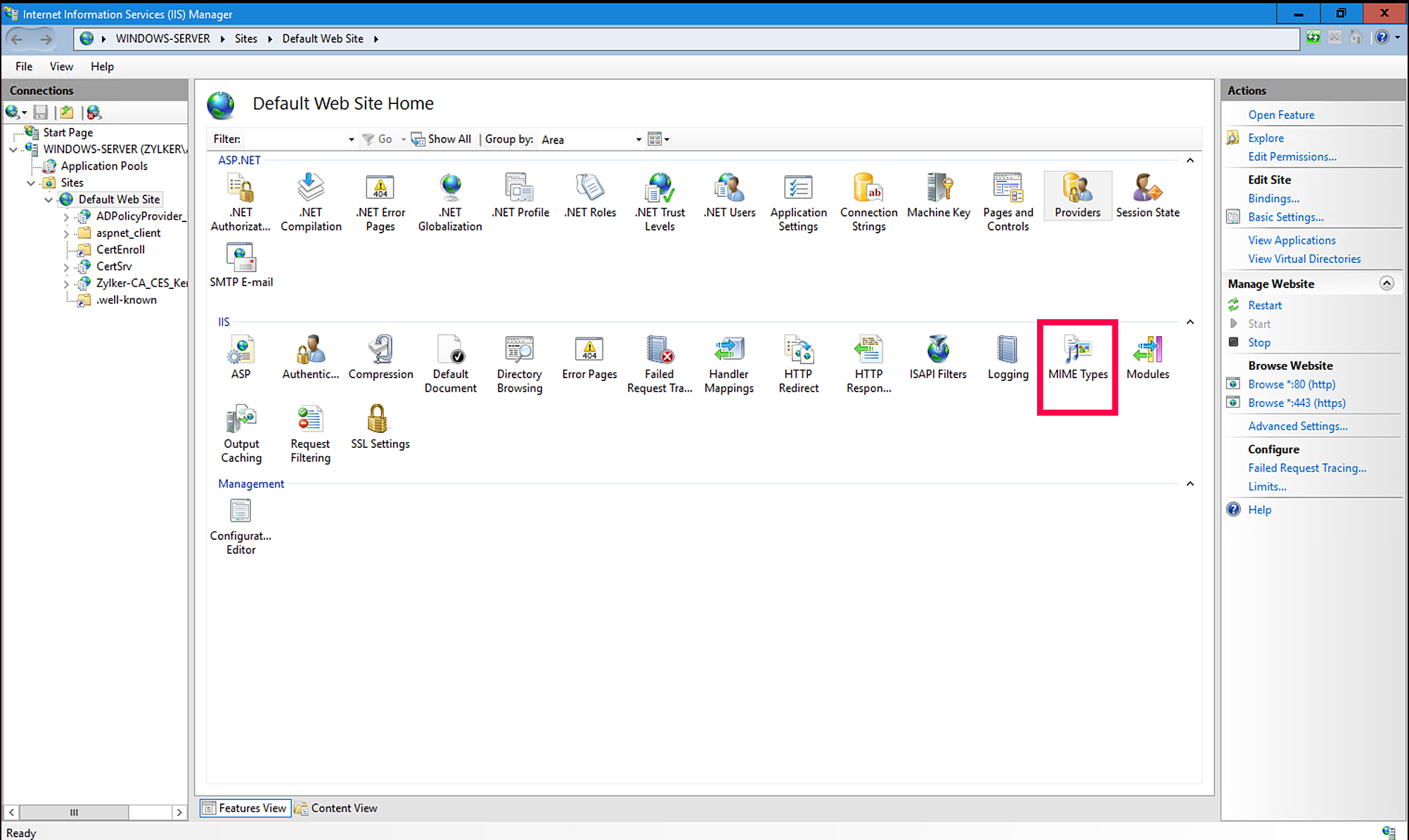
- In IIS Manager, select the site where your domain is hosted.
- Click MIME Types.
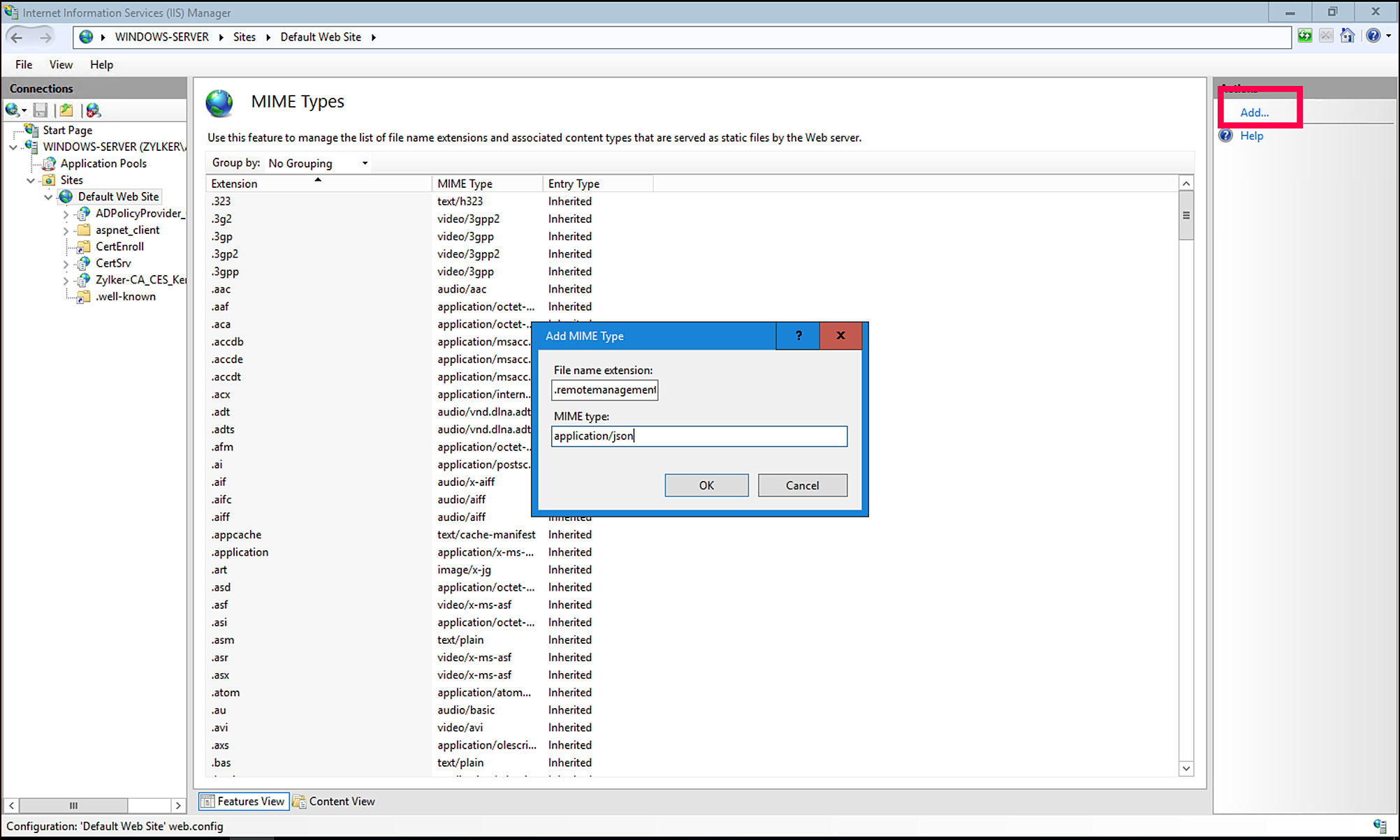
- Click Add to create a new MIME type.
- Extension: .remotemanagement
- MIME Type: application/json
- Click OK to save the MIME type.
Verification
After completing the above steps, verify the configuration by accessing the following URL in a browser or using a tool like curl:
https://{your-domain}/.well-known/com.apple.remotemanagement
Ensure that:
1. The file is accessible.
2. The Content-Type header in the response is application/json.
Troubleshooting
- If the file is not accessible, double-check the virtual directory configuration and ensure the well-known directory and com.apple.remotemanagement file are correctly placed.
- If the Content-Type header is incorrect, verify the MIME type configuration in IIS.
For more details, visit our Apple User Enrollment Guide.
Frequently asked questions
Why do I need to set up a .well-known directory on my IIS server?
Apple devices use the .well-known directory to discover the MDM service for Apple User Enrollment - it must contain a com.apple.remotemanagement file with your ServiceDiscoveryData.json content.
How do I create the .well-known directory on Windows, since directory names can't start with a period?
Create a regular folder named well-known containing the com.apple.remotemanagement file, then add a virtual directory in IIS with the alias .well-known mapped to that folder's physical path.
Why do I need to configure a custom MIME type for this file?
Apple devices expect the com.apple.remotemanagement file to be served with a Content-Type of application/json, so you must add a custom MIME type in IIS for the .remotemanagement extension mapped to application/json.
How do I verify the setup worked?
Access https://{your-domain}/.well-known/com.apple.remotemanagement in a browser or with curl, and confirm the file is accessible and its Content-Type header is application/json.