QR codeApple Business ManagerAndroid zero-touch
No IT hireStreamlined enrollment for lean teams
Bring devices under management without a dedicated security hire, using QR code enrollment, Apple Business Manager, or Android zero-touch enrollment.
Secure every device your team uses to work, without the enterprise budget or headcount




35,000+ businesses trust us worldwide










Bring devices under management without a dedicated security hire, using QR code enrollment, Apple Business Manager, or Android zero-touch enrollment.
Manage up to 25 devices at no cost with the full feature set enabled. Move to per-device pricing only once the business actually needs more.
Separate corporate data from personal data on employee-owned phones so IT can enforce security policies without touching personal photos, messages, or apps.
Set passcode requirements, device encryption, and app restrictions once, then apply them across every device in the business.
Configure a shared tablet at the front desk or a point-of-sale device in Kiosk Mode so it only runs the apps it's meant to.
Chat with an employee, view their screen, and run remote commands to fix an issue without asking them to bring the device in.
Track battery level, location, and compliance status across the fleet, and get alerted when a device falls out of policy.
Lock a misplaced phone, put it in Lost Mode, or wipe corporate data remotely the moment it goes missing.
Most free MDM plans are trials in disguise. The free edition here supports up to 25 devices permanently, with the same feature set as the paid Professional edition, not a limited preview meant to push an upgrade before the business is ready for one.
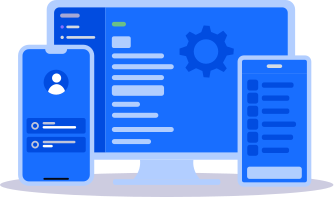
Small businesses rarely have someone whose full-time job is device security. Enrollment, policy setup, and day-to-day management are built to be handled by a general admin or an owner managing IT alongside everything else, with guided setup and live support available.
Small teams lean on personal phones more than larger companies do, simply because there are fewer company-issued devices to go around. Containerization keeps business email, apps, and files in an encrypted space on the employee's device, separate from anything personal.
Per-device pricing on paid plans means a business managing 30 devices isn't paying for the same license as one managing 300. Growth adds cost gradually, not in a lump-sum jump to the next licensing tier.
A small business rarely standardizes on a single platform. Whichever mix of Android, iPhone, Windows laptop, or Chromebook the team ends up using, it's managed from the same dashboard instead of a separate tool per device type.
No dedicated security hire, no multi-week rollout. A general admin or owner can have the whole fleet under management the same day.
Add phones, tablets, and laptops with QR code, Apple Business Manager, or Android zero-touch enrollment. Bulk enrollment means no hand-configuring one device at a time.
Turn on passcodes, encryption, app rules, Wi-Fi, and VPN from ready-made templates. Set it once and push to the whole fleet, or to just the group that needs it.
Watch every device's status, resolve issues remotely, and lock, locate, or wipe anything lost — all from a single dashboard, on any platform your team uses.
of small businesses that suffer a major cyberattack close within six months
average cost of a data breach for organizations with fewer than 500 employees
Organizations with fewer than 500 employees pay an average of $3.31 million per data breach, and roughly 60% of small businesses that suffer a major cyberattack close within six months, according to IBM's 2025 Cost of a Data Breach Report. An unmanaged phone or laptop, especially a personal device used for work, is one of the more common ways that exposure starts. Reviewer data on Capterra shows small businesses already make up the largest share of Mobile Device Manager Plus's user base, ahead of midsize and enterprise customers, so the product is used by, not just marketed at, businesses this size.
Source: IBM, 2025 Cost of a Data Breach Report
Two IT leads, two continents, the same problem: devices configured one at a time, with no single place to see them, before Mobile Device Manager Plus brought it all under one dashboard.
Before we had proper mobile device management in place, every device was configured individually. There was no way to see the full picture from one place. Security settings were inconsistent, software versions were out of sync, and if a device was lost or misused, we had limited options to respond quickly.
New mobile devices were all unmanaged with individualized security requirements. Devices were inconsistent with the way they were used, hence a lack of control over the devices.
The full Professional feature set, for up to 25 devices, free forever.
Everything in Standard, plus:


Secure every device your team uses to work, without the enterprise budget or headcount.
Yes. A general admin, office manager, or owner can enroll devices, apply security policies, and monitor compliance from a single console. Guided setup, live onboarding, and support are available for first-time teams.
Yes. It's a permanent plan (not a trial) managing up to 25 devices with the full feature set, including app management, security policies, and remote lock and wipe. A separate 30-day unlimited-device trial covers the Professional tier.
Move to the Standard or Professional plan at any time. Pricing is per device rather than a flat enterprise fee, and existing devices and policies carry over without a fresh setup.
Yes. Device count doesn't reduce the risk of a lost phone or compromised laptop exposing customer data. Smaller businesses are often targeted for assumed weak security, and one incident can be disproportionately damaging.
One that doesn't need a security specialist or charge enterprise rates for few devices. Mobile Device Manager Plus fits with a free edition for 25 devices, per-device pricing beyond that, and one console for Android, iOS, Windows, macOS, and Chrome OS.
Yes. It's available as cloud, on-premises, or MSP deployment. The cloud edition needs nothing to download, install, or set up, and the free 25-device edition works on cloud or on-premises.
Yes. ManageEngine is a Google-recognized Android Enterprise Gold Partner. Company phones can be enrolled as fully managed for complete control, while fully managed, kiosk, and work profile (BYOD) modes are all supported from one tool.