- What is a free RMM software?
- Why do MSPs and IT teams need RMM software?
- How does free RMM software work?
- What You'll Get In a Free RMM Solution
- Benefits of using a free RMM tool
- Choosing the right free RMM solution
Share:




A Remote Monitoring and Management (RMM) software helps MSPs and IT teams manage, monitor, and troubleshoot remotely distributed devices and networks from a central dashboard. It automates essential IT tasks such as patching, system updates, and performance monitoring, helping technicians maintain uptime and minimize disruptions.
Free RMM software provides these capabilities without an initial investment, making it easier for teams to evaluate functionality, test integrations, and understand scalability before adopting a paid solution. This model supports experimentation and learning, enabling MSPs and IT departments to align the software’s capabilities with their operational needs.
What is a Free RMM Software?
A free Remote Monitoring and Management (RMM) software is a tool that enables IT teams and Managed Service Providers (MSPs) to monitor, manage, and secure client networks remotely; without the need for large upfront costs. It combines automation, remote control, and real-time observability to simplify IT operations and enhance efficiency.
With a free RMM solution, technicians can automate routine maintenance tasks such as patch deployments, updates, and system checks, while gaining instant visibility into the health and performance of endpoints, servers, and network devices. Many modern RMM tools also include integrated monitoring dashboards, event correlation, and policy-based automation to detect issues before they impact operations.
Free RMM software is often used by MSPs to evaluate core functionalities like scalability, integration readiness, and usability, making it a practical starting point for building proactive IT management practices.
Want to know in detail about RMM software? Read this article.
Why Do MSPs and IT Teams Need RMM Software?
- Agentless device monitoring: Many MSPs struggle to monitor network devices (routers, switches, firewalls) because agents cannot always be installed. A modern RMM tool that supports agentless monitoring or poller-based data collection solves this gap; providing visibility across non-endpoint infrastructure.
- Alert fatigue & event correlation: Technicians often drown in redundant alerts and noise. Without event correlation and automated filtering, real issues get lost in the chatter. RMM tools offer event-correlation engines and smart alerting to reduce noise and surface meaningful incidents.
- Multi-tenant / role-based access for MSPs: MSPs managing many client accounts face complexity in maintaining separation of client data, per-client configurations, and technician access rights. A true multi-tenant RMM tool simplifies this, ensuring safe segregation and smoother operations.
- Scalable automation and remediation: When an MSP grows endpoints rapidly, manually scripting and deploying patches becomes unsustainable. RMM tools that support templated automation, dynamic policy deployment, and self-healing scripts help contain that growth without proportional head-count increases.
- Unified reporting and compliance oversight: With clients in regulated industries, MSPs need detailed logs, audit trails, and compliance-ready dashboards. RMM platforms that combine monitoring data with reporting and analytics simplify demonstrating value and meeting audits.
- Tool-chain integration (PSA, ITSM, backup): Many MSPs face “tool chaos”, disconnected systems for monitoring, ticketing, billing, and backup. When RMM lacks integration, it slows workflows and introduces data silos. RMM tools that integrate with PSA/ITSM reduce friction, streamline operations, and improve SLA delivery.
How does free RMM software work?
Free RMM software works on a client-server model, where lightweight agents installed on endpoints constantly send performance, security, and health data to a central RMM server. This server may be hosted on-premises or in the cloud, depending on how the MSP or IT team prefers to manage its infrastructure.
While the agent-based setup covers servers, desktops, and laptops, the RMM platform also supports agentless monitoring for network devices such as routers, switches, and firewalls. In these cases, an on-prem poller or probe acts as the collector; gathering metrics through APIs, SNMP, or syslogs and relaying them to the RMM console.
To optimize performance, RMM solutions also use distribution points and AD connectors. Distribution points help balance deployment loads across multiple client sites, while Active Directory connectors pull user and asset information from remote environments for unified visibility.
All incoming data-device metrics, logs, alerts, and audit information, is stored and processed within the RMM’s log management system. This helps detect anomalies and maintain compliance records automatically.
Example use case: Imagine an MSP monitoring a client’s network notices a device running abnormally high CPU usage. The RMM agent flags the anomaly, triggering an automated workflow that checks for unnecessary background services. The platform then deploys a pre-configured policy to optimize performance, and the results are recorded in the reporting dashboard; giving the technician full visibility of both the issue and its resolution.
What You'll Get In a Free RMM Solution
A free RMM platform isn’t just about remote access, it’s about bringing scattered IT operations under one roof. It helps MSPs and IT teams eliminate dependency on multiple tools, automate repetitive work, and respond to issues faster.
- Patch Automation
Stop juggling different tools for OS and app updates. With centralized patch automation, you can deploy, test, and approve updates across endpoints from a single console; cutting down security risks from unpatched systems.
- Remote Device Management
No more manual troubleshooting or constant site visits. Access, diagnose, and fix issues on any client device securely, whether it’s a Windows workstation, a macOS laptop, or a Linux server, all from one dashboard.
- Network Observability
Get complete visibility into every switch, router, and access point without depending on separate monitoring tools. Identify bandwidth spikes, configuration drifts, and performance anomalies before they hit your client’s business operations.
- Integrated Alerts and Automation
Avoid alert fatigue with intelligent automation rules. Define conditions once, and let the system auto-resolve low-level issues—like restarting failed services or clearing disk space, so your technicians can focus on critical problems.
- Log Management and Reporting
Manual log reviews are slow and unreliable. The RMM platform automatically collects system, event, and security logs from across endpoints, correlates them, and converts them into actionable reports for audits, compliance, and trend analysis.
- Scalable Deployment
As clients grow, so do their networks. Free RMM tools designed with distribution points and agent groups make scaling seamless; deploy new agents, policies, or updates across hundreds of endpoints in just a few clicks.,/p>
- Security and Access Control
Multiple technicians managing multiple clients often creates access confusion. Role-based permissions ensure every technician sees only what they’re supposed to, protecting client data while maintaining operational flexibility.
Benefits of using a free RMM tool
- Investing in a free-tier RMM tool isn’t just about getting something at zero cost, it’s about unlocking measurable business value from day one. For MSPs and IT teams, the right RMM tool can improve margins, scale operations, and generate new revenue.
- Reduced Tool Costs & Higher Margins: Many MSPs currently juggle multiple point-products for patching, remote access, monitoring, and scripting. Studies show that tool-sprawl eats into technician productivity and adds hidden subscription costs. A comprehensive RMM tool replaces multiple systems, reducing overhead and increasing margin per endpoint.
- Increased Technician Efficiency & Productivity: Data indicates that automation in an RMM tool can free up 15–25% of L1 technician time. Tasks like patching, script runs, and endpoint checks become automated, allowing the same tech team to support more clients without hiring additional staff. This staffing efficiency directly translates into higher revenue per technician.
- More Revenue-Generating Services: With a tool that supports remote monitoring, automation, and alerting at scale, MSPs can offer richer services, such as proactive maintenance, managed security add-ons, and higher-tier support plans. MSP benchmark surveys reveal that high-performing providers often view RMM as critical to their success, with 70% citing it as a key driver of profitability compared to 47% of the broader MSP base.
- Improved Client Retention & Uptime: Downtime is expensive, lost productivity, SLA penalties, and reputational damage. A high-quality RMM tool enables proactive detection of potential failures and faster remediation. By maintaining higher uptime and more predictable service levels, MSPs boost client satisfaction, reduce churn, and maintain recurring revenue.
- Scalable Growth Without Linear Cost Increases: As MSPs grow their client base, traditional support models often require proportional increases in staffing and infrastructure. However, using an RMM tool with multi-tenant architecture and automation lets MSPs scale operations without matching increases in cost. This leads to more profitable growth and better return on each added client.
In summary, when used strategically, a free RMM tool becomes more than just no-cost software, it becomes a key enabler for operational efficiency, service expansion, competitive differentiation, and ultimately, better bottom line results.
Choosing the right free RMM solution
Selecting the right free RMM software is not just about cost, it’s about ensuring the solution aligns with your long-term service delivery goals. A well-chosen RMM platform should reduce operational overhead, improve visibility, and grow with your business without forcing constant re-investment. Here are a few factors to keep in mind before finalizing your choice:
- Deployment flexibility
Look for an RMM solution that supports both cloud and on-premise deployments. This ensures you can adapt to your clients’ data residency needs and internal compliance frameworks. Hybrid setups also allow smoother scalability when transitioning from trial to full deployment.
- Architecture and scalability
The software should offer multi-tenant architecture, allowing you to manage multiple client environments securely from a single console. As your customer base grows, the platform must scale seamlessly without slowing down endpoints or inflating infrastructure costs.
- Automation and integrations
Automation sits at the heart of any modern RMM solution. Prioritize a tool that enables patch automation, remote configurations, and alert-based workflows. Bonus points if it integrates with PSA, ticketing, and ITSM systems, so your teams spend less time switching tabs and more time resolving issues.
- Security and compliance
Data security isn’t optional. Check for built-in role-based access control, encryption standards, and audit logs that ensure client data remains protected. Compliance with frameworks such as GDPR, HIPAA, or SOC 2 adds credibility when onboarding enterprise clients.
- Reporting and visibility
An effective RMM solution must offer clear and contextual insights. Ensure the platform provides customizable dashboards and automated reporting on patch status, endpoint health, and SLA performance, vital for client transparency and renewals.
- Support and community
Even with a free version, responsive vendor support and an active community are invaluable. Forums, documentation, and knowledge bases can help your teams shorten the learning curve and make the most of every feature.
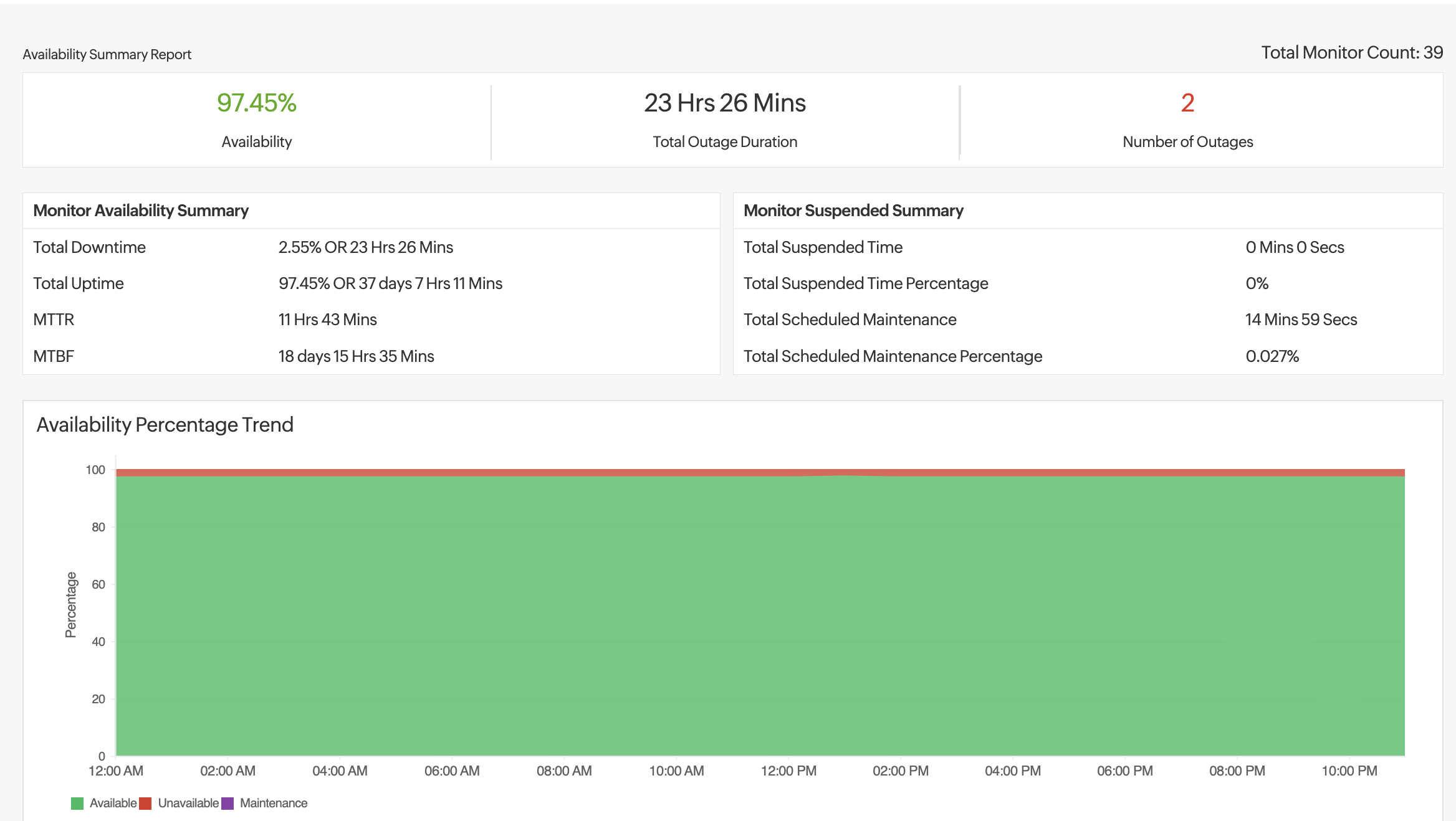
MSP Central brings everything an IT team or MSP needs under one unified platform. Its embedded RMM module functions as a complete, ready-to-scale remote monitoring and management solution; ideal for teams aiming to improve operational performance and establish a strong, consistent growth trajectory.
With MSP Central, automation, monitoring, and security converge seamlessly, enabling service providers to focus less on maintenance and more on delivering value.