- What is PSA Software?
- Why is PSA software important?
- When do your business need a PSA software?
- Core functional capabilities
- Integration & connectors
- Experience & workflow factors
- Business & vendor considerations
- Bringing it together with MSP Central
Share:




Choosing a PSA software is not just an operational decision for MSPs, it directly impacts how services are delivered, billed, tracked, and scaled. From handling tickets and technician time to managing contracts, invoices, and customer relationships, a PSA sits at the center of daily MSP operations.
This is also why choosing a PSA often feels complex. Most PSA platforms appear similar on the surface, yet differ significantly in how well they support real MSP workflows. Many buying guides highlight product-specific capabilities, making it difficult to distinguish core PSA requirements from optional or secondary features.
This guide helps MSPs cut through that noise. Instead of focusing on individual products, it outlines the essential capabilities and evaluation factors that consistently define a true PSA solution, based on what multiple industry sources agree matters most. It also covers business considerations such as integrations, scalability, usability, and total cost, helping MSPs evaluate long-term operational fit rather than short-term feature coverage.
By the end of this guide, MSPs will have a clear framework to assess PSA software confidently and choose a solution that supports both current operations and future growth.
What is PSA Software?
Professional Services Automation (PSA) software is a business management platform designed for service-based organizations to plan, track, and deliver services efficiently. It helps manage key operational functions such as service requests, time and expense tracking, project management, billing, invoicing, and reporting from a single system.
For managed service providers (MSPs), PSA software acts as the operational backbone by connecting service delivery with business workflows. It provides visibility into how work is performed, how resources are used, and how services translate into revenue, helping MSPs run their operations in a structured and scalable way.
Why is PSA software important?
As service businesses grow, managing operations using spreadsheets or disconnected tools leads to inefficiencies, errors, and limited visibility. PSA software addresses this by centralizing service operations and standardizing workflows across teams.
PSA software is important because it helps businesses improve operational efficiency, track billable work accurately, maintain service consistency, and gain real-time insights into performance and profitability. For MSPs, it ensures that service delivery, resource utilization, and billing are aligned making it easier to scale operations while maintaining control.
When do your business need a PSA software?
Your business typically needs PSA software when service operations become difficult to manage using manual processes or multiple tools. Common indicators include inconsistent service delivery, lack of visibility into technician workloads, delayed or inaccurate billing, and difficulty tracking project progress or profitability.
MSPs and service organizations benefit from PSA software when they start managing multiple customers, recurring services, SLAs, or project-based work. Implementing PSA at this stage helps establish structured processes early, reduces operational overhead, and supports sustainable growth.
Core functional capabilities
At its core, a PSA software is designed to help MSPs manage service delivery, technician effort, and revenue in a structured and measurable way. While PSA platforms may differ in depth or implementation, there are a few core functional capabilities that consistently define a true PSA solution.
- Ticketing and service management
A PSA provides a centralized system to log, track, prioritize, and resolve customer issues. This includes ticket categorization, status tracking, SLA management, and assignment workflows that ensure service requests are handled consistently and within agreed timelines.
- Time tracking and work logs
Accurate time tracking is fundamental to understanding technician utilization and service profitability. A PSA should allow technicians to log time against tickets, tasks, and projects, supporting both billable and non-billable work while maintaining clear audit trails.
- Billing and invoicing
PSA software connects service delivery with revenue. Core billing capabilities include converting time entries, contracts, and service items into invoices, supporting recurring billing models and reducing manual effort in the billing cycle.
- Contract and agreement management
Managing customer contracts, SLAs, and service agreements is a key PSA function. This ensures services are delivered as per agreed terms and helps MSPs track entitlements, renewals, and overages without relying on manual checks.
- Project management support
For MSPs delivering onboarding, migrations, or one-time engagements, PSA platforms provide basic project management features. These typically include task tracking, milestones, and visibility into time and cost spent against each project.
- Reporting and operational insights
A PSA acts as a source of operational data. Built-in reports and dashboards help MSPs track metrics such as ticket volumes, technician utilization, response times, and service profitability, enabling data-driven decision-making.
Integration and connectivity considerations
A PSA software rarely operates in isolation. For MSPs, its value increases significantly when it connects seamlessly with the rest of the service delivery stack. When evaluating PSA solutions, integration and connectivity should be treated as core selection criteria, not optional enhancements.
- RMM integration: One of the most critical integrations for a PSA is with RMM software. This allows alerts and events from monitored endpoints to automatically generate service tickets, reducing manual intervention and ensuring faster response times. Strong PSA–RMM integration also improves visibility by linking device data directly to service workflows.
- Accounting and billing system integration: PSA platforms are often the source of billing data, but invoicing and financial reconciliation may happen in external accounting systems. Integration with accounting tools helps sync invoices, expenses, and customer data, reducing errors and eliminating duplicate data entry.
- CRM and customer data integration: Access to accurate customer information is essential for service teams. PSA integration with CRM systems ensures that customer details, contracts, and communication history remain consistent across sales and service functions.
- Third-party tools and API support: Most MSPs rely on a growing ecosystem of tools. PSA platforms that offer native integrations and robust APIs provide greater flexibility, allowing MSPs to connect additional tools and adapt workflows as their operations evolve.
- Data consistency and workflow continuity: Beyond individual integrations, MSPs should evaluate how well data flows across connected systems. A well-integrated PSA maintains consistency across tickets, time entries, billing records, and customer information, enabling smoother workflows and fewer operational gaps.
Business and operational evaluation factors
Beyond features and integrations, MSPs must assess how well a PSA software fits into their day-to-day operations and long-term business plans. These business and operational factors often determine whether a PSA delivers sustained value or becomes an operational bottleneck over time.
- Ease of use and team adoption: A PSA is used daily by technicians, service managers, and billing teams. An intuitive interface and clear workflows reduce training effort and improve adoption across roles. Poor usability can lead to incomplete data, inaccurate reporting, and resistance from teams.
- Workflow flexibility and customization: Every MSP operates differently. A PSA should allow MSPs to configure workflows, ticket statuses, approval steps, and billing rules without heavy workarounds. Flexibility ensures the platform adapts to existing processes rather than forcing teams into rigid structures.
- Scalability and performance: As MSPs grow, the PSA must handle higher ticket volumes, more customers, additional technicians, and expanded service offerings.
- Scalability should be evaluated not only in terms of licensing but also performance consistency and administrative overhead.
- Security and access control: PSA software contains sensitive customer, financial, and operational data. Role-based access, audit logs, and data security controls are essential to protect information and maintain compliance with internal and external requirements.
- Total cost of ownership: The true cost of a PSA extends beyond licensing fees. MSPs should consider implementation effort, onboarding time, training requirements, integrations, ongoing support, and future upgrade costs when evaluating long-term value.
Bringing it together with MSP Central
As MSPs evaluate PSA software across features, integrations, and operational fit, one pattern becomes clear: fragmentation increases complexity. Managing tickets in one system, monitoring in another, and billing in a third often leads to data gaps, manual work, and inconsistent service delivery.
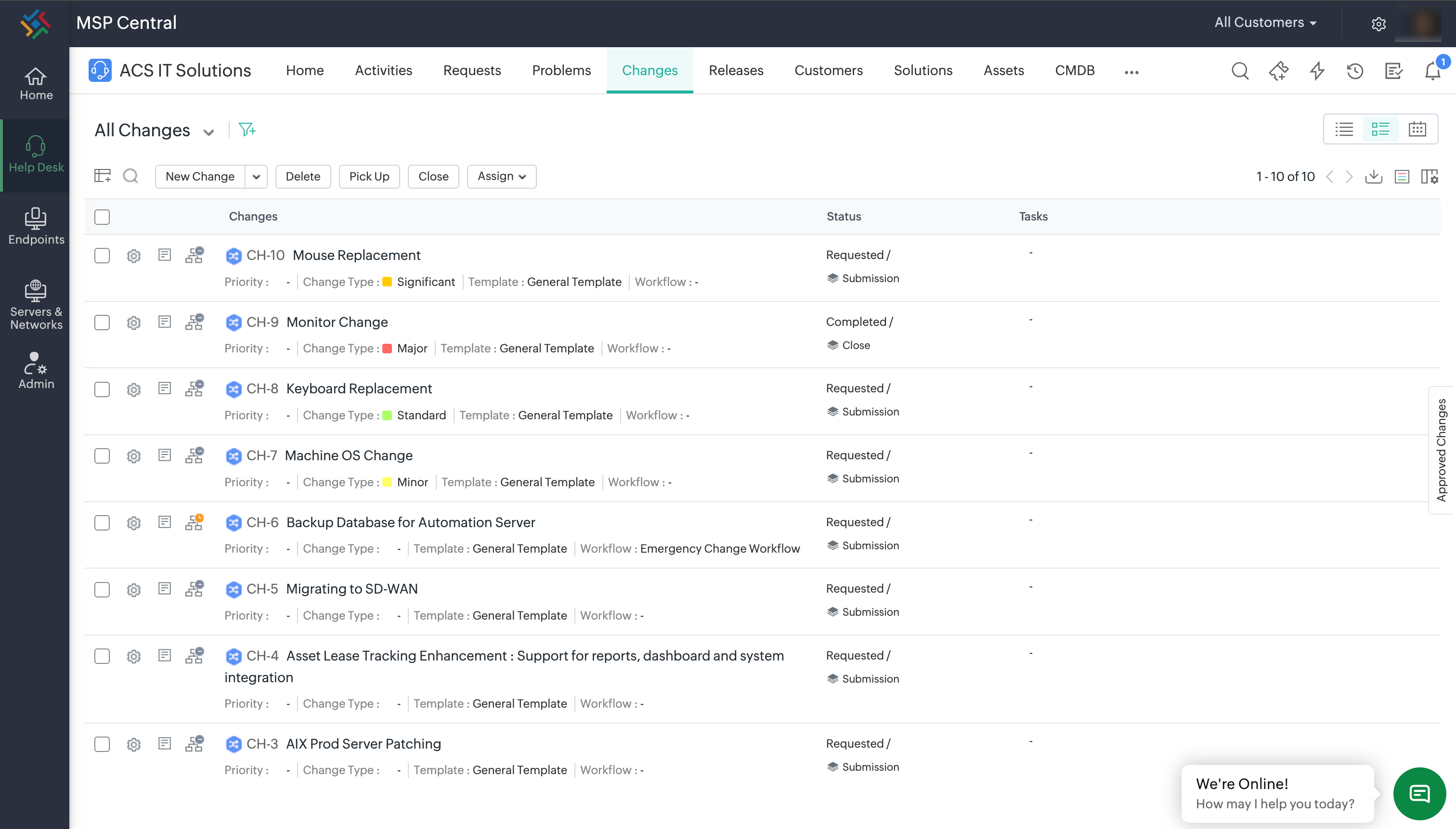
MSP Central addresses this challenge by bringing PSA and RMM together in a single, natively integrated platform. Instead of relying on loosely connected tools, MSPs can manage service operations, device monitoring, automation, and business workflows from one unified system.
With MSP Central:
- PSA workflows such as ticketing, time tracking, contracts, and billing are directly connected to RMM-driven alerts and device data.
- Operational data flows seamlessly across service, monitoring, and billing, reducing duplication and manual reconciliation.
- MSPs gain unified visibility into customers, endpoints, technicians, and service performance from a single console.
This native integration helps MSPs move from reactive service management to structured, scalable operations without the overhead of maintaining and synchronising multiple tools.
For MSPs looking to simplify operations while maintaining flexibility and control, MSP Central offers a practical approach to managing both service delivery and IT operations on one platform.