# Top 7 Free Network Monitoring Tools for IT Admins
[Download PDF](https://www.manageengine.com/network-monitoring/Network-Monitoring-Software.pdf)
## Table of contents
- [Introduction](https://www.manageengine.com/network-monitoring/free-network-monitoring-tools-wp.html#summary)
- [Critical network elements that need monitoring](https://www.manageengine.com/network-monitoring/free-network-monitoring-tools-wp.html#seven)
- [Top network management requirements for IT admins](https://www.manageengine.com/network-monitoring/free-network-monitoring-tools-wp.html#three)
- [Freeware: Commercial free network monitoring software](https://www.manageengine.com/network-monitoring/free-network-monitoring-tools-wp.html#freeware)
- [Integrated yet affordable IT management solutions from ManageEngine](https://www.manageengine.com/network-monitoring/free-network-monitoring-tools-wp.html#mengine)
## Introduction
Networks are becoming critical components of business success - irrespective of whether you are small or BIG. When network fails, customers and employees cannot communicate, employees cannot access critical information or use basic print or email services, resulting in productivity loss and revenue loss. [Network monitoring tools](https://www.manageengine.com/network-monitoring/network-monitoring-tools.html) reduce network outages and allow businesses to operate more fluently, cut costs, and prevent revenue loss. And for those who are small and are not allowed to think of a budget for a network monitoring software, a better alternative is to start with opencsource and freeware tools that reduce the time and money spent on network administration and management. This paper talks about the top freeware and open source network monitoring software available today.
## Critical network elements that need monitoring
Businesses depending on their size buy various networking infrastructure elements. Some of the basic network elements that need continuous monitoring are:
**Email servers**: Every organization will have an Email server which distributes emails to all LAN users. If the email server fails, users are disconnected from the external world and key functions such as customer support takes a hit. IT Managers need to monitor their email servers for availability, mails in queue, size of mails received etc.
**WAN links**: Small Enterprises can save money by optimizing the WAN links. If over subscribed, it costs heavily and if under subscribed it chokes the network. Hence IT administrators should carefully balance the throughput, committed information rate (CIR) and burst rate with congestion, response time, and discards to optimize the link utilization. IT Managers should also find out who’s using the most bandwidth to make necessary arrangements. Apart from bandwidth monitoring (discussed above), routers need to be monitored for availability and performance periodically. If a router fails it halts the entire LAN and hence IT Managers should set thresholds on various parameters on routers and attend problems immediately.
## Business applications
- **Servers & Services**: Servers run critical applications and hence should be monitored for CPU, memory, disc space, services running on them (FTP, DNS, ECHO, IMAP, LDAP, TELNET, HTTP, POP, etc.) and their response time. Moreover the traffic utilization trends of these servers should also be monitored.
- **Server logs**: Small businesses running windows machines should also monitor the server logs for failed logon, account lockouts, bad passwords, failed attempts to secure files, security log tampering etc. Monitoring these logs gives clear picture of security loop holes existing inside the organization.
- **Applications, Databases, & Websites**: Small businesses run several mission critical applications, websites, and databases which need to be monitored periodically. Applications can be monitored for availability, response time etc. URLs should be monitored for availability.
- **LAN Infrastructure**: Your LAN infrastructure devices such as switches, printers & wireless devices.
## Top network management requirements for IT admins
Small businesses have different network management needs and expectation because technical expertise and staff are limited. They want tools that are low cost, easy to install and use, and feature rich.
- **Low cost**: The network monitoring tool should be affordable.
- **Easy to install and use**: The network monitoring tool should be intuitive enough to get started without reading that dry boring documentation.
- **Feature rich**: Over and above, a [nework monitor](https://www.manageengine.com/network-monitoring/network-monitor.html?freenetmontools) should be able to monitor all your resources - both what you have today as well as what you might have tomorrow.
## 1) Nagios: The open source network monitoring software
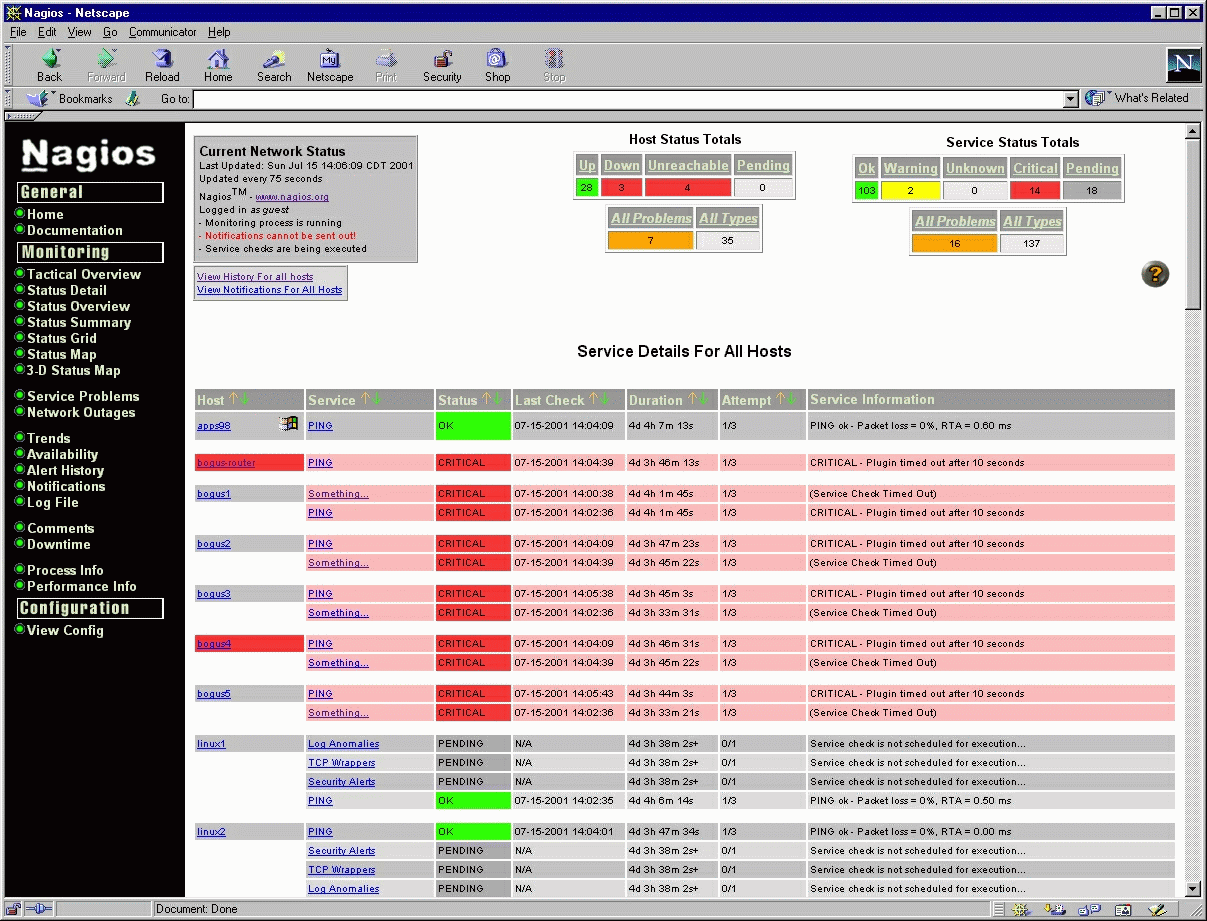
Nagios® is a host and service monitor designed to run under the Linux operating system, but works fine under most *NIX variants as well. The monitoring daemon runs intermittent checks on hosts and services you specify using external "plugins" which return status information to Nagios. When problems are encountered, the daemon can send notifications out to administrative contacts in a variety of different ways (email, instant message, SMS, etc.). Current status information, historical logs, and reports can all be accessed via a web browser.
## 2) MRTG: The open source traffic monitoring software
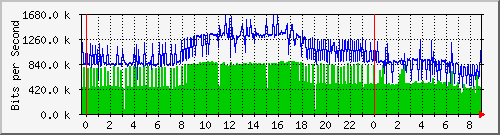
The Multi Router Traffic Grapher (MRTG) is a tool to monitor the traffic load on network links. MRTG generates HTML pages containing PNG images which provide a LIVE visual representation of this traffic like this:
## 3) Kismet: The open source wireless discovery / intrusion prevention software
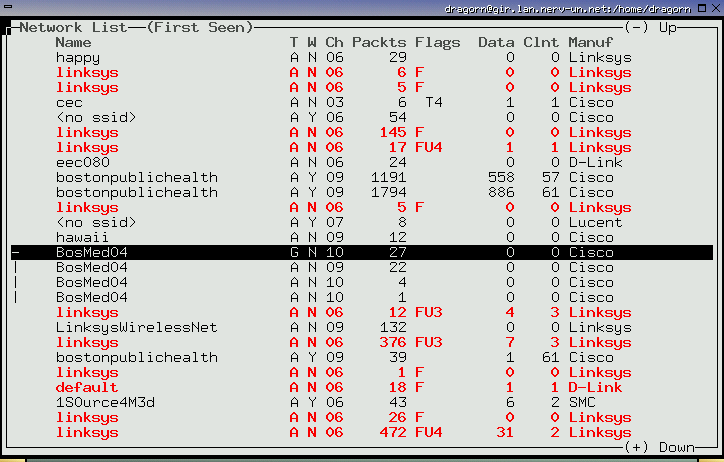
Kismet is an 802.11 layer2 wireless network detector, sniffer, and intrusion detection system. Kismet will work with any wireless card which supports raw monitoring (rfmon) mode, and can sniff 802.11b, 802.11a, and 802.11g traffic.
Kismet identifies networks by passively collecting packets and detecting standard named networks, detecting (and given time, de-cloaking) hidden networks, and inferring the presence of non-beaconing networks via data traffic.
## Other open source tools that are worth giving a try:
| Network Management | Others |
|---|---|
| **Network Management**
- Nagios - Network monitoring
- OpenNMS - Network management
- JFFNMS - Network management
- BigBrother - Systems management
- BigSister - Systems management
- Genesys - Network and systems management
- NetDisco - Network management
- REMSTATS - Network monitoring software
- Sysmon - Network monitoring software
- Cricket – Router monitoring
| **Others**
- MRTG - Traffic monitoring
- Ntop - Traffic monitoring
- Nessus – Remote security scanning
- PIKT – Systems monitoring and configuring
- RRDTool – Analytical graphing
- Webmin – Unix system admin
- Cacti – Network and systems performance graphing
- Cfengine – Network configuration
- Kismet -Wireless scanning
- NeDi - Network discovery
- Nmap - Network discovery
- Syslog NG – Log file analysis, consolidation, and filtering
|
## Freeware: Commercial free network monitoring software
Another alternative for SME's is to use freeware versions of popular commercial software like ManageEngine. The main advantages of this approach are obvious - SMEs get the same high quality software that is used by their larger counter-parts. This commercial freeware of ManageEngine is the [best free network monitoring software](https://www.manageengine.com/network-monitoring/best-free-network-monitoring-software.html) as they are easy to install and use with an active user community to turn to when they need help. The only challenge is that, there are some restrictions on the number of devices you can manage. However, the good news is, you can start with the freeware versions and later when your network grows you can conveniently upgrade to the affordably priced paid versions. ManageEngine offers free versions of the following tools:
- [Network Monitoring Software, OpManager](https://www.manageengine.com/network-monitoring/free-network-monitoring-tools-wp.html#opm)
- [IT Help Desk Software, Service Desk Plus](https://www.manageengine.com/network-monitoring/free-network-monitoring-tools-wp.html#sdp)
- [Applications and Database Monitoring Software, Applications Manager](https://www.manageengine.com/network-monitoring/free-network-monitoring-tools-wp.html#apm)
- [Eventlog & Syslog Analysis Software, EventLog Analyzer](https://www.manageengine.com/network-monitoring/free-network-monitoring-tools-wp.html#ela)
## 4) ManageEngine OpManager
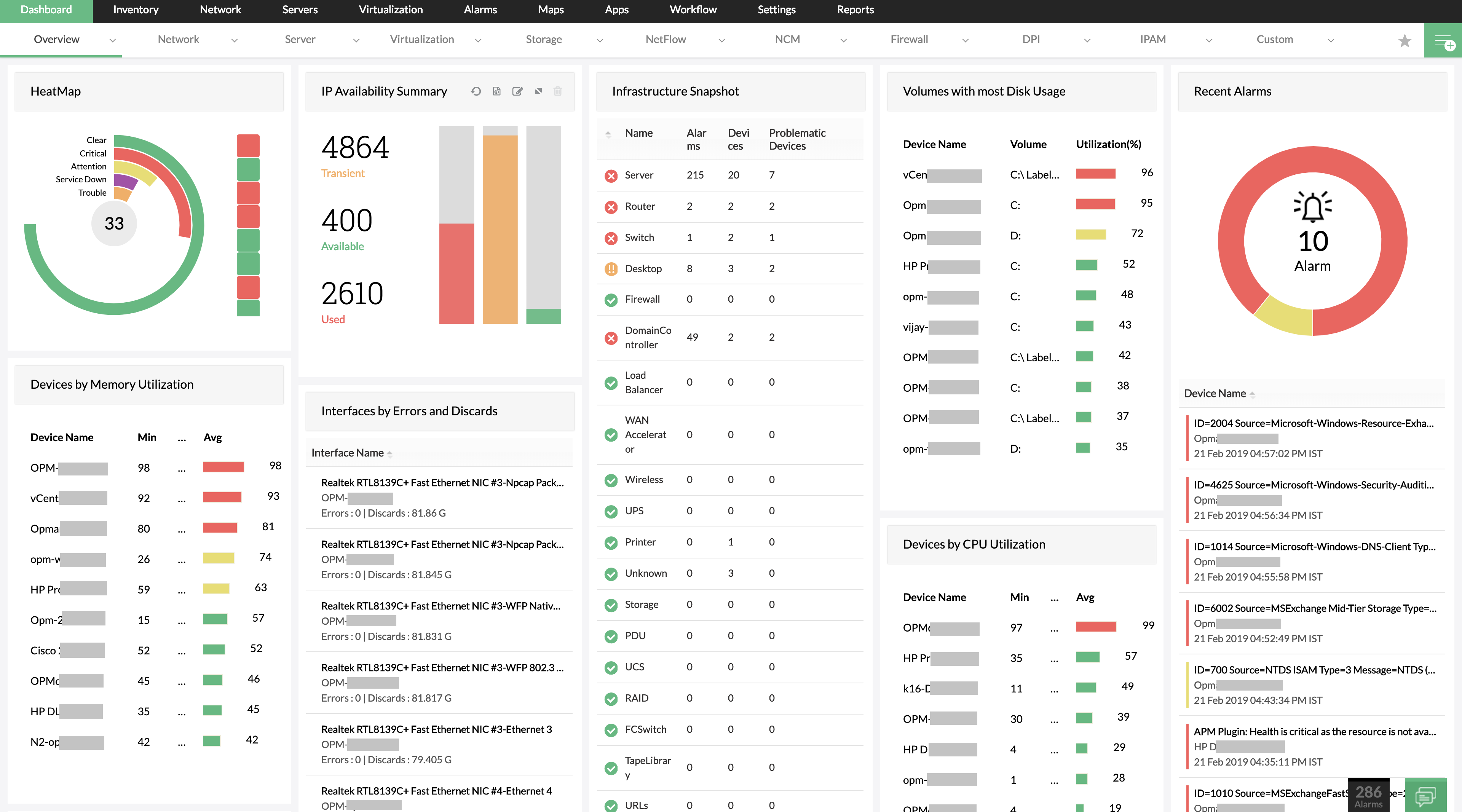
OpManager is a popular [network monitoring software](https://www.manageengine.com/network-monitoring/) used by thousands of IT administrators worldwide. Using the Free version of OpManager, you can monitor **10 of your most critical devices** like Routers, Servers, switches, Mail-servers, firewalls, printers etc. OpManager actively monitors these critical devices for availability and health and immediately alerts you by email or SMS, when it detects a problem. OpManager also generates useful charts and reports to analyze performance of your devices over a period of time.
[Check out network monitoring features on OpManager's Free Edition.](https://www.manageengine.com/network-monitoring/free-edition.html?nmt)
## 5) ManageEngine ServiceDesk Plus
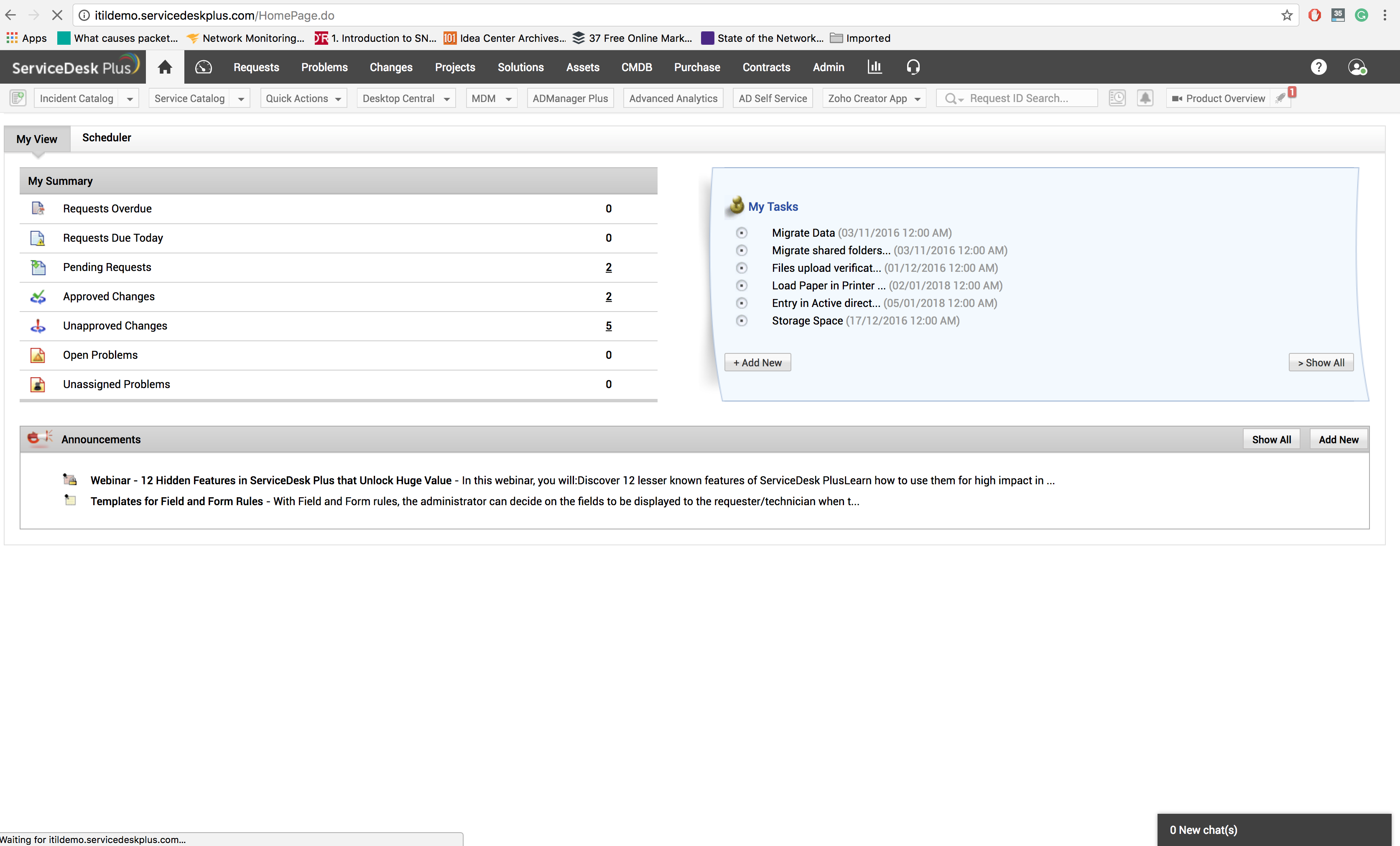
ServiceDesk Plus is an integrated IT helpdesk and Asset Management tool. Using the free version of SDP, you can run an efficient helpdesk to provide IT support to your end-users and also keep track of accurate hardware and software details of upto 25 workstations. A simple email from your end-users requesting help can automatically be converted into a ticket in SDP. [Download Free Edition>>](https://www.manageengine.com/products/service-desk/free-help-desk-software.html?onmt)
## 6) ManageEngine Applications Manager
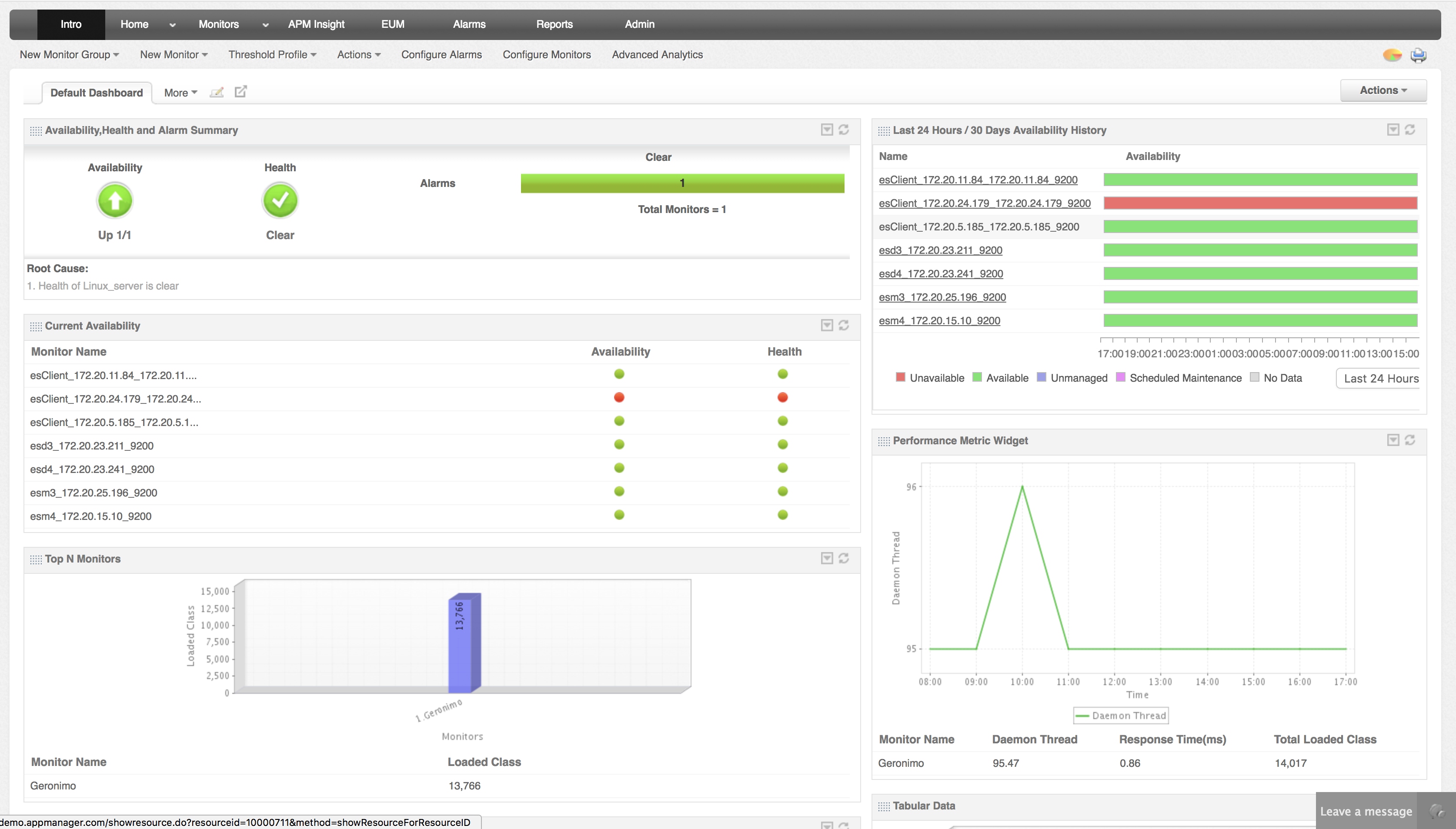
Applications Manager allows you to gain in-depth visibilty into how your applications are performing. Using Applications Manager you can monitor Application Servers, Database Servers, web-sites and Systems and alerts you instantaneously when it detects availability and health problems. [Download Free Edition >>](https://www.manageengine.com/products/applications_manager/download-free.html)
## 7) ManageEngine EventLog Analyzer
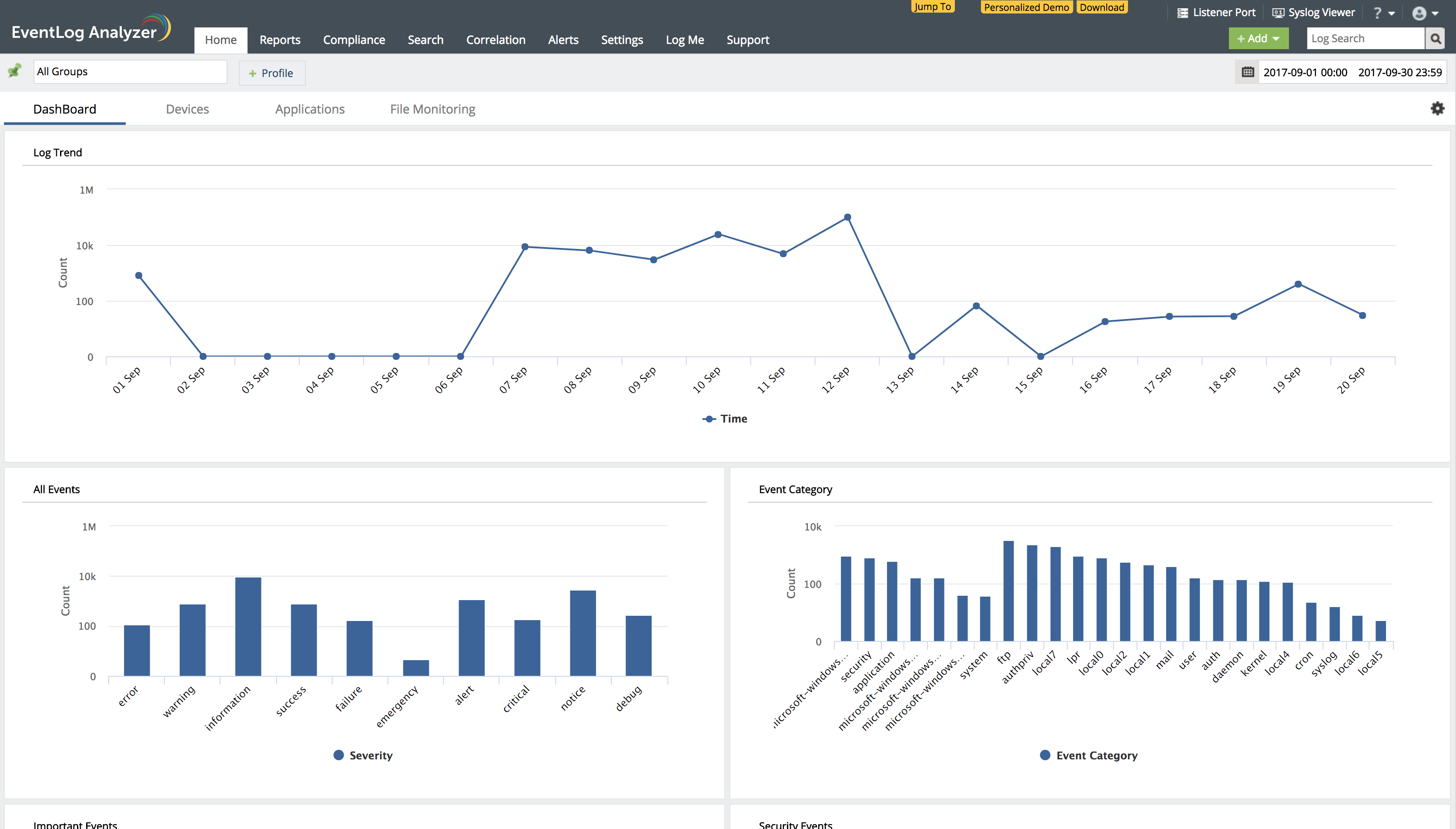
ManageEngine Eventlog Analyzer, a web-based event management solution that collects, analyzes, and reports on event logs from enterprise-wide Windows and UNIX systems. EventLog Analyzer improves security and reduces downtime of critical servers on your enterprise network. And generates graphs and reports that help in analyzing and troubleshooting system problems with least impact on network performance. [Download Free Edition >>](https://www.manageengine.com/products/eventlog/download-free.html)
## Next generation integrated yet affordable IT management solutions from ManageEngine
ManageEngine offers a broad range of [network monitoring software](https://www.manageengine.com/network-monitoring/network-monitoring-software.html?free-nmtools-wp), wireless network monitoring software, bandwidth monitoring software, application monitoring software, eventlog monitoring software, firewall monitoring software, and helpdesk software at affordable price points. Their free tools cater to small networks. Those who start with free tools from ManageEngine can later migrate seamlessly to the commercial versions.