# Alarm Message Match Criteria
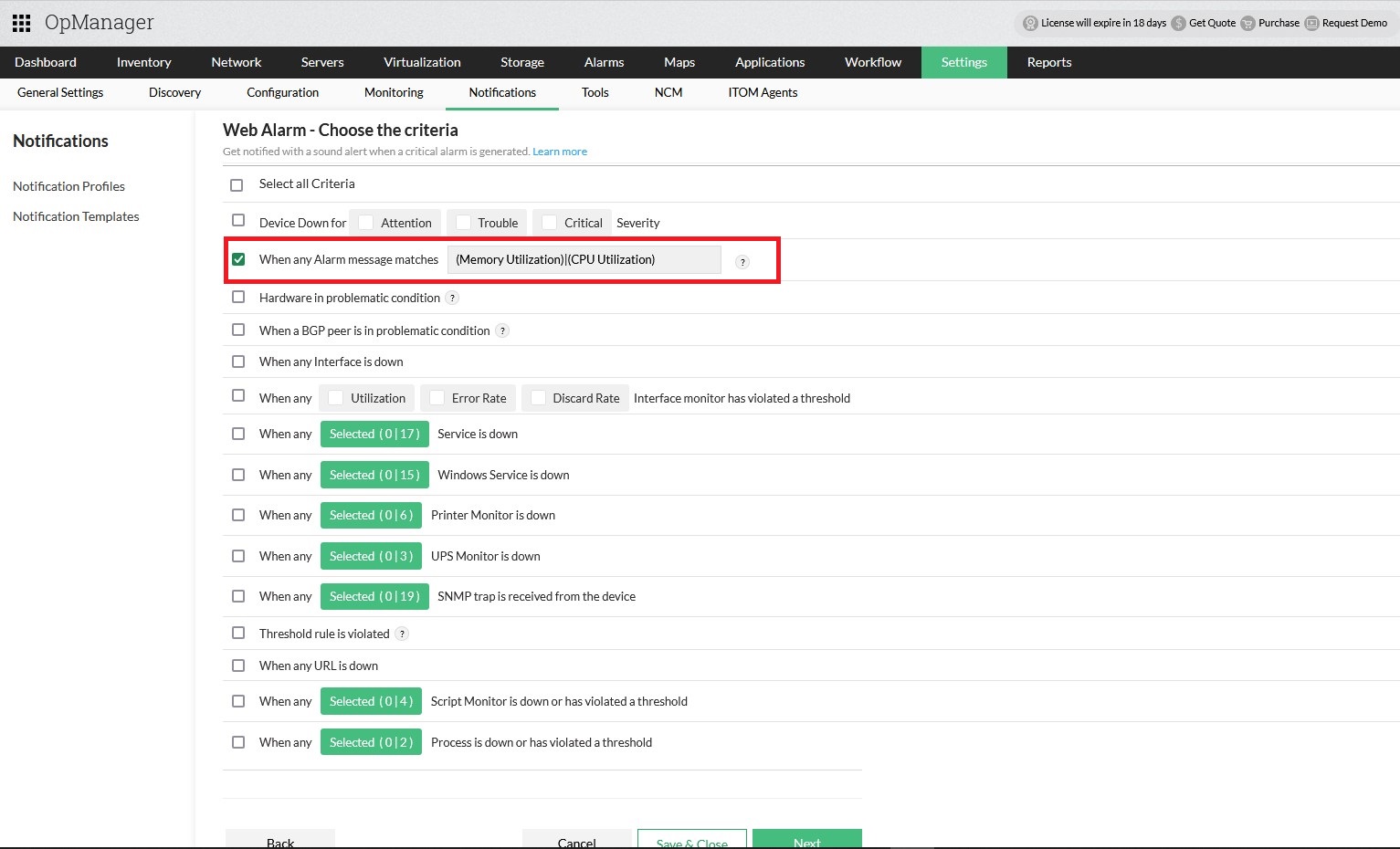
When creating or updating a [Notification Profile](https://www.manageengine.com/network-monitoring/help/configuring-notifications.html), a new criteria, **"When any Alarm Message matches "**, is now available. [Click here](https://www.manageengine.com/network-monitoring/help/notifications-profile-criteria.html) to learn more about Notification profile criteria.
This feature allows users to define custom conditions using text or regex patterns to filter alarm messages. If an alarm message for a device matches the specified text or regex pattern, the associated Notification Profile will be triggered.
## Input Field Guidelines
Ensure the input is precise and adheres to the supported formats to effectively match and trigger the desired notification profile.
### Supported Content Types
- **Plain Text:** Any sequence of alphanumeric characters.
- **Regular Expressions:** Valid regex patterns for advanced and dynamic text matching.
### Examples
| Condition | Regex Pattern | Example Condition | Matched Alarm Message |
|---|---|---|---|
| **AND** | (?=.*XXX)(?=.*YYY) | (?=.*Memory Utilization)(?=.*java.exe) | 1. Memory Utilization is 84%, Top 3 Processes: java.exe - 6.293%; idea64.exe - 5.941%; ulaa.exe - 4.222% |
| **OR** | (XXX)|(YYY) | (Memory Utilization)|(CPU Utilization) | 1. Memory Utilization is now back to normal 2. CPU Utilization is 10%, threshold value for this monitor is 1% |
### Restricted Characters and Patterns
Certain characters and regex patterns are restricted as they can lead to overly broad matches, capturing all alarm messages.
#### Restricted Characters and Patterns:
- *
- .
- .*
- |
- +
- ^.*$
- (.*)?
- (?=)
- (?<=)
- [\s\S]+ and similar patterns
- [\d\D]* and similar patterns
- [\u0000-\uFFFF] and similar patterns
- .{0,} and similar patterns
- {1,} and similar patterns
**Note:** To ensure accurate and effective filtering, avoid using overly generic regex patterns. Carefully define your criteria to align with the specific alarms you wish to target.