Integrate OpManager with ArcSight
OpManager integrates with ArcSight, an SIEM tool to enhance the monitoring and correlation of your network and security events. ArcSight works by enabling a centralized analysis of logs and security data across your IT infrastructure. By this integration, the security teams will be able to detect, investigate, and respond to real-time threats.
Configuration in ArcSight
Configuration in OpManager
Configuration in ArcSight
Steps to configure in ArcSight
- Linux : Install ArcSight ESM, if you are integrating from Linux OS.
- Windows : Install Smart Connector if it is Windows OS.
- Configure syslog inputs:
- Syslog Daemon (UDP 514)
- Choose ArcSight ESM as the destination.
- You can create custom parsers and apply other customizations if required.
Note:
- For detailed steps to configure the UDP input, check the ArcSight documentation.
- Ensure that 514 port or the specific port configured for receiving syslog is available and listening to the syslogs and not blocked in the firewall.
Configuration in OpManager
Configure Audit and Access logs
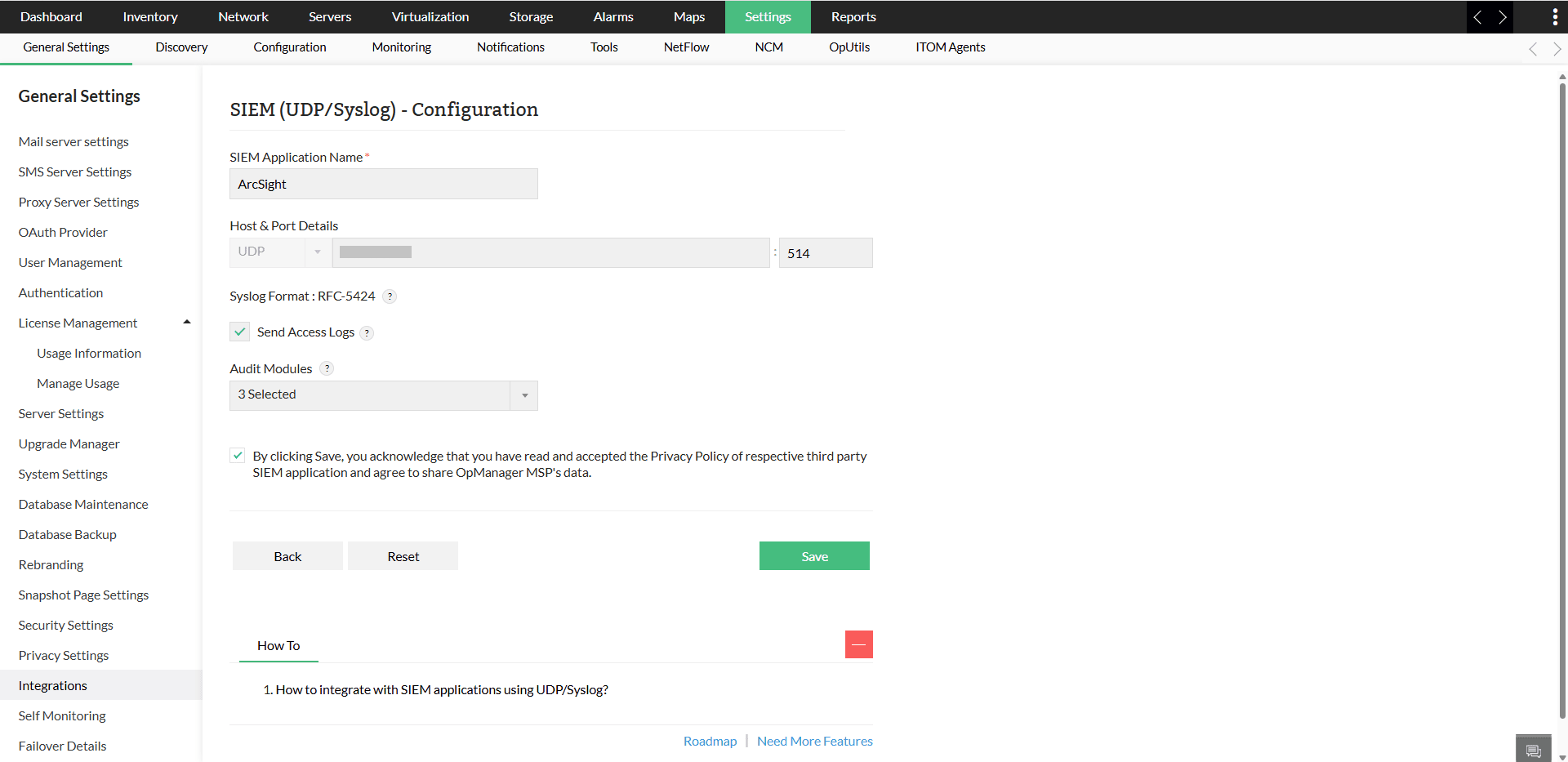
- Go to Settings → General Settings → Integrations → SIEM (UDP/Syslog) - Configuration.
- Provide the SIEM Application Name as 'ArcSight'.
- Specify the Host name of the collector node.
- In the port field, mention the syslog listening port.
- Select Send Access logs or choose Audit modules from the dropdown. You can also select both together based on your requirements.
Associate a Notification Profile
Follow the steps below to configure notification profile for IBM QRadar
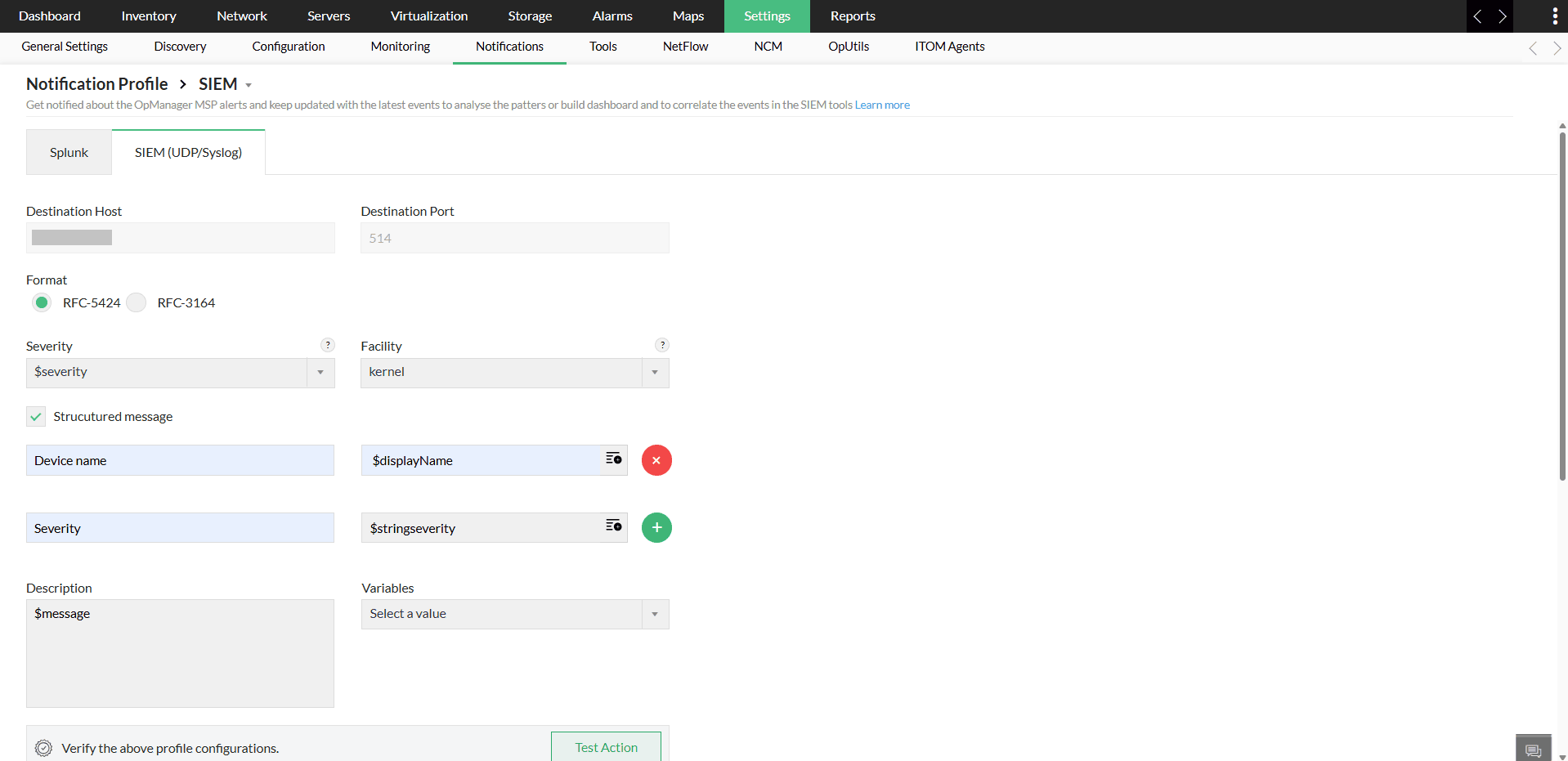
- Go to Settings → Notification Profile and click Add.
- Select SIEM, then choose SIEM (UDP/Syslog).
- Enter the required parameters, including Format, Severity, Facility, Description, and relevant Variables.
- If required, enable structured message and provide the inputs in the required fields.
- Click on Test Action to verify the profile configuration.
- Learn more about configuring criteria, devices, and time window in notification profiles here.
- Click on Save.
Verifying the Integration
After the integrating ,you can check for logs received from OpManager to ArcSight.