Installed Software
The Installed Software tab provides a consolidated view of all software discovered on a managed device, including the software name, version, and installation date. OpManager collects this information using the protocol defined in the device's default credential profile. Version details are retrieved using WMI, CLI.
To view the installed software of a device, navigate to Inventory → Devices, select the required device, and open its snapshot page. The Installed Software tab displays the complete list of installed software of the device. The list can be exported in PDF, Excel, or CSV formats.
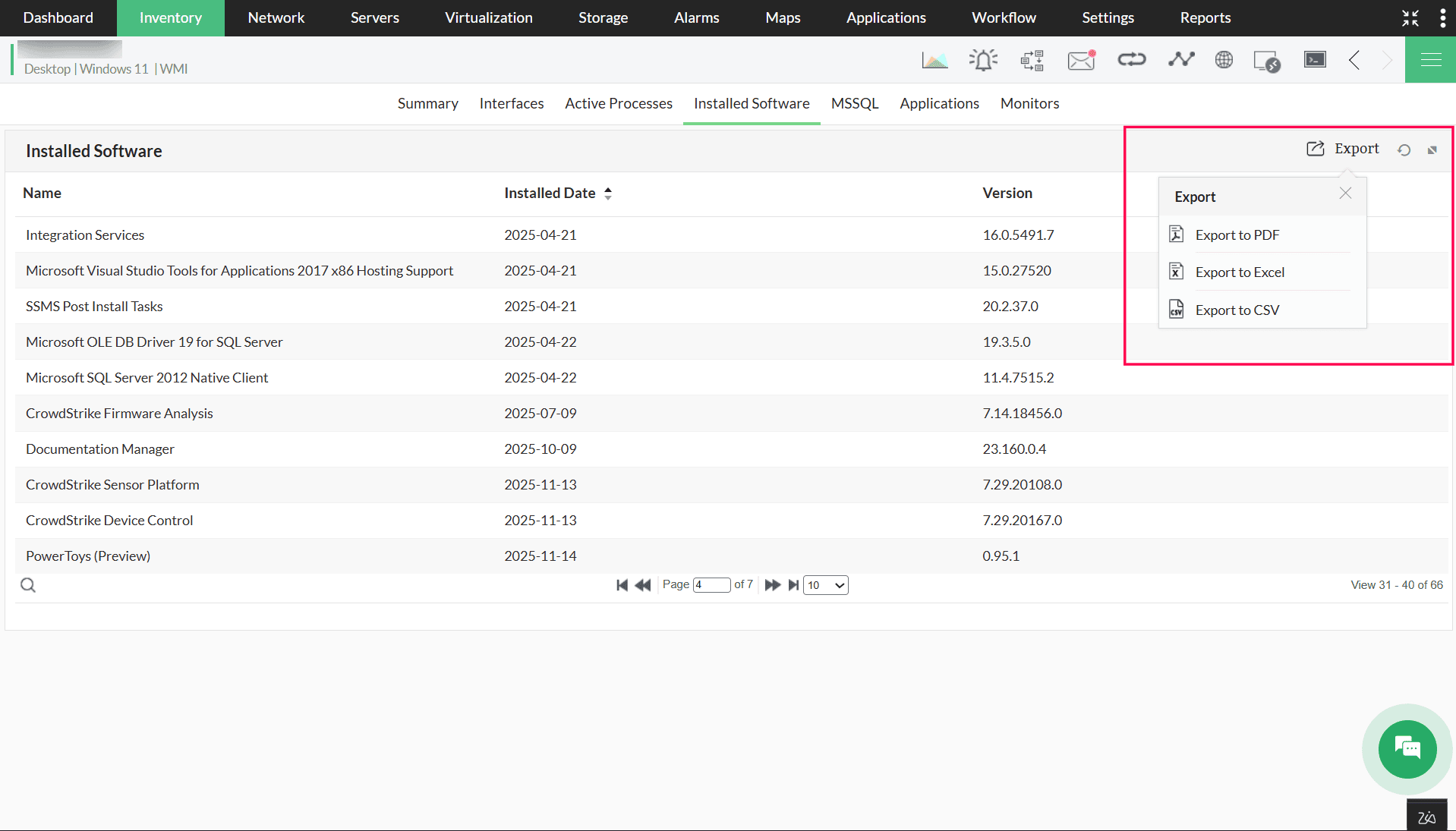
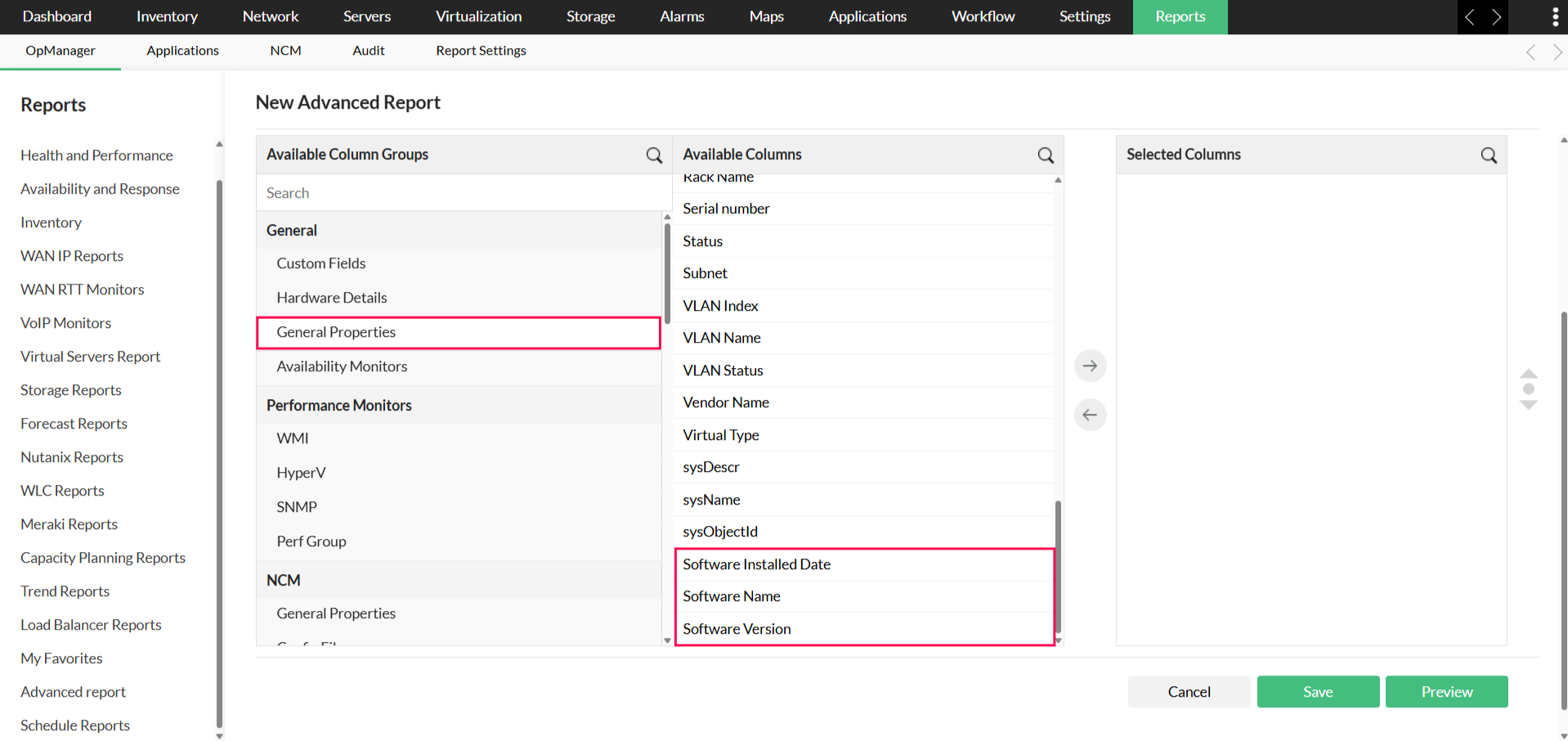
OpManager updates installed software details through the scheduler at a default interval of 12 hours. You can also generate bulk exports for multiple devices through Advanced Reports, which include software name, version, and installation date.
NOTE:
- If a device has more than one credential type associated with it, OpManager follows the priority order below to retrieve installed software details: WMI/CLI → SNMP
- Example 1: When both WMI and SNMP credentials are available, OpManager attempts to retrieve the information using WMI first. If the attempt fails, SNMP is used.
- Example 2: When both CLI and SNMP credentials are available, OpManager attempts to retrieve the information using CLI first. If the attempt fails, SNMP is used.