License Management
OpManager offers a centralized License Management console available across all editions. This interface provides IT administrators a real-time overview of license usage across various modules including devices, Network Configuration Management, NetFlow Analyzer, Switch Port Management, and more.
It is divided into two key sections:
- Usage Information: Displays purchased vs. used licenses across modules.
- Manage Usage: Enables direct filtering, managing, or unmanaging of components without accessing each module’s inventory page.
This helps streamline license operations and ensure optimal utilization.
Accessing the License Management Page
- Navigate to the top menu and click Settings.
- In the left panel, go to General Settings.
- Click License Management.
- In the Enterprise Edition, this option is available only on the Central Server.
- Accessible only to users with Administrative privileges.
This opens the dashboard displaying usage and allocation of licenses across probes and modules.
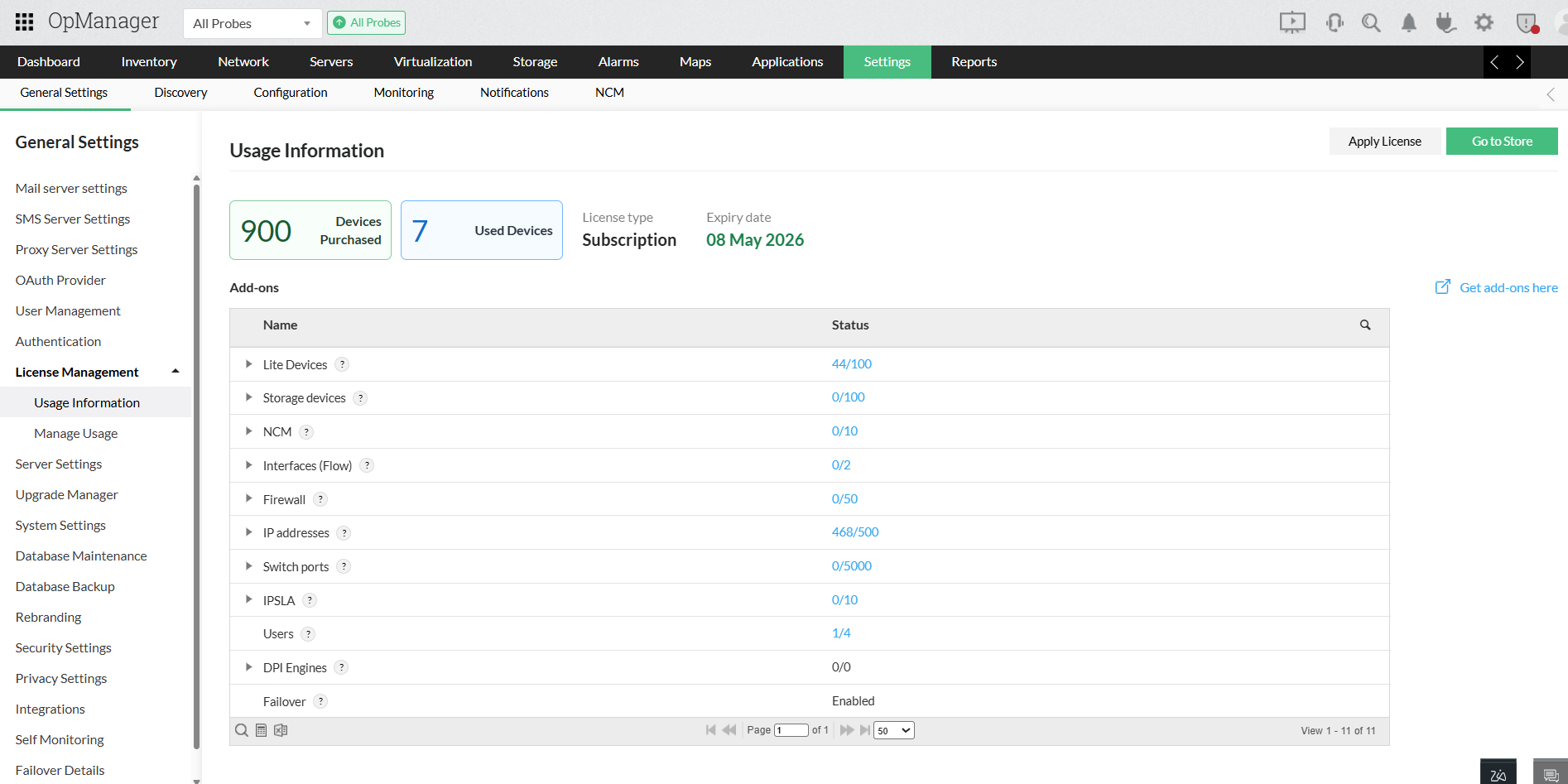
License Management Overview
Usage Information
This tab provides a summarized view of:
- Total number of devices purchased
- Current device usage
- License expiry information
- Module-wise license utilization (e.g., Devices, Lite Devices, NCM, SPM)
Clicking on each module shows a breakdown by probe.
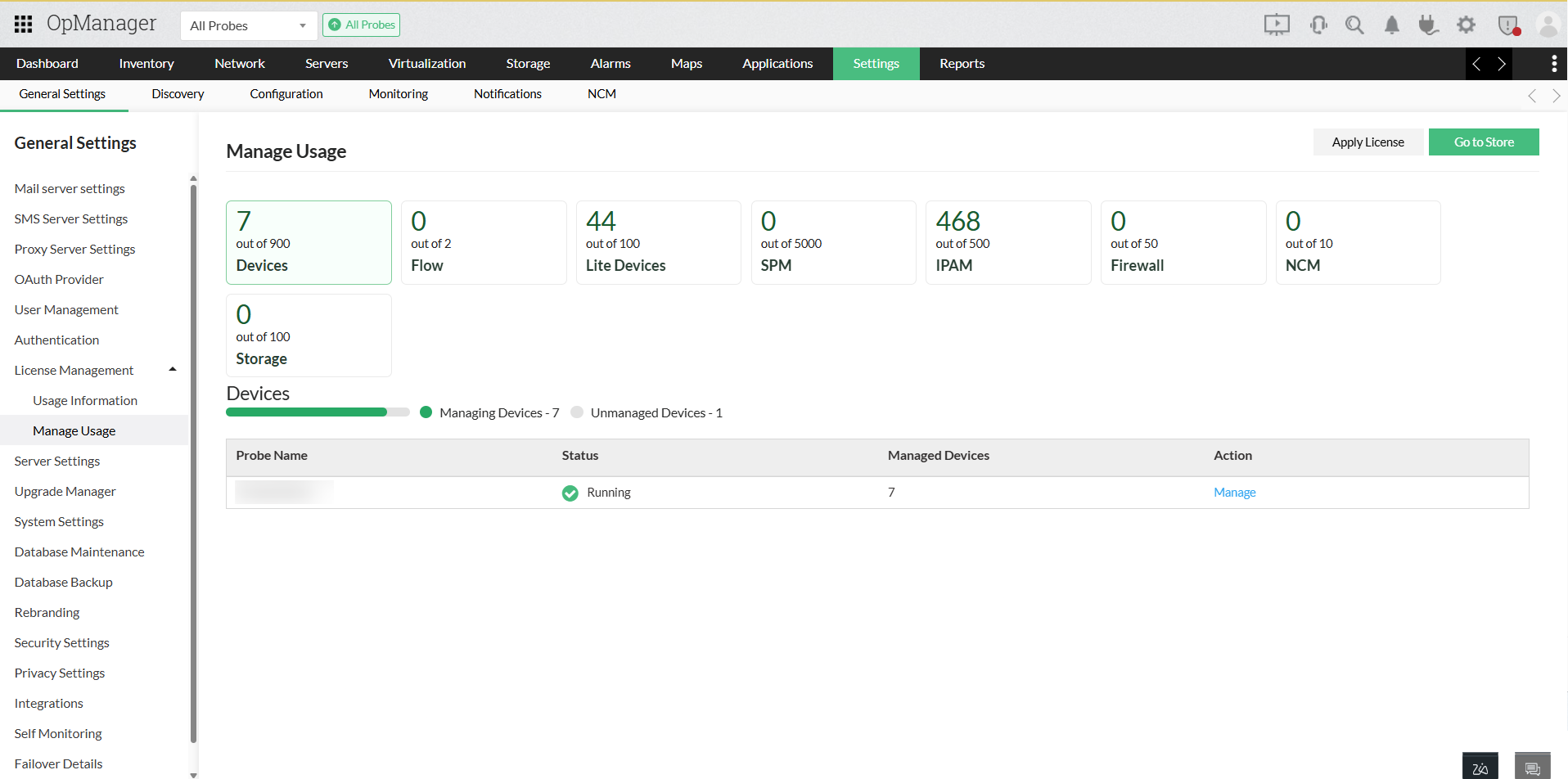
Manage Usage
This section enables administrators to:
- Drill down into license categories like Devices, Lite Devices, NCM, NetFlow, and SPM
- Filter between managed and unmanaged devices
- View allocation by probe
Manage Devices by Category
The following components are available for license usage tracking:
- Devices – Standard monitored devices
- Flow – NetFlow or traffic analysis devices
- Lite Devices – Limited monitoring devices
- SPM – Switch Port Management
- IPAM – IP Address Management
- Storage – SAN/NAS environments
- Firewall Analyzer
- NCM – Network Configuration Manager
Devices within these components can be managed, unmanaged, or deleted based on monitoring needs. This allows admins to reassign licenses efficiently and disable monitoring for unused devices.
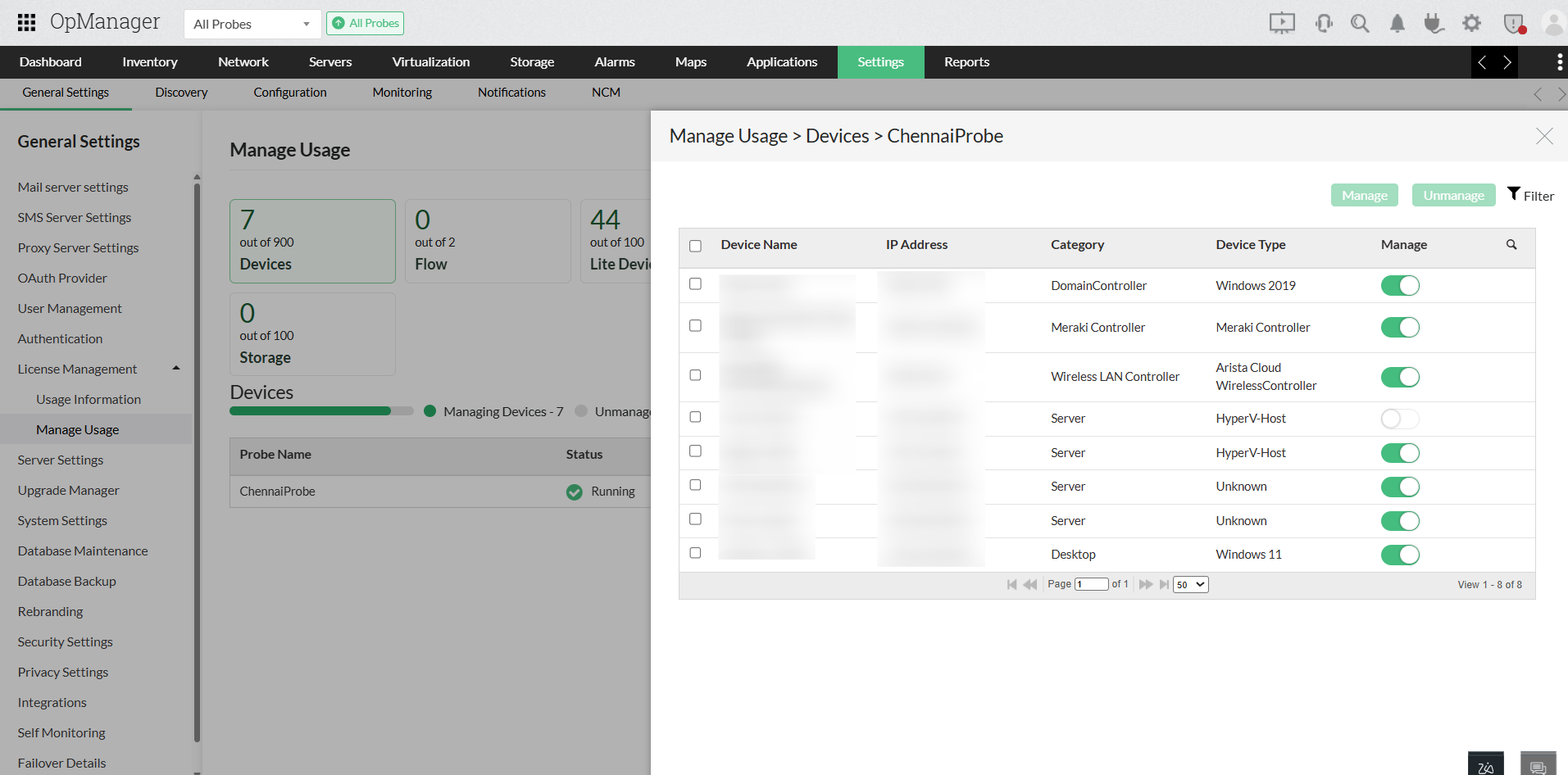
Key Features
- Centralized license tracking across all modules
- Quick toggle between device types and probes
- No need to access individual inventory pages
- Advanced search, filter, sort, and bulk manage options