Managing Duplicate Notifications
In OpManager, when a single device is part of multiple Device Groups and if each group has its own Notification Profile, the same alert can be triggered multiple times—once for each Group. This can lead to duplicate notifications and unnecessary noise.
To solve this, OpManager now includes a setting that lets you ignore alerts from devices in Selected Device Groups. When this option is enabled, notifications are only sent based on the Notification Profile of the group you choose—helping you avoid repeated alerts for the same issue.
When should you choose to ignore notifications from the Selected Device Groups?
- A device is part of more than one group.
- You have set up different Notification Profiles for each group.
- You want to avoid multiple alerts for the same event on a single device.
Steps to set up alert suppression for Selected Device Groups
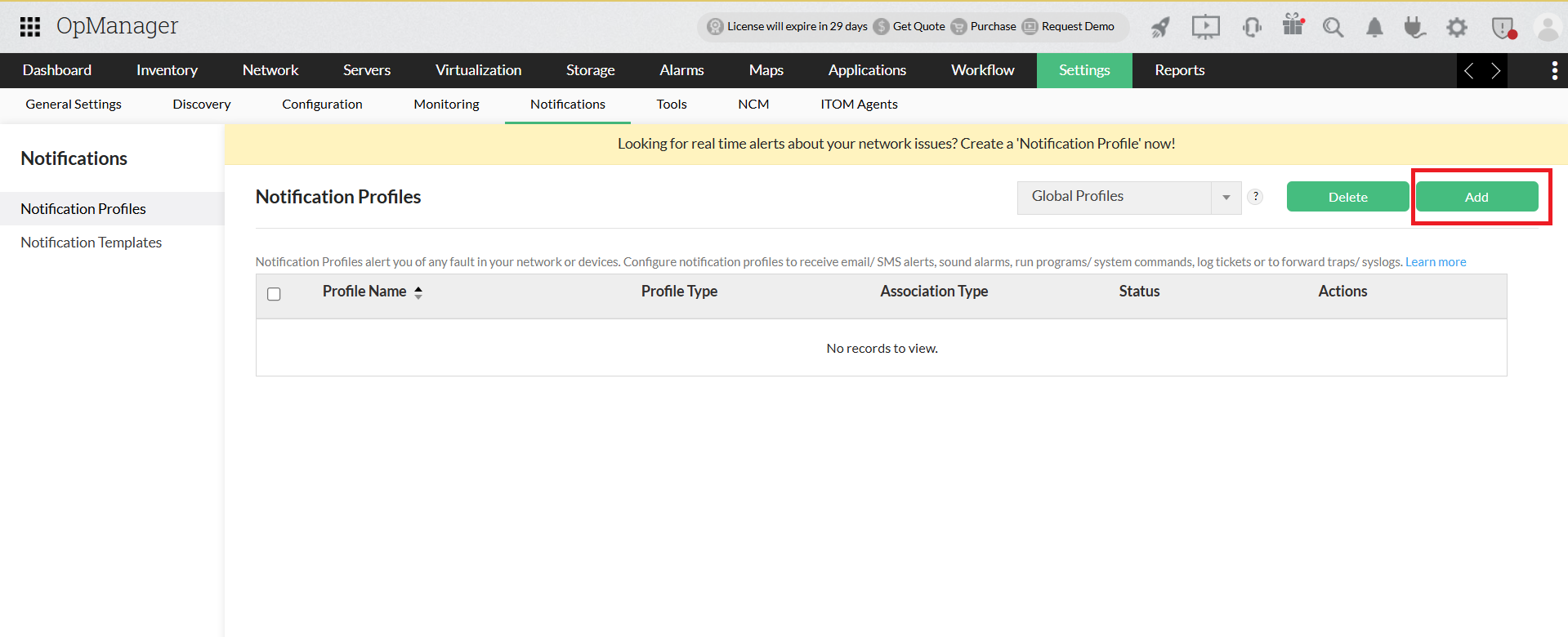
- Navigate to Settings-> Notification Profiles-> Add
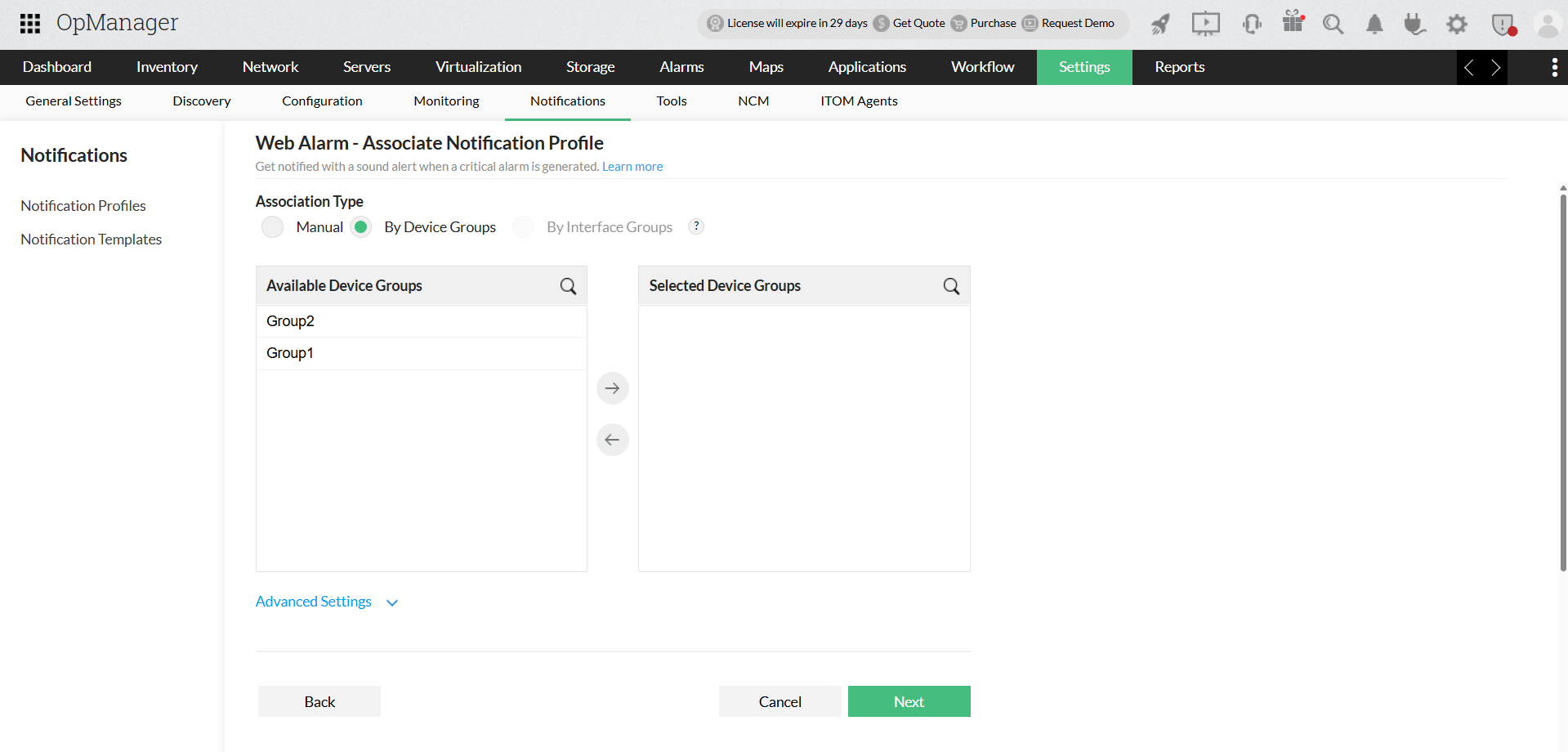
- Choose profile type, configure necessary criteria and navigate to Association Notification Profile page. Learn more about configuring Notification profile types
- Choose By Device Groups Association Type.
- In the Available Device Groups section, choose the desired Groups and move it to the Selected Device Groups.
- Click on Advance Settings option, select the Group from which you want to receive notifications.
- Complete the configuration and click Next.

Note : The Advanced settings option is available for By Interface Group association type also, which allows you to ignore notifications from select Interface Groups.
How It Works – With an Example
With this feature, you can control how a Notification Profile responds to alerts. For example, if a device is part of both Group 1 and Group 2, and each group has its own Notification Profile, you can set Group 1’s Notification Profile to ignore alerts for that shared device, by adding Group 2 to the Advanced Setting of Group 1's Notification Profile. This way, only one notification is sent, helping reduce duplicate alerts and making it easier to understand what is happening.