Associating URL Monitors to Desktops, Servers and Domain Controllers
Given how business-critical your websites are, it is of utmost importance to monitor the availability of the URLs. With OpManager, you can monitor their URL availability by performing a content match. Furthermore, you can also check the availability of authenticated pages by providing the respective credentials. You can add URL monitors to desktops, servers, and domain controllers to check the availability of local URLs.
To add a URL monitor to a specific device, follow the steps below.
Navigate to Inventory → Devices and then click on a device to open its snapshot page.
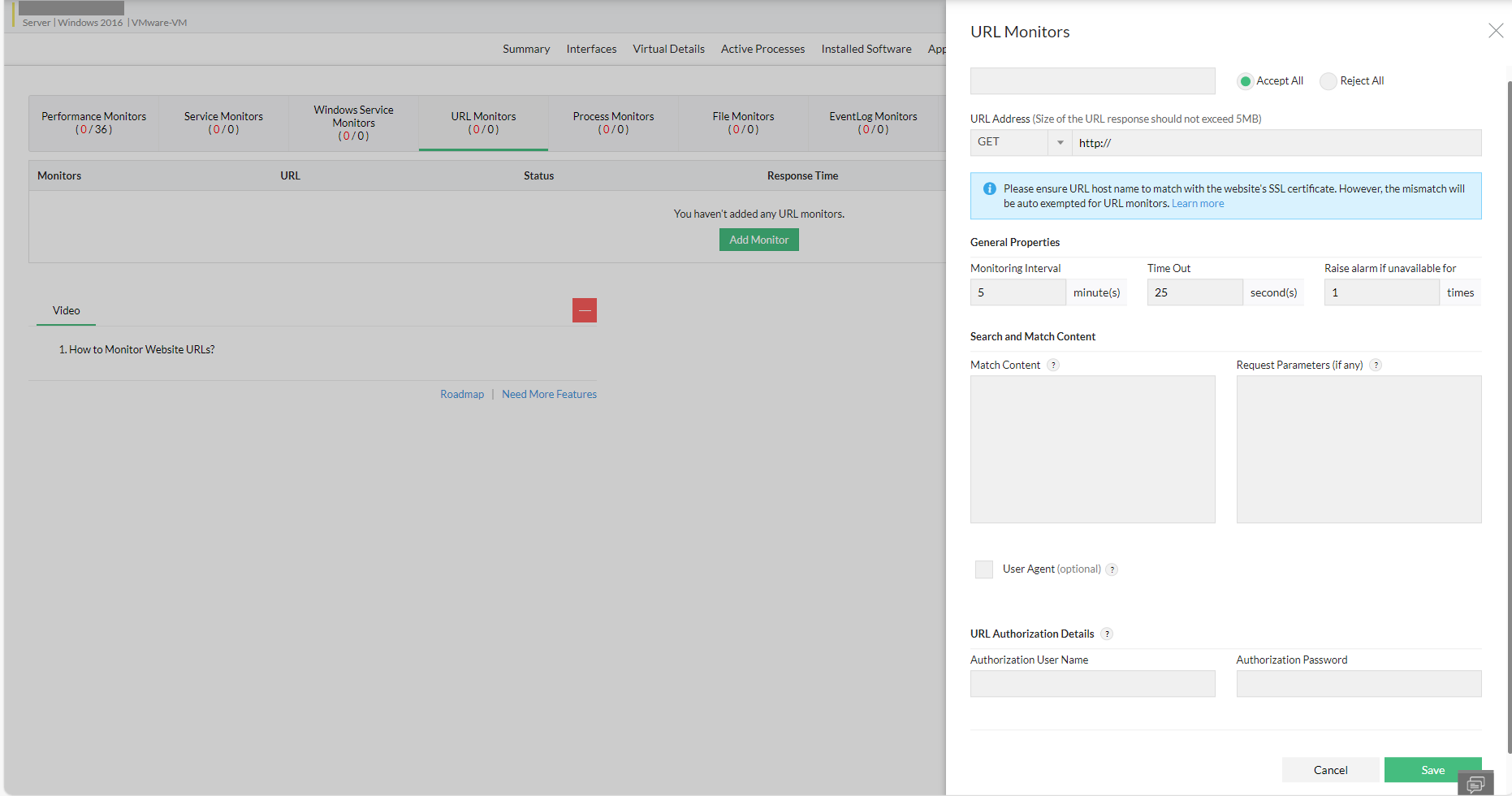
- Click Monitors → URL Monitors.
- Click the Actions button and select Add monitor.
- Configure all the values for the URL Monitor, and then click Save.
The configured URL is monitored for availability. You can configure to receive an email or SMS when the URL monitored in a device goes down. For this, you can create a notification profile for the URL is down criteria and associate it to the devices.