Device Uplink Dependency
Overview
The Device Uplink Dependency feature has been enhanced to provide greater flexibility in defining parent entities, simplify configuration through UI improvements, and support bulk dependency management.
What is device uplink dependency in OpManager?
Device uplink dependency helps OpManager determine the actual availability of a device by associating it with its upstream connectivity entity. When the configured uplink (parent entity) is down, OpManager marks the child device as Dependent Unavailable and suppresses alerts, preventing multiple device-down alerts and false positives.
Supported uplink entities
You can now configure device uplink dependency using the following parent entity types:
- Device
- WAN IP
- WAN IP Site
Uplink dependency configurations
Bulk configuration (from Quick Configuration Wizard)
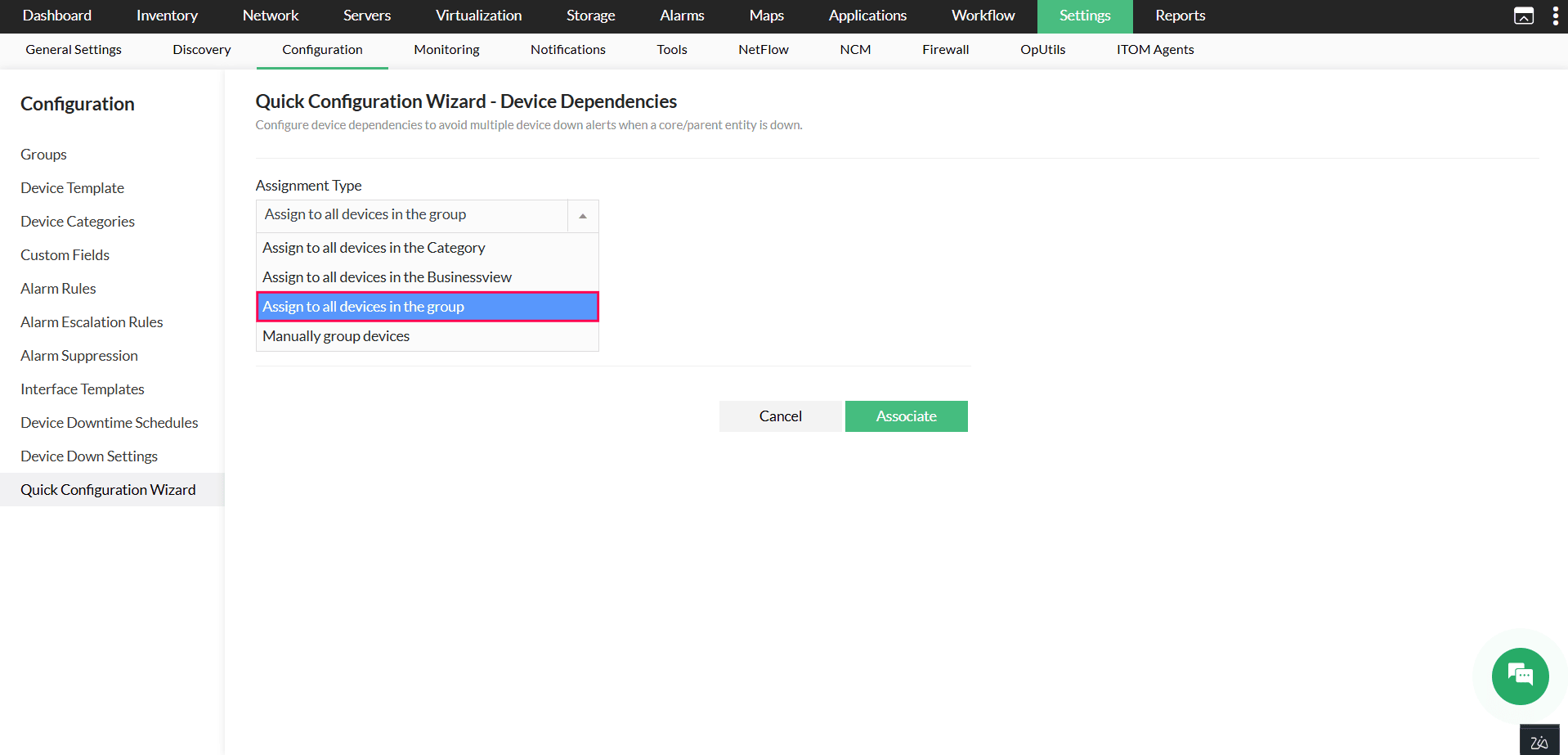
Uplink dependency configuration now supports device groups for bulk association. Using the Assignment Type dropdown, you can assign uplink dependency to all devices within a selected device group.
To configure uplink dependency using the Quick Configuration Wizard, navigate to Settings → Configuration → Quick Configuration Wizard → Device Dependencies. The Quick Configuration Wizard simplifies configuration by allowing you to select a parent type and associate multiple devices at once.
- When WAN IP is selected as the parent type, use the Filter by Site option to narrow down and select WAN IPs associated with a specific site.
- When WAN IP Site is selected, site-level WAN IP entities are listed directly and no additional filtering is required.
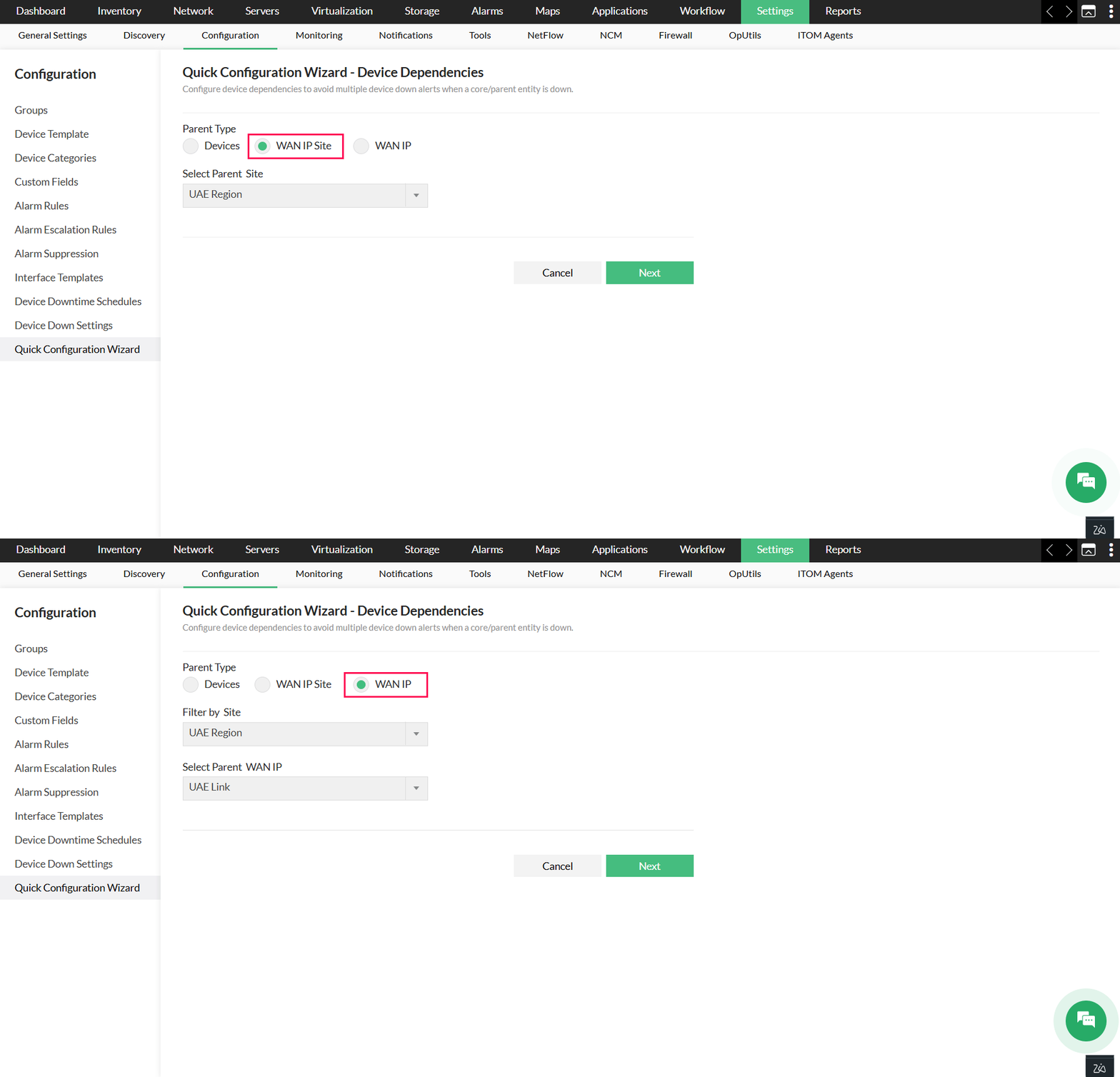
Based on the selected
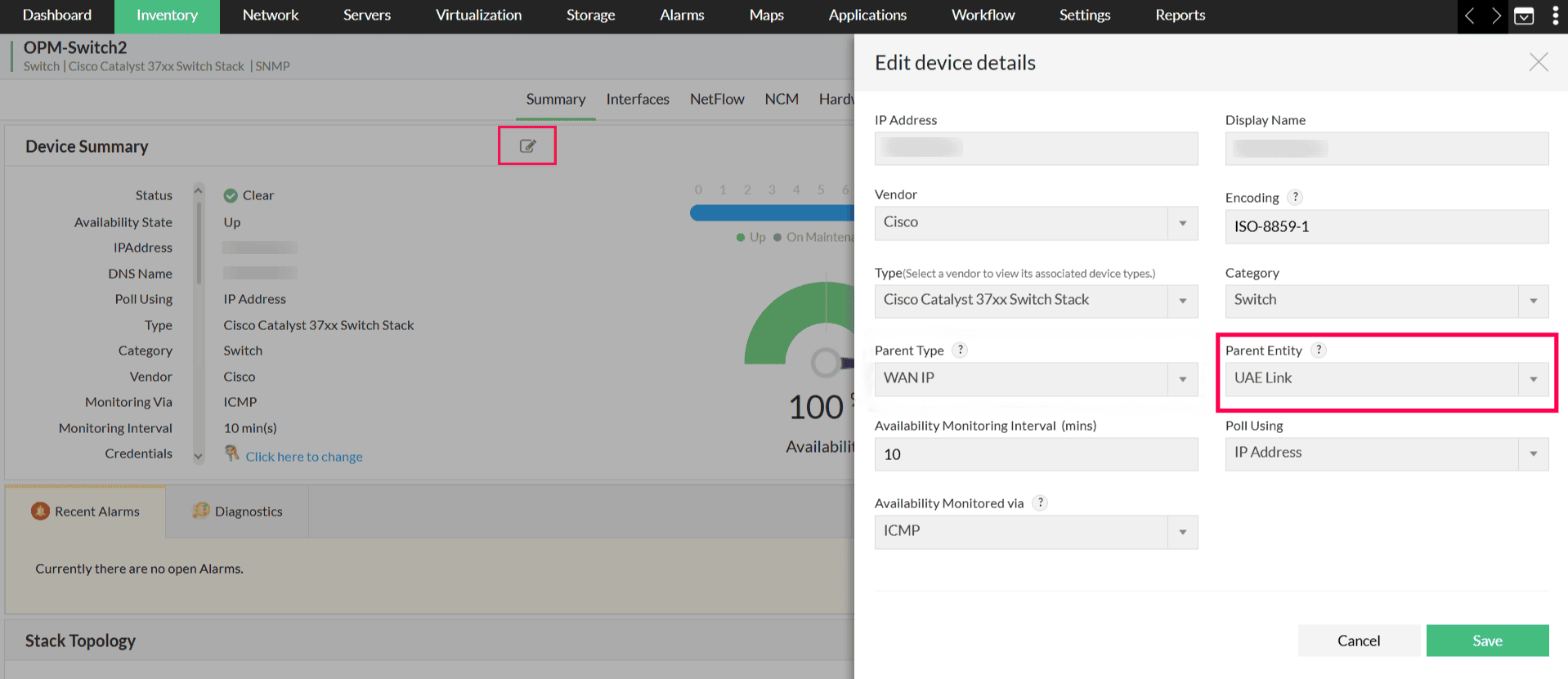
Configuring from device snapshot page
Uplink dependency can be configured from the Edit Device Details option on the device snapshot page using the Parent Entity field.
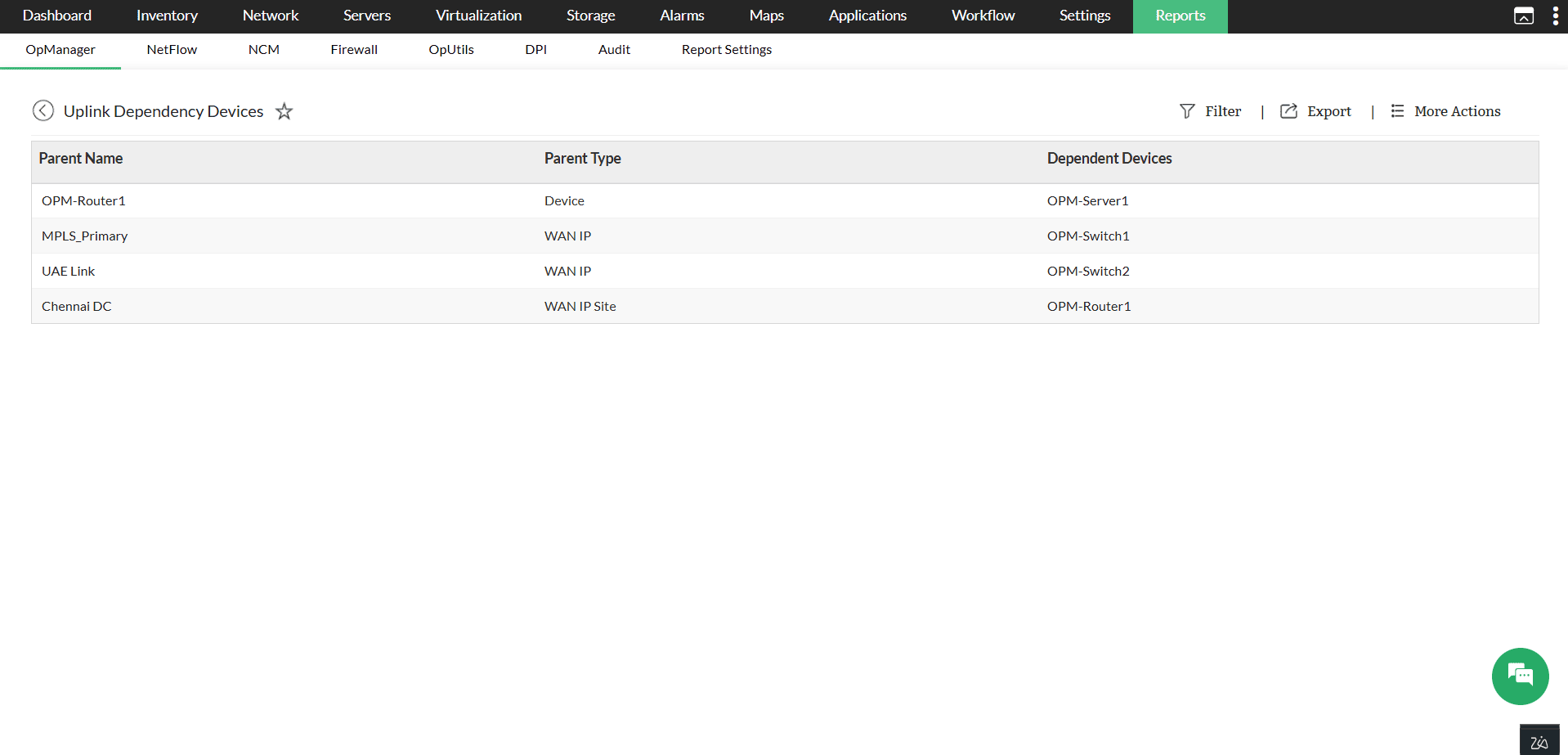
Uplink dependency devices report
To access the uplink dependency report, navigate to Reports → Inventory → Uplink Dependency Devices.
The uplink dependency report has been enhanced to provide clearer visibility into dependency relationships.The report now displays the parent name, parent type, and associated dependent devices. Clicking on any entity will take you to the respective snapshot page.