
Open API Specification (OAS)
API Collection
OAuth
Authentication
Patch Management
Patch Configuration
Patch Details
Automatic Patch Deployment
Decline Patch
SoM
Common
Report
Query Report
Introduction
The Patch Manager Plus API provides a comprehensive interface to facilitate seamless integration with third-party tools. By leveraging these APIs, you can automate endpoint management tasks within your IT ecosystem that often require collaboration across multiple tools.
The APIs allow you to fetch and modify data across various Patch Manager Plus modules, including SOM, Patch Management and more.
All APIs follow standard HTTP methods and error codes and support commonly used data formats such as JSON.
You can find the list of supported modules that offer APIs in the left sidebar. If you require additional APIs, please contact us with your requirements.
© 2025, Zoho Corporation Pvt. Ltd. All Rights Reserved.
API Guide Index
Table of Contents
- Patch Management
- Patch Configuration
- Patch Details
- Automatic Patch Deployment
- Decline Patch
- SoM
- Common
- Report
- Query Report
Patch Management
Patch Configuration
| Method Name | Method Type | URL | OAuth Scope | Operation |
|---|---|---|---|---|
| Install all missing patches in specific systems | POST | /api/1.4/patch/installpatch | PatchManagerPlusCloud.PatchMgmt | UPDATE |
| Install specific patches in specific systems | POST | /api/1.4/patch/installpatch | PatchManagerPlusCloud.PatchMgmt | UPDATE |
| Install specific patches in all systems | POST | /api/1.4/patch/installpatch | PatchManagerPlusCloud.PatchMgmt | UPDATE |
| Uninstall specific patches in all systems | POST | /api/1.4/patch/uninstallpatch | PatchManagerPlusCloud.PatchMgmt | UPDATE |
No APIs found for this search.
Patch Details
| Method Name | Method Type | URL | OAuth Scope | Operation |
|---|---|---|---|---|
| List Patch Status Across Computers | GET | /api/1.4/patch/allpatchdetails | PatchManagerPlusCloud.PatchMgmt | READ |
| Initiate Patch Scan on Selected | POST | /api/1.4/patch/computers/scan | PatchManagerPlusCloud.PatchMgmt | UPDATE |
| Fetch System Health Policy | GET | /api/1.4/patch/healthpolicy | PatchManagerPlusCloud.PatchMgmt | READ |
| List All Patches | GET | /api/1.4/patch/allpatches | PatchManagerPlusCloud.PatchMgmt | READ |
| Initiate Patch Scan for All Computers | POST | /api/1.4/patch/computers/scanall | PatchManagerPlusCloud.PatchMgmt | UPDATE |
| List Patch Deployment Policies | GET | /api/1.4/patch/deploymentpolicies | PatchManagerPlusCloud.PatchMgmt | READ |
| Retrieve the details of all downloaded patches | GET | /api/1.4/patch/downloadedpatches | PatchManagerPlusCloud.PatchMgmt | READ |
| Patch Summary | GET | /api/1.4/patch/summary | PatchManagerPlusCloud.PatchMgmt | READ |
| Initiate Approve Patch Action | POST | /api/1.4/patch/approvepatch | PatchManagerPlusCloud.PatchMgmt | UPDATE |
| Initiate Unapprove Patch Action | POST | /api/1.4/patch/unapprovepatch | PatchManagerPlusCloud.PatchMgmt | UPDATE |
| List All Systems with Patch Status | GET | /api/1.4/patch/allsystems | PatchManagerPlusCloud.PatchMgmt | READ |
| Retrieve Systems and Patch Details | GET | /dcapi/threats/systemreport/patches | PatchManagerPlusCloud.PatchMgmt | READ |
| Retrieves all patches | GET | /dcapi/threats/patches | PatchManagerPlusCloud.PatchMgmt | READ |
| Patch Database Update Status | GET | /api/1.4/patch/dbupdatestatus | PatchManagerPlusCloud.PatchMgmt | READ |
| Retrieve Patch Report for a System | GET | /api/1.4/patch/systemreport | PatchManagerPlusCloud.PatchMgmt | READ |
| Retrieve Patch Deployment Configurations | GET | /api/1.4/patch/viewconfig | PatchManagerPlusCloud.PatchMgmt | READ |
| Get Patch Scan System List | GET | /api/1.4/patch/scandetails | PatchManagerPlusCloud.PatchMgmt | READ |
| Patch Approval Settings | GET | /api/1.4/patch/approvalsettings | PatchManagerPlusCloud.PatchMgmt | READ |
| Retrieve Supported Patches | GET | /api/1.4/patch/supportedpatches | PatchManagerPlusCloud.PatchMgmt | READ |
No APIs found for this search.
Automatic Patch Deployment
| Method Name | Method Type | URL | OAuth Scope | Operation |
|---|---|---|---|---|
| Modifying a APD task. | POST | /api/1.4/patch/modifyAPDTask | PatchManagerPlusCloud.PatchMgmt | UPDATE |
| Deleting a APD task. | POST | /api/1.4/patch/deleteAPDTask | PatchManagerPlusCloud.PatchMgmt | UPDATE |
| Creating a APD task. | POST | /api/1.4/patch/createAPDTask | PatchManagerPlusCloud.PatchMgmt | UPDATE |
| Suspending a APD task. | POST | /api/1.4/patch/suspendAPDTask | PatchManagerPlusCloud.PatchMgmt | UPDATE |
| Resuming a APD task. | POST | /api/1.4/patch/resumeAPDTask | PatchManagerPlusCloud.PatchMgmt | UPDATE |
No APIs found for this search.
Decline Patch
| Method Name | Method Type | URL | OAuth Scope | Operation |
|---|---|---|---|---|
| DEPRECATING SOON Initiate Decline Patch Action | POST | /api/1.4/patch/declinepatch | PatchManagerPlusCloud.PatchMgmt | UPDATE |
| Decline Patches | PUT | /dcapi/patch/settings/declinePatch/declinePatches | PatchManagerPlusCloud.PatchMgmt | UPDATE |
No APIs found for this search.
SoM
| Method Name | Method Type | URL | OAuth Scope | Operation |
|---|---|---|---|---|
| Get Computers | GET | /api/1.4/som/computers | PatchManagerPlusCloud.Common | READ |
| Get Remote Office List | GET | /api/1.4/som/remoteoffice | PatchManagerPlusCloud.SOM | READ |
| Uninstall Patch Manager Plus Agent | POST | /api/1.4/som/computers/uninstallagent | PatchManagerPlusCloud.SOM | UPDATE |
| Get Summary for SoM Computers | GET | /api/1.4/som/summary | PatchManagerPlusCloud.Common | READ |
| Install Patch Manager Plus Agent | POST | /api/1.4/som/computers/installagent | PatchManagerPlusCloud.SOM | UPDATE |
| Remove Managed Computer | POST | /api/1.4/som/computers/removecomputer | PatchManagerPlusCloud.SOM | UPDATE |
No APIs found for this search.
Common
| Method Name | Method Type | URL | OAuth Scope | Operation |
|---|---|---|---|---|
| Server Properties | GET | /api/1.4/desktop/serverproperties | PatchManagerPlusCloud.Common | READ |
No APIs found for this search.
Report
Query Report
| Method Name | Method Type | URL | OAuth Scope | Operation |
|---|---|---|---|---|
| Retrieve All Query Reports | GET | /dcapi/reports/queryReports | PatchManagerPlusCloud.QueryReport | READ |
| Retrieve Query Report Data by ID | GET | /dcapi/reports/queryReports/{dc_longvalue_pathparam}/data | PatchManagerPlusCloud.QueryReport | READ |
No APIs found for this search.
© 2025, Zoho Corporation Pvt. Ltd. All Rights Reserved.
Select API Scopes
API Scopes
Copied!
PatchMgmt
QueryReport
SOM
Common
| Operation Type | Description |
|---|---|
| ALL | Full access to the resource |
| READ | Allow access to read data from the resource |
| CREATE | Allow access to create data in the resource |
| UPDATE | Allow access to update an existing data in the resource |
| WRITE | Allow access to edit data in the resource (Alias for CREATE, UPDATE, and DELETE) |
| DELETE | Allow access to delete data in the resource |
| CUSTOM | Custom Operation Type |
© 2025, Zoho Corporation Pvt. Ltd. All Rights Reserved.
OAuth 2.0 for APIs - An Overview
The PatchManagerPlusCloud API uses the OAuth 2.0 protocol for authentication. OAuth 2.0 is an industry-standard protocol specification that enables third-party applications (clients) to gain delegated access to protected resources in Zoho via an API.
Key Terminologies in OAuth 2.0
Why should we use OAuth 2.0?
- Clients are not required to support password authentication or store user credentials.
- Clients gain delegated access, i.e., access only to resources authenticated by the user.
- Users can revoke the client's delegated access anytime.
- OAuth 2.0 access tokens expire after a set time. If the client faces a security breach, user data will be compromised only until the access token is valid.
How OAuth 2.0 works?
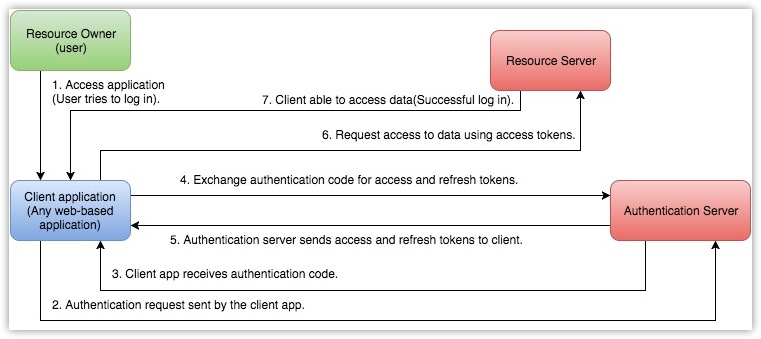
Key Terminologies in OAuth 2.0
The following are some terms you need to know before you start using the PatchManagerPlusCloud APIs.
Resource owner
Any end-user of your account, who can grant access to the protected resources.
Client
An application that sends requests to the resource server to access the protected resources on behalf of the end-user.
Client ID
The consumer key generated from the connected application.
Client Secret
The consumer secret generated from the connected application.
Authentication server
Authorization server provides the necessary credentials (such as Access and Refresh tokens) to the client.
Authentication code
The authorization server creates a temporary token and sends it to the client via the browser. The client will send this code to the authorization server to obtain access and refresh tokens.
Tokens
Access Token
A token that is sent to the resource server to access the protected resources of the user. The Access token provides secure and temporary access to the protected resources and is used by the applications to make requests to the connected app. Each access token will be valid only for an hour and can be used only for the set of operations that are described in the scope.
Refresh Token
A token that can be used to obtain new access tokens. This token has an unlimited lifetime until it is revoked by the end-user.
Important
User Access Token must be kept confidential since it provides access to protected resources. Do NOT expose your Access Token anywhere in public forums, public repositories or on your website's client-side code like HTML or JavaScript. Exposing it to the public may lead to data theft, loss or corruption.
© 2025, Zoho Corporation Pvt. Ltd. All Rights Reserved.
Scopes
Scopes limit the level of access given to a client for protected resources. It enables a user to provide delegated access to a client.PatchManagerPlusCloud APIs use selected scopes, which control the type of resource that the client application can access. Tokens are usually created with various scopes to ensure improved security. For example, you can generate a scope to create or view a lead, or to view metadata and so on. Scopes contain three parameters — service name, scope name, and operation type. The format to define a scope is scope=service_name.scope_name.operation_type
For example, PatchManagerPlusCloud.SOM.READ
Here, PatchManagerPlusCloud is the service API name, SOM is the scope name, and READ is the operation type.
- Service API name is the name of the service the client is making API calls to.
- Scope name is the name of the module in the service the client needs access to.
- Operation type is the type of operation that is permissible for the client. It can be CREATE, READ, UPDATE, DELETE.
Separate Scopes
Separate scopes are used to provide access to data in a particular module without access to other modules.
https://accounts.zoho.com/oauth/v2/auth?scope=PatchManagerPlusCloud.SOM.UPDATE,PatchManagerPlusCloud.SOM.READ&client_id={client_id}&response_type=code&access_type={"offline"or"online"}&redirect_uri={redirect_uri}
The above scope gives the user access to only the SOM module from the client PatchManagerPlusCloud account.
Additionally, you can set specific permissions, like read, create, update or delete, for each module. For examples:
- scope=PatchManagerPlusCloud .SOM.READ(Read-only permission)
- scope=PatchManagerPlusCloud.PatchMgmt.READ
- scope=PatchManagerPlusCloud .SOM.UPDATE
- scope=PatchManagerPlusCloud.PatchMgmt.UPDATE
Multiple Scopes
Access tokens can also be generated with multiple scopes. In such cases, the scopes should be separated by commas. The format to provide multiple scope is service_name.scope_name.OPERATION_TYPE,service_name.scope_name.OPERATION_TYPE. For example,PatchManagerPlusCloud.SOM.READ,PatchManagerPlusCloud.PatchMgmt.READ.
© 2025, Zoho Corporation Pvt. Ltd. All Rights Reserved.
Register your Application
Before you get started with authorization and make any calls using the PatchManagerPlusCloud APIs, you need to register your application with PatchManagerPlusCloud.
To register,
Go to Zoho Developer Console and click on GET STARTED.
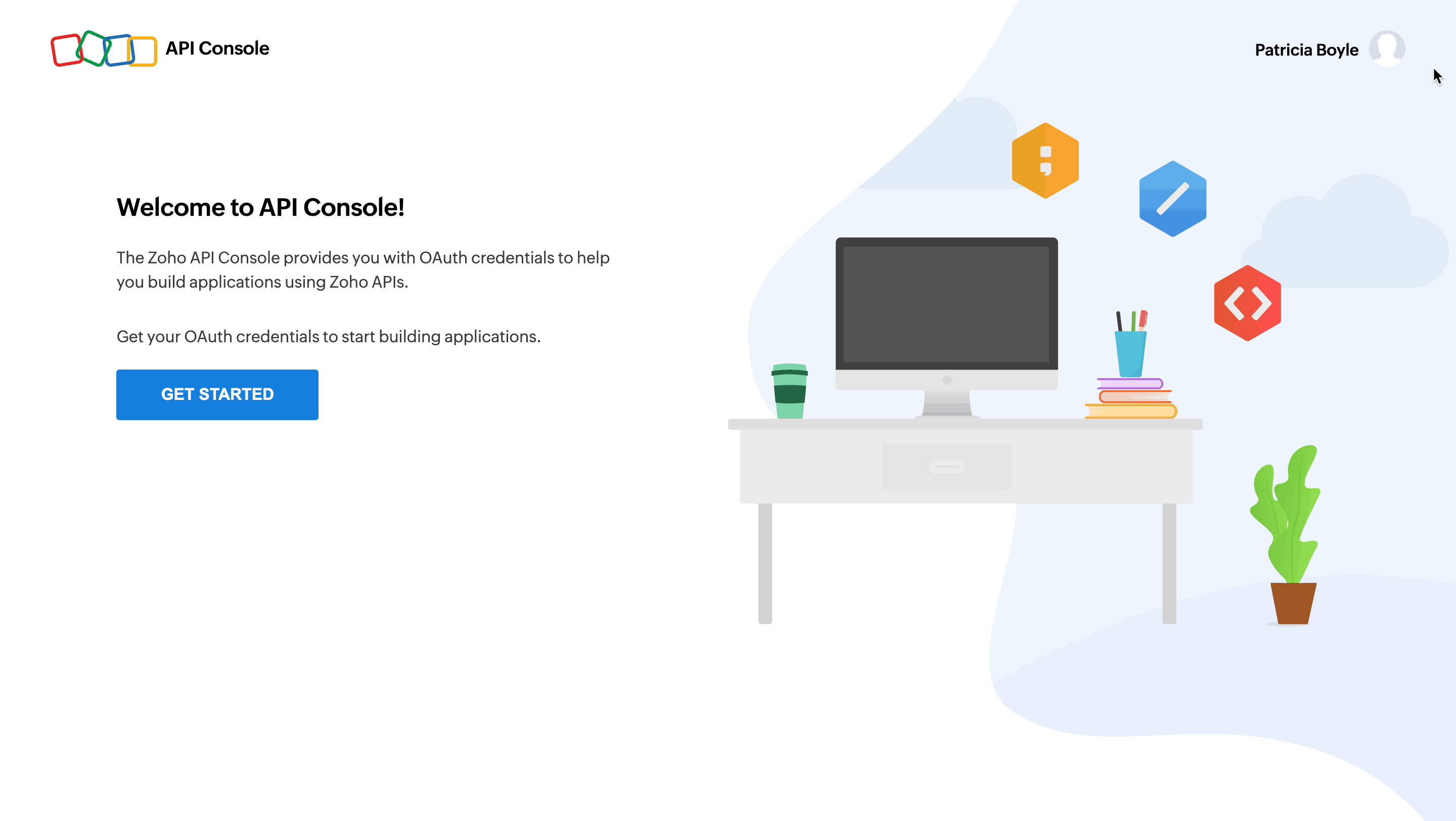 Choose a client type and click CREATE NOW:
Types of Clients
Client-based Applications
Applications that run exclusively on a browser and are independent of web servers.
Server-based Applications
Applications that are intended for use by multiple Zoho accounts. This app could be solving a special use case for all Zoho accounts and should have both a dedicated backend server and web UI to handle the authorization process and the app's logic. The app redirects users to Zoho for the authorization process using a web browser. Users grant permission for the app to access their Zoho data on their behalf. The app will consume data for its intended purposes on behalf of the user who authorized the app.
Mobile-based Applications
Applications that are built to run on smart phones and tablets.
Non-browser Mobile Applications
Applications that run on devices without browsers such as smart TVs and printers.
Self Client
Applications that does not have a redirect URL or a web UI, operating solely in the backend without requiring user interaction. A self-client is commonly employed when both the application and Zoho services are managed by the same person, aiming to establish secure communication between them.
For more details, refer to OAuth Overview.
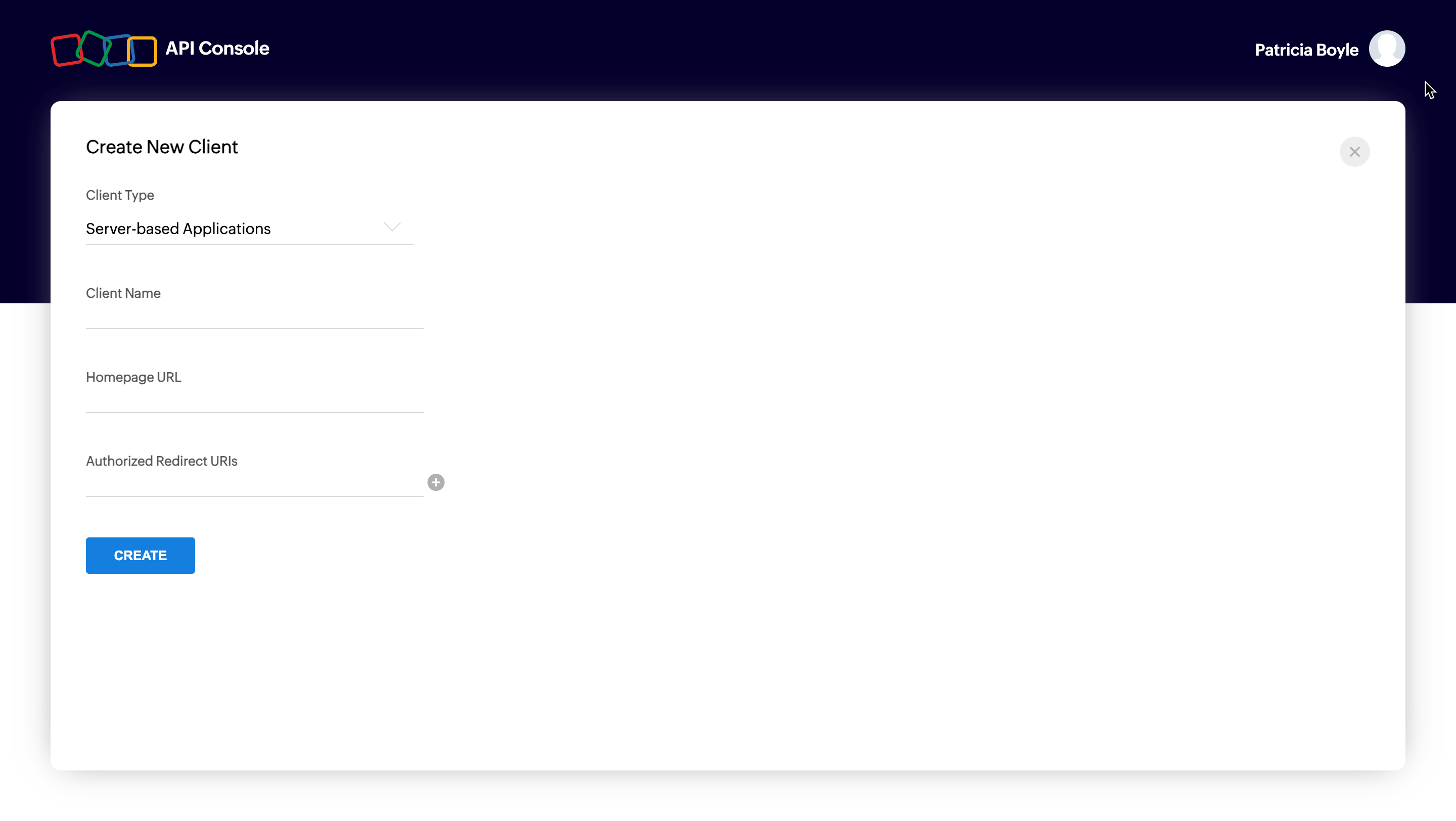
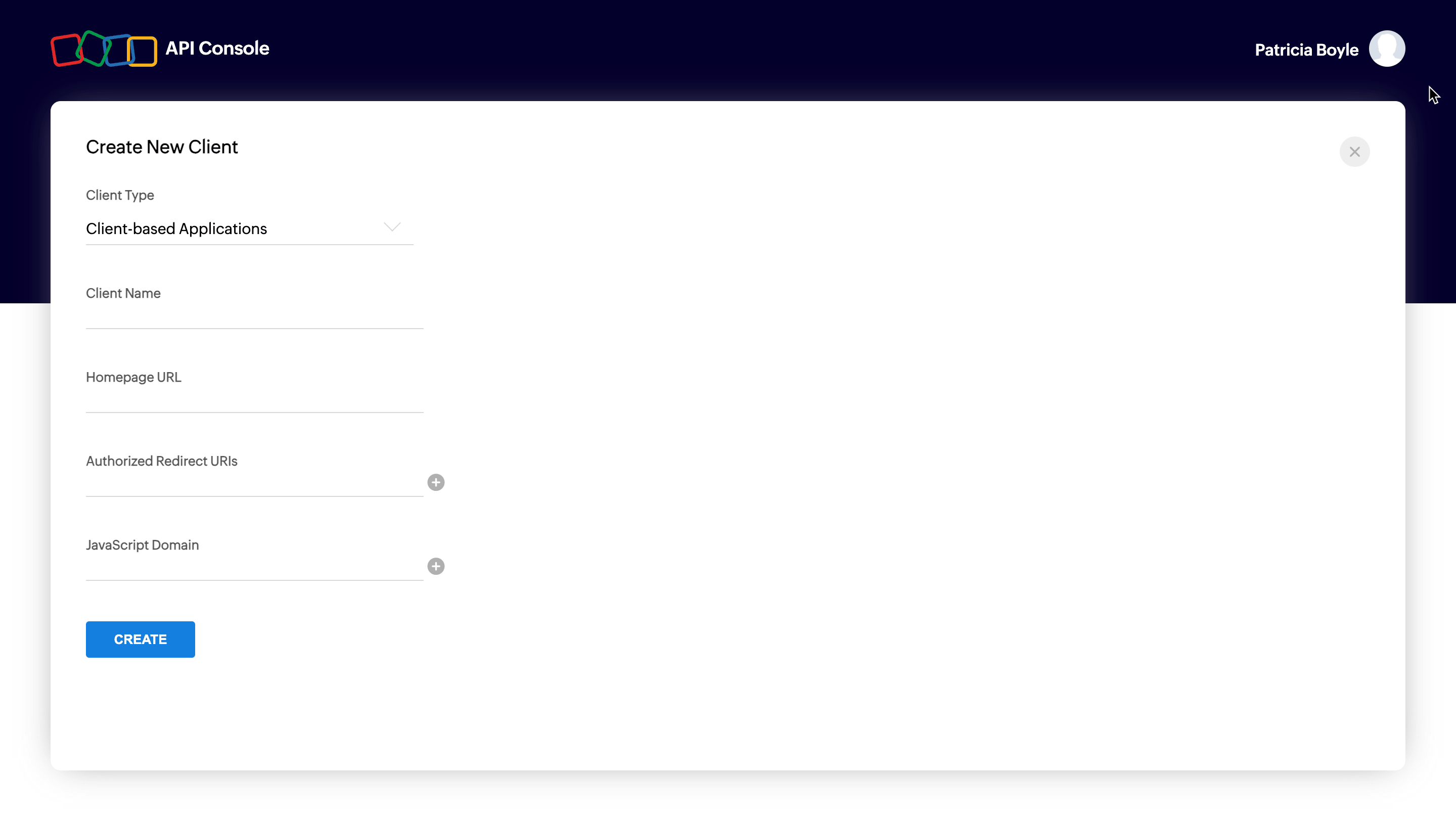
Enter mandatory entries for corresponding client type and click on CREATE.
Mandatory Entries for Different Client Types
The following are the mandatory entries for different client types.
| Client Type | Client Name | Homepage URL | Redirect URIs | JS Domains |
|---|---|---|---|---|
| Java Script | Y | Y | Y | Y |
| Web-based | Y | Y | Y | NA |
| Mobile | Y | Y | Y | NA |
| Self Client | N | N | N | NA |
| Device | Y | Y | N | NA |
Server-based applications
Client-based applications
Self client
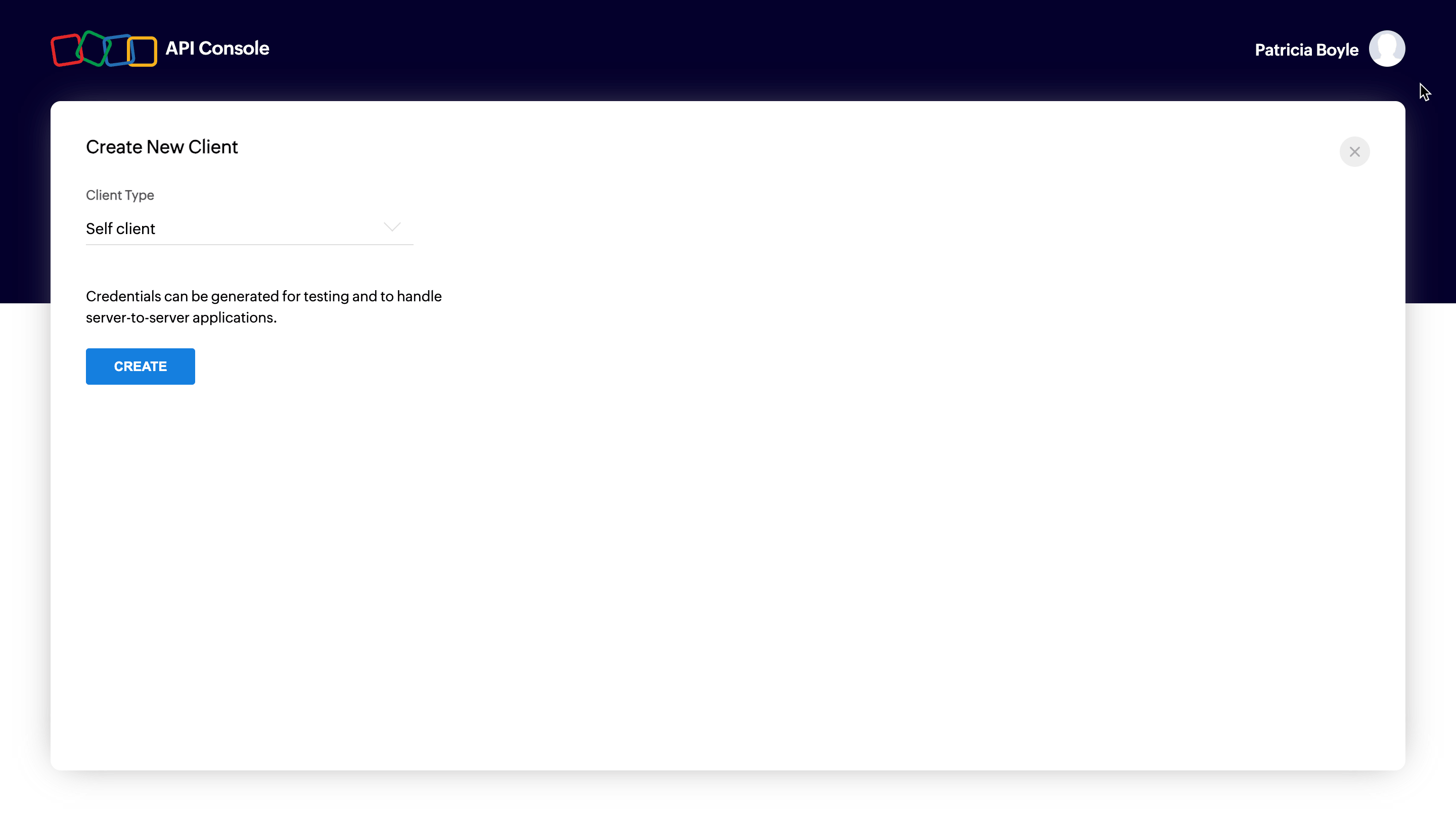
You will receive the client credentials such as Client ID and Client Secret in the Client Secret tab.
Possible Errors
| Error | Resolution |
|---|---|
| Enter a valid client name | The client name has a special character. The client name must not contain any special characters except "_" and "&". |
| Enter a valid JavaScript Domain URI | The JavaScript domain is incorrect. Specify valid JavaScript domains, separated by commas, and they must start with 'http' or 'https'. |
| Enter a valid redirect URI | The redirect URI is incorrect. Specify a valid redirect URI in the format "https://www.your-domain.com/callback". |
| Enter a valid homepage URL | The homepage URL is invalid. Specify a valid homepage URL in the format "https://www.yourdomain.com". |
© 2025, Zoho Corporation Pvt. Ltd. All Rights Reserved.
Authorization Request
To use the PatchManagerPlusCloud APIs, the users must authenticate the application to make API calls on their behalf with an access token.
The access token, in return, must be obtained from a authorization code. The PatchManagerPlusCloud APIs use the authorization code grant type to provide access to protected resources.
There are two ways in which you can generate the authorization code based on the client type.
Self-client - Authorization code flow
Self-Client option
Use this method to generate the organization-specific authorization code if your application does not have a domain and a redirect URL. You can also use this option when your application is a standalone server-side application performing a back-end job.
Go to Zoho Developer Console and log in with your PatchManagerPlusCloud username and password.
Choose Self Client from the list of client types, and click Create Now.
Click OK in the pop up to enable a self client for your account.
Now, your client ID and client secret are displayed under the Client Secret tab.
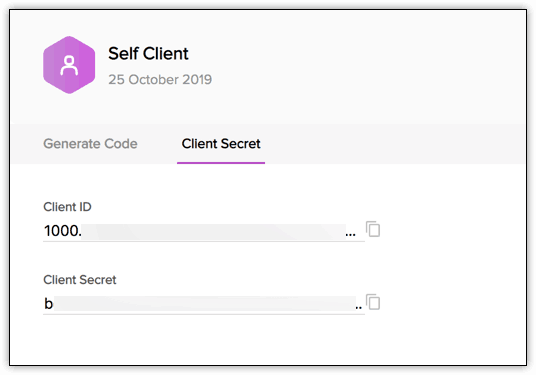
Click the Generate Code tab and enter the required scope separated by commas. Refer to our list of Scopes, for more details. The system throws an 'Enter a valid scope' error when you enter one or more incorrect scopes.
Select the Time Duration for which the authorization code is valid. Please note that after this time, the authorization code expires.
Enter a description

Click Create to generate < code>

Note
- Generating the authorization code is a one-time process, provided you generate the access and refresh tokens within the time the authorization code is valid for.
Web-based application
Web-based applications are chosen when your application is used by multiple users and requires user intervention during authorization. For this client type, you must use redirection-based code generation. In this authorization flow,
The user clicks the Login with Zoho button on any third-party web-based application.
The application redirects the user to the Zoho Login page, and the user enters the Zoho credentials.
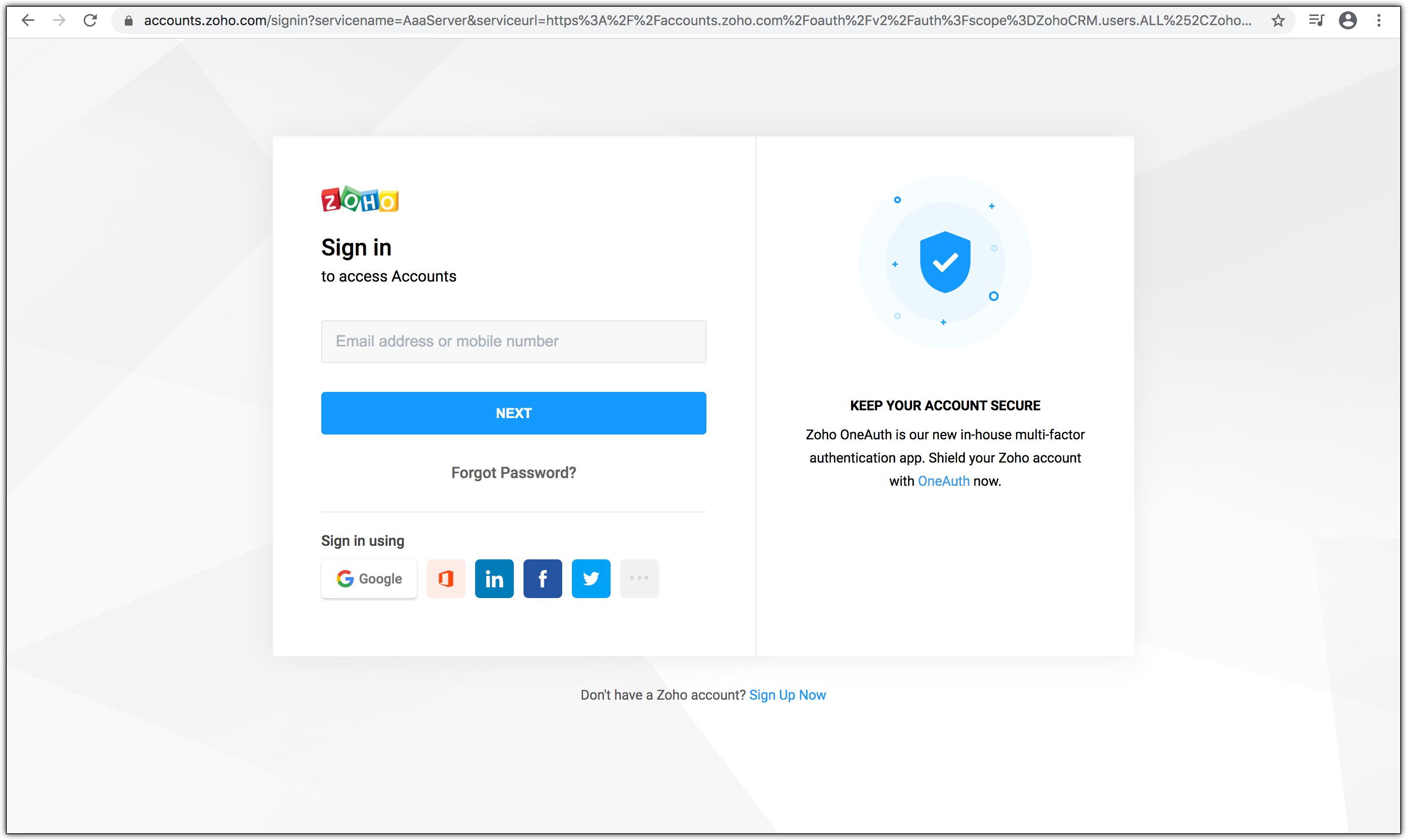
The web application redirects the user to the Zoho OAuth server with the required scope in the Accounts URL:
https://accounts.zoho.com/oauth/v2/auth?scope=PatchManagerPlusCloud.PatchMgmt.READ,PatchManagerPlusCloud.PatchMgmt.UPDATE&client_id={client_id}&response_type=code&access_type={"offline"or"online"}&redirect_uri={redirect_uri}

The page displays the organization and the data (scope) that the application wants to access. Also, the request URL has the following parameters:
- scope: Scope limits the level of access the application has to access protected resources.Refer to Scopes for more details.
- client_id: Client ID(consumer key) that you obtained during client registration.
- response_type: This parameter is sent with value code
- access_type: Enter access_type as online or offline. If you want to generate the refresh token, set this value as offline.
- redirect_uri: The URI to which the authorization server will redirect the browser back with the authorization code. It must be the same URI provided when registering the app in the API console. It should start with http:// or https://. For example: https://www.zylker.com/oauthredirect
- Based on the user's login details, the system automatically detects the user's domain and uses the domain-specific authentication URL to obtain the authorization code.
When the user clicks Accept: The application gets authorized. The authorization code is sent as a parameter in the redirect_uri.

- A back-end script from your end needs to store the following details from the above URL.
- code={authorization_code} - This is used to generate access and refresh tokens.
- location={domain} - This tells you the domain of the user from which you have to make API calls.
- accounts-server={accounts_URL} - This is your accounts URL which you have to use to generate access and refresh tokens.
- The application exchanges the authorization code for an access token.
- When the user clicks Reject: The browser redirects to the redirect URI with the parameter error=access_denied, and your application is denied access to the user's data in Zoho Service.
Note
- The authorization code is valid only for two minutes. Refer to the Token Validity page for more details.
- The authorization URL has the scope for Users. You can change the scope as per your requirement.
Possible Errors
| Error | Resolution |
|---|---|
| ERROR_invalid_response_type | The value of the "response_type" key is not "code". Update the value as "code". (or) You have not passed the mandatory keys in the request. Pass all the mandatory keys in the request to generate the authorization code. |
| ERROR_invalid_client | The client ID is wrong or empty. Pass the right client ID. You can check your client ID from the developer console. |
| ERROR_invalid_redirect_uri | he redirect URI value passed, and the one registered in the developer console mismatches. Pass the right redirect URI. |
| ERROR_invalid_scope | The scope is invalid. Pass valid scopes. You can refer to the list of scopes here. |
© 2025, Zoho Corporation Pvt. Ltd. All Rights Reserved.
Generate Access Token and Refresh Token
OAuth2.0 requests are usually authenticated with an access token, which is passed as bearer token. To use this access token, you need to construct a normal HTTP request and include it in an Authorization header along with the value of Bearer.
To generate access and refresh token:
Make a POST request with the following URL. Replace {accounts_URL} with your domain-specific Zoho accounts URL when you make the request.
{accounts_URL}/oauth/v2/token
Note: For security reasons, pass the below parameters in the body of your request as form-data.
Request Parameters
| Parameter | Description |
|---|---|
| grant_type | Enter the value as "authorization_code". |
| client_id | Specify client-id obtained from the connected app. |
| client_secret | Specify client-secret obtained from the connected app. |
| redirect_uri | Specify the Callback URL that you registered during the app registration. |
| code | Enter the authorization code you received after you made the authorization code request. |
If the request is successful, you would receive the following:
       {
          "access_token": "{access_token}",
          "refresh_token": "{refresh_token}",
          "api_domain": "https://www.zohoapis.com",
          "token_type": "Bearer",
          "expires_in": 3600
       }
Response Parameters
| Parameter | Description |
|---|---|
| access_token | Access token to access DesktopCentralCloudAPIs. |
| refresh_token | Refresh token to obtain new access tokens. |
| expires_in | Time in seconds after which the access token expires. |
| token_type | Type of token obtained. "Bearer" indicates this is an access token. |
This completes the authentication. Once your app receives the access token, send the token in your HTTP authorization header to DesktopCentralCloud API with the value Zoho-oauthtoken {access_token} for each endpoint (for each request).
Note
- Each access token is valid for only an hour and can be used only for the operations defined in the scope.
- A refresh token does not expire. Use it to refresh access tokens when they expire. For more details on the validity of the tokens, refer to Token Validity page.
Possible Errors
| Error | Resolution |
|---|---|
| invalid_client | You have passed an invalid Client ID or secret. Specify the correct client ID and secret. (or) There is a domain mismatch. You have registered the client and generated the authorization code in a certain domain (US), but generating the tokens from a different domain (EU). Ensure that you generate the authorization code, access, and refresh tokens from the same domain using the same domain URL or Enable Multi-DC for your client to generate tokens from any domain. (or) You have passed the wrong client secret when multi-DC is enabled. Each DC holds a unique client secret. Ensure to pass the right client secret for that DC. |
| invalid_code | The authorization code has expired. The authorization code is valid only for two minute in the redirection-based flow. Generate the access and refresh tokens before the authorization code expires. (or) You have already used the authorization code. You can use the authorization code only once. (or) The refresh token to generate a new access token is wrong or revoked. Specify the correct refresh token value while refreshing an access token |
| invalid_redirect_uri | The redirect URI in the request mismatches the one registered in the developer console. Specify the correct redirect URI in the request. |
© 2025, Zoho Corporation Pvt. Ltd. All Rights Reserved.
Managing OAuth Tokens
To manage your OAuth tokens after they have been generated, follow the processes below to refresh an expired access token and revoke a refresh token when necessary.
Refresh Access Token
Access tokens expire after an hour of generation. To generate a new access token, use the refresh token you generated earlier.
Make a POST request with the following URL:
{Accounts_URL}/oauth/v2/token?refresh_token={refresh_token}&client_id={client_id}&client_secret={client_secret}&grant_type=refresh_token
You must use your domain-specific Zoho accounts URL to refresh your access token.
If the request is successful, you will receive the following output:
         {
             "access_token": "{new_access_token}",
              "expires_in": 3600,
             "api_domain": "https://www.zohoapis.com",
             "token_type": "Bearer"
          }
Revoking Refresh Token
If you want to revoke your refresh token,
Make a POST request with the following URL:
{Accounts_URL}/oauth/v2/token/revoke?token={refresh_token}
You must use your domain-specific Zoho accounts URL to revoke your refresh token.
© 2025, Zoho Corporation Pvt. Ltd. All Rights Reserved.
Incremental Authorization
Incremental Authorization is an OAuth strategy that allows a client to request specific authorization scopes as and when needed. This means that the client does not have to request every possible scope that might be needed upfront, which might result in a bad user experience. Incremental Authorization is considered a best practice in Oauth Authorization Request as:
- Users are not overloaded with scopes in the initial stage
- Users can control the amount of data they share
For detailed information on implementing incremental authorization in your application, refer to the Zoho Accounts Incremental Authorization page.
© 2025, Zoho Corporation Pvt. Ltd. All Rights Reserved.
Token Validity
Authorization code
- Authorization code is a one-time use token and valid for three minutes, by default. If you want to extend the expiry time, choose the required time from the drop-down while generating the token from the API console (applicable only to self-clients).
- You can generate a maximum of 10 authorization code in a span of 10 minutes per client ID. If the limit is reached, "access_denied" exception will be thrown for the remaining time.
Access Token
- Each access token is valid for one hour.
- A maximum of 10active access tokens can be stored per refresh token. When the 11th token is requested, the oldest token is invalidated. When an invalid access token is used, INVALID_OAUTHTOKEN exception will be thrown.
- You can generate a maximum of 10 access tokens from a refresh token in a span of 10 minutes.
- If the 10-minute throttle limit is reached, Access Denied error will be thrown. Reuse valid tokens to avoid this exception.
       {
           "error_description":"You have made too many requests continuously. Please try again after some time.",
           "error":"Access Denied"
       }
Refresh Token
- Refresh tokens do not expire until a user revokes them.
- A maximum of 20 refresh tokens can be stored per user.
- When you generate the 21st refresh token, the first created refresh token gets invalidated.
© 2025, Zoho Corporation Pvt. Ltd. All Rights Reserved.
Multiple data centres
Endpoint Central cloud is hosted at multiple data centers, and therefore available on different domains. There are 7 different domains for Endpoint central cloud APIs, so you can use the one that is applicable to you.
Data centre | Domain | EndpointCentral_Server_URI | ZohoAccounts_Server_URI | DeveloperConsole |
|---|---|---|---|---|
United States. | .com | |||
Europe | .eu | |||
India | .in | |||
Australia | .com.au | |||
China | .cn | |||
Japan | .jp | |||
Canada | .ca | |||
United Kingdom | .uk |
The APIs on this page are intended for organizations hosted on the .com domain. If your organization is on a different domain, replace ".com" with the appropriate domain for the API endpoints before using them.
Note: You can find out which domain you're accessing by checking the URL while accessing Patch Manager Plus.
© 2025, Zoho Corporation Pvt. Ltd. All Rights Reserved.
Open API Specification (OAS)
Overview
An OpenAPI Specification (OAS) is a standardized way to describe RESTful APIs. It defines API structure, authentication methods, endpoints, request and response formats, in JSON or YAML.
Why use the Open API Specification ?
The Open API Specification is designed to provide:
- API Endpoints: The request URL and HTTP methods are specified, along with the optional and mandatory parameters required to make an API call request. The response formats for all possible HTTP response codes are available.
- Authorization: Supports OAuth authentication for secure access.
- Request and Response formats: Standardized request formats for GET, POST, PUT, and DELETE operations, detailed response schemas to explain returned data structures, and error handling guidelines to help developers debug API requests.
© 2025, Zoho Corporation Pvt. Ltd. All Rights Reserved.
API Collection
What is an API Collection?
The REST API Postman collection is a set of all the API requests. Using these boilerplate requests, you can test and explore the APIs in various environments for multiple organizations.
Why use API collection?
Going through the entire API documentation to set up environments, variables, authorization, and so on every time you need to test an API can be tedious. Using the API Postman collection can make the process of exploring APIs swift and effortless. It also significantly reduces the risk of errors.
© 2025, Zoho Corporation Pvt. Ltd. All Rights Reserved.
Install all missing patches in specific systems
Note: Select one target set format from the options provided below in the request payload:
"ResourceIDs":[601,602],
"resourceNames":["abc","xyz"],
"customGroups":["CG1","CG2"],
"ipAddresses":["127.0.0.1","126.0.0.1"],
"remoteOffices":["Local","remote"]
Request URL
https://{serverurl}/api/1.4/patch/installpatch
Scope
PatchManagerPlusCloud.PatchMgmt.UPDATE
Header
Authorization: d92d4xxxxxxxxxxxxx15f52
Request Parameters
- Request Body
application/json
object
Show Sub-Attributes
PatchIDs array
Enter the list of missing patches detected in your network,E.g. PatchIDs:[103980,103981,103980]
Show Sub-Attributes
string
customGroups array
Specify the required list of Custom Group names for deployment ex:customGroups:[cg-1,cg-2]
Show Sub-Attributes
string
deadlineTime string
Specify the time, in milliseconds, for force deploying the patches to unpatched systems in your network,E.g. deadlineTime: 1691393760 (Time in milliseconds),Note : Max of 1 year is supported
actionToPerform string
This will initiate deployment of the defined Install Patches Configuration to the specified targets in accordance with the provided criteria,E.g. actionToPerform:Deploy/ Deploy Immediately/ Draft,Deploy : The deployment will initiate upon the agent's contact with the server,Deploy Immediately : Deployed instantly without waiting for agent contact,Draft : Save the configuration as a draft.
expirytime string
This configuration will not be applied after the specified time. Use the format yyyy-MM-dd HH:MM.
message_type string
ConfigDescription string
Provide a description for the Install Patch configuration,E.g. ConfigDescription:API test
forceRebootOption string
Depending on the selected Deployment Policy, you can choose to enable Force Reboot either within or outside the deployment window. Accepted Values : 0/1/2,E.g. forceRebootOption:0/1/2,0 - Not configured,1 - Within the deployment/reboot window,2 - Outside the deployment/reboot window.
message_version string
modify string
resourceNames array
Specify the required list of resource names for deployment ex:resourceNames:[win-1422,wind-144d]
Show Sub-Attributes
string
retrySettings object
Enabling this option will redeploy the configuration on failed targets.E.g. "retrySettings":{"enableRetrySettings": true,"noOfRetries": 2,"logonStartupMinRetry": 1,"refreshMinRetry": 1} enableRetrySettings,true : To enable retry settings,false: To disable retry settings,noOfRetries:Total number of retries count , Accepted values 1-10,logonStartupMinRetry Retry during system startup,refreshMinRetry Retry during refresh cycle,Note : Enabled by default. To disable, set 'enableRetrySettings' to false. Retry count: logonStartupMinRetry + refreshMinRetry.
Show Sub-Attributes
logonStartupMinRetry string
Specify retry count range from 0-9 during user logon
noOfRetries string
Specify retry values range from 1-10
refreshMinRetry string
Specify the retry count range (0—9) for computers that complete the 90-minute refresh cycle.
enableRetrySettings boolean
true-To enable retry, false-To disable retry.
deploymentType string
Provide the preferred deployment option here. Accepted values : 0/1/2,E.g. deploymentType: 0/1/2,0 - Deploy only (default)This option enables you to deploy the selected patches to the targeted endpoints according to the relevant deployment policies,1 - Publish in Self Service Portal only (DeploymentPolicyTemplateID will be ignored),This option enables administrators to publish the selected patches to the Self Service Portal. End users and server owners can then initiate the installation process at their convenience,2 - This option incorporates both deployment and publication actions.Note: If deploymentType is set to 0 or 1, then the DeploymentPolicyTemplateID field is mandatory.
isOnlyApproved string
(Optional): true = deploy only approved patches, false = deploy all
ConfigName string
Provide a name for the Install Patch configuration,E.g. ConfigName:API install patch test1
ResourceIDs array
Enter the list of resources with missing patches in your network,E.g. ResourceIDs:[601,602]
Show Sub-Attributes
string
remoteOffices array
Specify the required list of Ip addresses for deployment ex:remoteOffices:[Local Office,Remote-1]
Show Sub-Attributes
string
collId string
ipAddresses array
Specify the required list of Custom Group names for deployment ex:ipAddresses:[127.0.0.1,126.0.0.1]
Show Sub-Attributes
string
installaftertime string
Specify the date and time for patch installation to begin. Patches will be installed based on the selected options after the scheduled time. Use the format: yyyy-MM-dd HH:MM.
DeploymentPolicyTemplateID string
Retrieve the Deployment Policy ID by executing the following API, /api/1.4/patch/deploymentpolicies and and provide the value of the template_id param value.
ticketId string
Response Parameters
- HTTP code 200
string
Possible HTTP Status Codes
200 HTTP code
Success
Install specific patches in specific systems
Note: Select one target set format from the options provided below in the request payload:
"ResourceIDs":[601,602],
"resourceNames":["abc","xyz"],
"customGroups":["CG1","CG2"],
"ipAddresses":["127.0.0.1","126.0.0.1"],
"remoteOffices":["Local","remote"]
Request URL
https://{serverurl}/api/1.4/patch/installpatch
Scope
PatchManagerPlusCloud.PatchMgmt.UPDATE
Header
Authorization: d92d4xxxxxxxxxxxxx15f52
Request Parameters
- Request Body
application/json
object
Show Sub-Attributes
PatchIDs array
Enter the list of missing patches detected in your network,E.g. PatchIDs:[103980,103981,103980]
Show Sub-Attributes
string
customGroups array
Specify the required list of Custom Group names for deployment ex:customGroups:[cg-1,cg-2]
Show Sub-Attributes
string
deadlineTime string
Specify the time, in milliseconds, for force deploying the patches to unpatched systems in your network,E.g. deadlineTime: 1691393760 (Time in milliseconds),Note : Max of 1 year is supported
actionToPerform string
This will initiate deployment of the defined Install Patches Configuration to the specified targets in accordance with the provided criteria,E.g. actionToPerform:Deploy/ Deploy Immediately/ Draft,Deploy : The deployment will initiate upon the agent's contact with the server,Deploy Immediately : Deployed instantly without waiting for agent contact,Draft : Save the configuration as a draft.
expirytime string
This configuration will not be applied after the specified time. Use the format yyyy-MM-dd HH:MM.
message_type string
ConfigDescription string
Provide a description for the Install Patch configuration,E.g. ConfigDescription:API test
forceRebootOption string
Depending on the selected Deployment Policy, you can choose to enable Force Reboot either within or outside the deployment window. Accepted Values : 0/1/2,E.g. forceRebootOption:0/1/2,0 - Not configured,1 - Within the deployment/reboot window,2 - Outside the deployment/reboot window.
message_version string
modify string
resourceNames array
Specify the required list of resource names for deployment ex:resourceNames:[win-1422,wind-144d]
Show Sub-Attributes
string
retrySettings object
Enabling this option will redeploy the configuration on failed targets.E.g. "retrySettings":{"enableRetrySettings": true,"noOfRetries": 2,"logonStartupMinRetry": 1,"refreshMinRetry": 1} enableRetrySettings,true : To enable retry settings,false: To disable retry settings,noOfRetries:Total number of retries count , Accepted values 1-10,logonStartupMinRetry Retry during system startup,refreshMinRetry Retry during refresh cycle,Note : Enabled by default. To disable, set 'enableRetrySettings' to false. Retry count: logonStartupMinRetry + refreshMinRetry.
Show Sub-Attributes
logonStartupMinRetry string
Specify retry count range from 0-9 during user logon
noOfRetries string
Specify retry values range from 1-10
refreshMinRetry string
Specify the retry count range (0—9) for computers that complete the 90-minute refresh cycle.
enableRetrySettings boolean
true-To enable retry, false-To disable retry.
deploymentType string
Provide the preferred deployment option here. Accepted values : 0/1/2,E.g. deploymentType: 0/1/2,0 - Deploy only (default)This option enables you to deploy the selected patches to the targeted endpoints according to the relevant deployment policies,1 - Publish in Self Service Portal only (DeploymentPolicyTemplateID will be ignored),This option enables administrators to publish the selected patches to the Self Service Portal. End users and server owners can then initiate the installation process at their convenience,2 - This option incorporates both deployment and publication actions.Note: If deploymentType is set to 0 or 1, then the DeploymentPolicyTemplateID field is mandatory.
isOnlyApproved string
(Optional): true = deploy only approved patches, false = deploy all
ConfigName string
Provide a name for the Install Patch configuration,E.g. ConfigName:API install patch test1
ResourceIDs array
Enter the list of resources with missing patches in your network,E.g. ResourceIDs:[601,602]
Show Sub-Attributes
string
remoteOffices array
Specify the required list of Ip addresses for deployment ex:remoteOffices:[Local Office,Remote-1]
Show Sub-Attributes
string
collId string
ipAddresses array
Specify the required list of Custom Group names for deployment ex:ipAddresses:[127.0.0.1,126.0.0.1]
Show Sub-Attributes
string
installaftertime string
Specify the date and time for patch installation to begin. Patches will be installed based on the selected options after the scheduled time. Use the format: yyyy-MM-dd HH:MM.
DeploymentPolicyTemplateID string
Retrieve the Deployment Policy ID by executing the following API, /api/1.4/patch/deploymentpolicies and and provide the value of the template_id param value.
ticketId string
Response Parameters
- HTTP code 200
Possible HTTP Status Codes
200 HTTP code
Success
Initiate Decline patch actions Deprecating soon
Initiates the decline patch action for the specified patches across all computers managed by the Endpoint Central server.
This API endpoint is deprecating soon
This API endpoint will be permanently removed on October 2026, please migrate to the new endpoint.
View new endpoint >Request URL
https://{serverurl}/api/1.4/patch/declinepatch
Scope
PatchManagerPlusCloud.PatchMgmt.UPDATE
Header
Authorization: d92d4xxxxxxxxxxxxx15f52
Request Parameters
- Path Parameters
apiversion string Mandatory
- Query Parameters
customerid string Optional
- Request Body
application/json
object
Response Parameters
- HTTP code 200
object
Possible HTTP Status Codes
200 HTTP code
Success
Install specific patches in all systems
Note: Select one target set format from the options provided below in the request payload:
"ResourceIDs":[601,602],
"resourceNames":["abc","xyz"],
"customGroups":["CG1","CG2"],
"ipAddresses":["127.0.0.1","126.0.0.1"],
"remoteOffices":["Local","remote"]
Request URL
https://{serverurl}/api/1.4/patch/installpatch
Scope
PatchManagerPlusCloud.PatchMgmt.UPDATE
Header
Authorization: d92d4xxxxxxxxxxxxx15f52
Request Parameters
- Request Body
application/json
object
Show Sub-Attributes
PatchIDs array
Enter the list of missing patches detected in your network,E.g. PatchIDs:[103980,103981,103980]
Show Sub-Attributes
string
customGroups array
Specify the required list of Custom Group names for deployment ex:customGroups:[cg-1,cg-2]
Show Sub-Attributes
string
deadlineTime string
Specify the time, in milliseconds, for force deploying the patches to unpatched systems in your network,E.g. deadlineTime: 1691393760 (Time in milliseconds),Note : Max of 1 year is supported
actionToPerform string
This will initiate deployment of the defined Install Patches Configuration to the specified targets in accordance with the provided criteria,E.g. actionToPerform:Deploy/ Deploy Immediately/ Draft,Deploy : The deployment will initiate upon the agent's contact with the server,Deploy Immediately : Deployed instantly without waiting for agent contact,Draft : Save the configuration as a draft.
expirytime string
This configuration will not be applied after the specified time. Use the format yyyy-MM-dd HH:MM.
message_type string
ConfigDescription string
Provide a description for the Install Patch configuration,E.g. ConfigDescription:API test
forceRebootOption string
Depending on the selected Deployment Policy, you can choose to enable Force Reboot either within or outside the deployment window. Accepted Values : 0/1/2,E.g. forceRebootOption:0/1/2,0 - Not configured,1 - Within the deployment/reboot window,2 - Outside the deployment/reboot window.
message_version string
modify string
resourceNames array
Specify the required list of resource names for deployment ex:resourceNames:[win-1422,wind-144d]
Show Sub-Attributes
string
retrySettings object
Enabling this option will redeploy the configuration on failed targets.E.g. "retrySettings":{"enableRetrySettings": true,"noOfRetries": 2,"logonStartupMinRetry": 1,"refreshMinRetry": 1} enableRetrySettings,true : To enable retry settings,false: To disable retry settings,noOfRetries:Total number of retries count , Accepted values 1-10,logonStartupMinRetry Retry during system startup,refreshMinRetry Retry during refresh cycle,Note : Enabled by default. To disable, set 'enableRetrySettings' to false. Retry count: logonStartupMinRetry + refreshMinRetry.
Show Sub-Attributes
logonStartupMinRetry string
Specify retry count range from 0-9 during user logon
noOfRetries string
Specify retry values range from 1-10
refreshMinRetry string
Specify the retry count range (0—9) for computers that complete the 90-minute refresh cycle.
enableRetrySettings boolean
true-To enable retry, false-To disable retry.
deploymentType string
Provide the preferred deployment option here. Accepted values : 0/1/2,E.g. deploymentType: 0/1/2,0 - Deploy only (default)This option enables you to deploy the selected patches to the targeted endpoints according to the relevant deployment policies,1 - Publish in Self Service Portal only (DeploymentPolicyTemplateID will be ignored),This option enables administrators to publish the selected patches to the Self Service Portal. End users and server owners can then initiate the installation process at their convenience,2 - This option incorporates both deployment and publication actions.Note: If deploymentType is set to 0 or 1, then the DeploymentPolicyTemplateID field is mandatory.
isOnlyApproved string
(Optional): true = deploy only approved patches, false = deploy all
ConfigName string
Provide a name for the Install Patch configuration,E.g. ConfigName:API install patch test1
ResourceIDs array
Enter the list of resources with missing patches in your network,E.g. ResourceIDs:[601,602]
Show Sub-Attributes
string
remoteOffices array
Specify the required list of Ip addresses for deployment ex:remoteOffices:[Local Office,Remote-1]
Show Sub-Attributes
string
collId string
ipAddresses array
Specify the required list of Custom Group names for deployment ex:ipAddresses:[127.0.0.1,126.0.0.1]
Show Sub-Attributes
string
installaftertime string
Specify the date and time for patch installation to begin. Patches will be installed based on the selected options after the scheduled time. Use the format: yyyy-MM-dd HH:MM.
DeploymentPolicyTemplateID string
Retrieve the Deployment Policy ID by executing the following API, /api/1.4/patch/deploymentpolicies and and provide the value of the template_id param value.
ticketId string
Response Parameters
- HTTP code 200
string
Possible HTTP Status Codes
200 HTTP code
Success
Retrieve the list of patch computers
This API provides detailed information about the installation status of a given patch (patchid) on all applicable computers within the Patch Manager Plus environment
Request URL
https://{serverurl}/api/1.4/patch/allpatchdetails
Scope
PatchManagerPlusCloud.PatchMgmt.READ
Header
Authorization: d92d4xxxxxxxxxxxxx15f52
Request Parameters
- Query Parameters
branchofficefilter string Optional
Get branch office list from api/1.4/desktop/serverproperties
bulletinid string Optional
Filter for patches with particular bulletin id
patchid string Optional
Filter for patch with a particular id
patchstatusfilter integer Optional
201: Installed — patch is already installed, 202: Missing — patch is not installed
customgroupfilter string Optional
Get Custom Group list from api/1.4/desktop/serverproperties
severityfilter integer Optional
0: Unrated — no severity assigned, 1: Low — minimal impact, 2: Moderate — average impact, 3: Important — significant impact, 4: Critical — high impact or security risk
domainfilter string Optional
Get domain list from api/1.4/desktop/serverproperties
platformfilter string Optional
Windows/Mac/Linux
Response Parameters
- HTTP code 200
object
Show Sub-Attributes
severity integer
Severity level: 0 - Unrated, 1 - Low, 2 - Moderate, 3 - Important
affected_patch_status integer
Patch status: 201 - Installed, 202 - Missing, 206 - Failed to Install
Possible HTTP Status Codes
200 HTTP code
Success
Retrieves all managed computers
Provides all the the computers and their related Patch Manager Plus agent details
Request URL
https://{serverurl}/api/1.4/som/computers
Scope
PatchManagerPlusCloud.Common.READ
Header
Authorization: d92d4xxxxxxxxxxxxx15f52
Request Parameters
- Query Parameters
branchofficefilter string Optional
Branch Office to which computers are mapped in Patch Manager Plus
pagelimit string Optional
Specifies the number of items per page. Default is 25. Maximum is 100.
fqdnfilter string Optional
Filter computer based on FQDN Name
computernamefilter string Optional
Filter computer based on it's name
domainfilter string Optional
Domain to which computers are mapped in Patch Manager Plus
platformfilter string Optional
0 - Unknown
1 - Windows OS
2- Mac OS
3- Linux OS
residfilter string Optional
Filter computer with particular resource id
installstatusfilter string Optional
21: Yet to install (Agent has not been installed)
22: Installed (Agent is currently installed)
23: Uninstalled (Agent has been removed)
31: Uninstallation Failure (An error occured during agent uninstallation)
29: Installation failure (An error occurred during installation)
liveStatusfilter integer Optional
1 - Live: System is working
2 - Down: System is not working
3 - Unknown: System status is not known.
searchcomputerfilter string Optional
Search for computers with names containing the specified substring
servicetagfilter string Optional
Filter computers based on it's service tag
page string Optional
Specifies the page number to retrieve. Default is 1.
agentcontactfilter string Optional
equal_3_day - Agents contacted server in last 3 days
4_day_to_7_day - Agents contacted server between 4 and 7 days ago
8_day_to_15_day - Agents contacted server between 8 and 15 days ago
16_day_to_30_day - Agents contacted server between 16 and 30 days ago
greater_30_day - Agent has not contacted the server in the last 30 days
Response Parameters
- HTTP code 200
object
Show Sub-Attributes
message_type string
Name of the module
message_response object
Response message containing computer details
Show Sub-Attributes
total integer
Total number of computers
limit integer
Number of computers per page
page integer
Current page number
computers array
Show Sub-Attributes
object
Show Sub-Attributes
modernappdetails.remarks string
Remarks related to MDM enrollment
remarks_args string
List of remarks
agent_installed_on integer
Time in milliseconds when the agent was installed
agent_executed_on integer
Time in milliseconds when the push install of agent was initiated
processorarchtype.processor_arch_name string
Name of the processor architecture type
os_platform_name string
Name of the operating system platform
resource_id_string string
String representation of the unique identifier for the computer
service_pack string
Service pack information of the operating system
computer.processor_arch_type_id integer
1 - Unknown
2 - x86-based PC
3 - x64-based PC
4 - ARM32-based PC
5 - ARM64-based PC
computer.processor_architecture integer
0 - Unknown
1 - x86-based PC
2 - x64-based PC
3 - ARM32-based PC
4 - ARM64-based PC
os_platform integer
0 - Unknown
1 - Windows
2 - MAC
3 - Linux
managedcomputer.previous_installation_status integer
Used to store the previous installation status of the agent on the computer
agent_logged_on_users string
Names of users currently logged on to the computer where the agent is installed
resourcemacip.dhcp_server_ip_address string
DHCP server IP address of the computer
osflavor_id integer
Flavor of the OS type
search_tag string
status_label string
Status label indicating the current status of the agent installation
error_kb_url string
URL for the knowledge base article related to the error
full_name string
Full name of the computer
owner_email_id string
Email ID of the owner of the computer
managedcomputertoerrcode.operation_type integer
Operation type for computer error codes
agent_upgraded_on integer
Time in milliseconds when the agent was last upgraded
installation_status integer
21 - Yet to install
22 - Installed
23 - Uninstalled
24 - Yet to uninstall
29 - Installation failure
error_code integer
Error code indicating the status of the agent installation
managedcomputer.agent_status integer
Indicates the agent upgradation status
modernappdetails.enrollment_type string
Type of MDM enrollment
computer_status_update_time integer
Time in milliseconds when the computer status was last updated
managed_status integer
61 - Managed by DC
62 - Not Managed by DC
68 - Inactive State
65 - Managed by SDP
branch_office_name string
Name of the branch office associated with the computer
managedcomputer.re_installation_status integer
-1 - Not Applicable
21 - Yet to install
22 - Installed
23 - Uninstalled
29 - Installation failure
agent_last_contact_time integer
Time in milliseconds when the agent last contacted the server
description string
Description of the computer
domain_netbios_name string
NetBIOS name of the domain to which the computer belongs
fqdn_name string
Fully Qualified Domain Name of the computer
managedcomputer.agent_version_num integer
Numeric representation of the agent version
mac_address string
MAC address of the computer
owner string
Owner of the computer
modernappdetails.last_contact_time integer
Time in milliseconds when the MDM agent last contacted the server
managedcomputer.friendly_name string
Friendly name of the computer
resourcemacip.gateway_ip_address string
Gateway IP address of the computer
resourcemacip.subnet_mask string
Subnet mask of the computer
os_version string
Version of the operating system installed on the computer
last_sync_time integer
Time in milliseconds when the computer last synchronized with the server
modernappdetails.installed_at integer
Time in milliseconds when the MDM agent is installed on the computer
ip_address string
IP address of the computer
agent_uninstalled_on integer
Time in milliseconds when the agent was uninstalled
agent_version string
Version of the agent installed on the computer
resourcemacip.subnet_ip_address string
Subnet IP address of the computer
agent_last_bootup_time integer
Time in milliseconds when the computer was last booted up
resource_id integer
Unique identifier for the computer
os_name string
Name of the operating system installed on the computer
location string
Location of the computer in active directory
managedcomputer.friendly_name_type integer
Indicates the changes in device friendly name format
computer_live_status integer
1 - Live
2 - Down
3 - Unknown
customer_name string
Name of the customer associated with the computer
modernappdetails.status string
Status of the MDM enrollment
resource_name string
Name of the computer
customer_id integer
Unique identifier for the customer associated with the computer
remarks string
Remarks or comments related to the computer
message_version string
Version of the Api
status string
Status of the request
Possible HTTP Status Codes
200 HTTP code
Request processed successfully
Perform scan action on particular computers
Performs a patch scan on selected computers or all computers managed by the Patch Manager Plus server
Request URL
https://{serverurl}/api/1.4/patch/computers/scan
Scope
PatchManagerPlusCloud.PatchMgmt.UPDATE
Header
Authorization: d92d4xxxxxxxxxxxxx15f52
Request Parameters
- Request Body
application/json
object
Show Sub-Attributes
customerid string
message_type string
message_version string
resourceids array
This parameter holds the resource IDs of the computer(s) to be patch-scanned
Show Sub-Attributes
string
Response Parameters
- HTTP code 200
string
Possible HTTP Status Codes
200 HTTP code
Success
Fetch system health policy
Retrieves the currently configured system health policy in Patch Manager Plus
Request URL
https://{serverurl}/api/1.4/patch/healthpolicy
Scope
PatchManagerPlusCloud.PatchMgmt.READ
Header
Authorization: d92d4xxxxxxxxxxxxx15f52
Response Parameters
- HTTP code 200
string
Possible HTTP Status Codes
200 HTTP code
Success
Retrieve the all patch list
This API provides a complete list of patches applicable to systems, including their status, severity, and other details
Request URL
https://{serverurl}/api/1.4/patch/allpatches
Scope
PatchManagerPlusCloud.PatchMgmt.READ
Header
Authorization: d92d4xxxxxxxxxxxxx15f52
Request Parameters
- Query Parameters
branchofficefilter string Optional
Get branch office list from api/1.4/desktop/serverproperties
patchid string Optional
Filter for patch with a particular id
bulletinid string Optional
Filter for patches with particular bulletin id
patchstatusfilter integer Optional
201: Installed — patch is already installed, 202: Missing — patch is not installed
approvalstatusfilter integer Optional
211: Approved — patch has been approved for deployment, 0: Not Approved — patch approval is pending, 212: Declined — patch has been declined
customgroupfilter string Optional
Get Custom Group list from api/1.4/desktop/serverproperties
severityfilter integer Optional
0: Unrated — no severity assigned, 1: Low — minimal impact, 2: Moderate — average impact, 3: Important — significant impact, 4: Critical — high impact or security risk
domainfilter string Optional
Get domain list from api/1.4/desktop/serverproperties
platformfilter string Optional
Windows/Mac/Linux
Response Parameters
- HTTP code 200
object
Show Sub-Attributes
severity integer
0 - Unrated, 1 - Low, 2 - Moderate, 3 - Important
download_status_id integer
221 - Downloaded, -- - Yet to download
uninstall_status integer
0 - Not Supported, 1 - Supported
patch_noreboot integer
0 - Not Required, 1 - Reboot Required
Possible HTTP Status Codes
200 HTTP code
Success
Perform patch scan on all computers
Initiates a patch scan across all computers managed by the Patch Manager Plus server
Request URL
https://{serverurl}/api/1.4/patch/computers/scanall
Scope
PatchManagerPlusCloud.PatchMgmt.UPDATE
Header
Authorization: d92d4xxxxxxxxxxxxx15f52
Response Parameters
- HTTP code 200
string
Possible HTTP Status Codes
200 HTTP code
Success
Retrieves details of domains, custom groups, and branch offices managed by the Patch Manager Plus server
The Server Properties API provides information about the configuration of the Patch Manager Plus server. It returns the list of branch offices, domains, and custom groups available in the server environment. This information can be used to identify organizational structures, group policies, and domain settings.
Request URL
https://{serverurl}/api/1.4/desktop/serverproperties
Scope
PatchManagerPlusCloud.Common.READ
Header
Authorization: d92d4xxxxxxxxxxxxx15f52
Response Parameters
- HTTP code 200
object
Show Sub-Attributes
message_response object
Wrapper object containing the actual response data.
Show Sub-Attributes
serverproperties object
Contains server discovery details.
Show Sub-Attributes
branch_offices string
Lists the branch offices managed by the server.
domains string
Lists the domains managed by the server.
custom_groups string
Lists the custom groups configured in the server.
message_type string
Identifies the type of message
message_version string
Version of the response message format.
status string
Response status success/failure.
Possible HTTP Status Codes
200 HTTP code
Success
Modifying a APD task.
Modifying a APD task.
Request URL
https://{serverurl}/api/1.4/patch/modifyAPDTask
Scope
PatchManagerPlusCloud.PatchMgmt.UPDATE
Header
Authorization: d92d4xxxxxxxxxxxxx15f52
Request Parameters
- Request Body
application/json
object
Show Sub-Attributes
settings object
Show Sub-Attributes
include_os_app_type string
Defines how OS applications should be patched (All, Specific, or All Except). Example: Patch All Applications Except
NeedFailureAttachment string
Whether to attach failure reports in notification emails. Example: true
attachmentFormatForFailure string
File format of failure report attachment. Example: xls
description string
Short description of the task purpose. Example: task for windows
thirdparty_update string
Includes updates from external vendors or third-party applications (applicable for Windows, Mac, Linux). Example: true
platform string
Target OS platform for deployment (Windows, Mac, or Linux). Example: Windows
rollups string
Includes rollup updates that bundle multiple patches into one package (Windows only). Example: true
failure_notify_duration integer
Interval in days for sending failure notifications. Example: 1
report_notify_enable string
Enable or disable success report notifications. Example: false
NeedReportAttachment string
Whether to attach success reports in notification emails. Example: true
os_applications string
List of OS applications to include or exclude during patching. Example: Windows Defender x64
email string
Recipient email address for receiving notifications and reports. Example: xx@yy.com
servicepack_update string
Includes cumulative sets of fixes and enhancements, typically service packs (Windows only). Example: true
non_security_update_severities array
attachmentFormatForReport string
File format of success report attachment. Example: pdf
EXPIRY_TIME string
Task expiry date and time after which deployment becomes invalid (MM/DD/YYYY, HH:MM). Example: 08/29/2018, 00:00
optional_updates string
Includes optional updates such as non-critical enhancements. At least one applicable update type must be selected for the chosen platform. Example: true
delay_deployment_by_released_time string
Delay deployment by specified time after patch release (in hours/days). Example: 5
definition_update string
Includes definition updates like antivirus or Windows Defender signatures (Windows only). Example: true
target_type string
Target type for deployment (DOMAIN, REMOTE_OFFICE, CUSTOM_GROUP). Example: REMOTE_OFFICE
non_security_update string
Includes non-security updates that fix functional or performance issues (applicable for Windows and Mac only). Example: true
security_update string
Includes security updates that fix vulnerabilities (applicable for Windows, Mac, Linux). Example: true
report_notify_duration integer
Interval in days for sending success report notifications. Example: 3
featurepack_update string
Includes feature packs that add new capabilities (Windows only). Example: true
target_list string
List of targets (e.g., remote office, custom group, or domain) for deployment. Example: Local Office
include_tp_app_type string
Defines how third-party applications should be patched (All, Specific, or All Except). Example: Patch Specific Applications
driver string
preview_rollups string
delay_deployment_by_approved_time string
Delay deployment by specified time after patch approval (in hours/days). Example: 5
templateName string
Name of the deployment template to use (mandatory field). Example: Force reboot excluding servers
deadlineSettings object
Deadline configuration details for patch deployment
Show Sub-Attributes
preferredDays integer
Specify after how many days the unpatched system should be force deployed
forceRebootOption string
2->Force Reboot outside the deployment/reboot window, 1-Force reboot within the deployment/reboot window, 0->Disable force reboot
enableDeadline boolean
true-To enable deadline settings, false-To disable deadline settings.
tp_applications string
List of third-party applications to include or exclude during patching. Example: Notepad++
failure_notify_enable string
Enable or disable failure notifications for deployment. Example: false
taskName string
Name of the patch task (mandatory field). Example: windows create task
security_update_severities array
thirdparty_update_severities array
Response Parameters
- HTTP code 200
string
Possible HTTP Status Codes
200 HTTP code
Success
Retrieves the details of all configured remote offices
Provides a list of remote offices along with configuration details such as proxy details, distribution server details, etc.
Request URL
https://{serverurl}/api/1.4/som/remoteoffice
Scope
PatchManagerPlusCloud.SOM.READ
Header
Authorization: d92d4xxxxxxxxxxxxx15f52
Request Parameters
- Query Parameters
page string Optional
Specifies the page number to retrieve. Default is 1.
pagelimit string Optional
Specifies the number of items per page. Default is 25. Maximum is 100.
Response Parameters
- HTTP code 200
object
Show Sub-Attributes
message_type string
Name of the module
message_response object
Response message containing remote office details
Show Sub-Attributes
total integer
Total number of remote offices
limit integer
Number of remote offices per page
page integer
Current page number
remoteoffice array
Show Sub-Attributes
object
Show Sub-Attributes
updated_time integer
Time when the remote office was last updated
is_https boolean
Indicates whether the remote office is configured to use HTTPS for communication
ds_status integer
21 - Yet to install
22 - Installed
23 - Uninstalled
29 - Installation Failure
branch_office_name string
Name of the remote office
agent_arc_loc string
compression_type integer
1 - Best
0 - Fast
replicationpolicydetails.policy_name string
Name of the replication policy associated with the remote office
branch_office_id integer
Unique identifier for the remote office
proxy_details_branch_office_id integer
Unique identifier for the remote office associated with the proxy details
resource_id_string string
String representation for the unique identifier of the remote office
policytobranchofficerel.policy_id integer
Unique identifier for the policy associated with the remote office
agent_comm_branch_office_id integer
Unique identifier for the remote office associated with the agent communication settings
ds_dns_name string
DNS name of the distribution server for the remote office
branch_office_desc string
Description of the remote office
ds_version string
Version of the distribution server associated with the remote office
policytobranchofficerel.branch_office_id integer
Unique identifier for the branch office associated with the policy
proxy_port_number integer
Port number of the proxy server associated with the remote office
last_contact_time integer
Last contact time of the remote office with the server
is_proxy boolean
Indicates whether a proxy server is configured for the remote office
colorquality_type integer
24 - True color
16 - High
8 - Medium
4 - Low
ds_https_port string
HTTPS port of the distribution server for the remote office
proxy_username string
Username for the proxy server associated with the remote office
adgroupremoteofficemapping.branch_office_id integer
Unique identifier for the remote office mapping associated with the Active Directory group
has_masteragent boolean
Indicates whether the remote office is associated with the distribution server
managed_computers integer
Number of computers managed by the remote office
replicationpolicydetails.policy_id integer
Unique identifier for the replication policy associated with the remote office
error_code_kb_url string
URL for the knowledge base article related to the error code
ds_sync_status integer
Sync status of the replication details from the server
error_kb_url string
URL for the knowledge base article related to the error
ds_ipaddress string
IP address of the distribution server for the remote office
branch_office_customer_id integer
Unique identifier for the customer associated with the remote office
proxy_server_name string
Name of the proxy server associated with the remote office
resource_id integer
Unique identifier for the remote office
disserverdetails.branch_office_id integer
Unique identifier for the remote office associated with distribution server details
error_code integer
Error code indicating the status of the remote office
customer_name string
Name of the customer associated with the remote office
customer_id integer
Unique identifier for the customer associated with the remote office
resource_name string
Name of the distributution server associated with the remote office
remarks string
Remarks or comments related to the remote office
message_version string
Version of the Api
status string
Status of the request
Possible HTTP Status Codes
200 HTTP code
Request processed successfully
Uninstall specific patches in all systems
Uninstall specific patches in all systems
Note: Select one target set format from the options provided below in the request payload:
"ResourceIDs":[601,602],
"resourceNames":["abc","xyz"],
"customGroups":["CG1","CG2"],
"ipAddresses":["127.0.0.1","126.0.0.1"],
"remoteOffices":["Local","remote"]
Request URL
https://{serverurl}/api/1.4/patch/uninstallpatch
Scope
PatchManagerPlusCloud.PatchMgmt.UPDATE
Header
Authorization: d92d4xxxxxxxxxxxxx15f52
Request Parameters
- Request Body
application/json
object
Show Sub-Attributes
PatchIDs array
Enter the list of missing patches detected in your network,E.g. PatchIDs:[103980,103981,103980]
Show Sub-Attributes
string
ConfigName string
Provide a name for the Install Patch configuration,E.g. ConfigName:API install patch test1
actionToPerform string
This will initiate deployment of the defined Install Patches Configuration to the specified targets in accordance with the provided criteria,E.g. actionToPerform:Deploy/ Deploy Immediately/ Draft,Deploy : The deployment will initiate upon the agent's contact with the server,Deploy Immediately : Deployed instantly without waiting for agent contact,Draft : Save the configuration as a draft.
ConfigDescription string
Provide a description for the Install Patch configuration,E.g. ConfigDescription:API test
DeploymentPolicyTemplateID string
Retrieve the Deployment Policy ID by executing the following API, /api/1.4/patch/deploymentpolicies and and provide the value of the template_id param value. This paramater is mandatory
Response Parameters
- HTTP code 200
string
Possible HTTP Status Codes
200 HTTP code
Success
Retrieve the patch deployment policy list
Retrieves a list of all patch deployment policies configured in Patch Manager Plus
Request URL
https://{serverurl}/api/1.4/patch/deploymentpolicies
Scope
PatchManagerPlusCloud.PatchMgmt.READ
Header
Authorization: d92d4xxxxxxxxxxxxx15f52
Response Parameters
- HTTP code 200
string
Possible HTTP Status Codes
200 HTTP code
Success
Retrieve the details of all downloaded patches
Retrieve the details of all downloaded patches
Request URL
https://{serverurl}/api/1.4/patch/downloadedpatches
Scope
PatchManagerPlusCloud.PatchMgmt.READ
Header
Authorization: d92d4xxxxxxxxxxxxx15f52
Response Parameters
- HTTP code 200
string
Possible HTTP Status Codes
200 HTTP code
Success
Fetch summary for patch
This API provides various summaries related to the patch module, such as health status, scan summary, and other key metrics
Request URL
https://{serverurl}/api/1.4/patch/summary
Scope
PatchManagerPlusCloud.PatchMgmt.READ
Header
Authorization: d92d4xxxxxxxxxxxxx15f52
Request Parameters
- Query Parameters
page integer Optional
Current page number for pagination.
pagelimit string Optional
Number of records per page.
Response Parameters
- HTTP code 200
string
Possible HTTP Status Codes
200 HTTP code
Success
Initiate Approve patch actions
Initiates the patch approval process for the specified patches across all computers managed by the Patch Manager Plus server
Request URL
https://{serverurl}/api/1.4/patch/approvepatch
Scope
PatchManagerPlusCloud.PatchMgmt.UPDATE
Header
Authorization: d92d4xxxxxxxxxxxxx15f52
Request Parameters
- Request Body
application/json
object
Response Parameters
- HTTP code 200
string
Possible HTTP Status Codes
200 HTTP code
Success
Uninstalls the Patch Manager Plus agent from a managed computer
Initiates the uninstallation process for the Patch Manager Plus agent on managed computer in Patch Manager Plus
Request URL
https://{serverurl}/api/1.4/som/computers/uninstallagent
Scope
PatchManagerPlusCloud.SOM.UPDATE
Header
Authorization: d92d4xxxxxxxxxxxxx15f52
Request Parameters
- Request Body
application/json
object
Show Sub-Attributes
resourceids array
Computer Resource IDs in Patch Manager Plus
Response Parameters
- HTTP code 200
object
Show Sub-Attributes
message_type string
Name of the module
message_response object
Response message containing computer's operation status
Show Sub-Attributes
computers object
Show Sub-Attributes
Status string
Indicates the status of the task initiated
message_version string
Version of the Api
status string
Status of the request
Possible HTTP Status Codes
200 HTTP code
Request processed successfully
Initiate UnApprove patch actions
Initiates the patch unapproval process for the specified patches across all computers managed by the Patch Manager Plus server
Request URL
https://{serverurl}/api/1.4/patch/unapprovepatch
Scope
PatchManagerPlusCloud.PatchMgmt.UPDATE
Header
Authorization: d92d4xxxxxxxxxxxxx15f52
Request Parameters
- Request Body
application/json
object
Response Parameters
- HTTP code 200
string
Possible HTTP Status Codes
200 HTTP code
Success
Retrieves summary data for the SoM computers
Returns SoM computers summary
Request URL
https://{serverurl}/api/1.4/som/summary
Scope
PatchManagerPlusCloud.Common.READ
Header
Authorization: d92d4xxxxxxxxxxxxx15f52
Response Parameters
- HTTP code 200
object
Show Sub-Attributes
message_type string
Name of the module
message_response object
Response message containing summary details
Show Sub-Attributes
summary object
Show Sub-Attributes
last_contact_time_summary object
Show Sub-Attributes
equal_3_day integer
No of agents contacted server in last 3 days
8_day_to_15_day integer
No of agents contacted server between 8 and 15 days ago
16_day_to_30_day integer
No of agents contacted server between 16 and 30 days ago
greater_30_day integer
Agent has not contacted the server in the last 30 days
4_day_to_7_day integer
No of agents contacted server between 4 and 7 days ago
installation_status_summary object
Show Sub-Attributes
uninstallation_failed integer
No of computers where agent uninstallation failed
installed integer
No of computers where agent was installed successfully
total integer
No of Computers in Patch Manager Plus
installation_failed integer
No of computers where agent intallation failed
yet_to_install integer
No of computers where the agent yet to be installed
uninstalled integer
No of computers where the agent was unistalled successfully
live_status_summary object
Show Sub-Attributes
down integer
No of computers in down state
live integer
No of computers in live state
unknown integer
No of computers with unknown state
message_version string
Version of the Api
status string
Status of the request
Possible HTTP Status Codes
200 HTTP code
Request processed successfully
Deleting a APD task.
Deleting a APD task.
Request URL
https://{serverurl}/api/1.4/patch/deleteAPDTask
Scope
PatchManagerPlusCloud.PatchMgmt.UPDATE
Header
Authorization: d92d4xxxxxxxxxxxxx15f52
Request Parameters
- Query Parameters
taskname string Optional
Provide name of the apd task
Response Parameters
- HTTP code 200
string
Possible HTTP Status Codes
200 HTTP code
Success
Retrieve the all system list
Retrieves all systems managed by Patch Manager Plus along with their patch health and scan status
Request URL
https://{serverurl}/api/1.4/patch/allsystems
Scope
PatchManagerPlusCloud.PatchMgmt.READ
Header
Authorization: d92d4xxxxxxxxxxxxx15f52
Request Parameters
- Query Parameters
branchofficefilter string Optional
Get branch office list from api/1.4/desktop/serverproperties
healthfilter integer Optional
0: Unknown — patch status is not available, 1: Healthy — system is up-to-date, 2: Vulnerable — system has missing patches, 3: Highly Vulnerable — system has critical or high-risk missing patches
customgroupfilter string Optional
Get Custom Group list from api/1.4/desktop/serverproperties
resid string Optional
Filter for system with a resource id
domainfilter string Optional
Get domain list from api/1.4/desktop/serverproperties
platformfilter string Optional
Windows/Mac/Linux
Response Parameters
- HTTP code 200
object
Show Sub-Attributes
scan_status integer
226-Failed, 227-In Progress, 228-Success, 229-Not Scanned
resource_health_status integer
0-Unknown, 1-Healthy, 2-Vulnerable, 3-Highly Vulnerable
computer_live_status integer
1-Live, 2-Down
Possible HTTP Status Codes
200 HTTP code
Success
Fetch the list of systems and their patch details
Fetches a list of systems along with their corresponding patch details, with support for extensive filtering
Request URL
https://{serverurl}/dcapi/threats/systemreport/patches
Scope
PatchManagerPlusCloud.PatchMgmt.READ
Header
Authorization: d92d4xxxxxxxxxxxxx15f52
Request Parameters
- Query Parameters
severity string Optional
Filters systems based on the severity provided.
patchname string Optional
Filters systems that contain the provided patch name.
update_type string Optional
Filters systems based on the type of patch provided. (Applicable inputs: Security Updates, Non-Security Updates, Third-Party Updates, Definition Update, Service Packs, Feature Packs, Rollups, Tools, Driver, Optional Updates, Preview Rollups and BIOS)
patch_id string Optional
Filters systems based on the provided patch id
patch_description string Optional
Filters systems that contain the provided patch description.
vendor_name string Optional
Filters systems based on the provided vendor name.
install_error_code string Optional
Filters systems based on the installation error code provided.
fqdn_name string Optional
Filters systems based on the FQDN name provided.
patch_released_time string Optional
Filters systems based on the patch release date provided.
pageLimit string Optional
Displays the provided number of patch details per page.
reboot_required string Optional
Filters systems based on the reboot option provided. (required, not required, autoreboot, may require)
platform_name string Optional
Filters systems based on the platform provided.
cveids string Optional
Filters systems based on the CVE ID provided.
resource_id string Optional
Filters systems based on the resource ID provided.
page string Optional
Displays the content of the provided page number.
installed_time string Optional
Filters systems based on the provided patch installation time.
patch_status string Optional
Filters systems based on the patch status provided. (Applicable inputs: Missing, Failed, Installed).
patch_approval_status string Optional
Filters systems based on the provided patch approval status. (Applicable inputs: Approved, Unapproved)
Response Parameters
- HTTP code 200
string
Possible HTTP Status Codes
200 HTTP code
Success
Fetch the list of applicable patches
Retrieves a comprehensive list of all patches applicable to systems, with extensive filter support for targeted querying
Request URL
https://{serverurl}/dcapi/threats/patches
Scope
PatchManagerPlusCloud.PatchMgmt.READ
Header
Authorization: d92d4xxxxxxxxxxxxx15f52
Request Parameters
- Query Parameters
severity string Optional
Filters patches based on the severity provided.
patchname string Optional
Filters patches that contain the provided patch name.
updated_time string Optional
Filters patches based on the approved time.
update_type string Optional
Filters patches based on the type of patch provided. (Applicable inputs: Security Updates, Non-Security Updates, Third-Party Updates, Definition Update, Service Packs, Feature Packs, Rollups, Tools, Driver, Optional Updates, Preview Rollups and BIOS)
patch_description string Optional
Filters patches that contain the provided patch description.
kb_number string Optional
Filters patches based on the provided KB number.
vendor_name string Optional
Filters patches based on the vendor name provided.
patch_released_time string Optional
Filters patches based on the provided patch release date.
patch_supported_time string Optional
Filters patches based on the provided patch support date.
patch_size string Optional
Filters patches based on the provided size.
pageLimit string Optional
Displays the provided number of patch details per page
patchid string Optional
Filters patches based on the patch ID provided.
patch_uninstall string Optional
Filters patches based on the patch uninstallation support (as specified by the vendor).
approveduser_first_name string Optional
Filters patches based on the post-deployment reboot option configured. (Applicable inputs: required, not required, autoreboot, may require)
reboot_required string Optional
Filters patches based on the post-deployment reboot option configured. (Applicable inputs: required, not required, autoreboot, may require)
platform_name string Optional
Filters the applicable patches based on the platform provided.
download_status string Optional
Filters patches based on the download status provided.
cveids string Optional
Filters patches based on the CVE ID provided.
page string Optional
Displays the content of the provided page number.
patch_status string Optional
Filters patches based on the provided patch status.
Response Parameters
- HTTP code 200
string
Possible HTTP Status Codes
200 HTTP code
Success
Retrieves the current status of the ongoing or last patch database update
Retrieves the current status of the ongoing or last patch database update
Request URL
https://{serverurl}/api/1.4/patch/dbupdatestatus
Scope
PatchManagerPlusCloud.PatchMgmt.READ
Header
Authorization: d92d4xxxxxxxxxxxxx15f52
Response Parameters
- HTTP code 200
string
Possible HTTP Status Codes
200 HTTP code
Success
Fetch all the available query reports for the user
This API returns a hierarchical list of query reports with details such as Report ID, Label, Owner, View Name, Description, and Last Modified timestamp. It helps users identify available reports and their metadata.
Request URL
https://{serverurl}/dcapi/reports/queryReports
Scope
PatchManagerPlusCloud.QueryReport.READ
Header
Authorization: d92d4xxxxxxxxxxxxx15f52
Request Parameters
- Request Headers
accept string Mandatoryapplication/allQueryReports.v1+jsonapplication/allQueryReports.v1+jsonCopied!
application/allQueryReports.v1+json
Response Parameters
- HTTP code 200
object
Show Sub-Attributes
parent string
Parent report/category under which the report is grouped (null for root)
children array
List of reports
Show Sub-Attributes
object
Show Sub-Attributes
parent string
Parent identifier linking the child to its parent group
children string
Display name of the child report
root boolean
Message indicating the import result, showing how many records out of the total were successfully imported
id string
Unique identifier of the child report
label string
Message indicating the import result, showing how many records out of the total were successfully imported
leaf boolean
Message indicating the import result, showing how many records out of the total were successfully imported
properties object
Metadata of the child report
Show Sub-Attributes
owner string
Name of the user who created/owns the report
viewName string
Associated internal database view name for the report
expandable boolean
Whether this child can have further sub-reports
selectable boolean
Whether the child report can be individually selected
description string
Short summary describing the purpose/content of the report
lastModified string
Timestamp of the last modification made to the report
root boolean
Boolean flag specifying if the current object is the root node
id string
Unique identifier of the report
label string
Display name of the report
leaf boolean
Boolean flag specifying if the current object is a leaf node
properties object
Metadata of the report
Show Sub-Attributes
reportType string
Numeric identifier representing the type of report
expandable boolean
Indicates whether the report group can have child reports (true/false)
selectable boolean
Indicates whether the report can be individually selected (true/false)
Possible HTTP Status Codes
200 HTTP code
Success
Retrieve the list of patches and their status for a system
Retrieves the list of patches and their status for a specific computer managed by Patch Manager Plus
Request URL
https://{serverurl}/api/1.4/patch/systemreport
Scope
PatchManagerPlusCloud.PatchMgmt.READ
Header
Authorization: d92d4xxxxxxxxxxxxx15f52
Request Parameters
- Query Parameters
patchstatusfilter integer Optional
201: Installed — patch is already installed, 202: Missing — patch is not installed
approvalstatusfilter integer Optional
211: Approved — patch has been approved for deployment, 0: Not Approved — patch approval is pending, 212: Declined — patch has been declined
resid string Mandatory
Filters systems with a particular resource id provided
severityfilter integer Optional
0: Unrated — no severity assigned, 1: Low — minimal impact, 2: Moderate — average impact, 3: Important — significant impact, 4: Critical — high impact or security risk
platformfilter string Optional
Windows/Mac/Linux
Response Parameters
- HTTP code 200
object
Show Sub-Attributes
severity integer
0-Unrated, 1-Low, 2-Moderate, 3-Important
affected_patch_status integer
201-Installed, 202-Missing, 206-Failed To Install
download_status_id integer
221-Downloaded, -- -Yet to download
patch_noreboot integer
0-Not Required, 1-Reboot Required
patch_status integer
211-Approved, 212-Declined 0 - Not Approved
Possible HTTP Status Codes
200 HTTP code
Success
Retrieve the patch configuration list
Retrieves all patch deployment configurations along with their execution status
Request URL
https://{serverurl}/api/1.4/patch/viewconfig
Scope
PatchManagerPlusCloud.PatchMgmt.READ
Header
Authorization: d92d4xxxxxxxxxxxxx15f52
Request Parameters
- Query Parameters
branchofficefilter string Optional
Get branch office list from api/1.4/desktop/serverproperties
configstatusfilter string Optional
InProgress Draft,Executed,Suspended,Deployed,RetryInProgress,Expired
domainfilter string Optional
Get domain list from api/1.4/desktop/serverproperties
Response Parameters
- HTTP code 200
string
Possible HTTP Status Codes
200 HTTP code
Success
Installs the Patch Manager Plus agent on an unmanaged computer
Initiates the agent installation process for an unmanaged computer in Patch Manager Plus
Request URL
https://{serverurl}/api/1.4/som/computers/installagent
Scope
PatchManagerPlusCloud.SOM.UPDATE
Header
Authorization: d92d4xxxxxxxxxxxxx15f52
Request Parameters
- Request Body
application/json
object
Show Sub-Attributes
resourceids array
Computer Resource IDs in Patch Manager Plus
Response Parameters
- HTTP code 200
object
Show Sub-Attributes
message_type string
Name of the module
message_response object
Response message containing computer's operation status
Show Sub-Attributes
computers object
Show Sub-Attributes
Status string
Indicates the status of the task initiated
message_version string
Version of the Api
status string
Status of the request
Possible HTTP Status Codes
200 HTTP code
Request processed successfully
Creating a APD task.
Creating a APD task.
Request URL
https://{serverurl}/api/1.4/patch/createAPDTask
Scope
PatchManagerPlusCloud.PatchMgmt.UPDATE
Header
Authorization: d92d4xxxxxxxxxxxxx15f52
Request Parameters
- Request Body
application/json
object
Show Sub-Attributes
settings object
Show Sub-Attributes
include_os_app_type string
Defines how OS applications should be patched (All, Specific, or All Except). Example: Patch All Applications Except
NeedFailureAttachment string
Whether to attach failure reports in notification emails. Example: true
attachmentFormatForFailure string
File format of failure report attachment. Example: xls
description string
Short description of the task purpose. Example: task for windows
thirdparty_update string
Includes updates from external vendors or third-party applications (applicable for Windows, Mac, Linux). Example: true
platform string
Target OS platform for deployment (Windows, Mac, or Linux). Example: Windows
rollups string
Includes rollup updates that bundle multiple patches into one package (Windows only). Example: true
failure_notify_duration integer
Interval in days for sending failure notifications. Example: 1
report_notify_enable string
Enable or disable success report notifications. Example: false
NeedReportAttachment string
Whether to attach success reports in notification emails. Example: true
os_applications string
List of OS applications to include or exclude during patching. Example: Windows Defender x64
email string
Recipient email address for receiving notifications and reports. Example: xx@yy.com
servicepack_update string
Includes cumulative sets of fixes and enhancements, typically service packs (Windows only). Example: true
non_security_update_severities array
attachmentFormatForReport string
File format of success report attachment. Example: pdf
EXPIRY_TIME string
Task expiry date and time after which deployment becomes invalid (MM/DD/YYYY, HH:MM). Example: 08/29/2018, 00:00
optional_updates string
Includes optional updates such as non-critical enhancements. At least one applicable update type must be selected for the chosen platform. Example: true
delay_deployment_by_released_time string
Delay deployment by specified time after patch release (in hours/days). Example: 5
definition_update string
Includes definition updates like antivirus or Windows Defender signatures (Windows only). Example: true
target_type string
Target type for deployment (DOMAIN, REMOTE_OFFICE, CUSTOM_GROUP). Example: REMOTE_OFFICE
non_security_update string
Includes non-security updates that fix functional or performance issues (applicable for Windows and Mac only). Example: true
security_update string
Includes security updates that fix vulnerabilities (applicable for Windows, Mac, Linux). Example: true
report_notify_duration integer
Interval in days for sending success report notifications. Example: 3
featurepack_update string
Includes feature packs that add new capabilities (Windows only). Example: true
target_list string
List of targets (e.g., remote office, custom group, or domain) for deployment. Example: Local Office
include_tp_app_type string
Defines how third-party applications should be patched (All, Specific, or All Except). Example: Patch Specific Applications
driver string
preview_rollups string
delay_deployment_by_approved_time string
Delay deployment by specified time after patch approval (in hours/days). Example: 5
templateName string
Name of the deployment template to use (mandatory field). Example: Force reboot excluding servers
deadlineSettings object
Deadline configuration details for patch deployment
Show Sub-Attributes
preferredDays integer
Specify after how many days the unpatched system should be force deployed
forceRebootOption string
2->Force Reboot outside the deployment/reboot window, 1-Force reboot within the deployment/reboot window, 0->Disable force reboot
enableDeadline boolean
true-To enable deadline settings, false-To disable deadline settings.
tp_applications string
List of third-party applications to include or exclude during patching. Example: Notepad++
failure_notify_enable string
Enable or disable failure notifications for deployment. Example: false
taskName string
Name of the patch task (mandatory field). Example: windows create task
security_update_severities array
thirdparty_update_severities array
Response Parameters
- HTTP code 200
string
Possible HTTP Status Codes
200 HTTP code
Success
Retrieve the patch scan system list
Retrieves the list of all systems along with their patch scan status
Request URL
https://{serverurl}/api/1.4/patch/scandetails
Scope
PatchManagerPlusCloud.PatchMgmt.READ
Header
Authorization: d92d4xxxxxxxxxxxxx15f52
Request Parameters
- Query Parameters
branchofficefilter string Optional
Get branch office list from api/1.4/desktop/serverproperties
healthfilter integer Optional
0: Unknown — patch status is not available, 1: Healthy — system is up-to-date, 2: Vulnerable — system has missing patches, 3: Highly Vulnerable — system has critical or high-risk missing patches
customgroupfilter string Optional
Get Custom Group list from api/1.4/desktop/serverproperties
agentinstallationstatusfilter integer Optional
21: Not Installed (agent is not installed), 22: Installed (agent is installed)
resid string Optional
Filter for system with a resource id
domainfilter string Optional
Get domain list from api/1.4/desktop/serverproperties
livestatusfilter integer Optional
1: Agent Live (agent is running), 2: Agent Down (agent is not responding)
platformfilter string Optional
Windows/Mac/Linux
Response Parameters
- HTTP code 200
object
Show Sub-Attributes
scan_status integer
226-Failed, 227-In Progress, 228-Success, 229-Not Scanned
resource_health_status integer
0-Unknown, 1-Healthy, 2-Vulnerable, 3-Highly Vulnerable
os_platform integer
1-Windows, 2-Mac
installation_status integer
21-Agent Not Installed, 22-Agent Installed
computer_live_status integer
1-Live, 2-Down
Possible HTTP Status Codes
200 HTTP code
Success
Fetch query report data for the specified report ID
Fetches detailed data and column metadata for a specific query report
Request URL
https://{serverurl}/dcapi/reports/queryReports/{dc_longvalue_pathparam}/data
Scope
PatchManagerPlusCloud.QueryReport.READ
Header
Authorization: d92d4xxxxxxxxxxxxx15f52
Request Parameters
- Request Headers
accept string Mandatoryapplication/queryResult.v1+jsonapplication/queryResult.v1+jsonCopied!
application/queryResult.v1+json
- Path Parameters
dc_longvalue_pathparam string Mandatory
Get report id from /dcapi/reports/queryReports
- Query Parameters
startIndex integer Optional
Starting index position to fetch response
limit string Optional
Limits the number of rows per api response
Response Parameters
- HTTP code 200
object
Show Sub-Attributes
data array
List of resource group records returned in the report
Show Sub-Attributes
object
Show Sub-Attributes
db_added_time string
Timestamp (in epoch format) of when the record was added to the database
name string
Name of the resource group
resource_type string
Numeric identifier representing the type of resource
domain_netbios_name string
Domain/NetBIOS name associated with the resource group
reportName string
Name of the query report executed
columnDetails array
Metadata about the columns included in the report, including data type and column name
Show Sub-Attributes
object
Show Sub-Attributes
columnDataType integer
Numeric code representing the column’s SQL data type
columnName string
Name of the column returned in the report
Possible HTTP Status Codes
200 HTTP code
Success
Fetch patch approval settings
Retrieves current patch approval settings (automatic or manual)
Request URL
https://{serverurl}/api/1.4/patch/approvalsettings
Scope
PatchManagerPlusCloud.PatchMgmt.READ
Header
Authorization: d92d4xxxxxxxxxxxxx15f52
Response Parameters
- HTTP code 200
string
Possible HTTP Status Codes
200 HTTP code
Success
Removes specified computers from Patch Manager Plus console
Removes the specified computers from Patch Manager Plus. The computers will no longer be managed by Patch Manager Plus
Request URL
https://{serverurl}/api/1.4/som/computers/removecomputer
Scope
PatchManagerPlusCloud.SOM.UPDATE
Header
Authorization: d92d4xxxxxxxxxxxxx15f52
Request Parameters
- Request Body
application/json
object
Show Sub-Attributes
resourceids array
Computer Resource IDs in Patch Manager Plus
Response Parameters
- HTTP code 200
object
Show Sub-Attributes
message_type string
Name of the module
message_response object
Response message containing computer's operation status
Show Sub-Attributes
computers object
Show Sub-Attributes
Status string
Indicates the status of the task initiated
message_version string
Version of the Api
status string
Status of the request
Possible HTTP Status Codes
200 HTTP code
Request processed successfully
Retrieve the supported patch list
Retrieves the list of all patches supported and manageable by Patch Manager Plus
Request URL
https://{serverurl}/api/1.4/patch/supportedpatches
Scope
PatchManagerPlusCloud.PatchMgmt.READ
Header
Authorization: d92d4xxxxxxxxxxxxx15f52
Request Parameters
- Query Parameters
patchid string Optional
Filter for patch with a particular id
bulletinid string Optional
Filter for patches with particular bulletin id
approvalstatusfilter integer Optional
211: Approved — patch has been approved for deployment, 0: Not Approved — patch approval is pending, 212: Declined — patch has been declined
page integer Optional
Current page number for pagination.
pagelimit string Optional
Number of records per page.
severityfilter integer Optional
0: Unrated — no severity assigned, 1: Low — minimal impact, 2: Moderate — average impact, 3: Important — significant impact, 4: Critical — high impact or security risk
platformfilter string Optional
Windows/Mac/Linux
Response Parameters
- HTTP code 200
object
Show Sub-Attributes
severity integer
0-Unrated, 1-Low, 2-Moderate, 3-Important
patch_noreboot integer
0-Not Required, 1-Reboot Required
patch_status_id integer
211-Approved, 212-Declined
Possible HTTP Status Codes
200 HTTP code
Success
Suspending a APD task.
Suspending a APD task.
Request URL
https://{serverurl}/api/1.4/patch/suspendAPDTask
Scope
PatchManagerPlusCloud.PatchMgmt.UPDATE
Header
Authorization: d92d4xxxxxxxxxxxxx15f52
Request Parameters
- Query Parameters
taskname string Optional
Provide name of the apd task
Response Parameters
- HTTP code 200
string
Possible HTTP Status Codes
200 HTTP code
Success
Resuming a APD task.
Resuming a APD task.
Request URL
https://{serverurl}/api/1.4/patch/resumeAPDTask
Scope
PatchManagerPlusCloud.PatchMgmt.UPDATE
Header
Authorization: d92d4xxxxxxxxxxxxx15f52
Request Parameters
- Query Parameters
taskname string Optional
Provide name of the apd task
Response Parameters
- HTTP code 200
string
Possible HTTP Status Codes
200 HTTP code
Success
Decline Patches
Declines one or more patches for the specified custom group(s) and customers, with each patch requiring a reasonId and remarks. The API does not support the Linux platform; therefore, Linux patches were automatically excluded.
Request URL
https://{serverurl}/dcapi/patch/settings/declinePatch/declinePatches
Scope
PatchManagerPlusCloud.PatchMgmt.UPDATE
Header
Authorization: d92d4xxxxxxxxxxxxx15f52
Request Parameters
- Request Headers
Content-Type string Mandatoryapplication/declinePatches.v1+jsonapplication/declinePatches.v1+jsonCopied!
Accept string Mandatoryapplication/declinePatches.v1+jsonapplication/declinePatches.v1+jsonCopied!
- Request Body
application/json
object
Show Sub-Attributes
patches array
List of patch objects to decline. Each object contains patch ID, reason ID and remarks.
Show Sub-Attributes
object
Show Sub-Attributes
reasonId string
Reason ID for declining. Must be one of: 1=Vendor-reported patch issue, 2=Accepted Risk - Not Applicable to Environment, 3=Accepted Risk - Known Application Conflict, 4=Accepted Risk - Managed by Alternative Method, 5=Other (Specify Below).
id string
Patch ID to decline (numeric value).
platform string
Platform identifier for the patch. Optional.
remarks string
Free-text justification for declining this patch. When reasonId is 5, provide a meaningful description.
customGroupID array
List of custom group resource IDs to decline patches for. Cannot be empty.
Show Sub-Attributes
string
Response Parameters
- HTTP code 200
object
Show Sub-Attributes
message string
Localized success message
status string
Operation result: 'success' when patches are declined successfully
- HTTP code 400
object
Show Sub-Attributes
errorMessage string
Detailed message describing the specific validation failure
errorCode string
Validation error code: INSUFFICIENT_DATA=missing required fields, INVALID_DATA=invalid format or business rule violation (e.g., All Computers mixed with other groups, non-numeric id/reasonId)
- HTTP code 401
object
Show Sub-Attributes
errorMessage string
Authentication failure reason
errorCode string
Unauthorized error code: credentials missing, expired, or invalid
- HTTP code 403
object
Show Sub-Attributes
errorMessage string
Message indicating the user is not authorized to decline patches for the selected groups
errorCode string
Authorization error code: UAC_UNAUTHORIZED when user lacks access to selected custom groups
- HTTP code 500
object
Show Sub-Attributes
errorMessage string
Error message describing the internal failure
errorCode string
Internal error code: unexpected server error during decline operation
Possible HTTP Status Codes
200 HTTP code
400 HTTP code
401 HTTP code
403 HTTP code
500 HTTP code
© 2025, Zoho Corporation Pvt. Ltd. All Rights Reserved.
Endpoints
post /api/1.4/patch/installpatch
Copy full URL
Sample Request
Curl
Java
Python
Copied!
curl --request POST \
  --url https://{serverurl}/api/1.4/patch/installpatch \
  --header 'Authorization:  d92d4xxxxxxxxxxxxx15f52' \
  --header 'content-type: application/json' \
--data '{"retrySettings":{"logonStartupMinRetry":1,"noOfRetries":2,"refreshMinRetry":1,"enableRetrySettings":true},"deploymentType":2,"deadlineTime":1691393760,"isOnlyApproved":"true","ConfigName":"API install patch test1","ResourceIDs":[601],"actionToPerform":"Deploy","ConfigDescription":"API test","forceRebootOption":2,"DeploymentPolicyTemplateID":1}'▼ Show full
Sample Request Body
Copied!
        {
    "retrySettings": {
      "logonStartupMinRetry": 1,
      "noOfRetries": 2,
      "refreshMinRetry": 1,
      "enableRetrySettings": true
    },
    "deploymentType": 2,
    "deadlineTime": 1691393760,
    "isOnlyApproved": "true",
    "ConfigName": "API install patch test1",
    "ResourceIDs": [
      601
    ],
    "actionToPerform": "Deploy",
    "ConfigDescription": "API test",
    "forceRebootOption": 2,
    "DeploymentPolicyTemplateID": 1
  }
▼ Show full
Sample Response: HTTP 200
Copied!
        {
    "message_type": "installpatch",
    "message_response": {
      "installpatch": {}
    },
    "message_version": "1.4",
    "status": "success"
  }
▼ Show full
Endpoints
post /api/1.4/patch/installpatch
Copy full URL
Sample Request
Curl
Java
Python
Copied!
curl --request POST \
  --url https://{serverurl}/api/1.4/patch/installpatch \
  --header 'Authorization:  d92d4xxxxxxxxxxxxx15f52' \
  --header 'content-type: application/json' \
--data '{"PatchIDs":[103980],"retrySettings":{"logonStartupMinRetry":1,"noOfRetries":2,"refreshMinRetry":1,"enableRetrySettings":true},"deploymentType":2,"deadlineTime":1691393760,"ConfigName":"API install patch test1","ResourceIDs":[601],"actionToPerform":"Deploy","ConfigDescription":"API test","forceRebootOption":2,"DeploymentPolicyTemplateID":1}'▼ Show full
Sample Request Body
Copied!
        {
    "PatchIDs": [
      103980
    ],
    "retrySettings": {
      "logonStartupMinRetry": 1,
      "noOfRetries": 2,
      "refreshMinRetry": 1,
      "enableRetrySettings": true
    },
    "deploymentType": 2,
    "deadlineTime": 1691393760,
    "ConfigName": "API install patch test1",
    "ResourceIDs": [
      601
    ],
    "actionToPerform": "Deploy",
    "ConfigDescription": "API test",
    "forceRebootOption": 2,
    "DeploymentPolicyTemplateID": 1
  }
▼ Show full
Sample Response: HTTP 200
Copied!
        {
    "message_type": "installpatch",
    "message_response": {
      "installpatch": {}
    },
    "message_version": "1.4",
    "status": "success"
  }
▼ Show full
Endpoints
post /api/1.4/patch/declinepatch
Copy full URL
Sample Request
Curl
Java
Python
Copied!
curl --request POST \
  --url 'https://{serverurl}/api/1.4/patch/declinepatch?customerid=SOME_STRING_VALUE' \
  --header 'Authorization:  d92d4xxxxxxxxxxxxx15f52' \
  --header 'content-type: application/json' \
--data '{"patchids":[112,113]}'▼ Show full
Sample Request Body
Copied!
        {
    "patchids": [
      112,
      113
    ]
  }
▼ Show full
Sample Response: HTTP 200
Copied!
        {
    "message_type": "declinepatch",
    "message_response": {
      "declinepatch": {
        "status": "Initiated Successfully"
      }
    },
    "message_version": "1.4",
    "status": "success"
  }
▼ Show full
Endpoints
post /api/1.4/patch/installpatch
Copy full URL
Sample Request
Curl
Java
Python
Copied!
curl --request POST \
  --url https://{serverurl}/api/1.4/patch/installpatch \
  --header 'Authorization:  d92d4xxxxxxxxxxxxx15f52' \
  --header 'content-type: application/json' \
--data '{"PatchIDs":[103980],"retrySettings":{"logonStartupMinRetry":1,"noOfRetries":2,"refreshMinRetry":1,"enableRetrySettings":true},"deploymentType":2,"deadlineTime":1691393760,"ConfigName":"API install patch test1","actionToPerform":"Deploy","ConfigDescription":"API test","forceRebootOption":2,"DeploymentPolicyTemplateID":1}'▼ Show full
Sample Request Body
Copied!
        {
    "PatchIDs": [
      103980
    ],
    "retrySettings": {
      "logonStartupMinRetry": 1,
      "noOfRetries": 2,
      "refreshMinRetry": 1,
      "enableRetrySettings": true
    },
    "deploymentType": 2,
    "deadlineTime": 1691393760,
    "ConfigName": "API install patch test1",
    "actionToPerform": "Deploy",
    "ConfigDescription": "API test",
    "forceRebootOption": 2,
    "DeploymentPolicyTemplateID": 1
  }
▼ Show full
Sample Response: HTTP 200
Copied!
        {
    "message_type": "installpatch",
    "message_response": {
      "installpatch": {}
    },
    "message_version": "1.4",
    "status": "success"
  }
▼ Show full
Endpoints
get /api/1.4/patch/allpatchdetails
Copy full URL
Sample Request
Curl
Java
Python
Copied!
curl --request GET \
  --url 'https://{serverurl}/api/1.4/patch/allpatchdetails?branchofficefilter=SOME_STRING_VALUE&bulletinid=SOME_STRING_VALUE&patchid=SOME_STRING_VALUE&patchstatusfilter=SOME_INTEGER_VALUE&customgroupfilter=SOME_STRING_VALUE&severityfilter=SOME_INTEGER_VALUE&domainfilter=SOME_STRING_VALUE&platformfilter=SOME_STRING_VALUE' \
--header 'Authorization: d92d4xxxxxxxxxxxxx15f52'▼ Show full
Sample Response: HTTP 200
Copied!
        {
    "response_code": 200,
    "message_type": "allpatchdetails",
    "message_response": {
      "total": 5,
      "allpatchdetails": [
        {
          "branch_office_name": "Local Office",
          "patch_updated_time": 1552563514708,
          "resource.name": "patch-abc-12-1",
          "installstatusdefn.label": "--",
          "sqnumber": "4057116",
          "os_language": 1,
          "install_error_code": "--",
          "bulletin_id": "MS18-JAN9",
          "update_name": "Security Updates",
          "deploy_remarks": "--",
          "patch_released_time": 1515715200000,
          "patch_size": 0,
          "patch_uninstall_status": 0,
          "resource.domain_netbios_name": "DCPATCH",
          "service_pack": "Windows Server 2012 R2 Gold (x64)",
          "approvestatusdefn.image_name": "/images/approved_icon.gif",
          "affectedpatchstatusdefn.image_name": "/images/success.gif",
          "patch_type": 0,
          "resource.resource_id": 50924,
          "first_name": "DC-SYSTEM-USER",
          "pmseverity.name": "Important",
          "patch_status": 211,
          "severity": 3,
          "patch_id": 23956,
          "patch_name": "SQLPreReqHandler_KB4057116_x64.exe",
          "collection.collection_name": "--",
          "patch_description": "Security update for SQL Server 2012 Service Pack 4 x64 (KB4057116)",
          "approvestatusdefn.label": "dc.common.APPROVED",
          "oslanguage.i18n": "dc.patch.patchinfo.English",
          "deployment_status": "--",
          "vendor_name": "Microsoft",
          "superceded_by": "NA",
          "severity_name": "dc.common.IMPORTANT",
          "resourcemacip.resource_id": 50924,
          "ip_address": "172.24.143.191",
          "deployer.first_name": "--",
          "installstatusdefn.image_name": "--",
          "patch_supported_time": 1518615106000,
          "affectedpatchstatusdefn.label": "dc.common.INSTALLED",
          "agent_version": "10.0.267.W",
          "user_id": 2,
          "resource_id": 50924,
          "os_name": "Windows Server 2012 R2 Standard Edition (x64)",
          "deploy_remarks_args": "--",
          "installed_time": "--"
        }
      ],
      "limit": 25,
      "page": 1
    },
    "message_version": "1.0",
    "status": "success"
  }
▼ Show full
Endpoints
Copy full URL
Sample Request
Curl
Java
Python
Copied!
curl --request GET \
  --url 'https://{serverurl}/api/1.4/som/computers?branchofficefilter=SOME_STRING_VALUE&pagelimit=SOME_STRING_VALUE&fqdnfilter=SOME_STRING_VALUE&computernamefilter=SOME_STRING_VALUE&domainfilter=SOME_STRING_VALUE&platformfilter=SOME_STRING_VALUE&residfilter=SOME_STRING_VALUE&installstatusfilter=SOME_STRING_VALUE&liveStatusfilter=SOME_INTEGER_VALUE&searchcomputerfilter=SOME_STRING_VALUE&servicetagfilter=SOME_STRING_VALUE&page=SOME_STRING_VALUE&agentcontactfilter=SOME_STRING_VALUE' \
--header 'Authorization: d92d4xxxxxxxxxxxxx15f52'▼ Show full
Sample Response: HTTP 200
Copied!
        {
    "message_type": "computers",
    "message_response": {
      "total": 3,
      "limit": 25,
      "page": 1,
      "computers": [
        {
          "modernappdetails.remarks": "--",
          "remarks_args": "--",
          "agent_installed_on": 1756446785862,
          "agent_executed_on": 1756446785862,
          "processorarchtype.processor_arch_name": "x64-based PC",
          "os_platform_name": "Windows",
          "resource_id_string": "311",
          "service_pack": "Windows 11 Version 24H2 (x64)",
          "computer.processor_arch_type_id": 3,
          "computer.processor_architecture": 2,
          "os_platform": 1,
          "managedcomputer.previous_installation_status": -1,
          "agent_logged_on_users": "Alex",
          "resourcemacip.dhcp_server_ip_address": "10.92.2.20",
          "osflavor_id": 0,
          "search_tag": "--",
          "status_label": "dc.db.som.status.installed_successfully",
          "error_kb_url": "--",
          "full_name": "Alex",
          "owner_email_id": "--",
          "managedcomputertoerrcode.operation_type": 0,
          "agent_upgraded_on": -1,
          "installation_status": 22,
          "error_code": 0,
          "managedcomputer.agent_status": 0,
          "modernappdetails.enrollment_type": "--",
          "computer_status_update_time": 1756447132008,
          "managed_status": 61,
          "branch_office_name": "Local Office",
          "managedcomputer.re_installation_status": -1,
          "agent_last_contact_time": 1756463358000,
          "description": "--",
          "domain_netbios_name": "ZOHOCORP",
          "fqdn_name": "ALEX.ZOHOCORP.COM",
          "managedcomputer.agent_version_num": 114252201,
          "mac_address": "a0:ce:c8:b9:ae:15",
          "owner": "--",
          "modernappdetails.last_contact_time": 0,
          "managedcomputer.friendly_name": "a0:ce:c8:b9:ae:15 ZOHOCORP 10.92.11.44",
          "resourcemacip.gateway_ip_address": "10.92.8.1",
          "resourcemacip.subnet_mask": "255.255.252.0",
          "os_version": "10.0.26100",
          "last_sync_time": 1756463913344,
          "modernappdetails.installed_at": 0,
          "ip_address": "10.92.11.44",
          "agent_uninstalled_on": -1,
          "agent_version": "11.4.2522.01.W",
          "resourcemacip.subnet_ip_address": "10.92.8.0",
          "agent_last_bootup_time": 1756275716000,
          "resource_id": 311,
          "os_name": "Windows 11 Professional Edition (x64)",
          "location": "--",
          "managedcomputer.friendly_name_type": 0,
          "computer_live_status": 1,
          "customer_name": "DC_CUSTOMER",
          "modernappdetails.status": "--",
          "resource_name": "Alex",
          "customer_id": 1,
          "remarks": "dc.db.agent.install.success"
        }
      ]
    },
    "message_version": "1.4",
    "status": "success"
  }
▼ Show full
Endpoints
post /api/1.4/patch/computers/scan
Copy full URL
Sample Request
Curl
Java
Python
Copied!
curl --request POST \
  --url https://{serverurl}/api/1.4/patch/computers/scan \
  --header 'Authorization:  d92d4xxxxxxxxxxxxx15f52' \
  --header 'content-type: application/json' \
--data '{"resourceids":[112,113]}'▼ Show full
Sample Request Body
Copied!
        {
    "resourceids": [
      112,
      113
    ]
  }
▼ Show full
Sample Response: HTTP 200
Copied!
        {
    "message_type": "computers",
    "message_response": {
      "computers": {
        "status": "Scan initiated successfully"
      }
    },
    "message_version": "1.4",
    "status": "success"
  }
▼ Show full
Endpoints
get /api/1.4/patch/healthpolicy
Copy full URL
Sample Request
Curl
Java
Python
Copied!
curl --request GET \
  --url https://{serverurl}/api/1.4/patch/healthpolicy \
--header 'Authorization: d92d4xxxxxxxxxxxxx15f52'▼ Show full
Sample Response: HTTP 200
Copied!
        {
    "response_code": 200,
    "message_type": "healthpolicy",
    "message_response": {
      "healthpolicy": {
        "vulnerable": {
          "important": 49,
          "critical": 0,
          "low": 99,
          "moderate": 74
        },
        "highly_vulnerable": {
          "important": 50,
          "critical": 1,
          "low": 100,
          "moderate": 75
        },
        "advanced_settings": {
          "exclude_tp_apps": false,
          "consider_only_approved": false
        }
      }
    },
    "message_version": "1.0",
    "status": "success"
  }
▼ Show full
Endpoints
Copy full URL
Sample Request
Curl
Java
Python
Copied!
curl --request GET \
  --url 'https://{serverurl}/api/1.4/patch/allpatches?branchofficefilter=SOME_STRING_VALUE&patchid=SOME_STRING_VALUE&bulletinid=SOME_STRING_VALUE&patchstatusfilter=SOME_INTEGER_VALUE&approvalstatusfilter=SOME_INTEGER_VALUE&customgroupfilter=SOME_STRING_VALUE&severityfilter=SOME_INTEGER_VALUE&domainfilter=SOME_STRING_VALUE&platformfilter=SOME_STRING_VALUE' \
--header 'Authorization: d92d4xxxxxxxxxxxxx15f52'▼ Show full
Sample Response: HTTP 200
Copied!
        {
    "response_code": 200,
    "message_type": "allpatches",
    "message_response": {
      "total": 4094,
      "allpatches": [
        {
          "ro_failure_count": "--",
          "updated_time": 1552980907650,
          "installed": 2,
          "sqnumber": "3.41.2",
          "ro_yettodownload_count": "--",
          "bulletin_id": "TU-058",
          "patch_noreboot": 1,
          "update_name": "Third Party Updates",
          "patch_released_time": 1552971857000,
          "patch_size": 7917152,
          "image_name": "/images/approved_icon.gif",
          "status_id": 211,
          "patch_uninstall_status": 1,
          "platform_name": "Windows",
          "missing": 1,
          "download_status": 221,
          "first_name": "DC-SYSTEM-USER",
          "severity": 1,
          "patch_id": 309232,
          "patch_name": "FileZilla_3.41.2_win32-setup.exe",
          "patch_description": "FileZilla Client (3.41.2)",
          "vendor_name": "Tim Kosse",
          "superceded_by": "NA",
          "severity_name": "dc.common.LOW",
          "label": "dc.common.APPROVED",
          "failed": 0,
          "patch_supported_time": 1552971857000,
          "ro_success_count": "--"
        }
      ],
      "limit": 25,
      "page": 1
    },
    "message_version": "1.0",
    "status": "success"
  }
▼ Show full
Endpoints
post /api/1.4/patch/computers/scanall
Copy full URL
Sample Request
Curl
Java
Python
Copied!
curl --request POST \
  --url https://{serverurl}/api/1.4/patch/computers/scanall \
--header 'Authorization: d92d4xxxxxxxxxxxxx15f52'▼ Show full
Sample Response: HTTP 200
Copied!
        {
    "message_type": "computers",
    "message_response": {
      "computers": {
        "status": "Scan initiated successfully"
      }
    },
    "message_version": "1.4",
    "status": "success"
  }
▼ Show full
Endpoints
get /api/1.4/desktop/serverproperties
Copy full URL
Sample Request
Curl
Java
Python
Copied!
curl --request GET \
  --url https://{serverurl}/api/1.4/desktop/serverproperties \
--header 'Authorization: d92d4xxxxxxxxxxxxx15f52'▼ Show full
Sample Response: HTTP 200
Copied!
        {
    "message_response": {
      "serverproperties": {
        "branch_offices": [
          "Direct Comm",
          "Intern Ds Remote",
          "Local Office"
        ],
        "domains": [
          "ZOHOCORP",
          "DESKTOPCENTRAL",
          "WORKGROUP",
          "macosgroup"
        ],
        "custom_groups": [
          "All Computers Group",
          "All Users Group",
          "Default_iOS_Corporate",
          "Default_iOS_Personal",
          "Default_Android_Corporate",
          "Default_Android_Personal",
          "Default_Windows_Corporate",
          "Default_Windows_Personal",
          "Inactive_Users_ZOHOCORP",
          "Inactive_Computers_ZOHOCORP",
          "test",
          "sathish"
        ]
      }
    },
    "message_type": "discover",
    "message_version": "1.0",
    "status": "success"
  }
▼ Show full
Endpoints
post /api/1.4/patch/modifyAPDTask
Copy full URL
Sample Request
Curl
Java
Python
Copied!
curl --request POST \
  --url https://{serverurl}/api/1.4/patch/modifyAPDTask \
  --header 'Authorization:  d92d4xxxxxxxxxxxxx15f52' \
  --header 'content-type: application/json' \
--data '{"settings":{"target_list":"Local Office","templateName":"Deploy any time at the earliest","target_type":"REMOTE_OFFICE"},"taskname":"windows create task"}'▼ Show full
Sample Request Body
Copied!
        {
    "settings": {
      "target_list": "Local Office",
      "templateName": "Deploy any time at the earliest",
      "target_type": "REMOTE_OFFICE"
    },
    "taskname": "windows create task"
  }
▼ Show full
Sample Response: HTTP 200
Copied!
        {
    "message_type": "modifyAPDTask",
    "message_response": {
      "modifyapdtask": {
        "status": "task1  task modified successfully"
      }
    },
    "message_version": "1.4",
    "status": "success"
  }
▼ Show full
Endpoints
Copy full URL
Sample Request
Curl
Java
Python
Copied!
curl --request GET \
  --url 'https://{serverurl}/api/1.4/som/remoteoffice?page=SOME_STRING_VALUE&pagelimit=SOME_STRING_VALUE' \
--header 'Authorization: d92d4xxxxxxxxxxxxx15f52'▼ Show full
Sample Response: HTTP 200
Copied!
        {
    "message_type": "remoteoffice",
    "message_response": {
      "total": 3,
      "limit": 25,
      "page": 1,
      "remoteoffice": [
        {
          "updated_time": 1756445282837,
          "ds_status": 29,
          "is_https": true,
          "branch_office_name": "DS RemoteOffice",
          "agent_arc_loc": "",
          "compression_type": 1,
          "replicationpolicydetails.policy_name": "Policy_1",
          "branch_office_id": 301,
          "proxy_details_branch_office_id": 301,
          "resource_id_string": "309",
          "policytobranchofficerel.policy_id": 1,
          "agent_comm_branch_office_id": 301,
          "ds_dns_name": "ds.mycomp.com",
          "branch_office_desc": "--",
          "ds_version": "11.4.2522.01",
          "policytobranchofficerel.branch_office_id": 301,
          "proxy_port_number": 80,
          "last_contact_time": -1,
          "is_proxy": true,
          "colorquality_type": 16,
          "ds_https_port": "8384",
          "proxy_username": "Alex",
          "adgroupremoteofficemapping.branch_office_id": 301,
          "has_masteragent": true,
          "managed_computers": 1,
          "replicationpolicydetails.policy_id": 1,
          "error_code_kb_url": "--",
          "ds_sync_status": 1,
          "error_kb_url": "$(dcUrl)/agent_installation_logon_failure.html?",
          "ds_ipaddress": "10.92.8.98",
          "branch_office_customer_id": 1,
          "proxy_server_name": "Proxy - Server",
          "resource_id": 309,
          "disserverdetails.branch_office_id": 301,
          "error_code": 60006,
          "customer_name": "DC_CUSTOMER",
          "customer_id": 1,
          "resource_name": "Alex",
          "remarks": "[i18n]dc.som.agentinstall.remarks.unknown_credential[/i18n]"
        }
      ]
    },
    "message_version": "1.4",
    "status": "success"
  }
▼ Show full
Endpoints
post /api/1.4/patch/uninstallpatch
Copy full URL
Sample Request
Curl
Java
Python
Copied!
curl --request POST \
  --url https://{serverurl}/api/1.4/patch/uninstallpatch \
  --header 'Authorization:  d92d4xxxxxxxxxxxxx15f52' \
  --header 'content-type: application/json' \
--data '{"PatchIDs":[27170],"ConfigName":"API install patch test1","actionToPerform":"Deploy","ConfigDescription":"API test","DeploymentPolicyTemplateID":"1"}'▼ Show full
Sample Request Body
Copied!
        {
    "PatchIDs": [
      27170
    ],
    "ConfigName": "API install patch test1",
    "actionToPerform": "Deploy",
    "ConfigDescription": "API test",
    "DeploymentPolicyTemplateID": "1"
  }
▼ Show full
Sample Response: HTTP 200
Copied!
        {
    "message_type": "uninstallpatch",
    "message_response": {
      "uninstallpatch": {}
    },
    "message_version": "1.4",
    "status": "success"
  }
▼ Show full
Endpoints
get /api/1.4/patch/deploymentpolicies
Copy full URL
Sample Request
Curl
Java
Python
Copied!
curl --request GET \
  --url https://{serverurl}/api/1.4/patch/deploymentpolicies \
--header 'Authorization: d92d4xxxxxxxxxxxxx15f52'▼ Show full
Sample Response: HTTP 200
Copied!
        {
    "response_code": 200,
    "message_type": "deploymentpolicies",
    "message_response": {
      "total": 44,
      "deploymentpolicies": [
        {
          "creation_time": 1552544237529,
          "usertodefaultdeploytemplaterel.dc_user_id": "--",
          "usertodeploytemplaterel.template_id": 8103,
          "usertodeploytemplaterel.modified_by": 1,
          "template_name": "My Policy 939",
          "is_template_alive": true,
          "usertodefaultdeploytemplaterel.template_id": "--",
          "modified_time": 1552544237529,
          "set_as_default": false,
          "user_id": 1,
          "template_id": 8103,
          "modifieduser.user_id": 1,
          "customer_id": 1,
          "modifieduser.first_name": "admin",
          "first_name": "admin",
          "dc_user_id": 1
        }
      ],
      "limit": 25,
      "page": 1
    },
    "message_version": "1.0",
    "status": "success"
  }
▼ Show full
Endpoints
get /api/1.4/patch/downloadedpatches
Copy full URL
Sample Request
Curl
Java
Python
Copied!
curl --request GET \
  --url https://{serverurl}/api/1.4/patch/downloadedpatches \
--header 'Authorization: d92d4xxxxxxxxxxxxx15f52'▼ Show full
Sample Response: HTTP 200
Copied!
        {
    "message_type": "downloadedpatches",
    "message_response": {
      "total": 2,
      "limit": 25,
      "page": 1,
      "downloadedpatches": [
        {
          "patch_download_status_label": "dc.common.SUCCESS",
          "download_time": 1757340476320,
          "patch.patchid": 1419469,
          "patch_lang": 0,
          "patch_language": 0,
          "patch_updated": 1757055628000,
          "download_remarks_args": "--",
          "os_language": 0,
          "bulletin_id": "BI-001",
          "platform": 1,
          "patch_download_status_image": "images/download_success.png",
          "patch_released_time": 1755541800000,
          "patch_size": 28887288,
          "download_status": 221,
          "platform_name": "Windows",
          "patch_type": 12,
          "patch_status": "--",
          "how_to_url": "--",
          "patch_id": 1419469,
          "patch_name": "sp162871.exe",
          "patch_description": "HP Firmware update - 8D8A System (01.02.04)",
          "oslanguage.i18n": "Multilingual",
          "superceded_by": "NA",
          "patch_supported_time": 1757054914810,
          "patchdetails.patchid": 1419469,
          "error_kb_url": "--",
          "patch_location_id": 3632425,
          "download_remarks": "desktopcentral.server.patchmgmt.patch_download_success",
          "pmpatchlocation.patchid": 1419469
        },
        {
          "patch_download_status_label": "dc.common.SUCCESS",
          "download_time": 1757340472509,
          "patch.patchid": 1419470,
          "patch_lang": 0,
          "patch_language": 0,
          "patch_updated": 1757055628000,
          "download_remarks_args": "--",
          "os_language": 0,
          "bulletin_id": "BI-001",
          "platform": 1,
          "patch_download_status_image": "images/download_success.png",
          "patch_released_time": 1755455400000,
          "patch_size": 33507056,
          "download_status": 221,
          "platform_name": "Windows",
          "patch_type": 12,
          "patch_status": "--",
          "how_to_url": "--",
          "patch_id": 1419470,
          "patch_name": "sp162858.exe",
          "patch_description": "HP Firmware update - 8D94 System (01.02.04)",
          "oslanguage.i18n": "Multilingual",
          "superceded_by": "NA",
          "patch_supported_time": 1757054915059,
          "patchdetails.patchid": 1419470,
          "error_kb_url": "--",
          "patch_location_id": 3632426,
          "download_remarks": "desktopcentral.server.patchmgmt.patch_download_success",
          "pmpatchlocation.patchid": 1419470
        }
      ]
    },
    "message_version": "1.4",
    "status": "success"
  }
▼ Show full
Endpoints
Copy full URL
Sample Request
Curl
Java
Python
Copied!
curl --request GET \
  --url 'https://{serverurl}/api/1.4/patch/summary?page=SOME_INTEGER_VALUE&pagelimit=SOME_STRING_VALUE' \
--header 'Authorization: d92d4xxxxxxxxxxxxx15f52'▼ Show full
Sample Response: HTTP 200
Copied!
        {
    "response_code": 200,
    "message_type": "summary",
    "message_response": {
      "summary": {
        "patch_summary": {
          "installed_patches": 2307,
          "applicable_patches": 3921,
          "new_patches": 369,
          "patch_summary_report_generation_time": 0,
          "missing_patches": 1614
        },
        "missing_patch_severity_summary": {
          "moderate_count": 68,
          "unrated_count": 589,
          "total_count": 1614,
          "critical_count": 293,
          "important_count": 568,
          "low_count": 96
        },
        "apd_summary": {
          "last_task_scheduled_time": null,
          "next_task_scheduled_time": null,
          "number_of_apd_tasks": 33,
          "last_executed_task": null,
          "next_task": null
        },
        "system_summary": {
          "total_systems": 97,
          "moderately_vulnerable_systems": 0,
          "healthy_systems": 35,
          "system_summary_report_generation_time": 0,
          "highly_vulnerable_systems": 61,
          "health_unknown_systems": 1
        },
        "patch_scan_summary": {
          "scan_summary_report_generation_time": 0,
          "unscanned_system_count": 2,
          "scanned_systems": 95,
          "scan_success_count": 37,
          "scan_failure_count": 58
        },
        "vulnerability_db_summary": {
          "last_db_update_status": "Success",
          "next_db_update_scheduled_time": 1553058600000,
          "is_auto_db_update_disabled": false,
          "db_update_in_progress": "false",
          "last_db_update_time": 0
        }
      }
    },
    "message_version": "1.0",
    "status": "success"
  }
▼ Show full
Endpoints
post /api/1.4/patch/approvepatch
Copy full URL
Sample Request
Curl
Java
Python
Copied!
curl --request POST \
  --url https://{serverurl}/api/1.4/patch/approvepatch \
  --header 'Authorization:  d92d4xxxxxxxxxxxxx15f52' \
  --header 'content-type: application/json' \
--data '{"patchids":[112,113]}'▼ Show full
Sample Request Body
Copied!
        {
    "patchids": [
      112,
      113
    ]
  }
▼ Show full
Sample Response: HTTP 200
Copied!
        {
    "message_type": "approvepatch",
    "message_response": {
      "approvepatch": {
        "status": "Initiated Successfully"
      }
    },
    "message_version": "1.4",
    "status": "success"
  }
▼ Show full
Endpoints
post /api/1.4/som/computers/uninstallagent
Copy full URL
Sample Request
Curl
Java
Python
Copied!
curl --request POST \
  --url https://{serverurl}/api/1.4/som/computers/uninstallagent \
  --header 'Authorization:  d92d4xxxxxxxxxxxxx15f52' \
  --header 'content-type: application/json' \
--data '{"resourceids":[301]}'▼ Show full
Sample Request Body
Copied!
        {
    "resourceids": [
      301
    ]
  }
▼ Show full
Sample Response: HTTP 200
Copied!
        {
    "message_type": "computers",
    "message_response": {
      "computers": {
        "Status": "UnInstallation initiated successfully"
      }
    },
    "message_version": "1.4",
    "status": "success"
  }
▼ Show full
Endpoints
post /api/1.4/patch/unapprovepatch
Copy full URL
Sample Request
Curl
Java
Python
Copied!
curl --request POST \
  --url https://{serverurl}/api/1.4/patch/unapprovepatch \
  --header 'Authorization:  d92d4xxxxxxxxxxxxx15f52' \
  --header 'content-type: application/json' \
--data '{"patchids":[112,113]}'▼ Show full
Sample Request Body
Copied!
        {
    "patchids": [
      112,
      113
    ]
  }
▼ Show full
Sample Response: HTTP 200
Copied!
        {
    "message_type": "unapprovepatch",
    "message_response": {
      "unapprovepatch": {
        "status": "Initiated Successfully"
      }
    },
    "message_version": "1.4",
    "status": "success"
  }
▼ Show full
Endpoints
Copy full URL
Sample Request
Curl
Java
Python
Copied!
curl --request GET \
  --url https://{serverurl}/api/1.4/som/summary \
--header 'Authorization: d92d4xxxxxxxxxxxxx15f52'▼ Show full
Sample Response: HTTP 200
Copied!
        {
    "message_type": "summary",
    "message_response": {
      "summary": {
        "last_contact_time_summary": {
          "equal_3_day": 2,
          "8_day_to_15_day": 0,
          "16_day_to_30_day": 0,
          "greater_30_day": 0,
          "4_day_to_7_day": 1
        },
        "installation_status_summary": {
          "uninstallation_failed": 1,
          "installed": 1,
          "total": 3,
          "installation_failed": 0,
          "yet_to_install": 1,
          "uninstalled": 0
        },
        "live_status_summary": {
          "down": 0,
          "live": 3,
          "unknown": 0
        }
      }
    },
    "message_version": "1.4",
    "status": "success"
  }
▼ Show full
Endpoints
post /api/1.4/patch/deleteAPDTask
Copy full URL
Sample Request
Curl
Java
Python
Copied!
curl --request POST \
  --url 'https://{serverurl}/api/1.4/patch/deleteAPDTask?taskname=SOME_STRING_VALUE' \
--header 'Authorization: d92d4xxxxxxxxxxxxx15f52'▼ Show full
Sample Response: HTTP 200
Copied!
        {
    "message_type": "deleteAPDTask",
    "message_response": {
      "deleteapdtask": {
        "status": "Task has been deleted successfully"
      }
    },
    "message_version": "1.4",
    "status": "success"
  }
▼ Show full
Endpoints
Copy full URL
Sample Request
Curl
Java
Python
Copied!
curl --request GET \
  --url 'https://{serverurl}/api/1.4/patch/allsystems?branchofficefilter=SOME_STRING_VALUE&healthfilter=SOME_INTEGER_VALUE&customgroupfilter=SOME_STRING_VALUE&resid=SOME_STRING_VALUE&domainfilter=SOME_STRING_VALUE&platformfilter=SOME_STRING_VALUE' \
--header 'Authorization: d92d4xxxxxxxxxxxxx15f52'▼ Show full
Sample Response: HTTP 200
Copied!
        {
    "response_code": 200,
    "message_type": "allsystems",
    "message_response": {
      "allsystems": [
        {
          "resource_health_status": 3,
          "os_language": 1,
          "branchmemberresourcerel.resource_id": 301,
          "branch_office_id": 1,
          "last_patched_time": 1553069752000,
          "os_platform_name": "Windows",
          "pmreshealthstatus.resource_id": 301,
          "installed_tp_patches": 9,
          "installed_ms_patches": 12,
          "important_patch_count": 2,
          "service_pack": "Windows 10 Version 1809 (x64)",
          "resourcetorebootdetails.resource_id": "--",
          "pmresourcepatchcount.resource_id": 301,
          "resourcetorebootdetails.reboot_req_status": "--",
          "os_language_abbr": "en",
          "resourcedeploymentstatus.resource_id": 301,
          "scan_remarks": "dc.patch.util.Scanning_completedsuccessfully",
          "os_platform": 1,
          "agent_logged_on_users": "XXXX-1234",
          "total_ms_patches": 14,
          "osflavor_id": 0,
          "search_tag": "--",
          "status_label": "dc.db.config.status.failed",
          "owner_email_id": "--",
          "missing_ms_patches": 2,
          "last_action_initiated_on": "--",
          "missing_tp_patches": 3,
          "low_patch_count": 0,
          "patchmgmtosinfo.resource_id": 301,
          "last_successful_scan": 1553073465582,
          "computer_status_update_time": 1553063563662,
          "branch_office_name": "Local Office",
          "agent_last_contact_time": 1553069591000,
          "total_tp_patches": 12,
          "description": "--",
          "critical_patch_count": 2,
          "domain_netbios_name": "ZOHOCORP",
          "mac_address": "1a:aa:1a:1a:11:1a",
          "resource.resource_id": 301,
          "shutdown_status_update_time": "--",
          "moderate_patch_count": 1,
          "owner": "--",
          "scan_status": 228,
          "timezone_offset": "330",
          "oslanguage.languageid": 1,
          "last_sync_time": 1553074057839,
          "deployment_status": 206,
          "oslanguage.i18n": "dc.patch.patchinfo.English",
          "ip_address": "XXX.XXX.XXX.XXX",
          "shutdown_status": "--",
          "agent_last_bootup_time": 1552885231000,
          "resource_id": 301,
          "os_name": "Windows 10 Professional Edition (x64)",
          "location": "--",
          "computer_live_status": 1,
          "resource_name": "XXXX-YYYY",
          "last_scan_time": 1553073465582,
          "remarks": "--",
          "last_operation": "--",
          "status_image": "/images/failureicon.gif"
        }
      ],
      "total": 2,
      "limit": 25,
      "page": 1
    },
    "message_version": "1.0",
    "status": "success"
  }
▼ Show full
Endpoints
get /dcapi/threats/systemreport/patches
Copy full URL
Sample Request
Curl
Java
Python
Copied!
curl --request GET \
  --url 'https://{serverurl}/dcapi/threats/systemreport/patches?severity=SOME_STRING_VALUE&patchname=SOME_STRING_VALUE&update_type=SOME_STRING_VALUE&patch_id=SOME_STRING_VALUE&patch_description=SOME_STRING_VALUE&vendor_name=SOME_STRING_VALUE&install_error_code=SOME_STRING_VALUE&fqdn_name=SOME_STRING_VALUE&patch_released_time=SOME_STRING_VALUE&pageLimit=SOME_STRING_VALUE&reboot_required=SOME_STRING_VALUE&platform_name=SOME_STRING_VALUE&cveids=SOME_STRING_VALUE&resource_id=SOME_STRING_VALUE&page=SOME_STRING_VALUE&installed_time=SOME_STRING_VALUE&patch_status=SOME_STRING_VALUE&patch_approval_status=SOME_STRING_VALUE' \
--header 'Authorization: d92d4xxxxxxxxxxxxx15f52'▼ Show full
Sample Response: HTTP 200
Copied!
        {
    "metadata": {
      "pageLimit": 30,
      "totalRecords": "1",
      "totalPages": 1,
      "links": {
        "next": null,
        "prev": null
      },
      "page": 1
    },
    "response_code": 200,
    "message_type": "systemreport",
    "message_response": {
      "systemreport": [
        {
          "patches": [
            {
              "severity": "Important",
              "patchname": "vcredist_x86_sp1.exe",
              "update_type": "Security Updates",
              "patch_id": "12621",
              "patch_description": "Microsoft Visual C++ 2010 Service Pack 1 Redistributable Package MFC Security Update",
              "vendor_name": "Microsoft",
              "install_error_code": "--",
              "fqdn_name": "WINV1RI92CIEGA.CSEZ.ZOHOCORPIN.COM",
              "patch_released_time": "1307989800000",
              "bulletinid": "MS11-025",
              "reboot_required": "may require",
              "platform_name": "Windows",
              "installed_time": "--",
              "deployment_remarks": "--",
              "patch_status": "Installed",
              "patch_approval_status": "approved"
            },
            {
              "severity": "Important",
              "patchname": "vcredist_x64_sp1.exe",
              "update_type": "Security Updates",
              "patch_id": "12622",
              "patch_description": "Microsoft Visual C++ 2010 Service Pack 1 Redistributable Package MFC Security Update",
              "vendor_name": "Microsoft",
              "install_error_code": "--",
              "fqdn_name": "XXXXXX.ZZZZ.YYYY.COM",
              "patch_released_time": "1307989800000",
              "bulletinid": "MS11-025",
              "reboot_required": "may require",
              "platform_name": "Windows",
              "installed_time": "--",
              "deployment_remarks": "--",
              "patch_status": "Installed",
              "patch_approval_status": "approved"
            }
          ],
          "resource_id": "304"
        }
      ]
    },
    "status": "success"
  }
▼ Show full
Endpoints
Copy full URL
Sample Request
Curl
Java
Python
Copied!
curl --request GET \
  --url 'https://{serverurl}/dcapi/threats/patches?severity=SOME_STRING_VALUE&patchname=SOME_STRING_VALUE&updated_time=SOME_STRING_VALUE&update_type=SOME_STRING_VALUE&patch_description=SOME_STRING_VALUE&kb_number=SOME_STRING_VALUE&vendor_name=SOME_STRING_VALUE&patch_released_time=SOME_STRING_VALUE&patch_supported_time=SOME_STRING_VALUE&patch_size=SOME_STRING_VALUE&pageLimit=SOME_STRING_VALUE&patchid=SOME_STRING_VALUE&patch_uninstall=SOME_STRING_VALUE&approveduser_first_name=SOME_STRING_VALUE&reboot_required=SOME_STRING_VALUE&platform_name=SOME_STRING_VALUE&download_status=SOME_STRING_VALUE&cveids=SOME_STRING_VALUE&page=SOME_STRING_VALUE&patch_status=SOME_STRING_VALUE' \
--header 'Authorization: d92d4xxxxxxxxxxxxx15f52'▼ Show full
Sample Response: HTTP 200
Copied!
        {
    "metadata": {
      "pageLimit": 30,
      "totalRecords": "2",
      "totalPages": 1,
      "links": {
        "next": null,
        "prev": null
      },
      "page": 1
    },
    "response_code": 200,
    "message_type": "patches",
    "message_response": {
      "patches": [
        {
          "severity": "Important",
          "patchname": "vcredist_x86_sp1.exe",
          "updated_time": "1704363395117",
          "update_type": "Security Updates",
          "patch_description": "Microsoft Visual C++ 2010        Service Pack 1 Redistributable Package MFC Security        Update",
          "kb_number": "2565063",
          "vendor_name": "Microsoft",
          "installed_system_count": 1,
          "supercededby": "NA",
          "patch_released_time": "1307989800000",
          "patch_supported_time": "1307989800000",
          "patch_size": "8993744",
          "patchid": "12621",
          "patch_uninstall": "not supported",
          "bulletinid": "MS11-025",
          "approveduser_first_name": "DC-SYSTEM-USER",
          "reboot_required": "may require",
          "platform_name": "Windows",
          "download_status": "--",
          "missing_system_count": 0,
          "failed_system_count": 0,
          "patch_status": "approved"
        },
        {
          "severity": "Important",
          "patchname": "vcredist_x64_sp1.exe",
          "updated_time": "1704363395117",
          "update_type": "Security Updates",
          "patch_description": "Microsoft Visual C++ 2010        Service Pack 1 Redistributable Package MFC Security        Update",
          "kb_number": "2565063",
          "vendor_name": "Microsoft",
          "installed_system_count": 1,
          "supercededby": "NA",
          "patch_released_time": "1307989800000",
          "patch_supported_time": "1307989800000",
          "patch_size": "10274136",
          "patchid": "12622",
          "patch_uninstall": "not supported",
          "bulletinid": "MS11-025",
          "approveduser_first_name": "DC-SYSTEM-USER",
          "reboot_required": "may require",
          "platform_name": "Windows",
          "download_status": "--",
          "missing_system_count": 0,
          "failed_system_count": 0,
          "patch_status": "approved"
        }
      ]
    },
    "status": "success"
  }
▼ Show full
Endpoints
get /api/1.4/patch/dbupdatestatus
Copy full URL
Sample Request
Curl
Java
Python
Copied!
curl --request GET \
  --url https://{serverurl}/api/1.4/patch/dbupdatestatus \
--header 'Authorization: d92d4xxxxxxxxxxxxx15f52'▼ Show full
Sample Response: HTTP 200
Copied!
        {
    "message_type": "dbupdatestatus",
    "message_response": {
      "dbupdatestatus": {
        "last_db_update_status": "Success",
        "next_db_update_scheduled_time": 1757397540000,
        "is_auto_db_update_disabled": false,
        "last_db_update_time": 1757311200000
      }
    },
    "message_version": "1.4",
    "status": "success"
  }
▼ Show full
Endpoints
get /dcapi/reports/queryReports
Copy full URL
Sample Request
Curl
Java
Python
Copied!
curl --request GET \
  --url https://{serverurl}/dcapi/reports/queryReports \
  --header 'Authorization:  d92d4xxxxxxxxxxxxx15f52' \
--header 'accept: application/allQueryReports.v1+json'▼ Show full
Sample Response: HTTP 200
Copied!
        {
    "parent": null,
    "children": [
      {
        "parent": "queryReports",
        "children": null,
        "root": false,
        "id": "9504000000142241",
        "label": "sample",
        "leaf": true,
        "properties": {
          "owner": "mani",
          "viewName": "SAMPLE",
          "expandable": false,
          "selectable": true,
          "description": "Test Description",
          "lastModified": "Sep 3, 2024 01:05 PM"
        }
      }
    ],
    "root": true,
    "id": "queryReports",
    "label": "Query Reports",
    "leaf": false,
    "properties": {
      "reportType": "3",
      "expandable": true,
      "selectable": true
    }
  }
▼ Show full
Endpoints
get /api/1.4/patch/systemreport
Copy full URL
Sample Request
Curl
Java
Python
Copied!
curl --request GET \
  --url 'https://{serverurl}/api/1.4/patch/systemreport?patchstatusfilter=SOME_INTEGER_VALUE&approvalstatusfilter=SOME_INTEGER_VALUE&resid=SOME_STRING_VALUE&severityfilter=SOME_INTEGER_VALUE&platformfilter=SOME_STRING_VALUE' \
--header 'Authorization: d92d4xxxxxxxxxxxxx15f52'▼ Show full
Sample Response: HTTP 200
Copied!
        {
    "response_code": 200,
    "message_type": "systemreport",
    "message_response": {
      "total": 64,
      "systemreport": [
        {
          "update_id": 0,
          "installstatusdefn.label": "dc.common.INSTALLED",
          "installpatchstatus.patch_id": 9110,
          "install_error_code": -1,
          "bulletin_id": "MS10-063",
          "patch_noreboot": 0,
          "update_name": "Security Updates",
          "platform": 1,
          "configstatusdefn.image_name": "/images/approved_icon.gif",
          "deploy_remarks": "dc.db.agent.config.patchscan.success",
          "patch_released_time": 1284402600000,
          "customerpatchstatus.patch_id": 9110,
          "patch_uninstall_status": 1,
          "download_status": 221,
          "platform_name": "Windows",
          "affectedpatchstatusdefn.image_name": "/images/success.gif",
          "patch_type": 0,
          "pmseverity.name": "Critical",
          "patch_status": 211,
          "affected_patch_status": 201,
          "severity": 4,
          "patchstorestatusdefn.label": "dc.common.SUCCESS",
          "configstatusdefn.label": "dc.common.APPROVED",
          "patch_id": 9110,
          "patch_name": "office2007-kb2288621-fullfile-x86-glb.exe",
          "collection.collection_name": "MyTask682",
          "patch_description": "Security Update for the 2007 Microsoft Office System (KB2288621)",
          "vendor_name": "Microsoft",
          "deployment_status": 209,
          "superceded_by": "NA",
          "severity_name": "dc.common.CRITICAL",
          "installpatchstatus.resource_id": 301,
          "deployer.first_name": "admin",
          "patchstorestatusdefn.image_name": "/images/download_success.png",
          "installstatusdefn.image_name": "/images/success.png",
          "patch_supported_time": 1284402600000,
          "affectedpatchstatusdefn.label": "dc.common.INSTALLED",
          "resource_id": 301,
          "customer_id": 1,
          "deploy_remarks_args": "--",
          "installed_time": 1544818523000
        }
      ],
      "limit": 25,
      "page": 1
    },
    "message_version": "1.0",
    "status": "success"
  }
▼ Show full
Endpoints
Copy full URL
Sample Request
Curl
Java
Python
Copied!
curl --request GET \
  --url 'https://{serverurl}/api/1.4/patch/viewconfig?branchofficefilter=SOME_STRING_VALUE&configstatusfilter=SOME_STRING_VALUE&domainfilter=SOME_STRING_VALUE' \
--header 'Authorization: d92d4xxxxxxxxxxxxx15f52'▼ Show full
Sample Response: HTTP 200
Copied!
        {
    "response_code": 200,
    "message_type": "viewconfig",
    "message_response": {
      "viewconfig": [
        {
          "statusimage": "images/status_executedfailed.gif",
          "configurationparams.config_id": 151,
          "collection.customer_id": 1,
          "configdata.config_data_id": 38717,
          "configstatusdefn.status_id": 15,
          "configdata.config_type": 1,
          "statuslabel": "dc.db.config.status.draft_download_failed",
          "collectionstatussummary.yet_to_apply_count": 1,
          "collection_id": 23708,
          "os_platform_name": "Windows",
          "collection.is_single_config": true,
          "first_name": "admin",
          "collection.platform_id": 1,
          "os_platform_id": 1,
          "collection.collection_name": "Peazip x64 - narun-win10",
          "collectionstatussummary.retry_inprogress_count": 0,
          "collection.show_in_view": true,
          "cfgdatatocollection.config_data_id": 38717,
          "collectionstatussummary.total_target_count": 1,
          "collectionstatus.status": 15,
          "collectionstatussummary.not_applicable_count": 0,
          "deletedby": "--",
          "collection.modified_time": 1552902864870,
          "collection.is_deleted": false,
          "collection.collection_id": 23708,
          "cfgdatatocollection.collection_id": 23708,
          "user_id": 1,
          "configuration.config_id": 151,
          "collectionstatussummary.failed_count": 0,
          "collectionstatussummary.status_count_desc": "Total Targets ( 1 ), Yet to Apply ( 1 )",
          "configurationparams.label": "dc.conf.conf_param.Install_Patches",
          "configurationparams.small_image_name": "images/install_windows_patch_big.png",
          "modifieduser.user_id": 1,
          "collectionstatussummary.success_count": 0,
          "modifieduser.first_name": "admin",
          "collectionstatus.collection_id": 23708,
          "deleted_time": "--",
          "dc_user_id": "--"
        }
      ],
      "total": 284,
      "limit": 25,
      "page": 1
    },
    "message_version": "1.0",
    "status": "success"
  }
▼ Show full
Endpoints
post /api/1.4/som/computers/installagent
Copy full URL
Sample Request
Curl
Java
Python
Copied!
curl --request POST \
  --url https://{serverurl}/api/1.4/som/computers/installagent \
  --header 'Authorization:  d92d4xxxxxxxxxxxxx15f52' \
  --header 'content-type: application/json' \
--data '{"resourceids":[301]}'▼ Show full
Sample Request Body
Copied!
        {
    "resourceids": [
      301
    ]
  }
▼ Show full
Sample Response: HTTP 200
Copied!
        {
    "message_type": "computers",
    "message_response": {
      "computers": {
        "Status": "Installation initiated successfully"
      }
    },
    "message_version": "1.4",
    "status": "success"
  }
▼ Show full
Endpoints
post /api/1.4/patch/createAPDTask
Copy full URL
Sample Request
Curl
Java
Python
Copied!
curl --request POST \
  --url https://{serverurl}/api/1.4/patch/createAPDTask \
  --header 'Authorization:  d92d4xxxxxxxxxxxxx15f52' \
  --header 'content-type: application/json' \
--data '{"settings":{"include_os_app_type":"Patch All Applications Except","NeedFailureAttachment":"true","attachmentFormatForFailure":"xls","description":"task for windows","thirdparty_update":"true","platform":"Windows","rollups":"true","failure_notify_duration":"1","report_notify_enable":"false","NeedReportAttachment":"true","os_applications":"Windows Defender x64","email":"xx@yy.com","servicepack_update":"true","attachmentFormatForReport":"pdf","EXPIRY_TIME":"08/29/2018, 00:00","optional_updates":"true","definition_update":"true","delay_deployment_by_approved_time/delay_deployment_by_released_time":"5","target_type":"REMOTE_OFFICE","non_security_update":"true","security_update":"true","report_notify_duration":"3","featurepack_update":"true","target_list":"Local Office","include_tp_app_type":"Patch Specific Applications","templateName":"Force reboot excluding servers","tp_applications":"Notepad++","failure_notify_enable":"false","taskName":"windows create task"}}'▼ Show full
Sample Request Body
Copied!
        {
    "settings": {
      "include_os_app_type": "Patch All Applications Except",
      "NeedFailureAttachment": "true",
      "attachmentFormatForFailure": "xls",
      "description": "task for windows",
      "thirdparty_update": "true",
      "platform": "Windows",
      "rollups": "true",
      "failure_notify_duration": "1",
      "report_notify_enable": "false",
      "NeedReportAttachment": "true",
      "os_applications": "Windows Defender x64",
      "email": "xx@yy.com",
      "servicepack_update": "true",
      "attachmentFormatForReport": "pdf",
      "EXPIRY_TIME": "08/29/2018, 00:00",
      "optional_updates": "true",
      "definition_update": "true",
      "delay_deployment_by_approved_time/delay_deployment_by_released_time": "5",
      "target_type": "REMOTE_OFFICE",
      "non_security_update": "true",
      "security_update": "true",
      "report_notify_duration": "3",
      "featurepack_update": "true",
      "target_list": "Local Office",
      "include_tp_app_type": "Patch Specific Applications",
      "templateName": "Force reboot excluding servers",
      "tp_applications": "Notepad++",
      "failure_notify_enable": "false",
      "taskName": "windows create task"
    }
  }
▼ Show full
Sample Response: HTTP 200
Copied!
        {
    "message_type": "createAPDTask",
    "message_response": {
      "createapdtask": {
        "status": "windows create task  task created successfully"
      }
    },
    "message_version": "1.4",
    "status": "success"
  }
▼ Show full
Endpoints
get /api/1.4/patch/scandetails
Copy full URL
Sample Request
Curl
Java
Python
Copied!
curl --request GET \
  --url 'https://{serverurl}/api/1.4/patch/scandetails?branchofficefilter=SOME_STRING_VALUE&healthfilter=SOME_INTEGER_VALUE&customgroupfilter=SOME_STRING_VALUE&agentinstallationstatusfilter=SOME_INTEGER_VALUE&resid=SOME_STRING_VALUE&domainfilter=SOME_STRING_VALUE&livestatusfilter=SOME_INTEGER_VALUE&platformfilter=SOME_STRING_VALUE' \
--header 'Authorization: d92d4xxxxxxxxxxxxx15f52'▼ Show full
Sample Response: HTTP 200
Copied!
        {
    "response_code": 200,
    "message_type": "scandetails",
    "message_response": {
      "total": 94,
      "limit": 25,
      "page": 1,
      "scandetails": [
        {
          "branch_office_name": "Local Office",
          "resource.name": "XXXX-YY-ZZ-1",
          "resource_health_status": 3,
          "description": "--",
          "branch_office_id": 1,
          "os_language": 1,
          "agent_installed_on": 1548677081796,
          "os_platform_name": "Windows",
          "pmreshealthstatus.resource_id": 47707,
          "patchstatusdefn.label": "dc.common.SCANNING_COMPLETED",
          "branchofficedetails.branch_office_id": 1,
          "agent_installed_dir": "C:\\Program Files (x86)\\DesktopCentral_Agent\\",
          "mac_address": "00:0c:29:7e:51:a7,46:15:cf:8f:af:8f,00:15:5d:79:ec:dd,",
          "resource.domain_netbios_name": "WORKGROUP",
          "service_pack": "Windows 10 Version 1803 (x64)",
          "os_language_abbr": "en",
          "resource.resource_id": 47707,
          "scan_remarks_args": "--",
          "os_platform_id": 1,
          "owner": "--",
          "configstatusdefn.label": "dc.db.som.status.installed_successfully",
          "scan_status": 228,
          "scan_remarks": "dc.patch.util.Scanning_completedsuccessfully",
          "agentcontact.logged_on_users": "Administrator",
          "os_platform": 1,
          "oslanguage.languageid": 1,
          "last_sync_time": 1552904282877,
          "oslanguage.i18n": "dc.patch.patchinfo.English",
          "ip_address": "XXX.XX.YYY.YYY,XXX.YY.XX.YY,XXX.YY.YY.X,",
          "osflavor_id": 0,
          "search_tag": "--",
          "agent_version": "10.0.267.W",
          "owner_email_id": "--",
          "patchstatusdefn.image_name": "/images/success.png",
          "installation_status": 22,
          "resource_id": 47707,
          "os_name": "Windows 10 Professional Edition (x64)",
          "agentcontact.last_contact_time": 1552956951000,
          "location": "--",
          "computer_live_status": 1,
          "agentcontact.last_bootup_time": 1552629463000,
          "last_scan_time": 1552904526258,
          "patchmgmtosinfo.resource_id": 47707,
          "errorcodetokburl.kb_url": "--",
          "last_successful_scan": 1552904526258,
          "computer_status_update_time": 1552903541615
        }
      ]
    },
    "message_version": "1.0",
    "status": "success"
  }
▼ Show full
Endpoints
Sample Request
Curl
Java
Python
Copied!
curl --request GET \
  --url 'https://{serverurl}/dcapi/reports/queryReports/{dc_longvalue_pathparam}/data?startIndex=SOME_INTEGER_VALUE&limit=SOME_STRING_VALUE' \
  --header 'Authorization:  d92d4xxxxxxxxxxxxx15f52' \
--header 'accept: application/queryResult.v1+json'▼ Show full
Sample Response: HTTP 200
Copied!
        {
    "data": [
      {
        "db_added_time": "1724670283179",
        "name": "All Computers Group",
        "resource_type": "101",
        "domain_netbios_name": "CRITERIA_GROUP"
      }
    ],
    "reportName": "Query Reports",
    "columnDetails": [
      {
        "columnDataType": 12,
        "columnName": "name"
      }
    ]
  }
▼ Show full
Endpoints
get /api/1.4/patch/approvalsettings
Copy full URL
Sample Request
Curl
Java
Python
Copied!
curl --request GET \
  --url https://{serverurl}/api/1.4/patch/approvalsettings \
--header 'Authorization: d92d4xxxxxxxxxxxxx15f52'▼ Show full
Sample Response: HTTP 200
Copied!
        {
    "response_code": 200,
    "message_type": "approvalsettings",
    "message_response": {
      "approvalsettings": {
        "patch_approval": "automatic"
      }
    },
    "message_version": "1.0",
    "status": "success"
  }
▼ Show full
Endpoints
post /api/1.4/som/computers/removecomputer
Copy full URL
Sample Request
Curl
Java
Python
Copied!
curl --request POST \
  --url https://{serverurl}/api/1.4/som/computers/removecomputer \
  --header 'Authorization:  d92d4xxxxxxxxxxxxx15f52' \
  --header 'content-type: application/json' \
--data '{"resourceids":[301]}'▼ Show full
Sample Request Body
Copied!
        {
    "resourceids": [
      301
    ]
  }
▼ Show full
Sample Response: HTTP 200
Copied!
        {
    "message_type": "computers",
    "message_response": {
      "computers": {
        "Status": "Computer Removal initiated successfully"
      }
    },
    "message_version": "1.4",
    "status": "success"
  }
▼ Show full
Endpoints
get /api/1.4/patch/supportedpatches
Copy full URL
Sample Request
Curl
Java
Python
Copied!
curl --request GET \
  --url 'https://{serverurl}/api/1.4/patch/supportedpatches?patchid=SOME_STRING_VALUE&bulletinid=SOME_STRING_VALUE&approvalstatusfilter=SOME_INTEGER_VALUE&page=SOME_INTEGER_VALUE&pagelimit=SOME_STRING_VALUE&severityfilter=SOME_INTEGER_VALUE&platformfilter=SOME_STRING_VALUE' \
--header 'Authorization: d92d4xxxxxxxxxxxxx15f52'▼ Show full
Sample Response: HTTP 200
Copied!
        {
    "response_code": 200,
    "message_type": "supportedpatches",
    "message_response": {
      "total": 21776,
      "limit": 25,
      "page": 1,
      "supportedpatches": [
        {
          "update_id": 2,
          "patch_lang": 1,
          "patch_updated_time": 1552980907650,
          "sqnumber": "6.22.0.0",
          "patch_updated": 1552978698000,
          "bulletin_id": "TU-075",
          "patch_noreboot": 1,
          "update_name": "Third Party Updates",
          "platform": 1,
          "configstatusdefn.image_name": "/images/approved_icon.gif",
          "patch_released_time": 1552974574000,
          "patch_size": 6537016,
          "customerpatchstatus.patch_id": 309239,
          "patch_uninstall_status": 0,
          "platform_name": "Windows",
          "download_status": 221,
          "patch_type": 2,
          "first_name": "DC-SYSTEM-USER",
          "pmseverity.name": "Low",
          "patch_status": 211,
          "severity": 1,
          "patchstorestatusdefn.label": "dc.common.SUCCESS",
          "configstatusdefn.label": "dc.common.APPROVED",
          "patch_id": 309239,
          "patch_name": "BANDIZIP-SETUP.EXE",
          "patch_description": "Bandizip (6.22.0.0)",
          "newpatchinfo.patchid": 309239,
          "patch_remarks": "",
          "vendor_name": "Bandisoft",
          "superceded_by": "NA",
          "severity_name": "dc.common.LOW",
          "patchstorestatusdefn.image_name": "/images/download_success.png",
          "patch_supported_time": 1552974574000,
          "patchdetails.patchid": 309239,
          "customer_id": 1
        }
      ]
    },
    "message_version": "1.0",
    "status": "success"
  }
▼ Show full
Endpoints
post /api/1.4/patch/suspendAPDTask
Copy full URL
Sample Request
Curl
Java
Python
Copied!
curl --request POST \
  --url 'https://{serverurl}/api/1.4/patch/suspendAPDTask?taskname=SOME_STRING_VALUE' \
--header 'Authorization: d92d4xxxxxxxxxxxxx15f52'▼ Show full
Sample Response: HTTP 200
Copied!
        {
    "message_type": "suspendAPDTask",
    "message_response": {
      "suspendapdtask": {
        "status": "task has been suspended successfully"
      }
    },
    "message_version": "1.4",
    "status": "success"
  }
▼ Show full
Endpoints
post /api/1.4/patch/resumeAPDTask
Copy full URL
Sample Request
Curl
Java
Python
Copied!
curl --request POST \
  --url 'https://{serverurl}/api/1.4/patch/resumeAPDTask?taskname=SOME_STRING_VALUE' \
--header 'Authorization: d92d4xxxxxxxxxxxxx15f52'▼ Show full
Sample Response: HTTP 200
Copied!
        {
    "message_type": "resumeAPDTask",
    "message_response": {
      "resumeapdtask": {
        "status": "task has been resumed successfully"
      }
    },
    "message_version": "1.4",
    "status": "success"
  }
▼ Show full
Endpoints
put /dcapi/patch/settings/declinePatch/declinePatches
Copy full URL
Sample Request
Curl
Java
Python
Copied!
curl --request PUT \
  --url https://{serverurl}/dcapi/patch/settings/declinePatch/declinePatches \
  --header 'Accept: application/declinePatches.v1+json' \
  --header 'Authorization:  d92d4xxxxxxxxxxxxx15f52' \
  --header 'Content-Type: application/declinePatches.v1+json' \
--data '{"patches":[{"reasonId":"1","id":"110001","remarks":"Vendor reported crash on reboot"}],"customGroupID":["301"]}'▼ Show full
Sample Request Body
Decline a single patch for one custom group
Copied!
        {
    "patches": [
      {
        "reasonId": "1",
        "id": "110001",
        "remarks": "Vendor reported crash on reboot"
      }
    ],
    "customGroupID": [
      "301"
    ]
  }
▼ Show full
Decline multiple patches with different reasons for multiple custom groups
Copied!
        {
    "patches": [
      {
        "reasonId": "1",
        "id": "110001",
        "remarks": "Vendor-reported patch issue causing BSOD"
      },
      {
        "reasonId": "3",
        "id": "110002",
        "remarks": "Conflicts with in-house CRM application v4.2"
      },
      {
        "reasonId": "5",
        "id": "110003",
        "remarks": "Awaiting approval from change advisory board"
      }
    ],
    "customGroupID": [
      "501",
      "502"
    ]
  }
▼ Show full
Sample Response: HTTP 200
Patches declined successfully
Copied!
        {
    "message": "Patches declined successfully",
    "status": "success"
  }
▼ Show full
Sample Response: HTTP 400
Patches list is empty or null
Copied!
        {
    "errorMessage": "Patches list is empty",
    "errorCode": "INSUFFICIENT_DATA"
  }
▼ Show full
All Computers group selected with other custom groups
Copied!
        {
    "errorMessage": "All Computer Groups cannot be selected with other Custom Groups",
    "errorCode": "INVALID_DATA"
  }
▼ Show full
A patch object is missing the required reasonId
Copied!
        {
    "errorMessage": "reasonId is mandatory for patch id: 110001",
    "errorCode": "INSUFFICIENT_DATA"
  }
▼ Show full
Sample Response: HTTP 401
Authentication credentials missing or invalid
Copied!
        {
    "errorMessage": "Authentication credentials are missing or invalid",
    "errorCode": "UNAUTHORIZED"
  }
▼ Show full
Sample Response: HTTP 403
User lacks access to the selected custom groups
Copied!
        {
    "errorMessage": "The user is not authorized to perform this operation!",
    "errorCode": "UAC_UNAUTHORIZED"
  }
▼ Show full
Sample Response: HTTP 500
Unexpected server error during decline
Copied!
        {
    "errorMessage": "An internal error occurred while processing the request",
    "errorCode": "INTERNAL_ERROR"
  }
▼ Show full
© 2025, Zoho Corporation Pvt. Ltd. All Rights Reserved.