- How to choose the right server patch management software
- Server patch management best practices
- Server patching use cases
Share:




Vulnerabilities on your servers stay exposed until someone patches them, and this matters because these machines run the workloads your business depends on: databases, web applications, authentication services, file shares. According to the Uptime Institute’s 2026 Annual Outage Analysis, roughly one in 10 outages still result in serious or severe business impact, and 80% of operators say their most recent incident could have been prevented with better management or processes.
Server patch management is the discipline of identifying, testing, and deploying OS and application updates across your server fleet on a controlled, repeatable schedule. Unlike endpoints, servers host shared services that affect entire teams or customer-facing systems when they go offline. That is why server patching needs more planning and testing than patching a laptop.
This page covers how to choose the right server patching software, the best practices that reduce risk, and the most common use cases in production environments.
Key takeaways
Three things this page covers:
- What server patch management involves and how it differs from endpoint patching
- How to evaluate server patching software based on OS coverage, deployment model, and use case
- Best practices for patching production servers without introducing downtime
How to choose the right server patch management software
Not every patch management software handles servers the same way. Here is what to evaluate before you commit.
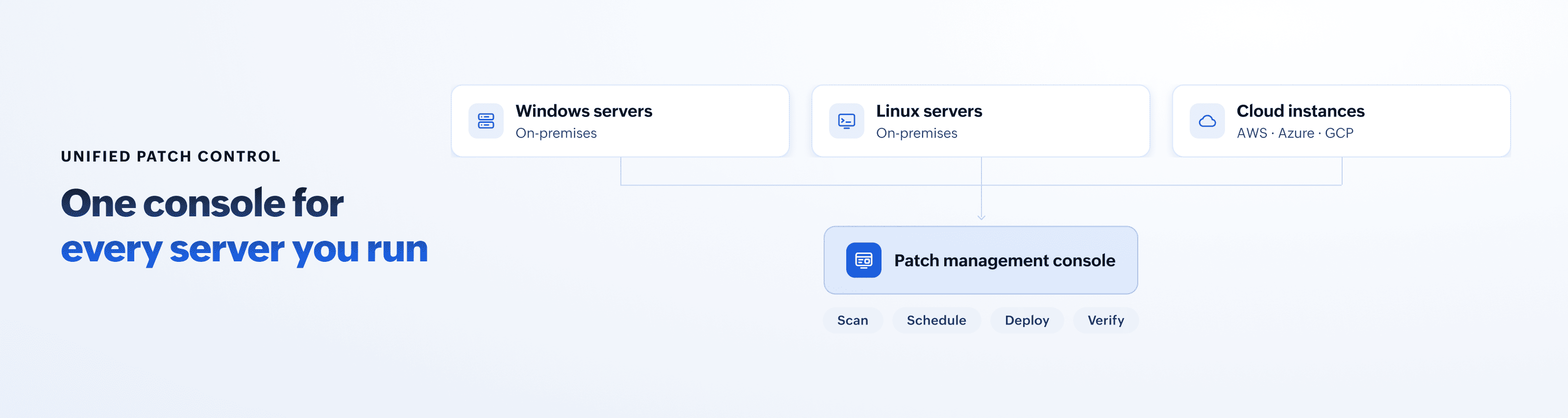
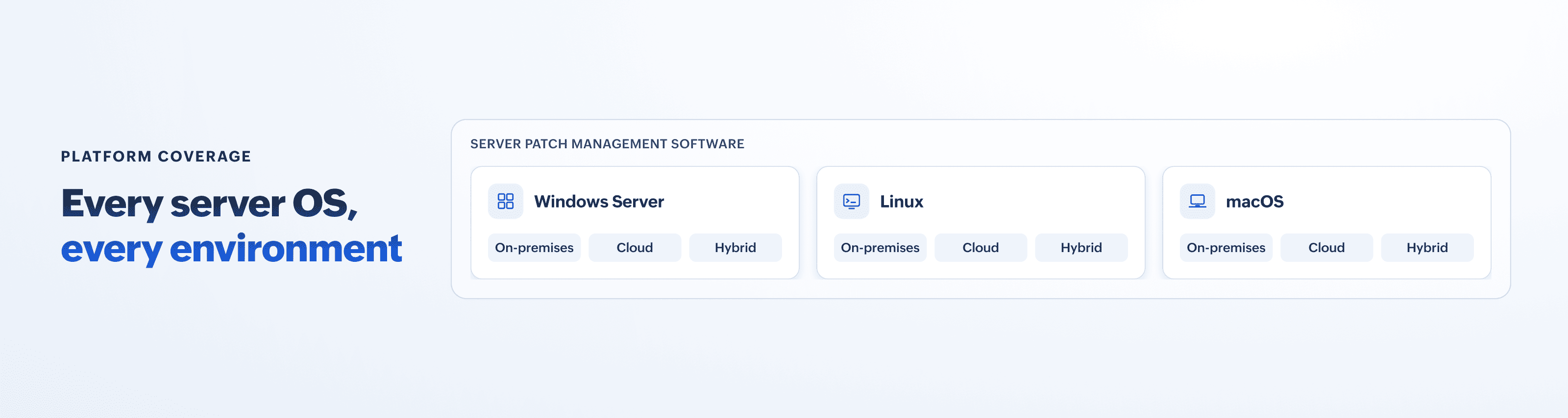
OS and platform coverage: Your servers probably run more than one OS. Windows Server, Red Hat, Ubuntu, CentOS, Amazon Linux, and macOS all follow different release cycles and package formats. The tool you choose should support every OS in your environment natively. If your stack spans multiple platforms, look for cross-platform patch management support that covers Windows, Linux, and Mac patch management from a single console.
On-premises, cloud, or hybrid: Some organizations run all their servers in a private data center. Others have migrated to AWS, Azure, or Google Cloud. Most sit somewhere in between. Your server patching software should reach every server regardless of where it sits, including Linux cloud patch management workflows for instances that spin up or down based on demand.
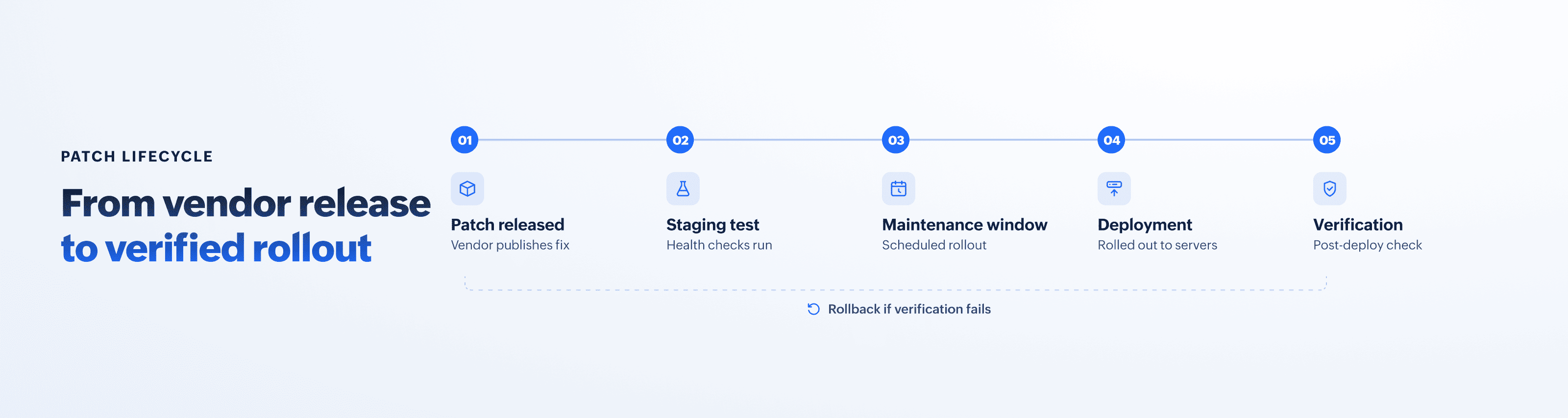
Automation and scheduling: Servers cannot be patched the way you patch a laptop. Production workloads run around the clock, and an unplanned reboot can take a critical service offline. Look for maintenance window controls that let you schedule patches per server group, staggered deployments that roll updates across clusters in sequence, pre-patch snapshots for safe recovery, and automatic rollback when a post-deployment health check fails. The tool should also support suppressing reboots until the maintenance window opens.
Third-party application support: Servers often run software from vendors other than the OS maker, like database engines, web servers, middleware, or Java runtimes. A strong server patch management tool handles third-party patch management alongside OS updates from a single console.
ManageEngine Patch Manager Plus is server patching software that covers Windows, macOS, and Linux, along with over 1,100 third-party applications. It supports agent-based deployment across on-premises, cloud, and hybrid environments. See why it is rated among the best patch management software available.
Server patch management best practices
According to the Verizon 2026 Data Breach Investigations Report, organizations recorded 527.3 million vulnerability instances in 2025, nearly eight times the figure from three years earlier. With that many vulnerabilities to track, a consistent process matters more than moving fast on any single patch.
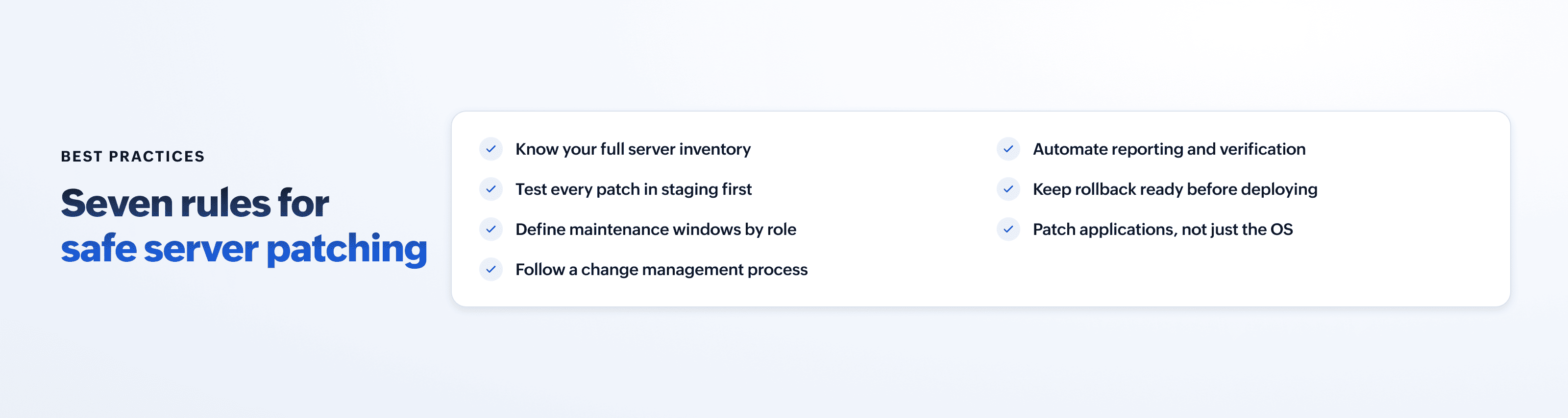
Patching starts with knowing what you have: Every physical server, virtual machine, and cloud instance should be tracked and categorized by role, OS, and criticality. If a server is not in your inventory, it is not getting patched. Automated discovery catches servers that were provisioned outside normal change management channels.
Test patches before deploying to production: Apply patches to a staging group first. Run your application health checks, verify service availability, and watch for conflicts with existing configurations. Give the test cycle enough time to surface delayed issues like memory leaks or degraded throughput under load. Only after a clean test window should the patch move to production servers.
Define maintenance windows by server role: Not every server tolerates the same downtime. A development server can be patched during business hours. A production database server needs an off-peak window with failover active. Group your servers by role and assign maintenance windows accordingly.
Follow a change management process: Every patch deployment to a production server should be logged as a change request. Record what was patched, when, by whom, and the outcome. This audit trail is useful for troubleshooting if an issue surfaces days after deployment, and it is required in regulated environments.
Automate reporting and verification: After deployment, verify that each patch installed successfully. A patch that was pushed but failed to apply can look the same as a successful one in a status dashboard if you are not checking. Automated post-deployment scans catch that gap.
Keep rollback ready: Take snapshots or checkpoints before applying patches to critical servers. If a patch causes application instability or performance degradation, you need a fast path back to the previous state without rebuilding from scratch.
Patch the applications, not just the OS: Many server compromises exploit vulnerabilities in software running on the server, not the operating system itself. Database engines, web server modules, and runtime environments all carry their own vulnerabilities and need updates alongside OS patches.
Server patching use cases
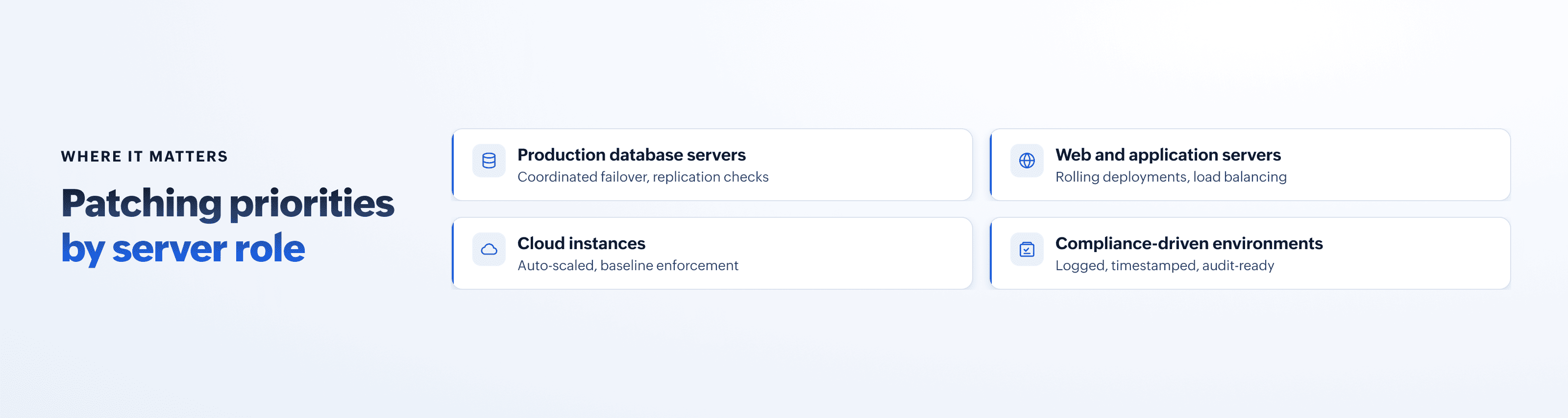
Production database servers: Database servers store your organization’s most sensitive data and typically run around the clock. Patching these requires coordination with database administrators, scheduled failover to a replica, and verification that replication resumes cleanly after the update. An outage on a database server can affect every application that depends on it.
Web and application servers: Internet-facing servers are exposed to the public internet, so missing patches here carry more risk than on internal systems. Load-balanced environments allow rolling deployments, where you patch one server at a time while the others continue serving traffic, so users see no interruption.
Cloud instances on AWS, Azure, or Google Cloud: Virtual machines in public cloud environments follow different life cycle patterns than on-premises servers. Instances may be ephemeral, scaling up and down based on demand. Auto-scaled instances can launch without the latest patches if your base image is stale. Your server patching solutions need to detect new instances as they launch, apply the correct patch baseline automatically, and flag any instance that falls out of compliance.
Compliance-driven environments: Organizations in healthcare, finance, and government sectors face strict regulatory timelines for patch application. The PCI DSS, HIPAA, and SOC 2 all include requirements around timely vulnerability remediation on systems that process sensitive data. Server patch management tools that log every deployment with timestamps, outcomes, and affected systems simplify audit preparation and produce the documented evidence auditors expect.
 About the author