How to trust the SSL certificate for Tenable.sc integration?
Description
You cannot integrate with Tenable.sc server if the SSL certificate is not trusted. You can see the error message Certificate not trusted while configuring Tenable.sc Integration Settings.
In case Tenable.sc integration isn't available in your Patch Manager Plus server, kindly contact support.
Steps
The following steps will help in resolution:
- Navigate to /opt/sc/data/CA/ in the Tenable.sc server installed machine.
- Copy all the certificates from Tenable.sc server installed machine to the Patch Manager Plus installed machine.
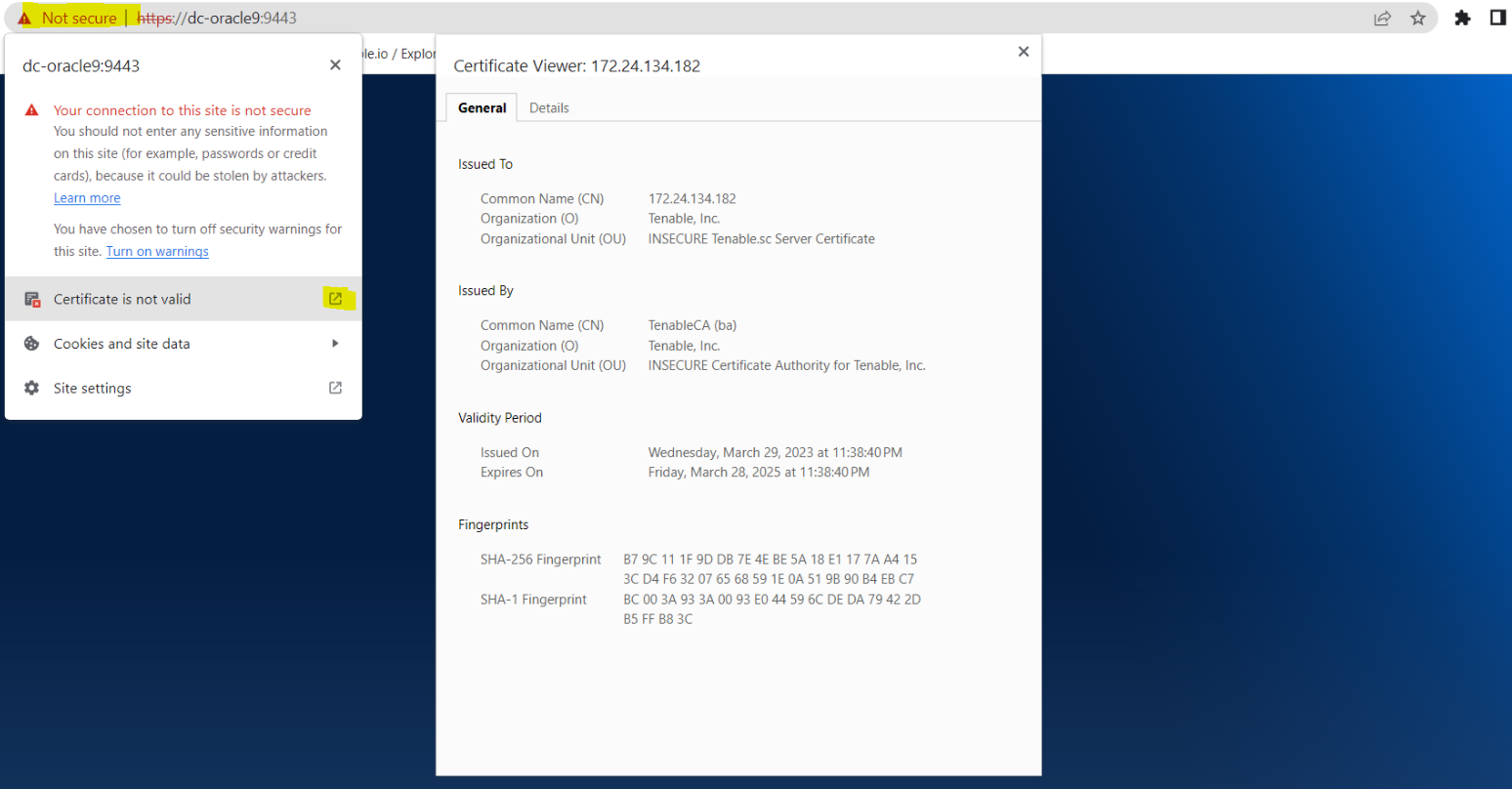
- Download the certificate listed on the browser for Tenable.sc (refer to the screenshot below)
- Open Command Prompt as administrator.
- Set the command prompt path to cd %Server_Home_Dir%\jre\bin directory.
Add each certificate using the below-mentioned procedure:
- Run the command keytool -importcert -file "%.Certificate_path%\%cert_name%" -keystore "%Server_Home_Dir%\conf\sslcerts\tenablesc.keystore" -alias "<unique_alias_name>" to create a Tenable.sc keystore, then add each certificate using this command and every certificate must be given a unique alias name.
- Enter the keystore password : changeit
- Press y (yes) to trust the certificate.
The current keystore password is changeit and avoid making any modifications to it.
The certificate trust has been successfully established. You will now be able to integrate with Tenable.sc server.
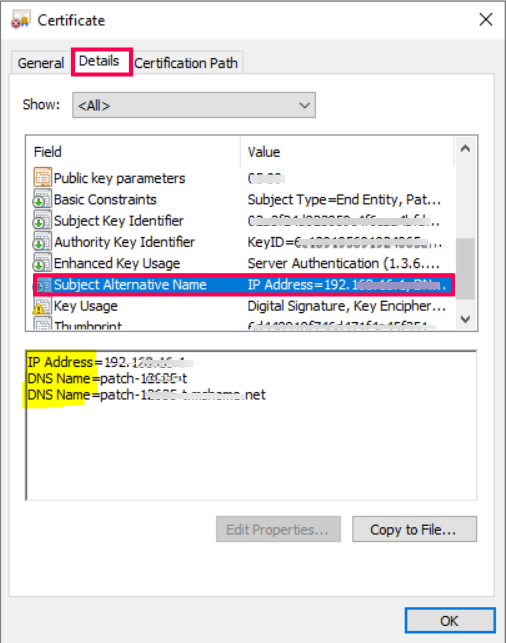
In the product console, before configuring base URL in Tenable.sc Integration Settings, ensure that the base URL of Tenable.sc's host/IP address is same as the DNS/IP address in the Subject Alternative Name field of the certificate's Details section. Also ensure the Common Name matches with the base URL in Tenable.sc's (On-Prem) Integration Settings. If the above conditions are not met, refer to Tenable's documentation for detailed instructions on regenerating certificates.
Kindly contact support for any queries.