What is Patch Management Software? Benefits & Best Practices

A patch management software comprehensive tool designed to automate and streamline the patch management process within an enterprise. From scanning, detecting, and identifying missing patches to testing, deploying, and installing them on the required endpoints, patch management software ensures a seamless update process for installed applications.
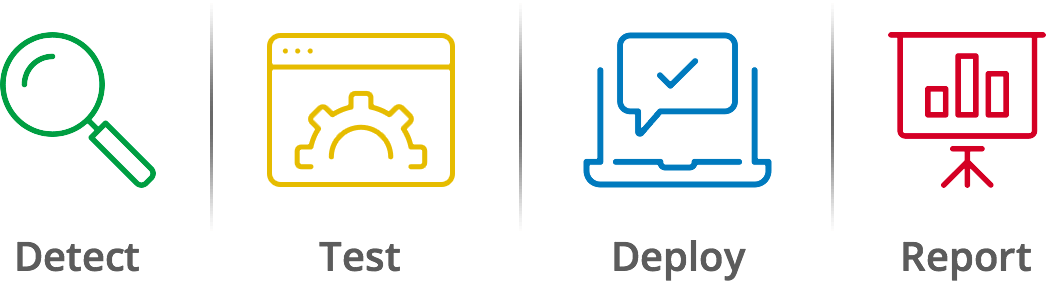
An ideal patch management software offers centralized visibility and control, enabling IT teams to manage software patches efficiently. The key functionalities of a patch management solution include automated patch detection, testing, deployment, and installation ensuring systems stay up to date and secure, minimizing vulnerabilities, and maintaining compliance with industry standards.
Key Takeaways
- Patch management closes the window of exploitation. Every unpatched vulnerability is an open door. A structured patch management process scan, test, deploy, report ensures critical vulnerabilities are addressed before threat actors exploit them.
- Coverage determines effectiveness. Automated patch management that covers only operating systems leaves third-party applications, remote endpoints, and servers exposed. Full protection requires a solution that addresses all these surfaces from one console.
- Automation is not optional at scale. Manually tracking and deploying patches across hundreds or thousands of endpoints across LAN, WAN, and remote environments is operationally unmanageable. Automated patch management tools eliminate the gaps manual workflows inevitably leave.
- Patch management is both a security and a compliance function. Unpatched systems create regulatory exposure, not just breach risk. A reliable patch management system keeps endpoints compliant with industry mandates while keeping security posture measurably strong.
Table of Contents
What is patching or patch management?
Patch management is the process of updating the operating system, software, drivers, and firmware of computers, laptops, mobile devices, and other systems to fix vulnerabilities, enhance functionality, and ensure compliance.
These patches are crucial pieces of code designed to fix existing bugs, resolve vulnerabilities, introduce new features, or enhance the overall security of software systems. The biggest advantage of implementing patch management tools is automation. A patch management software's centralized console ensures that all patching-related activities happen automatically, without human intervention.
Key steps in the patch management process
The patch management process, often referred to as the patch management system, encompasses several key stages:
- Scanning: Detecting computers and devices within the network that require updates.
- Testing: Evaluating patches in a controlled environment to ensure they do not negatively impact existing systems.
- Deployment: Applying patches manually or automatically using advanced patch management tools.
- Installation: Ensuring patches are correctly installed across all necessary devices.
- Audit and Reporting: Generating reports to verify high compliance levels and identifying areas needing improvement.
Patch management tools: a cybersecurity must-have
With the rise of remote and hybrid work environments, efficient security patch management has become increasingly vital. Modern patch management solutions incorporate automation, artificial intelligence, and machine learning to predict vulnerabilities and streamline the patch deployment process. This helps minimize the window of exposure and strengthens the overall security posture of the organization.
Adopting a risk-based patch management strategy allows organizations to prioritize critical updates, ensuring that high-risk vulnerabilities are addressed promptly. Integrating patch management into the DevSecOps cycle and using cloud-based patch management tools are also emerging trends, making it easier to manage patches across diverse and distributed environments.
An effective patch management solution is essential for maintaining the security, compliance, and operational integrity of an organization's IT infrastructure. By adopting advanced patch management tools and best practices, organizations can significantly reduce the risk of cyber threats and ensure continuous protection of their endpoints.
Why patch management matters
Speaking about the importance of patch management system, we have seen that a software patch not only adds newer functionalities but also fixes existing bugs/vulnerabilities in the software. Hence, a proper patch management strategy prevents threat actors from exploiting the systems by keeping them updated with the latest patches.
How do I choose the best patch management software for my organization? If you are someone looking to scale up the security of your organization's network, this question must be running through your mind. While patch management is a quintessential in improving the network's security posture, it is even more crucial to choose the correct patch management software, based on your organization's needs.
For a better understanding, let's take a dive into the depths of the patch management process to help you choose the best among the multitude of patch management tools available today, to streamline your software patch management experience.
Types of Software Patching
Now that we have a basic idea about what is patch management, let's dig in deeper. There are various kinds of patches, each tailored to suit specific needs and address specific issues. While some are designed for bug fixes to enhance security, others add features to the software. Patches can be broadly classified into the following three categories:
- Security patches: Security patch management, i.e. the process of deploying security patches to address security vulnerabilities in the software, drivers, and other related components helps secure it from being exploited by vulnerabilities and other threat actors.
- Bug fix patches: Bugs in software can range in severity from minor to critical. Bug fix patches ensure that the software is up to date with the latest, bug-free version.
- Feature update patches: Feature update patches introduce newer features and functions to software. In addition, they also enhance performance, making software faster and more efficient.
Challenges in patch management
Patch management is straightforward in principle. In practice, it creates operational friction at almost every step. Here are the most common challenges IT teams face.
Keeping up with patch volume: Software vendors release patches continuously. Microsoft alone publishes updates on a monthly Patch Tuesday cycle, but critical out-of-band patches can drop at any time. For teams managing hundreds of applications across thousands of endpoints, tracking every release and assessing its severity is a persistent workload challenge.
Prioritizing what to patch first:Not all patches carry the same risk. Deciding which vulnerabilities to address immediately versus which ones can wait — especially when the patch backlog is long — requires a risk-based approach. Without clear prioritization criteria tied to CVSS scores, asset criticality, and active exploitation status, teams either over-patch (wasting time) or under-patch (accepting risk they don't intend to).
Testing without delaying deployment:Patches should be tested before they reach production systems. But testing takes time, and the longer a critical vulnerability sits unaddressed, the larger the window of exposure. Striking the right balance between thorough testing and fast deployment is one of the more difficult operational trade-offs in enterprise patch management.
Reaching distributed and remote endpoints:Patching endpoints connected to the corporate LAN is relatively straightforward. Patching remote workers, branch offices on WAN connections, and cloud-hosted servers requires a different approach. Without tools built for distributed environments, these endpoints often get missed and missed endpoints are the ones attackers find first.
Handling failed or incompatible patches:Some patches cause system instability or application compatibility issues post-deployment. Without the ability to roll back patches quickly and reliably across affected endpoints, a single bad patch can become a larger incident than the vulnerability it was meant to fix.
Why is patch management important?
The number of software vulnerabilities and ransomware attacks is increasing exponentially with each passing day. For enterprises with multiple servers and computers, spread across LAN, remote offices and for WFH employees, ensuring software patching to secure them can be both time-consuming and challenging. On the contrary, trying to manually manage these patches instead of using one of the patch management tools is not only hectic but also a major risk for businesses.
That being said, here are some of the key reasons that state why patch management is important:
- Preventing security breaches: Software patch management or software patching is one of the most important IT tasks in any organization, as patches fix vulnerabilities in the software and applications, keeping cyberattacks at bay. When left unpatched, software and operating systems can put your organization on the path of severe security breaches.
- Ensuring compliance: With cyberattacks on the rise, regulatory agencies have taken drastic measures to keep enterprises in line with compliance mandates. An integral part of a proper patch management strategy is to ensure that all the endpoints in an organization adhere to compliance standards.
- Feature updates: Besides providing security and bug fixes, patches also introduce new features and functions. This improves usability and enhances the end-user experience.
- Downtime prevention: Ransomware attacks and other cyber threats not only result in data breaches but can also cause system downtime, which in turn affects the productivity and revenue of any organization. Systematized patch management ensures the endpoints are updated and secure, thereby preventing downtime due to security breaches.
How to implement patch management in your enterprise?
Now that we know the importance of patch management for an enterprise, let's have a look at how to implement patch management across the systems in your network.
- Centralized visibility over all the systems
- Scheduling deployments without affecting employee productivity
- Developing strategies to patch all the systems across the network
- Testing and rolling back patches
The first step to achieving a seamless patch management workflow is to have centralized visibility over all the systems in the network. This will enable the admins to understand the patching status of the systems and thus prioritize the missing patches or patches with higher severity (critical or important) to the systems.
Scheduling and deploying patches without affecting employee productivity is one of the most crucial factors to be considered while implementing patch management. One of the most convenient ways to achieve this is by deploying patches based on the user's availability and system uptime stats.
Additionally, admins can leverage patch management tools to create deployment policies and deploy patches to the systems automatically while configuring the pre or post-installation criteria such as rebooting the systems and so on.
For enterprises with employees spread around the world, it is imperative that the admins develop deployment strategies to patch all of the systems in LAN, remote offices (WAN), and employees working from home.
Testing of patches should always precede the deployment. Once the patches have been tested for functional correctness, they can be deployed to the systems safely.
On the contrary, if the patches show signs of anomalies or disrupt system performance post-deployment, admins should also have the ability to roll back (uninstall) these patches across all the systems where they have been deployed.
Process of patch management
As important as it is to understand what patching is, deploying patches strategically matters more. Installing patches the moment they are available can wreak havoc on endpoints. A strategic approach that balances time-to-patch with patch prioritization is strongly recommended.
Here are the five steps for an efficient patch management process:
- Choose a centralized patch management solution
- Test patches before deployment in a pilot environment
- Prioritization and systematic deployment
- Automate patching
- Track and generate reports
Manually updating patches and keeping tabs on reports is an impossible task at scale. When an organization grows, applying patches manually becomes increasingly difficult and impractical, creating critical gaps. Opt for a patch management solution that offers a central console with patch deployment, reporting, and customization capabilities.
Certain patches have caused system instability and crashes in the past. Testing patches in a pilot group of endpoints before deploying to production machines is strongly recommended. The pilot group should include all the same operating system flavors and versions in use across the network.
Sorting patches and endpoints by priority is another important step. Deploy patches to endpoints in groups, not all at once. Patches should be deployed based on their severity, with critical patches taking top priority.
Manual patching of all endpoints in an organization is a repetitive task that demands time and labor, causing productivity drops. It also increases the overall time to fully patch every endpoint, leaving more room for exploitation by threat actors. Automating the entire patch management process ensures faster response times, better security, and improved productivity.
Tracking the progress and failures of patch deployments in the network is crucial. Generating and maintaining reports helps assess patch compliance across the network.
Best practices of patch management
Patching endpoints regularly can keep cyberattacks at bay to a large extent. Here are a few patch management best practices that we recommend you follow:
- Automate patch management, especially for security updates
- Use a critical-updates-first approach
- Schedule auto-deployments twice a week
- Allow user intervention to prevent productivity drops
A study by the Ponemon Institute, the Costs and Consequences of Gaps in Vulnerability Response, states that it takes 16 days on average to patch a critical vulnerability once detected.
Say goodbye to tedious downloads and manual installations with automated patch deployment. From scanning missing patches to installing them on the respective endpoints, automated deployments are not just easy, but accurate and fast.
As many as 72% of respondents in the same Ponemon study reported difficulties in prioritizing patches.
With a critical-updates-first approach, admins can sort and act on the patches that need to be installed immediately. This reduces the threat response time and ensures efficient patch management.
With scheduled auto-deployment of patches, your endpoints will keep receiving regular patch updates as and when released. Our experts recommend scheduling deployments twice a week to allow proper testing and approval of patches.
While it's essential to patch endpoints as soon as possible, admins also have to ensure continued user productivity. With flexible deployment policies in place, users can choose to postpone updates if the update conflicts with their business-critical tasks.
Importance of patch management software in an enterprise
With a plethora of patch management tools available in the market today, it is important that you identify the patch management software that best suits your organization's needs. Before taking a look at how you can identify one, let's understand the importance of patch management software:
- Simplifies the patch management process: Any of the ideal patch management solutions simplify the entire patch management process: from identifying the missing patches, testing them, deploying to the required endpoints, and generating reports. This further negates any manual intervention.
- Keeps vulnerabilities at bay and systems in compliance: With tens of thousands of vulnerabilities being detected every year, they must be tracked and mitigated before being exploited. With patch management software in place, the vulnerable applications can swiftly be detected and remediated thereby bolstering the endpoint security as well as keeping them compliant.
- Ensures productivity and network security: Achieving network security and compliance in an enterprise of thousands is a tough job. Since the employees are spread over various geographical locations and have different job requirements, devising a common patching policy becomes a hassle.
With modern patch management tools such as Patch Manager Plus, admins can create patching schedules that ensure network security is achieved without affecting the end user's productivity. - Generates insightful reporting for audits and compliances: As important as it is to deploy patches, admins should also have track of the deployments as well as the unpatched systems. A patch management solution generates real-time reports that make it easier to track all the stages of the patch deployment task as well as other important details of the network, which are crucial for compliance and audit purposes.
How to choose the right patch management software?
The answer depends on the features you are looking for. Every business has its own demands, but a few traits are common across organizations when evaluating patch management software.
The patch management tool should:
- Apply patches across every major operating system, including Windows, macOS, and Linux.
- Support software patching for heterogeneous endpoints such as laptops, desktops, servers, and remote devices.
- Provide patching support for third-party applications.
- Have a completely automated patch management feature to save time and money for users.
- Offer dynamic reporting with details on the status of patches.
- Have an interactive, affordable, easy-to-use, web-based interface with support documentation.
- Remote Patch Management: To manage remote patching for work-from-home options.
Patch Manager Plus provides:
- Windows patch management: Automates Windows patching, mitigates security risks, and fixes vulnerabilities in minutes.
- macOS patch management: Deploys and manages patches to all macOS endpoints from a single console.
- Linux patch management: Provides on-demand and scheduled patch deployment of Linux-related security fixes.
If you are looking for an affordable patch management solution that covers everything listed above, Patch Manager Plus offers all these features from one central location. This patch management tool is compatible with Windows, macOS, and Linux, and offers a Free edition for up to 25 devices. It also provides server patch management to help keep data secure and up to date.
Server patch management involves testing and patching physical and virtual servers with little to no downtime. This free patch management software provides access to all the essential features required to patch your systems and can secure your entire infrastructure.
ManageEngine's flagship patching software - Patch Manager Plus is available both as an on-premises as well as a cloud patching solution. With remote jobs changing the way IT operates, you can perform patching on the go with Patch Manager Plus Cloud.
Security patch management
Security patch management is the process of detecting, testing, and deploying security patches or updates to systems to address security vulnerabilities and issues. Security patches ensure that known security vulnerabilities in systems and networks are promptly mitigated.
While patch management refers to deploying patches across all endpoints, it typically encompasses both security and non-security patches. Security updates should always be the primary focus and should be deployed promptly after testing, as soon as the updates are released. Non-security updates or feature enhancements can follow in subsequent deployment schedules, once security patches are installed.
Server patch management
Server patch management is the process of detecting, testing, and deploying missing patches to prevent servers from being exploited by vulnerabilities and external threat actors. These patches also improve the performance and stability of servers by removing existing bugs and glitches while adding newer functionalities. For organizations and enterprises, server patch management is a critical task since the allotted server maintenance window is typically very short, to prevent productivity drops.
With an automated patching solution, you can automate the entire workflow and ensure patches are tested and approved before deployment to prevent anomalies. Refer here to know more about server patching.
ManageEngine's patch management solution to deploy software patches
ManageEngine Patch Manager Plus is a patch management software that automates the complete patching workflow across Windows, macOS, Linux, and 1100+ third-party applications from a single console. It follows six steps in its patch management process: synchronizing, scanning, downloading, testing, deploying approved patches to their respective computers, and generating reports.
- Synchronization: All information about patches is collected from vendor sites and fed into the patch database, which is then synchronized with the Patch Manager Plus server.
- Detect: Patch Manager Plus automatically scans computers in the network to identify missing patches.
- Download: All missing patches are downloaded from vendor sites. This includes security updates, non-security updates, service packs, rollups, optional updates, and feature packs.
- Test and approve: Downloaded patches are first tested in non-production machines (test groups). Deploying untested patches in a production environment is risky — some patches and updates may cause compatibility issues that require uninstallation post-deployment. Patches are approved only if they cause no issues after testing.
- Deployment: Flexible deployment policies let you select the deployment window and create patching policies. These policies provide access to multiple deployment settings to control when and how a patch is deployed.
- Report: After successful deployment, reports are automatically generated and sent to the server. Customized reports allow you to filter data easily and share results in PDF, CSV, or XLSX format.
FAQs
1) What does patch management do?
Patch management is the process of identifying, testing, deploying, and installing software patches (or updates) to computers thereby preventing them from being exploited by threat actors.
2) What are three types of patch management?
Software patches are generally of three types, i.e. Security patches, Bug fix patches, and Feature update patches.
3) Why is patch management important?
A proper patch management process mitigates bugs/vulnerabilities in the software by updating them with the latest patches/versions available. This prevents the systems from being exploited via software vulnerabilities by threat actors.
4) What is a patch software?
A software patch is a piece of code, tailored to fix existing bugs/vulnerabilities in the software, add new features, or enhance its security.
5) What are the different types of patches in software?
Software patches are generally of three different types, i.e. Security patches, Bug fix patches, and Feature update patches.
6) Is a software patch the same as an update?
The difference between a software patch and an update is that a software patch specifically fixes vulnerabilities in the software. However, an update can include newer features, enhancements as well as bug fixes.
7) What is patch management used for?
Patch management is used to identify, test, deploy, and install software patches (or updates) to computers thereby preventing them from being exploited by threat actors.
8) What is the meaning of patch management process?
The software patch management process includes scanning computers in the network for missing patches, testing them in a test group of machines, and deploying them manually or automatically via patch management software.
9) What is patch management tool?
A patch management tool is a software that identifies, tests, deploys, and installs software patches (or updates) to computers either manually or via automated methods. It also aids in generating reports to audit and monitors patch compliance in the network.
10) What are the steps in patching?
The steps in patching are:
- Identifying the missing patches by scanning the computers in the network.
- Testing the patches in a pilot group of computers.
- Deploying the tested patches to the production machines once they have been successfully approved.
- Installing the patches on the machines and rebooting the systems (if required).
- Generating reports on the patch management process for audits and patch compliance.
11) What is patch management example?
Microsoft releases security patches for its operating systems (such as Windows 10) and other products (Office and so on) on the second Tuesday of every month, known as Patch Tuesday. This is an example of patch management.
12) What is the patching process?
The patch management process refers to scanning the endpoints in the network for missing patches, testing them in a test group of machines, and deploying them to the endpoints either manually or automatically, via patch management software.
13) What is patching in software?
Patching in software refers to the process of deploying patches (software codes) to resolve functionality issues, add newer features, or prevent vulnerabilities in the software from being exploited by threat actors.
14) What does patching an OS mean?
Patching an Operating System (OS) refers to the process of installing the latest patches to add newer features, improve functionalities or mitigate vulnerabilities in it.
15) What is patching and what types of patching?
Patching or patch management is the process of identifying, testing, deploying, and installing software patches (or updates) to computers.
16) What is patching in server?
Server patching or server patch management refers to the process of installing the latest patches or software updates in the servers to mitigate the vulnerabilities or bugs in them and to add newer functionalities.