Automating PAM360 Operations using ADManager Plus' Event-Driven Automation
ADManager Plus integrates seamlessly with PAM360 to provide robust, event-driven automation for Identity Governance and Administration (IGA). This integration facilitates real-time orchestration of management tasks across Active Directory services and PAM360, thus ensuring centralized control, consistency, and compliance throughout the IT environment.
How Does Event-Driven Automation Work with PAM360?
Directory events triggered within ADManager Plus, such as the creation, modification, migration, or deletion of directory-managed objects like users, groups, or organizational units, automatically invoke pre-configured PAM360 outbound webhooks. These webhooks push relevant updates to PAM360 in real time, leveraging PAM360's REST APIs to execute corresponding privileged operations without the need for manual intervention.
This continuous event-driven approach ensures that the details in PAM360 are always aligned with the current state of the Active Directory. As a result, organizations benefit from enhanced accuracy, reduced administrative overhead, and keeping the environment secure and up-to-date always.
Currently, the integration supports event-driven automation of user-centric operations, including:
- User Provisioning - Onboarding AD Users into PAM360
- User Deprovisioning - Offboarding AD Users from PAM360
This document will surf you through the following topics in-depth for a successful ADManager Plus configuration for event-driven automated workflows:
- Prerequisites from PAM360 - Learn how to prepare your PAM360 environment for integration, including required permissions and prerequisites.
- Enable PAM360 Integration in ADManager Plus - Instructions to enable PAM360 integration and to connect ADManager Plus with PAM360 for secure and reliable communication.
- Configuring Event-Driven Automation Workflows - Understand how to define and implement event-based workflows in ADManager Plus that will trigger automated PAM360 operations.
1. Prerequisites from PAM360
Before configuring event-driven automation between ADManager Plus and PAM360, ensure that PAM360 is set up to securely accept and process requests initiated by ADManager Plus. This setup requires a user account in PAM360 with the appropriate REST API privileges.
To enable ADManager Plus to trigger and execute actions within PAM360 during an event, a dedicated user account with the REST API access is required in PAM360. The user account can be a strict REST API only user account or an account with both web and API access. The account must be assigned with the administrator privileged role or a custom role with all the necessary permissions required to perform the intended actions (e.g., import user, edit user, lock user, add user to user group, remove user from user group, etc,.). This user account will be used by ADManager Plus to authenticate and perform tasks in PAM360 during an event-driven workflow.
Caution
If a custom role is assigned and it lacks any of the required privileges, ADManager Plus will fail to execute the corresponding actions in PAM360. Therefore, it is crucial to review and verify that all permissions required for the automation tasks are granted to the custom role.
By ensuring the appropriate user account with the REST API access is in place with all necessary permissions, you establish a secure and reliable communication channel for automation between ADManager Plus and PAM360.
Additional Details
Once a user account is created, the authentication token initially generated by the administrator should be regenerated by the user.
- If the PAM360 user account has both web and REST API access, log in to the account, navigate to User Settings under the My Profile dropdown in the PAM360 interface, and regenerate the authentication token there.
- If the account is restricted to REST API access only, use the token regeneration API to regenerate the authentication token.
Additionally, whenever an administrator regenerates a user’s authentication token, the authentication token should be regenerated from the user account and to be updated in the relevant ADManager Plus configuration.
2. Enable PAM360 Integration in ADManager Plus
To establish a seamless integration between ADManager Plus and PAM360, you will need to use the Authentication Token of the PAM360 user account in ADManager Plus. Follow the steps below to enable the integration:
- Log in to your ADManager Plus application.
- Navigate to Automation >> Application Integration and locate the PAM360 application in the list.
- In the integration page that appears, enable the toggle to activate the PAM360 integration.
- Under the Authorization section, ensure the Authorization Type is set to API Key, Key is set to AUTHTOKEN, Add To is set to Header.
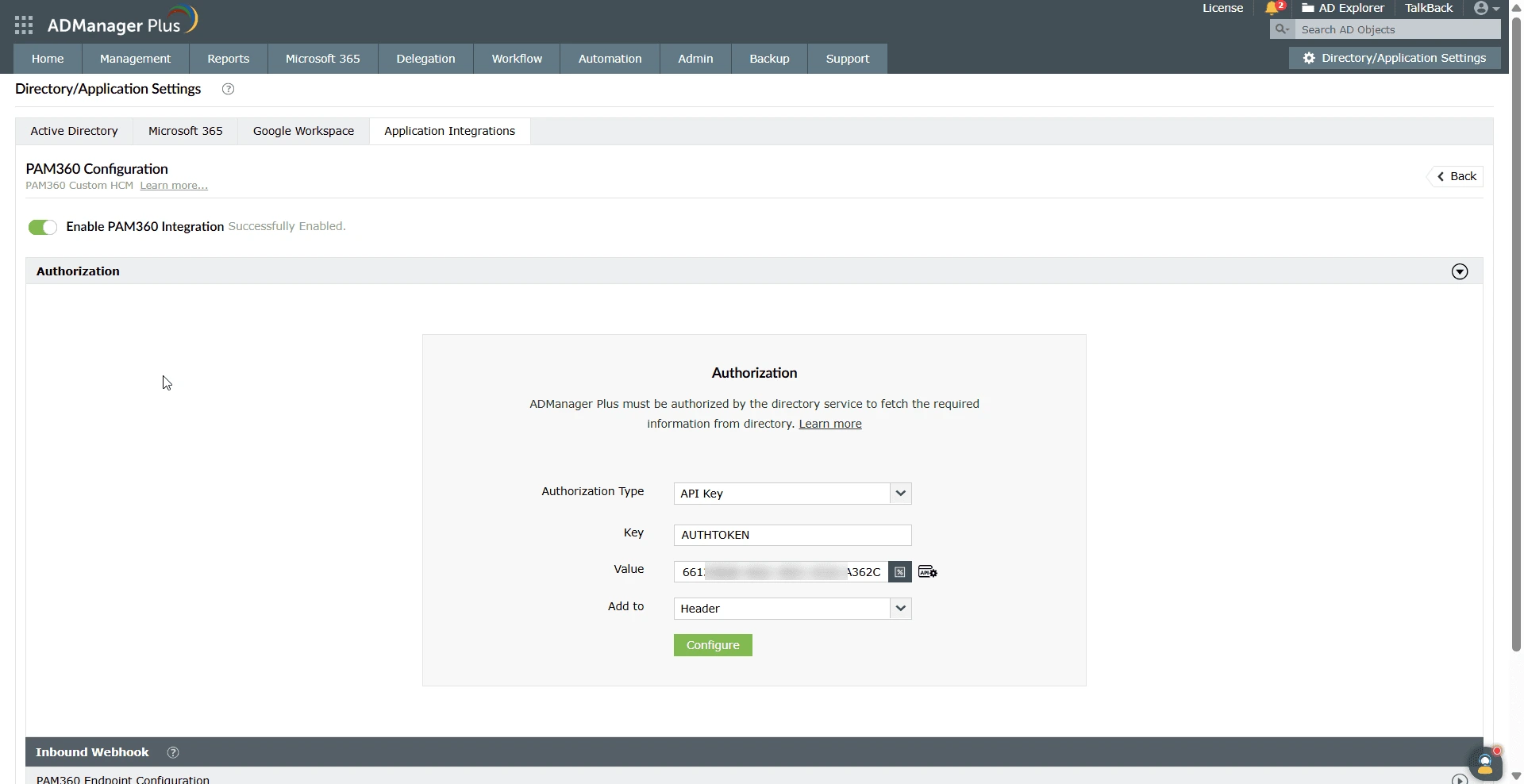
- Enter the regenerated authentication token of the PAM360 user account and click Configure to save and apply the integration settings.
Once these steps are completed, ADManager Plus will be successfully integrated with PAM360 using secure API-based authentication. To configure and manage event-driven automation workflows using this integration, refer to the following section.
3. Configuring Event-Driven Automation Workflows
Setting up event-driven automation in ADManager Plus for a PAM360 operation involves a three-step process:
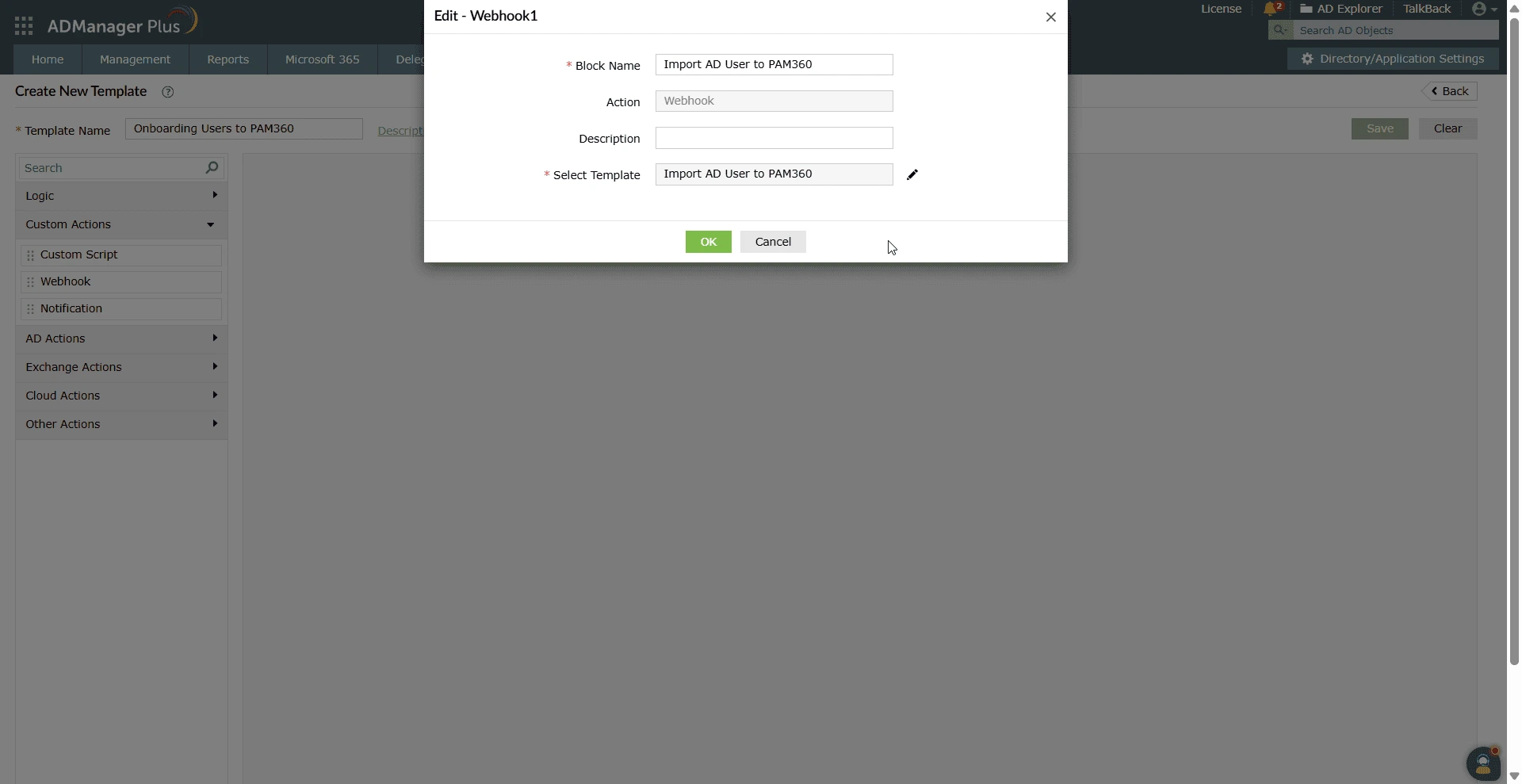
- Defining the Outbound Webhooks Using PAM360 APIs - ADManager Plus allows you to configure webhooks that invoke PAM360 REST API for the required operation in PAM360. These webhooks should be defined with the request URL, headers, parameters, HTTP method, and message body, and can be added as blocks to your orchestration templates.
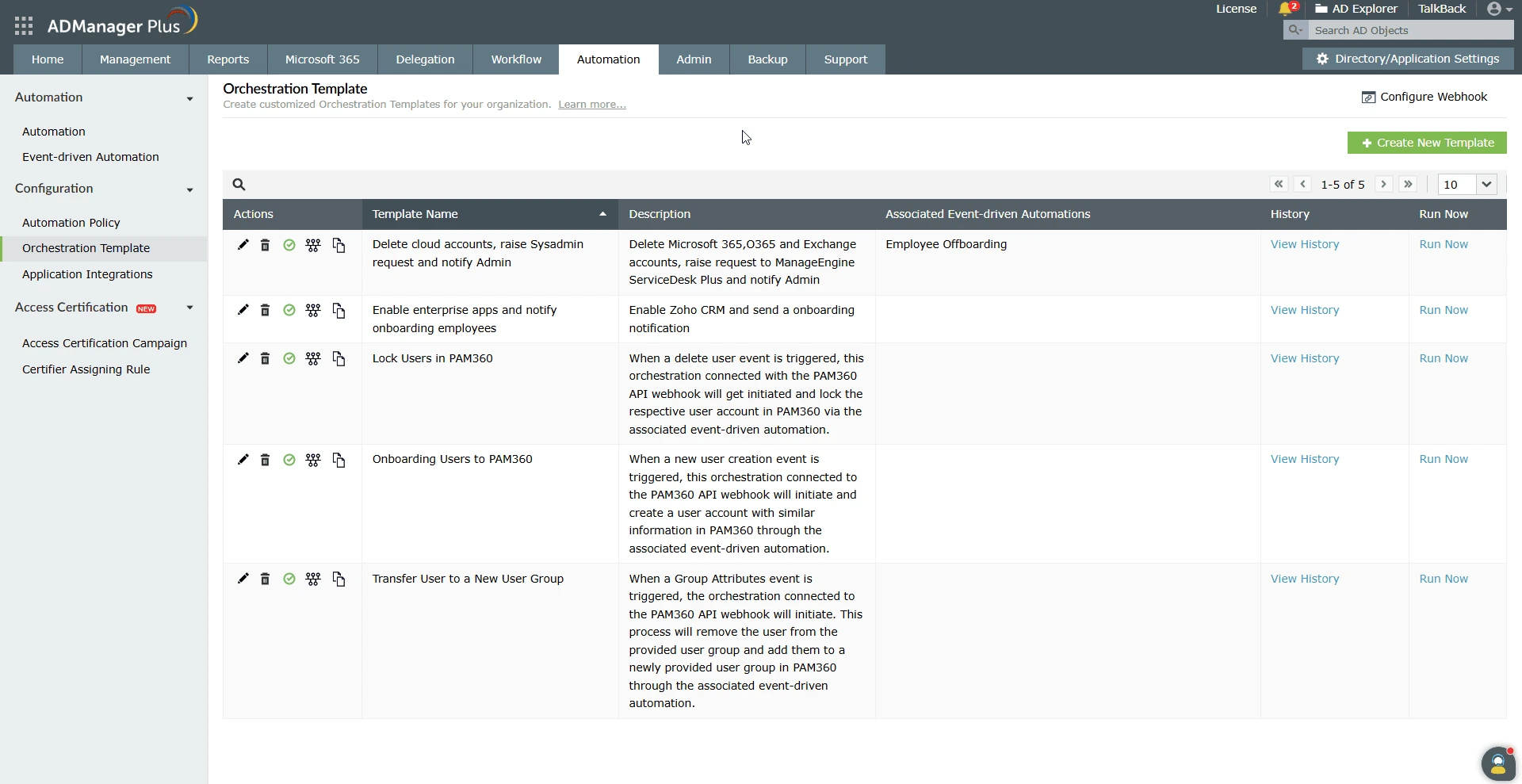
- Creating an Orchestration Template for PAM360 Event-Driven Operations - Orchestration enables you to define a sequence of automated tasks that are triggered upon the execution of a specific event. You can customize the time delay between tasks, control the directional flow of execution, and set the precise order of operations - making orchestration highly flexible and efficient. For more details, click here.
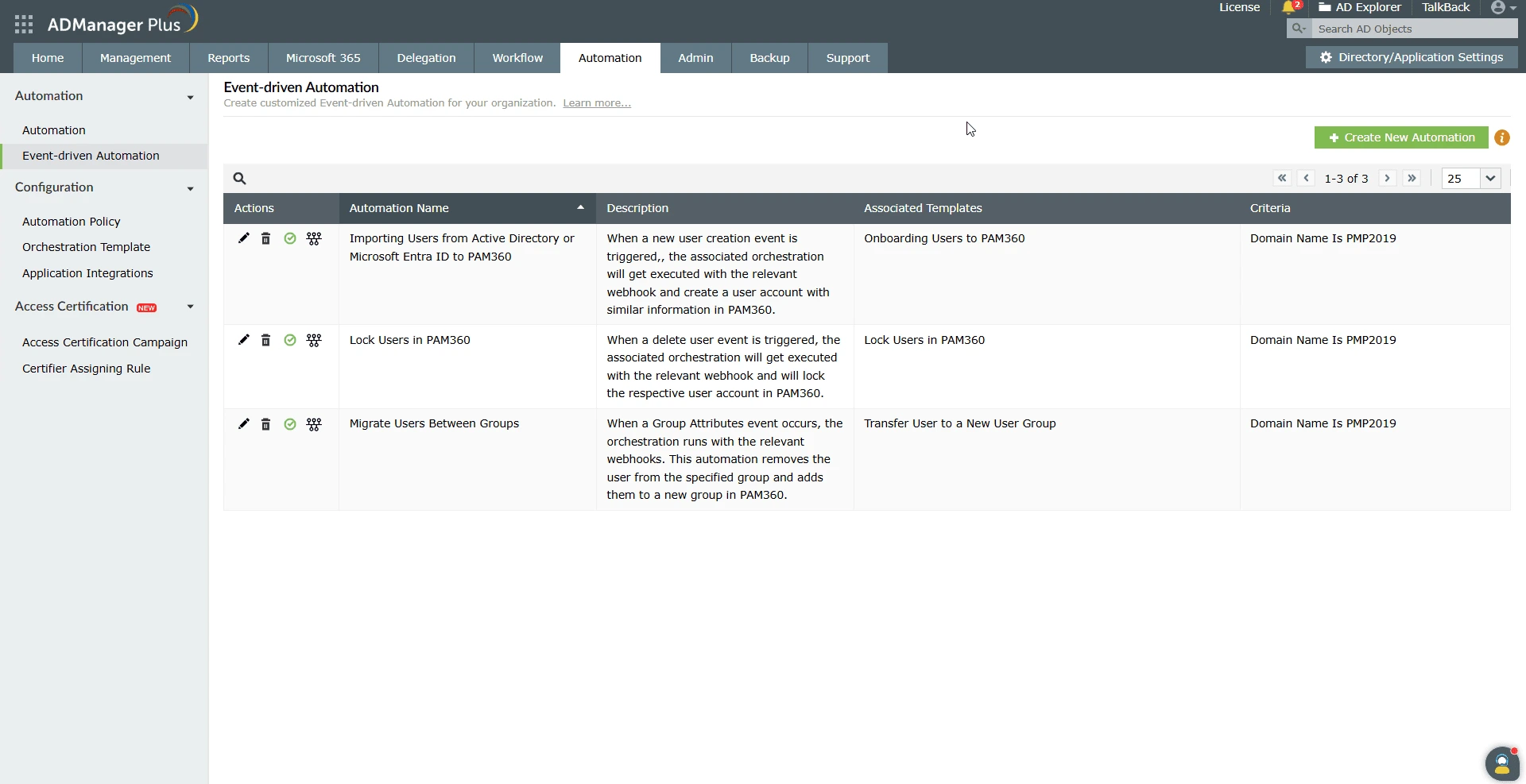
- Creating Event-Driven Automation - Event-driven automation allows you to configure specific events as triggers to execute actions defined via an orchestration template. Once a trigger event occurs in ADManager Plus, the associated orchestration templates with the webhooks are executed instantly and performs the same in the PAM360 application. You can assign multiple orchestration templates based on your organization's unique operational requirements.
Refer to this document to learn more about configuring event-driven automation for supported PAM360 operations.
Integrating PAM360 with ADManager Plus for event-driven automation enables organizations to enhance their privileged access management strategy significantly. By automating directory-related tasks supported through PAM360 APIs, this integration minimizes manual intervention and reduces delays. With simple configuration, IT administrators can efficiently automate key operations like importing users, locking user accounts, and managing user group via ADManager Plus events. This approach enhances operational efficiency, reinforces security, and helps maintain compliance across the identity and access management ecosystem.