Audit Notification Management
PAM360 provides the flexibility to record audit trails only for selected events based on your organizational requirements. You can configure audit notifications for specific resource, task, and user audit events as needed. In addition, PAM360 allows you to configure email notifications, generate syslog messages, and raise SNMP traps when specific events occur. You can also purge audit trails that are no longer required to manage disk space effectively.
Follow these steps to configure audit notifications for the desired audit events:
- Navigate to the Audit tab, click on the desired audit type on the left pane, and select Audit Actions >> Configure Audit. For instance, to configure notifications for the resource audit events, navigate to Audit >> Resource Audit >> Audit Actions >> Configure Resource Audit.
- In the Audit Configuration window that appears, select the operations for which you want to generate audit records and click Save to apply the selected audit configuration. Leave the checkboxes unchecked for operations you do not wish to audit.
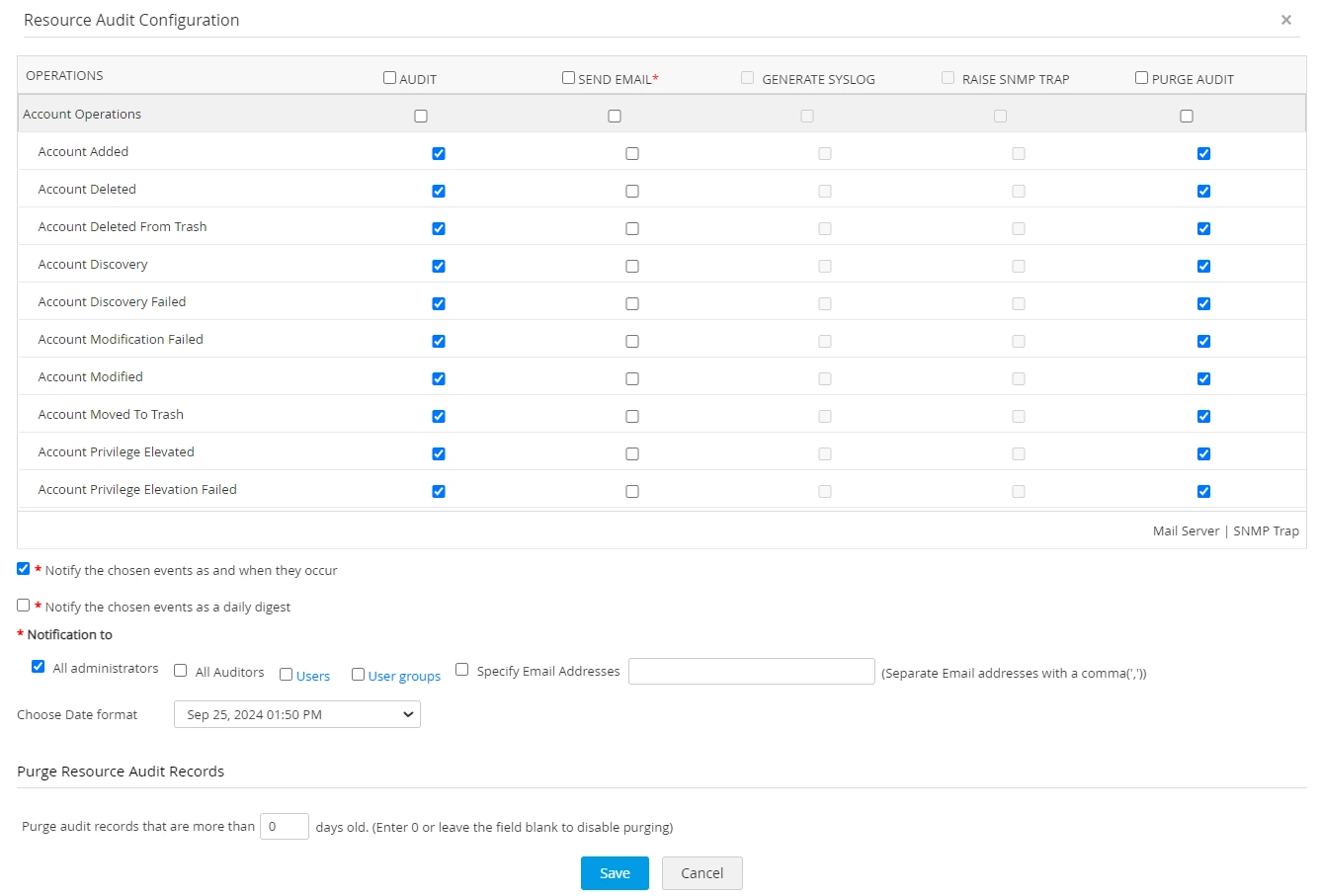
- To trigger email notifications, syslog messages, and raise SNMP traps when specific events occur, select the corresponding checkboxes for the required operations in the Audit Configuration window.
- To prevent excessive notification emails, you can configure a daily digest that summarizes all audit trails generated for the selected events. Tick the Notify the chosen events as a daily digest checkbox to enable this option.
- To automatically purge audit records that are older than a specified number of days, specify the required retention period in the checkbox provided under the Purge Audit Records section. For example, entering 90 will delete audit records that are older than 90 days.
Additional Detail
You can choose to retain or delete audit records related to specific operations by selecting the check box under the Purge Audit column. Select the checkbox beside the desired operations for which you wish to purge the audit trails. The audit records corresponding to the operations whose check boxes are left unselected will be retained permanently as a part of your audit trail.