- Related Products
- AD360
- Log360
- ADManager Plus
- ADSelfService Plus
- EventLog Analyzer
- Exchange Reporter Plus

 Click here to expand
Follow the steps below to configure auditing in your target OceanStor Pacific series devices.
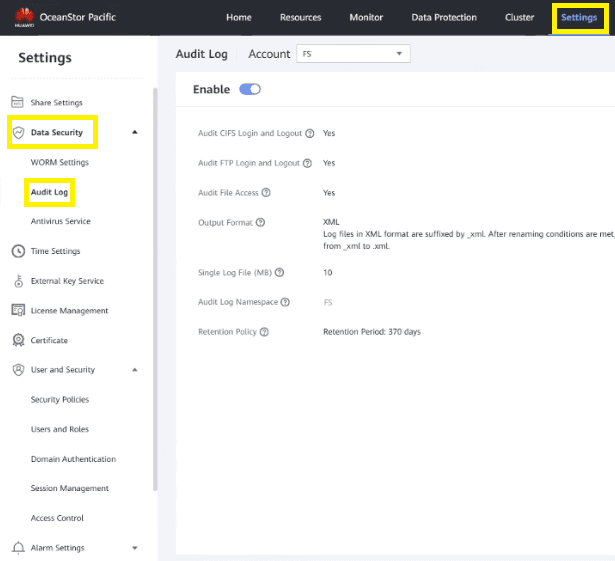
Go to Settings > Data Security > Audit Log and select the Account from the drop-down.
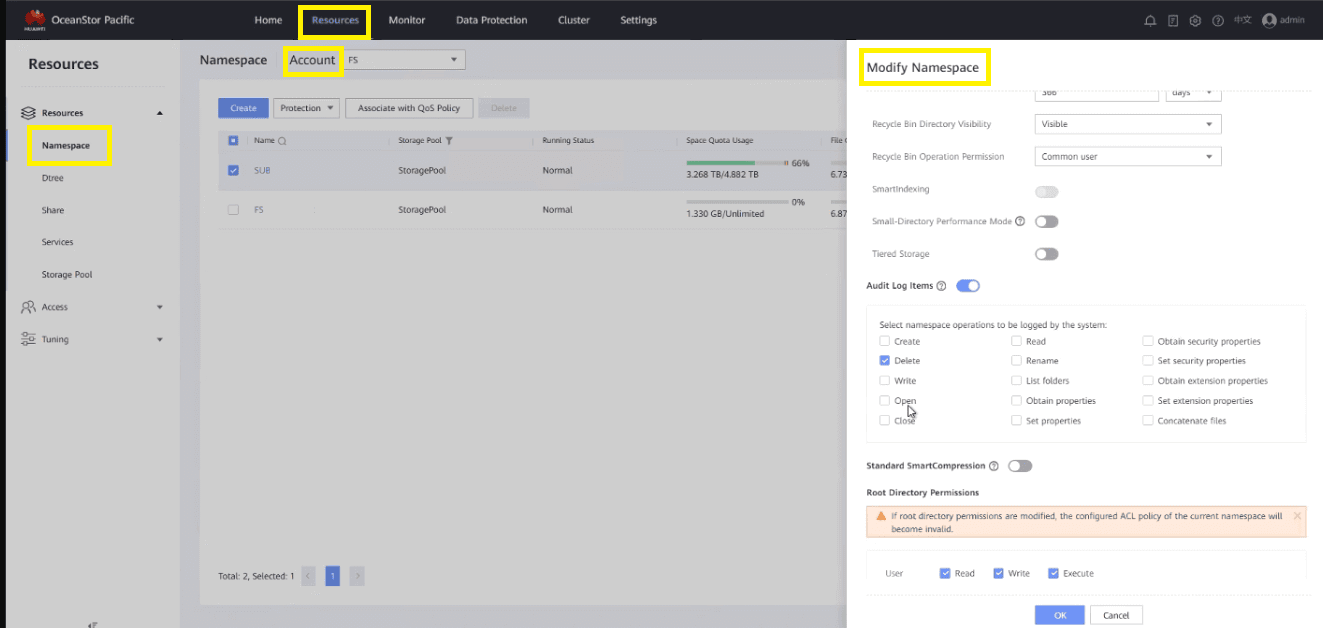
Go to Resources > Namespace.
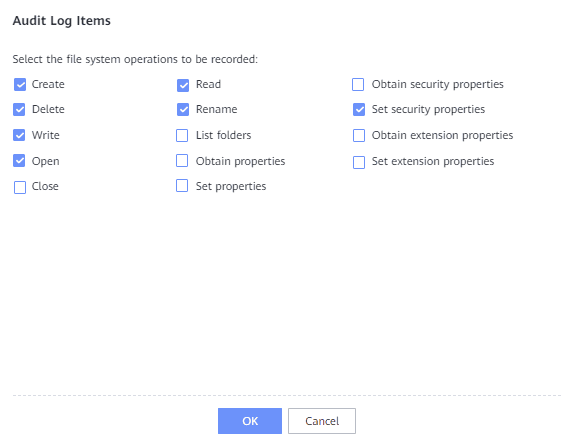
In the top-right corner, click More and select Modify.
Copyright © 2020, ZOHO Corp. All Rights Reserved.