
Enabling auditing
Follow the steps below to configure auditing in your target OceanStor V5 series vStores.
- To view the ACL values before and after permission change and owner change events, log on to the ADAudit Plus web console, go to Admin > Configuration > Alert/Report Settings, and enable Show detailed permission changes for NAS devices.
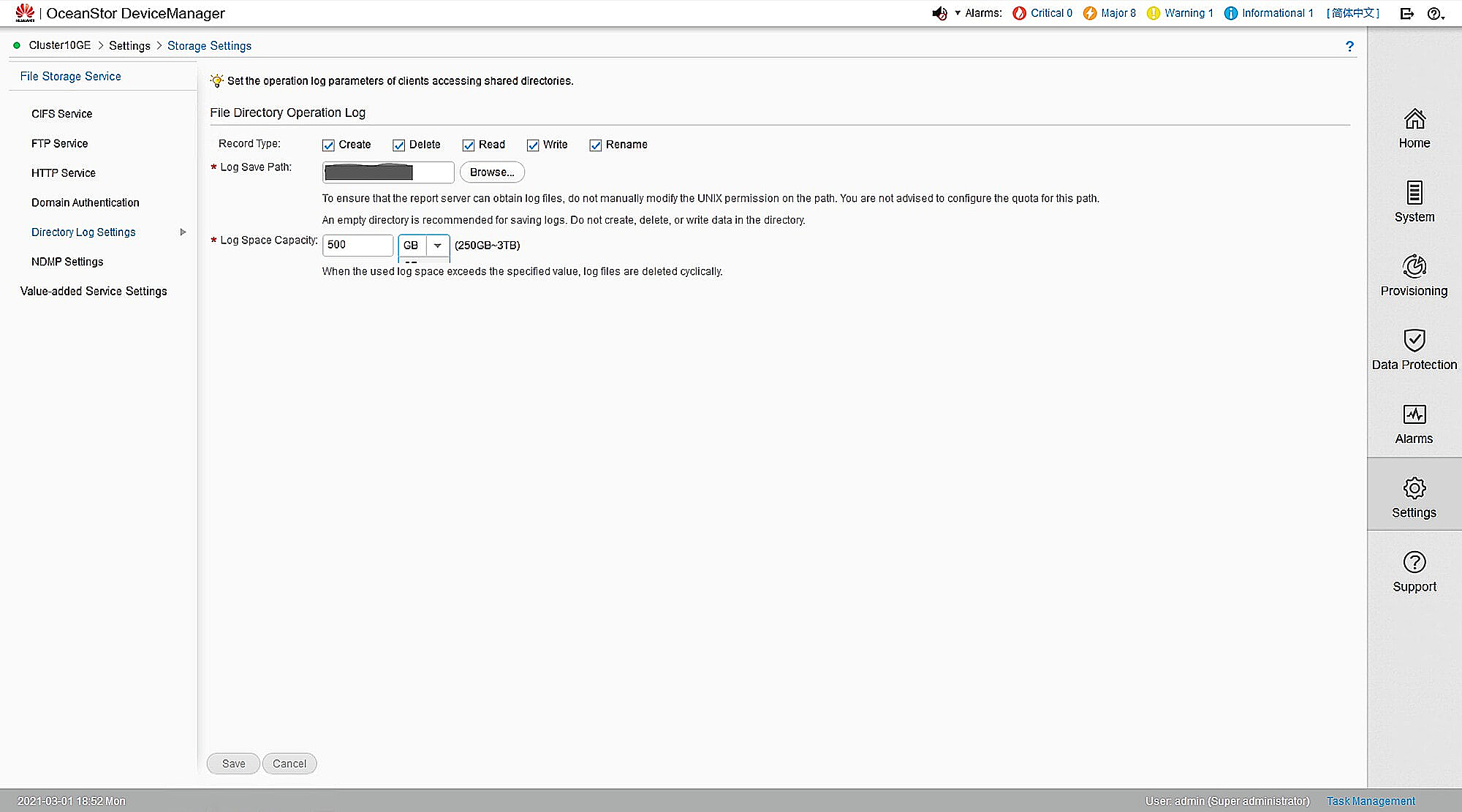
- Open OceanStor DeviceManager and enable auditing under Settings > Storage Settings > Directory Log Settings > File Directory Operation Log. Select the events you wish to audit.
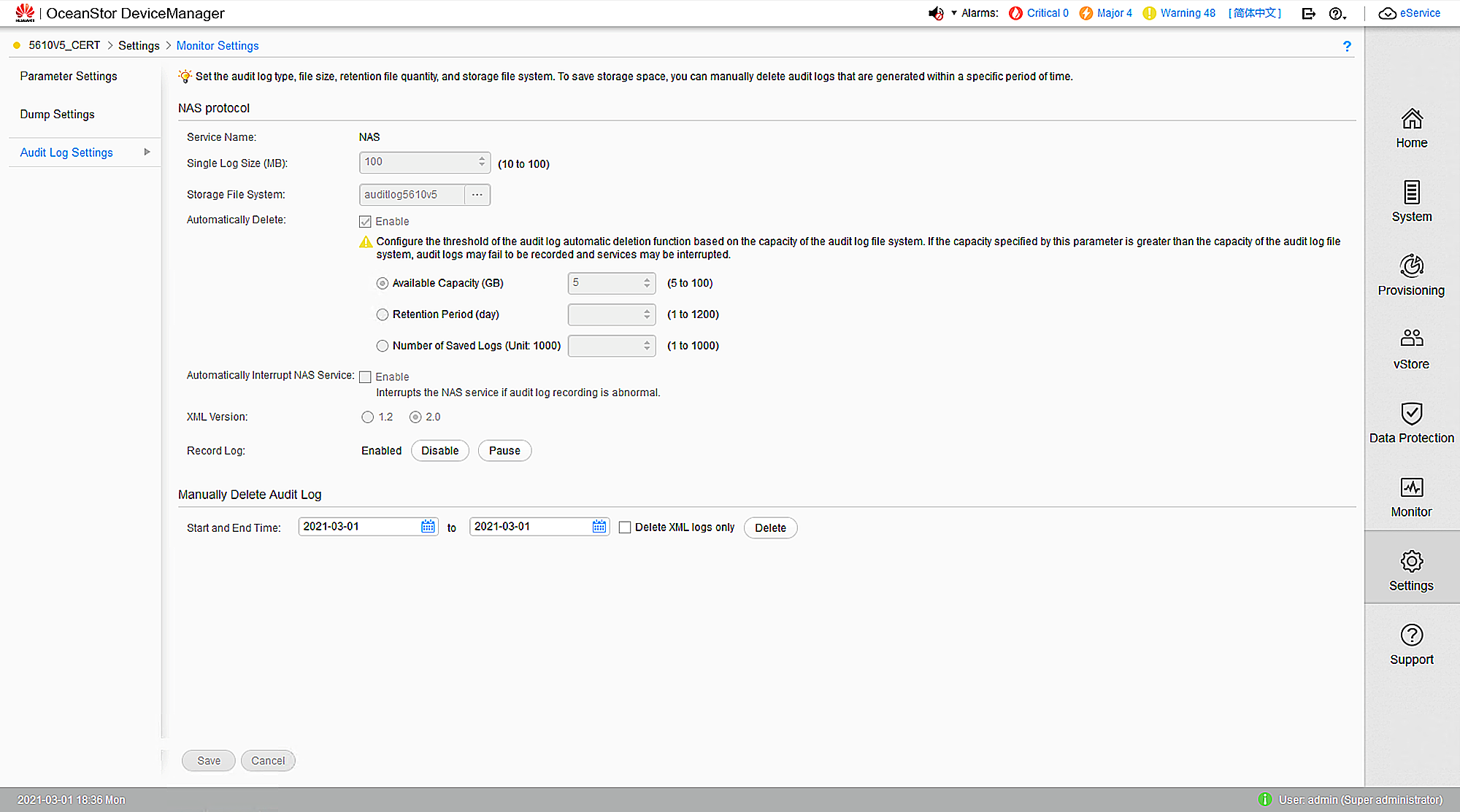
- Set the audit log location and purge settings. Set the logs to purge after seven days.
- To filter out event noise and reduce the time it takes to generate logs, disable logon and logoff events in OceanStor V5 series by executing the commands below via SSH:
(For vStores only) >
CLI command admin:/>change vstore view name=vStore004
CLI command admin:/>change service cifs logon_audit_disable=yes