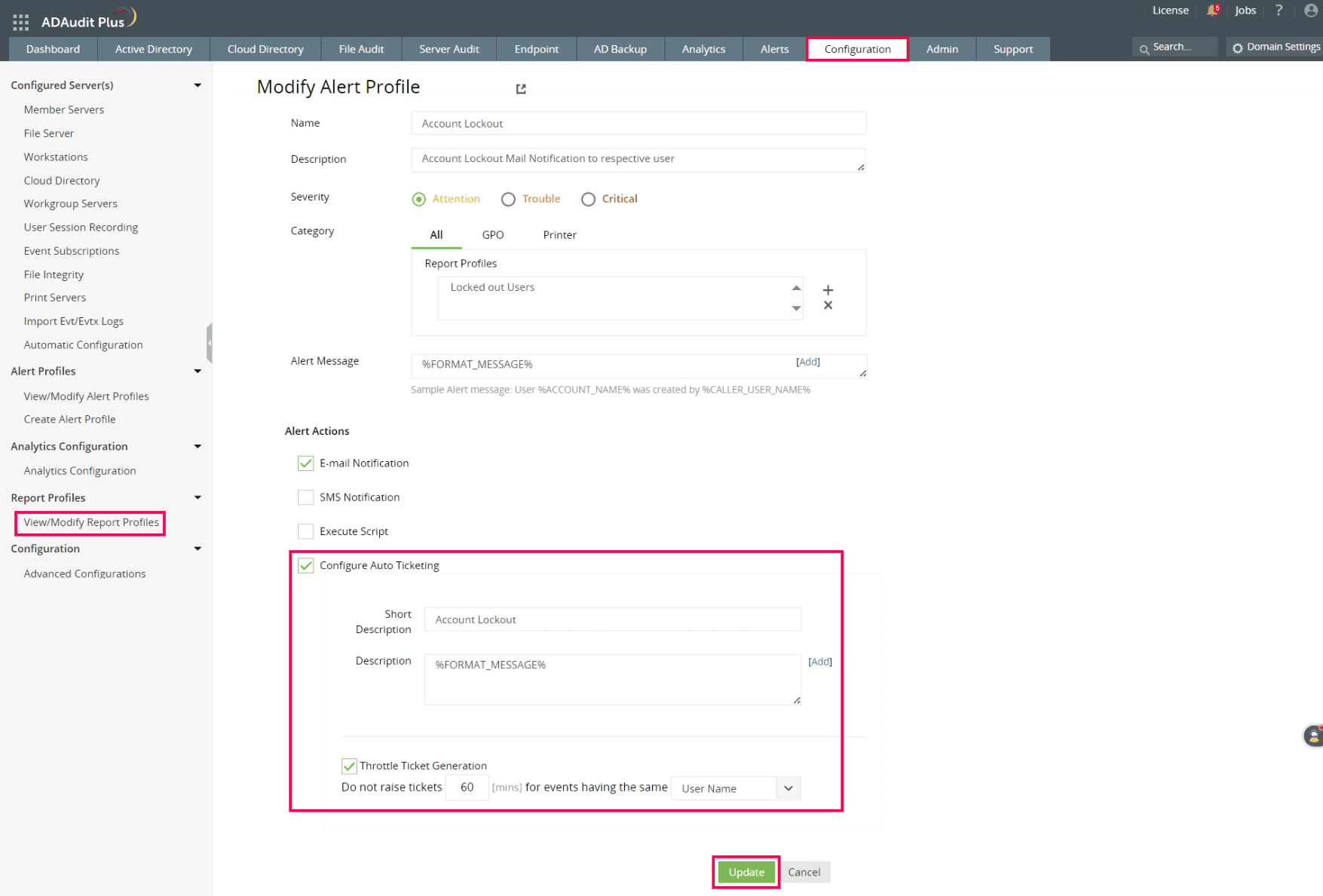
Configure auto-ticketing in ADAudit Plus
To generate tickets in your ticketing solution through ADAudit Plus' alerts:
- Log in to your ADAudit Plus web console.
- Navigate to the Configuration tab > View/Modify Alert Profiles.
- Select the alert profile for which you wish to generate tickets in the ticketing solution configured in ADAudit Plus. Example: Account lockout alert profile.
- Scroll to the bottom of the page and underneath Alert Actions, check the Configure Auto Ticketing checkbox.
- Click Update.
- If you suspect a certain event might happen in quick succession and generate duplicate support tickets, you can check the Throttle Ticket Generation checkbox and configure the settings as per your requirements.
Note If the existing alert profiles don’t match your requirements, create a custom alert profile.
Note When a high volume of tickets are generated within a short span of time, the ADAudit Plus server's URL will be blocked in the configured ticketing tool.