Configuring audit policies
Automatic process
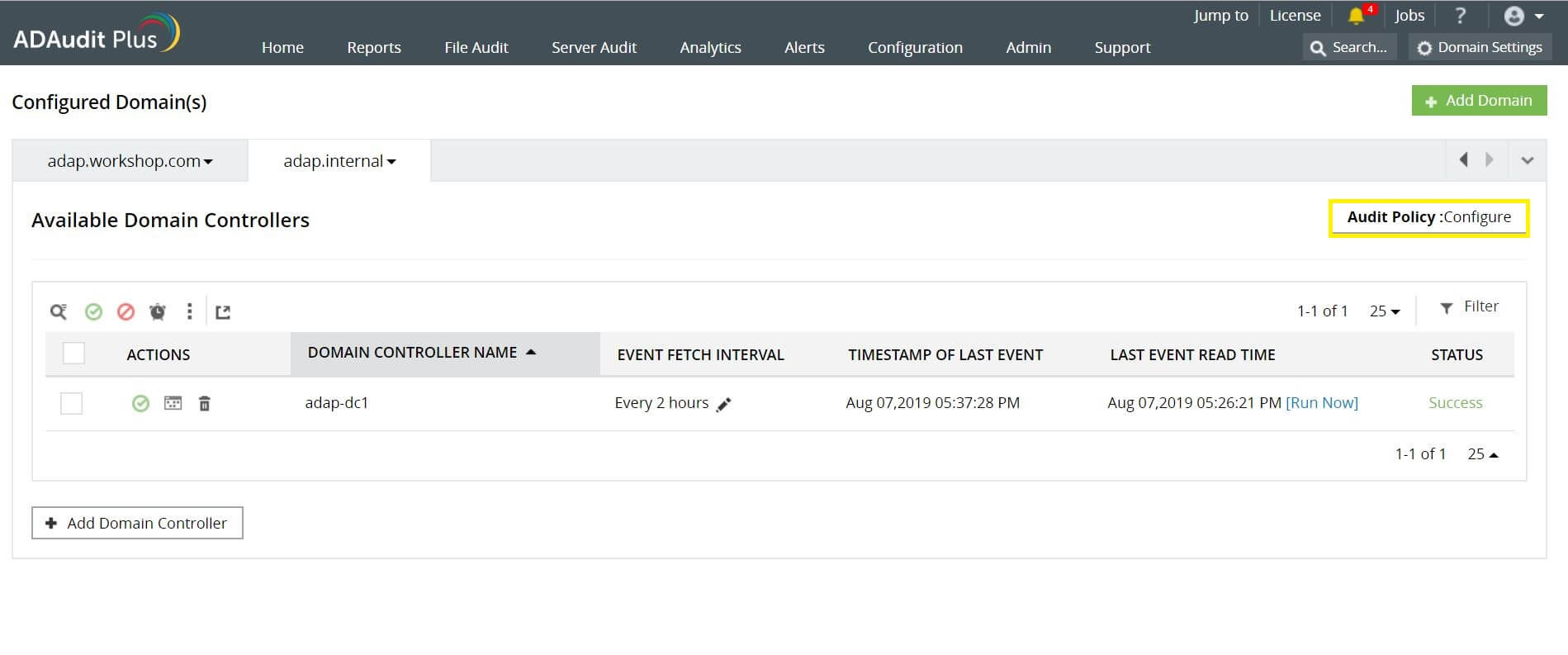
Configure the audit policies automatically using the steps below:
- Open ADAudit Plus.
- Go to Admin > Domain Settings. Click Audit Policy: Configure in the top-right corner.
NoteADAudit Plus can automatically configure the required audit policies for GPO auditing. After clicking Audit Policy: Configure in the above step, you can either choose Yes to let ADAudit Plus automatically configure the required audit policies, or choose No to manually configure them.