
Monitor Event ID 4625 –
Stop Unauthorized Access Attempts in Real Time
4625 event ID is your first line of defense, failed logons often signal deeper threats. Monitor Event ID 4625 to detect brute-force attempts, password spraying, insider threats, and security gaps, all while ensuring compliance and faster response.
*Fully functional 30 day free trial. No Credit Card Required
Thanks!
Your download is in progress and it will be completed in just a few seconds!
If you face any issues, download manually here
What is Event ID 4625?
Event ID 4625 is triggered when a logon attempt fails on a Windows system. It captures critical details: logon type, source IP/workstation, account name/domain, and detailed failure codes. Tracking this event helps pinpoint failed logins and mitigate security risks quickly.
Why Monitoring Event 4625 Matters
Attackers often hide in plain sight—multiple Event 4625 logs can signal persistent hacking attempts like brute-force or password spraying. Agccordin to Verizon DBIR 2024, 70% of breaches follow successful credential abuse, making failed logon monitoring vital.
Tracking 4625 event ID events allows you to:
- Detect brute-force/password-spraying with spikes of failed attempts
- Identify repeated failures on sensitive accounts
- Correlate failures with success or privileged actions
- Maintain audit trails for NIST, CIS, PCI DSS, and GDPR

According to Microsoft’s security best practices, "66% of breached organizations had log evidence (like Event ID 4625) but failed to act in time"
—making Event ID 4625 a crucial early signal to catch password attacks before they succeed.
How ADAudit Plus Helps You Monitor Event ID 4625 Effectively
With native Windows tools, analyzing 4624 event IDs is manual and fragmented. ADAudit Plus gives you:
Real-time alerts on suspicious failures
Be notified when failed logons exceed thresholds or involve privileged accounts, unusual workstations, or out-of-hours access.
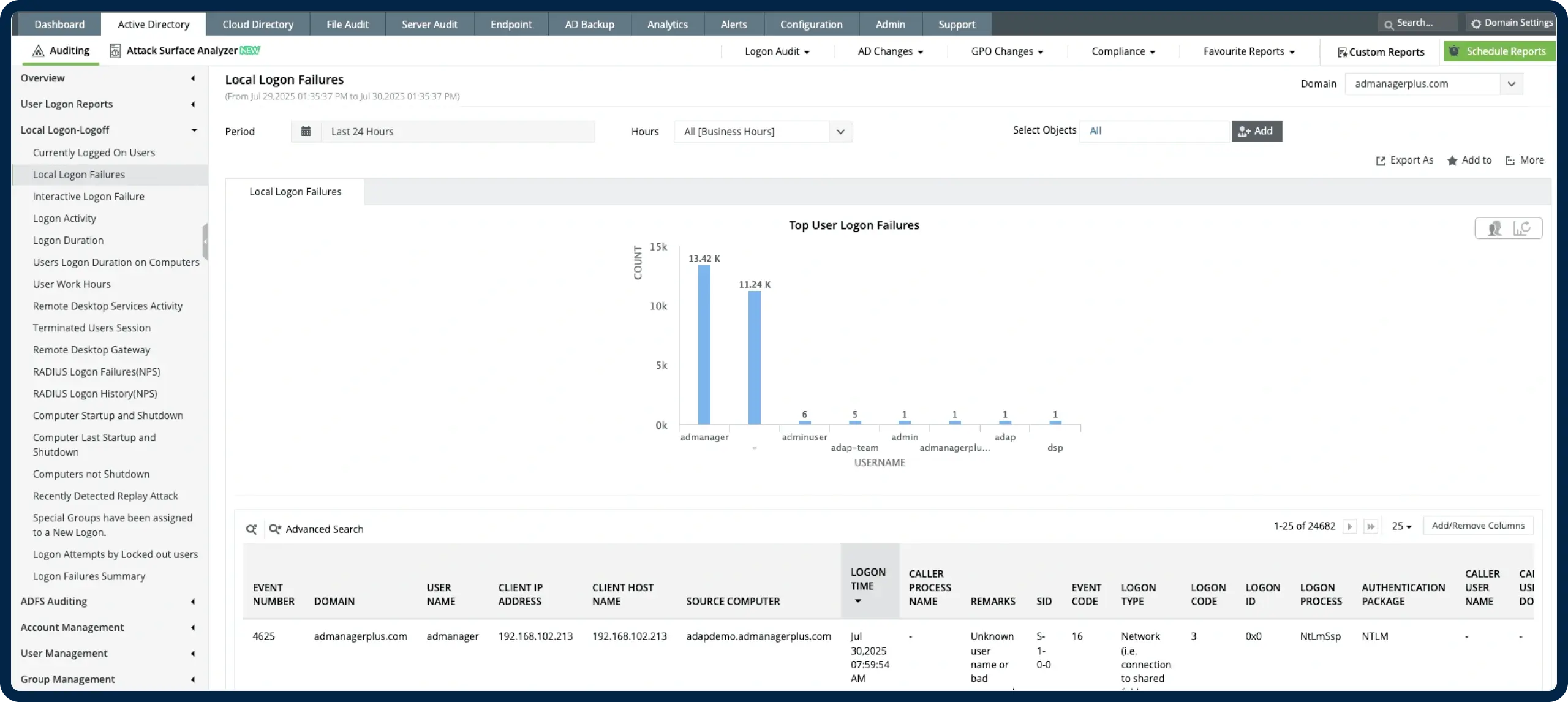
Centralized 4625 dashboard
Filter failed logon events by account, IP, type, workstation, and time—across all domain-joined machines.
Correlation with other critical events
Link Event ID 4625 with successful logons (4624), privilege events (4672), logoffs (4634), and Kerberos failures (4768) to detect attack patterns.
Compliance-ready reporting and archiving
Use prebuilt reports to monitor failed logins by user, time, and source. Schedule exports to meet audit requirements.
*Fully functional 30 day free trial. No Credit Card Required
Manual Logging vs ADAudit Plus
Trusted by IT Teams Globally

Trusted by over
18,000+ IT teams
worldwide

Gartner Peer Insights Customers' Choice

Compliance-ready platform with ISO 27001 standards
Over 280,000 organizations across 190 countries trust ManageEngine to manage their IT.


Monitor Every Failed Logon-
Start Tracking Event ID 4625 with Context and Clarity
- 30-day fully functional free trial.
- No user limits.
- Free 24*5 tech support.
*Fully functional 30 day free trial. No Credit Card Required