AD Account Keeps Getting Locked Out?
- Resolve repeated account lockouts.
- Find lockout sources fast
- Reduce helpdesk tickets
- Trigger Lockout alerts
- Minimize Service Downtime
- Compliance-ready reports
Thanks!
Your download is in progress and it will be completed in just a few seconds!
If you face any issues, download manually here
Over 280,000 organizations across 190 countries trust ManageEngine to manage their IT.

Simplify lockout auditing, enhance security, and ensure
compliance with ADAudit Plus' AD account lockout analyzer
- Detect lockouts instantly
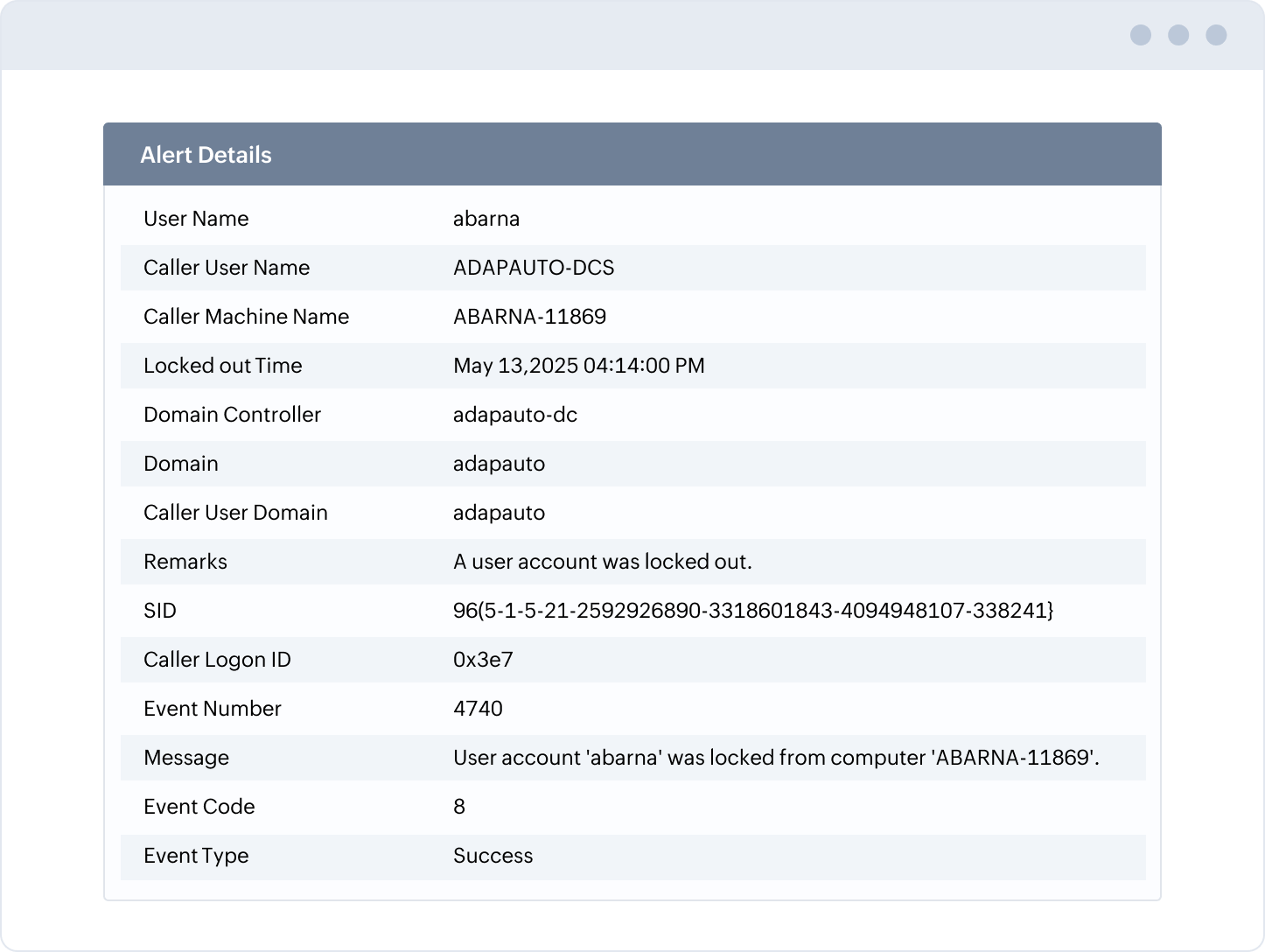
Receive real-time account lockout notifications with details on the locked-out user, computer, and more.
- Drill down to the cause
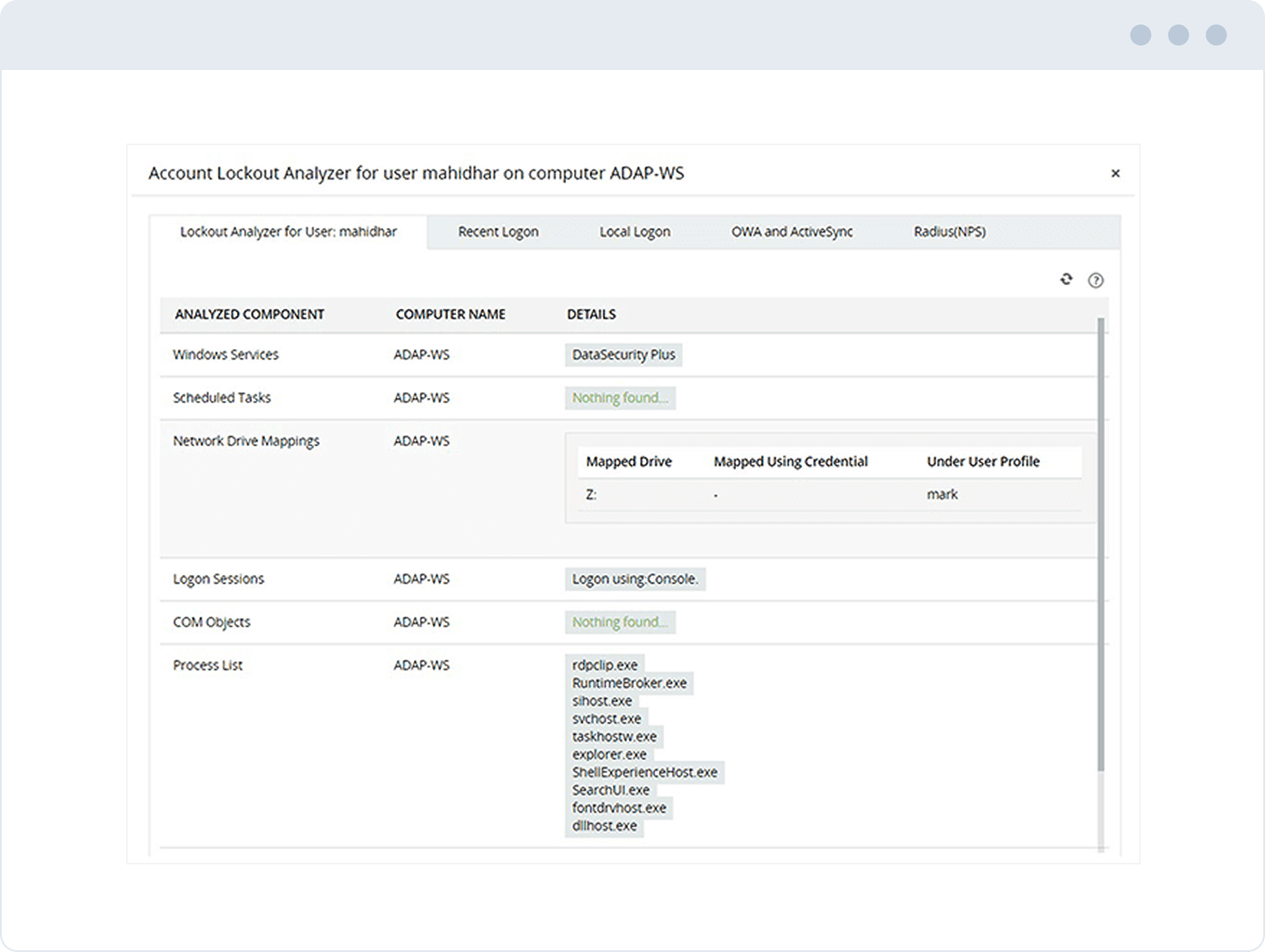
Correlate account lockouts with recent logon information to quickly determine why a Windows user keeps getting locked out.
- Automate responses
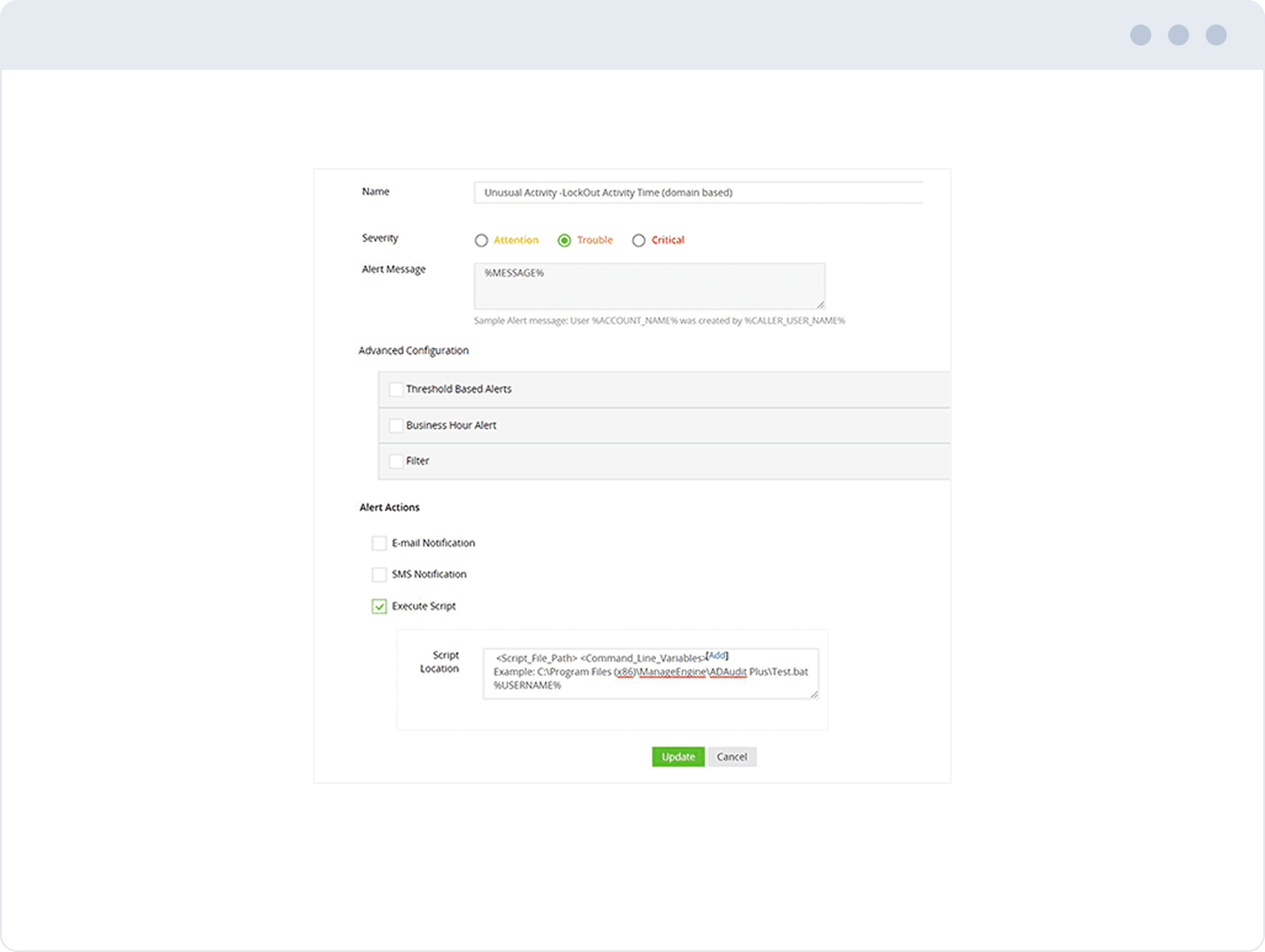
Reduce alert fatigue by defining thresholds, applying filters, suppressing redundant alerts, and more.
- Discern patterns
Get a summary of the top users whose AD account keeps locking out within a specified period.
- Detect anomalies
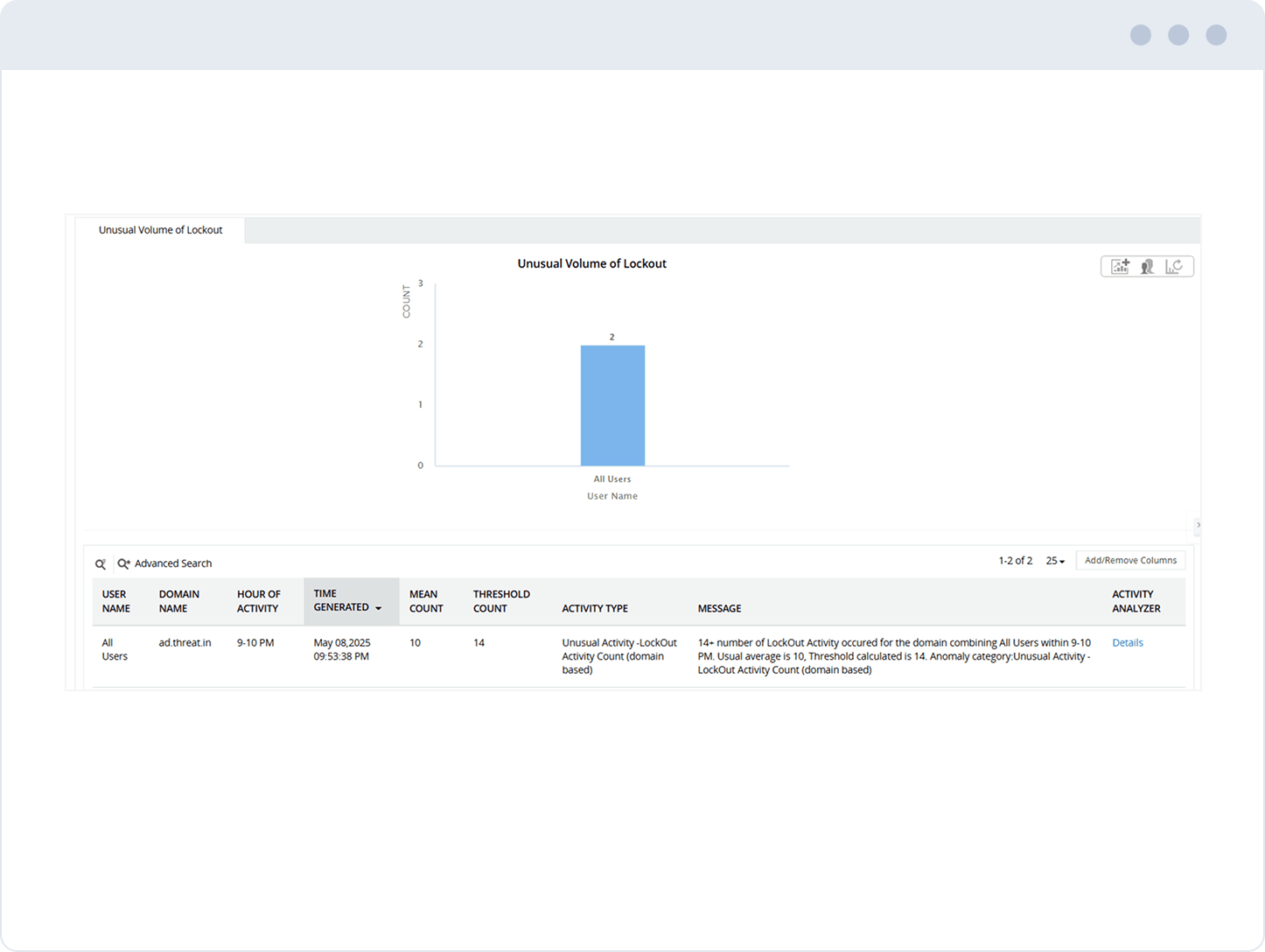
Leverage UBA to spot anomalies, such as a sudden spike in the number of times a Windows account keeps getting locked out.
- Demonstrate compliance
Automate the generation and delivery of reports to pass compliance audits with ease.
Get instantly notified via email and SMS when an AD account keeps locking out, so you can take immediate action.
Utilize real-time reports to find the source of authentication failure when a Windows account keeps getting locked out across multiple Windows components.
Correlate domain account lockouts with recent logon information using the account lockout analyzer to quickly get to the reason an account was locked out.
Execute scripts to automate response actions like auto-unlocking an account.
Fine-tune conditions for alert generation based on attributes like user, machine, or time.
Export reports to formats like PDF, XLS, CSV, and HTML to analyze cases where a Windows user keeps getting locked out.
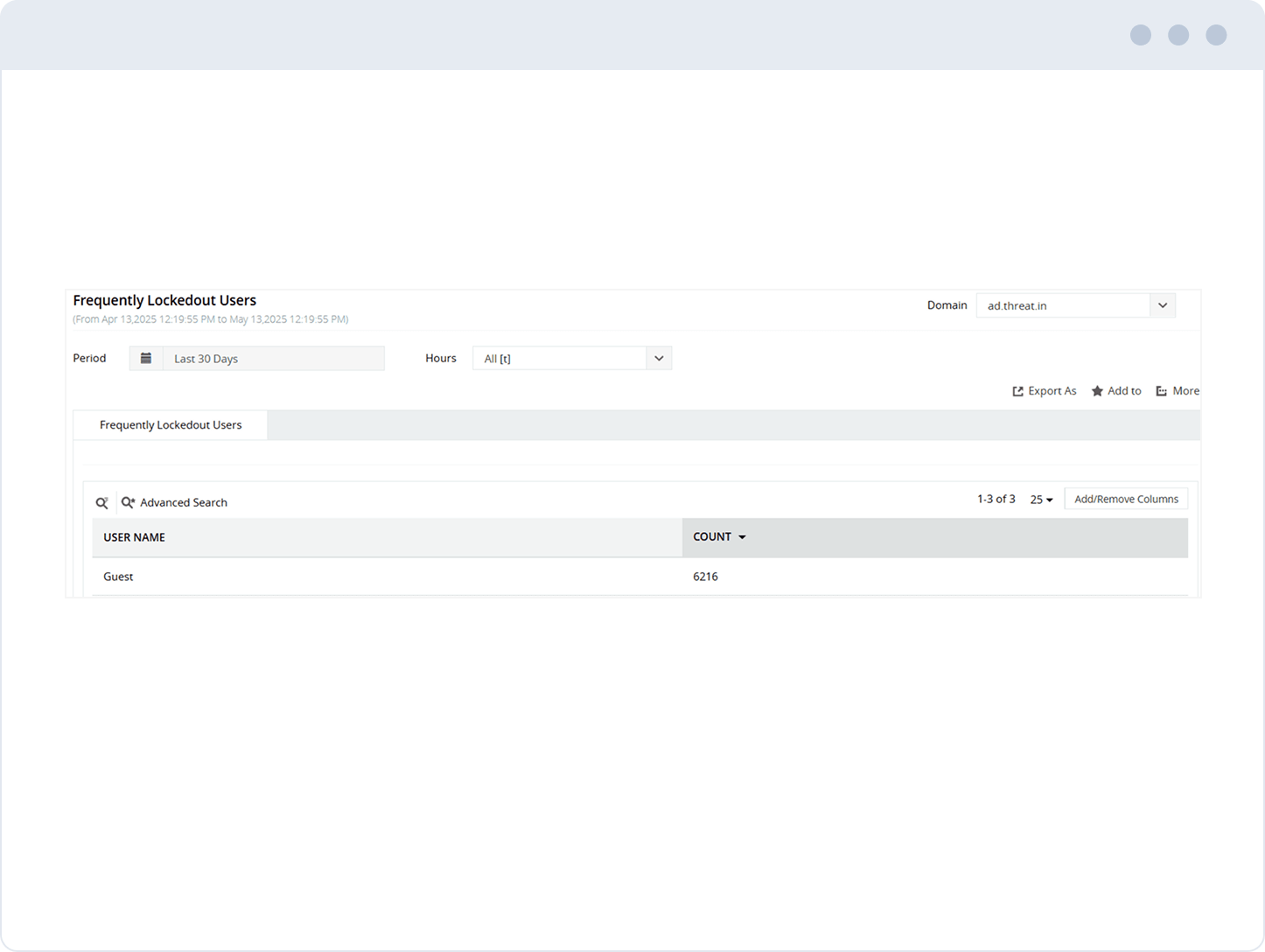
Maintain a complete audit trail of all lockouts to streamline investigation.
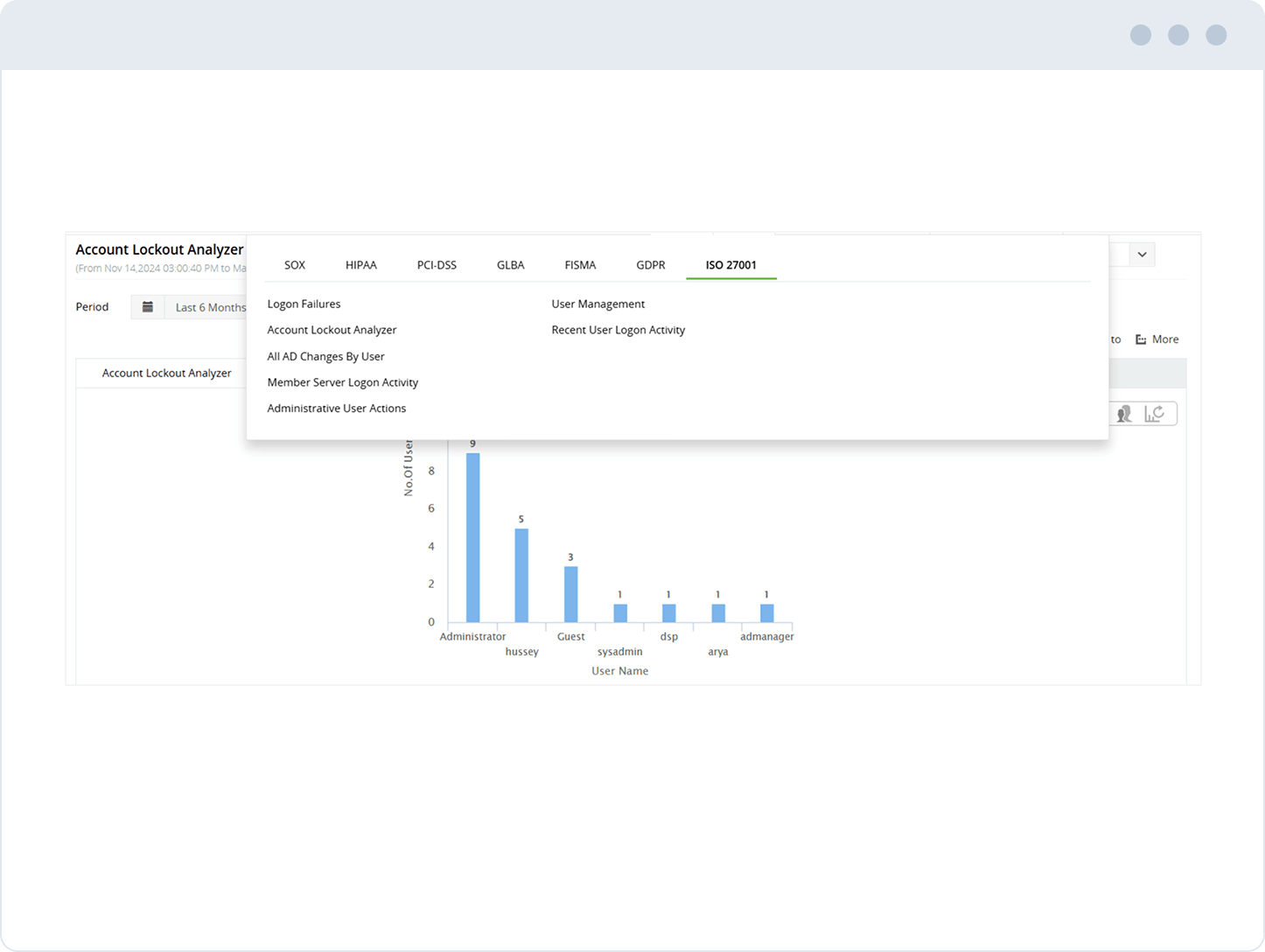
Get audit-ready reports for SOX, HIPAA, PCI DSS, GLBA, FISMA, the GDPR, ISO 27001, and other IT mandates.
Trusted and Recommended by Leading Industry Experts Worldwide
-
Global Infosec
Awards 2025 -
Top InfoSec Innovator
Awards for 2024 -
Cybersecurity Excellence
Awards 2026 - Cloud Connect 2024
While other IT auditors are licensed on a per-user basis,
ADAudit Plus is licensed on a per-server basis, so even when the number of users increases,
you can continue to ingest log data from all servers without having to pay more.
Standard edition
Starts at $595 annually
- All features of free edition +
- Reports and alerts on event log
- Domain Controllers
- Azure AD Tenants
- Windows servers
- Workstations
- Windows file servers
- Windows file servers
Professional edition
Starts at $945 annually
- All features of standard edition +
- Account lockout analysis
- AD permissions change auditing
- GPO settings change tracking
- DNS and AD schema change auditing
- Old and new values of AD object attribute changes
- Support for MS SQL database
Thank you!
We have received your request for a price quote and will contact you shortly.
Get a personalized quote
that best suits your requirements
-
Free edition
Never expires - Audit and collect data across 25 workstations
- Generate reports using log data collected during evaluation
- Try now
Frequently asked questions
What are the most common reasons for AD accounts getting locked frequently?
Top reasons for AD accounts getting locked frequently include:
- Programs using cached credentials
- Expired cached credentials used by Windows services
- Low threshold for password attempts
- Employees logged on across multiple devices
- Redundant credentials retained for stored usernames and passwords
- Stale credentials used by scheduled tasks
- Improper shared drive mappings
- AD account replication issues
How to troubleshoot account lockouts and find what is locking out an AD account
There are multiple tools that help determine account lockout source, but most are labor- and time-intensive. If you're looking for how to find what is locking out AD accounts, here are a few options:
1. Microsoft account lockout and management tools
Microsoft offers the LockoutStatus and EventCombMT tools. Though reliable and accurate, using Microsoft’s tools requires multiple individual components to be set up, along with routine manual investigation of every Windows component to figure out how to find what is locking out an AD account in each specific case.
2. PowerShell scripts
The Active Directory PowerShell module allows admins to query and make changes to AD. To search for locked-out accounts, admins can run the following command in the module: Search-AdAccount -LockedOut
However, in addition to admins being aware of the scripting language, using PowerShell scripts requires manual setup of AD security auditing. It includes finding the domain controller that has the primary domain controller emulator role, tracking down Windows Event ID 4740 in security event logs, and analyzing the details of the event found.
3. Account lockout examiners
A third-party solution like ADAudit Plus, that can analyze various Windows components like scheduled tasks, COM objects, OWA, applications, and ActiveSync for signs of outdated credentials and improper mapping goes a long way in determining account lockout source quickly. Resolve AD accounts locking out faster with ADAudit Plus, start your free trial now.
What are some account lockout policy best practices?
Although it is not possible to prevent all lockouts, implementing these three best practices will help reduce how frequently user accounts get locked out.
1. Enable the “Account lockout duration” policy
The account lockout duration depends on organization-specific information such as the user count or industry type. Setting the duration to zero will keep the account secure by locking the account until an admin unlocks it. However, this also results in excessive requests to the help desk.
The recommended duration is between 30 and 60 minutes
2. Leverage the “Account lockout threshold” policy
If the account lockout threshold is set too low, user accounts will get locked out frequently. This could also make the account vulnerable to denial-of-service attacks since it's easier for the attacker to intentionally enter the wrong passwords to lock the account. On the other hand, if the threshold is set too high, the probability of a successful brute-force attack increases, as the attacker has more opportunities to try and guess the credentials.
The recommended threshold is 15 to 50
3. Configure the “Reset account lockout counter after” policy
While calculating the “reset account lockout counter after” value, organizations need to keep in mind the type and level of security threats they face and balance it with the cost of help desk calls. This value should be less than or equal to the account lockout duration.
The recommended setting is anything less than 30 minutes.
Other solutions offered by ADAudit Plus
Audit changes
Receive real-time notifications on changes occurring across both on-premises and Azure Active Directory.
Track user logons
Gain complete visibility into user logon activity, spanning from logon failures to logon history.
Troubleshoot account lockouts
Detect lockouts instantly and know their root cause by tracking down the source of authentication failure.
Monitor privileged users
Get a consolidated audit trail of administrator and other privileged user activities.
Audit Windows servers
Monitor local logon/logoff activities; changes to local users, groups, user rights; and more.
Track employee productivity
See the amount of time employees spend at their workstations.
File server auditing
Audit all file accesses across Windows file servers, failover clusters, NetApp, and EMC environments.
File permissions auditing
Audit all file and folder permission changes. Know who made those changes, when, and from where.
File integrity monitoring
Monitor and alert on unwarranted file accesses or modifications with real-time change auditing.
File change monitoring
Gain instant visibility into all modifications and failed access attempts made to your critical files.
Compliance requirements
Generate out-of-the-box compliance reports for regulations such as HIPAA, PCI DSS, GDPR, and more.
Forensic analysis
Investigate security incidents faster with actionable and accurate audit data.
Windows server auditing
Audit and monitor all user actions across the Windows server environment in real time.
Removable device auditing
Monitor usage of removable storage devices, such as USBs, and report on their file activities.
Printer monitoring
Monitor printer usage to find out who printed what critical files over the Windows network.
ADFS auditing
Monitor and report on both successful and failed ADFS authentication attempts in real time.
Audit process tracking
Track critical process creation and termination events with details on who initiated it and when.
File integrity monitoring
Monitor and alert on unwarranted file accesses or modifications with real-time change auditing.
Workstation auditing
Audit, alert, and report on critical user activities across workstations in real time.
Logon and logoff monitoring
Monitor and track all users' logon and logoff activities to spot anomalous user sessions.
File integrity monitoring
Ensure file integrity by keeping track of changes made to the system, program files, and more.
User login history monitoring
Track, record, and maintain an audit trail of all users' login history details.
Audit process tracking
Track critical process creation and termination events with details on who initiated it and when.
Employee time tracking software
Measure your employees' productivity by keeping track of their idle time and actual work hours.