Find AD Account Lockout Source
- Resolve repeated account lockouts.
- Find lockout sources fast
- Reduce helpdesk tickets.
- Trigger Lockout alerts
- Minimize Service Downtime.
- Compliance-ready reports
Thanks!
Your download is in progress and it will be completed in just a few seconds!
If you face any issues, download manually here
Over 280,000 organizations across 190 countries
trust ManageEngine to manage their IT.


Simplify lockout auditing, enhance security, and ensure
compliance with ADAudit Plus' AD account lockout analyzer
- Detect lockouts instantly
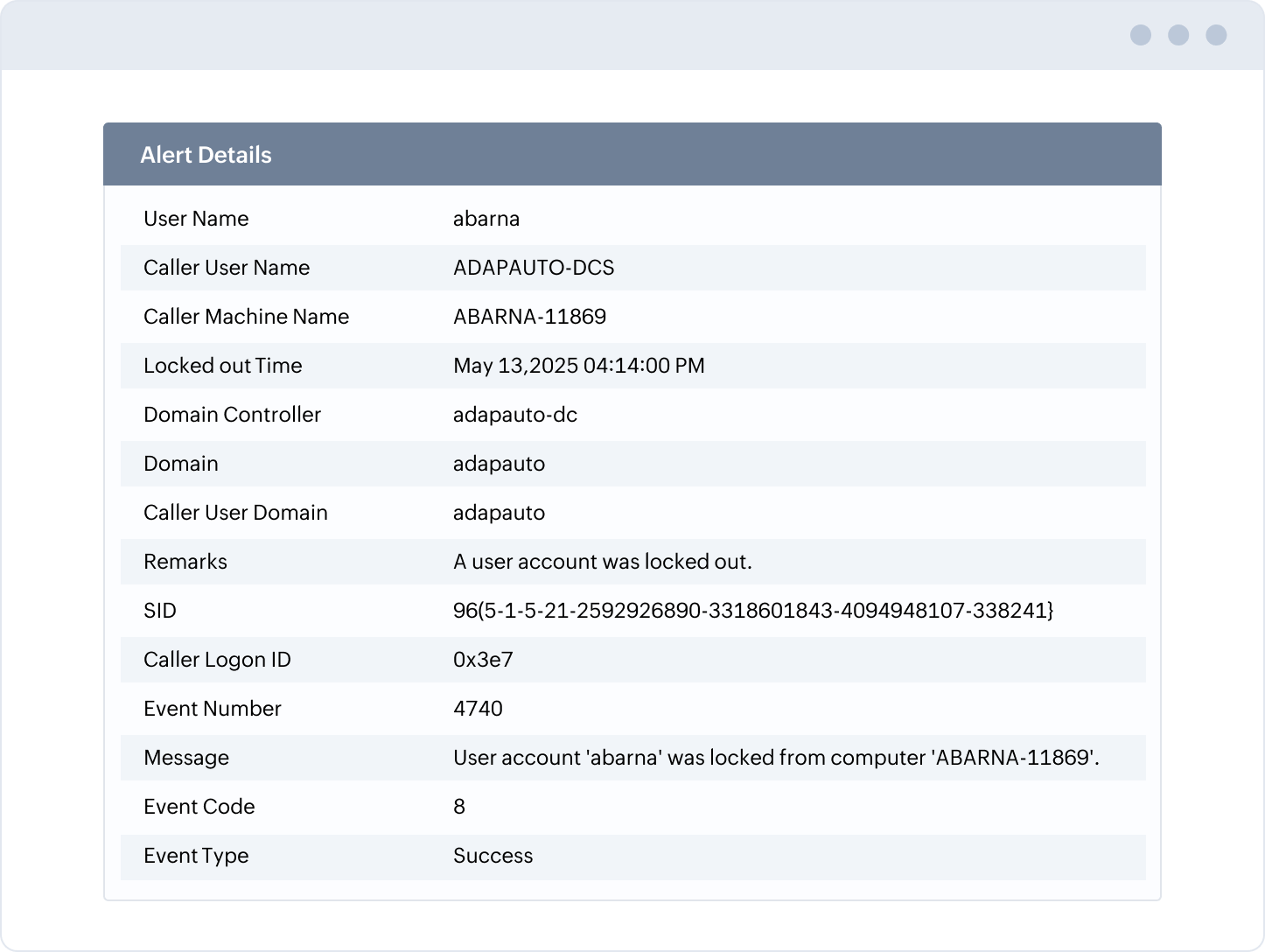
Get real-time email and SMS alerts for account lockouts with details such as locked out user, time, machine, and more.
- Drill down to the cause
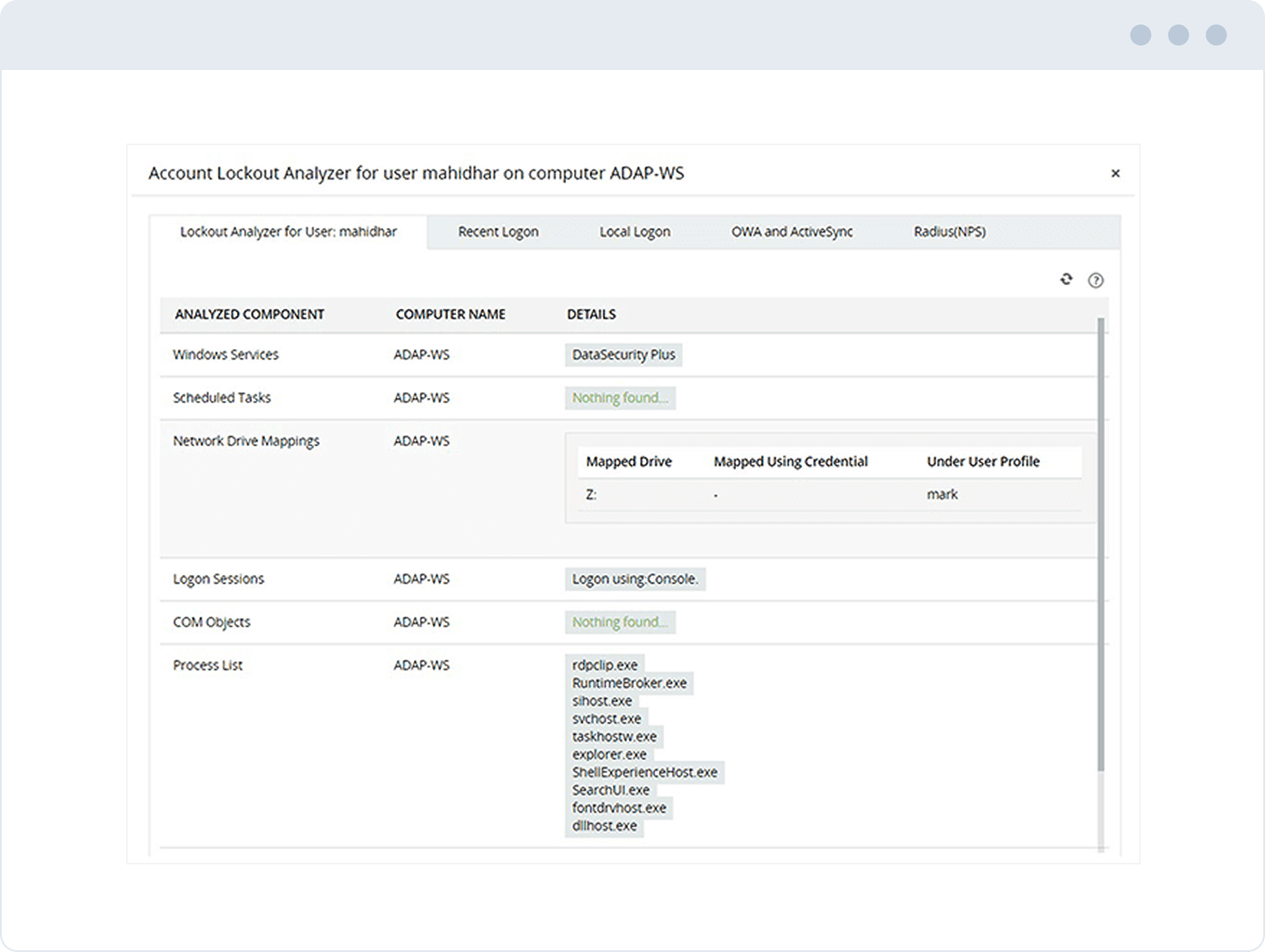
Trace the source of account lockouts and failed login attempts with detailed insights from various Windows components.
- Automate responses
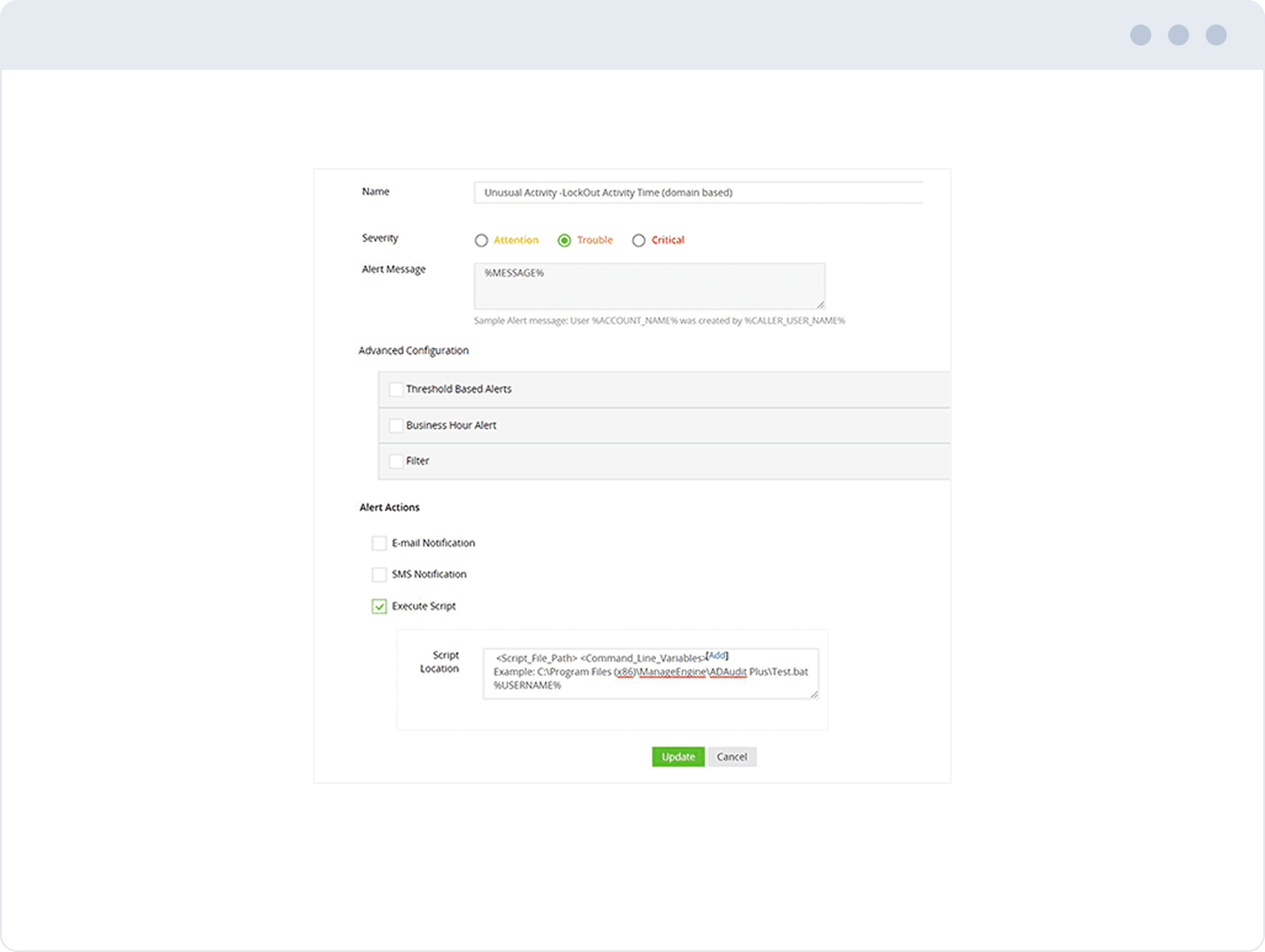
Prevent downtime for critical users and services by enabling automated response actions to restore account access.
- Discern patterns
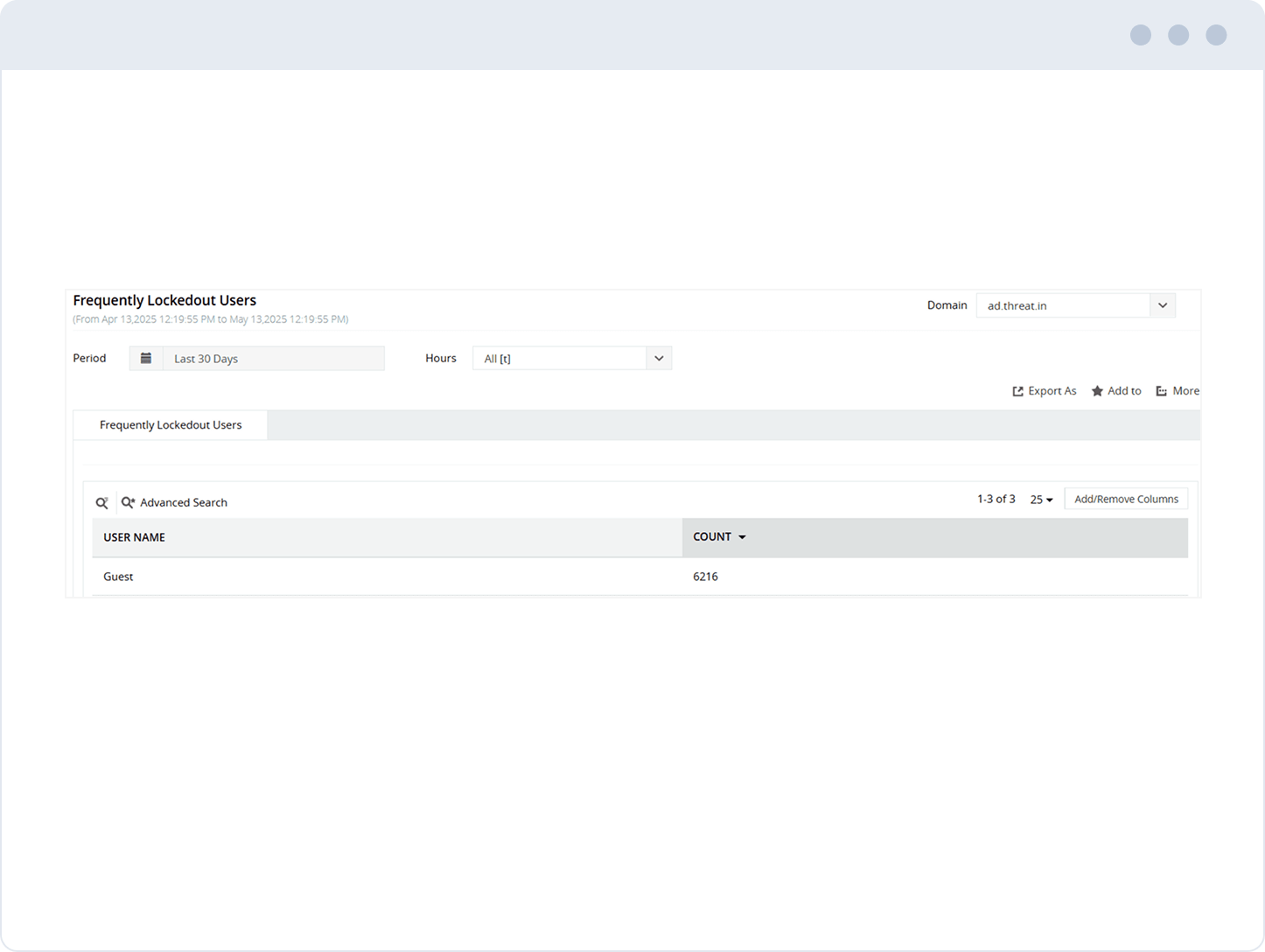
Find frequently locked out users in any domain within a specified period.
- Spot anomalies
Leverage user behavior analytics (UBA) to detect anomalies, such as a sudden spike in account lockouts.
- Demonstrate compliance
Maintain a comprehensive audit trail of all AD account lockouts using the account lockout tool to support compliance efforts.
Email and SMS alerts also include information on Security ID (SID), Logon ID, event number and more to help with forensic investigation.
Leverage account lockout analyzer to identify the source of lockouts by analyzing components like Windows services, scheduled tasks, and more.
Correlate domain account lockouts with recent logon information using the account lockout analyzer to quickly get to the reason an account was locked out.
Check for outdated credentials in Exchange ActiveSync/OWA or failed RADIUS authentication attempts.
Trigger alerts only when predefined account lockout thresholds are met, reducing noise.
Fine-tune conditions for alert generation based on attributes like user, machine, or time.
Use export, report scheduling, and other functionalities to streamline AD account lockout reporting.
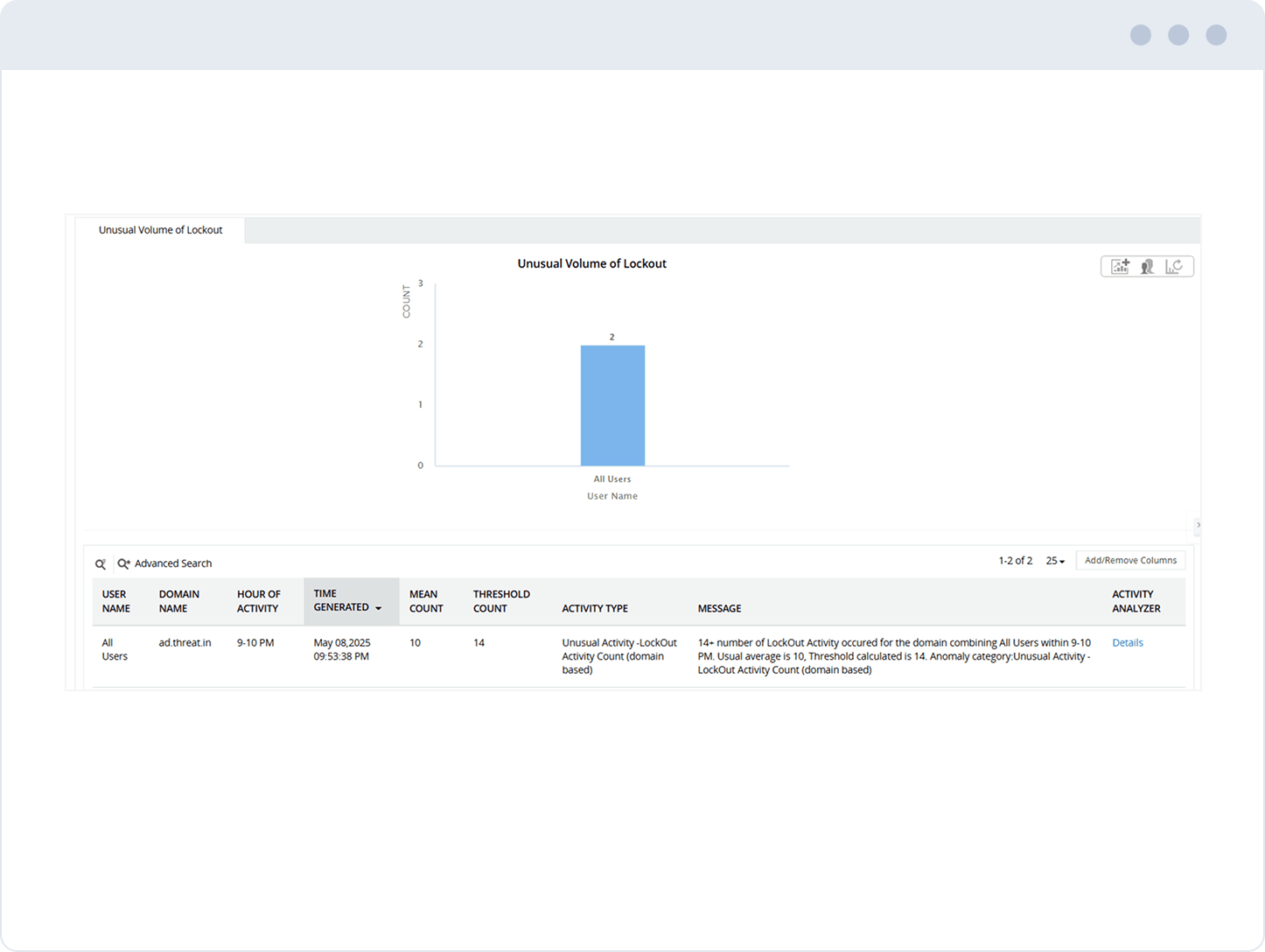
On May 8, 2025, between 9–10 PM, it detected 14+ lockouts, well above the average of 10, crossing the anomaly threshold and triggering an alert.
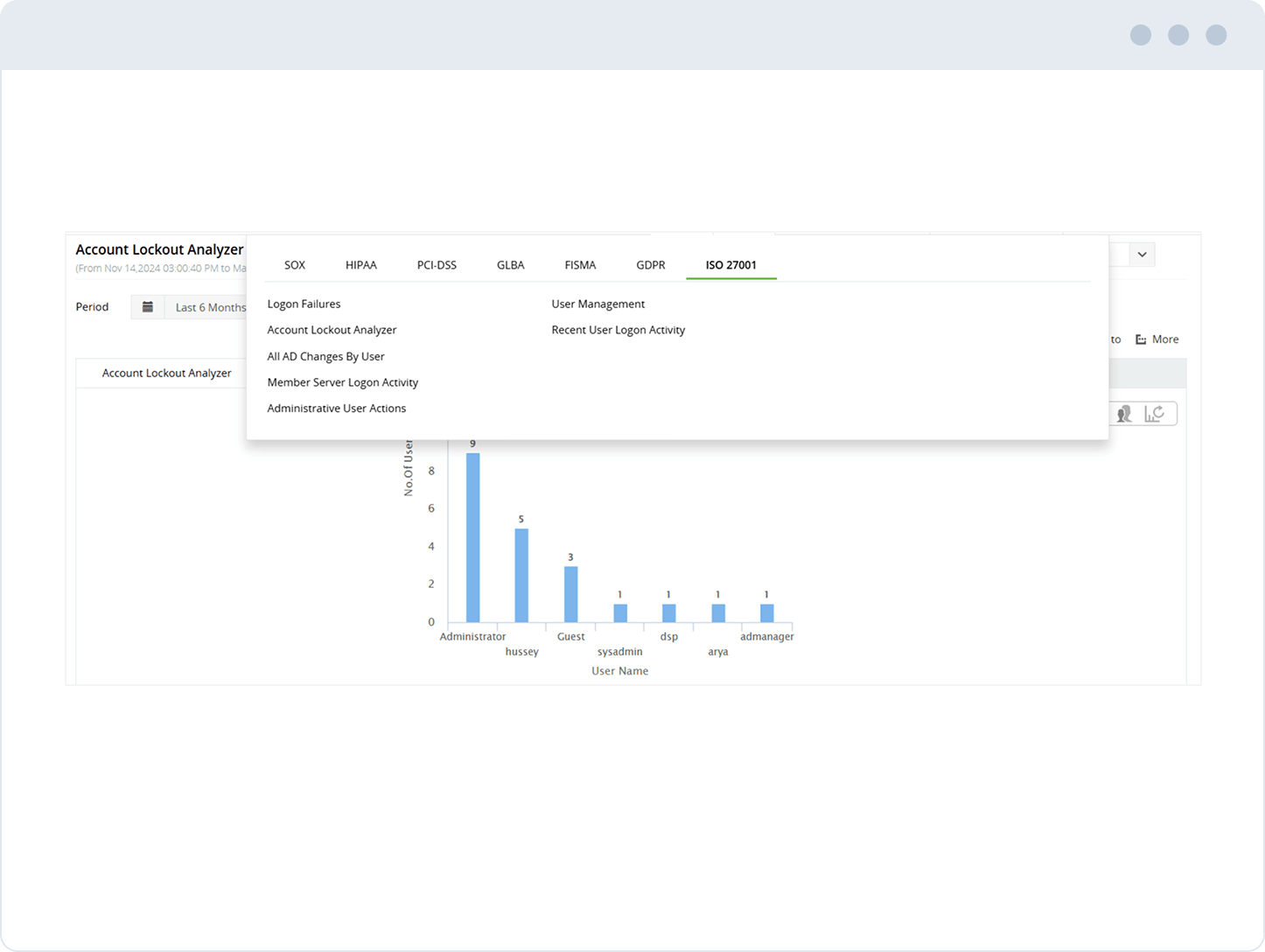
Get visual insights into which users are frequently locked out.
Trusted and Recommended by Leading Industry Experts Worldwide
-
Global Infosec
Awards 2025 -
Top InfoSec Innovator
Awards for 2024 -
Gartner Peer Insights
Customers' Choice 2023 - Cloud Connect 2024
While other IT auditors are licensed on a per-user basis,
ADAudit Plus is licensed on a per-server basis, so even when the number of users increases,
you can continue to ingest log data from all servers without having to pay more.
Standard edition
Starts at $595 annually
- All features of free edition +
- Reports and alerts on event log
- Domain Controllers
- Azure AD Tenants
- Windows servers
- Workstations
- Windows file servers
- Windows file servers
Professional edition
Starts at $945 annually
- All features of standard edition +
- Account lockout analysis
- AD permissions change auditing
- GPO settings change tracking
- DNS and AD schema change auditing
- Old and new values of AD object attribute changes
- Support for MS SQL database
Thank you!
We have received your request for a price quote and will contact you shortly.
Get a personalized quote
that best suits your requirements
-
Free edition
Never expires - Audit and collect data across 25 workstations
- Generate reports using log data collected during evaluation
- Try now
Frequently asked questions
What are the most common causes of account lockout?
Some of the most frequent causes of account lockouts include:
- Applications or programs using cached credentials: Programs running in the background may repeatedly attempt to authenticate using outdated or invalid credentials.
- Windows services using expired cached credentials: Services set to run under a user account may continue using expired or changed credentials, triggering lockouts.
- Low account lockout threshold: A strict policy (like 3 invalid attempts) increases the risk of accidental lockouts due to mistyped passwords.
- Users logged in on multiple devices: When a user changes their password on one device, other devices with old credentials may cause repeated failed login attempts.
- Scheduled tasks running with outdated credentials: Tasks configured with a user account may lock the account if the password has changed and the task is not updated.
- Improper drive or printer mappings: Network drives or printers mapped with old credentials may cause repeated authentication failures.
- Active Directory replication issues: If a domain controller has not received the latest password update due to replication delays, it may reject valid credentials and trigger a lockout.
How to detect and troubleshoot account lockouts quickly
What are some account lockout policy best practices?
10 features that make ADAudit Plus a 1-stop IT auditing solution
Security auditing
Leverage UBA, instant security notifications, and response automation to mitigate threats.
ADFS, printer, and USB auditing
Keep tabs on activity across federation servers, printers,removable storage devices like USBs, and more.
Real-time change notification
Get instantly alerted on who performed what change, when, and from where in your Windows Server environment.
File change monitoring
Audit file accesses, permission changes, and more across Windows, NetApp, EMC, Synology, Hitachi, and Huawei file systems.
Azure AD auditing
Track changes and sign-ins in Azure AD, and gain a correlated view of activity happening across hybrid environments.
Employee time tracking
Continuously monitor the active and idle time spent by employees at their Windows workstations.
Windows logon monitoring
Continuously track user logon activity, and audit everything from logon failures to logon history.
Compliance reporting
Get audit-ready reports for SOX, HIPAA, PCI DSS, FISMA, GLBA, the GDPR, ISO 27001, and other IT mandates.
Privileged user monitoring
Audit privilege use to hold admins and other privileged users accountable for their actions.
File integrity monitoring
Track changes to the operating system, programs, and other local files residing on Windows systems, and ensure system integrity.