
Track all activities
Complete auditing of your domain controllers lets you view user logon activities and modifications made to configuration objects and Group Policy Objects (GPOs). Any unwarranted changes in them should be detected, since these events hold the key to your AD.
Spot potential security threats
Logon auditing on domain controllers helps you keep track of users and spot any suspicious behavior. By monitoring user logons, AD object changes, GPO changes, permission changes, etc., you can quickly spot security threats like privilege escalation.
Auditing using the native AD tools
Although native tools let you audit your domain controllers, making sense of cluttered event logs is cumbersome. Adding to this, storage limitations in native tools hinder investigations and compliance audits due to events being overwritten.
Fulfill compliance regulations
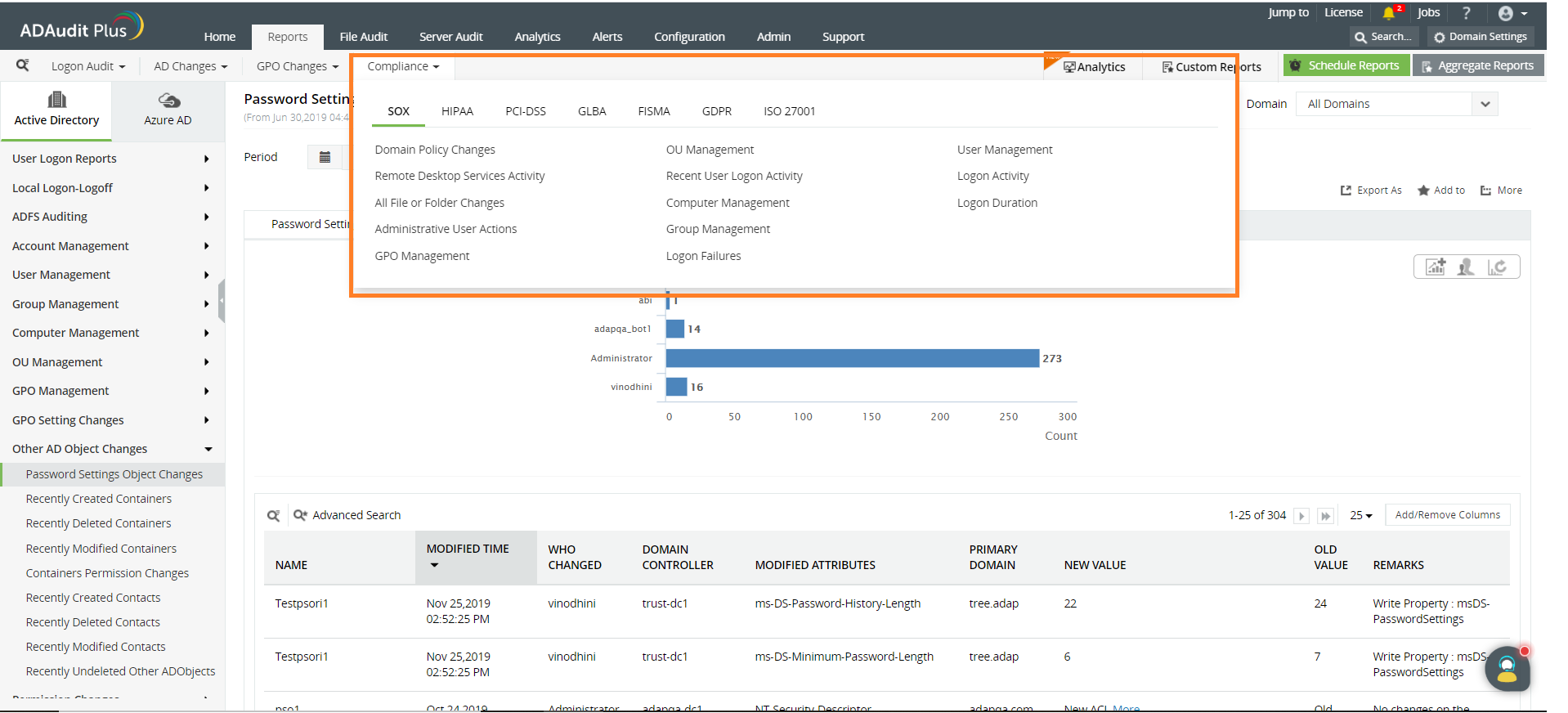
Compliance regulations like the GDPR, SOX, HIPAA, and PCI DSS require you to show audit trails of domain policy changes, GPO modifications, administrative user actions, and more. Compiling these logs from the Event Viewer or using PowerShell scripts is both difficult and time-consuming.
ADAudit Plus helps you perform real-time AD auditing to monitor changes made in your domain controller. Using its purpose built out-of-the box report, you can effortlessly fulfill industry compliance regulations. It facilitates archiving of log data locally with no upper-limit on the archival lifetime.
AD objects like users, groups, computers, and OUs are continuously monitored to audit all changes made to them. With a single click, you can see the who, what, when, and where of all these changes.
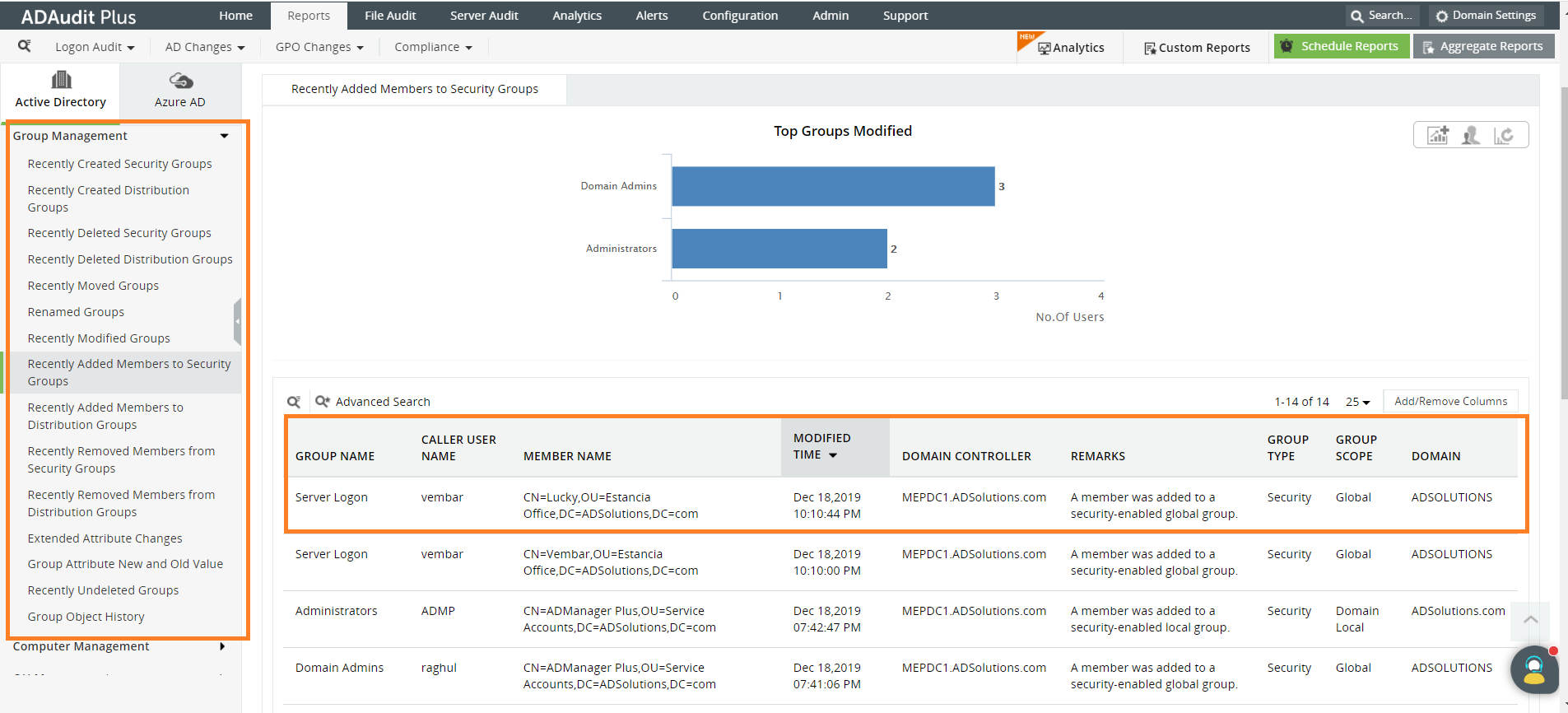
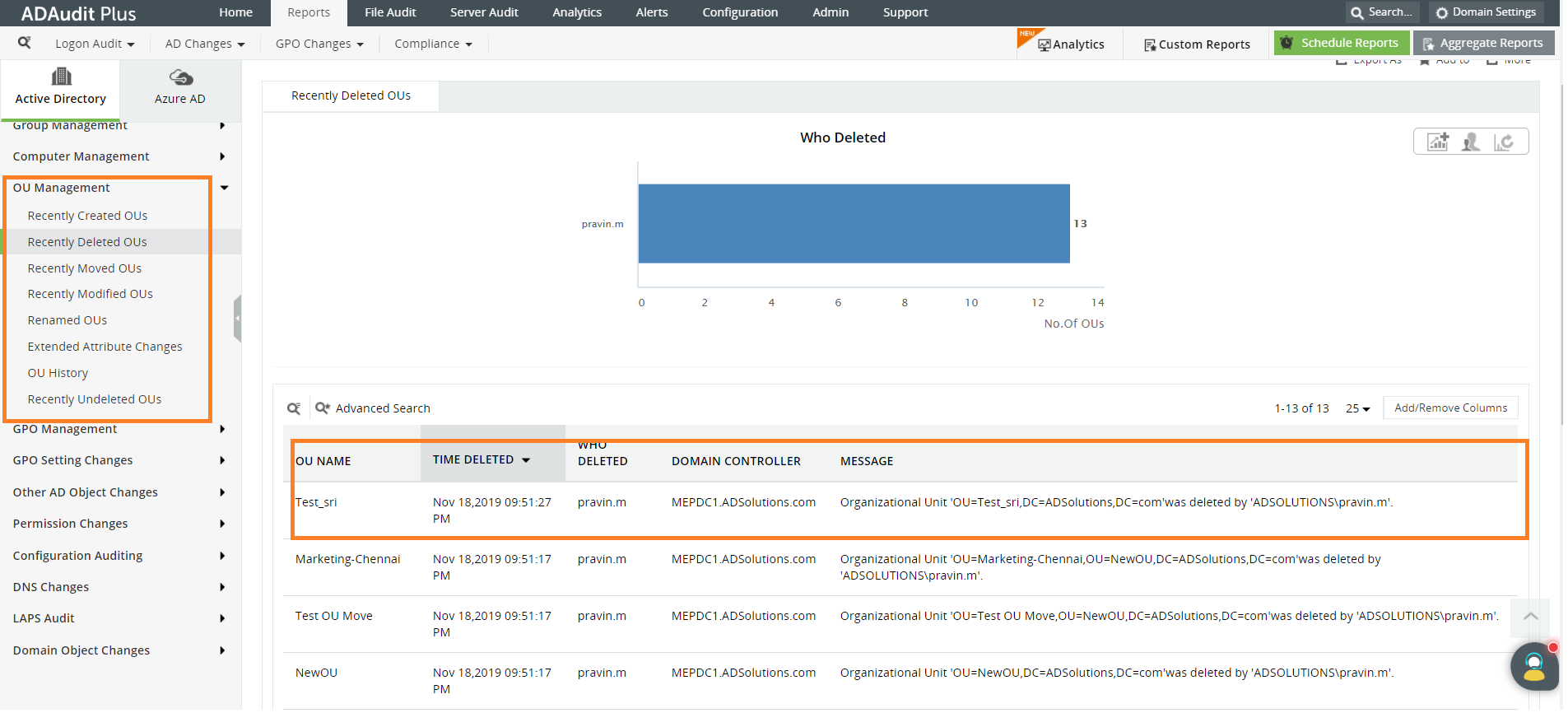
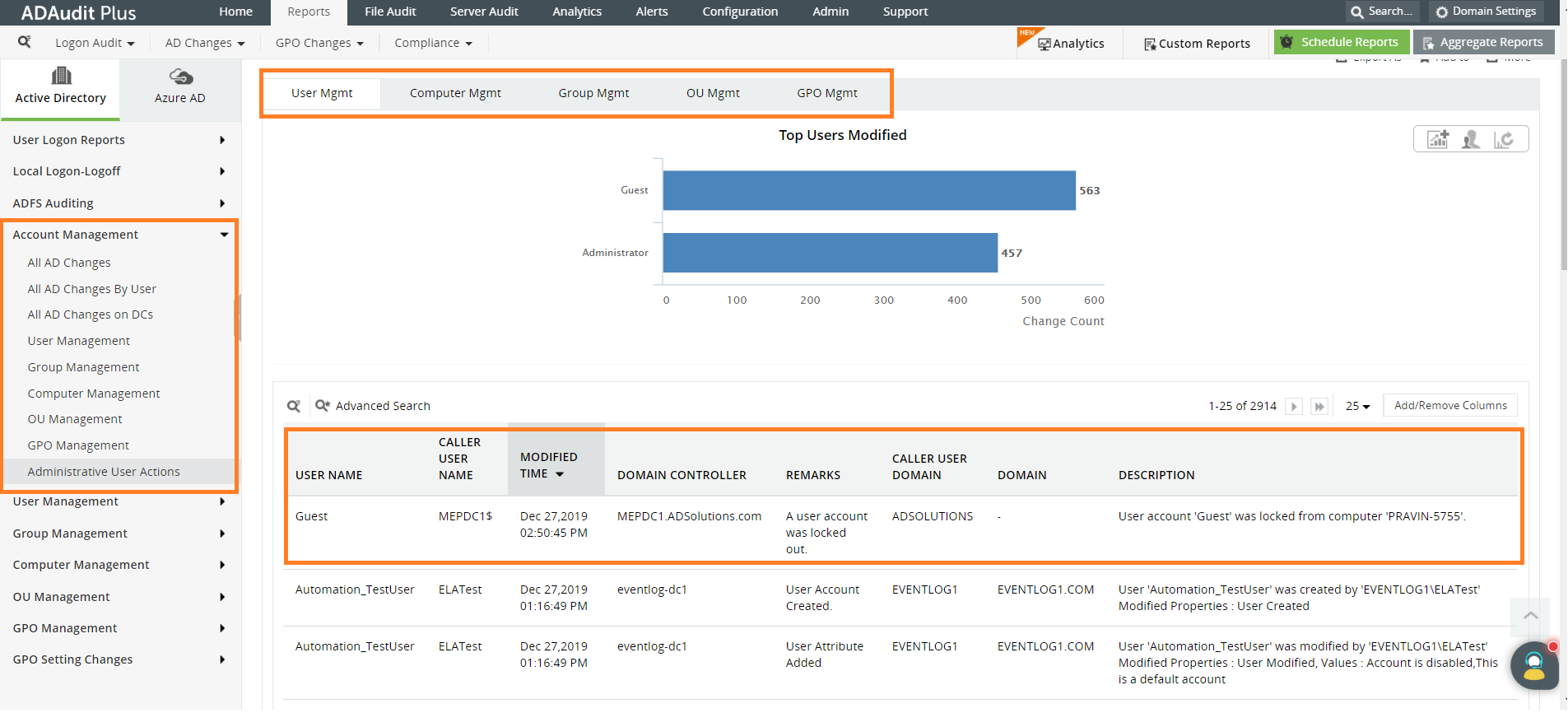
Any modification made to your GPOs and GPO links are presented with details that reveal any potential rogue user trying to hamper with your network's security.
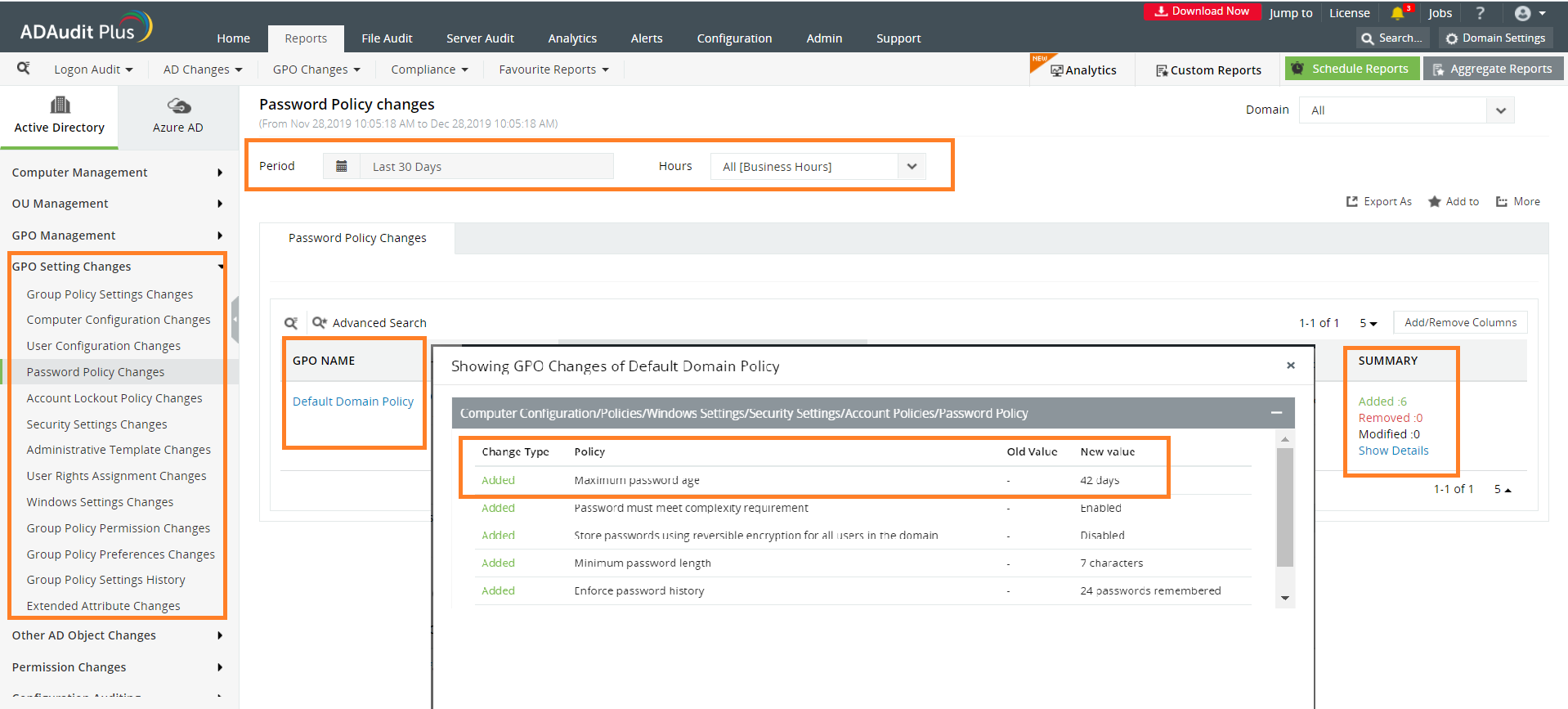
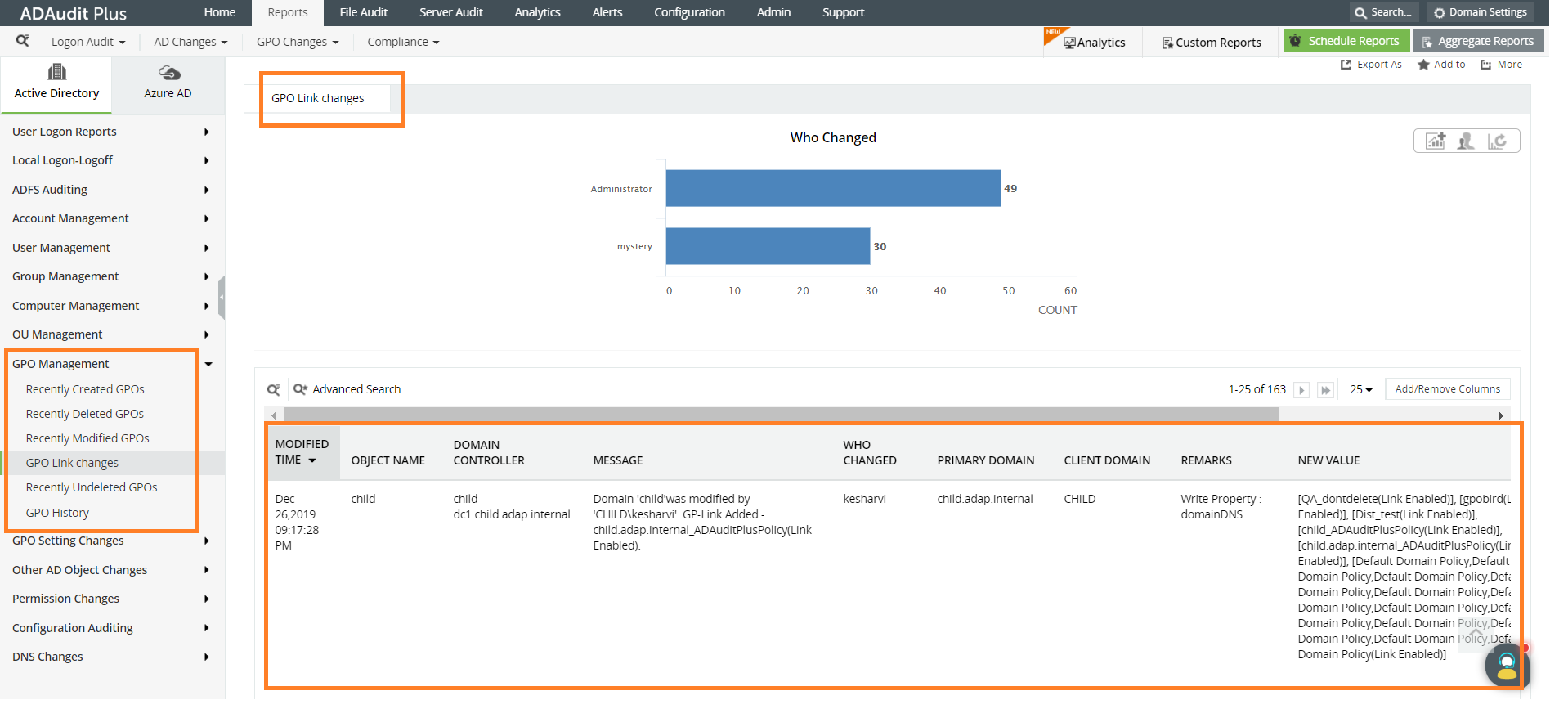
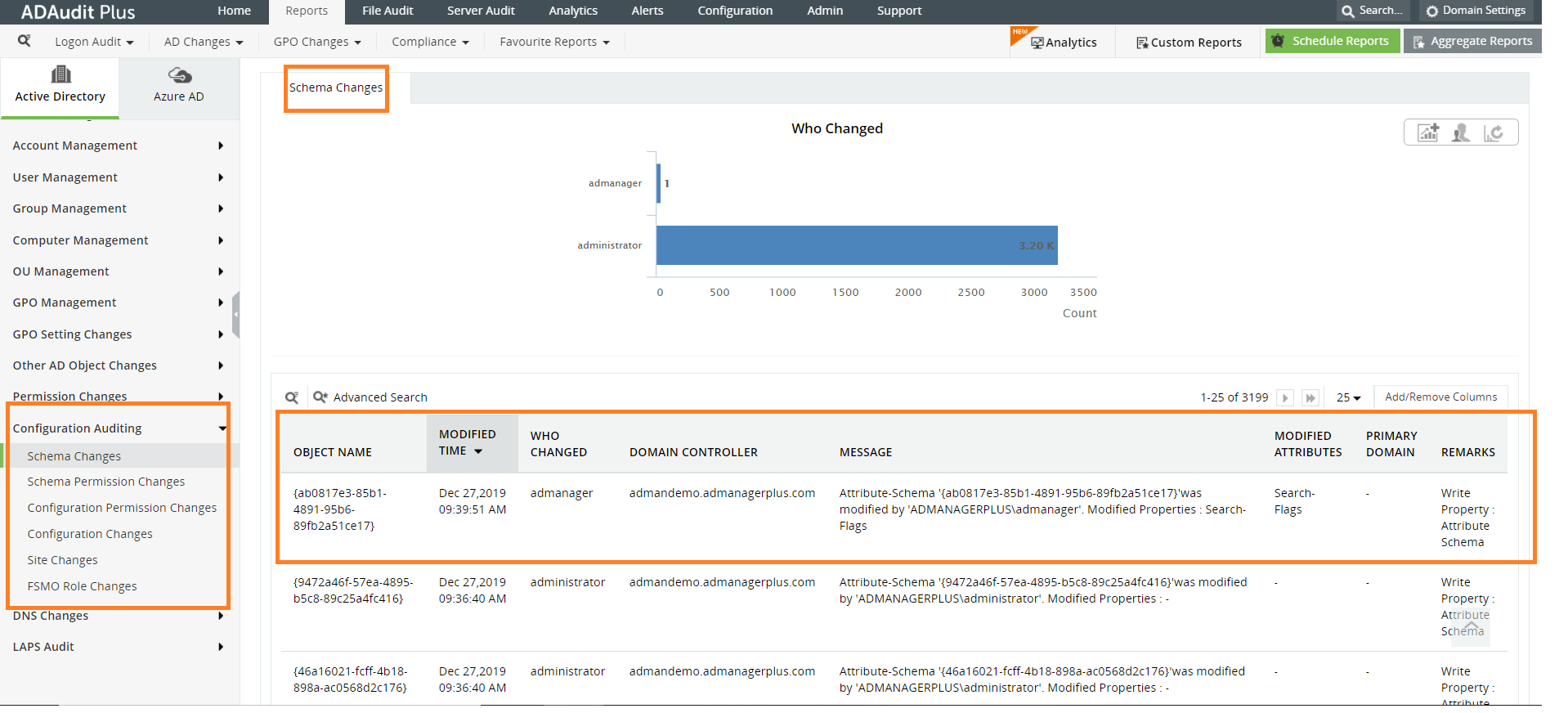
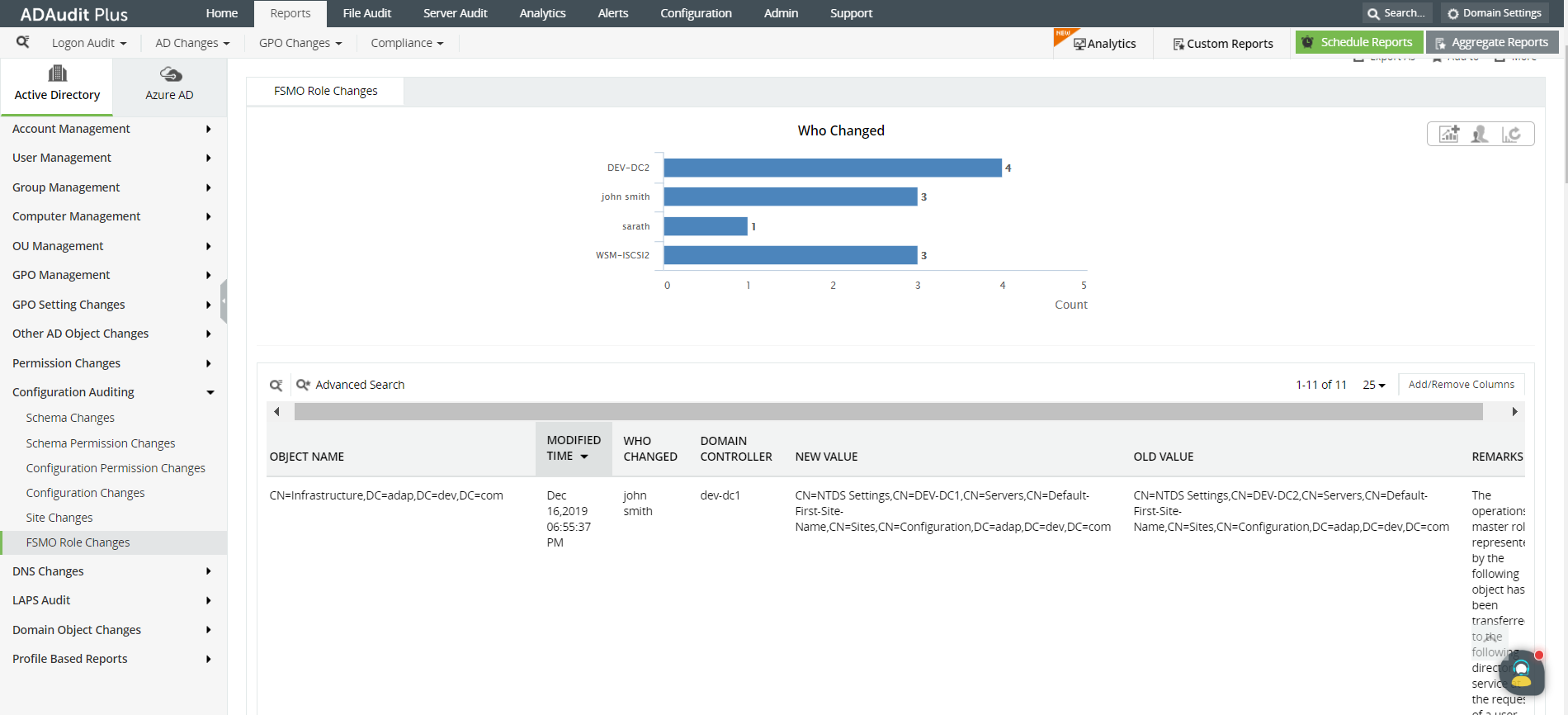
Any modifications made to the schema, flexible single master operation (FSMO) roles, or configurations are audited to ensure that your forests and domains remain secure.
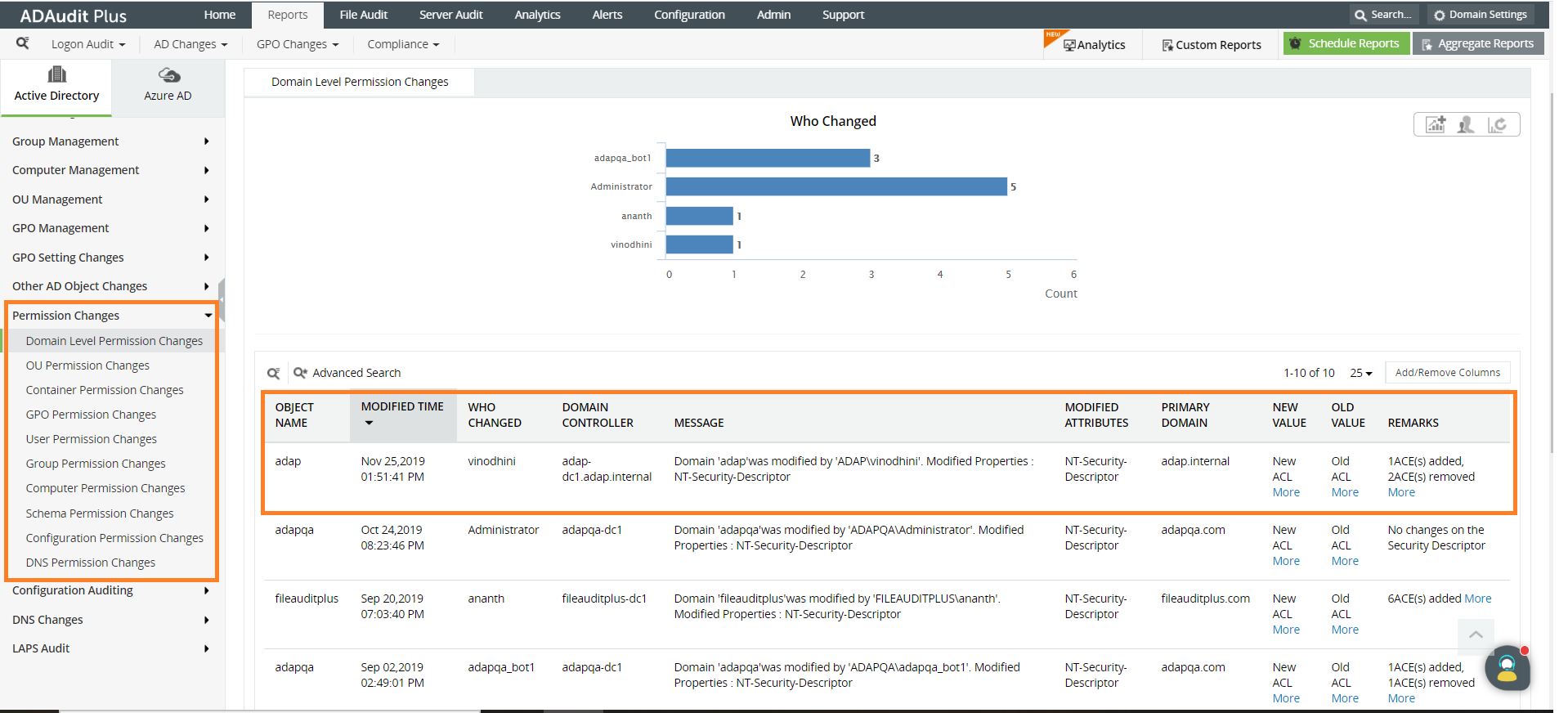
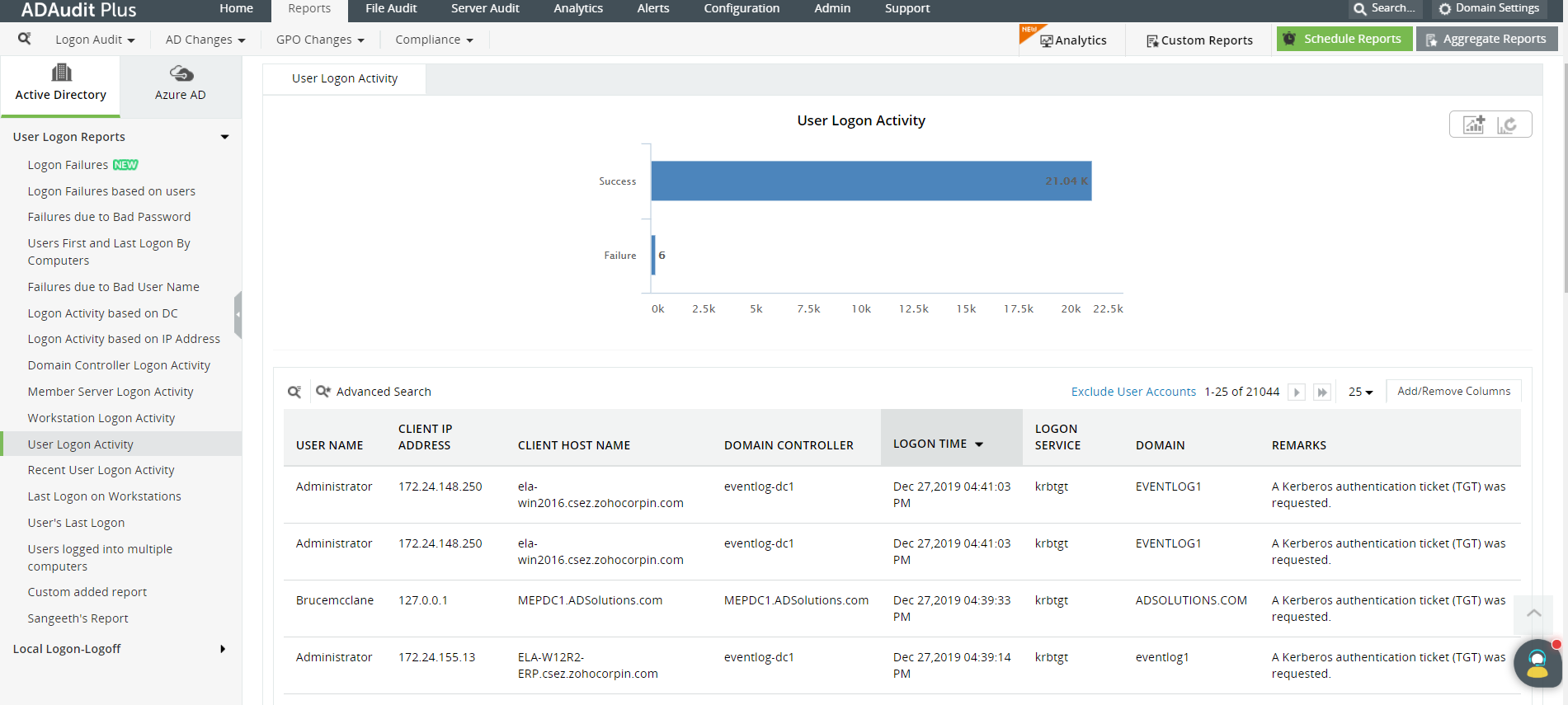
User logon activities are fully audited to help with understanding the cause of logon failure, analyzing account lockouts, and measuring employee productivity. Out-of-the-box reports for compliance audits are available to ensure your organization is compliant with industry regulations like SOX, HIPAA, FISMA, and the GDPR.
Get a free trial of ADAudit Plus to check out more features like user behavior analytics for threat detection, and Windows server and file server monitoring for maintaining file integrity.
Get your free trial!Active Directory auditor
Get reports and alerts on changes to AD objects including users, groups, OUs, GPOs, and more instantly.
Account lockout tool
Detect and diagnose AD account lockouts faster by identifying their root cause.
Login Monitoring
Monitor, track, and report on both successful and failed login attempts in real time.
Audit file access.
Monitor and track all Azure Active Directory sign-ins and events across cloud or hybrid environments.
Analyze files and disk space.
Audit and report on what GPO setting was changed with before and after values—all in real time.
Comply with regulations.
Monitor and report on critical actions made by administrators or privileged accounts and groups.
File server auditing
Audit all file accesses across Windows file servers, failover clusters, NetApp, and EMC environments.
File permissions auditing
Audit all file and folder permission changes. Know who made those changes, when, and from where.
File integrity monitoring
Monitor and alert on unwarranted file accesses or modifications with real-time change auditing.
File change monitoring
Gain instant visibility into all modifications and failed access attempts made to your critical files.
Compliance requirements
Generate out-of-the-box compliance reports for regulations such as HIPAA, PCI DSS, GDPR, and more.
Forensic analysis
Investigate security incidents faster with actionable and accurate audit data.
Windows server auditing
Audit and monitor all user actions across the Windows server environment in real time.
Removable device auditing
Monitor usage of removable storage devices, such as USBs, and report on their file activities.
Printer monitoring
Monitor printer usage to find out who printed what critical files over the Windows network.
ADFS auditing
Monitor and report on both successful and failed ADFS authentication attempts in real time.
Audit process tracking
Track critical process creation and termination events with details on who initiated it and when.
File integrity monitoring
Monitor and alert on unwarranted file accesses or modifications with real-time change auditing.
Workstation auditing
Audit, alert, and report on critical user activities across workstations in real time.
Logon and logoff monitoring
Monitor and track all users' logon and logoff activities to spot anomalous user sessions.
File integrity monitoring
Ensure file integrity by keeping track of changes made to the system, program files, and more.
User login history monitoring
Track, record, and maintain an audit trail of all users' login history details.
Audit process tracking
Track critical process creation and termination events with details on who initiated it and when.
Employee time tracking software
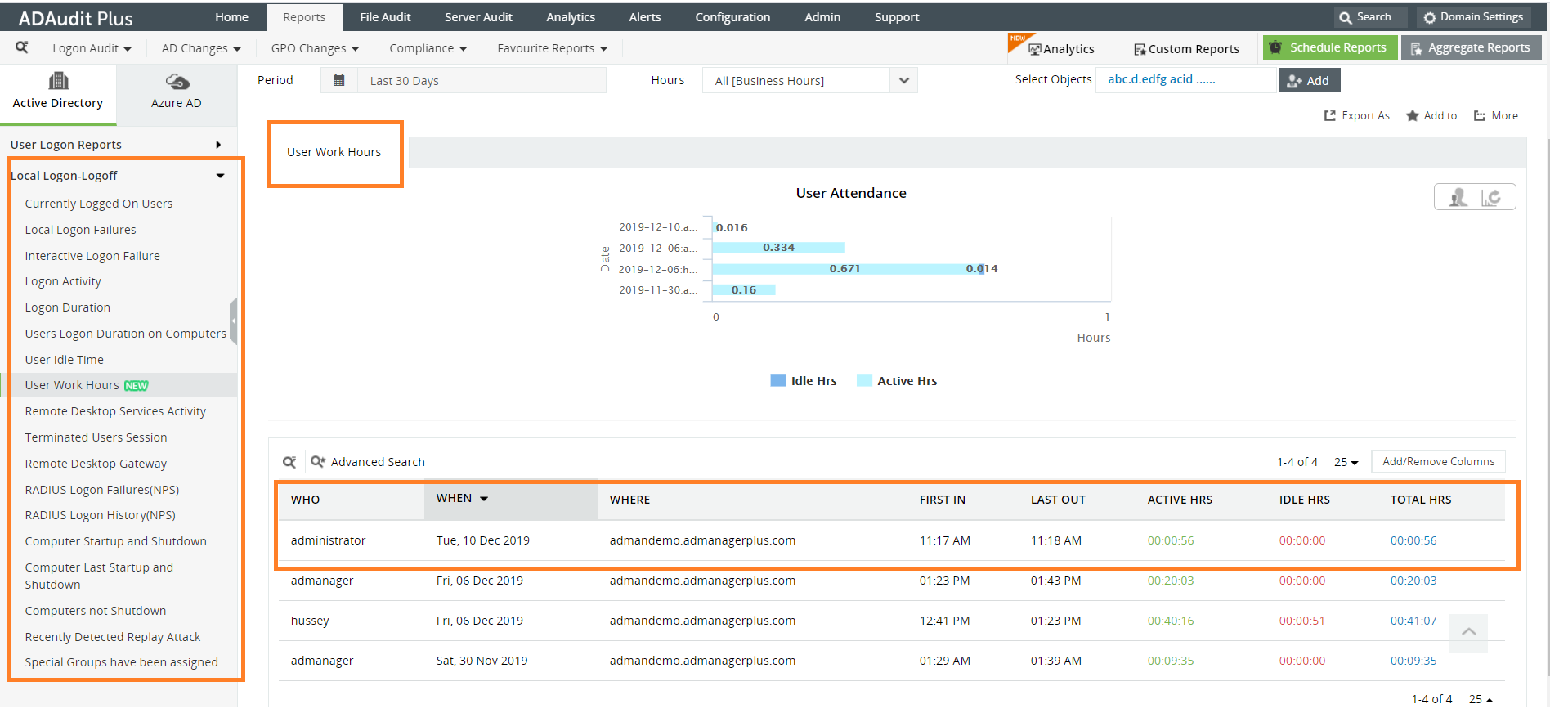
Measure your employees' productivity by keeping track of their idle time and actual work hours.