How to monitor remote desktop activity
IT admins monitor and control machines present in the organization's network, including the remote ones. On remote computers, it is easy for hackers to logon without being noticed. It is imperative to check for unauthorized logons to protect the network from potential cyber attacks.
The following steps show how you can monitor remote desktop activity using the native auditing tool.
You might also want to have a look at how ADAudit Plus, a third-party tool, can provide a more comprehensive remote desktop activity report with all the required data points.
Fully functional 30 day free trial. No credit card required
Thanks!
Your download is in progress and it will be completed in just a few seconds!
If you face any issues, download manually here
Start your 30-day free trial
With Native AD Auditing
Step 1: Enable 'Audit Logon' policy
- Launch the Group Policy Management console (Run --> gpedit.msc)
- Create a new GPO and link it to the domain containing the file server or edit the existing GPO that is linked to the relevant domain.
- Navigate to Computer Configuration -> Windows Settings -> Security Settings -> Advanced Audit Policy Configuration -> Audit Policies -> Logon Logoff access.
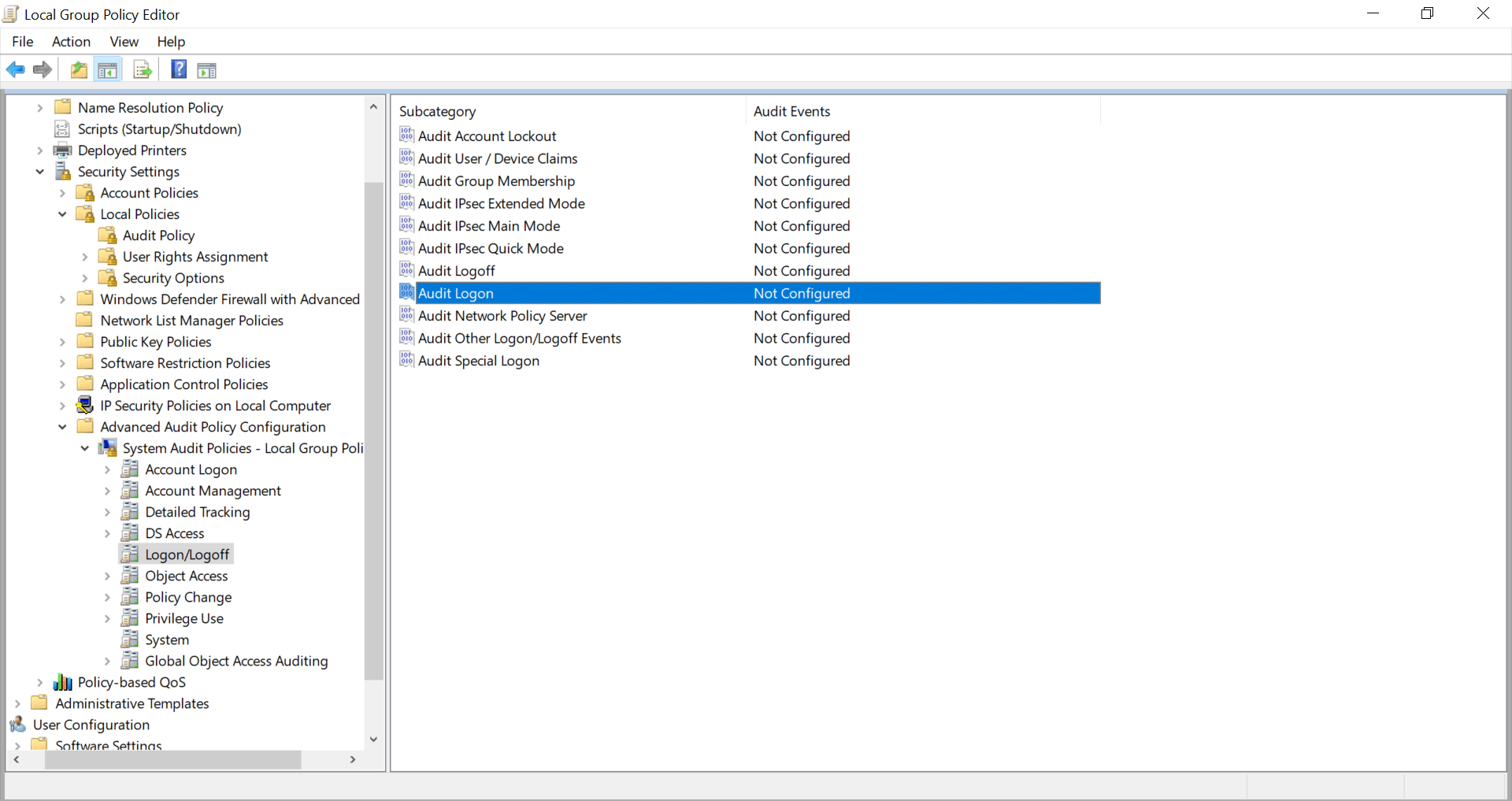
- Under Audit Policy, select 'Audit Logon' and turn auditing on for success.
Step 2: View remote desktop activity logs in Event Viewer
Every time a user successfully connects remotely, an event log will be recorded in the Event Viewer. To view this remote desktop activity log, go to the Event Viewer. Under Applications and Services Logs -> Microsoft -> Windows -> Terminal-Services-RemoteConnectionManager > Operational.
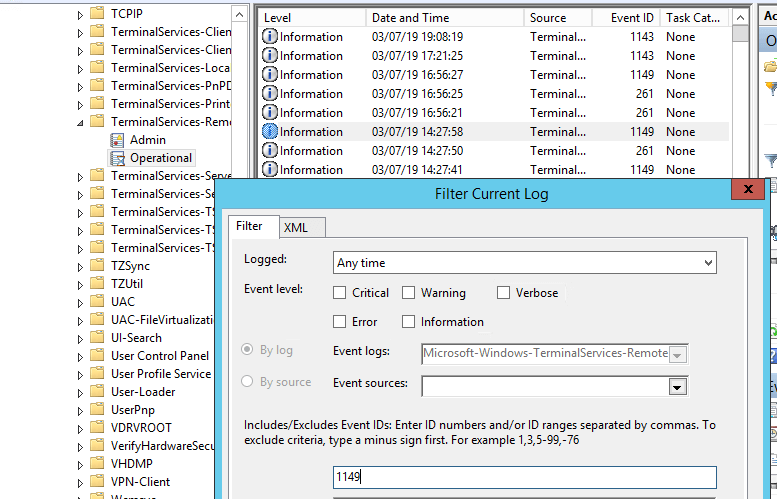
Enable the log filter for this event (right-click the log -> Filter Current Log -> EventId 1149).
With ADAudit Plus
To obtain the report,
- Login to ADAudit Plus web console as an administrator.
- Navigate to the Reports tab and from the Local Logon-Logoff section in the left pane, select Remote Desktop Services Activity report.
- Select the domain and click Generate.
- Select Export As to export the report in any of the preferred formats (CSV, PDF, HTML, CSVDE and XLSX).
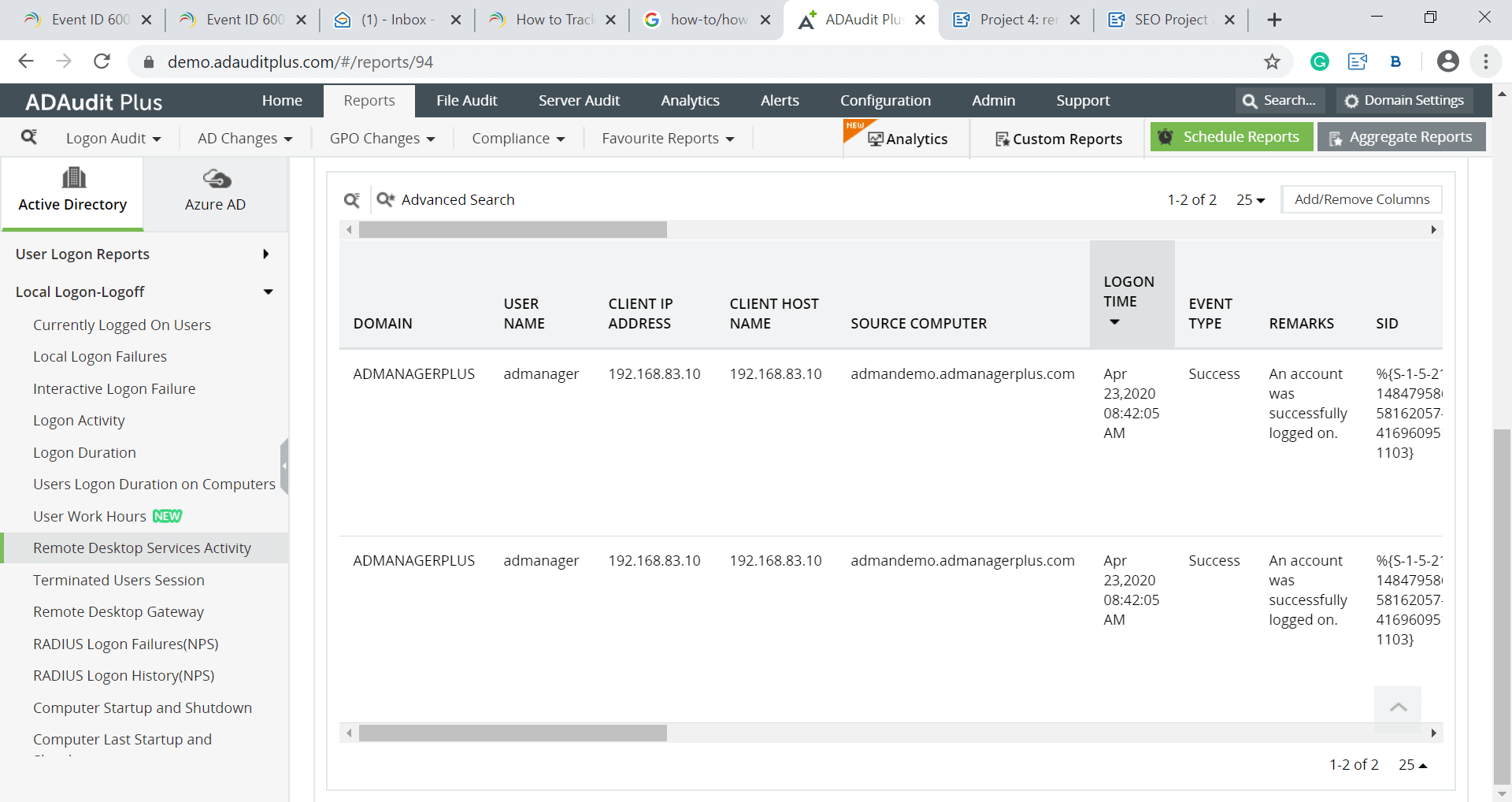
ADAudit Plus provides remote desktop activities report of users in a particular workstation and displays it in a simple and intuitively designed UI.
Over 280,000 organizations across 190 countries
trust ManageEngine to manage their IT.


Trusted and Recommended by Leading Industry Experts Worldwide
-
Global Infosec
Awards 2025 -
Top InfoSec Innovator
Awards for 2024 -
Gartner Peer Insights
Customers' Choice 2023 - Cloud Connect 2024