Remote desktop monitoring software

ADAudit Plus enables you to continuously monitor remote desktop connections occurring across your Windows server environment.

Download now
Start your free trial 30-day free trial. No credit card required.

Thanks!

Your download is in progress and it will be completed in just a few seconds!
If you face any issues, download manually here

×

Start your 30-day free trial

  •  
  • *
     
  • *
     
  •  
  • By clicking ' Submit' you agree to processing of personal data according to the Privacy Policy.

Get real-time visibility into remote desktop activity

User logon auditing

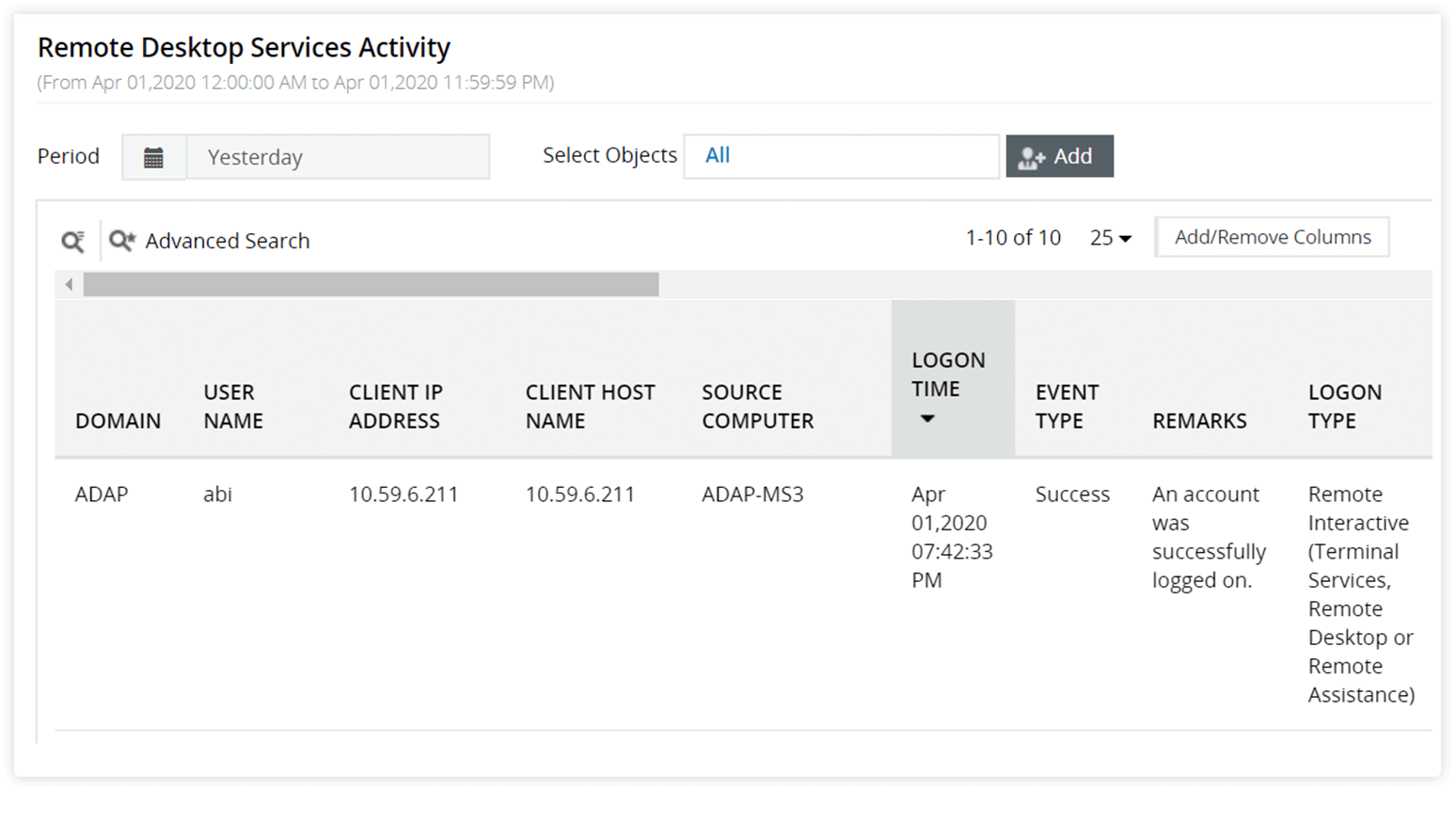
Get information on who logged in to which computer, when, and from where via remote desktop connection.

Failed logon tracking

Detect potential brute-force attacks by keeping tabs on failed remote desktop logon attempts.

Session duration auditing

See how long users were remotely logged on to computers.

Terminated session tracing

Spot remote desktop sessions that are consuming server resources unnecessarily, because they were terminated rather than being logged off.

Everything you need for comprehensive remote logon monitoring

Instant security alerts

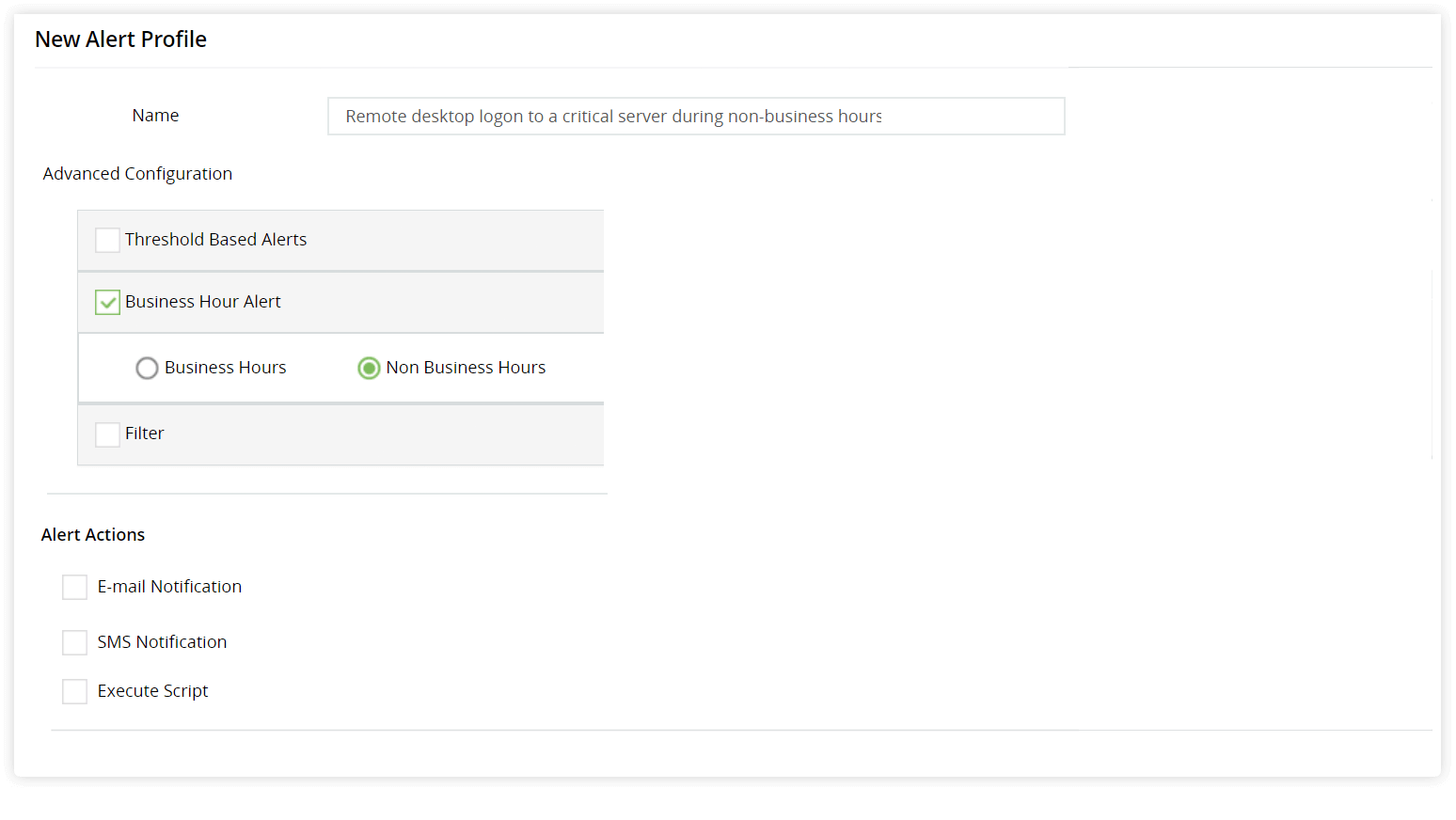
Get email and SMS notifications of remote logons to critical servers during non-business hours. Configure alerts for other similar critical scenarios.

Compliance reports

Automate generation of reports that detail user activity over remote connections and demonstrate compliance.

User behavior analytics (UBA)

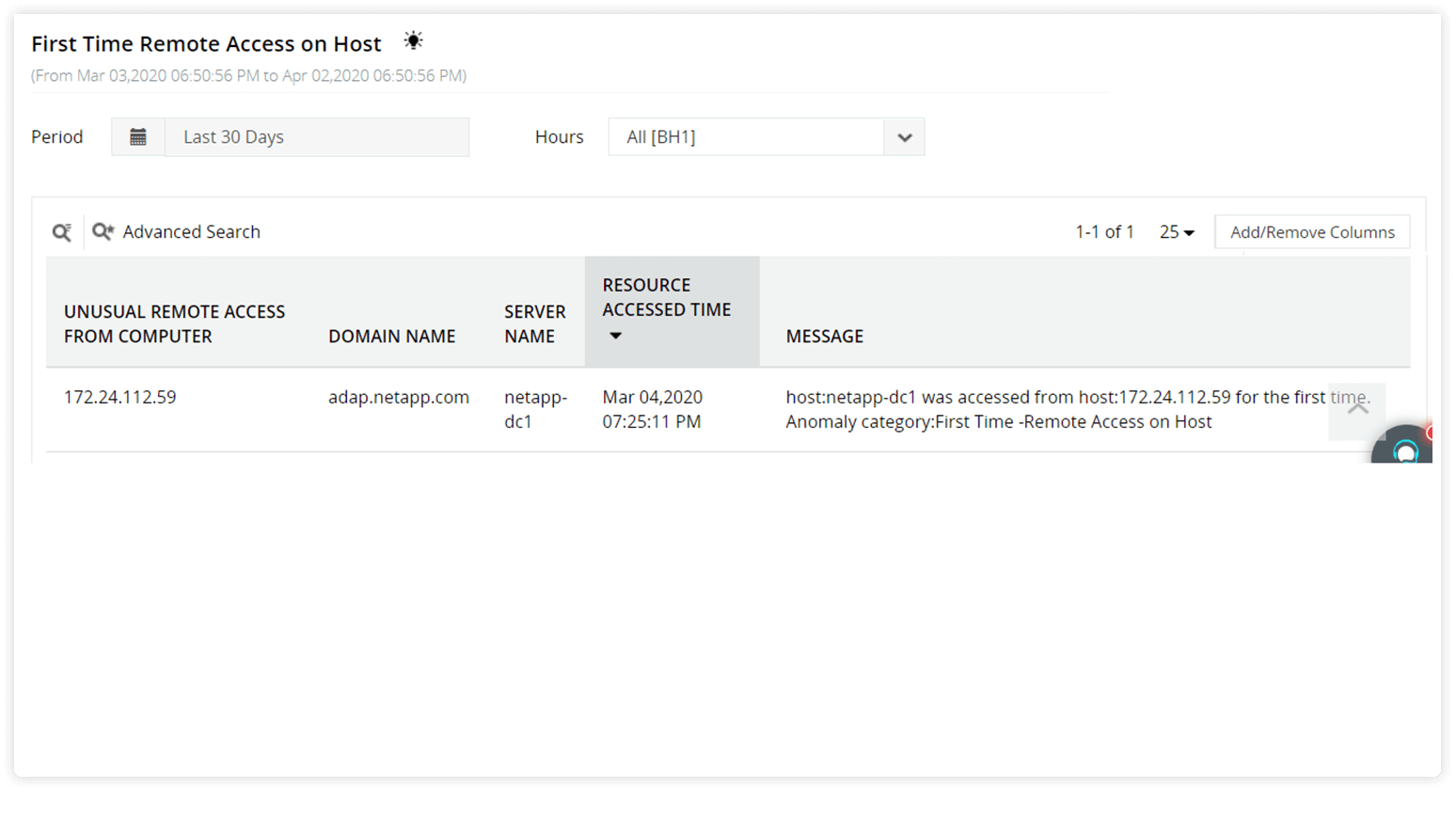
Leverage ADAudit Plus' machine learning capabilities to spot unusual remote activity such as a computer being accessed remotely for the first time.

Remote Desktop Gateway (RDG) and RADIUS logon auditing

Track remote user logons occurring via RDG servers and RADIUS Network Policy Servers.

Monitoring remote desktop sessions is just a few clicks away

  • 1
     

    Define alert thresholds based on working hours.

    1
     

    Get notified via email and SMS when thresholds are breached.

    1
     

    Execute scripts to automatically trigger a response such as shutting down a device.
    privileged access monitoring

    Define alert thresholds based on working hours.

    Get notified via email and SMS when thresholds are breached.

    Execute scripts to automatically trigger a response such as shutting down a device.

  • 1
     

    Spot unusual remote activity such as a computer being accessed remotely for the first time.
    audit privilege use

    Spot unusual remote activity such as a computer being accessed remotely for the first time.

  • 1
     

    Find who logged in, when, which computer they logged in to, and from where.

    1
     

    You can also filter remote desktop activity based on the target computer.
    privileged account monitoring

    Find who logged in, when, which computer they logged in to, and from where.

    You can also filter remote desktop activity based on the target computer.

Monitor all remote desktop connections with ease, using ADAudit Plus

Get Your Free Trialfully functional 30-day trial

Other solutions offered by ADAudit Plus

Active directoryFile serverWindows serverWorkstation
Active Directory auditor

Get reports and alerts on changes to AD objects including users, groups, OUs, GPOs, and more instantly.

 
Account lockout tool

Detect and diagnose AD account lockouts faster by identifying their root cause.

 
Login monitoring

Monitor, track, and report on both successful and failed login attempts in real time.

 
Azure AD auditing

Monitor and track all Azure Active Directory sign-ins and events across cloud or hybrid environments.

 
GPO change auditing

Audit and report on what GPO setting was changed with before and after values—all in real time.

 
Privileged user monitoring

Monitor and report on critical actions made by administrators or privileged accounts and groups.

 
File server auditing

Audit all file accesses across Windows file servers, failover clusters, NetApp, and EMC environments.

 
File permissions auditing

Audit all file and folder permission changes. Know who made those changes, when, and from where.

 
File integrity monitoring

Monitor and alert on unwarranted file accesses or modifications with real-time change auditing.

 
File change monitoring

Gain instant visibility into all modifications and failed access attempts made to your critical files.

 
Compliance requirements

Generate out-of-the-box compliance reports for regulations such as HIPAA, PCI DSS, GDPR, and more.

 
Forensic analysis

Investigate security incidents faster with actionable and accurate audit data.

Windows server auditing

Audit and monitor all user actions across the Windows server environment in real time.

 
Removable device auditing

Monitor usage of removable storage devices, such as USBs, and report on their file activities.

 
Printer monitoring

Monitor printer usage to find out who printed what critical files over the Windows network.

 
ADFS auditing

Monitor and report on both successful and failed ADFS authentication attempts in real time.

 
Audit process tracking

Track critical process creation and termination events with details on who initiated it and when.

 
File integrity monitoring

Monitor and alert on unwarranted file accesses or modifications with real-time change auditing.

 
Workstation auditing

Audit, alert, and report on critical user activities across workstations in real time.

 
Logon and logoff monitoring

Monitor and track all users' logon and logoff activities to spot anomalous user sessions.

 
File integrity monitoring

Ensure file integrity by keeping track of changes made to the system, program files, and more.

 
User login history monitoring

Track, record, and maintain an audit trail of all users' login history details.

 
Audit process tracking

Track critical process creation and termination events with details on who initiated it and when.

 
Employee time tracking software

Measure your employees' productivity by keeping track of their idle time and actual work hours.