Merge GPOs
The merge GPOs feature enables administrators to consolidate configuration settings from multiple GPOs into a single GPO.
Prerequisites
Ensure that the user account has:
- Permissions to create and edit GPOs.
- Read and write permissions to the PolicyDefinitions folder of the target domain controller.
- Read and write permissions on the SYSVOL share folder of the target domain controller.
Steps to merge GPOs
- Navigate to Management > GPO Management.
- Click Merge GPOs.
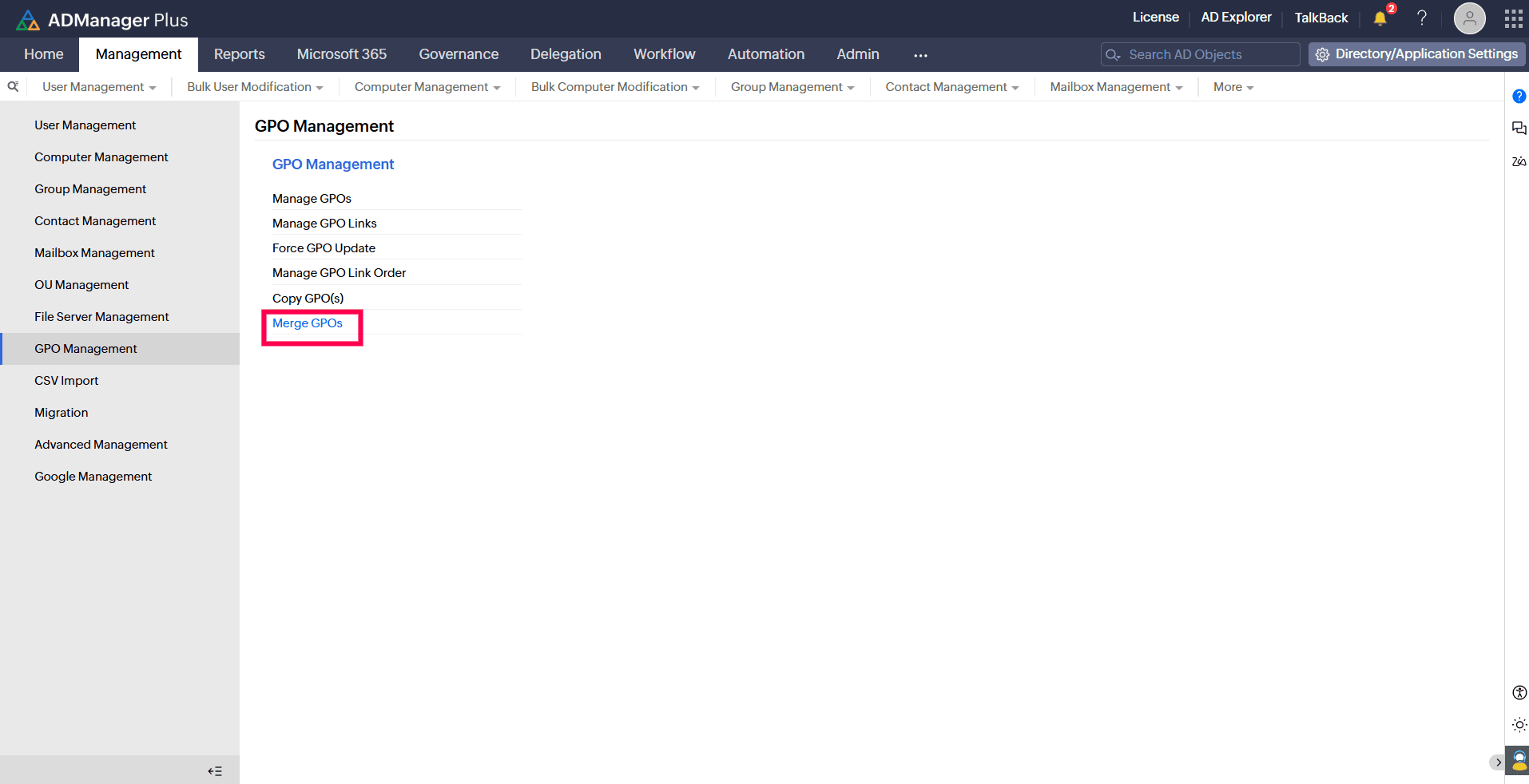
GPO Management page with the Merge GPOs option highlighted. - From the Select Domain drop-down, choose the desired domain.
- Under Select Source GPO(s), select the GPOs to merge. In case of conflicts, settings from GPOs placed higher in the list override those from GPOs listed below.
- In the Select Settings to Merge field, choose the settings to merge from the selected source GPOs.
- Under the Select Destination GPO field, you can choose to create a new GPO or merge with an existing GPO:
- New GPO: Enter a name to create a new GPO.
- Existing GPO: Select an existing GPO. Optionally, you can check the box to avoid overwriting existing settings.
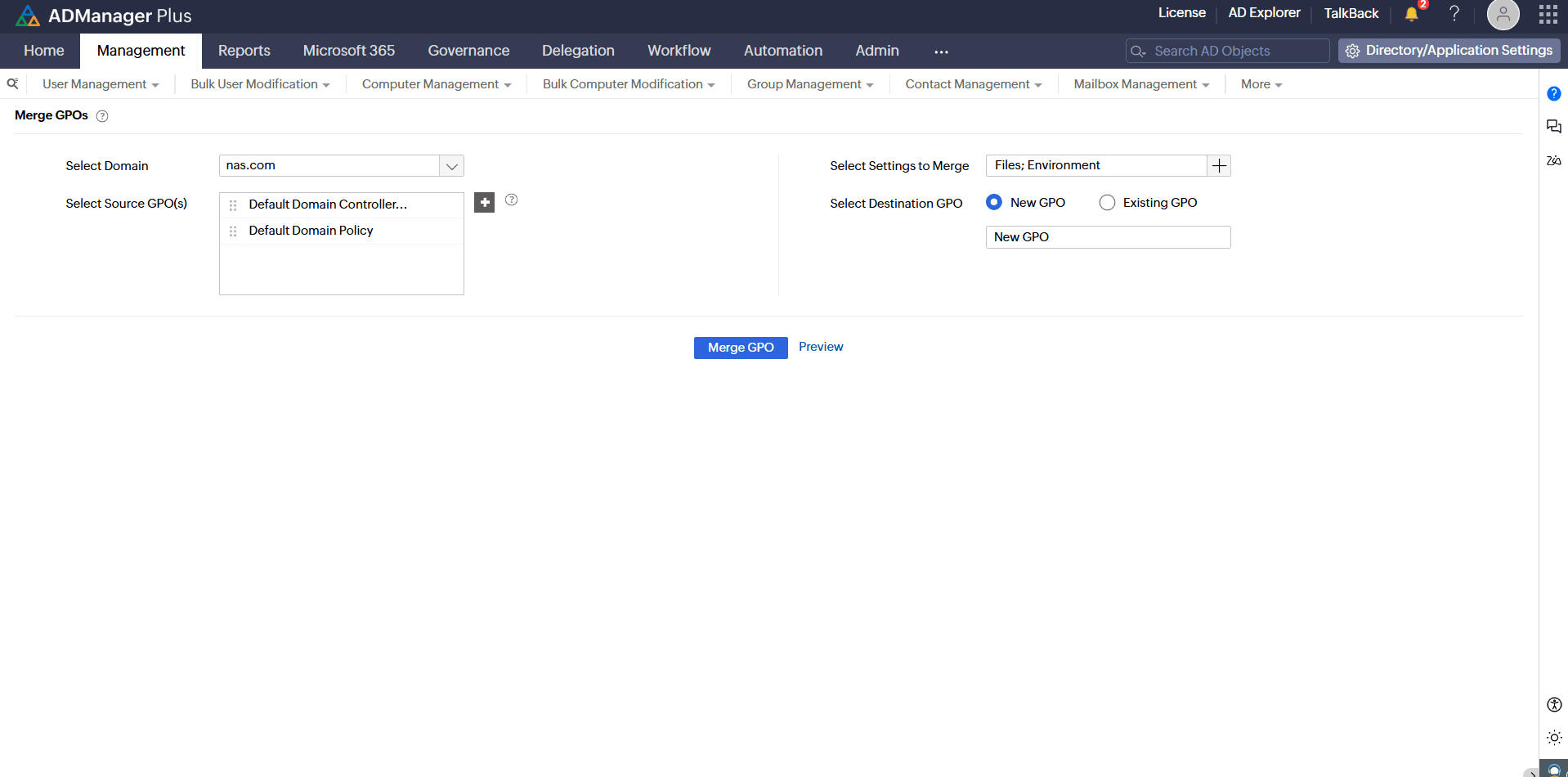
Screenshot showing the Merge GPOs configuration page. - Optionally, click Preview to view a summary of the effective settings that will be applied to the target GPO.
- Click Merge GPO to apply the merge.